mac 安装消息中间件---ActiveMQ
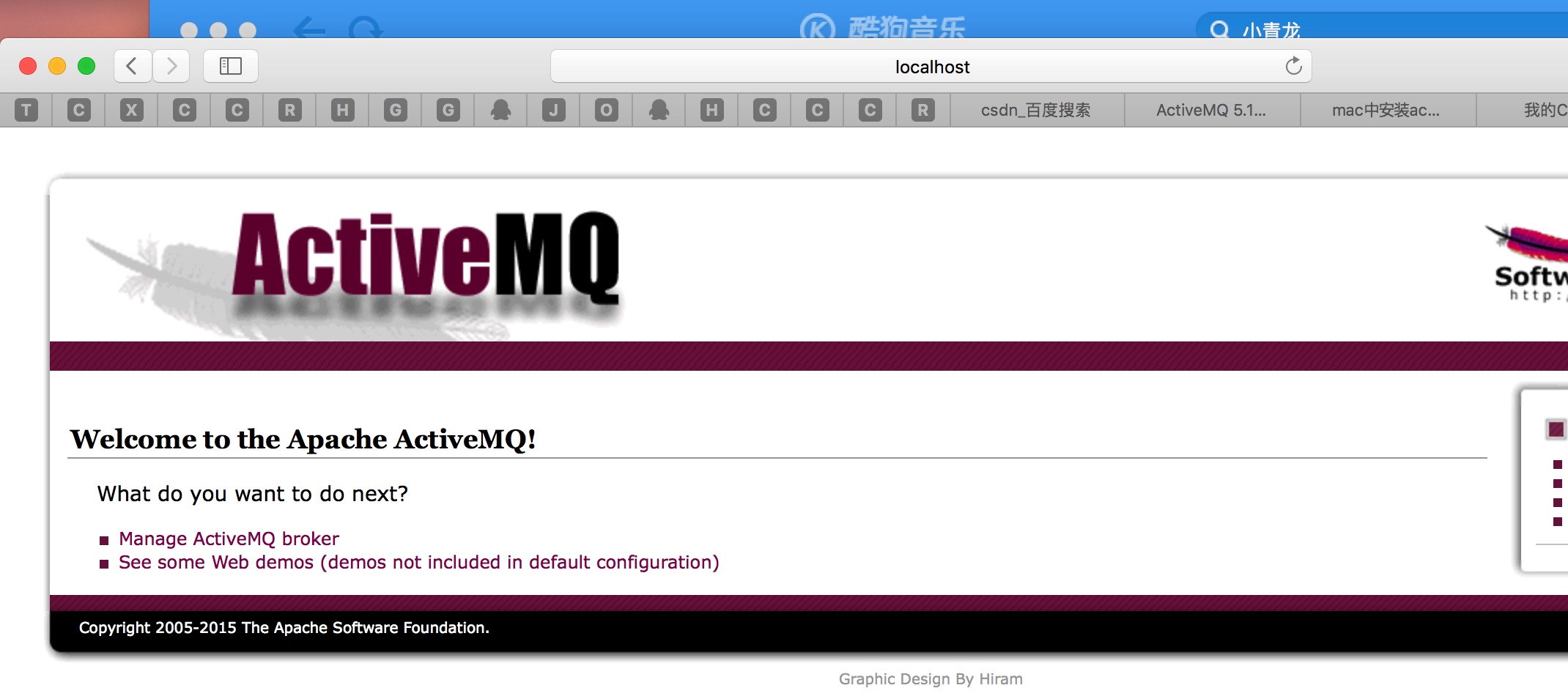
版权声明:本文为博主原创文章,未经博主允许不得转载。 https://blog.csdn.net/u010046908/article/details/54728375 一般在mac上安装软件大家都是比较喜欢用brew来安装,今天就用brew来安装ActiveMQ。 1.使用brew来安装 ActiveMQ brew install activemq 看到如下的结果时候,可以很庆幸的告诉你,你已经成功安装了activemq。 localhost:~ lidong$ brew install activemq Updating Homebrew... ==> Auto-updated Homebrew! Updated 1 tap (homebrew/core). ==> New Formulae bit gobby molecule statik carrot2 gsmartcontrol opencoarrays tarsnap-gui cnats gtk-chtheme orc-tools terminator easy-tag imagemagick@6 source-to-image todoman geeqie klavaro speexdsp watchexec gifcap mingw-w64-binutils sqlparse ==> Updated Formulae abcde gradle opus adns grafana orientdb afl-fuzz groonga osc amazon-ecs-cli grsync osquery ammonite-repl gsoap packer ansible gtk+ packetbeat ansible-cmdb gtk+3 pandoc ant h2o parallel antigen hana pazpar2 apktool haproxy pbzip2 app-engine-go-64 harfbuzz pcsc-lite arangodb heroku pdf2htmlex aria2 hivemind pdfcrack armor htmlcleaner pdftoedn arping httrack pdns asio hunspell pev assh hyperscan pgformatter aubio icarus-verilog pgrouting autotrace icoutils pius aws-elasticbeanstalk ievms pkcs11-helper aws-sdk-cpp imagemagick plantuml awscli influxdb pngcrush b2-tools innotop pod2man beansdb intercal poppler berkeley-db ios-webkit-debug-proxy postgrest bfg iperf3 pre-commit bib-tool irssi prips bibutils iso-codes prometheus bind jack pstoedit bitlbee javarepl pulseaudio bitrise jdnssec-tools purescript blockhash jenkins pushpin bogofilter jid pwntools buku jigdo pyenv cabal-install joe pyqt5 caddy jruby qbs cadubi kapacitor qcachegrind caf kawa qemu carina khal qjackctl cattle kibana qscintilla2 cdk kobalt quantlib certbot kotlin rabbitmq clasp kubernetes-cli rancher-cli cloc kubernetes-helm rancher-compose cmake languagetool rancid coffeescript lastpass-cli ranger collectd lean-cli ripgrep commandbox leptonica rocksdb conan lft rpm consul-template libass rswift coturn libcec rtags cromwell libcouchbase rtv crystal-lang libdap ruby-build curlpp libev rust dar libfabric sbcl darcs libgcrypt sdb darkice libgit2 serd datetime-fortran libgit2-glib sfk datomic libgosu shadowsocks-libev dbhash libgphoto2 shmcat dbt libgtop sip dbxml liblas snap7 dcmtk libmikmod snort deis libmill soci deisctl libming sops dependency-check libmwaw sord diff-pdf libosmium sourcekitten diffoscope libphonenumber speedtest_cli dirt libpng sphinx-doc dmd libproxy sqldiff dnscrypt-proxy libsass sqlite docker libslax sqlite-analyzer docker-compose libspectre sshguard docker-machine libsvm sstp-client docker-machine-nfs libtasn1 stern docker-machine-parallels libtiff stoken docker-swarm libupnp stormpath-cli dockward libusb svtplay-dl doitlive libvirt swaks dpkg libvpx swift dub libxc swiftformat duplicity libxml2 swiftgen dwarfutils lighttpd swiftlint ecl link-grammar swig eiffelstudio linkerd syncthing ejabberd liquigraph synfig eject lmdb syntaxerl elasticsearch logentries tbox elasticsearch@2.4 logstash tcpkali elixir logtalk telegraf elixirscript lrdf terraform emscripten lsyncd terragrunt etcd ltc-tools thefuck euca2ools lz4 thrift extract_url macvim tile38 fabio makeself tin fdk-aac mariadb tintin fftw mcabber tippecanoe filebeat mediaconch tomcat flatbuffers memcached transcrypt flow memcacheq tty-clock fluent-bit mercurial ttyd fontforge metaproxy tvnamer fonttools metricbeat twarc fossil micropython typescript fping mikutter u-boot-tools fq minizip udunits freeswitch mktorrent unittest-cpp freetds mkvtoolnix unrar fwup moc unshield fzf mongo-c-driver vapoursynth gammu mongodb vdirsyncer gcal mongoose vice gdb mono vim geckodriver mpd wavpack geoipupdate mpv webalizer ghc msgpack weechat ghostscript mypy whatmp3 ginac neofetch wireguard-tools git-cola nexus xapian git-lfs nghttp2 xmlrpc-c git-subrepo nim xonsh git-test no-more-secrets xqilla git-tracker node xrootd giter8 node-build xxhash gitlab-ci-multi-runner node@0.12 xz gitup node@4 yadm gitversion node@6 yank gmime nodeenv yarn gnu-cobol notmuch yash gnu-sed nss yaws gnupg-pkcs11-scd nvc yaz gnupg2 nvi yle-dl gnuradio open-cobol you-get gnutls open-jtalk youtube-dl go open-mesh zabbix godep open-ocd zbar gofabric8 openconnect zeromq google-java-format opencore-amr zimg gosu openshift-cli zplug ==> Renamed Formulae eigen32 -> eigen@3.2 scala210 -> scala@2.10 scala211 -> scala@2.11 ==> Deleted Formulae cpp-netlib dmtx-utils dynamodb-local gcc@6 qtplay ==> Using the sandbox ==> Downloading https://www.apache.org/dyn/closer.cgi?path=/activemq/5.14.3/apac ==> Best Mirror http://mirrors.cnnic.cn/apache/activemq/5.14.3/apache-activemq-5 ######################################################################## 100.0% ==> Caveats To have launchd start activemq now and restart at login: brew services start activemq Or, if you don't want/need a background service you can just run: activemq start ==> Summary �� /usr/local/Cellar/activemq/5.14.3: 555 files, 59.7M, built in 1 minute 39 seconds localhost:~ lidong$ 2.使用activemq –version来查看安装的版本 localhost:~ lidong$ activemq --version INFO: Loading '/usr/local/Cellar/activemq/5.14.3/libexec//bin/env' INFO: Using java '/Library/Java/JavaVirtualMachines/jdk1.8.0_92.jdk/Contents/Home/bin/java' Java Runtime: Oracle Corporation 1.8.0_92 /Library/Java/JavaVirtualMachines/jdk1.8.0_92.jdk/Contents/Home/jre Heap sizes: current=62976k free=61648k max=932352k JVM args: -Xms64M -Xmx1G -Djava.util.logging.config.file=logging.properties -Djava.security.auth.login.config=/usr/local/Cellar/activemq/5.14.3/libexec//conf/login.config -Dactivemq.classpath=/usr/local/Cellar/activemq/5.14.3/libexec//conf:/usr/local/Cellar/activemq/5.14.3/libexec//../lib/: -Dactivemq.home=/usr/local/Cellar/activemq/5.14.3/libexec/ -Dactivemq.base=/usr/local/Cellar/activemq/5.14.3/libexec/ -Dactivemq.conf=/usr/local/Cellar/activemq/5.14.3/libexec//conf -Dactivemq.data=/usr/local/Cellar/activemq/5.14.3/libexec//data Extensions classpath: [/usr/local/Cellar/activemq/5.14.3/libexec/lib,/usr/local/Cellar/activemq/5.14.3/libexec/lib/camel,/usr/local/Cellar/activemq/5.14.3/libexec/lib/optional,/usr/local/Cellar/activemq/5.14.3/libexec/lib/web,/usr/local/Cellar/activemq/5.14.3/libexec/lib/extra] ACTIVEMQ_HOME: /usr/local/Cellar/activemq/5.14.3/libexec ACTIVEMQ_BASE: /usr/local/Cellar/activemq/5.14.3/libexec ACTIVEMQ_CONF: /usr/local/Cellar/activemq/5.14.3/libexec/conf ACTIVEMQ_DATA: /usr/local/Cellar/activemq/5.14.3/libexec/data ActiveMQ 5.14.3 For help or more information please see: http://activemq.apache.org 3.activemq常用的命令 Tasks: browse - Display selected messages in a specified destination. bstat - Performs a predefined query that displays useful statistics regarding the specified broker consumer - Receives messages from the broker create - Creates a runnable broker instance in the specified path. decrypt - Decrypts given text dstat - Performs a predefined query that displays useful tabular statistics regarding the specified destination type encrypt - Encrypts given text export - Exports a stopped brokers data files to an archive file list - Lists all available brokers in the specified JMX context producer - Sends messages to the broker purge - Delete selected destination's messages that matches the message selector query - Display selected broker component's attributes and statistics. start - Creates and starts a broker using a configuration file, or a broker URI. stop - Stops a running broker specified by the broker name. Task Options (Options specific to each task): --extdir <dir> - Add the jar files in the directory to the classpath. --version - Display the version information. -h,-?,--help - Display this help information. To display task specific help, use Main [task] -h,-?,--help 4.启动activeMQ服务 activemq start 看到如下信息,就表示已经安装成功 localhost:~ lidong$ activemq start INFO: Loading '/usr/local/Cellar/activemq/5.14.3/libexec//bin/env' INFO: Using java '/Library/Java/JavaVirtualMachines/jdk1.8.0_92.jdk/Contents/Home/bin/java' INFO: Starting - inspect logfiles specified in logging.properties and log4j.properties to get details INFO: pidfile created : '/usr/local/Cellar/ActiveMQ/5.14.3/libexec//data/activemq.pid' (pid '2402') 然后就可以访问管理web console。在浏览器中输入url: http://localhost:8161/ 点击 Manager ActiveMQ boker 输入用户名:admin 密码admin 看到这个页面,就可以到ActiveMQ 启动成功了。