首页 文章 精选 留言 我的

精选列表

搜索[网站开发],共10000篇文章
优秀的个人博客,低调大师

iOS开发-UINavigationBar透明设置

导航条最近需要设置成透明的形式,最开始想通过颜色clearColor设置,设置透明度,结果发现UINavigationItem无法显示显示,后来通过setBackgroundImage设置成功,不过会多出一条线白线,需要通过setShadowImage设置背景图片,代码如下: 1 2 3 4 5 -( void )viewWillAppear:( BOOL )animated{ [ super viewWillAppear:animated]; [ self .navigationController.navigationBar setBackgroundImage:[UIImage new ] forBarMetrics:UIBarMetricsDefault]; [ self .navigationController.navigationBar setShadowImage:[UIImage new ]]; } 如果不想影响其他页面的导航透明度,viewWillDisappear将其设置为nil即可: 1 2 3 4 5 6 -( void )viewWillDisappear:( BOOL )animated{ //原文地址:http://www.cnblogs.com/xiaofeixiang [ super viewWillDisappear:animated]; [ self .navigationController.navigationBar setBackgroundImage: nil forBarMetrics:UIBarMetricsDefault]; [ self .navigationController.navigationBar setShadowImage: nil ]; } 本文转自Fly_Elephant博客园博客,原文链接:http://www.cnblogs.com/xiaofeixiang/p/4624928.html,如需转载请自行联系原作者

优秀的个人博客,低调大师

IOS开发之property详解

之前很多网友对我翻译的教程中的Property的使用感到有些迷惑不解,搞不清楚什么时候要release,什么时候要self.xxx = nil;同时对于Objective-c的内存管理以及cocos2d的内存管理规则不够清楚。本文主要讲解objc里面@property,它是什么,它有什么用,atomic,nonatomic,readonly,readwrite,assign,retain,copy,getter,setter这些关键字有什么用,什么时候使用它们。至于Objc的内存管理和cocos2d的内存管理部分,接下来,我会翻译Ray的3篇教程,那里面再和大家详细讨论。今天我们的主要任务是搞定@property。 学过c/c++的朋友都知道,我们定义struct/class的时候,如果把访问限定符(public,protected,private)设置为public的话,那么我们是可以直接用.号来访问它内部的数据成员的。比如 //in Test.h class Test { public: int i; float f; }; 我在main函数里面是可以通过下面的方式来使用这个类的:(注意,如果在main函数里面使用此类,除了要包含头文件以外,最重要的是记得把main.m改成main.mm,否则会报一些奇怪的错误。所以,任何时候我们使用c++,如果报奇怪的错误,那就要提醒自己是不是把相应的源文件改成.mm后缀了。其它引用此类的文件有时候也要改成.mm文件) //in main.mm Test test; test.i =1; test.f =2.4f; NSLog(@"Test.i = %d, Test.f = %f",test.i, test.f); 但是,在objc里面,我们能不能这样做呢?请看下面的代码:(新建一个objc类,命名为BaseClass) //in BaseClass.h @interface BaseClass : NSObject{ @public NSString *_name; } 接下来,我们在main.mm里面: BaseClass *base= [[BaseClass alloc] init]; base.name =@"set base name"; NSLog(@"base class's name = %@", base.name); 不用等你编译,xcode4马上提示错误,请看截图: 请大家注意看出错提示“Property 'nam' not found on object of type BaseClass*",意思是,BaseClass这类没有一个名为name的属性。即使我们在头文件中声明了@public,我们仍然无法在使用BaseClass的时候用.号来直接访问其数据成员。而@public,@protected和@private只会影响继承它的类的访问权限,如果你使用@private声明数据成员,那么在子类中是无法直接使用父类的私有成员的,这和c++,java是一样的。 既然有错误,那么我们就来想法解决啦,编译器说没有@property,那好,我们就定义property,请看代码: //in BaseClass.h @interface BaseClass : NSObject{ @public NSString *_name; } @property(nonatomic,copy) NSString *name; //in BaseClass.m @synthesize name = _name; 现在,编译并运行,ok,很好。那你可能会问了@prperty是不是就是让”."号合法了呀?只要定义了@property就可以使用.号来访问类的数据成员了?先让我们来看下面的例子: @interface BaseClass : NSObject{ @public NSString *_name; } //@property(nonatomic,copy) NSString *name; -(NSString*) name; -(void) setName:(NSString*)newName; 我把@property的定义注释掉了,另外定义了两个函数,name和setName,下面请看实现文件: //@synthesize name = _name; -(NSString*) name{ return _name; } -(void) setName:(NSString *)name{ if (_name != name) { [_name release]; _name = [name copy]; } } 现在,你再编译运行,一样工作的很好。why?因为我刚刚做的工作和先前声明@property所做的工作完全一样。@prperty只不过是给编译器看的一种指令,它可以编译之后为你生成相应的getter和setter方法。而且,注意看到面property(nonatomic,copy)括号里面这copy参数了吗?它所做的事就是 _name = [name copy]; 如果你指定retain,或者assign,那么相应的代码分别是: //property(retain)NSString* name; _name = [name retain]; //property(assign)NSString* name; _name = name; 其它讲到这里,大家也可以看出来,@property并不只是可以生成getter和setter方法,它还可以做内存管理。不过这里我暂不讨论。现在,@property大概做了件什么事,想必大家已经知道了。但是,我们程序员都有一个坎,就是自己没有完全吃透的东西,心里用起来不踏实,特别是我自己。所以,接下来,我们要详细深挖@property的每一个细节。 首先,我们看atomic 与nonatomic的区别与用法,讲之前,我们先看下面这段代码: @property(nonatomic, retain) UITextField *userName; //1 @property(nonatomic, retain,readwrite) UITextField *userName; //2 @property(atomic, retain) UITextField *userName; //3 @property(retain) UITextField *userName; //4 @property(atomic,assign) int i; // 5 @property(atomic) int i; //6 @property int i; //7 请读者先停下来想一想,它们有什么区别呢? 上面的代码1和2是等价的,3和4是等价的,5,6,7是等价的。也就是说atomic是默认行为,assign是默认行为,readwrite是默认行为。但是,如果你写上@property(nontomic)NSString *name;那么将会报一个警告,如下图: 因为是非gc的对象,所以默认的assign修饰符是不行的。那么什么时候用assign、什么时候用retain和copy呢?推荐做法是NSString用copy,delegate用assign(且一定要用assign,不要问为什么,只管去用就是了,以后你会明白的),非objc数据类型,比如int,float等基本数据类型用assign(默认就是assign),而其它objc类型,比如NSArray,NSDate用retain。 在继续之前,我还想补充几个问题,就是如果我们自己定义某些变量的setter方法,但是想让编译器为我们生成getter方法,这样子可以吗?答案是当然可以。如果你自己在.m文件里面实现了setter/getter方法的话,那以翻译器就不会为你再生成相应的getter/setter了。请看下面代码: //代码一: @interface BaseClass : NSObject{ @public NSString *_name; } @property(nonatomic,copy,readonly) NSString *name; //这里使用的是readonly,所有会声明geter方法 -(void) setName:(NSString*)newName; //代码二: @interface BaseClass : NSObject{ @public NSString *_name; } @property(nonatomic,copy,readonly) NSString *name; //这里虽然声明了readonly,但是不会生成getter方法,因为你下面自己定义了getter方法。 -(NSString*) name; //getter方法是不是只能是name呢?不一定,你打开Foundation.framework,找到UIView.h,看看里面的property就明白了) -(void) setName:(NSString*)newName; //代码三: @interface BaseClass : NSObject{ @public NSString *_name; } @property(nonatomic,copy,readwrite) NSString *name; //这里编译器会我们生成了getter和setter //代码四: @interface BaseClass : NSObject{ @public NSString *_name; } @property(nonatomic,copy) NSString *name; //因为readwrite是默认行为,所以同代码三 上面四段代码是等价的,接下来,请看下面四段代码: //代码一: @synthesize name = _name; //这句话,编译器发现你没有定义任何getter和setter,所以会同时会你生成getter和setter //代码二: @synthesize name = _name; //因为你定义了name,也就是getter方法,所以编译器只会为生成setter方法,也就是setName方法。 -(NSString*) name{ NSLog(@"name"); return _name; } //代码三: @synthesize name = _name; //这里因为你定义了setter方法,所以编译器只会为你生成getter方法 -(void) setName:(NSString *)name{ NSLog(@"setName"); if (_name != name) { [_name release]; _name = [name copy]; } } //代码四: @synthesize name = _name; //这里你自己定义了getter和setter,这句话没用了,你可以注释掉。 -(NSString*) name{ NSLog(@"name"); return _name; } -(void) setName:(NSString *)name{ NSLog(@"setName"); if (_name != name) { [_name release]; _name = [name copy]; } } 上面这四段代码也是等价的。看到这里,大家对Property的作用相信会有更加进一步的理解了吧。但是,你必须小心,你如果使用了Property,而且你自己又重写了setter/getter的话,你需要清楚的明白,你究竟干了些什么事。别写出下面的代码,虽然是合法的,但是会误导别人: //BaseClass.h @interface BaseClass : NSObject{ @public NSArray *_names; } @property(nonatomic,assgin,readonly) NSArray *names; //注意这里是assign -(void) setNames:(NSArray*)names; //BaseClass.m @implementation BaseClass @synthesize names = _names; -(NSArray*) names{ NSLog(@"names"); return _names; } -(void) setNames:(NSArray*)names{ NSLog(@"setNames"); if (_name != name) { [_name release]; _name = [name retain]; //你retain,但是你不覆盖这个方法,那么编译器会生成setNames方法,里面肯定是用的assign } } 当别人使用@property来做内存管理的时候就会有问题了。总结一下,如果你自己实现了getter和setter的话,atomic/nonatomic/retain/assign/copy这些只是给编译的建议,编译会首先会到你的代码里面去找,如果你定义了相应的getter和setter的话,那么好,用你的。如果没有,编译器就会根据atomic/nonatomic/retain/assign/copy这其中你指定的某几个规则去生成相应的getter和setter。 好了,说了这么多,回到我们的正题吧。atomic和nonatomic的作用与区别: 如果你用@synthesize去让编译器生成代码,那么atomic和nonatomic生成的代码是不一样的。如果使用atomic,如其名,它会保证每次getter和setter的操作都会正确的执行完毕,而不用担心其它线程在你get的时候set,可以说保证了某种程度上的线程安全。但是,我上网查了资料,仅仅靠atomic来保证线程安全是很天真的。要写出线程安全的代码,还需要有同步和互斥机制。 而nonatomic就没有类似的“线程安全”(我这里加引号是指某种程度的线程安全)保证了。因此,很明显,nonatomic比atomic速度要快。这也是为什么,我们基本上所有用property的地方,都用的是nonatomic了。 还有一点,可能有读者经常看到,在我的教程的dealloc函数里面有这样的代码:self.xxx = nil;看到这里,现在你们明白这样写有什么用了吧?它等价于[xxx release]; xxx = [nil retain];(---如果你的property(nonatomic,retian)xxx,那么就会这样,如果不是,就对号入座吧)。 因为nil可以给它发送任何消息,而不会出错。为什么release掉了还要赋值为nil呢?大家用c的时候,都有这样的编码习惯吧。 int* arr = new int[10]; 然后不用的时候,delete arr; arr = NULL; 在objc里面可以用一句话self.arr = nil;搞定。 最新内容请见作者的GitHub页:http://qaseven.github.io/

优秀的个人博客,低调大师

开发下载地址汇集

http://www.centos.org/download/ http://search.cpan.org/ 安装mysql需要perl http://search.cpan.org/~bingos/perl-5.21.6/ jdk tomcat下载 http://www.oracle.com/technetwork/java/javase/downloads/jdk8-downloads-2133151.html http://www.oracle.com/technetwork/java/javase/downloads/jdk7-downloads-1880260.html http://www.oracle.com/technetwork/java/javase/downloads/jre7-downloads-1880261.html http://tomcat.apache.org/ http://tomcat.apache.org/download-80.cgi wget --no-cookie --header "Cookie: oraclelicense=accept-securebackup-cookie" http://download.oracle.com/otn-pub/java/jdk/8u45-b14/jdk-8u45-linux-x64.tar.gz http://www.mysql.com/downloads/ http://dev.mysql.com/downloads/mysql/ http://dev.mysql.com/get/Downloads/MySQL-5.6/mysql-5.6.23-linux-glibc2.5-x86_64.tar.gz http://dev.mysql.com/get/Downloads/MySQL-5.5/mysql-5.5.42-linux2.6-x86_64.tar.gz http://struts.apache.org/download.cgi#struts2320 http://repo.spring.io/libs-release-local/org/springframework/spring/3.2.0.RELEASE/spring-framework-3.2.0.RELEASE-dist.zip http://repo.spring.io/libs-release-local/org/springframework/spring/3.2.6.RELEASE/spring-framework-3.2.6.RELEASE-dist.zip http://repo.spring.io/libs-release-local/org/springframework/spring/ maven的eclipse插件地址 http://download.eclipse.org/technology/m2e/releases/ spring栏目 http://spring.io/tools http://search.maven.org/ http://docs.spring.io/spring-data/jpa/docs/1.9.0.M1/reference/html/ http://jpa.coding.io/ svn http://subversion.apache.org/packages.html#windows https://www.visualsvn.com/downloads/ http://www.mongodb.org/downloads http://lucene.apache.org/ http://www.apache.org/dyn/closer.cgi/lucene/solr/4.10.3 安装 http://www.memcached.org/downloads https://github.com/gwhalin/Memcached-Java-Client http://www.cnblogs.com/happyday56/p/4465876.html 大数据部分 Hadoop快速入门 http://hadoop.apache.org/docs/r1.0.4/cn/quickstart.html http://mirror.bit.edu.cn/apache/hadoop/common/ http://hbase.apache.org/ http://mirror.bit.edu.cn/apache/hbase/ http://hive.apache.org/ http://mirror.bit.edu.cn/apache/hive/ http://zookeeper.apache.org/releases.html#download http://mirror.bit.edu.cn/apache/zookeeper/ 前端框架 https://github.com/angular/angular.js 分类: 分布式 负载均衡 本文转自快乐就好博客园博客,原文链接:http://www.cnblogs.com/happyday56/p/4270231.html,如需转载请自行联系原作者

优秀的个人博客,低调大师

iOS开发-音乐播放(AVAudioPlayer)

现在的手机的基本上没有人不停音乐的,我们无法想象在一个没有声音的世界里我们会过的怎么样,国内现在的主流的主流网易云音乐,QQ音乐,酷狗,虾米,天天基本上霸占了所有的用户群体,不过并没有妨碍大家对音乐的追求,乐流算是突围成功了,据说卖给QQ啦,有兴趣的可以看下。我们做不了那么高大上的就先做个简单的,最核心的就是播放,暂停,切歌,其他的基本上围绕这个修修补补锦上添花的,比如说歌曲名称,专辑,谁听了这首歌。。。铺垫的多了,直接看效果吧,三个按钮一个进度条: 初始化按钮: 1 2 3 4 5 6 7 8 9 10 11 12 13 14 15 16 17 18 19 20 21 22 23 24 25 26 27 28 29 30 31 32 self .playButton=[[UIButton alloc]initWithFrame:CGRectMake(40, 100, 60, 30)]; [ self .playButton setTitle:@ "播放" forState:UIControlStateNormal]; [ self .playButton setTitleColor:[UIColor blackColor] forState:UIControlStateNormal]; [ self .playButton.titleLabel setFont:[UIFont systemFontOfSize:14]]; self .playButton.layer.borderColor=[UIColor blackColor].CGColor; self .playButton.layer.borderWidth=1.0; self .playButton.layer.cornerRadius=5.0; [ self .playButton addTarget: self action: @selector (playMusic:) forControlEvents:UIControlEventTouchUpInside]; [ self .view addSubview: self .playButton]; self .pauseButton=[[UIButton alloc]initWithFrame:CGRectMake(140, 100, 60, 30)]; [ self .pauseButton setTitle:@ "暂停" forState:UIControlStateNormal]; [ self .pauseButton setTitleColor:[UIColor blackColor] forState:UIControlStateNormal]; [ self .pauseButton.titleLabel setFont:[UIFont systemFontOfSize:14]]; self .pauseButton.layer.borderColor=[UIColor blackColor].CGColor; self .pauseButton.layer.borderWidth=1.0; self .pauseButton.layer.cornerRadius=5.0; [ self .pauseButton addTarget: self action: @selector (pauseMusic:) forControlEvents:UIControlEventTouchUpInside]; [ self .view addSubview: self .pauseButton]; self .switchButton=[[UIButton alloc]initWithFrame:CGRectMake(240, 100, 60, 30)]; [ self .switchButton setTitle:@ "切歌" forState:UIControlStateNormal]; [ self .switchButton setTitleColor:[UIColor blackColor] forState:UIControlStateNormal]; [ self .switchButton.titleLabel setFont:[UIFont systemFontOfSize:14]]; self .switchButton.layer.borderColor=[UIColor blackColor].CGColor; self .switchButton.layer.borderWidth=1.0; self .switchButton.layer.cornerRadius=5.0; [ self .switchButton addTarget: self action: @selector (switchMusic:) forControlEvents:UIControlEventTouchUpInside]; [ self .view addSubview: self .switchButton]; 初始化进度条: 1 2 self .progressView=[[UIProgressView alloc]initWithFrame:CGRectMake(40, 180, 200, 50)]; [ self .view addSubview: self .progressView]; AVAudioPlayer可以看成一个简易播放器,支持多种音频格式,能够进行进度、音量、播放速度等控制,已经满足了基本需求,接下来是播放音乐的代码: 1 2 3 4 5 6 if ( self .audioPlayer.isPlaying) { [ self .audioPlayer pause]; } else { [ self loadMusicByAsset:[[AVURLAsset alloc] initWithURL:[[ NSBundle mainBundle] URLForResource:@ "我最亲爱的" withExtension:@ "mp3" ] options: nil ]]; [ self .audioPlayer play]; } 实例化AVAudioPlayer: 1 2 3 4 5 6 7 8 9 10 11 12 13 14 15 -( void )loadMusicByAsset:(AVURLAsset*)avUrlAsset { if ([[ NSFileManager defaultManager] fileExistsAtPath:avUrlAsset.URL.path]){ NSError *error= nil ; self .audioPlayer= [[AVAudioPlayer alloc] initWithContentsOfURL:avUrlAsset.URL error:&error]; self .audioPlayer.delegate= self ; //准备buffer,减少播放延时的时间 [ self .audioPlayer prepareToPlay]; [ self .audioPlayer setVolume:1]; //设置音量大小 self .audioPlayer.numberOfLoops =0; //设置播放次数,0为播放一次,负数为循环播放 if (error) { NSLog (@ "初始化错误:%@" ,error.localizedDescription); } } } 上面是通过AVURLAsset实例化的,还可以直接通过名称实例化: 1 2 3 4 5 6 7 8 9 10 11 12 13 14 15 16 17 -( void )loadMusic:( NSString *)name { NSString *musicFilePath = [[ NSBundle mainBundle] pathForResource:name ofType:@ "mp3" ]; //创建音乐文件路径 if ([[ NSFileManager defaultManager] fileExistsAtPath:musicFilePath]){ NSURL *musicURL = [[ NSURL alloc] initFileURLWithPath:musicFilePath]; NSError *error= nil ; self .audioPlayer= [[AVAudioPlayer alloc] initWithContentsOfURL:musicURL error:&error]; self .audioPlayer.delegate= self ; //准备buffer,减少播放延时的时间 [ self .audioPlayer prepareToPlay]; [ self .audioPlayer setVolume:1]; //设置音量大小 self .audioPlayer.numberOfLoops =0; //设置播放次数,0为播放一次,负数为循环播放 if (error) { NSLog (@ "初始化错误:%@" ,error.localizedDescription); } } } 暂停音乐,这里为了方便单独写了一个按钮,大多数情况下,播放是暂停都是同一个按钮,仅供参考: 1 2 3 4 5 -( void )pauseMusic:(UIButton *)sender{ if ( self .audioPlayer.isPlaying) { [ self .audioPlayer pause]; } } 切歌就是通常大家点的上一曲下一曲,很好理解: 1 2 3 4 5 -( void )switchMusic:(UIButton *)sender{ [ self .audioPlayer stop]; [ self loadMusicByAsset:[[AVURLAsset alloc] initWithURL:[[ NSBundle mainBundle] URLForResource:@ "我需要一美元" withExtension:@ "mp3" ] options: nil ]]; [ self .audioPlayer play]; } 通过timer实时更新进度条: 1 2 3 self .timer = [ NSTimer scheduledTimerWithTimeInterval:0.1 target: self selector: @selector (changeProgress) userInfo: nil repeats: YES ]; 进度更新: 1 2 3 4 5 -( void )changeProgress{ if ( self .audioPlayer.isPlaying) { self .progressView.progress = self .audioPlayer.currentTime/ self .audioPlayer.duration; } } 效果如下: 音乐播放完成之后可以在AVAudioPlayerDelegate的代理方法里面根据业务场景执行自己安排: 1 2 3 4 5 6 7 -( void )audioPlayerDidFinishPlaying:(AVAudioPlayer *)player successfully:( BOOL )flag{ // [self.timer invalidate];直接销毁,之后不可用,慎重考虑 // [self.timer setFireDate:[NSDate date]]; //继续 // [self.timer setFireDate:[NSDate distantPast]];//开启 [ self .timer setFireDate:[ NSDate distantFuture]]; //暂停 } 本文转自Fly_Elephant博客园博客,原文链接:http://www.cnblogs.com/xiaofeixiang/p/4540286.html,如需转载请自行联系原作者

优秀的个人博客,低调大师

iOS开发-UIRefreshControl下拉刷新

下拉刷新一直都是第三库的天下,有的第三库甚至支持上下左右刷新,UIRefreshControl是iOS6之后支持的一个刷新控件,不过由于功能单一,样式不能自定义,因此不能满足大众的需求,用法比较简单在UITableview和UICollectionview上面直接添加子视图即可使用。 代码调用: 1 2 3 4 5 6 7 self .refreshControl = [[UIRefreshControl alloc] init]; [_refreshControl addTarget: self action: @selector (refreshView:) forControlEvents:UIControlEventValueChanged]; [ self .refreshControl setAttributedTitle:[[ NSAttributedString alloc] initWithString:@ "数据加载-FlyElephant" ]]; [ self .refreshControl setTintColor:[UIColor redColor]]; [ self .tableView addSubview: self .refreshControl]; 刷新回调: 1 2 3 4 5 6 -( void )refreshView:(UIRefreshControl *)control{ dispatch_after(dispatch_time(DISPATCH_TIME_NOW, (int64_t)(3.0 * NSEC_PER_SEC )), dispatch_get_main_queue(), ^{ [ self .refreshControl endRefreshing]; NSLog (@ "原文地址:http://www.cnblogs.com/xiaofeixiang" ); }); } 当然如果有合适的图片我们可以覆盖加载的图片: 1 2 3 4 self .loadingImageView = [[UIImageView alloc] initWithImage:[UIImage imageNamed: @ "RefreshIcon" ]]; self .loadingImageView.center = CGPointMake(CGRectGetMidX( self .view.bounds), 30); [ self .refreshControl insertSubview: self .loadingImageView atIndex:0]; [ self .refreshControl bringSubviewToFront: self .loadingImageView]; 实现效果不是很好: 本文转自Fly_Elephant博客园博客,原文链接:http://www.cnblogs.com/xiaofeixiang/p/4668815.html,如需转载请自行联系原作者

优秀的个人博客,低调大师

iOS开发-UIView扩展CGRect

关于UIView的位置都会遇到,一般需要改变UIView的位置,需要先获取原有的frame位置,然后在frame上面修改,有的时候如果只是改变了一下垂直方向的位置,宽度和高度的一种,这种写法很麻烦。下面两种写法第二种明显更简单,如果需要实现第二种方法就需要扩展UIView。 1 2 3 4 5 6 7 8 //1 CGRect frame=self.testView.frame; frame.size.width=120; self.testView.frame=frame; [self printFrame]; //2 self.testView.width=120; [self printFrame]; 扩展定义: 1 2 3 4 5 6 7 8 9 10 11 12 13 14 15 16 17 18 19 20 21 22 23 24 25 @ interface UIView (ReSize) @property (nonatomic, assign) CGSize size; @property (nonatomic,assign) CGFloat x; @property (nonatomic,assign) CGFloat y; @property (nonatomic, assign) CGFloat top; @property (nonatomic, assign) CGFloat bottom; @property (nonatomic, assign) CGFloat left; @property (nonatomic, assign) CGFloat right; @property (nonatomic, assign) CGFloat centerX; @property (nonatomic, assign) CGFloat centerY; @property (nonatomic, assign) CGFloat width; @property (nonatomic, assign) CGFloat height; @end 扩展实现: 1 2 3 4 5 6 7 8 9 10 11 12 13 14 15 16 17 18 19 20 21 22 23 24 25 26 27 28 29 30 31 32 33 34 35 36 37 38 39 40 41 42 43 44 45 46 47 48 49 50 51 52 53 54 55 56 57 58 59 60 61 62 63 64 65 66 67 68 69 70 71 72 73 74 75 76 77 78 79 80 81 82 83 84 85 86 87 88 89 90 91 92 93 94 95 96 97 98 99 100 101 102 103 104 105 106 107 108 109 110 111 112 113 114 115 116 117 118 119 120 121 122 123 124 125 126 127 128 129 @implementation UIView (ReSize) - (CGSize)size; { return [self frame].size; } - ( void )setSize:(CGSize)size; { CGPoint origin = [self frame].origin; [self setFrame:CGRectMake(origin.x, origin.y, size.width, size.height)]; } -(CGFloat)x{ CGRect frame=[self frame]; return frame.origin.x; } -( void )setX:(CGFloat)x{ CGRect frame=[self frame]; frame.origin.x=x; [self setFrame:frame]; } -(CGFloat)y{ CGRect frame=[self frame]; return frame.origin.y; } -( void )setY:(CGFloat)y{ CGRect frame=[self frame]; frame.origin.y=y; return [self setFrame:frame]; } - (CGFloat)left; { return CGRectGetMinX([self frame]); } - ( void )setLeft:(CGFloat)x; { CGRect frame = [self frame]; frame.origin.x = x; [self setFrame:frame]; } - (CGFloat)top; { return CGRectGetMinY([self frame]); } - ( void )setTop:(CGFloat)y; { CGRect frame = [self frame]; frame.origin.y = y; [self setFrame:frame]; } - (CGFloat)right; { return CGRectGetMaxX([self frame]); } - ( void )setRight:(CGFloat)right; { CGRect frame = [self frame]; frame.origin.x = right - frame.size.width; [self setFrame:frame]; } - (CGFloat)bottom; { return CGRectGetMaxY([self frame]); } - ( void )setBottom:(CGFloat)bottom; { CGRect frame = [self frame]; frame.origin.y = bottom - frame.size.height; [self setFrame:frame]; } - (CGFloat)centerX; { return [self center].x; } - ( void )setCenterX:(CGFloat)centerX; { [self setCenter:CGPointMake(centerX, self.center.y)]; } - (CGFloat)centerY; { return [self center].y; } - ( void )setCenterY:(CGFloat)centerY; { [self setCenter:CGPointMake(self.center.x, centerY)]; } - (CGFloat)width; { return CGRectGetWidth([self frame]); } - ( void )setWidth:(CGFloat)width; { CGRect frame = [self frame]; frame.size.width = width; [self setFrame:CGRectStandardize(frame)]; } - (CGFloat)height; { return CGRectGetHeight([self frame]); } - ( void )setHeight:(CGFloat)height; { CGRect frame=[self frame]; frame.size.height = height; [self setFrame:CGRectStandardize(frame)]; } @end 项目源代码地址:https://github.com/SmallElephant/iOS-FEViewReSize 本文转自Fly_Elephant博客园博客,原文链接:http://www.cnblogs.com/xiaofeixiang/p/5119677.html,如需转载请自行联系原作者

优秀的个人博客,低调大师

iOS开发之检查更新

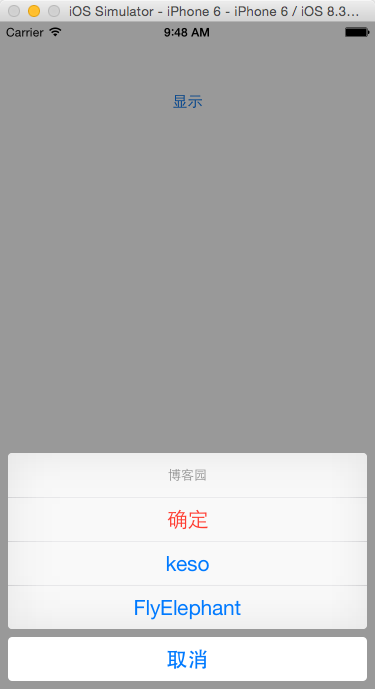
iOS设备检查更新版本: 1 2 3 4 5 6 7 8 9 10 11 12 13 14 15 16 17 18 19 20 21 22 23 24 25 26 27 28 29 30 31 32 33 34 35 36 37 38 39 40 41 42 43 44 45 46 47 48 49 50 51 52 53 54 55 56 57 58 59 60 61 62 63 64 65 66 67 68 69 70 71 72 73 74 75 76 77 78 79 80 81 82 83 84 85 86 87 #pragma mark - 检查更新 - ( void )checkUpdateWithAPPID:( NSString *)APPID { //获取当前应用版本号 NSDictionary *appInfo = [[ NSBundle mainBundle] infoDictionary]; NSString *currentVersion = [appInfo objectForKey:@ "CFBundleVersion" ]; NSString *updateUrlString = [ NSString stringWithFormat:@ "http://itunes.apple.com/lookup?id=%@" ,APPID]; NSURL *updateUrl = [ NSURL URLWithString:updateUrlString]; versionRequest = [ASIFormDataRequest requestWithURL:updateUrl]; [versionRequest setRequestMethod:@ "GET" ]; [versionRequest setTimeOutSeconds:60]; [versionRequest addRequestHeader:@ "Content-Type" value:@ "application/json" ]; //loading view CustomAlertView *checkingAlertView = [[CustomAlertView alloc] initWithFrame:NAVIGATION_FRAME style:CustomAlertViewStyleDefault noticeText:@ "正在检查更新..." ]; checkingAlertView.userInteractionEnabled = YES ; [ self .navigationController.view addSubview:checkingAlertView]; [checkingAlertView release]; [versionRequest setCompletionBlock:^{ [checkingAlertView removeFromSuperview]; NSError *error = nil ; NSDictionary *dict = [ NSJSONSerialization JSONObjectWithData:[versionRequest responseData] options: NSJSONReadingMutableContainers error:&error]; if (!error) { if (dict != nil ) { // DLog(@"dict %@",dict); int resultCount = [[dict objectForKey:@ "resultCount" ] integerValue]; if (resultCount == 1) { NSArray *resultArray = [dict objectForKey:@ "results" ]; // DLog(@"version %@",[resultArray objectAtIndex:0]); NSDictionary *resultDict = [resultArray objectAtIndex:0]; // DLog(@"version is %@",[resultDict objectForKey:@"version"]); NSString *newVersion = [resultDict objectForKey:@ "version" ]; if ([newVersion doubleValue] > [currentVersion doubleValue]) { NSString *msg = [ NSString stringWithFormat:@ "最新版本为%@,是否更新?" ,newVersion]; newVersionURlString = [[resultDict objectForKey:@ "trackViewUrl" ] copy ]; DLog(@ "newVersionUrl is %@" ,newVersionURlString); // if ([newVersionURlString hasPrefix:@"https"]) { // [newVersionURlString replaceCharactersInRange:NSMakeRange(0, 5) withString:@"itms-apps"]; // } UIAlertView *alertView = [[UIAlertView alloc] initWithTitle:@ "提示" message:msg delegate: self cancelButtonTitle:@ "暂不" otherButtonTitles:@ "立即更新" , nil ]; alertView.tag = 1000; [alertView show]; [alertView release]; } else { UIAlertView *alertView = [[UIAlertView alloc] initWithTitle:@ "提示" message:@ "您使用的是最新版本!" delegate: self cancelButtonTitle: nil otherButtonTitles:@ "确定" , nil ]; alertView.tag = 1001; [alertView show]; [alertView release]; } } } } else { DLog( "error is %@" ,[error debugDescription]); } }]; [versionRequest setFailedBlock:^{ [checkingAlertView removeFromSuperview]; CustomAlertView *alertView = [[CustomAlertView alloc] initWithFrame:NAVIGATION_FRAME style:CustomAlertViewStyleWarning noticeText:@ "操作失败,请稍候再试!" ]; [ self .navigationController.view addSubview:alertView]; [alertView release]; [alertView selfRemoveFromSuperviewAfterSeconds:1.0]; }]; [versionRequest startSynchronous]; } - ( void )alertView:(UIAlertView *)alertView clickedButtonAtIndex:( NSInteger )buttonIndex { DLog(@ "newVersionUrl is %@" ,newVersionURlString); if (buttonIndex) { if (alertView.tag == 1000) { if (newVersionURlString) { [[UIApplication sharedApplication] openURL:[ NSURL URLWithString:newVersionURlString]]; } } } } 来源:http://blog.csdn.net/heartofthesea/article/details/14127587 本文转自夏雪冬日博客园博客,原文链接:http://www.cnblogs.com/heyonggang/p/3539691.html,如需转载请自行联系原作者

资源下载

更多资源
优质分享App

优质分享App

近一个月的开发和优化,本站点的第一个app全新上线。该app采用极致压缩,本体才4.36MB。系统里面做了大量数据访问、缓存优化。方便用户在手机上查看文章。后续会推出HarmonyOS的适配版本。

腾讯云软件源

腾讯云软件源

为解决软件依赖安装时官方源访问速度慢的问题,腾讯云为一些软件搭建了缓存服务。您可以通过使用腾讯云软件源站来提升依赖包的安装速度。为了方便用户自由搭建服务架构,目前腾讯云软件源站支持公网访问和内网访问。

Spring

Spring

Spring框架(Spring Framework)是由Rod Johnson于2002年提出的开源Java企业级应用框架,旨在通过使用JavaBean替代传统EJB实现方式降低企业级编程开发的复杂性。该框架基于简单性、可测试性和松耦合性设计理念,提供核心容器、应用上下文、数据访问集成等模块,支持整合Hibernate、Struts等第三方框架,其适用范围不仅限于服务器端开发,绝大多数Java应用均可从中受益。

Rocky Linux

Rocky Linux

Rocky Linux(中文名:洛基)是由Gregory Kurtzer于2020年12月发起的企业级Linux发行版,作为CentOS稳定版停止维护后与RHEL(Red Hat Enterprise Linux)完全兼容的开源替代方案,由社区拥有并管理,支持x86_64、aarch64等架构。其通过重新编译RHEL源代码提供长期稳定性,采用模块化包装和SELinux安全架构,默认包含GNOME桌面环境及XFS文件系统,支持十年生命周期更新。

用户登录
用户注册