Python 数据类型 list(2)
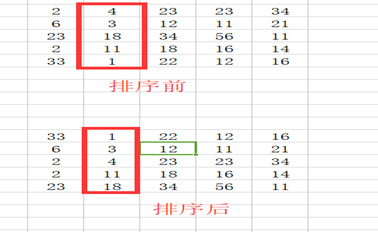
对list的操作 向list中插入一个元素 list.append(x) 在末尾增加 >>> all_users = ["hiekay","github"] >>> all_users.append("io") >>> all_users ['hiekay', 'github', 'io'] list.insert(i,x) : 可以在任何位置增加一个元素 list.insert(i,x),将新的元素x 插入到原list中的list[i]前面 如果i==len(list),意思是在后面追加,就等同于list.append(x) 实验: >>> all_users ['hiekay', 'github', 'io'] >>> all_users.insert("python") #list.insert(i,x),要求有两个参数,少了就报错 Traceback (most recent call last): File "<stdin>", line 1, in <module> TypeError: insert() takes exactly 2 arguments (1 given) >>> all_users.insert(0,"python") >>> all_users ['python', 'hiekay', 'github', 'io'] >>> all_users.insert(1,"http://") >>> all_users ['python', 'http://', 'hiekay', 'github', 'io'] >>> length = len(all_users) >>> length 5 >>> all_users.insert(length,"algorithm") >>> all_users ['python', 'http://', 'hiekay', 'github', 'io', 'algorithm'] 删除list中的元素 删除list元素的方法有两个 list.remove(x) x:元素 list.pop([i]) i: 元素下标 >>> all_users ['python', 'http://', 'hiekay', 'github', 'io', 'algorithm'] >>> all_users.remove("http://") >>> all_users #的确是把"http://"删除了 ['python', 'hiekay', 'github', 'io', 'algorithm'] >>> all_users.remove("tianchao") #原list中没有“tianchao”,要删除,就报错。 Traceback (most recent call last): File "<stdin>", line 1, in <module> ValueError: list.remove(x): x not in list 在删除之前,先判断一下这个元素是不是在list中,在就删,不在就不删。 >>> all_users ['python', 'hiekay', 'github', 'io', 'algorithm'] >>> "python" in all_users #这里用in来判断一个元素是否在list中,在则返回True,否则返回False True >>> if "python" in all_users: ... all_users.remove("python") ... print all_users ... else: ... print "'python' is not in all_users" ... ['hiekay', 'github', 'io', 'algorithm'] #删除了"python"元素 >>> if "python" in all_users: ... all_users.remove("python") ... print all_users ... else: ... print "'python' is not in all_users" ... 'python' is not in all_users #因为已经删除了,所以就没有了。 list.pop([i])实验: >>> all_users ['hiekay', 'github', 'io', 'algorithm'] >>> all_users.pop() #list.pop([i]),圆括号里面是[i],表示这个序号是可选的 'algorithm' #如果不写,就如同这个操作,默认删除最后一个,并且将该结果返回 >>> all_users ['hiekay', 'github', 'io'] >>> all_users.pop(1) #指定删除编号为1的元素"github" 'github' >>> all_users ['hiekay', 'io'] >>> all_users.pop() 'io' >>> all_users #只有一个元素了,该元素编号是0 ['hiekay'] >>> all_users.pop(1) #但是非要删除编号为1的元素,结果报错。注意看报错信息 Traceback (most recent call last): File "<stdin>", line 1, in <module> IndexError: pop index out of range #删除索引超出范围,就是1不在list的编号范围之内 range(start,stop)生成数字list range(start, stop[, step])是一个内置函数。 这个函数可以创建一个数字元素组成的列表。 这个函数最常用于for循环(关于for循环,马上就要涉及到了) 函数的参数必须是整数,默认从0开始。返回值是类似[start, start + step, start + 2*step, ...]的列表。 step默认值是1。如果不写,就是按照此值。 如果step是正数,返回list的最最后的值不包含stop值,即start+istep这个值小于stop;如果step是负数,start+istep的值大于stop。 step不能等于零,如果等于零,就报错。 range(start,stop[,step])的含义: start:开始数值,默认为0,也就是如果不写这项,就是认为start=0 stop:结束的数值,必须要写的。 step:变化的步长,默认是1,也就是不写,就是认为步长为1。坚决不能为0 >>> range(9) #stop=9,别的都没有写,含义就是range(0,9,1) [0, 1, 2, 3, 4, 5, 6, 7, 8] #从0开始,步长为1,增加,直到小于9的那个数 >>> range(0,9) [0, 1, 2, 3, 4, 5, 6, 7, 8] >>> range(0,9,1) [0, 1, 2, 3, 4, 5, 6, 7, 8] >>> range(1,9) #start=1 [1, 2, 3, 4, 5, 6, 7, 8] >>> range(0,9,2) #step=2,每个元素等于start+i*step, [0, 2, 4, 6, 8] 仅仅解释一下range(0,9,2) 如果是从0开始,步长为1,可以写成range(9)的样子,但是,如果步长为2,写成range(9,2)的样子,计算机就有点糊涂了,它会认为start=9,stop=2。所以,在步长不为1的时候,切忌,要把start的值也写上。 start=0,step=2,stop=9.list中的第一个值是start=0,第二个值是start+1step=2(注意,这里是1,不是2,不要忘记,前面已经讲过,不论是list还是str,对元素进行编号的时候,都是从0开始的),第n个值就是start+(n-1)step。直到小于stop前的那个值。 实验: >>> range(-9) 我本来期望给我返回[0,-1,-2,-3,-4,-5,-6,-7,-8],我的期望能实现吗? 分析一下,这里start=0,step=1,stop=-9. 第一个值是0;第二个是start+1*step,将上面的数代入,应该是1,但是最后一个还是-9,显然出现问题了。但是,python在这里不报错,它返回的结果是: >>> range(-9) [] >>> range(0,-9) [] >>> range(0) [] 报错和返回结果,是两个含义,虽然返回的不是我们要的。应该如何修改呢? >>> range(0,-9,-1) [0, -1, -2, -3, -4, -5, -6, -7, -8] >>> range(0,-9,-2) [0, -2, -4, -6, -8] 有了这个内置函数,很多事情就简单了。比如: >>> range(0,100,2) [0, 2, 4, 6, 8, 10, 12, 14, 16, 18, 20, 22, 24, 26, 28, 30, 32, 34, 36, 38, 40, 42, 44, 46, 48, 50, 52, 54, 56, 58, 60, 62, 64, 66, 68, 70, 72, 74, 76, 78, 80, 82, 84, 86, 88, 90, 92, 94, 96, 98] 实验: >>> pythoner = ["I","am","a","pythoner","I","am","learning","it","with","hiekay"] >>> pythoner ['I', 'am', 'a', 'pythoner', 'I', 'am', 'learning', 'it', 'with', 'hiekay'] >>> py_index = range(len(pythoner)) >>> py_index [0, 1, 2, 3, 4, 5, 6, 7, 8, 9] 排序 两个方法可以实现对list的排序: list.sort(cmp=None, key=None, reverse=False) sorted(iterable[, cmp[, key[, reverse]]]) 实验: >>> number = [1,4,6,2,9,7,3] >>> number.sort() >>> number [1, 2, 3, 4, 6, 7, 9] >>> number = [1,4,6,2,9,7,3] >>> number [1, 4, 6, 2, 9, 7, 3] >>> sorted(number) [1, 2, 3, 4, 6, 7, 9] >>> number = [1,4,6,2,9,7,3] >>> number [1, 4, 6, 2, 9, 7, 3] >>> number.sort(reverse=True) #开始实现倒序 >>> number [9, 7, 6, 4, 3, 2, 1] >>> number = [1,4,6,2,9,7,3] >>> number [1, 4, 6, 2, 9, 7, 3] >>> sorted(number,reverse=True) [9, 7, 6, 4, 3, 2, 1] 查看内置函数 假设有一个list,如何知道它所拥有的内置函数呢?请用help(),帮助我吧。 >>> help(list)