首页 文章 精选 留言 我的

精选列表

搜索[环境],共10000篇文章
优秀的个人博客,低调大师

(一)ActiveMQ :windows 环境搭建及配置

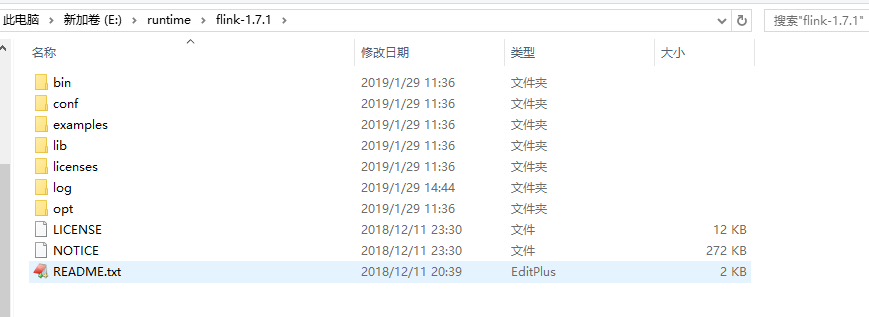
一、下载ActiveMQ 地址:http://activemq.apache.org/download-archives.html 目前是5.15.2版本 二、ActiveMQ目录 ![image](https://yqfile.alicdn.com/ae2f78e2004c2f5796309df09aeaf7f09d3c539f.png) bin:可执行文件 conf:所有配置文件 data:log日志文件,kahadb持久化数据库文件存储,临时文件 docs:文档 examples:小例子 lib:jar包库 webapps: activemq 监控台web程序 三、ActiveMQ启动 1.运行bin\activemq.bat ,但是需要通过命令行窗口启动 cd /d bin目录下 activemq start 2.根据操作系统位数,选择win32/win64直接运行actviemq.bat 四、重点配置 1.MQ相关配置:activemq.xml - 通信协议配置 <transportConnectors> <!-- DOS protection, limit concurrent connections to 1000 and frame size to 100MB --> <transportConnector name="openwire" uri="tcp://0.0.0.0:61616?maximumConnections=1000&amp;wireFormat.maxFrameSize=1048576000"/> <transportConnector name="amqp" uri="amqp://0.0.0.0:5672?maximumConnections=1000&amp;wireFormat.maxFrameSize=1048576000"/> <transportConnector name="stomp" uri="stomp://0.0.0.0:61613?maximumConnections=1000&amp;wireFormat.maxFrameSize=1048576000"/> <transportConnector name="mqtt" uri="mqtt://0.0.0.0:1884?maximumConnections=1500&amp;wireFormat.maxFrameSize=1048576000"/> <transportConnector name="ws" uri="ws://0.0.0.0:61614?maximumConnections=1000&amp;wireFormat.maxFrameSize=1048576000"/> </transportConnectors> (1)uri中Port:通信协议端口号 (2)uri中maximunConnections:通信协议最大连接数 (3)url中wireFormat.maxFrameSize代表支持协议的“一个完整消息”的最大数据量(单位为byte) 2.增加用户认证插件 <shutdownHooks> <bean xmlns="http://www.springframework.org/schema/beans" class="org.apache.activemq.hooks.SpringContextHook" /> </shutdownHooks> <!--此部分为添加的--> <plugins> <simpleAuthenticationPlugin anonymousAccessAllowed="true"> <users> <authenticationUser username="admin" password="admin" groups="users,admins"/> </users> </simpleAuthenticationPlugin> </plugins> 添加登录用户名与密码,及用户所属用户组 五、日志路径:activemqdata目录下六、访问监控台(old)默认访问地址:[localhost:8161]()此端口亦可修改:jetty.xml中找到port进行修改 到此activemq中间件在windows下已经搭建完成后续继续,《[ActiveMQ搭建最新的监控工具hawtio》]()

优秀的个人博客,低调大师

eclipse环境下:lombok安装及使用

lombok官网:https://projectlombok.org/ jar包下载路径:https://projectlombok.org/download lombok features:https://projectlombok.org/features/all lombok:通过注解方式减少POJO类的getter和setter等方法来消除冗余代码量 安装 1.下载 lombok.jar 2.官网说是可以双击安装,,,我用这种方法不可行 2.手动安装 (1)将lombok.jar移到eclipse的安装目录 (2)在eclipse.in文件最后加入下面两行 -Xbootclasspath/a:lombok.jar -javaagent:lombok.jar ============= -javaagent:xxx.jar 的jar名称 需要与根目录下的jar名一致, 不一致,可能会出现eclipse无法启动的情况。 (3)重启eclipse,进行代码测试 原始java代码: public class NoteTest { private int noteId; private String title; private String content; private int typeId; } class文件反编译后: public class NoteTest { private int noteId; private String title; private String content; private int typeId; public NoteTest() { 、、、、、、、、、、、、、、、、、、、、、、、、、、、、、、 加入lombok注解后的java代码: @Data @NoArgsConstructor @AllArgsConstructor @ToString(exclude="typeId") public class NoteTest { private int noteId; private String title; private String content; private int typeId; } 加注解,经反编译: public class NoteTest { private int noteId; private String title; private String content; private int typeId; public int getNoteId() { return noteId; } public String getTitle() { return title; } public String getContent() { return content; } public int getTypeId() { return typeId; } public void setNoteId(int noteId) { this.noteId = noteId; } public void setTitle(String title) { this.title = title; } public void setContent(String content) { this.content = content; } public void setTypeId(int typeId) { this.typeId = typeId; } public boolean equals(Object o) { if (o == this) return true; if (!(o instanceof NoteTest)) return false; NoteTest other = (NoteTest)o; if (!other.canEqual(this)) return false; if (getNoteId() != other.getNoteId()) return false; Object this$title = getTitle(); Object other$title = other.getTitle(); if (this$title != null ? !this$title.equals(other$title) : other$title != null) return false; Object this$content = getContent(); Object other$content = other.getContent(); if (this$content != null ? !this$content.equals(other$content) : other$content != null) return false; return getTypeId() == other.getTypeId(); } protected boolean canEqual(Object other) { return other instanceof NoteTest; } public int hashCode() { int PRIME = 59; int result = 1; result = result * 59 + getNoteId(); Object $title = getTitle(); result = result * 59 + ($title != null ? $title.hashCode() : 43); Object $content = getContent(); result = result * 59 + ($content != null ? $content.hashCode() : 43); result = result * 59 + getTypeId(); return result; } public NoteTest() { } public NoteTest(int noteId, String title, String content, int typeId) { this.noteId = noteId; this.title = title; this.content = content; this.typeId = typeId; } public String toString() { return (new StringBuilder("NoteTest(noteId=")).append(getNoteId()).append(", title=").append(getTitle()).append(", content=").append(getContent()).append(")").toString(); } }欢迎大家一起说出自己的想法。

资源下载

更多资源
优质分享App

优质分享App

近一个月的开发和优化,本站点的第一个app全新上线。该app采用极致压缩,本体才4.36MB。系统里面做了大量数据访问、缓存优化。方便用户在手机上查看文章。后续会推出HarmonyOS的适配版本。

腾讯云软件源

腾讯云软件源

为解决软件依赖安装时官方源访问速度慢的问题,腾讯云为一些软件搭建了缓存服务。您可以通过使用腾讯云软件源站来提升依赖包的安装速度。为了方便用户自由搭建服务架构,目前腾讯云软件源站支持公网访问和内网访问。

Rocky Linux

Rocky Linux

Rocky Linux(中文名:洛基)是由Gregory Kurtzer于2020年12月发起的企业级Linux发行版,作为CentOS稳定版停止维护后与RHEL(Red Hat Enterprise Linux)完全兼容的开源替代方案,由社区拥有并管理,支持x86_64、aarch64等架构。其通过重新编译RHEL源代码提供长期稳定性,采用模块化包装和SELinux安全架构,默认包含GNOME桌面环境及XFS文件系统,支持十年生命周期更新。

Sublime Text

Sublime Text

Sublime Text具有漂亮的用户界面和强大的功能,例如代码缩略图,Python的插件,代码段等。还可自定义键绑定,菜单和工具栏。Sublime Text 的主要功能包括:拼写检查,书签,完整的 Python API , Goto 功能,即时项目切换,多选择,多窗口等等。Sublime Text 是一个跨平台的编辑器,同时支持Windows、Linux、Mac OS X等操作系统。

用户登录
用户注册