Building a Keras + deep learning REST API(三部曲之一)
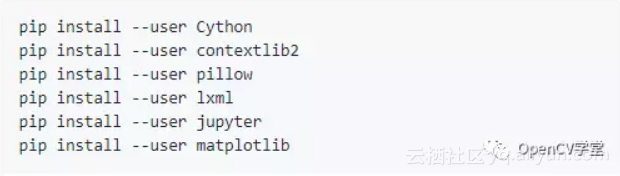
一、基本环境 $ pip install flask gevent requests pillow 其中 flask不需要解释 gevent 是用于自动切换进程的; pillow 是用来进行python下的图像处理的; requests 是用来进行python下request处理的。 二、核心代码解释 # import the necessary packages from keras.applications import ResNet50 from keras.preprocessing.image import img_to_array from keras.applications import imagenet_utils from PIL import Image import numpy as np import flask import io 引入所需的头文件。其中注意keras的几个类库是很有通用性的; # initialize our Flask application and the Keras model app = flask.Flask( __name__) model = None 类库的初始化 def load_model(): # load the pre-trained Keras model (here we are using a model # pre-trained on ImageNet and provided by Keras, but you can # substitute in your own networks just as easily) global model model = ResNet50( weights= "imagenet") 引入model模型,如果想引入自己的模型(CBIR)的话,就在这里引入。 def prepare_image( image, target): # if the image mode is not RGB, convert it if image.mode != "RGB": image = image.convert( "RGB") # resize the input image and preprocess it image = image.resize(target) image = img_to_array(image) image = np.expand_dims(image, axis= 0) image = imagenet_utils.preprocess_input(image) # return the processed image return image image的预处理,这里使用的是keras+PIL,和opencv之间的比较,需要有时间来做。 @app.route( "/predict", methods=[ "POST"]) def predict(): # initialize the data dictionary that will be returned from the # view data = { "success": False} # ensure an image was properly uploaded to our endpoint if flask.request.method == "POST": if flask.request.files.get( "image"): # read the image in PIL format image = flask.request.files[ "image"].read() image = Image.open(io.BytesIO(image)) # preprocess the image and prepare it for classification image = prepare_image(image, target=( 224, 224)) # classify the input image and then initialize the list # of predictions to return to the client preds = model.predict(image) results = imagenet_utils.decode_predictions(preds) data[ "predictions"] = [] # loop over the results and add them to the list of # returned predictions for (imagenetID, label, prob) in results[ 0]: r = { "label": label, "probability": float(prob)} data[ "predictions"].append(r) # indicate that the request was a success data[ "success"] = True # return the data dictionary as a JSON response return flask.jsonify(data) 虽然是核心部分,但是其实非常容易被复用。就是读取数据,然后进行处理的过程。 # if this is the main thread of execution first load the model and # then start the server if __name__ == "__main__": print(( "* Loading Keras model and Flask starting server..." "please wait until server has fully started")) load_model() app.run() 比不可少的main过程。缺少不可运行。 三、运行效果 使用VPS能够更快地得到效果,至少你不需要下载resnet*.h5,一个链路不是太好的大物件。 flask的运行效果,使用curl进行处理的效果 从结果上来看,curch排在了第2,而将这张图片识别为钟楼或者修道院、城堡,宫殿 ,似乎也没有什么不妥。 四、小结反思 真的仅仅是通过了几行代码,就实现了flask部署的核心问题。不过光是跑这个简单的过程,机器就已经发出巨大的热量了;另一方面,整个的结构是什么,也需要进一步去研究清楚才对。 来自为知笔记(Wiz) 目前方向:图像拼接融合、图像识别 联系方式:jsxyhelu@foxmail.com