Android Studio 第五十三期 - 自定义EditText密码键盘
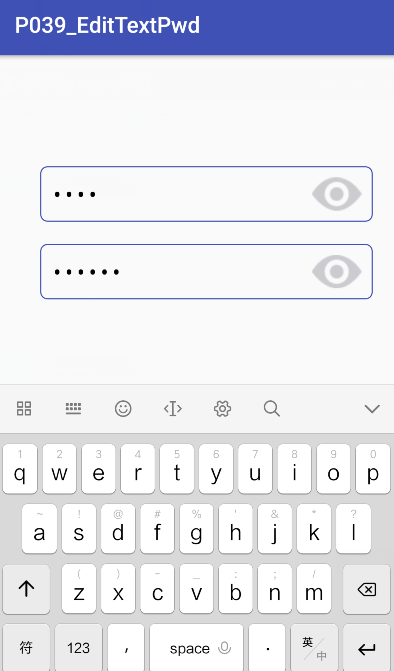
代码已经整理好,效果如下图: code: 1 2 3 4 5 6 7 8 9 10 11 12 13 14 15 16 17 //设置输入为密码模式 inputETP1.setInputType(InputType.TYPE_CLASS_NUMBER|EditorInfo.TYPE_NUMBER_VARIATION_PASSWORD); inputETP1.setDrawableRightListener( new EditTextPassword.DrawableRightListener(){ @Override public void onDrawableRightClick(){ //同样地可以在这可以实现其他的效果,比如一键清空 if (mIsShow1){ inputETP1.setCompoundDrawablesWithIntrinsicBounds( 0 , 0 ,R.drawable.eye_grey, 0 ); inputETP1.setInputType(InputType.TYPE_CLASS_NUMBER|EditorInfo.TYPE_NUMBER_VARIATION_PASSWORD); } else { inputETP1.setCompoundDrawablesWithIntrinsicBounds( 0 , 0 ,R.drawable.eye_orange, 0 ); //inputETP.setInputType(InputType.TYPE_TEXT_VARIATION_VISIBLE_PASSWORD); inputETP1.setInputType(InputType.TYPE_CLASS_NUMBER|EditorInfo.TYPE_NUMBER_VARIATION_NORMAL); } mIsShow1=!mIsShow1; } }); 地址:https://github.com/geeklx/MyApplication/tree/master/p039_edittextpwd 本文转自 吴雨声 51CTO博客,原文链接:http://blog.51cto.com/liangxiao/1965175,如需转载请自行联系原作者



)



)