03.Eclipse下Ndk开发(以文件加密为例模拟一下开发过程)
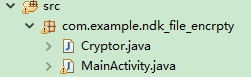
(创建于2017/12/2) 1.编写native方法 package com.example.ndk_file_encrpty; public class Cryptor { static{ System.loadLibrary("ndk_file_encrpty"); } public native static void encrypt(String normal_path,String crypt_path); public native static void decrypt(String crypt_path,String decrypt_path); } 2.进入eclipse项目src目录下(cd 进入到src目录下,使用命令生成头文件 javah 包名+类型(如 com.renzhenming.utils.JniUtils)),如果是进入的bin目录下使用此命令行的话,得到的头文件只有一些声明,没有生成相应的jni方法 bin目录下生成的是这样的 /* DO NOT EDIT THIS FILE - it is machine generated */ #include <jni.h> /* Header for class com_example_ndk_file_encrpty_Cryptor */ #ifndef _Included_com_example_ndk_file_encrpty_Cryptor #define _Included_com_example_ndk_file_encrpty_Cryptor #ifdef __cplusplus extern "C" { #endif #ifdef __cplusplus } #endif #endif src目录下生成的才是我们需要的 /* DO NOT EDIT THIS FILE - it is machine generated */ #include <jni.h> /* Header for class com_example_ndk_file_encrpty_Cryptor */ #ifndef _Included_com_example_ndk_file_encrpty_Cryptor #define _Included_com_example_ndk_file_encrpty_Cryptor #ifdef __cplusplus extern "C" { #endif /* * Class: com_example_ndk_file_encrpty_Cryptor * Method: encrypt * Signature: (Ljava/lang/String;Ljava/lang/String;)V */ JNIEXPORT void JNICALL Java_com_example_ndk_1file_1encrpty_Cryptor_encrypt (JNIEnv *, jclass, jstring, jstring); /* * Class: com_example_ndk_file_encrpty_Cryptor * Method: decrypt * Signature: (Ljava/lang/String;Ljava/lang/String;)V */ JNIEXPORT void JNICALL Java_com_example_ndk_1file_1encrpty_Cryptor_decrypt (JNIEnv *, jclass, jstring, jstring); #ifdef __cplusplus } #endif #endif 有一点需要注意的是:对于像这样包名这样命名的情况 8392687.png 因为存在下划线,所以如果你直接按照平常的那种写法去手写,比如写成这样 JNIEXPORT void JNICALL Java_com_example_ndk_file_encrpty_Cryptor_encrypt 是错误的,正确的写法是如上边生成的 JNIEXPORT void JNICALL Java_com_example_ndk_1file_1encrpty_Cryptor_encrypt 在个别下划线的前边加了数字1,目前我也不知道为何,所以遇到这种包名,建议使用命令行生成 3.创建jni目录(eclipse工程是直接在项目根目录创建,将头文件复制进去,然后编写c文件,将对应的方法名复制进去,引入需要的 头文件) 4.添加native支持(右键工程如图,点击add native support后弹出对话框(创建出头文件之后),设置c文件名称,确定即可,然后会自动给你生成Android.mk文件,c文件,然后创建Application.mk文件) 9041421.png 9129687.png 5.确认你的eclipse已经配置了ndk,注意,ndk的版本会有可能发生问题,这样看你的eclipse最多能支持多大版本的ndk了 如果ndk版本过高,会导致你配置目录之后仍然提示你有问题,如图not a valid NDK directory,所以需要降低版本,我设置了r10之后可以了 9272984.png 6.添加ndk相关头文件的支持(右键项目打开properties,发现里边由C/C++General选项,这两个选项是你添加了native surpport之后才有的) 9398312.png 在右边的add选项,添加这三个目录进去(一定要是你ndk中存在的目录,不同版本有不同) D:\application\java\android-ndk-r10e\toolchains\arm-linux-androideabi-4.8\prebuilt\windows-x86_64\lib\gcc\arm-linux-androideabi\4.8\include D:\application\java\android-ndk-r10e\toolchains\arm-linux-androideabi-4.8\prebuilt\windows-x86_64\lib\gcc\arm-linux-androideabi\4.8\include-fixed D:\application\java\android-ndk-r10e\platforms\android-18\arch-arm\usr\include 7,补充c文件的方法实现 #include <jni.h> #include <com_example_ndk_file_encrpty_Cryptor.h> #include <string.h> #include <stdlib.h> #include <stdio.h> char password[] = "renzhenming"; //加密 JNIEXPORT void JNICALL Java_com_example_ndk_1file_1encrpty_Cryptor_encrypt( JNIEnv *env, jclass jcls, jstring normal_path_jstr,jstring crypt_path_jstr) { //jstring -> char* const char* normal_path = (*env)->GetStringUTFChars(env,normal_path_jstr,JNI_FALSE); const char* crypt_path = (*env)->GetStringUTFChars(env,crypt_path_jstr,JNI_FALSE); //打开文件 FILE *normal_fp = fopen(normal_path, "rb"); FILE *crypt_fp = fopen(crypt_path, "wb"); //一次读取一个字符 int ch; int i = 0; //循环使用密码中的字母进行异或运算 int pwd_len = strlen(password); //密码的长度 while ((ch = fgetc(normal_fp)) != EOF) { //End of File //写入(异或运算) fputc(ch ^ password[i % pwd_len], crypt_fp); i++; } //关闭 fclose(crypt_fp); fclose(normal_fp); } //解密 JNIEXPORT void JNICALL Java_com_example_ndk_1file_1encrpty_Cryptor_decrypt( JNIEnv * env, jclass jcls, jstring crypt_path_jstr, jstring decrypt_path_jstr) { const char* crypt_path = (*env)->GetStringUTFChars(env,crypt_path_jstr,JNI_FALSE); const char* decrypt_path = (*env)->GetStringUTFChars(env,decrypt_path_jstr,JNI_FALSE); //打开文件 FILE *normal_fp = fopen(crypt_path, "rb"); FILE *crypt_fp = fopen(decrypt_path, "wb"); //一次读取一个字符 int ch; int i = 0; //循环使用密码中的字母进行异或运算 int pwd_len = strlen(password); //密码的长度 while ((ch = fgetc(normal_fp)) != EOF) { //End of File //写入(异或运算) fputc(ch ^ password[i % pwd_len], crypt_fp); i++; } //关闭 fclose(crypt_fp); fclose(normal_fp); } 8.在需要的地方调用 package com.example.ndk_file_encrpty; import java.io.File; import android.app.Activity; import android.os.Bundle; import android.os.Environment; import android.view.Menu; import android.view.MenuItem; import android.view.View; public class MainActivity extends Activity { @Override protected void onCreate(Bundle savedInstanceState) { super.onCreate(savedInstanceState); setContentView(R.layout.activity_main); } public void encrypt(View view){ String path = Environment.getExternalStorageDirectory().getAbsolutePath()+File.separator+"man.jpg"; String new_path = Environment.getExternalStorageDirectory().getAbsolutePath()+File.separator+"man_encrypt.jpg"; Cryptor.encrypt(path, new_path); } public void decrypt(View view){ String path = Environment.getExternalStorageDirectory().getAbsolutePath()+File.separator+"man_encrypt.jpg"; String new_path = Environment.getExternalStorageDirectory().getAbsolutePath()+File.separator+"man_decrypt.jpg"; Cryptor.decrypt(path, new_path); } } 成功!
)




)