Eclipse中Android单元测试
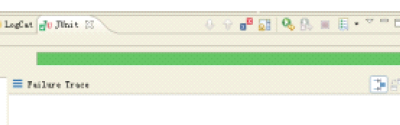
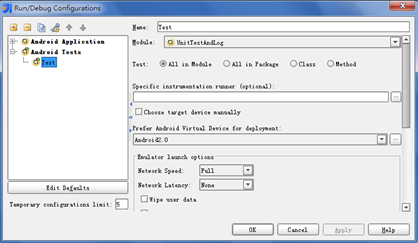
说说正常的代码吧 1) 1:java测试类 <span style="font-size:14px;">package com.medivh.app; public class Person { public String sub(String username) { String sub = username.substring(3); return sub; } public int add(int a,int b) { return a+b; } }</span> 2: <span style="font-size:14px;">package com.medivh.app; import org.junit.Test; import junit.framework.Assert; importandroid.test.AndroidTestCase; public class PersonTest extends AndroidTestCase { @Test public void testSub() throws Exception { Person p = new Person(); p.sub(null); } public void testAdd() throws Exception { Person p = new Person(); int result = p.add(1, 4); Assert.assertEquals(result, 6); } } </span> 2)AndroidManifest.xml <span style="font-size:14px;"><?xml version="1.0" encoding="utf-8"?> <manifest xmlns:android="http://schemas.android.com/apk/res/android" package="com.medivh.app" android:versionCode="1" android:versionName="1.0"> <application android:icon="@drawable/ic_launcher" android:label="@string/app_name"> <activity android:name=".MainActivity" android:label="@string/app_name"> <intent-filter> <action android:name="android.intent.action.MAIN" /> <category android:name="android.intent.category.LAUNCHER" /> </intent-filter> </activity> <span style="color:#FF0000;"><uses-library android:name="android.test.runner" /></span> </application> <uses-sdk android:minSdkVersion="8" /> <span style="color:#FF0000;"><instrumentation android:name="android.test.InstrumentationTestRunner" android:targetPackage="com.medivh.app" android:label="Tests for My App" /></span> </manifest> </span> 3)测试 右键项目Run as.. Android Junit Test 就会出结果 开始的时候犯迷糊结果各种出错: No instrumentation runner found for the launch, using android.test.InstrumentationTestRunner First does not specify a android.test.InstrumentationTestRunner instrumentation or does not declare uses-library android.test.runner in its AndroidManifest.xml is not configured correctly for running tests 到网上各种查,发现配置没错啊。最后才发现问题出在我居然眼睛进沙子一般修改了bin下面的AndroidManifest.xml,可能是我前面打开了这个目录,结果就随意打开了它修改了它。希望大家以后小心行事。 最新内容请见作者的GitHub页:http://qaseven.github.io/