[雪峰磁针石博客]python机器学习、web开发等书籍汇总
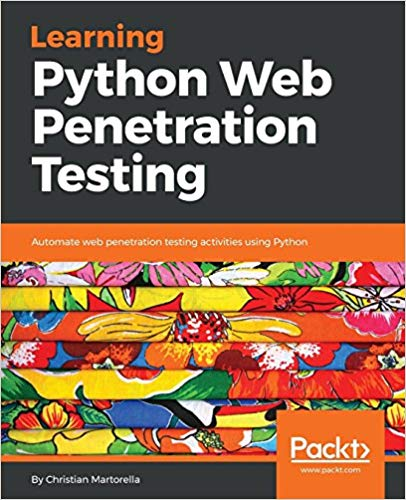
Learning Python Web Penetration - Christian Martorella - 2018.pdf 下载地址 Leverage the simplicity of Python and available libraries to build web security testing tools for your application Key Features Understand the web application penetration testing methodology and toolkit using Python Write a web crawler/spider with the Scrapy library Detect and exploit SQL injection vulnerabilities by creating a script all by yourself Book Description Web penetration testing is the use of tools and code to attack a website or web app in order to assess its vulnerability to external threats. While there are an increasing number of sophisticated, ready-made tools to scan systems for vulnerabilities, the use of Python allows you to write system-specific scripts, or alter and extend existing testing tools to find, exploit, and record as many security weaknesses as possible. Learning Python Web Penetration Testing will walk you through the web application penetration testing methodology, showing you how to write your own tools with Python for each activity throughout the process. The book begins by emphasizing the importance of knowing how to write your own tools with Python for web application penetration testing. You will then learn to interact with a web application using Python, understand the anatomy of an HTTP request, URL, headers and message body, and later create a script to perform a request, and interpret the response and its headers. As you make your way through the book, you will write a web crawler using Python and the Scrappy library. The book will also help you to develop a tool to perform brute force attacks in different parts of the web application. You will then discover more on detecting and exploiting SQL injection vulnerabilities. By the end of this book, you will have successfully created an HTTP proxy based on the mitmproxy tool. What you will learn Interact with a web application using the Python and Requests libraries Create a basic web application crawler and make it recursive Develop a brute force tool to discover and enumerate resources such as files and directories Explore different authentication methods commonly used in web applications Enumerate table names from a database using SQL injection Understand the web application penetration testing methodology and toolkit Who this book is for Learning Python Web Penetration Testing is for web developers who want to step into the world of web application security testing. Basic knowledge of Python is necessary. Table of Contents Introduction to Web Application Penetration Testing Interacting with Web Applications Web Crawling with Scrapy – Mapping the Application Discovering resources Password Testing Detecting and Exploiting SQL Injection Vulnerabilities Intercepting HTTP Requests Python For Offensive PenTest(conv) - 2018.pdf 下载地址 Key Features Comprehensive information on building a web application penetration testing framework using Python Master web application penetration testing using the multi-paradigm programming language Python Detect vulnerabilities in a system or application by writing your own Python scripts Book Description Python is an easy-to-learn and cross-platform programming language that has unlimited third-party libraries. Plenty of open source hacking tools are written in Python, which can be easily integrated within your script. This book is packed with step-by-step instructions and working examples to make you a skilled penetration tester. It is divided into clear bite-sized chunks, so you can learn at your own pace and focus on the areas of most interest to you. This book will teach you how to code a reverse shell and build an anonymous shell. You will also learn how to hack passwords and perform a privilege escalation on Windows with practical examples. You will set up your own virtual hacking environment in VirtualBox, which will help you run multiple operating systems for your testing environment. By the end of this book, you will have learned how to code your own scripts and mastered ethical hacking from scratch. What you will learn Code your own reverse shell (TCP and HTTP) Create your own anonymous shell by interacting with Twitter, Google Forms, and SourceForge Replicate Metasploit features and build an advanced shell Hack passwords using multiple techniques (API hooking, keyloggers, and clipboard hijacking) Exfiltrate data from your target Add encryption (AES, RSA, and XOR) to your shell to learn how cryptography is being abused by malware Discover privilege escalation on Windows with practical examples Countermeasures against most attacks Who This Book Is For This book is for ethical hackers; penetration testers; students preparing for OSCP, OSCE, GPEN, GXPN, and CEH; information security professionals; cybersecurity consultants; system and network security administrators; and programmers who are keen on learning all about penetration testing. Table of Contents Warming up - Your First Anti-Virus Free Persistence Shell Advanced Scriptable Shell Passwords Hacking Catch Me If You Can! Miscellaneous Fun in Windows Abuse of cryptography by malware Cracking Codes with Python - 2018.epub 下载地址 Introduction Chapter 1 - Making Paper Cryptography Tools Chapter 2 -Programming in the Interactive Shell Chapter 3 - Strings and Writing Programs Chapter 4 - The Reverse Cipher Chapter 5 - The Caesar Cipher Chapter 6 - Hacking the Caesar Cipher with Brute-Force Chapter 7 - Encrypting with the Transposition Cipher Chapter 8 - Decrypting with the Transposition Cipher Chapter 9 - Programming a Program to Test Your Program Chapter 10 - Encrypting and Decrypting Files Chapter 11 - Detecting English Programmatically Chapter 12 - Hacking the Transposition Cipher Chapter 13 - A Modular Arithmetic Module for the Affine Cipher Chapter 14 - Programming the Affine Cipher Chapter 15 - Hacking the Affine Cipher Chapter 16 - Programming the Simple Substitution Cipher Chapter 17 - Hacking the Simple Substitution Cipher Chapter 18 - Programming the Vigenere Cipher Chapter 19 - Frequency Analysis Chapter 20 - Hacking the Vigenere Cipher Chapter 21 - The One-Time Pad Cipher Chapter 22 - Finding and Generating Prime Numbers Chapter 23 - Generating Keys for the Public Key Cipher Chapter 24 - Programming the Public Key Cipher Pandas for Everyone Python Data Analysis -2018.pdf 下载地址 Copyright 2018 Dimensions: 7" x 9-1/8" Pages: 416 Edition: 1st Book ISBN-10: 0-13-454693-8 ISBN-13: 978-0-13-454693-3 The Hands-On, Example-Rich Introduction to Pandas Data Analysis in Python Today, analysts must manage data characterized by extraordinary variety, velocity, and volume. Using the open source Pandas library, you can use Python to rapidly automate and perform virtually any data analysis task, no matter how large or complex. Pandas can help you ensure the veracity of your data, visualize it for effective decision-making, and reliably reproduce analyses across multiple datasets. Pandas for Everyone brings together practical knowledge and insight for solving real problems with Pandas, even if you’re new to Python data analysis. Daniel Y. Chen introduces key concepts through simple but practical examples, incrementally building on them to solve more difficult, real-world problems. Chen gives you a jumpstart on using Pandas with a realistic dataset and covers combining datasets, handling missing data, and structuring datasets for easier analysis and visualization. He demonstrates powerful data cleaning techniques, from basic string manipulation to applying functions simultaneously across dataframes. Once your data is ready, Chen guides you through fitting models for prediction, clustering, inference, and exploration. He provides tips on performance and scalability, and introduces you to the wider Python data analysis ecosystem. Work with DataFrames and Series, and import or export data Create plots with matplotlib, seaborn, and pandas Combine datasets and handle missing data Reshape, tidy, and clean datasets so they’re easier to work with Convert data types and manipulate text strings Apply functions to scale data manipulations Aggregate, transform, and filter large datasets with groupby Leverage Pandas’ advanced date and time capabilities Fit linear models using statsmodels and scikit-learn libraries Use generalized linear modeling to fit models with different response variables Compare multiple models to select the “best” Regularize to overcome overfitting and improve performance Use clustering in unsupervised machine learning Building Machine Learning Systems with Python Third Edition - 2018.pdf 下载地址 Get more from your data by creating practical machine learning systems with Python Key Features Develop your own Python-based machine learning system Discover how Python offers multiple algorithms for modern machine learning systems Explore key Python machine learning libraries to implement in your projects Book Description Machine learning allows systems to learn things without being explicitly programmed to do so. Python is one of the most popular languages used to develop machine learning applications, which take advantage of its extensive library support. This third edition of Building Machine Learning Systems with Python addresses recent developments in the field by covering the most-used datasets and libraries to help you build practical machine learning systems. Using machine learning to gain deeper insights from data is a key skill required by modern application developers and analysts alike. Python, being a dynamic language, allows for fast exploration and experimentation. This book shows you exactly how to find patterns in your raw data. You will start by brushing up on your Python machine learning knowledge and being introduced to libraries. You'll quickly get to grips with serious, real-world projects on datasets, using modeling and creating recommendation systems. With Building Machine Learning Systems with Python, you'll gain the tools and understanding required to build your own systems, all tailored to solve real-world data analysis problems. By the end of this book, you will be able to build machine learning systems using techniques and methodologies such as classification, sentiment analysis, computer vision, reinforcement learning, and neural networks. What you will learn Build a classification system that can be applied to text, images, and sound Employ Amazon Web Services (AWS) to run analysis on the cloud Solve problems related to regression using scikit-learn and TensorFlow Recommend products to users based on their past purchases Understand different ways to apply deep neural networks on structured data Address recent developments in the field of computer vision and reinforcement learning Who this book is for Building Machine Learning Systems with Python is for data scientists, machine learning developers, and Python developers who want to learn how to build increasingly complex machine learning systems. You will use Python's machine learning capabilities to develop effective solutions. Prior knowledge of Python programming is expected. MicroPython for BBC micro:bit Technical Workshop - 2018 pdf 下载地址 BBC micro:bit is a development board to learn embedded system easily. This book is designed to help you to get started with BBC micro:bit development using MicroPython platform. The following is a list of highlight content in this book. * Development environment preparation * Set up MicroPython on BBC micro:bit Board * Display Programming * BBC micro:bit GPIO * Reading Analog Input and PWM * Working with SPI * Working with I2C * Working with Accelerator and Compass Sensors Django - The Easy Way pdf - 2017 PDF 下载地址 Django is a very powerful Python Web Framework. You can use it to build everything from simple websites to big high traffic systems. But starting with Django can be a daunting experience for beginners. The purpose of this book is to guide you through the essential concepts with pragmatic step-by-step examples. You will learn how to build a complete website and deploy it in a real world production environment. The focus is on Django basic concepts so covering other technologies is kept at minimum. It’s helpful to know some Python, HTML, and CSS but you don’t need to have any previous experience with those or web development in general to be able to follow the book. You will learn things like: How to setup PyCharm for Django (you can use any editor). How to organize the project and add a base app to hold common assets. How template inheritance works. How to reuse common template items like grids and pagination. How to work with models, views and urls. How to use GIT and Bitbucket to version control and deploy your code. How to style all features with SASS (or CSS) and Gulp. How to create a responsive design. How to generate thumbnails. How to use relationships (ManyToMany, OneToMany and Foreignkey) in practical contexts. How to create custom forms to add and edit content. How to create and extend class based views. How to create a custom search. How to create an authentication system (sign-in, login, logout and reset password). How to restrict access with groups, permissions and decorators. How to add a user profile page. How to add inline fields to the admin area. How to do test driven development (TDD). How to translate the website. How to create custom error pages. How to setup a production environment with Digitalocean, PostgreSQL, Nginx and Gunicorn. How to use fixtures to apply initial data. How to setup domain, HTTPS, Email and Caching with Memcached. … and a lot more.