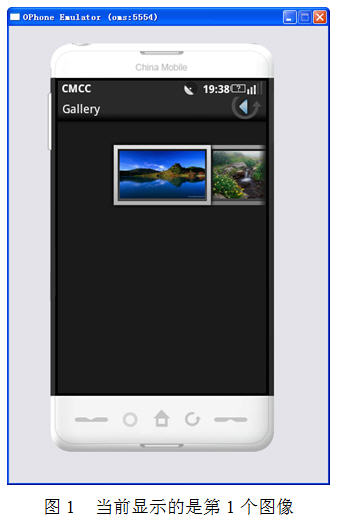
android平台TextView使用ImageSpan画廊GIF图像
android-gif-drawable(https://github.com/koral--/android-gif-drawable/releases)开源项目---是一个蛮不错的android gif显示实现.本文在android-gif-drawable基础上介绍怎样实现TextView、EditText上展示Gif动态图。 网上有蛮多介绍这个框架使用的文章,比方http://www.open-open.com/lib/view/open1404888098200.html。 核心类GifDrawable间隔一定时间读取下一帧数据,然后运行invalidateSelf()----》CallBack::invalidateDrawable()---》View::verifyDrawable()和View::invalidate(),该帧数据刷新流程就运行结束。 而android-gif-drawable框架眼下已支持GifImageView、GifImageButton、GifTextView三个android widget,且 GifImageView、GifImageButton支持对src和backgroud设置Gif,而GifTextView对支持backgroud和CompoundDrawables设置Gif。 如今非常多app都支持Gif表情。但貌似还没有一个app对输入框(等)支持GIF。而基本全部的表情图片(包含Emoji)都是使用ImageSpan实现的。但默认的ImageSpan是无法支持GIF的。 參考android-gif-drawable框架中gif帧数据刷新流程,要支持GIF须要考虑并完毕以下三个操作: 1)对ImageSpan中的GifDrawable,何时设置其Callback,又何时清空该Callback,眼下TextView、ImageSpan和Spaned都没有设置Callback的地方。我们须要找一个合适的地方将TextView设置为GifDrawable的Callback; 2)在TextView::invalidateDrawable()中实现对GifDrawable的校验,即验证该GifDrawable是TextView的内容,须要刷新; 3)在TextView::invalidateDrawable()中实现怎样刷新TextView显示; 首先对于1)。我们參考下ImageView和TextView实现。ImageView的src drawable相应实现例如以下: /** * Sets a drawable as the content of this ImageView. * * @param drawable The drawable to set */ public void setImageDrawable(Drawable drawable) { if (mDrawable != drawable) { ... updateDrawable(drawable); ... } } private void updateDrawable(Drawable d) { if (mDrawable != null) { mDrawable.setCallback(null); unscheduleDrawable(mDrawable); } mDrawable = d; if (d != null) { d.setCallback(this); if (d.isStateful()) { d.setState(getDrawableState()); } d.setLevel(mLevel); d.setLayoutDirection(getLayoutDirection()); d.setVisible(getVisibility() == VISIBLE, true); mDrawableWidth = d.getIntrinsicWidth(); mDrawableHeight = d.getIntrinsicHeight(); applyColorMod(); configureBounds(); } else { mDrawableWidth = mDrawableHeight = -1; } }也就是说,ImageView在设置其src时。清空旧mDrawable的callback,然后将新设置的src drawable的callback设置为ImageView本身。 同理。TextView对于CompoundDrawables的callback处理也是在setCompoundDrawables()时。 而ImageSpan须要在什么时机设置GifDrawable的callback呢, public class GifImageSpan extends ImageSpan{ private Drawable mDrawable = null; public GifImageSpan(Drawable d) { super(d); mDrawable = d; } public GifImageSpan(Drawable d, int verticalAlignment) { super(d, verticalAlignment); mDrawable = d; } @Override public Drawable getDrawable() { return mDrawable; } } public class GifEditText extends EditText { private GifSpanChangeWatcher mGifSpanChangeWatcher; public GifEditText(Context context) { super(context); initGifSpanChangeWatcher(); } public GifEditText(Context context, AttributeSet attrs) { super(context, attrs); initGifSpanChangeWatcher(); } public GifEditText(Context context, AttributeSet attrs, int defStyle) { super(context, attrs, defStyle); initGifSpanChangeWatcher(); } private void initGifSpanChangeWatcher() { mGifSpanChangeWatcher = new GifSpanChangeWatcher(this); addTextChangedListener(mGifSpanChangeWatcher); } @Override public void setText(CharSequence text, BufferType type) { CharSequence oldText = null; try { //EditText的默认mText为""。是一个String。但getText()强转为Editable,尼玛。仅仅能try/catch了 oldText = getText(); //首先清空全部旧GifImageSpan的callback和oldText上的GifSpanChangeWatcher if (!TextUtils.isEmpty(oldText) && oldText instanceof Spannable) { Spannable sp = (Spannable) oldText; final GifImageSpan[] spans = sp.getSpans(0, sp.length(), GifImageSpan.class); final int count = spans.length; for (int i = 0; i < count; i++) { spans[i].getDrawable().setCallback(null); } final GifSpanChangeWatcher[] watchers = sp.getSpans(0, sp.length(), GifSpanChangeWatcher.class); final int count1 = watchers.length; for (int i = 0; i < count1; i++) { sp.removeSpan(watchers[i]); } } } catch (Exception e) { } if (!TextUtils.isEmpty(text)) { if (!(text instanceof Editable)) { text = new SpannableStringBuilder(text); } } if (!TextUtils.isEmpty(text) && text instanceof Spannable) { Spannable sp = (Spannable) text; //设置新text中全部GifImageSpan的callback为当前EditText final GifImageSpan[] spans = sp.getSpans(0, sp.length(), GifImageSpan.class); final int count = spans.length; for (int i = 0; i < count; i++) { spans[i].getDrawable().setCallback(this); } //清空新text上的GifSpanChangeWatcher final GifSpanChangeWatcher[] watchers = sp.getSpans(0, sp.length(), GifSpanChangeWatcher.class); final int count1 = watchers.length; for (int i = 0; i < count1; i++) { sp.removeSpan(watchers[i]); } if (mGifSpanChangeWatcher == null) { mGifSpanChangeWatcher = new GifSpanChangeWatcher(this); } //设置新text上的GifSpanChangeWatcher sp.setSpan(mGifSpanChangeWatcher, 0, text.length(), Spanned.SPAN_INCLUSIVE_INCLUSIVE | (100 << Spanned.SPAN_PRIORITY_SHIFT)); } super.setText(text, type); } } public class GifSpanChangeWatcher implements SpanWatcher, TextWatcher{ private Drawable.Callback mCallback; public GifSpanChangeWatcher(Drawable.Callback callback) { mCallback = callback; } public void onSpanChanged(Spannable buf, Object what, int s, int e, int st, int en) { //do nothing } public void onSpanAdded(Spannable buf, Object what, int s, int e) { //设置callback if (what instanceof GifImageSpan) { ((GifImageSpan)what).getDrawable().setCallback(mCallback); } } public void onSpanRemoved(Spannable buf, Object what, int s, int e) { //清空callback if (what instanceof GifImageSpan) { ((GifImageSpan)what).getDrawable().setCallback(null); } } @Override public void afterTextChanged(Editable s) { if (s != null) { s.setSpan(this, 0, s.length(), Spanned.SPAN_INCLUSIVE_INCLUSIVE | (100 << Spanned.SPAN_PRIORITY_SHIFT)); } } @Override public void beforeTextChanged(CharSequence s, int start, int count, int after) { // TODO Auto-generated method stub } @Override public void onTextChanged(CharSequence s, int start, int before, int count) { // TODO Auto-generated method stub } } 也就是,在setText()和onSpanAdded()、onSpanRemoved()中运行操作(1) 然后,对于2),相同參考ImageView和TextView @Override protected boolean verifyDrawable(Drawable dr) { return mDrawable == dr || super.verifyDrawable(dr); } @Override protected boolean verifyDrawable(Drawable who) { final boolean verified = super.verifyDrawable(who); if (!verified && mDrawables != null) { return who == mDrawables.mDrawableLeft || who == mDrawables.mDrawableTop || who == mDrawables.mDrawableRight || who == mDrawables.mDrawableBottom || who == mDrawables.mDrawableStart || who == mDrawables.mDrawableEnd; } return verified; }直接上代码 public class GifEditText extends EditText { private GifImageSpan getImageSpan(Drawable drawable) { GifImageSpan imageSpan = null; CharSequence text = getText(); if (!TextUtils.isEmpty(text)) { if (text instanceof Spanned) { Spanned spanned = (Spanned) text; GifImageSpan[] spans = spanned.getSpans(0, text.length(), GifImageSpan.class); if (spans != null && spans.length > 0) { for (GifImageSpan span : spans) { if (drawable == span.getDrawable()) { imageSpan = span; } } } } } return imageSpan; } }getImageSpan()方法通过getSpans()获取全部的GifImageSpan。然后对照drawable,返回对应的GifImageSpan。 最后。操作3)更新View显示。相同參考下TextView @Override public void invalidateDrawable(Drawable drawable) { if (verifyDrawable(drawable)) { final Rect dirty = drawable.getBounds(); int scrollX = mScrollX; int scrollY = mScrollY; // IMPORTANT: The coordinates below are based on the coordinates computed // for each compound drawable in onDraw(). Make sure to update each section // accordingly. final TextView.Drawables drawables = mDrawables; if (drawables != null) { if (drawable == drawables.mDrawableLeft) { final int compoundPaddingTop = getCompoundPaddingTop(); final int compoundPaddingBottom = getCompoundPaddingBottom(); final int vspace = mBottom - mTop - compoundPaddingBottom - compoundPaddingTop; scrollX += mPaddingLeft; scrollY += compoundPaddingTop + (vspace - drawables.mDrawableHeightLeft) / 2; } else if (drawable == drawables.mDrawableRight) { final int compoundPaddingTop = getCompoundPaddingTop(); final int compoundPaddingBottom = getCompoundPaddingBottom(); final int vspace = mBottom - mTop - compoundPaddingBottom - compoundPaddingTop; scrollX += (mRight - mLeft - mPaddingRight - drawables.mDrawableSizeRight); scrollY += compoundPaddingTop + (vspace - drawables.mDrawableHeightRight) / 2; } else if (drawable == drawables.mDrawableTop) { final int compoundPaddingLeft = getCompoundPaddingLeft(); final int compoundPaddingRight = getCompoundPaddingRight(); final int hspace = mRight - mLeft - compoundPaddingRight - compoundPaddingLeft; scrollX += compoundPaddingLeft + (hspace - drawables.mDrawableWidthTop) / 2; scrollY += mPaddingTop; } else if (drawable == drawables.mDrawableBottom) { final int compoundPaddingLeft = getCompoundPaddingLeft(); final int compoundPaddingRight = getCompoundPaddingRight(); final int hspace = mRight - mLeft - compoundPaddingRight - compoundPaddingLeft; scrollX += compoundPaddingLeft + (hspace - drawables.mDrawableWidthBottom) / 2; scrollY += (mBottom - mTop - mPaddingBottom - drawables.mDrawableSizeBottom); } } invalidate(dirty.left + scrollX, dirty.top + scrollY, dirty.right + scrollX, dirty.bottom + scrollY); } }计算compoundDrawable位置栏,然后运行invalidate。 对于GifEditText貌似也能够类似操作,依据GifImageSpan的start、end计算其位置栏,然后运行invalidate()。只是计算过程太过复杂了。只是android4.4的TextView提供这种方法void invalidateRegion(int start, int end, boolean invalidateCursor)方法用于刷新start和end之间的区域,但还是蛮复杂的看的人眼花缭乱。研究了下这种方法终于是由谁调用的。 invalidateRegion()<<---invalidateCursor()<<---spanChange()<<---ChangeWatcher::onSpanChanged()、ChangeWatcher::onSpanAdded()、ChangeWatcher::onSpanRemoved() 也就是说,仅仅要TextView内容中span发生变化都会触发invalidateRegion()来刷新相应区域和cursor。 @Override public void invalidateDrawable(Drawable drawable) { GifImageSpan imageSpan = getImageSpan(drawable); Log.e("", "invalidateDrawable imageSpan:" + imageSpan); if (imageSpan != null) { CharSequence text = getText(); if (!TextUtils.isEmpty(text)) { if (text instanceof Editable) { Log.e("", "invalidateDrawable Editable:"); Editable editable = (Editable)text; int start = editable.getSpanStart(imageSpan); int end = editable.getSpanEnd(imageSpan); int flags = editable.getSpanFlags(imageSpan); editable.setSpan(imageSpan, start, end, flags); } } } else { super.invalidateDrawable(drawable); } }直接又一次设置该ImageSpan就可以触发ChangeWatcher::onSpanChanged()回调。也就会马上刷新其区域和cursor。 大功告成。执行ok。 上面是对EditText的实现,针对TextView实现略微有点差别 public class GifSpanTextView extends GifTextView { private GifSpanChangeWatcher mGifSpanChangeWatcher; public GifSpanTextView(Context context) { super(context); initGifSpanChangeWatcher(); } public GifSpanTextView(Context context, AttributeSet attrs) { super(context, attrs); initGifSpanChangeWatcher(); } public GifSpanTextView(Context context, AttributeSet attrs, int defStyle) { super(context, attrs, defStyle); initGifSpanChangeWatcher(); } private void initGifSpanChangeWatcher() { mGifSpanChangeWatcher = new GifSpanChangeWatcher(this); addTextChangedListener(mGifSpanChangeWatcher); } @Override public void setText(CharSequence text, BufferType type) { type = BufferType.EDITABLE; CharSequence oldText = getText(); if (!TextUtils.isEmpty(oldText) && oldText instanceof Spannable) { Spannable sp = (Spannable) oldText; final GifImageSpan[] spans = sp.getSpans(0, sp.length(), GifImageSpan.class); final int count = spans.length; for (int i = 0; i < count; i++) { spans[i].getDrawable().setCallback(null); } final GifSpanChangeWatcher[] watchers = sp.getSpans(0, sp.length(), GifSpanChangeWatcher.class); final int count1 = watchers.length; for (int i = 0; i < count1; i++) { sp.removeSpan(watchers[i]); } } if (!TextUtils.isEmpty(text) && text instanceof Spannable) { Spannable sp = (Spannable) text; final GifImageSpan[] spans = sp.getSpans(0, sp.length(), GifImageSpan.class); final int count = spans.length; for (int i = 0; i < count; i++) { spans[i].getDrawable().setCallback(this); } final GifSpanChangeWatcher[] watchers = sp.getSpans(0, sp.length(), GifSpanChangeWatcher.class); final int count1 = watchers.length; for (int i = 0; i < count1; i++) { sp.removeSpan(watchers[i]); } if (mGifSpanChangeWatcher == null) { mGifSpanChangeWatcher = new GifSpanChangeWatcher(this);; } sp.setSpan(mGifSpanChangeWatcher, 0, text.length(), Spanned.SPAN_INCLUSIVE_INCLUSIVE | (100 << Spanned.SPAN_PRIORITY_SHIFT)); } super.setText(text, type); } private GifImageSpan getImageSpan(Drawable drawable) { GifImageSpan imageSpan = null; CharSequence text = getText(); if (!TextUtils.isEmpty(text)) { if (text instanceof Spanned) { Spanned spanned = (Spanned) text; GifImageSpan[] spans = spanned.getSpans(0, text.length(), GifImageSpan.class); if (spans != null && spans.length > 0) { for (GifImageSpan span : spans) { if (drawable == span.getDrawable()) { imageSpan = span; } } } } } return imageSpan; } @Override public void invalidateDrawable(Drawable drawable) { GifImageSpan imageSpan = getImageSpan(drawable); if (imageSpan != null) { CharSequence text = getText(); if (!TextUtils.isEmpty(text)) { if (text instanceof Editable) { Editable editable = (Editable)text; int start = editable.getSpanStart(imageSpan); int end = editable.getSpanEnd(imageSpan); int flags = editable.getSpanFlags(imageSpan); editable.removeSpan(imageSpan); editable.setSpan(imageSpan, start, end, flags); } } } else { super.invalidateDrawable(drawable); } } } 设置其android:editable="true"或正上方setText(CharSequence text, BufferType type)将type设置BufferType.EDITABLE。 本文转自mfrbuaa博客园博客,原文链接:http://www.cnblogs.com/mfrbuaa/p/5045666.html,如需转载请自行联系原作者