首页 文章 精选 留言 我的

精选列表

搜索[k8s],共3937篇文章
优秀的个人博客,低调大师

K8S部署高可用NACOS集群

2 --> 我们先来单点部署NACOS服务: apiVersion: v1 kind: Service metadata: name: nacos namespace: {namespace} labels: app: nacos spec: ports: - protocol: TCP port: 8848 targetPort: 8848 name: nacos-http selector: app: nacos --- apiVersion: apps/v1 kind: StatefulSet metadata: name: nacos namespace: {namespace} spec: serviceName: nacos selector: matchLabels: app: nacos replicas: 1 template: metadata: labels: app: nacos spec: containers: - name: nacos image: nacos/nacos-server:2.0.1 resources: requests: memory: "1024Mi" cpu: "256m" limits: memory: "2048Mi" cpu: "512m" ports: - containerPort: 8848 name: nacos-http env: - name: MODE value: "standalone" 我们用集群的方式部署: 1.我们要准备好NFS服务器,建好PV和PVC apiVersion: v1 kind: Namespace metadata: name: {namespace} --- apiVersion: v1 kind: PersistentVolume metadata: name: nfs-pv-{namespace} labels: pv: nfs-pv-{namespace} annotations: volume.beta.kubernetes.io/mount-options: "noatime,nodiratime,noresvport,nolock,proto=udp,rsize=1048576,wsize=1048576,hard" spec: capacity: storage: 100Gi accessModes: - ReadWriteMany persistentVolumeReclaimPolicy: Retain nfs: path: /nfs/{namespace} server: 192.168.0.2 --- kind: PersistentVolumeClaim apiVersion: v1 metadata: name: nfs-pvc namespace: {namespace} spec: accessModes: - ReadWriteMany resources: requests: storage: 100Gi selector: matchLabels: pv: nfs-pv-{namespace} 2.准备好数据库,我们集群里面是有数据库,这里我就不做配置直接使用,只是导入数据库而已 数据库的地址: mysql 数据库名称: nacos 数据库的账号: root 数据库的密码: 123456 然后导入https://github.com/alibaba/nacos/blob/develop/distribution/conf/nacos-mysql.sql 3.创建配置文件 apiVersion: v1 kind: ConfigMap metadata: name: nacos-cm namespace: {namespace} data: mysql.db.name: "nacos" mysql.db.host: "mysql" mysql.port: "3306" mysql.user: "root" mysql.password: "123456" 4.创建部署文件 apiVersion: apps/v1 kind: StatefulSet metadata: name: nacos namespace: {namespace} spec: serviceName: nacos-headless selector: matchLabels: app: nacos replicas: 3 template: metadata: labels: app: nacos spec: initContainers: - name: peer-finder-plugin-install image: nacos/nacos-peer-finder-plugin:1.1 imagePullPolicy: Always volumeMounts: - mountPath: /home/nacos/plugins/peer-finder name: nacos-data subPath: peer-finder containers: - name: nacos image: nacos/nacos-server:2.0.1 resources: requests: memory: "1024Mi" cpu: "256m" limits: memory: "2048Mi" cpu: "512m" ports: - containerPort: 8848 name: nacos-http - containerPort: 9848 name: nacos-rpc - containerPort: 9849 name: raft-rpc - containerPort: 7848 name: old-raft-rpc env: - name: NACOS_REPLICAS value: "3" - name: SERVICE_NAME value: "nacos-headless" - name: DOMAIN_NAME value: "cluster.local" - name: POD_NAMESPACE valueFrom: fieldRef: apiVersion: v1 fieldPath: metadata.namespace - name: MYSQL_SERVICE_HOST valueFrom: configMapKeyRef: name: nacos-cm key: mysql.db.host - name: MYSQL_SERVICE_DB_NAME valueFrom: configMapKeyRef: name: nacos-cm key: mysql.db.name - name: MYSQL_SERVICE_PORT valueFrom: configMapKeyRef: name: nacos-cm key: mysql.port - name: MYSQL_SERVICE_USER valueFrom: configMapKeyRef: name: nacos-cm key: mysql.user - name: MYSQL_SERVICE_PASSWORD valueFrom: configMapKeyRef: name: nacos-cm key: mysql.password - name: NACOS_SERVER_PORT value: "8848" - name: NACOS_APPLICATION_PORT value: "8848" - name: PREFER_HOST_MODE value: "hostname" - name: NACOS_SERVERS value: "nacos-0.nacos-headless.{namespace}.svc.cluster.local:8848 nacos-1.nacos-headless.{namespace}.svc.cluster.local:8848 nacos-2.nacos-headless.{namespace}.svc.cluster.local:8848" volumeMounts: - name: nacos-data mountPath: /home/nacos/plugins/peer-finder subPath: peer-finder - name: nacos-data mountPath: /home/nacos/data subPath: data - name: nacos-data mountPath: /home/nacos/logs subPath: logs volumes: - name: nacos-data persistentVolumeClaim: claimName: nfs-pvc 5.创建服务 apiVersion: v1 kind: Service metadata: name: nacos-headless namespace: {namespace} labels: app: nacos annotations: service.alpha.kubernetes.io/tolerate-unready-endpoints: "true" spec: ports: - protocol: TCP port: 8848 targetPort: 8848 name: nacos-http - protocol: TCP port: 9848 targetPort: 9848 name: nacos-rpc - protocol: TCP port: 9849 targetPort: 9849 name: raft-rpc - protocol: TCP port: 7848 targetPort: 7848 name: old-raft-rpc clusterIP: None selector: app: nacos --- apiVersion: v1 kind: Service metadata: name: nacos namespace: {namespace} labels: app: nacos annotations: service.alpha.kubernetes.io/tolerate-unready-endpoints: "true" spec: ports: - protocol: TCP port: 8848 targetPort: 8848 name: nacos-http - protocol: TCP port: 9848 targetPort: 9848 name: nacos-rpc - protocol: TCP port: 9849 targetPort: 9849 name: raft-rpc - protocol: TCP port: 7848 targetPort: 7848 name: old-raft-rpc selector: app: nacos 以上文章参考https://github.com/nacos-group/nacos-k8s 只是nacos-k8s这个里面有个坑,就是缺了 - name: MYSQL_SERVICE_HOST valueFrom: configMapKeyRef: name: nacos-cm key: mysql.db.host 同时为方便集群访问,我这里建立一个nacos服务直接访问集群 以上需要将{namespace}修改为自己的命名空间


优秀的个人博客,低调大师

标记 (TAG) 您的 k8s 集群资源

标签的基本知识 标签是资源Meta信息,标签是一些充当元数据的词和短语,支持用户自定义和系统预制。每个标签都包含一个键(Key)和一个值(Value)。标签是一种资源的属性描述。 标签与资源是 多对多的关系。 标签可让您按各种标准(例如用途、所有者或环境)对 阿里云 资源进行分类。这在您具有相同类型的许多资源时会很有用,您可以根据分配给资源的标签快速识别特定资源。 标签对阿里云资源没有任何语义意义,应严格按字符串进行解析。同时,标签不会自动分配至您的资源。您可以修改标签的key和value,还可以随时删除资源的标签。您可以将标签的值设为空的字符串,但是不能将其设为空值。如果您添加的标签的值与该实例上现有标签的值相同,新的值就会覆盖旧值。如果删除资源,资源的所有标签也会被删除。 可以使用管理控制台 和 API 处理标签。 标签设计详情见最佳实践

优秀的个人博客,低调大师

K8S自己动手系列 - 1.1 - 集群搭建

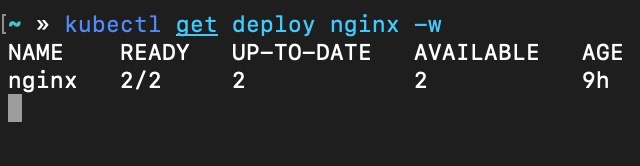
准备 作为学习与实战的记录,笔者计划编写一系列实战系列文章,主要根据实际使用场景选取Kubernetes最常用的功能进行实验,并使用当前最流行的kubeadm安装集群。本文用到的所有实验环境均基于笔者个人工作站虚拟化多个VM而来,如果读者有一台性能尚可的工作站台式机,推荐读者参考本文操作过程实战演练一遍,有助于对Kubernetes各项概念及功能的理解。 前期准备: 两台VM,笔者安装的OS为ubuntu 16.04 保证两台VM网络互通,为了使网络拓扑尽可能简单,我使用的虚拟化软件为VirtualBox,宿主机为ubuntu 19.04,网络模式为Bridge 先解决网络问题 Ubuntu APT https://opsx.alibaba.com/mirror 搜索 ubuntu Kubernetes APT Repo https://opsx.alibaba.com/mirror 搜索 Kubernetes Docker Image Repo # 此过程需要主机先安装好docker-daemon,参考集群安装部分有说明 1. 安装/升级Docker客户端 推荐安装1.10.0以上版本的Docker客户端,参考文档 docker-ce 2. 配置镜像加速器 针对Docker客户端版本大于 1.10.0 的用户 您可以通过修改daemon配置文件/etc/docker/daemon.json来使用加速器 sudo mkdir -p /etc/docker sudo tee /etc/docker/daemon.json <<-'EOF' { "registry-mirrors": ["https://ft3ykfyc.mirror.aliyuncs.com"] } EOF sudo systemctl daemon-reload sudo systemctl restart docker 集群安装 kubelet kubeadm kubectl apt-get update apt-get install -y kubelet kubeadm kubectl docker # 参考 https://kubernetes.io/docs/setup/cri/ # Install Docker CE ## Set up the repository: ### Install packages to allow apt to use a repository over HTTPS apt-get update && apt-get install apt-transport-https ca-certificates curl software-properties-common ### Add Docker’s official GPG key curl -fsSL https://download.docker.com/linux/ubuntu/gpg | apt-key add - ### Add Docker apt repository. add-apt-repository \ "deb [arch=amd64] https://download.docker.com/linux/ubuntu \ $(lsb_release -cs) \ stable" ## Install Docker CE. apt-get update && apt-get install docker-ce=18.06.2~ce~3-0~ubuntu # Setup daemon. cat > /etc/docker/daemon.json <<EOF { "exec-opts": ["native.cgroupdriver=systemd"], "log-driver": "json-file", "log-opts": { "max-size": "100m" }, "storage-driver": "overlay2" } EOF mkdir -p /etc/systemd/system/docker.service.d # Restart docker. systemctl daemon-reload systemctl restart docker 初始化集群 确保swap关闭 swapoff -a vim /etc/fstab ... # comment this #UUID=2746cf1b-d1ab-41e2-8a31-8c1ed2cca910 none swap sw 0 0 kubeadm init ~ kubeadm init --pod-network-cidr=10.244.0.0/16 --kubernetes-version=stable I0608 11:05:15.863459 9577 version.go:96] could not fetch a Kubernetes version from the internet: unable to get URL "https://dl.k8s.io/release/stable.txt": Get https://dl.k8s.io/release/stable.txt: net/http: request canceled while waiting for connection (Client.Timeout exceeded while awaiting headers) I0608 11:05:15.863537 9577 version.go:97] falling back to the local client version: v1.14.3 [init] Using Kubernetes version: v1.14.3 [preflight] Running pre-flight checks [WARNING IsDockerSystemdCheck]: detected "cgroupfs" as the Docker cgroup driver. The recommended driver is "systemd". Please follow the guide at https://kubernetes.io/docs/setup/cri/ [preflight] Pulling images required for setting up a Kubernetes cluster [preflight] This might take a minute or two, depending on the speed of your internet connection [preflight] You can also perform this action in beforehand using 'kubeadm config images pull' 解决镜像拉取问题 上面的拉取特别慢,所以需要从镜像仓库手工拉取镜像,并打tag替代从官方库拉取 # 查看使用到的镜像 ~ kubeadm config images list k8s.gcr.io/kube-apiserver:v1.14.3 k8s.gcr.io/kube-controller-manager:v1.14.3 k8s.gcr.io/kube-scheduler:v1.14.3 k8s.gcr.io/kube-proxy:v1.14.3 k8s.gcr.io/pause:3.1 k8s.gcr.io/etcd:3.3.10 k8s.gcr.io/coredns:1.3.1 # 手工拉取镜像 docker pull docker.io/mirrorgooglecontainers/kube-apiserver:v1.14.3 docker pull docker.io/mirrorgooglecontainers/kube-controller-manager:v1.14.3 docker pull docker.io/mirrorgooglecontainers/kube-scheduler:v1.14.3 docker pull docker.io/mirrorgooglecontainers/kube-proxy:v1.14.3 docker pull docker.io/mirrorgooglecontainers/pause:3.1 docker pull docker.io/mirrorgooglecontainers/etcd:3.3.10 docker pull docker.io/coredns/coredns:1.3.1 # 手工打tag docker tag docker.io/mirrorgooglecontainers/kube-apiserver:v1.14.3 k8s.gcr.io/kube-apiserver:v1.14.3 docker tag docker.io/mirrorgooglecontainers/kube-controller-manager:v1.14.3 k8s.gcr.io/kube-controller-manager:v1.14.3 docker tag docker.io/mirrorgooglecontainers/kube-scheduler:v1.14.3 k8s.gcr.io/kube-scheduler:v1.14.3 docker tag docker.io/mirrorgooglecontainers/kube-proxy:v1.14.3 k8s.gcr.io/kube-proxy:v1.14.3 docker tag docker.io/mirrorgooglecontainers/pause:3.1 k8s.gcr.io/pause:3.1 docker tag docker.io/mirrorgooglecontainers/etcd:3.3.10 k8s.gcr.io/etcd:3.3.10 docker tag docker.io/coredns/coredns:1.3.1 k8s.gcr.io/coredns:1.3.1 再次执行,终于创建成功,输出如下: ~ kubeadm init --pod-network-cidr=10.244.0.0/16 --kubernetes-version=stable [init] Using Kubernetes version: v1.14.3 [preflight] Running pre-flight checks [WARNING IsDockerSystemdCheck]: detected "cgroupfs" as the Docker cgroup driver. The recommended driver is "systemd". Please follow the guide at https://kubernetes.io/docs/setup/cri/ [preflight] Pulling images required for setting up a Kubernetes cluster [preflight] This might take a minute or two, depending on the speed of your internet connection [preflight] You can also perform this action in beforehand using 'kubeadm config images pull' [kubelet-start] Writing kubelet environment file with flags to file "/var/lib/kubelet/kubeadm-flags.env" [kubelet-start] Writing kubelet configuration to file "/var/lib/kubelet/config.yaml" [kubelet-start] Activating the kubelet service [certs] Using certificateDir folder "/etc/kubernetes/pki" [certs] Generating "etcd/ca" certificate and key [certs] Generating "etcd/server" certificate and key [certs] etcd/server serving cert is signed for DNS names [worker01 localhost] and IPs [192.168.101.113 127.0.0.1 ::1] [certs] Generating "etcd/peer" certificate and key [certs] etcd/peer serving cert is signed for DNS names [worker01 localhost] and IPs [192.168.101.113 127.0.0.1 ::1] [certs] Generating "apiserver-etcd-client" certificate and key [certs] Generating "etcd/healthcheck-client" certificate and key [certs] Generating "ca" certificate and key [certs] Generating "apiserver" certificate and key [certs] apiserver serving cert is signed for DNS names [worker01 kubernetes kubernetes.default kubernetes.default.svc kubernetes.default.svc.cluster.local] and IPs [10.96.0.1 192.168.101.113] [certs] Generating "apiserver-kubelet-client" certificate and key [certs] Generating "front-proxy-ca" certificate and key [certs] Generating "front-proxy-client" certificate and key [certs] Generating "sa" key and public key [kubeconfig] Using kubeconfig folder "/etc/kubernetes" [kubeconfig] Writing "admin.conf" kubeconfig file [kubeconfig] Writing "kubelet.conf" kubeconfig file [kubeconfig] Writing "controller-manager.conf" kubeconfig file [kubeconfig] Writing "scheduler.conf" kubeconfig file [control-plane] Using manifest folder "/etc/kubernetes/manifests" [control-plane] Creating static Pod manifest for "kube-apiserver" [control-plane] Creating static Pod manifest for "kube-controller-manager" [control-plane] Creating static Pod manifest for "kube-scheduler" [etcd] Creating static Pod manifest for local etcd in "/etc/kubernetes/manifests" [wait-control-plane] Waiting for the kubelet to boot up the control plane as static Pods from directory "/etc/kubernetes/manifests". This can take up to 4m0s [apiclient] All control plane components are healthy after 18.005322 seconds [upload-config] storing the configuration used in ConfigMap "kubeadm-config" in the "kube-system" Namespace [kubelet] Creating a ConfigMap "kubelet-config-1.14" in namespace kube-system with the configuration for the kubelets in the cluster [upload-certs] Skipping phase. Please see --experimental-upload-certs [mark-control-plane] Marking the node worker01 as control-plane by adding the label "node-role.kubernetes.io/master=''" [mark-control-plane] Marking the node worker01 as control-plane by adding the taints [node-role.kubernetes.io/master:NoSchedule] [bootstrap-token] Using token: ss6flg.csw4u0ok134n2fy1 [bootstrap-token] Configuring bootstrap tokens, cluster-info ConfigMap, RBAC Roles [bootstrap-token] configured RBAC rules to allow Node Bootstrap tokens to post CSRs in order for nodes to get long term certificate credentials [bootstrap-token] configured RBAC rules to allow the csrapprover controller automatically approve CSRs from a Node Bootstrap Token [bootstrap-token] configured RBAC rules to allow certificate rotation for all node client certificates in the cluster [bootstrap-token] creating the "cluster-info" ConfigMap in the "kube-public" namespace [addons] Applied essential addon: CoreDNS [addons] Applied essential addon: kube-proxy Your Kubernetes control-plane has initialized successfully! To start using your cluster, you need to run the following as a regular user: mkdir -p $HOME/.kube sudo cp -i /etc/kubernetes/admin.conf $HOME/.kube/config sudo chown $(id -u):$(id -g) $HOME/.kube/config You should now deploy a pod network to the cluster. Run "kubectl apply -f [podnetwork].yaml" with one of the options listed at: https://kubernetes.io/docs/concepts/cluster-administration/addons/ Then you can join any number of worker nodes by running the following on each as root: kubeadm join 192.168.101.113:6443 --token ss6flg.csw4u0ok134n2fy1 \ --discovery-token-ca-cert-hash sha256:bac9a150228342b7cdedf39124ef2108653db1f083e9f547d251e08f03c41945 安装网络插件 For flannel to work correctly, you must pass --pod-network-cidr=10.244.0.0/16 to kubeadm init. Set /proc/sys/net/bridge/bridge-nf-call-iptables to 1 by running sysctl net.bridge.bridge-nf-call-iptables=1 to pass bridged IPv4 traffic to iptables’ chains. This is a requirement for some CNI plugins to work, for more information please see here. Make sure that your firewall rules allow UDP ports 8285 and 8472 traffic for all hosts participating in the overlay network. see here . Note that flannel works on amd64, arm, arm64, ppc64le and s390x under Linux. Windows (amd64) is claimed as supported in v0.11.0 but the usage is undocumented. kubectl apply -f https://raw.githubusercontent.com/coreos/flannel/62e44c867a2846fefb68bd5f178daf4da3095ccb/Documentation/kube-flannel.yml For more information about flannel, see the CoreOS flannel repository on GitHub . 安装完成后,查看所有组件已经成功运行 ~ kubectl get all --all-namespaces NAMESPACE NAME READY STATUS RESTARTS AGE kube-system pod/coredns-fb8b8dccf-vmdsj 1/1 Running 0 24m kube-system pod/coredns-fb8b8dccf-xrhrs 1/1 Running 0 24m kube-system pod/etcd-worker01 1/1 Running 0 23m kube-system pod/kube-apiserver-worker01 1/1 Running 0 23m kube-system pod/kube-controller-manager-worker01 1/1 Running 0 23m kube-system pod/kube-flannel-ds-amd64-cgnnz 1/1 Running 0 4m18s kube-system pod/kube-proxy-vfvkp 1/1 Running 0 24m kube-system pod/kube-scheduler-worker01 1/1 Running 0 23m NAMESPACE NAME TYPE CLUSTER-IP EXTERNAL-IP PORT(S) AGE default service/kubernetes ClusterIP 10.96.0.1 <none> 443/TCP 24m kube-system service/kube-dns ClusterIP 10.96.0.10 <none> 53/UDP,53/TCP,9153/TCP 24m NAMESPACE NAME DESIRED CURRENT READY UP-TO-DATE AVAILABLE NODE SELECTOR AGE kube-system daemonset.apps/kube-flannel-ds-amd64 1 1 1 1 1 beta.kubernetes.io/arch=amd64 4m18s kube-system daemonset.apps/kube-flannel-ds-arm 0 0 0 0 0 beta.kubernetes.io/arch=arm 4m18s kube-system daemonset.apps/kube-flannel-ds-arm64 0 0 0 0 0 beta.kubernetes.io/arch=arm64 4m18s kube-system daemonset.apps/kube-flannel-ds-ppc64le 0 0 0 0 0 beta.kubernetes.io/arch=ppc64le 4m18s kube-system daemonset.apps/kube-flannel-ds-s390x 0 0 0 0 0 beta.kubernetes.io/arch=s390x 4m18s kube-system daemonset.apps/kube-proxy 1 1 1 1 1 <none> 24m NAMESPACE NAME READY UP-TO-DATE AVAILABLE AGE kube-system deployment.apps/coredns 2/2 2 2 24m NAMESPACE NAME DESIRED CURRENT READY AGE kube-system replicaset.apps/coredns-fb8b8dccf 2 2 2 24m run a demo pod ~ kubectl create deployment nginx --image=nginx deployment.apps/nginx created ~ kubectl get deploy NAME READY UP-TO-DATE AVAILABLE AGE nginx 0/1 1 0 9s ~ kubectl get pod NAME READY STATUS RESTARTS AGE nginx-65f88748fd-95gkh 0/1 Pending 0 21s ~ kubectl describe pod/nginx-65f88748fd-95gkh Name: nginx-65f88748fd-95gkh Namespace: default Priority: 0 PriorityClassName: <none> Node: <none> Labels: app=nginx pod-template-hash=65f88748fd Annotations: <none> Status: Pending IP: Controlled By: ReplicaSet/nginx-65f88748fd Containers: nginx: Image: nginx Port: <none> Host Port: <none> Environment: <none> Mounts: /var/run/secrets/kubernetes.io/serviceaccount from default-token-5kf45 (ro) Conditions: Type Status PodScheduled False Volumes: default-token-5kf45: Type: Secret (a volume populated by a Secret) SecretName: default-token-5kf45 Optional: false QoS Class: BestEffort Node-Selectors: <none> Tolerations: node.kubernetes.io/not-ready:NoExecute for 300s node.kubernetes.io/unreachable:NoExecute for 300s Events: Type Reason Age From Message ---- ------ ---- ---- ------- Warning FailedScheduling 30s default-scheduler 0/1 nodes are available: 1 node(s) had taints that the pod didn't tolerate. 查看错误原因,写的很清楚,没有可用节点,是因为我们唯一的一个节点worker01是master节点,master节点默认含有taint(污点),默认不可以调度业务pod,我们来去除这个污点,让nginx可以调度上去 ~ kubectl describe node worker01 Name: worker01 Roles: master Labels: beta.kubernetes.io/arch=amd64 beta.kubernetes.io/os=linux kubernetes.io/arch=amd64 kubernetes.io/hostname=worker01 kubernetes.io/os=linux node-role.kubernetes.io/master= Annotations: flannel.alpha.coreos.com/backend-data: {"VtepMAC":"86:f6:8f:29:d7:c7"} flannel.alpha.coreos.com/backend-type: vxlan flannel.alpha.coreos.com/kube-subnet-manager: true flannel.alpha.coreos.com/public-ip: 192.168.101.113 kubeadm.alpha.kubernetes.io/cri-socket: /var/run/dockershim.sock node.alpha.kubernetes.io/ttl: 0 volumes.kubernetes.io/controller-managed-attach-detach: true CreationTimestamp: Sat, 08 Jun 2019 11:56:28 +0800 Taints: node-role.kubernetes.io/master:NoSchedule ... ~ kubectl taint nodes --all node-role.kubernetes.io/master- node/worker01 untainted ~ kubectl get pod -o wide NAME READY STATUS RESTARTS AGE IP NODE NOMINATED NODE READINESS GATES nginx-65f88748fd-95gkh 1/1 Running 0 4m11s 10.244.0.4 worker01 <none> <none> 可以看到pod已经是running状态了,测试一下 ~ curl 10.244.0.4 <!DOCTYPE html> <html> <head> <title>Welcome to nginx!</title> <style> body { width: 35em; margin: 0 auto; font-family: Tahoma, Verdana, Arial, sans-serif; } </style> </head> <body> <h1>Welcome to nginx!</h1> <p>If you see this page, the nginx web server is successfully installed and working. Further configuration is required.</p> <p>For online documentation and support please refer to <a href="http://nginx.org/">nginx.org</a>.<br/> Commercial support is available at <a href="http://nginx.com/">nginx.com</a>.</p> <p><em>Thank you for using nginx.</em></p> </body> </html> 成功!! 加入节点 在worker02上,执行: ~ kubeadm join 192.168.101.113:6443 --token ss6flg.csw4u0ok134n2fy1 \ --discovery-token-ca-cert-hash sha256:bac9a150228342b7cdedf39124ef2108653db1f083e9f547d251e08f03c41945 [preflight] Running pre-flight checks [WARNING IsDockerSystemdCheck]: detected "cgroupfs" as the Docker cgroup driver. The recommended driver is "systemd". Please follow the guide at https://kubernetes.io/docs/setup/cri/ [preflight] Reading configuration from the cluster... [preflight] FYI: You can look at this config file with 'kubectl -n kube-system get cm kubeadm-config -oyaml' [kubelet-start] Downloading configuration for the kubelet from the "kubelet-config-1.14" ConfigMap in the kube-system namespace [kubelet-start] Writing kubelet configuration to file "/var/lib/kubelet/config.yaml" [kubelet-start] Writing kubelet environment file with flags to file "/var/lib/kubelet/kubeadm-flags.env" [kubelet-start] Activating the kubelet service [kubelet-start] Waiting for the kubelet to perform the TLS Bootstrap... This node has joined the cluster: * Certificate signing request was sent to apiserver and a response was received. * The Kubelet was informed of the new secure connection details. Run 'kubectl get nodes' on the control-plane to see this node join the cluster. 查看 ~ kubectl get nodes NAME STATUS ROLES AGE VERSION worker01 Ready master 52m v1.14.3 worker02 Ready <none> 7m12s v1.14.3 将demo的replica设置为2 ~ kubectl scale deployment.v1.apps/nginx --replicas=2 deployment.apps/nginx scaled ~ kubectl get pod -o wide NAME READY STATUS RESTARTS AGE IP NODE NOMINATED NODE READINESS GATES nginx-7cffb9df96-8n884 1/1 Running 0 5m2s 10.244.0.6 worker01 <none> <none> nginx-7cffb9df96-rbvsr 1/1 Running 0 3s 10.244.1.10 worker02 <none> <none> ~ http 10.244.1.10 HTTP/1.1 200 OK Accept-Ranges: bytes Connection: keep-alive Content-Length: 612 Content-Type: text/html Date: Sat, 08 Jun 2019 05:03:57 GMT ETag: "5ce409fd-264" Last-Modified: Tue, 21 May 2019 14:23:57 GMT Server: nginx/1.17.0 <!DOCTYPE html> <html> <head> <title>Welcome to nginx!</title> <style> body { width: 35em; margin: 0 auto; font-family: Tahoma, Verdana, Arial, sans-serif; } </style> </head> <body> <h1>Welcome to nginx!</h1> <p>If you see this page, the nginx web server is successfully installed and working. Further configuration is required.</p> <p>For online documentation and support please refer to <a href="http://nginx.org/">nginx.org</a>.<br/> Commercial support is available at <a href="http://nginx.com/">nginx.com</a>.</p> <p><em>Thank you for using nginx.</em></p> </body> </html> 成功!至此我们安装好了两个节点的集群,并基于Flannel网络插件的方式,网络模式为VXLAN

优秀的个人博客,低调大师

K8S自己动手系列 - 1.2 - 节点管理

节点管理 节点状态 please refer: https://kubernetes.io/docs/concepts/architecture/nodes/#node-status这里我们重点关注下Condition部分如文档描述 节点失联 or 节点宕机 查看节点列表 ~ kubectl get node -o wide NAME STATUS ROLES AGE VERSION INTERNAL-IP EXTERNAL-IP OS-IMAGE KERNEL-VERSION CONTAINER-RUNTIME worker01 Ready master 21h v1.14.3 192.168.101.113 <none> Ubuntu 16.04.6 LTS 4.4.0-150-generic docker://18.9.5 worker02 Ready <none> 21h v1.14.3 192.168.100.117 <none> Ubuntu 16.04.6 LTS 4.4.0-150-generic docker://18.9.5 # 查看pod和其运行所在节点 ~ kubectl get pods -o wide NAME READY STATUS RESTARTS AGE IP NODE NOMINATED NODE READINESS GATES nginx-6657c9ffc-6q2pt 1/1 Running 1 19h 10.244.0.11 worker01 <none> <none> nginx-6657c9ffc-msd6t 1/1 Running 0 19h 10.244.1.17 worker02 <none> <none> 现在我们使worker02关机 ~ kubectl get pod -o wide NAME READY STATUS RESTARTS AGE IP NODE NOMINATED NODE READINESS GATES nginx-6657c9ffc-6q2pt 1/1 Running 1 20h 10.244.0.11 worker01 <none> <none> nginx-6657c9ffc-msd6t 1/1 Running 0 20h 10.244.1.17 worker02 <none> <none> ~ kubectl get node -o wide NAME STATUS ROLES AGE VERSION INTERNAL-IP EXTERNAL-IP OS-IMAGE KERNEL-VERSION CONTAINER-RUNTIME worker01 Ready master 22h v1.14.3 192.168.101.113 <none> Ubuntu 16.04.6 LTS 4.4.0-150-generic docker://18.9.5 worker02 Ready <none> 21h v1.14.3 192.168.100.117 <none> Ubuntu 16.04.6 LTS 4.4.0-150-generic docker://18.9.5 ~ ping 192.168.100.117 PING 192.168.100.117 (192.168.100.117) 56(84) bytes of data. ^C --- 192.168.100.117 ping statistics --- 2 packets transmitted, 0 received, 100% packet loss, time 1007ms 可以看到虽然查看状态还是正常,实际上节点已经无法ping通,再次查看,发现节点已经处于NotReady状态 ~ kubectl get node -o wide NAME STATUS ROLES AGE VERSION INTERNAL-IP EXTERNAL-IP OS-IMAGE KERNEL-VERSION CONTAINER-RUNTIME worker01 Ready master 22h v1.14.3 192.168.101.113 <none> Ubuntu 16.04.6 LTS 4.4.0-150-generic docker://18.9.5 worker02 NotReady <none> 21h v1.14.3 192.168.100.117 <none> Ubuntu 16.04.6 LTS 4.4.0-150-generic docker://18.9.5 ~ kubectl get pod -o wide NAME READY STATUS RESTARTS AGE IP NODE NOMINATED NODE READINESS GATES nginx-6657c9ffc-6q2pt 1/1 Running 1 20h 10.244.0.11 worker01 <none> <none> nginx-6657c9ffc-msd6t 1/1 Running 0 20h 10.244.1.17 worker02 <none> <none> 查看节点详情,发现节点已经被打上node.kubernetes.io/unreachable:NoExecute和node.kubernetes.io/unreachable:NoSchedule两个污点,conditions也随之变化 ~ kubectl describe node worker02 Name: worker02 Roles: <none> Labels: beta.kubernetes.io/arch=amd64 ... Annotations: flannel.alpha.coreos.com/backend-data: {"VtepMAC":"4e:0a:b4:88:0d:83"} ... CreationTimestamp: Sat, 08 Jun 2019 12:42:00 +0800 Taints: node.kubernetes.io/unreachable:NoExecute node.kubernetes.io/unreachable:NoSchedule Unschedulable: false Conditions: Type Status LastHeartbeatTime LastTransitionTime Reason Message ---- ------ ----------------- ------------------ ------ ------- MemoryPressure Unknown Sun, 09 Jun 2019 10:03:52 +0800 Sun, 09 Jun 2019 10:04:52 +0800 NodeStatusUnknown Kubelet stopped posting node status. DiskPressure Unknown Sun, 09 Jun 2019 10:03:52 +0800 Sun, 09 Jun 2019 10:04:52 +0800 NodeStatusUnknown Kubelet stopped posting node status. PIDPressure Unknown Sun, 09 Jun 2019 10:03:52 +0800 Sun, 09 Jun 2019 10:04:52 +0800 NodeStatusUnknown Kubelet stopped posting node status. Ready Unknown Sun, 09 Jun 2019 10:03:52 +0800 Sun, 09 Jun 2019 10:04:52 +0800 NodeStatusUnknown Kubelet stopped posting node status. 再次查看pod,发现已经被调度到其他节点 ~ kubectl get pods -o wide NAME READY STATUS RESTARTS AGE IP NODE NOMINATED NODE READINESS GATES nginx-6657c9ffc-6q2pt 1/1 Running 1 20h 10.244.0.11 worker01 <none> <none> nginx-6657c9ffc-msd6t 1/1 Terminating 0 20h 10.244.1.17 worker02 <none> <none> nginx-6657c9ffc-n9s4p 1/1 Running 0 71s 10.244.0.14 worker01 <none> <none> 查看正在terminating的pod状态: ~ kubectl describe pod/nginx-6657c9ffc-msd6t Name: nginx-6657c9ffc-msd6t Node: worker02/192.168.100.117 Status: Terminating (lasts 2m5s) Tolerations: node.kubernetes.io/not-ready:NoExecute for 300s node.kubernetes.io/unreachable:NoExecute for 300s Events: <none> 发现两个污点容忍tolerations选项,解释了为什么节点处于NotReady后,pod还是running状态一段时间后被terminate重建更多细节,please refer https://kubernetes.io/docs/concepts/architecture/nodes/#node-controller 移除节点 为了实验效果,先把pod扩容到10个 ~ kubectl scale --replicas=10 deployment/nginx deployment.extensions/nginx scaled ~ kubectl get pod -o wide NAME READY STATUS RESTARTS AGE IP NODE NOMINATED NODE READINESS GATES nginx-6657c9ffc-6lfbp 1/1 Running 0 8s 10.244.1.20 worker02 <none> <none> nginx-6657c9ffc-6q2pt 1/1 Running 1 20h 10.244.0.11 worker01 <none> <none> nginx-6657c9ffc-8cbpl 1/1 Running 0 8s 10.244.1.23 worker02 <none> <none> nginx-6657c9ffc-dbr7c 1/1 Running 0 8s 10.244.1.22 worker02 <none> <none> nginx-6657c9ffc-kk84d 1/1 Running 0 8s 10.244.1.21 worker02 <none> <none> nginx-6657c9ffc-kp64c 1/1 Running 0 8s 10.244.0.16 worker01 <none> <none> nginx-6657c9ffc-n9s4p 1/1 Running 0 40m 10.244.0.14 worker01 <none> <none> nginx-6657c9ffc-pxbs2 1/1 Running 0 8s 10.244.1.19 worker02 <none> <none> nginx-6657c9ffc-sb85v 1/1 Running 0 8s 10.244.1.18 worker02 <none> <none> nginx-6657c9ffc-sxb25 1/1 Running 0 8s 10.244.0.15 worker01 <none> <none> 使用drain放干节点,然后删除节点 ~ kubectl drain worker02 --force --grace-period=900 --ignore-daemonsets node/worker02 already cordoned WARNING: ignoring DaemonSet-managed Pods: kube-system/kube-flannel-ds-amd64-crq7k, kube-system/kube-proxy-x9h7m evicting pod "nginx-6657c9ffc-sb85v" evicting pod "nginx-6657c9ffc-dbr7c" evicting pod "nginx-6657c9ffc-6lfbp" evicting pod "nginx-6657c9ffc-8cbpl" evicting pod "nginx-6657c9ffc-kk84d" evicting pod "nginx-6657c9ffc-pxbs2" pod/nginx-6657c9ffc-kk84d evicted pod/nginx-6657c9ffc-dbr7c evicted pod/nginx-6657c9ffc-8cbpl evicted pod/nginx-6657c9ffc-pxbs2 evicted pod/nginx-6657c9ffc-sb85v evicted pod/nginx-6657c9ffc-6lfbp evicted node/worker02 evicted # 执行完后发现所有pod已经运行在worker01上了 ~ kubectl get pod -o wide NAME READY STATUS RESTARTS AGE IP NODE NOMINATED NODE READINESS GATES nginx-6657c9ffc-45svt 1/1 Running 0 63s 10.244.0.18 worker01 <none> <none> nginx-6657c9ffc-489zz 1/1 Running 0 63s 10.244.0.21 worker01 <none> <none> nginx-6657c9ffc-49vqv 1/1 Running 0 63s 10.244.0.20 worker01 <none> <none> nginx-6657c9ffc-6q2pt 1/1 Running 1 20h 10.244.0.11 worker01 <none> <none> nginx-6657c9ffc-fq7gg 1/1 Running 0 63s 10.244.0.22 worker01 <none> <none> nginx-6657c9ffc-kl6j9 1/1 Running 0 63s 10.244.0.19 worker01 <none> <none> nginx-6657c9ffc-kp64c 1/1 Running 0 4m31s 10.244.0.16 worker01 <none> <none> nginx-6657c9ffc-n9s4p 1/1 Running 0 44m 10.244.0.14 worker01 <none> <none> nginx-6657c9ffc-ssmph 1/1 Running 0 63s 10.244.0.17 worker01 <none> <none> nginx-6657c9ffc-sxb25 1/1 Running 0 4m31s 10.244.0.15 worker01 <none> <none> # 删除节点 ~ kubectl delete node worker02 node "worker02" deleted ~ kubectl get node NAME STATUS ROLES AGE VERSION worker01 Ready master 22h v1.14.3 更多详情 please refer https://kubernetes.io/docs/concepts/workloads/pods/disruptions/ 加入节点 使用kubeadm初始化master节点后,会有一段提示,说明如何加入新节点,那个务必要保存好接下来我们将刚刚被下线的worker02重置,然后重新加入集群 ~ kubeadm reset [reset] WARNING: Changes made to this host by 'kubeadm init' or 'kubeadm join' will be reverted. [reset] Are you sure you want to proceed? [y/N]: y [preflight] Running pre-flight checks W0609 11:00:23.206928 7376 reset.go:234] [reset] No kubeadm config, using etcd pod spec to get data directory [reset] No etcd config found. Assuming external etcd [reset] Please manually reset etcd to prevent further issues [reset] Stopping the kubelet service [reset] unmounting mounted directories in "/var/lib/kubelet" [reset] Deleting contents of stateful directories: [/var/lib/kubelet /etc/cni/net.d /var/lib/dockershim /var/run/kubernetes] [reset] Deleting contents of config directories: [/etc/kubernetes/manifests /etc/kubernetes/pki] [reset] Deleting files: [/etc/kubernetes/admin.conf /etc/kubernetes/kubelet.conf /etc/kubernetes/bootstrap-kubelet.conf /etc/kubernetes/controller-manager.conf /etc/kubernetes/scheduler.conf] The reset process does not reset or clean up iptables rules or IPVS tables. If you wish to reset iptables, you must do so manually. For example: iptables -F && iptables -t nat -F && iptables -t mangle -F && iptables -X If your cluster was setup to utilize IPVS, run ipvsadm --clear (or similar) to reset your system's IPVS tables. ~ iptables -F && iptables -t nat -F && iptables -t mangle -F && iptables -X 执行kubeadm join ~ kubeadm join 192.168.101.113:6443 --token ss6flg.csw4u0ok134n2fy1 \ --discovery-token-ca-cert-hash sha256:bac9a150228342b7cdedf39124ef2108653db1f083e9f547d251e08f03c41945 [preflight] Running pre-flight checks [WARNING IsDockerSystemdCheck]: detected "cgroupfs" as the Docker cgroup driver. The recommended driver is "systemd". Please follow the guide at https://kubernetes.io/docs/setup/cri/ [preflight] Reading configuration from the cluster... [preflight] FYI: You can look at this config file with 'kubectl -n kube-system get cm kubeadm-config -oyaml' [kubelet-start] Downloading configuration for the kubelet from the "kubelet-config-1.14" ConfigMap in the kube-system namespace [kubelet-start] Writing kubelet configuration to file "/var/lib/kubelet/config.yaml" [kubelet-start] Writing kubelet environment file with flags to file "/var/lib/kubelet/kubeadm-flags.env" [kubelet-start] Activating the kubelet service [kubelet-start] Waiting for the kubelet to perform the TLS Bootstrap... This node has joined the cluster: * Certificate signing request was sent to apiserver and a response was received. * The Kubelet was informed of the new secure connection details. Run 'kubectl get nodes' on the control-plane to see this node join the cluster. 查看节点,发现已经添加成功 ~ kubectl get node -o wide NAME STATUS ROLES AGE VERSION INTERNAL-IP EXTERNAL-IP OS-IMAGE KERNEL-VERSION CONTAINER-RUNTIME worker01 Ready master 23h v1.14.3 192.168.101.113 <none> Ubuntu 16.04.6 LTS 4.4.0-150-generic docker://18.9.5 worker02 Ready <none> 33s v1.14.3 192.168.100.117 <none> Ubuntu 16.04.6 LTS 4.4.0-150-generic docker://18.9.5

优秀的个人博客,低调大师

k8s ingress获取真实IP地址配置

背景 业务架构:Client->WAF->LB->ECS->容器问题:在容器中获取不到真实的客户端公网IP 抓包分析 1.在ECS上的抓包分析,看到WAF已经将 真实客户端地址放到了 x-Forwarded-For 的字段中传给了ECS2.在容器中抓包,看到一个x-Forwarded-For的字段是错误的对应的IP为WAF的回源地址3.与容器同学确认 ingress的行为 将真实的客户端IP,放到了x-Original-Forwarded-For。而将WAF的回源地址放到了 x-Forwarded-For了。 处理方法 修改容器的配置文件配置文件:kube-system/nginx-configuration修改命令:kubectl -n kube-system edit cm nginx-configuration添

资源下载

更多资源
Mario

Mario

马里奥是站在游戏界顶峰的超人气多面角色。马里奥靠吃蘑菇成长,特征是大鼻子、头戴帽子、身穿背带裤,还留着胡子。与他的双胞胎兄弟路易基一起,长年担任任天堂的招牌角色。

Spring

Spring

Spring框架(Spring Framework)是由Rod Johnson于2002年提出的开源Java企业级应用框架,旨在通过使用JavaBean替代传统EJB实现方式降低企业级编程开发的复杂性。该框架基于简单性、可测试性和松耦合性设计理念,提供核心容器、应用上下文、数据访问集成等模块,支持整合Hibernate、Struts等第三方框架,其适用范围不仅限于服务器端开发,绝大多数Java应用均可从中受益。

Rocky Linux

Rocky Linux

Rocky Linux(中文名:洛基)是由Gregory Kurtzer于2020年12月发起的企业级Linux发行版,作为CentOS稳定版停止维护后与RHEL(Red Hat Enterprise Linux)完全兼容的开源替代方案,由社区拥有并管理,支持x86_64、aarch64等架构。其通过重新编译RHEL源代码提供长期稳定性,采用模块化包装和SELinux安全架构,默认包含GNOME桌面环境及XFS文件系统,支持十年生命周期更新。

Sublime Text

Sublime Text

Sublime Text具有漂亮的用户界面和强大的功能,例如代码缩略图,Python的插件,代码段等。还可自定义键绑定,菜单和工具栏。Sublime Text 的主要功能包括:拼写检查,书签,完整的 Python API , Goto 功能,即时项目切换,多选择,多窗口等等。Sublime Text 是一个跨平台的编辑器,同时支持Windows、Linux、Mac OS X等操作系统。

用户登录
用户注册