首页 文章 精选 留言 我的

精选列表

搜索[错误检测],共10007篇文章
优秀的个人博客,低调大师

错误消息Number not in interval XXX when downloading

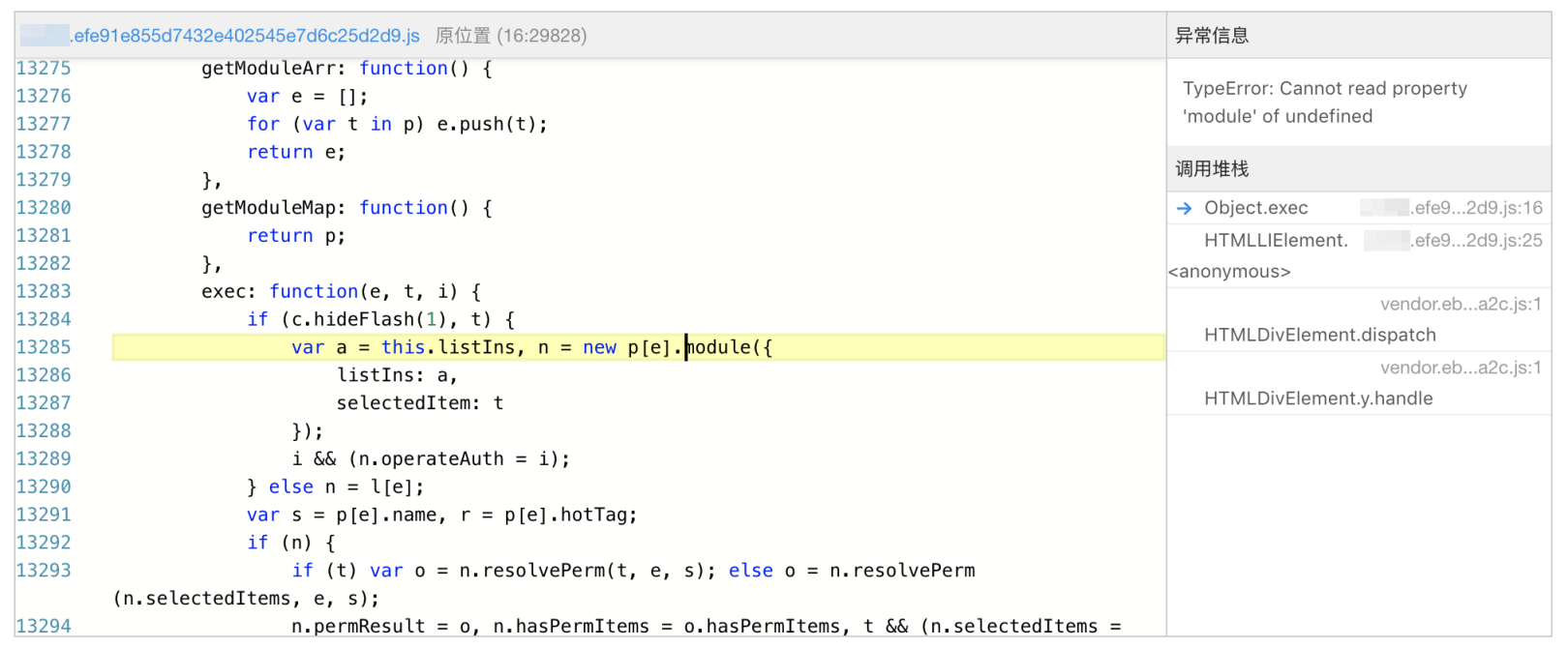
I have created one Sales customer via tcode VD01 in ERP: And I have defined a request in tcode R3AR2 to try to download it to CRM via request download: After download is finished, I saw following error message in tcode SMW01: Error message: Number not in interval XXX - XXX Why middleware complains this very interval 0000300000 - 0000399999? Where does it come from?When the customer is downloaded into ERP from CRM, the business partner will be created with a proper number. The number range is maintained based on mapped CRM partner group, in this example 0002: Here you assign the number range setting to the mapped group 0002.In my system, currently group 0002 is assigned with number range 07: This explains why 0000300000 ~ 0000399999 is complained in error message. After I reassign group 0002 with correct number range 03, the issue is resolved. By the way, I learned the knowledge above by debugging this function module below: 本文来自云栖社区合作伙伴“汪子熙”,了解相关信息可以关注微信公众号"汪子熙"。

优秀的个人博客,低调大师

【Android错误集锦】Content behind CoordinatorLayout AppBarLayout

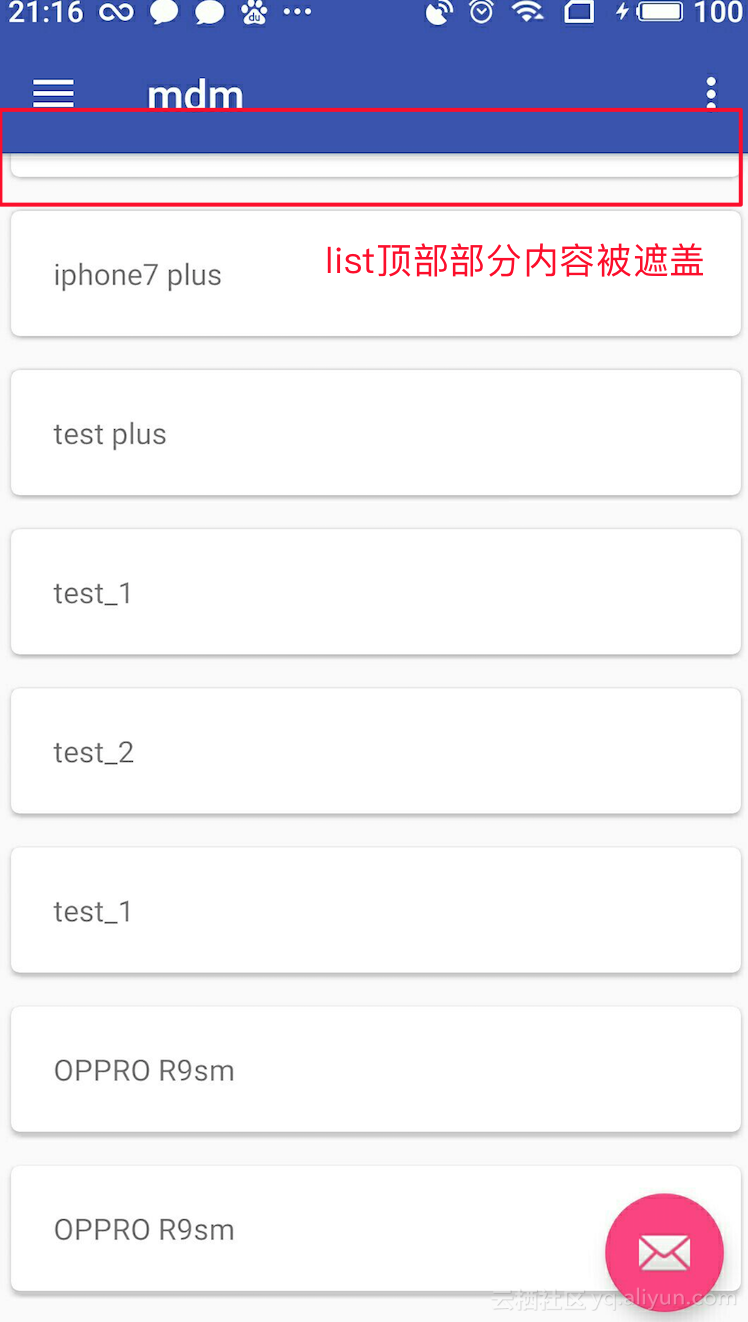
在使用Android Studio自动生成的布局的ToolBar时,发现自己的content_main.xml 最上面的item被toolbar遮住了 问题如下图所示: 解决方案:在content_main.xml的布局中加入:app:layout_behavior="@string/appbar_scrolling_view_behavior" <android.support.constraint.ConstraintLayout xmlns:android="http://schemas.android.com/apk/res/android" xmlns:app="http://schemas.android.com/apk/res-auto" xmlns:tools="http://schemas.android.com/tools" android:layout_width="match_parent" android:layout_height="match_parent" app:layout_behavior="@string/appbar_scrolling_view_behavior" tools:context="com.iwm.qa.mdm.view.MainActivity" tools:showIn="@layout/app_bar_main"> <android.support.v7.widget.RecyclerView xmlns:android="http://schemas.android.com/apk/res/android" android:layout_width="match_parent" android:layout_height="match_parent" android:id="@+id/recycler_view" android:layout_centerVertical="true" android:layout_centerHorizontal="true" /> </android.support.constraint.ConstraintLayout> 参考: https://stackoverflow.com/questions/32855889/content-behind-coordinatorlayout-appbarlayout

优秀的个人博客,低调大师

消除“Permission is only granted to system apps”错误

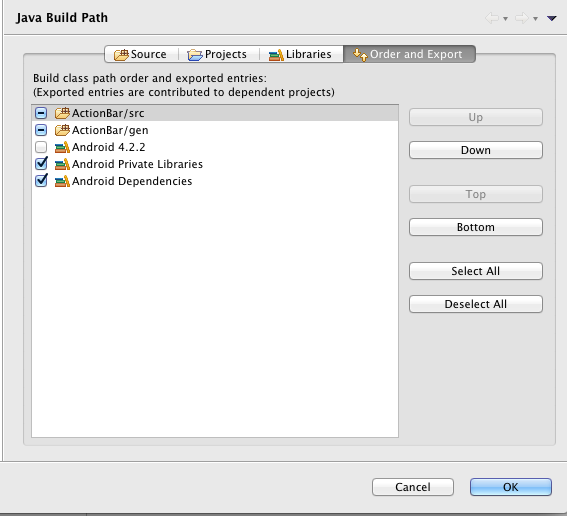
from://http://blog.csdn.net/gaojinshan/article/details/14230673 在AndroidManifest.xml中使用了如下的配置: <uses-permission android:name="android.permission.INSTALL_PACKAGES" /> 就会报错:Permission is only granted to system apps 原因如下: 此类权限仅授予系统级应用,可以修改下Link Error Checking项的安全级别; In Eclipse:Window -> Preferences -> Android -> Lint Error Checking 在ID列表中,找到ID = ProtectedPermission,设置Serverity低于Error,比如Warning级别就好了。 本文转自wanqi博客园博客,原文链接http://www.cnblogs.com/wanqieddy/p/4135239.html,如需转载请自行联系原作者

优秀的个人博客,低调大师

ios PNG Crush error (PNG图片错误)

我是这么解决的: I had the same problem. How to fix : Open up image with Preview -> File > Export > Format change to PNG and you are done 其他被采纳的方法: 12 Answers active oldest votes up vote 41 down vote accepted Did you check whether the fileUsers/kavapanga/Desktop/iPAD/ALN II 3 latest 2/trunk/Resourses/images/CS_logo_for_top_bar.pngexists? Also check if it is infact a PNG file. Right click on the file and do a Get Info to check if the file has any other extension and is marked as hide extension. If you are not sure of the format of the file, opening the file and save it as a PNG file again should work ,most of the time. share | edit | flag editedOct 25 '12 at 11:12 Besi 6,281 2 25 76 answered Mar 22 '11 at 6:42 Krishna 1,165 7 13 Hi Krishna, Yes, i see the file is available with the .png format.–GetsyMar 22 '11 at 6:50 1 Could you please try saving it as a PNG once again?–KrishnaMar 22 '11 at 6:52 Hi Krishna, As you said, i saved again as .PNG format. It is not giving build error now. But, when i try to install on my iPad 2 through Xcode 4(all the settings are done), it shows "Finished Running MyApp-iPad" , but i'm not seeing the app installed on my iPad. What could be reason?–GetsyMar 22 '11 at 6:54 1 Would you mind accepting this answer?–KrishnaMar 22 '11 at 7:30 1 I think it just got upvoted but not accepted. Not sure why. Did you click on the tick mark against the answer?–KrishnaMar 22 '11 at 7:38 show10more comments up vote 33 down vote I had the same problem, but it wasn't because of a corrupted png : it was becausetwo PNG files had the same filename in different directoriesof my source tree. What was peculiar was that the errors (I had 4 files which had "twins") were not identical from one build to another. On one run I had errors on all files, on the other only on some of them. share | edit | flag answered May 26 '12 at 13:47 Guillaume Laurent 481 5 3 2 This happened to me. I opened a project I hadn't been using for a couple of days, and after two or three builds, this. Weird...–NicolasMiariJun 18 '12 at 19:49 Possibly both versions were added to your copy-files build phase; at least that was the problem for me.–PascalApr 13 at 20:26 add comment(requires50 reputation) up vote 22 down vote I had the same problem. How to fix : Open up image with Preview -> File > Export > Format change to PNG and you are done !! share | edit | flag answered Apr 12 '12 at 17:49 Dorald 242 3 7 thak you :),great help in the hour of need–YadneshJul 6 '12 at 14:19 this ans have done my work....+1–hckrNov 30 '12 at 11:23 wow, by far the easiest solution–Frank FuMar 10 at 10:02 One of the Best Answer! Banging my head whole day!–DeveloperMar 28 at 20:49 This was a great find. Artist had saved as psd but with png extension–CodezyJul 24 at 16:08 add comment(requires50 reputation) up vote 8 down vote I got this error when I moved images around in the project's folder, to an "Images" folder. Turns out my "Copy Resources" build phase contained the steps both to copy the files from their new, correct folder - and from the previous folder where they were stored. Removing the outdated build steps fixed the errors. share | edit | flag 欢迎加群互相学习,共同进步。QQ群:iOS: 58099570 | Android: 572064792 | Nodejs:329118122 做人要厚道,转载请注明出处! 本文转自张昺华-sky博客园博客,原文链接:http://www.cnblogs.com/sunshine-anycall/p/3272858.html ,如需转载请自行联系原作者
资源下载

更多资源
腾讯云软件源

腾讯云软件源

为解决软件依赖安装时官方源访问速度慢的问题,腾讯云为一些软件搭建了缓存服务。您可以通过使用腾讯云软件源站来提升依赖包的安装速度。为了方便用户自由搭建服务架构,目前腾讯云软件源站支持公网访问和内网访问。

Nacos

Nacos

Nacos /nɑ:kəʊs/ 是 Dynamic Naming and Configuration Service 的首字母简称,一个易于构建 AI Agent 应用的动态服务发现、配置管理和AI智能体管理平台。Nacos 致力于帮助您发现、配置和管理微服务及AI智能体应用。Nacos 提供了一组简单易用的特性集,帮助您快速实现动态服务发现、服务配置、服务元数据、流量管理。Nacos 帮助您更敏捷和容易地构建、交付和管理微服务平台。

Rocky Linux

Rocky Linux

Rocky Linux(中文名:洛基)是由Gregory Kurtzer于2020年12月发起的企业级Linux发行版,作为CentOS稳定版停止维护后与RHEL(Red Hat Enterprise Linux)完全兼容的开源替代方案,由社区拥有并管理,支持x86_64、aarch64等架构。其通过重新编译RHEL源代码提供长期稳定性,采用模块化包装和SELinux安全架构,默认包含GNOME桌面环境及XFS文件系统,支持十年生命周期更新。

Sublime Text

Sublime Text

Sublime Text具有漂亮的用户界面和强大的功能,例如代码缩略图,Python的插件,代码段等。还可自定义键绑定,菜单和工具栏。Sublime Text 的主要功能包括:拼写检查,书签,完整的 Python API , Goto 功能,即时项目切换,多选择,多窗口等等。Sublime Text 是一个跨平台的编辑器,同时支持Windows、Linux、Mac OS X等操作系统。

用户登录
用户注册