Android小技巧之最快速简单的悬浮TAB
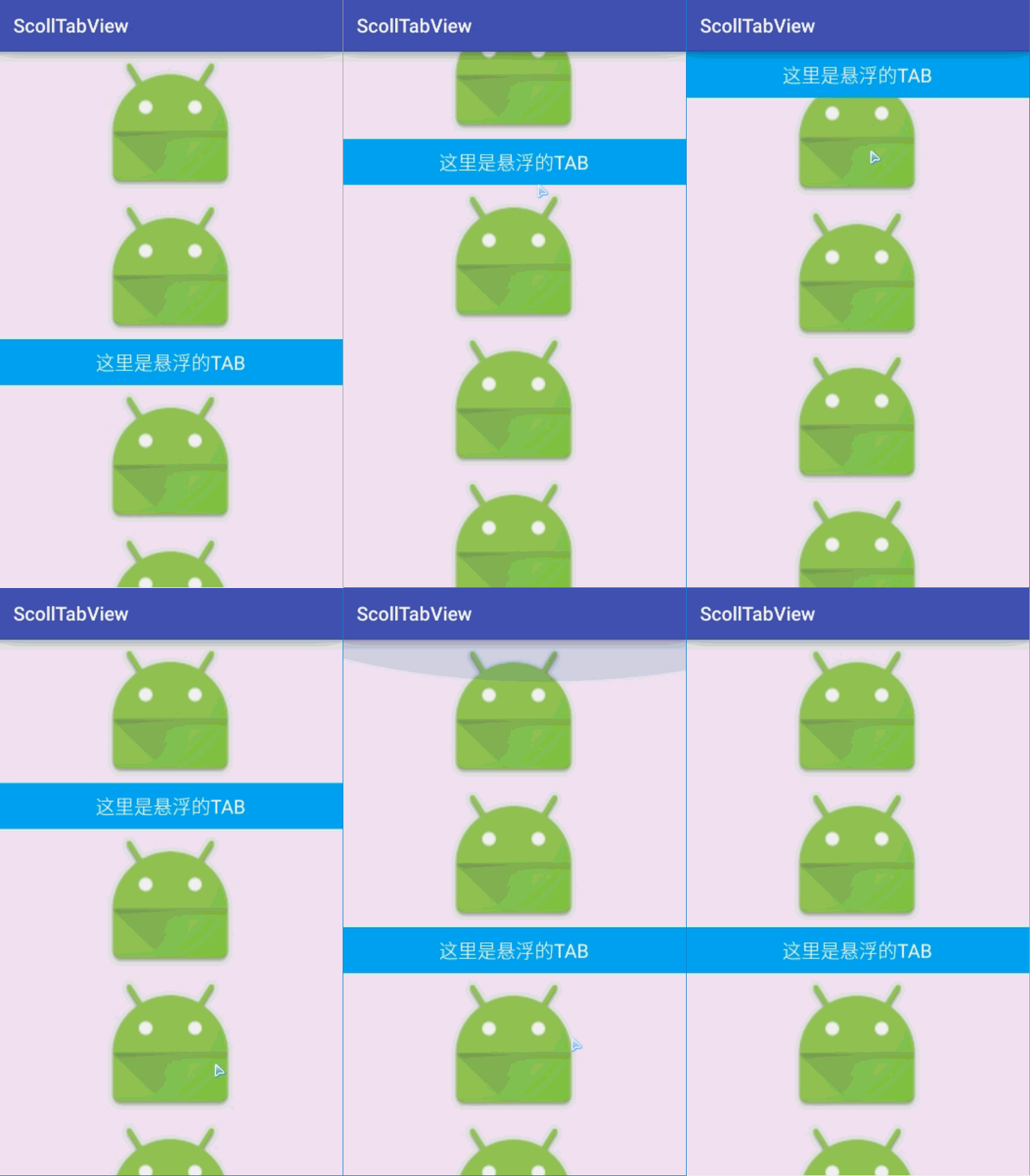
先看效果图吧 image 原理 其实实现这样的效果是十分的简单的,继承ScrollView,监听onScrollChanged,根据滑动的距离,不断的layout需要悬浮的tab的位置。这只是一个简单的demo,主要提供的是一种思路,利用到实际中还是有点距离。 编码 继承ScrollView,暴露一个外接口,重写onScrollChanged方法,向接口提供scrollY位置。 getViewTreeObserver().addOnGlobalLayoutListener,通过添加视图观察者监听来初始化tab的位置。 public class ScrollLevitateTabView extends ScrollView { private OnScrollLintener onScrollLintener; public void setOnScrollLintener(OnScrollLintener onScrollLintener) { this.onScrollLintener = onScrollLintener; } public ScrollLevitateTabView(Context context) { this(context,null); } public ScrollLevitateTabView(Context context, AttributeSet attrs) { this(context, attrs,0); } public ScrollLevitateTabView(Context context, AttributeSet attrs, int defStyleAttr) { super(context, attrs, defStyleAttr); init(); } private void init() { //增加视图监听 在整个视图树绘制完成后会回调 getViewTreeObserver().addOnGlobalLayoutListener(new ViewTreeObserver.OnGlobalLayoutListener() { @Override public void onGlobalLayout() { onScrollLintener.onScroll(getScrollY()); } }); } @Override protected void onScrollChanged(int l, int t, int oldl, int oldt) { super.onScrollChanged(l, t, oldl, oldt); if (onScrollLintener != null) { onScrollLintener.onScroll(t); } } public interface OnScrollLintener{ void onScroll(int scrollY); } } 布局中使用 直接将ScrollLevitateTabView作为根布局,嵌套一个FrameLayout方便更改tab的位置。FrameLayout中放真正的tab,嵌套的其它ViewGroup中正常布局,必须留有一个TAB的占位View <?xml version="1.0" encoding="utf-8"?> <aohanyao.com.scolltabview.ScrollLevitateTabView xmlns:android="http://schemas.android.com/apk/res/android" android:id="@+id/sltv" android:layout_width="match_parent" android:layout_height="match_parent"> <FrameLayout android:layout_width="match_parent" android:layout_height="wrap_content"> <LinearLayout android:layout_width="match_parent" android:layout_height="wrap_content" android:orientation="vertical"> ................放自己的View <!--占位的Tab--> <TextView android:id="@+id/flow_tab2" android:layout_width="match_parent" android:layout_height="48dp" android:textColor="#fff" android:textSize="20sp" /> <!--占位的Tab--> ................放自己的View </LinearLayout> <!--真正的Tab--> <TextView android:id="@+id/flow_tab" android:layout_width="match_parent" android:layout_height="48dp" android:background="#03a9f4" android:gravity="center" android:text="这里是悬浮的TAB" android:textColor="#fff" android:textSize="20sp" /> <!--真正的Tab--> </FrameLayout> </aohanyao.com.scolltabview.ScrollLevitateTabView> MainActivity 没什么代码量,FVB和设置滑动监听,然后在回调方法中不断的layout真正tab的位置 public class MainActivity extends AppCompatActivity implements ScrollLevitateTabView.OnScrollLintener { //外层的ScrollView private ScrollLevitateTabView sltv; //真正的Tab private TextView flow_tab; //占位的Tab private TextView flow_tab2; @Override protected void onCreate(Bundle savedInstanceState) { super.onCreate(savedInstanceState); setContentView(R.layout.activity_main); flow_tab = (TextView) findViewById(R.id.flow_tab); flow_tab2 = (TextView) findViewById(R.id.flow_tab2); sltv = (ScrollLevitateTabView) findViewById(R.id.sltv); //设置监听 sltv.setOnScrollLintener(this); } @Override public void onScroll(int scrollY) { //layout Tab的位置 int top = Math.max(scrollY, flow_tab2.getTop()); flow_tab.layout(0, top, flow_tab.getWidth(), top + flow_tab.getHeight()); } } 最终就能达到效果了。 源码地址