首页 文章 精选 留言 我的

精选列表

搜索[java],共10000篇文章
优秀的个人博客,低调大师

漫谈Java高并发方案

0 相关源码 1 基本概念 1.1 并发 同时拥有两个或者多个线程,如果程序在单核处理器上运行多个线程将交替地换入或者换出内存,这些线程是同时“存在"的,每个线程都处于执行过程中的某个状态,如果运行在多核处理器上,此时,程序中的每个线程都将分配到一个处理器核上,因此可以同时运行. 1.2 高并发( High Concurrency) 互联网分布式系统架构设计中必须考虑的因素之一,通常是指,通过设计保证系统能够同时并行处理很多请求. 1.3 区别与联系 并发: 多个线程操作相同的资源,保证线程安全,合理使用资源 高并发:服务能同时处理很多请求,提高程序性能 2 CPU 2.1 CPU 多级缓存 为什么需要CPU cacheCPU的频率太快了,快到主存跟不上 如此,在处理器时钟周期内,CPU常常需要等待主存,浪费资源。所以cache的出现,是为了缓解CPU和

优秀的个人博客,低调大师

JAVA学习day12

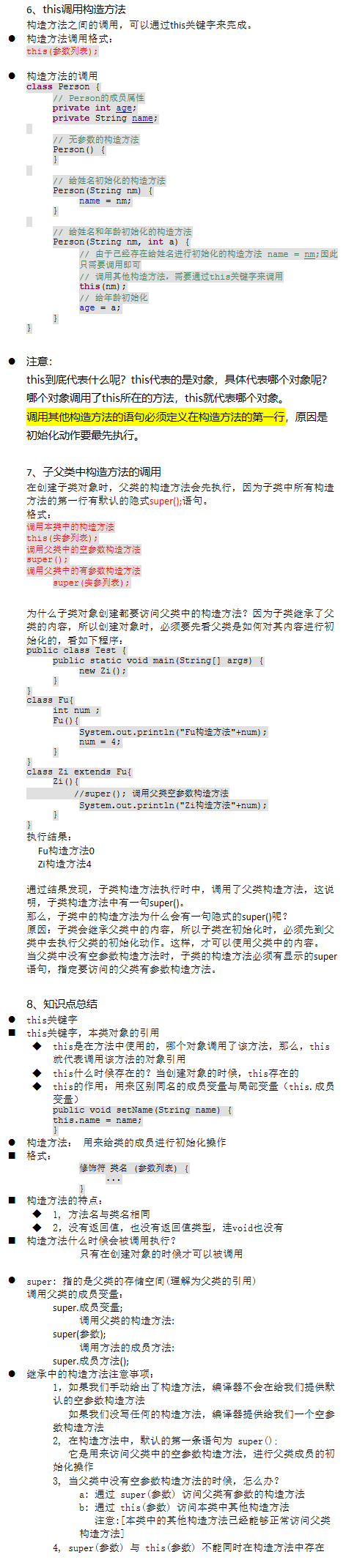
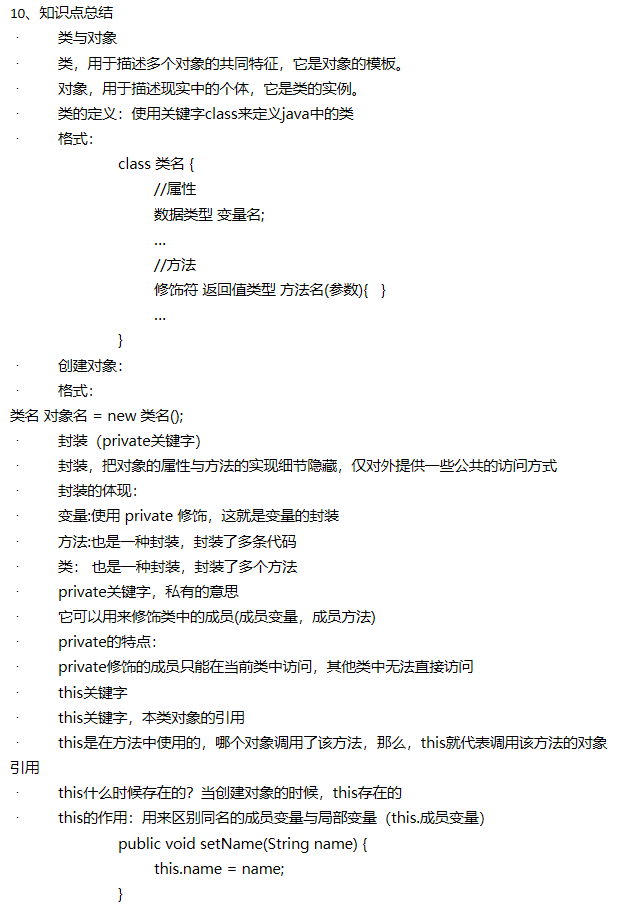
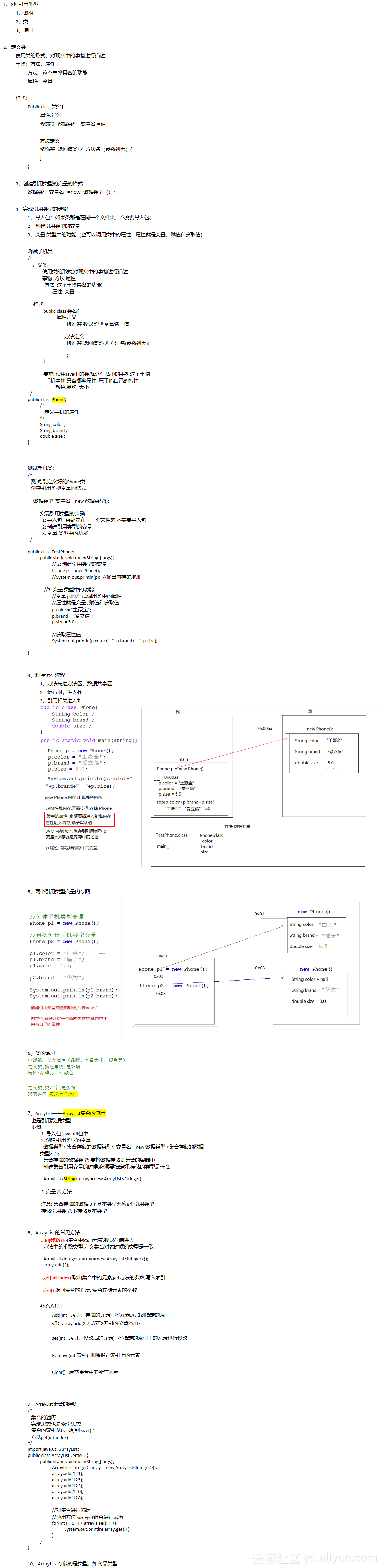
1、构造方法在创建对象的时候,就有属性值——构造方法 set和get方法时对象创建后使用的 2、什么时候需要写构造方法2-1)当描述的事物在创建其对象时就要明确属性的值,这时就需要在定义类的时候书写带参数的构造方法。2-2)若创建对象时不需要明确具体的数据,这时可以不用书写构造方法(不书写也有默认的构造方法)。 没有写构造方法的:在编译时系统会自动创建一个空的构造方法class Person { //如果没有显示指定构造方法,编译会在编译时自动添加默认的构造方法 //Person(){} //空参数的默认构造方法 } 3、构造方法的格式:修饰符 构造方法名(参数列表){} 4、构造方法的体现: 构造方法没有返回值类型。也不需要写返回值。因为它是为构建对象的,对象创建完,方法就执行结束。 构造方法名称必须和类型保持一致。 构造方法没有具体的返回值。 构造方法的代码体现:class Person { // Person的成员属性age和name private int age; private String name; // Person的构造方法,拥有参数列表 Person(int a, String nm) { // 接受到创建对象时传递进来的值,将值赋给成员属性 age = a; name = nm; } } 5、构造方法的细节:1、一个类中可以有多个构造方法,多个构造方法是以重载的形式存在的2、构造方法是可以被private修饰的,作用:其他程序无法创建该类的对象。class Person { private int age; private String name; // 私有无参数的构造方法,即外界不能通过new Person();语句创建本类对象 private Person() { } // 多个构造方法是以重载的形式存在 Person(int a) { age = a; } Person(String nm, int a) { name = nm; age = a; } } 6、this调用构造方法构造方法之间的调用,可以通过this关键字来完成。l 构造方法调用格式:this(参数列表);l 构造方法的调用class Person { // Person的成员属性 private int age; private String name; // 无参数的构造方法 Person() { } // 给姓名初始化的构造方法 Person(String nm) { name = nm; } // 给姓名和年龄初始化的构造方法 Person(String nm, int a) { // 由于已经存在给姓名进行初始化的构造方法 name = nm;因此只需要调用即可 // 调用其他构造方法,需要通过this关键字来调用 this(nm); // 给年龄初始化 age = a; } } l 注意:this到底代表什么呢?this代表的是对象,具体代表哪个对象呢?哪个对象调用了this所在的方法,this就代表哪个对象。调用其他构造方法的语句必须定义在构造方法的第一行,原因是初始化动作要最先执行。 7、子父类中构造方法的调用在创建子类对象时,父类的构造方法会先执行,因为子类中所有构造方法的第一行有默认的隐式super();语句。格式:调用本类中的构造方法this(实参列表);调用父类中的空参数构造方法super();调用父类中的有参数构造方法 super(实参列表); 为什么子类对象创建都要访问父类中的构造方法?因为子类继承了父类的内容,所以创建对象时,必须要先看父类是如何对其内容进行初始化的,看如下程序:public class Test { public static void main(String[] args) { new Zi(); } }class Fu{ int num ; Fu(){ System.out.println("Fu构造方法"+num); num = 4; } }class Zi extends Fu{ Zi(){ //super(); 调用父类空参数构造方法 System.out.println("Zi构造方法"+num); } }执行结果: Fu构造方法0 Zi构造方法4 通过结果发现,子类构造方法执行时中,调用了父类构造方法,这说明,子类构造方法中有一句super()。那么,子类中的构造方法为什么会有一句隐式的super()呢?原因:子类会继承父类中的内容,所以子类在初始化时,必须先到父类中去执行父类的初始化动作。这样,才可以使用父类中的内容。当父类中没有空参数构造方法时,子类的构造方法必须有显示的super语句,指定要访问的父类有参数构造方法。 8、知识点总结l this关键字n this关键字,本类对象的引用 u this是在方法中使用的,哪个对象调用了该方法,那么,this就代表调用该方法的对象引用 u this什么时候存在的?当创建对象的时候,this存在的 u this的作用:用来区别同名的成员变量与局部变量(this.成员变量) public void setName(String name) { this.name = name; } l 构造方法: 用来给类的成员进行初始化操作n 格式: 修饰符 类名 (参数列表) { ... } n 构造方法的特点: u 1, 方法名与类名相同 u 2,没有返回值,也没有返回值类型,连void也没有 n 构造方法什么时候会被调用执行? 只有在创建对象的时候才可以被调用 l super: 指的是父类的存储空间(理解为父类的引用)调用父类的成员变量: super.成员变量; 调用父类的构造方法: super(参数); 调用方法的成员方法: super.成员方法(); l 继承中的构造方法注意事项: 1,如果我们手动给出了构造方法,编译器不会在给我们提供默认的空参数构造方法 如果我们没写任何的构造方法,编译器提供给我们一个空参数构造方法 2, 在构造方法中,默认的第一条语句为 super(); 它是用来访问父类中的空参数构造方法,进行父类成员的初始化操作 3, 当父类中没有空参数构造方法的时候,怎么办? a: 通过 super(参数) 访问父类有参数的构造方法 b: 通过 this(参数) 访问本类中其他构造方法 注意:[本类中的其他构造方法已经能够正常访问父类构造方法] 4, super(参数) 与 this(参数) 不能同时在构造方法中存在

优秀的个人博客,低调大师

Kafka 消息队列 Java版

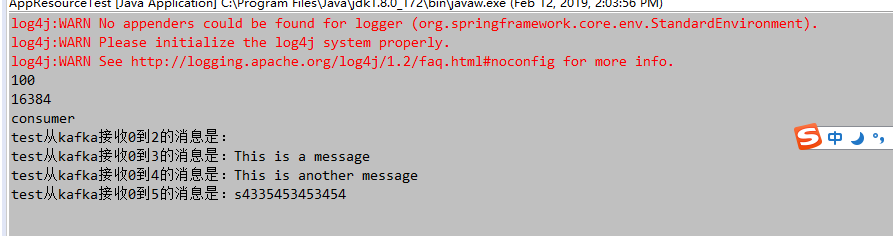
消费者 apache kafka工具类,消费者Consumer类 public class Consumer { private ConsumerHandler handler; private ConsumerConfig config; private KafkaConsumer<String, String> consumer; private boolean startFlag = false; /** * 创建消费者 * * @param handler * 消费者处理类 * @param config * 消费者处理配置 */ public Consumer(ConsumerHandler handler, ConsumerConfig config) { this.handler = handler; this.config = config; init(); } /** * 初始化接收器 */ private void init() { Properties props = new Properties(); props.put("bootstrap.servers", config.getBootstrapServers());// 服务器ip:端口号,集群用逗号分隔 props.put("group.id", config.getGroupID()); /* 是否自动确认offset */ props.put("enable.auto.commit", "true"); /* 自动确认offset的时间间隔 */ props.put("auto.commit.interval.ms", config.getAutoCommitInterVal()); props.put("session.timeout.ms", config.getSessionTimeOut()); /* key的序列化类 */ props.put("key.deserializer", "org.apache.kafka.common.serialization.StringDeserializer"); /* value的序列化类 */ props.put("value.deserializer", "org.apache.kafka.common.serialization.StringDeserializer"); consumer = new KafkaConsumer<>(props); if (config.isProcessBeforeData()) { /* 消费者订阅的topic, 可同时订阅多个 */ consumer.subscribe(config.getTopicList(), new ConsumerRebalanceListener() { @Override public void onPartitionsRevoked(Collection<TopicPartition> partitions) { } @Override public void onPartitionsAssigned(Collection<TopicPartition> partitions) { for (TopicPartition partition : partitions) { long offset = handler.getSeek(partition.topic(), partition.partition()); if (offset >= 0) { if (consumer != null) { consumer.seek(partition, offset + 1); } } else { consumer.seekToBeginning(partitions); } } } }); start(); } else { consumer.subscribe(config.getTopicList()); } } public void start() { startFlag = true; while (startFlag) { /* 读取数据,读取超时时间为XXms */ ConsumerRecords<String, String> records = consumer.poll(config.getPollTime()); if (records.count() > 0) { long offset = 0; int partition = 0; for (ConsumerRecord<String, String> record : records) { if (record != null) { offset = record.offset(); partition = record.partition(); try { handler.processObject(record.topic(), record.partition(), record.offset(), record.value()); } catch (Exception e) { e.printStackTrace(); } } } } try { Thread.currentThread(); Thread.sleep(1000); } catch (Exception e) { e.printStackTrace(); } } consumer.close(); } public void stop() { startFlag = false; } } 消费者配置ConsumerConfig类 public class ConsumerConfig { private String bootstrapServers; private String groupID; private int autoCommitInterVal =1000; private int sessionTimeOut = 30000; private List<String> topicList; private boolean processBeforeData; private long pollTime = 100; public ConsumerConfig() { super(); } /** * 创建消费者配置 * @param bootstrapServers 服务器配合 格式为服务器ip:端口号,集群用逗号分隔 例如 192.168.1.1:9092,192.168.1.2:9092 * @param groupID groupID * @param autoCommitInterVal 自动提交时间单位毫秒, 默认1000 * @param sessionTimeOut 超时时间单位毫秒 , 默认30000 * @param topicList topicList列表 * @param processBeforeData 是否处理启动之前的数据,该开关需要配置consumerHandler的跨步存储使用 * @param pollTime 每次获取数据等待时间单位毫秒,默认100毫秒 */ public ConsumerConfig(String bootstrapServers, String groupID, int autoCommitInterVal, int sessionTimeOut ,List<String> topicList,boolean processBeforeData,long pollTime) { this.bootstrapServers = bootstrapServers; this.groupID = groupID; this.autoCommitInterVal = autoCommitInterVal; this.sessionTimeOut = sessionTimeOut; this.topicList = topicList; this.processBeforeData = processBeforeData; this.pollTime = pollTime; } public String getBootstrapServers() { return bootstrapServers; } public void setBootstrapServers(String bootstrapServers) { this.bootstrapServers = bootstrapServers; } public String getGroupID() { return groupID; } public void setGroupID(String groupID) { this.groupID = groupID; } public int getAutoCommitInterVal() { return autoCommitInterVal; } public void setAutoCommitInterVal(int autoCommitInterVal) { this.autoCommitInterVal = autoCommitInterVal; } public int getSessionTimeOut() { return sessionTimeOut; } public void setSessionTimeOut(int sessionTimeOut) { this.sessionTimeOut = sessionTimeOut; } public List<String> getTopicList() { return topicList; } public void setTopicList(List<String> topicList) { this.topicList = topicList; } public boolean isProcessBeforeData() { return processBeforeData; } public void setProcessBeforeData(boolean processBeforeData) { this.processBeforeData = processBeforeData; } public long getPollTime() { return pollTime; } public void setPollTime(long pollTime) { this.pollTime = pollTime; } } 消费者处理ConsumerHandler类 public interface ConsumerHandler { /** * 处理收到的消息 * @param topic 收到消息的topic名称 * @param partition 收到消息的partition内容 * @param offset 收到消息在队列中的编号 * @param value 收到的消息 */ void processObject(String topic,int partition,long offset,String value); /** * 获取跨步 * @param topic 接受消息的topic * @param partition 接受消息的partition * @return 当前topic,partition下的seek */ long getSeek(String topic , int partition); } 生产者 kafka生产者,工具Producer类 public class Producer { private ProducerConfig config ; private org.apache.kafka.clients.producer.Producer<String,String> producer; public Producer(ProducerConfig config){ this.config = config; init(); } private void init(){ Properties props = new Properties(); props.put("bootstrap.servers",config.getBootstrapServers()); props.put("acks", "all"); props.put("retries", config.getRetries()); props.put("batch.size", config.getBatchSize()); props.put("linger.ms", config.getLingerMs()); props.put("buffer.memory", config.getBufferMemory()); props.put("key.serializer", "org.apache.kafka.common.serialization.StringSerializer"); props.put("value.serializer", "org.apache.kafka.common.serialization.StringSerializer"); producer = new KafkaProducer<>(props); } /** * 发送消息 * @param topic 要发送的topic * @param msg */ public void sendMessage(String topic,String msg){ try { producer.send(new ProducerRecord<String, String>(config.getTopic(), String.valueOf(new Date().getTime()), msg)).get(); } catch (InterruptedException e) { // TODO 自动生成的 catch 块 e.printStackTrace(); } catch (ExecutionException e) { // TODO 自动生成的 catch 块 e.printStackTrace(); } producer.flush(); } public void close(){ producer.close(); } } kafka生产者配置ProducerConfig类 public class ProducerConfig { private String bootstrapServers; private String topic; private int retries = 0; private int batchSize = 16384; private int lingerMs=1; private int bufferMemory=33554432; public ProducerConfig() { super(); } /** * 创建生产者配置文件 * @param bootstrapServers 服务器配合 格式为服务器ip:端口号,集群用逗号分隔 例如 192.168.1.1:9092,192.168.1.2:9092 * @param retries * @param batchSize * @param lingerMs * @param bufferMemory */ public ProducerConfig(String bootstrapServers,int retries, int batchSize, int lingerMs, int bufferMemory) { this.bootstrapServers = bootstrapServers; this.retries = retries; this.batchSize = batchSize; this.lingerMs = lingerMs; this.bufferMemory = bufferMemory; } public String getBootstrapServers() { return bootstrapServers; } public void setBootstrapServers(String bootstrapServers) { this.bootstrapServers = bootstrapServers; } public String getTopic() { return topic; } public void setTopic(String topic) { this.topic = topic; } public int getRetries() { return retries; } public void setRetries(int retries) { this.retries = retries; } public int getBatchSize() { return batchSize; } public void setBatchSize(int batchSize) { this.batchSize = batchSize; } public int getLingerMs() { return lingerMs; } public void setLingerMs(int lingerMs) { this.lingerMs = lingerMs; } public int getBufferMemory() { return bufferMemory; } public void setBufferMemory(int bufferMemory) { this.bufferMemory = bufferMemory; } } 测试 消费者处理实现ConsumerHandlerImpl类 public class ConsumerHandlerImpl implements ConsumerHandler{ /** * 处理收到的消息 * @param topic 收到消息的topic名称 * @param partition 收到消息的partition内容 * @param offset 收到消息在队列中的编号 * @param value 收到的消息 */ public void processObject(String topic,int partition,long offset,String value) { System.out.println(topic+"从kafka接收"+partition+"到"+offset+"的消息是:"+value); } /** * 获取跨步 * @param topic 接受消息的topic * @param partition 接受消息的partition * @return 当前topic,partition下的seek */ public long getSeek(String topic , int partition) { return 1; } } main方法类 public class AppResourceTest{ public static void main(String[] args){ BeanDefinitionRegistry reg=new DefaultListableBeanFactory(); PropertiesBeanDefinitionReader reader=new PropertiesBeanDefinitionReader(reg); reader.loadBeanDefinitions(new ClassPathResource("resources/kafka-consumer.properties")); reader.loadBeanDefinitions(new ClassPathResource("resources/kafka-producer.properties")); BeanFactory factory=(BeanFactory)reg; ConsumerConfig consumerConfig=(ConsumerConfig)factory.getBean("consumerConfig"); System.out.println(consumerConfig.getPollTime()); ProducerConfig producerConfig=(ProducerConfig)factory.getBean("producerConfig"); System.out.println(producerConfig.getBatchSize()); Producer producer = new Producer(producerConfig); producer.sendMessage(producerConfig.getTopic(),"s4335453453454"); producer.close(); System.out.println("consumer"); Consumer consumer = new Consumer(new ConsumerHandlerImpl(),consumerConfig); try{ Thread.currentThread(); Thread.sleep(10000); }catch(Exception e){ e.printStackTrace(); } } } 运行结果

优秀的个人博客,低调大师

JAVA学习day07

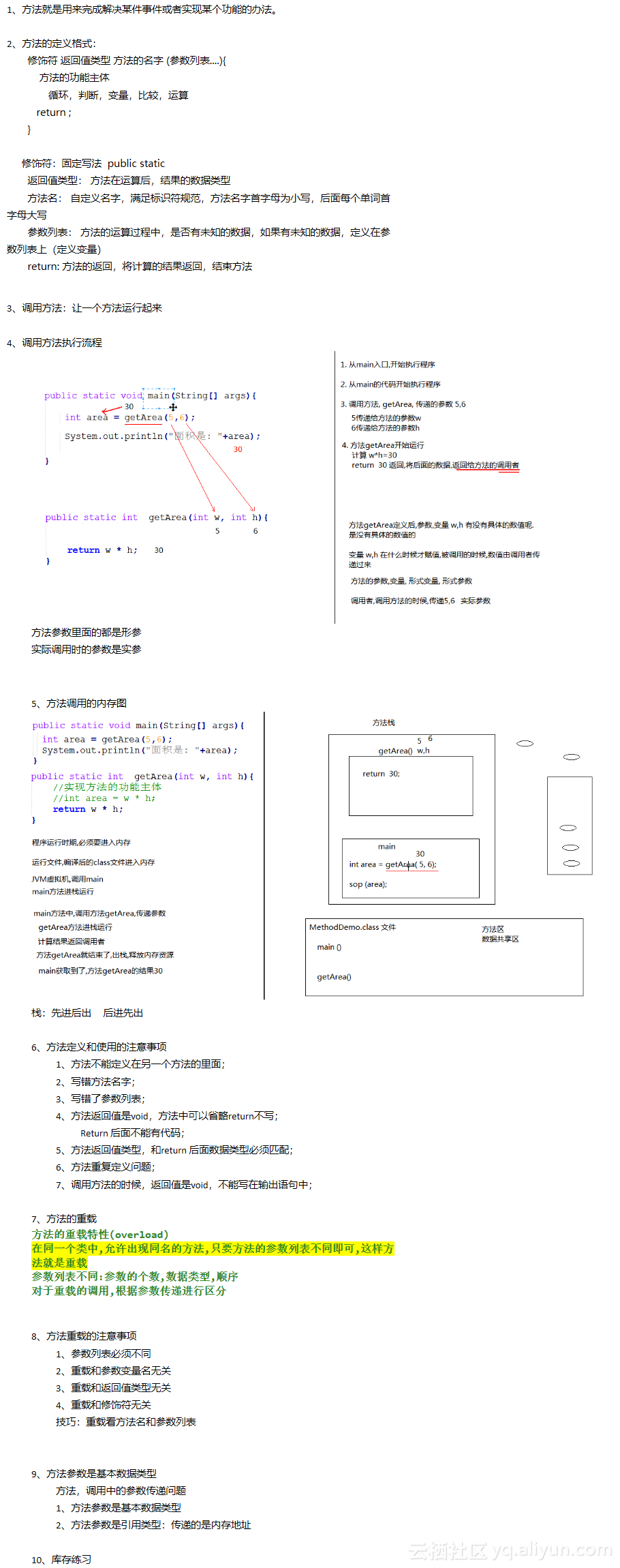
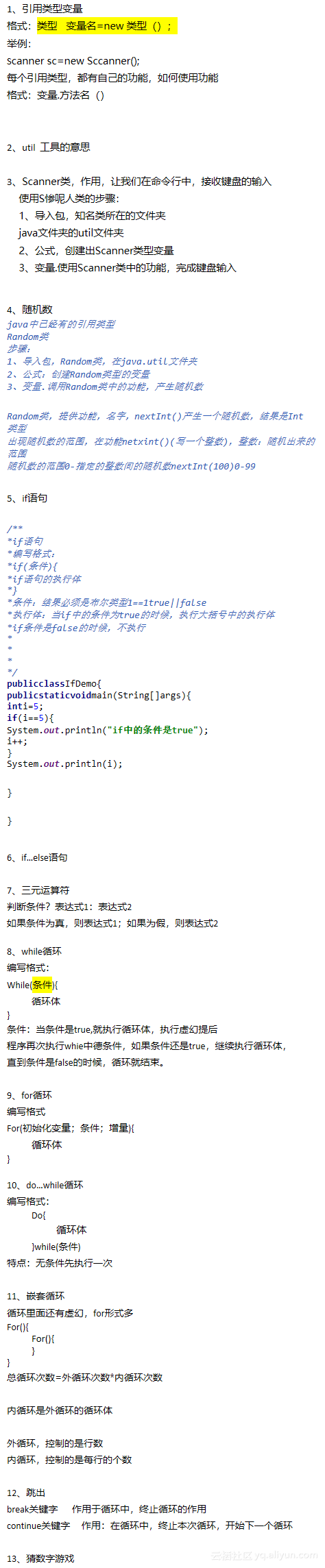
1、奇数求和练习packagecom.ghy.studyday07; /*要求:计算1-100之间的所有的奇数和1+3+5+7...+99 有1个数据,从0变到100循环int=0<=100++从0-100,范围内,找到奇数数%2==1奇数所有的奇数求和计算需要变量,保存奇数的求和 实现步骤:1.程序可以使用到的数据,预先定义好变量需要求的奇数和2.利用循环,让变量从0变化到1003.判断变量的变化情况是不是奇数4.如果是奇数,和预先定义好的变量,求和*/publicclassLoopTest{publicstaticvoidmain(String[]args){//定义变量,保存求和intsum=0;//for循环,循环中的变量,0-100for(inti=0;i<=100;i++){//对循环的变量,进行奇数的判断,%2==1if(i%2==1){//对奇数求和sum+=i;}}System.out.println(sum); //sum=0; /*for(inti=1;i<=100;i+=2){sum+=i;}System.out.println(sum);*/}} 2、计算出水仙花数即 3位数本身 = 百位数立方 + 十位数立方 + 个位数立方三位数100-999个位数的立方+十位数的立方+百位数的立方=自己本身153=111+555+333已知三位数123获取出每个数位利用除法,取模运算 实现步骤:1.定义变量才存储三个数位上的整数2.利用循环,循环中的变量,从100变化到9993.循环中得到三位数,利用算法,拆解成三个单独数位4.将三个数位立方的求和计算,计算后的求和,和他自己进行比较判断相同,就是水仙花publicclassLoopTest_1{publicstaticvoidmain(String[]args){//定义三个变量intbai=0;intshi=0;intge=0; //循环,循环变量从100-999for(inti=100;i<1000;i++){//对i,进行计算,获取出三个数位//获取百位bai=i/100;//获取十位shi=i/10%10;//获取个位ge=i%10;//对三个数位进行立方求和if(baibaibai+shishishi+gegege==i){System.out.println(i);}}}} 3、ASCII编码表数字0-9对应ASCII编码十进制为48-57, 字母a-z对应ASCII编码十进制为97-122,字母A-Z对应ASCII编码十进制为65-90 4、利用for循环打印字母表 /*利用循环,输出字母包含大写小写,52个输出A-Za-z利用编码表实现,字母和数字的对应关系A-Z65-90a-z97-122 实现步骤:1.定义变量,保存小写a,大写A2.循环26次,输出定义好的变量每次循环,变量++*/publicclassLoopTest_2{publicstaticvoidmain(String[]args){//定义变量,保存2个字母charxiaoXie='a';chardaXie='A';//定义循环,次数26次for(inti=0;i<26;i++){//输出保存字母的变量System.out.println(xiaoXie+""+daXie);daXie++;xiaoXie++;}}} 5、利用for循环打印9*9表for循环的特点: 外循环,行数 内循环,每行的个数 /*利用嵌套for循环,实现99乘法表示实现步骤:1.定义外循环控制行数2.内循环控制个数,个数,每次都在递增3.循环中输出,乘法表的格式1*3=3*/publicclassLoopTest_3{publicstaticvoidmain(String[]args){print99(9);} publicstaticvoidprint99(intn){//定义外循环,循环9次for(inti=1;i<=n;i++){//定义内循环,每次递增,循环条件,<=ifor(intj=1;j<=i;j++){//按照标准格式,输出打印System.out.print(j+""+i+"="+ij+"t");}System.out.println();}}} 6、实现数组的遍历 7、数组的逆序 不等于反向遍历 逆序的实现思想,数组最远端位置的交换 数组的指针思想: 就是数组的索引 指针是可以随时指向数组的任意一个索引的 需要两个指针 一个大指针,一个小指针 大指针=最大索引 小指针=0索引 8、选择排序原理selectSort数组中的每个元素,和其他元素进行比较换位置 元素换位需要借助第三方变量packagecom.ghy.studyday07; /*数组的排序:一般都是升序排列,元素,小到大的排列 两种排序的方式选择排序:数组的每个元素都进行比较冒泡排序:数组中相邻元素进行比较规则:比较大小,位置交换*/publicclassArrayMethodTest_2{publicstaticvoidmain(String[]args){int[]arr={3,1,4,2,56,7,0};//调用选择排序方法//selectSort(arr); //调用冒泡排序方法bubbleSort(arr);printArray(arr);}/*定义方法,实现数组的冒泡排序返回值:没有参数:数组*/publicstaticvoidbubbleSort(int[]arr){for(inti=0;i//每次内循环的比较,从0索引开始,每次都在递减for(intj=0;j//比较的索引,是j和j+1if(arr[j]>arr[j+1]){inttemp=arr[j];arr[j]=arr[j+1];arr[j+1]=temp;}}}} /*定义方法,实现数组的选择排序返回值:没有参数:数组实现步骤:1.嵌套循环实现排序外循环,控制的是一共比较了多少次内循环,控制的是每次比较了多少个元素2.判断元素的大小值小值,存储到小的索引*/publicstaticvoidselectSort(int[]arr){for(inti=0;i//内循环,是每次都在减少,修改变量的定义for(intj=i+1;j//数组的元素进行判断if(arr[i]>arr[j]){//数组的换位inttemp=arr[i];arr[i]=arr[j];arr[j]=temp;}}}} /*定义方法,实现功能返回值:void方法参数:数组*/publicstaticvoidprintArray(int[]arr){//输出一半中括号,不要换行打印System.out.print("[");//数组进行遍历for(inti=0;i//判断遍历到的元素,是不是数组的最后一个元素//如何判断循环变量到达length-1if(i==arr.length-1){//输出数组的元素和]System.out.print(arr[i]+"]");}else{//不是数组的最后一个元素,输出数组元素和逗号System.out.print(arr[i]+",");}}System.out.println();}} 9、冒泡排序功能数组的相邻元素换位置1.嵌套循环实现排序外循环,控制的是一共比较了多少次内循环,控制的是每次比较了多少个元素10、数组的折半查找前提:被查找的数组中的元素,必须有序排列


优秀的个人博客,低调大师

JAVA学习day02

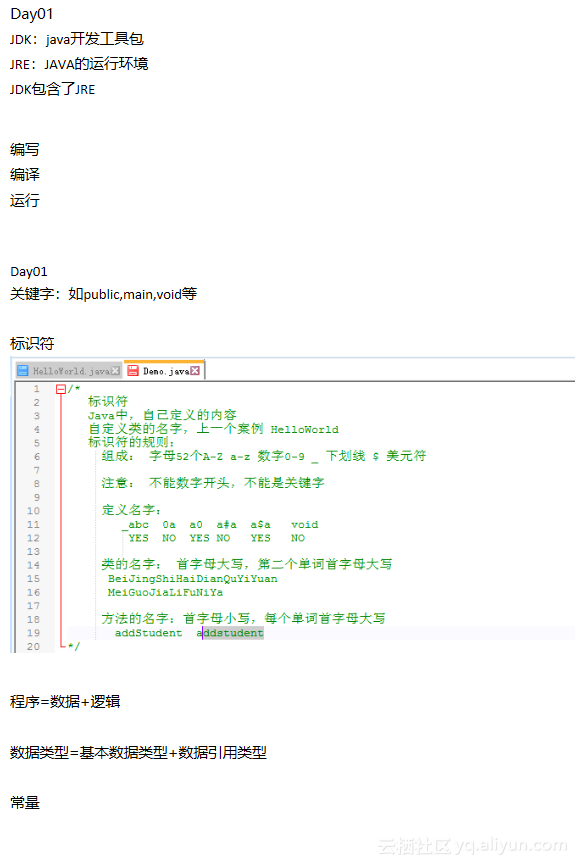
1、基本数据类型四类八种 2、变量定义后,不赋值,不能使用,即必须进行赋值后才能使用; 3、自增和自减++a 和a++相等但是在计算时,有如下差别a=3b=a++b=3,a=4 若a=3c=++ac=4,a=4 4、赋值 5、打印清单实现商品库存清单案例步骤:1、实现表头,是固定数据,直接写输出语句;2、表格中间,商品数据,采用变量形式,定义变量,找对数据类型,输出所有变量3、表格尾巴,一部分数据固定另一部分:商品数据进行数学计算 */ public class Shop { public static void main(String[] args) { //输出表头固定数据 System.out.println("---------商品库存清单-----------"); System.out.println("品牌型号 尺寸 价格 库存数"); //定义表格中的数据变量 //品牌型号String 尺寸,价格double 库存int String macBrand="MacBookAir"; double macSize=13.3; double macPrice=6898.88; int macCount=5; String thinkBrand="ThinkPadT450"; double thinkSize=14; double thinkPrice=5999.88; int thinkCount=10; String asusBrand="ASUS-FL5800"; double asusSize=15.6; double asusPrice=4999.5; int asusCount=18; System.out.println(macBrand+" "+macSize+" "+macPrice+" "+macCount); System.out.println(thinkBrand+" "+thinkSize+" "+thinkPrice+" "+thinkCount); System.out.println(asusBrand+" "+asusSize+" "+asusPrice+" "+asusCount); //计算库存总数,所有商品数量库存求和 int totalCount=macCount+thinkCount+asusCount; //计算所有商品的总金额,每个商品价格*库存数 double totalMoney=macCount*macPrice+thinkCount*thinkPrice+asusCount*asusPrice; System.out.println("总库存数:"+totalCount); System.out.println("所有商品的总金额:"+totalMoney); } }

资源下载

更多资源
Mario

Mario

马里奥是站在游戏界顶峰的超人气多面角色。马里奥靠吃蘑菇成长,特征是大鼻子、头戴帽子、身穿背带裤,还留着胡子。与他的双胞胎兄弟路易基一起,长年担任任天堂的招牌角色。

Spring

Spring

Spring框架(Spring Framework)是由Rod Johnson于2002年提出的开源Java企业级应用框架,旨在通过使用JavaBean替代传统EJB实现方式降低企业级编程开发的复杂性。该框架基于简单性、可测试性和松耦合性设计理念,提供核心容器、应用上下文、数据访问集成等模块,支持整合Hibernate、Struts等第三方框架,其适用范围不仅限于服务器端开发,绝大多数Java应用均可从中受益。

Rocky Linux

Rocky Linux

Rocky Linux(中文名:洛基)是由Gregory Kurtzer于2020年12月发起的企业级Linux发行版,作为CentOS稳定版停止维护后与RHEL(Red Hat Enterprise Linux)完全兼容的开源替代方案,由社区拥有并管理,支持x86_64、aarch64等架构。其通过重新编译RHEL源代码提供长期稳定性,采用模块化包装和SELinux安全架构,默认包含GNOME桌面环境及XFS文件系统,支持十年生命周期更新。

Sublime Text

Sublime Text

Sublime Text具有漂亮的用户界面和强大的功能,例如代码缩略图,Python的插件,代码段等。还可自定义键绑定,菜单和工具栏。Sublime Text 的主要功能包括:拼写检查,书签,完整的 Python API , Goto 功能,即时项目切换,多选择,多窗口等等。Sublime Text 是一个跨平台的编辑器,同时支持Windows、Linux、Mac OS X等操作系统。

用户登录
用户注册