零代码快速集成AGC崩溃服务-xamarin框架-iOS
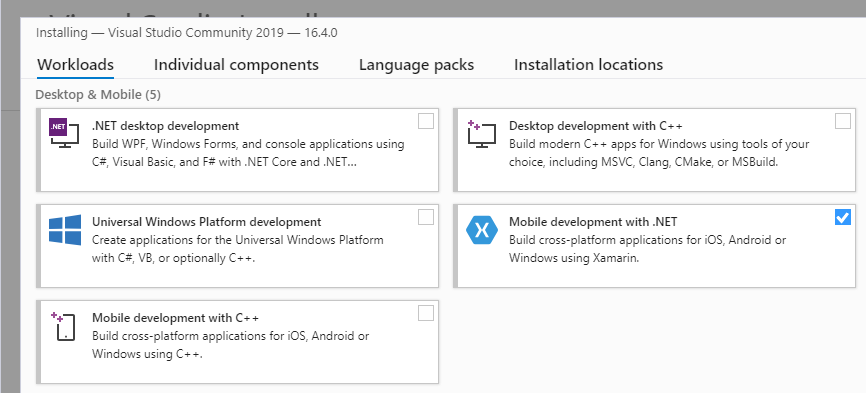
华为AGC的崩溃服务支持跨平台,按照文档整理了个Xamarin插件集成的文档,有需要的开发者可以参考。 环境配置和项目设置 1.安装Xamarin环境 主要是先安装visual studio for MAC,然后安装Mobile development with .NET,具体可以参考Xamarin环境搭建。 2.AGC创建项目工程,并且开通华为分析服务。 这部分是基本操作,可以参见创建项目和开通华为分析 3.集成AGC Xamarin NuGet包 点击创建的项目工程,右键选择”Manage NuGet Packages” 选择对应的包后安装: 继续添加HA包,注意需要选择1.2.0.300版本: 4.添加Json文件到项目目录下 5.将“Build Action”设置为“BundleResource”。 6.设置应用包名。 7.配置免费预配证书 如果没有申请付费证书,可以使用免费证书,具体参见: https://developer.huawei.com/consumer/cn/doc/development/AppGallery-connect-Guides/agc-get-started-xamarin#h2-1617333170516-2 集成实现 1.布局界面设计 双击main.storyboard拉起Xcode创建3个按键“MakeCrash”,” CatchException”,” CustomReport”。 2.代码调用 编辑 ViewController.cs 文件, 调用 AGCCrash.GetSharedInstance.TestIt 制造一次崩溃事件,调用 AGCCrash.GetSharedInstance.SetUserId 自定义用户标识,调用 AGCCrash.GetSharedInstance.SetCustomKey 自定义键值对,调用 AGCCrash.GetSharedInstance.Log 自定义日志级别,调用 AGCCrash.GetSharedInstance. RecordException 产生并记录一次非严重异常。 usingSystem; usingUIKit; usingHuawei.Agconnect.Crash; usingFoundation; namespacecrashios0512 { publicpartialclassViewController:UIViewController { publicViewController(IntPtrhandle):base(handle) { } publicoverridevoidViewDidLoad() { base.ViewDidLoad(); //Performanyadditionalsetupafterloadingtheview,typicallyfromanib. } publicoverridevoidDidReceiveMemoryWarning() { base.DidReceiveMemoryWarning(); //Releaseanycacheddata,images,etcthataren'tinuse. } partialvoidMakeCrash(UIKit.UIButtonsender) { AGCCrash.GetSharedInstance().TestIt(); } partialvoidCatchException(UIKit.UIButtonsender) { AGCCrash.GetSharedInstance().RecordError(newFoundation.NSError()); } partialvoidCustomReport(UIKit.UIButtonsender) { AGCCrash.GetSharedInstance().SetUserId("testuser"); AGCCrash.GetSharedInstance().Log("defaultinfolevel"); AGCCrash.GetSharedInstance().SetCustomValue(newNSString("test"),"thisisstringvalue"); AGCCrash.GetSharedInstance().LogWithLevel(AGCCrashLogLevel.Warning,"thisiswarningloglevel"); AGCCrash.GetSharedInstance().SetCustomValue(newNSNumber(123),"thisisnumber"); } } } 崩溃报告查看 集成完后点击按键制造崩溃和非严重异常,并产生自定义报告,可以在AGC页面查看 1.崩溃概览 2.问题概览 3.查看崩溃详情堆栈 4.查看自定义键值对 5.查看自定义日志级别 6.查看自定义用户标识 欲了解更多详情,请参见: 1、华为AGC 崩溃服务文档:https://developer.huawei.com/consumer/cn/doc/development/AppGallery-connect-Guides/agc-crash-introduction 2、华为AGC-崩溃服务codelab:https://developer.huawei.com/consumer/cn/codelabsPortal/carddetails/CrashService-iOS 更多精彩内容,请见华为开发者官方论坛→https://developer.huawei.com/consumer/cn/forum/home?ha_source=sanfang