小程序https如何购买、配置
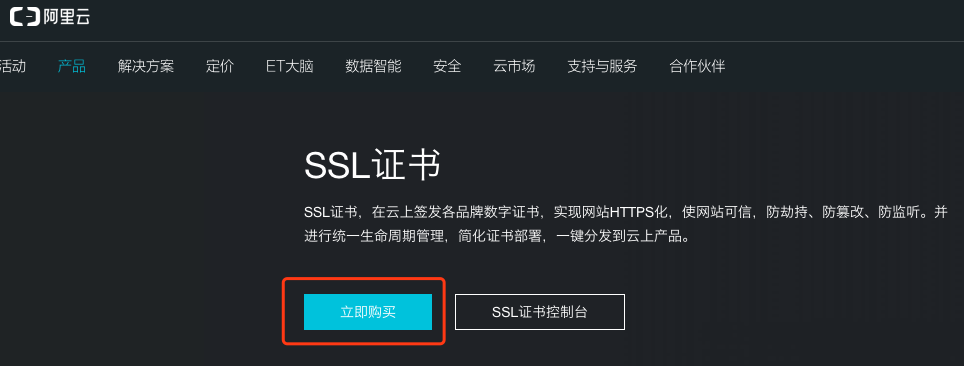
在阿里云找到SSL证书页面,阿里云提供免费的SSL证书 image.png 选择品牌 image.png 选择免费型 image.png 进入控制台就可以看到已经购买的证书了 image.png 补全信息 image.png 后面忘了截图,大概有以下几个步骤: 将文件上传到服务器指定位置,需要URL能够访问到(非https) 指定位置是一个隐藏文件夹,window下需要用mkdir命令创建 上传文件过一会就会自动验证成功 第3步很容易失败,建议直接在服务器上下载验证文件,多试几次 配置Apache或者Nginx # 添加 SSL 协议支持协议,去掉不安全的协议 SSLProtocol all -SSLv2 -SSLv3 # 修改加密套件如下 SSLCipherSuite HIGH:!RC4:!MD5:!aNULL:!eNULL:!NULL:!DH:!EDH:!EXP:+MEDIUM SSLHonorCipherOrder on # 证书公钥配置 SSLCertificateFile cert/public.pem # 证书私钥配置 SSLCertificateKeyFile cert/215045620450170.key # 证书链配置,如果该属性开头有 '#'字符,请删除掉 SSLCertificateChainFile cert/chain.pem server { listen 443; server_name localhost; ssl on; root html; index index.html index.htm; ssl_certificate cert/215045620450170.pem; ssl_certificate_key cert/215045620450170.key; ssl_session_timeout 5m; ssl_ciphers ECDHE-RSA-AES128-GCM-SHA256:ECDHE:ECDH:AES:HIGH:!NULL:!aNULL:!MD5:!ADH:!RC4; ssl_protocols TLSv1 TLSv1.1 TLSv1.2; ssl_prefer_server_ciphers on; location / { root html; index index.html index.htm; } } 分享一下我最终的配置(Apache虚拟站点) <VirtualHost *:443> SSLEngine on ServerName demo.com:443 SSLCertificateKeyFile "${SRVROOT}/conf/ssl_dict/215045620450170.key" SSLCertificateFile "${SRVROOT}/conf/ssl_dict/public.pem" SSLCertificateChainFile "${SRVROOT}/conf/ssl_dict/chain.pem" DocumentRoot "E:\wwwroot\demo.com\public" ServerName demo.com ServerAlias demo.com #START-ERROR-PAGE ErrorDocument 403 /403.html ErrorDocument 404 /404.html ErrorDocument 502 /502.html #END-ERROR-PAGE #startPHP <Files ~ "\.php$"> Options FollowSymLinks ExecCGI AddHandler fcgid-script .php FcgidWrapper "E:/BtSoft/WebSoft/php/7.1/php-cgi.exe" .php </Files> #endPHP #start301 #end301 #REFERER-START #REFERER-END #PROXY-START #PROXY-END <Directory "E:\wwwroot\demo.com\public"> Options FollowSymLinks ExecCGI AllowOverride All Require all granted DirectoryIndex index.php default.php index.html index.htm default.html default.htm </Directory> ErrorLog "logs/demo.com-error.log" CustomLog "logs/demo.com-access.log" common </VirtualHost> 推荐一个https相关的资料站 https://github.com/cheaphttps/https-start