首页 文章 精选 留言 我的

精选列表

搜索[nodejs爬虫],共4938篇文章
优秀的个人博客,低调大师

scrapy-splash 爬虫渲染异步加载,ajax

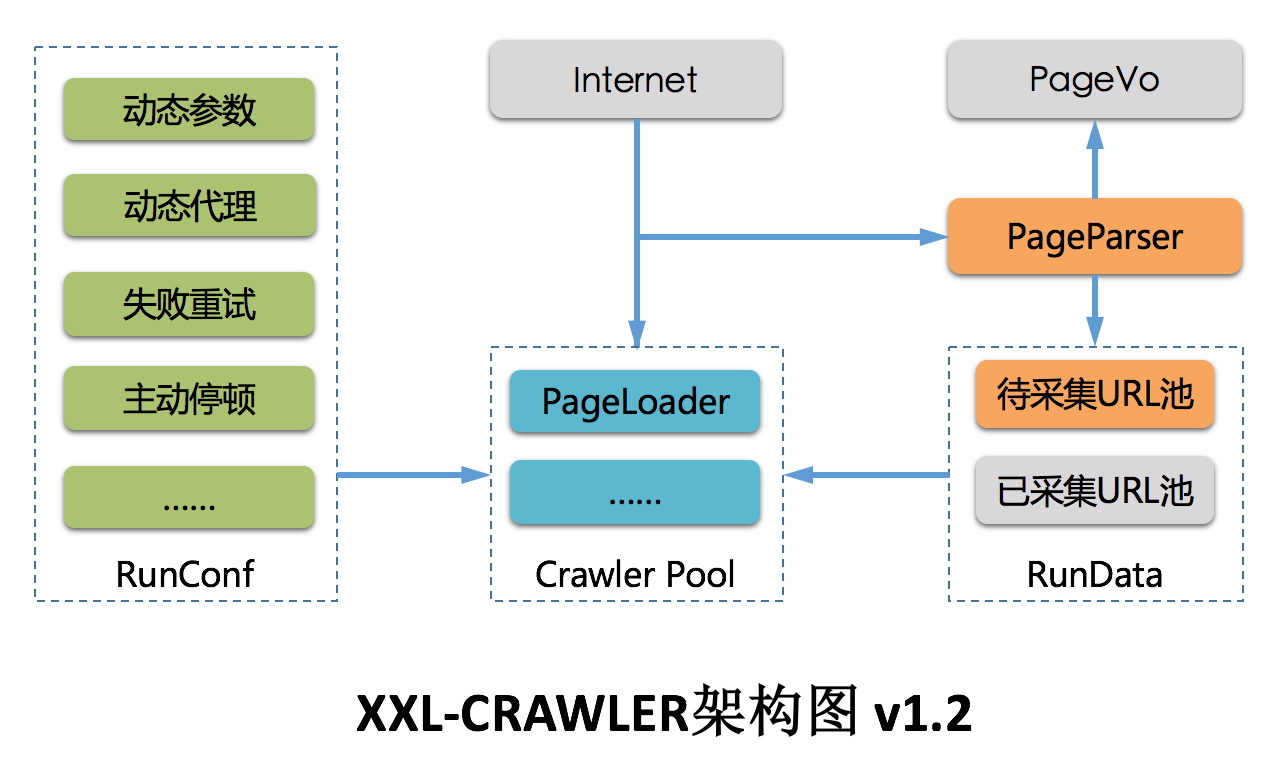
首先给出splash官网地址:http://splash.readthedocs.io/en/stable/api.html#render-html 1.安装和准备 (1)先安装scrapy-splash库: pip install scrapy-splash (2)然后将我们的docker起起来 docker run -p 8050:8050 scrapinghub/splash 如果关于docker安装还有更多的问题,请查考: splash安装文档 2.配置 (1)将splash server的地址放在你的settings.py文件里面,如果是你在本地起的,那地址应该是http://127.0.0.1:8050,我的地址如下 SPLASH_URL = 'http://192.168.99.100:8050' (2)在你的下载器中间件:download_middleware 里面启用如下的中间文件,注意启用的顺序 DOWNLOADER_MIDDLEWARES = { 'scrapy_splash.SplashCookiesMiddleware': 723, 'scrapy_splash.SplashMiddleware': 725, 'scrapy.downloadermiddlewares.httpcompression.HttpCompressionMiddleware': 810, } 另外注意: scrapy_splash.SplashMiddleware(725)的顺序是在默认的HttpProxyMiddleware(750)之前,要不然顺序的紊乱会造成功能的紊乱的 HttpCompressionMiddleware的优先级和顺序也应该适当的更改一下,这样才能更能处理请求 查看:https://github.com/scrapy/scrapy/issues/1895.里面提到的一些问题 (3)在settings.py启用SplashDeduplicateArgsMiddleware中间件 SPIDER_MIDDLEWARES = { 'scrapy_splash.SplashDeduplicateArgsMiddleware': 100, } (4)我们来设置一个去重的类 DUPEFILTER_CLASS = 'scrapy_splash.SplashAwareDupeFilter' (5)如果你使用scrapy http 缓存系统,那你就有必要启用这个scrapy-splash的缓存系统 HTTPCACHE_STORAGE = 'scrapy_splash.SplashAwareFSCacheStorage' 如果你有在你自己的settings.py里面启用DEFAULT_REQUEST_HEADERS ,请务必注释掉,目前看来是一个bug ,我已经给scrapy splash 官方提了这个bug https://github.com/scrapy-plugins/scrapy-splash/issues/67 该bug 是由于default_request_headers 里面的host 与我要爬的sougou不匹配,这当然会出错,不得不说scrapy的官方维护人反应真的很迅速。大家添加的headers的时候注意这些细节内容。 代码 # -*- coding: utf-8 -*- from scrapy import Request from scrapy.spiders import Spider from scrapy_splash import SplashRequest from scrapy_splash import SplashMiddleware from scrapy.http import Request, HtmlResponse from scrapy.selector import Selector class SplashSpider(Spider): name = 'scrapy_splash' # main address since it has the fun list of the products start_urls = [ 'https://item.jd.com/2600240.html' ] # allowed_domains = [ # 'sogou.com' # ] # def __init__(self, *args, **kwargs): # super(WeiXinSpider, self).__init__(*args, **kwargs) # request需要封装成SplashRequest def start_requests(self): # text/html; charset=utf-8 for url in self.start_urls: yield SplashRequest(url , self.parse , args={'wait': '0.5'} # ,endpoint='render.json' ) pass def parse(self, response): print "############"+response._url fo = open("html.txt", "wb") fo.write(response.body); # 写入文件 fo.close(); #本文只抓取一个京东链接,此链接为京东商品页面,价格参数是ajax生成的。会把页面渲染后的html存在html.txt #如果想一直抓取可以使用CrawlSpider,或者把下面的注释去掉 '''site = Selector(response) links = site.xpath('//a/@href') for link in links: linkstr=link.extract() print "*****"+linkstr yield SplashRequest(linkstr, callback=self.parse)'''

优秀的个人博客,低调大师

pm2管理多个nodejs项目nginx反向代理多域名https协议ssl证书

首先下载免费证书,上传至服务器,证书有很多种,以上阿里云免费版证书分为DV、OV、EV三种: DV SSL证书:亦是域名验证型证书,申请该证书时,CA(证书颁发机构)只需审核域名的所有权即可,整个流程非常简单,无需人工,由系统自动完成。所以时间上是比较快的,一般10分钟左右就能签发,而且价格比较便宜,相对来说等级也是比较低的,适合个人网站及小型组织或企业网站。 OV SSL证书:这个是企业验证型,比DV证书的验证要求要高一些。它不仅需要验证域名的所有权,还需要验证企业身份,验证是需提供企业信息和公司营业执照扫描件等资料,都是通过人工审核的,一般需要3-5个工作日才能颁发,价格也相对较高一些,但是安全等级大大的提高了,适合一般组织或中小型企业网站。 EV SSL证书:这是目前业界最高安全级别的证书,功能比前两位都强大。如果用户安装了此证书,浏览器不仅会显示绿色的地址栏及https前缀和安全锁的标志,而且还会显示企业名,这个不仅看上去就很高大上,而且真的更安全。当然了,EV SSL证书审核也是最严格的,需要提供企业信息和公司营业执照扫描件等资料以及邓白氏或者律师意见信,CA机构会人工验证组织和电话信息,一般3-7个工作日才能颁发,价格也是相对比较高的,适用于在线交易网站、大型企业或金融、银行等组织。 以上三种证书都可选单域名,多域名,通用域名3个种类,价格也不同。 单域名:仅保护一个域名的普通SSL证书。 www.centby.com 多域名:可以同时保护多个域名数量可选择,不管是主域名还是子域名都行。 www.centby.com,m.centby.com,porcelain.bbs.centby.com 通用域名:能够保护一个域名以及该域名的所有下一级域名,有范围的限制,但是没有数量的限制。 *.centby.com 或 *.info.centby.com 不可以越级 配置Nginx vi /usr/local/nginx/conf/nginx.conf #user nobody; worker_processes 1; #error_log logs/error.log; #error_log logs/error.log notice; #error_log logs/error.log info; #pid logs/nginx.pid; events { worker_connections 1024; } http { include mime.types; default_type application/octet-stream; #log_format main '$remote_addr - $remote_user [$time_local] "$request" ' # '$status $body_bytes_sent "$http_referer" ' # '"$http_user_agent" "$http_x_forwarded_for"'; #access_log logs/access.log main; sendfile on; #tcp_nopush on; #keepalive_timeout 0; keepalive_timeout 65; #gzip on; #start upstream demoa { #ip_hash; server 127.0.0.1:8000; } upstream demob { #ip_hash; server 127.0.0.1:8001; } #end #start ssl server { listen 443; server_name www.centby.com; ssl on; root /usr/share/nginx/html; ssl_certificate "cert/cert-15_xy.centby.com.crt";##示例 ssl_certificate_key "cert/cert-15_xy.centby.com.key";##示例 ssl_session_cache shared:SSL:1m; ssl_session_timeout 5m; ssl_protocols TLSv1 TLSv1.1 TLSv1.2; ssl_ciphers ECDHE-RSA-AES128-GCM-SHA256:ECDHE:ECDH:AES:HIGH:!NULL:!aNULL:!MD5:!ADH:!RC4; ssl_prefer_server_ciphers on; location / { proxy_pass http://demoa; } error_page 404 /404.html; location = /40x.html { } error_page 500 502 503 504 /50x.html; location = /50x.html { } } server { listen 443; server_name m.centby.com; ssl on; root /usr/share/nginx/html; ssl_certificate "cert/cert-8_aapi.crt";##示例 ssl_certificate_key "cert/cert-8_bapi.key";##示例 ssl_session_cache shared:SSL:1m; ssl_session_timeout 5m; ssl_protocols TLSv1 TLSv1.1 TLSv1.2; ssl_ciphers ECDHE-RSA-AES128-GCM-SHA256:ECDHE:ECDH:AES:HIGH:!NULL:!aNULL:!MD5:!ADH:!RC4; ssl_prefer_server_ciphers on; location / { proxy_pass http://demob; } error_page 404 /404.html; location = /40x.html { } error_page 500 502 503 504 /50x.html; location = /50x.html { } } #end ssl server { listen 80; server_name www.centby.com; #charset koi8-r; #access_log logs/host.access.log main; #location / { # root html; # index index.html index.htm; # } location / { proxy_set_header Host $host; proxy_set_header X-Real-IP $remote_addr; proxy_set_header X-Forwarded-For $proxy_add_x_forwarded_for; proxy_buffering off; proxy_pass http://demoa; } #error_page 404 /404.html; # redirect server error pages to the static page /50x.html # error_page 500 502 503 504 /50x.html; location = /50x.html { root html; } } server { listen 80; server_name m.centby.com; #charset koi8-r; #access_log logs/host.access.log main; #location / { # root html; # index index.html index.htm; # } location / { proxy_set_header Host $host; proxy_set_header X-Real-IP $remote_addr; proxy_set_header X-Forwarded-For $proxy_add_x_forwarded_for; proxy_buffering off; proxy_pass http://demob; } #error_page 404 /404.html; # redirect server error pages to the static page /50x.html # error_page 500 502 503 504 /50x.html; location = /50x.html { root html; } } #include vhost/*.conf; } 重启Nginx服务 //进入目录 cd /usr/local/nginx/sbin //测试 ./nginx -t //重启服务 ./nginx -s reload

优秀的个人博客,低调大师

Python爬虫入门教程 52-100 Python3爬虫获取博客园文章定时发送到邮箱

写在前面 关于获取文章自动发送到邮箱,这类需求其实可以写好几个网站,弄完博客园,弄CSDN,弄掘金,弄其他的,网站多的是呢~哈哈 先从博客园开始,基本需求,获取python板块下面的新文章,间隔60分钟发送一次,时间太短估摸着没有多少新博客产出~ 抓取的页面就是这个 https://www.cnblogs.com/cate/python 需求整理 获取指定页面的所有文章,记录文章相关信息,并且记录最后一篇文章的时间 将文章发送到指定邮箱,更新最后一篇文章的时间 实际编码环节 查看一下需要导入的模块 模块清单 import requests import time import re import smtplib from email.mime.text import MIMEText from email.utils import formatadd

资源下载

更多资源
Mario

Mario

马里奥是站在游戏界顶峰的超人气多面角色。马里奥靠吃蘑菇成长,特征是大鼻子、头戴帽子、身穿背带裤,还留着胡子。与他的双胞胎兄弟路易基一起,长年担任任天堂的招牌角色。

Nacos

Nacos

Nacos /nɑ:kəʊs/ 是 Dynamic Naming and Configuration Service 的首字母简称,一个易于构建 AI Agent 应用的动态服务发现、配置管理和AI智能体管理平台。Nacos 致力于帮助您发现、配置和管理微服务及AI智能体应用。Nacos 提供了一组简单易用的特性集,帮助您快速实现动态服务发现、服务配置、服务元数据、流量管理。Nacos 帮助您更敏捷和容易地构建、交付和管理微服务平台。

Spring

Spring

Spring框架(Spring Framework)是由Rod Johnson于2002年提出的开源Java企业级应用框架,旨在通过使用JavaBean替代传统EJB实现方式降低企业级编程开发的复杂性。该框架基于简单性、可测试性和松耦合性设计理念,提供核心容器、应用上下文、数据访问集成等模块,支持整合Hibernate、Struts等第三方框架,其适用范围不仅限于服务器端开发,绝大多数Java应用均可从中受益。

Rocky Linux

Rocky Linux

Rocky Linux(中文名:洛基)是由Gregory Kurtzer于2020年12月发起的企业级Linux发行版,作为CentOS稳定版停止维护后与RHEL(Red Hat Enterprise Linux)完全兼容的开源替代方案,由社区拥有并管理,支持x86_64、aarch64等架构。其通过重新编译RHEL源代码提供长期稳定性,采用模块化包装和SELinux安全架构,默认包含GNOME桌面环境及XFS文件系统,支持十年生命周期更新。

用户登录
用户注册
修改密码
忘记密码