首页 文章 精选 留言 我的

精选列表

搜索[高度可定制],共10000篇文章
优秀的个人博客,低调大师

Tiny4412 Android5.0 定制media codecs相关的格式(二)

http://blog.csdn.net/morixinguan/article/details/73149058 上一节说到4412的在Android 5.0源代码中支持了许多的格式,那么这些格式最终又是怎么确定的呢? 找到以下这个文件: android-5.0.2/frameworks/base/media/java\android/media/MediaFile.java /* * Copyright (C) 2007 The Android Open Source Project * * Licensed under the Apache License, Version 2.0 (the "License"); * you may not use this file except in compliance with the License. * You may obtain a copy of the License at * * http://www.apache.org/licenses/LICENSE-2.0 * * Unless required by applicable law or agreed to in writing, software * distributed under the License is distributed on an "AS IS" BASIS, * WITHOUT WARRANTIES OR CONDITIONS OF ANY KIND, either express or implied. * See the License for the specific language governing permissions and * limitations under the License. */ package android.media; import android.media.DecoderCapabilities; import android.media.DecoderCapabilities.VideoDecoder; import android.media.DecoderCapabilities.AudioDecoder; import android.mtp.MtpConstants; import java.util.HashMap; import java.util.List; import java.util.Locale; /** * MediaScanner helper class. * * {@hide} */ public class MediaFile { //定义变量,用来描述对应的格式的变量 // Audio file types public static final int FILE_TYPE_MP3 = 1; public static final int FILE_TYPE_M4A = 2; public static final int FILE_TYPE_WAV = 3; public static final int FILE_TYPE_AMR = 4; public static final int FILE_TYPE_AWB = 5; public static final int FILE_TYPE_WMA = 6; public static final int FILE_TYPE_OGG = 7; public static final int FILE_TYPE_AAC = 8; public static final int FILE_TYPE_MKA = 9; public static final int FILE_TYPE_FLAC = 10; private static final int FIRST_AUDIO_FILE_TYPE = FILE_TYPE_MP3; private static final int LAST_AUDIO_FILE_TYPE = FILE_TYPE_FLAC; // MIDI file types public static final int FILE_TYPE_MID = 11; public static final int FILE_TYPE_SMF = 12; public static final int FILE_TYPE_IMY = 13; private static final int FIRST_MIDI_FILE_TYPE = FILE_TYPE_MID; private static final int LAST_MIDI_FILE_TYPE = FILE_TYPE_IMY; // Video file types public static final int FILE_TYPE_MP4 = 21; public static final int FILE_TYPE_M4V = 22; public static final int FILE_TYPE_3GPP = 23; public static final int FILE_TYPE_3GPP2 = 24; public static final int FILE_TYPE_WMV = 25; public static final int FILE_TYPE_ASF = 26; public static final int FILE_TYPE_MKV = 27; public static final int FILE_TYPE_MP2TS = 28; public static final int FILE_TYPE_AVI = 29; public static final int FILE_TYPE_WEBM = 30; private static final int FIRST_VIDEO_FILE_TYPE = FILE_TYPE_MP4; private static final int LAST_VIDEO_FILE_TYPE = FILE_TYPE_WEBM; // More video file types public static final int FILE_TYPE_MP2PS = 200; private static final int FIRST_VIDEO_FILE_TYPE2 = FILE_TYPE_MP2PS; private static final int LAST_VIDEO_FILE_TYPE2 = FILE_TYPE_MP2PS; // Image file types public static final int FILE_TYPE_JPEG = 31; public static final int FILE_TYPE_GIF = 32; public static final int FILE_TYPE_PNG = 33; public static final int FILE_TYPE_BMP = 34; public static final int FILE_TYPE_WBMP = 35; public static final int FILE_TYPE_WEBP = 36; private static final int FIRST_IMAGE_FILE_TYPE = FILE_TYPE_JPEG; private static final int LAST_IMAGE_FILE_TYPE = FILE_TYPE_WEBP; // Playlist file types public static final int FILE_TYPE_M3U = 41; public static final int FILE_TYPE_PLS = 42; public static final int FILE_TYPE_WPL = 43; public static final int FILE_TYPE_HTTPLIVE = 44; private static final int FIRST_PLAYLIST_FILE_TYPE = FILE_TYPE_M3U; private static final int LAST_PLAYLIST_FILE_TYPE = FILE_TYPE_HTTPLIVE; // Drm file types public static final int FILE_TYPE_FL = 51; private static final int FIRST_DRM_FILE_TYPE = FILE_TYPE_FL; private static final int LAST_DRM_FILE_TYPE = FILE_TYPE_FL; // Other popular file types public static final int FILE_TYPE_TEXT = 100; public static final int FILE_TYPE_HTML = 101; public static final int FILE_TYPE_PDF = 102; public static final int FILE_TYPE_XML = 103; public static final int FILE_TYPE_MS_WORD = 104; public static final int FILE_TYPE_MS_EXCEL = 105; public static final int FILE_TYPE_MS_POWERPOINT = 106; public static final int FILE_TYPE_ZIP = 107; public static class MediaFileType { public final int fileType; public final String mimeType; MediaFileType(int fileType, String mimeType) { this.fileType = fileType; this.mimeType = mimeType; } } private static final HashMap<String, MediaFileType> sFileTypeMap = new HashMap<String, MediaFileType>(); private static final HashMap<String, Integer> sMimeTypeMap = new HashMap<String, Integer>(); // maps file extension to MTP format code private static final HashMap<String, Integer> sFileTypeToFormatMap = new HashMap<String, Integer>(); // maps mime type to MTP format code private static final HashMap<String, Integer> sMimeTypeToFormatMap = new HashMap<String, Integer>(); // maps MTP format code to mime type private static final HashMap<Integer, String> sFormatToMimeTypeMap = new HashMap<Integer, String>(); static void addFileType(String extension, int fileType, String mimeType) { sFileTypeMap.put(extension, new MediaFileType(fileType, mimeType)); sMimeTypeMap.put(mimeType, Integer.valueOf(fileType)); } static void addFileType(String extension, int fileType, String mimeType, int mtpFormatCode) { addFileType(extension, fileType, mimeType); sFileTypeToFormatMap.put(extension, Integer.valueOf(mtpFormatCode)); sMimeTypeToFormatMap.put(mimeType, Integer.valueOf(mtpFormatCode)); sFormatToMimeTypeMap.put(mtpFormatCode, mimeType); } private static boolean isWMAEnabled() { List<AudioDecoder> decoders = DecoderCapabilities.getAudioDecoders(); int count = decoders.size(); for (int i = 0; i < count; i++) { AudioDecoder decoder = decoders.get(i); if (decoder == AudioDecoder.AUDIO_DECODER_WMA) { return true; } } return false; } private static boolean isWMVEnabled() { List<VideoDecoder> decoders = DecoderCapabilities.getVideoDecoders(); int count = decoders.size(); for (int i = 0; i < count; i++) { VideoDecoder decoder = decoders.get(i); if (decoder == VideoDecoder.VIDEO_DECODER_WMV) { return true; } } return false; } static { //添加对应的音频、视频、图片的格式 addFileType("MP3", FILE_TYPE_MP3, "audio/mpeg", MtpConstants.FORMAT_MP3); addFileType("MPGA", FILE_TYPE_MP3, "audio/mpeg", MtpConstants.FORMAT_MP3); addFileType("M4A", FILE_TYPE_M4A, "audio/mp4", MtpConstants.FORMAT_MPEG); addFileType("WAV", FILE_TYPE_WAV, "audio/x-wav", MtpConstants.FORMAT_WAV); addFileType("AMR", FILE_TYPE_AMR, "audio/amr"); addFileType("AWB", FILE_TYPE_AWB, "audio/amr-wb"); if (isWMAEnabled()) { addFileType("WMA", FILE_TYPE_WMA, "audio/x-ms-wma", MtpConstants.FORMAT_WMA); } addFileType("OGG", FILE_TYPE_OGG, "audio/ogg", MtpConstants.FORMAT_OGG); addFileType("OGG", FILE_TYPE_OGG, "application/ogg", MtpConstants.FORMAT_OGG); addFileType("OGA", FILE_TYPE_OGG, "application/ogg", MtpConstants.FORMAT_OGG); addFileType("AAC", FILE_TYPE_AAC, "audio/aac", MtpConstants.FORMAT_AAC); addFileType("AAC", FILE_TYPE_AAC, "audio/aac-adts", MtpConstants.FORMAT_AAC); addFileType("MKA", FILE_TYPE_MKA, "audio/x-matroska"); addFileType("MID", FILE_TYPE_MID, "audio/midi"); addFileType("MIDI", FILE_TYPE_MID, "audio/midi"); addFileType("XMF", FILE_TYPE_MID, "audio/midi"); addFileType("RTTTL", FILE_TYPE_MID, "audio/midi"); addFileType("SMF", FILE_TYPE_SMF, "audio/sp-midi"); addFileType("IMY", FILE_TYPE_IMY, "audio/imelody"); addFileType("RTX", FILE_TYPE_MID, "audio/midi"); addFileType("OTA", FILE_TYPE_MID, "audio/midi"); addFileType("MXMF", FILE_TYPE_MID, "audio/midi"); addFileType("MPEG", FILE_TYPE_MP4, "video/mpeg", MtpConstants.FORMAT_MPEG); addFileType("MPG", FILE_TYPE_MP4, "video/mpeg", MtpConstants.FORMAT_MPEG); addFileType("MP4", FILE_TYPE_MP4, "video/mp4", MtpConstants.FORMAT_MPEG); addFileType("M4V", FILE_TYPE_M4V, "video/mp4", MtpConstants.FORMAT_MPEG); addFileType("3GP", FILE_TYPE_3GPP, "video/3gpp", MtpConstants.FORMAT_3GP_CONTAINER); addFileType("3GPP", FILE_TYPE_3GPP, "video/3gpp", MtpConstants.FORMAT_3GP_CONTAINER); addFileType("3G2", FILE_TYPE_3GPP2, "video/3gpp2", MtpConstants.FORMAT_3GP_CONTAINER); addFileType("3GPP2", FILE_TYPE_3GPP2, "video/3gpp2", MtpConstants.FORMAT_3GP_CONTAINER); addFileType("MKV", FILE_TYPE_MKV, "video/x-matroska"); addFileType("WEBM", FILE_TYPE_WEBM, "video/webm"); addFileType("TS", FILE_TYPE_MP2TS, "video/mp2ts"); addFileType("AVI", FILE_TYPE_AVI, "video/avi"); if (isWMVEnabled()) { addFileType("WMV", FILE_TYPE_WMV, "video/x-ms-wmv", MtpConstants.FORMAT_WMV); addFileType("ASF", FILE_TYPE_ASF, "video/x-ms-asf"); } addFileType("JPG", FILE_TYPE_JPEG, "image/jpeg", MtpConstants.FORMAT_EXIF_JPEG); addFileType("JPEG", FILE_TYPE_JPEG, "image/jpeg", MtpConstants.FORMAT_EXIF_JPEG); addFileType("GIF", FILE_TYPE_GIF, "image/gif", MtpConstants.FORMAT_GIF); addFileType("PNG", FILE_TYPE_PNG, "image/png", MtpConstants.FORMAT_PNG); addFileType("BMP", FILE_TYPE_BMP, "image/x-ms-bmp", MtpConstants.FORMAT_BMP); addFileType("WBMP", FILE_TYPE_WBMP, "image/vnd.wap.wbmp"); addFileType("WEBP", FILE_TYPE_WEBP, "image/webp"); addFileType("M3U", FILE_TYPE_M3U, "audio/x-mpegurl", MtpConstants.FORMAT_M3U_PLAYLIST); addFileType("M3U", FILE_TYPE_M3U, "application/x-mpegurl", MtpConstants.FORMAT_M3U_PLAYLIST); addFileType("PLS", FILE_TYPE_PLS, "audio/x-scpls", MtpConstants.FORMAT_PLS_PLAYLIST); addFileType("WPL", FILE_TYPE_WPL, "application/vnd.ms-wpl", MtpConstants.FORMAT_WPL_PLAYLIST); addFileType("M3U8", FILE_TYPE_HTTPLIVE, "application/vnd.apple.mpegurl"); addFileType("M3U8", FILE_TYPE_HTTPLIVE, "audio/mpegurl"); addFileType("M3U8", FILE_TYPE_HTTPLIVE, "audio/x-mpegurl"); addFileType("FL", FILE_TYPE_FL, "application/x-android-drm-fl"); addFileType("TXT", FILE_TYPE_TEXT, "text/plain", MtpConstants.FORMAT_TEXT); addFileType("HTM", FILE_TYPE_HTML, "text/html", MtpConstants.FORMAT_HTML); addFileType("HTML", FILE_TYPE_HTML, "text/html", MtpConstants.FORMAT_HTML); addFileType("PDF", FILE_TYPE_PDF, "application/pdf"); addFileType("DOC", FILE_TYPE_MS_WORD, "application/msword", MtpConstants.FORMAT_MS_WORD_DOCUMENT); addFileType("XLS", FILE_TYPE_MS_EXCEL, "application/vnd.ms-excel", MtpConstants.FORMAT_MS_EXCEL_SPREADSHEET); addFileType("PPT", FILE_TYPE_MS_POWERPOINT, "application/mspowerpoint", MtpConstants.FORMAT_MS_POWERPOINT_PRESENTATION); addFileType("FLAC", FILE_TYPE_FLAC, "audio/flac", MtpConstants.FORMAT_FLAC); addFileType("ZIP", FILE_TYPE_ZIP, "application/zip"); addFileType("MPG", FILE_TYPE_MP2PS, "video/mp2p"); addFileType("MPEG", FILE_TYPE_MP2PS, "video/mp2p"); } public static boolean isAudioFileType(int fileType) { return ((fileType >= FIRST_AUDIO_FILE_TYPE && fileType <= LAST_AUDIO_FILE_TYPE) || (fileType >= FIRST_MIDI_FILE_TYPE && fileType <= LAST_MIDI_FILE_TYPE)); } public static boolean isVideoFileType(int fileType) { return (fileType >= FIRST_VIDEO_FILE_TYPE && fileType <= LAST_VIDEO_FILE_TYPE) || (fileType >= FIRST_VIDEO_FILE_TYPE2 && fileType <= LAST_VIDEO_FILE_TYPE2); } public static boolean isImageFileType(int fileType) { return (fileType >= FIRST_IMAGE_FILE_TYPE && fileType <= LAST_IMAGE_FILE_TYPE); } public static boolean isPlayListFileType(int fileType) { return (fileType >= FIRST_PLAYLIST_FILE_TYPE && fileType <= LAST_PLAYLIST_FILE_TYPE); } public static boolean isDrmFileType(int fileType) { return (fileType >= FIRST_DRM_FILE_TYPE && fileType <= LAST_DRM_FILE_TYPE); } public static MediaFileType getFileType(String path) { int lastDot = path.lastIndexOf('.'); if (lastDot < 0) return null; return sFileTypeMap.get(path.substring(lastDot + 1).toUpperCase(Locale.ROOT)); } public static boolean isMimeTypeMedia(String mimeType) { int fileType = getFileTypeForMimeType(mimeType); return isAudioFileType(fileType) || isVideoFileType(fileType) || isImageFileType(fileType) || isPlayListFileType(fileType); } // generates a title based on file name public static String getFileTitle(String path) { // extract file name after last slash int lastSlash = path.lastIndexOf('/'); if (lastSlash >= 0) { lastSlash++; if (lastSlash < path.length()) { path = path.substring(lastSlash); } } // truncate the file extension (if any) int lastDot = path.lastIndexOf('.'); if (lastDot > 0) { path = path.substring(0, lastDot); } return path; } public static int getFileTypeForMimeType(String mimeType) { Integer value = sMimeTypeMap.get(mimeType); return (value == null ? 0 : value.intValue()); } public static String getMimeTypeForFile(String path) { MediaFileType mediaFileType = getFileType(path); return (mediaFileType == null ? null : mediaFileType.mimeType); } public static int getFormatCode(String fileName, String mimeType) { if (mimeType != null) { Integer value = sMimeTypeToFormatMap.get(mimeType); if (value != null) { return value.intValue(); } } int lastDot = fileName.lastIndexOf('.'); if (lastDot > 0) { String extension = fileName.substring(lastDot + 1).toUpperCase(Locale.ROOT); Integer value = sFileTypeToFormatMap.get(extension); if (value != null) { return value.intValue(); } } return MtpConstants.FORMAT_UNDEFINED; } public static String getMimeTypeForFormatCode(int formatCode) { return sFormatToMimeTypeMap.get(formatCode); } } 如果我们需要删除一种格式,那么就要直接删除以上的变量还有静态代码块中对应变量的方法: addFileType 例如,我不需要将M4A这种格式添加到我的Android项目中,我可以将以下的: public static final int FILE_TYPE_M4A = 2; addFileType("M4A", FILE_TYPE_M4A, "audio/mp4", MtpConstants.FORMAT_MPEG); 删除即可。


优秀的个人博客,低调大师

Android5.0 Recovery源代码分析与定制---recovery UI相关(二)

http://blog.csdn.net/morixinguan/article/details/72858346引用我的代码片 在上一篇文章中,我们大致的介绍了recovery的启动流程,那么,recovery升级或者做双清的时候,那些图形动画又是如何实现的呢?我们来看看代码: 以下这段代码位于recovery/screen_ui.cpp void ScreenRecoveryUI::Init() { gr_init(); gr_font_size(&char_width, &char_height); text_col = text_row = 0; text_rows = gr_fb_height() / char_height; if (text_rows > kMaxRows) text_rows = kMaxRows; text_top = 1; text_cols = gr_fb_width() / char_width; if (text_cols > kMaxCols - 1) text_cols = kMaxCols - 1; backgroundIcon[NONE] = NULL; LoadBitmapArray("icon_installing", &installing_frames, &installation); backgroundIcon[INSTALLING_UPDATE] = installing_frames ? installation[0] : NULL; backgroundIcon[ERASING] = backgroundIcon[INSTALLING_UPDATE]; LoadBitmap("icon_error", &backgroundIcon[ERROR]); backgroundIcon[NO_COMMAND] = backgroundIcon[ERROR]; LoadBitmap("progress_empty", &progressBarEmpty); LoadBitmap("progress_fill", &progressBarFill); LoadBitmap("stage_empty", &stageMarkerEmpty); LoadBitmap("stage_fill", &stageMarkerFill); LoadLocalizedBitmap("installing_text", &backgroundText[INSTALLING_UPDATE]); LoadLocalizedBitmap("erasing_text", &backgroundText[ERASING]); LoadLocalizedBitmap("no_command_text", &backgroundText[NO_COMMAND]); LoadLocalizedBitmap("error_text", &backgroundText[ERROR]); pthread_create(&progress_t, NULL, progress_thread, NULL); RecoveryUI::Init(); } 这段代码都做了哪些事情呢?这些recovery初始化图形显示最开始的部分, (1)调用了miniui中的gr_init初始化显示图形相关的步骤,因为recovery是基于framebuffer机制显示的。 (2)调用gr_font_size设置字体显示的大小,然后计算文本显示行列。 (3)接下来就是装载图片了,会调用到LoadBitmapArray和LoadBitmap这两个函数。其中,我们会看到这些函数里图片的名称: "icon_installing"、"icon_error"、"progress_empty"、"progress_fill"、 "stage_empty"、"stage_fill"、"installing_text"、"erasing_text"、 "no_command_text"、"error_text" 将上面的字符串与下面的图片一一对应: 那么这些分别是怎么显示的?其中erasing_text是用来显示做清除的时候显示的文字,放大后如下: 这上面有许许多多的语言版本,我们可以根据需要来选择,这些主要要看接下来初始化文字的代码逻辑。 其余的图片中,后缀带text的,也和这些是类似的,有出现错误显示的字体error_text,更新系统显示的字体installing_text,没有命令的时候显示的字体no_command_text。 除了文字显示,我们最关心的就是icon_installing这张图片了,在做系统更新的时候,这个机器人会转动。这不是动画吗?怎么只有一张图片呢?我们找到Android官方网站看看是为什么? 原因如下: Recovery UI imagesAndroid 5.xThe recovery user interface consists images. Ideally, users never interact with the UI: During a normal update,the phone boots into recovery, fills the installation progress bar, and boots back into the new system withoutinput from the user. In the event of a system update problem, the only user action that can be taken is tocall customer care.An image-only interface obviates the need for localization.However, as of Android 5.x the update can display a string of text (e.g. "Installing system update...")along with the image. For details, see Localized recovery text. efault images are available in different densities and are located inbootable/recovery/res$DENSITY/images (e.g., bootable/recovery/res-hdpi/images). To use a static image during installation, you need only provide the icon_installing.png image and set the number of frames in the animation to 0 (the error icon is not animated; it is always a static image). // 以上文档意思就是说,Android5.x以上的版本,机器人的动画是PNG图片和帧动画组成的, //我们可以使用recovery目录下的interlace-frames.py这个python脚本来进行合成, //具体的合成方法需要使用recovery代码中的一个python合成工具。 //我就可以把android原生态的动画给换了,因为这个机器人实在是丑。 源码如下: # Copyright (C) 2014 The Android Open Source Project # # Licensed under the Apache License, Version 2.0 (the "License"); # you may not use this file except in compliance with the License. # You may obtain a copy of the License at # # http://www.apache.org/licenses/LICENSE-2.0 # # Unless required by applicable law or agreed to in writing, software # distributed under the License is distributed on an "AS IS" BASIS, # WITHOUT WARRANTIES OR CONDITIONS OF ANY KIND, either express or implied. # See the License for the specific language governing permissions and # limitations under the License. """Script to take a set of frames (PNG files) for a recovery animation and turn it into a single output image which contains the input frames interlaced by row. Run with the names of all the input frames on the command line, in order, followed by the name of the output file.""" import sys try: import Image import PngImagePlugin except ImportError: print "This script requires the Python Imaging Library to be installed." sys.exit(1) frames = [Image.open(fn).convert("RGB") for fn in sys.argv[1:-1]] assert len(frames) > 0, "Must have at least one input frame." sizes = set() for fr in frames: sizes.add(fr.size) assert len(sizes) == 1, "All input images must have the same size." w, h = sizes.pop() N = len(frames) out = Image.new("RGB", (w, h*N)) for j in range(h): for i in range(w): for fn, f in enumerate(frames): out.putpixel((i, j*N+fn), f.getpixel((i, j))) # When loading this image, the graphics library expects to find a text # chunk that specifies how many frames this animation represents. If # you post-process the output of this script with some kind of # optimizer tool (eg pngcrush or zopflipng) make sure that your # optimizer preserves this text chunk. meta = PngImagePlugin.PngInfo() meta.add_text("Frames", str(N)) out.save(sys.argv[-1], pnginfo=meta) 这也就是为什么,调用这张图片需要用到LoadBitmapArray这个函数的原因。 void ScreenRecoveryUI::LoadBitmapArray(const char* filename, int* frames, gr_surface** surface) { int result = res_create_multi_display_surface(filename, frames, surface); if (result < 0) { LOGE("missing bitmap %s\n(Code %d)\n", filename, result); } }调完这个函数后会调用resources.cpp中的res_create_multi_display_surface函数用于显示,源码如下: int res_create_multi_display_surface(const char* name, int* frames, GRSurface*** pSurface) { GRSurface** surface = NULL; int result = 0; png_structp png_ptr = NULL; png_infop info_ptr = NULL; png_uint_32 width, height; png_byte channels; int i; png_textp text; int num_text; unsigned char* p_row; unsigned int y; *pSurface = NULL; *frames = -1; result = open_png(name, &png_ptr, &info_ptr, &width, &height, &channels); if (result < 0) return result; *frames = 1; if (png_get_text(png_ptr, info_ptr, &text, &num_text)) { for (i = 0; i < num_text; ++i) { if (text[i].key && strcmp(text[i].key, "Frames") == 0 && text[i].text) { *frames = atoi(text[i].text); break; } } printf(" found frames = %d\n", *frames); } if (height % *frames != 0) { printf("bad height (%d) for frame count (%d)\n", height, *frames); result = -9; goto exit; } surface = reinterpret_cast<GRSurface**>(malloc(*frames * sizeof(GRSurface*))); if (surface == NULL) { result = -8; goto exit; } for (i = 0; i < *frames; ++i) { surface[i] = init_display_surface(width, height / *frames); if (surface[i] == NULL) { result = -8; goto exit; } } #if defined(RECOVERY_ABGR) || defined(RECOVERY_BGRA) png_set_bgr(png_ptr); #endif p_row = reinterpret_cast<unsigned char*>(malloc(width * 4)); for (y = 0; y < height; ++y) { png_read_row(png_ptr, p_row, NULL); int frame = y % *frames; unsigned char* out_row = surface[frame]->data + (y / *frames) * surface[frame]->row_bytes; transform_rgb_to_draw(p_row, out_row, channels, width); } free(p_row); *pSurface = reinterpret_cast<GRSurface**>(surface); exit: png_destroy_read_struct(&png_ptr, &info_ptr, NULL); if (result < 0) { if (surface) { for (i = 0; i < *frames; ++i) { if (surface[i]) free(surface[i]); } free(surface); } } return result; } 其余的和text无关图片,会用到LoadBitmap这个函数: void ScreenRecoveryUI::LoadBitmapArray(const char* filename, int* frames, gr_surface** surface) { int result = res_create_multi_display_surface(filename, frames, surface); if (result < 0) { LOGE("missing bitmap %s\n(Code %d)\n", filename, result); } }同样调用到以下函数: int res_create_multi_display_surface(const char* name, int* frames, GRSurface*** pSurface) { GRSurface** surface = NULL; int result = 0; png_structp png_ptr = NULL; png_infop info_ptr = NULL; png_uint_32 width, height; png_byte channels; int i; png_textp text; int num_text; unsigned char* p_row; unsigned int y; *pSurface = NULL; *frames = -1; result = open_png(name, &png_ptr, &info_ptr, &width, &height, &channels); if (result < 0) return result; *frames = 1; if (png_get_text(png_ptr, info_ptr, &text, &num_text)) { for (i = 0; i < num_text; ++i) { if (text[i].key && strcmp(text[i].key, "Frames") == 0 && text[i].text) { *frames = atoi(text[i].text); break; } } printf(" found frames = %d\n", *frames); } if (height % *frames != 0) { printf("bad height (%d) for frame count (%d)\n", height, *frames); result = -9; goto exit; } surface = reinterpret_cast<GRSurface**>(malloc(*frames * sizeof(GRSurface*))); if (surface == NULL) { result = -8; goto exit; } for (i = 0; i < *frames; ++i) { surface[i] = init_display_surface(width, height / *frames); if (surface[i] == NULL) { result = -8; goto exit; } } #if defined(RECOVERY_ABGR) || defined(RECOVERY_BGRA) png_set_bgr(png_ptr); #endif p_row = reinterpret_cast<unsigned char*>(malloc(width * 4)); for (y = 0; y < height; ++y) { png_read_row(png_ptr, p_row, NULL); int frame = y % *frames; unsigned char* out_row = surface[frame]->data + (y / *frames) * surface[frame]->row_bytes; transform_rgb_to_draw(p_row, out_row, channels, width); } free(p_row); *pSurface = reinterpret_cast<GRSurface**>(surface); exit: png_destroy_read_struct(&png_ptr, &info_ptr, NULL); if (result < 0) { if (surface) { for (i = 0; i < *frames; ++i) { if (surface[i]) free(surface[i]); } free(surface); } } return result; } 关于图片我们大概都知道怎么来显示的了,所以,现在我们可以替换Android原生态中的图片,换成我们自己的图片, 当然,也不是什么图都可以的,在recovery中,所有的png图片必须是RGB且不带且不能带alhpa通道信息。 关于这一点,我们可以看open_png这个函数: static int open_png(const char* name, png_structp* png_ptr, png_infop* info_ptr, png_uint_32* width, png_uint_32* height, png_byte* channels) { char resPath[256]; unsigned char header[8]; int result = 0; int color_type, bit_depth; size_t bytesRead; snprintf(resPath, sizeof(resPath)-1, "/res/images/%s.png", name); resPath[sizeof(resPath)-1] = '\0'; FILE* fp = fopen(resPath, "rb"); if (fp == NULL) { result = -1; goto exit; } bytesRead = fread(header, 1, sizeof(header), fp); if (bytesRead != sizeof(header)) { result = -2; goto exit; } if (png_sig_cmp(header, 0, sizeof(header))) { result = -3; goto exit; } *png_ptr = png_create_read_struct(PNG_LIBPNG_VER_STRING, NULL, NULL, NULL); if (!*png_ptr) { result = -4; goto exit; } *info_ptr = png_create_info_struct(*png_ptr); if (!*info_ptr) { result = -5; goto exit; } if (setjmp(png_jmpbuf(*png_ptr))) { result = -6; goto exit; } png_init_io(*png_ptr, fp); png_set_sig_bytes(*png_ptr, sizeof(header)); png_read_info(*png_ptr, *info_ptr); png_get_IHDR(*png_ptr, *info_ptr, width, height, &bit_depth, &color_type, NULL, NULL, NULL); *channels = png_get_channels(*png_ptr, *info_ptr); if (bit_depth == 8 && *channels == 3 && color_type == PNG_COLOR_TYPE_RGB) { // 8-bit RGB images: great, nothing to do. } else if (bit_depth <= 8 && *channels == 1 && color_type == PNG_COLOR_TYPE_GRAY) { // 1-, 2-, 4-, or 8-bit gray images: expand to 8-bit gray. png_set_expand_gray_1_2_4_to_8(*png_ptr); } else if (bit_depth <= 8 && *channels == 1 && color_type == PNG_COLOR_TYPE_PALETTE) { // paletted images: expand to 8-bit RGB. Note that we DON'T // currently expand the tRNS chunk (if any) to an alpha // channel, because minui doesn't support alpha channels in // general. png_set_palette_to_rgb(*png_ptr); *channels = 3; } else { fprintf(stderr, "minui doesn't support PNG depth %d channels %d color_type %d\n", bit_depth, *channels, color_type); result = -7; goto exit; } return result; exit: if (result < 0) { png_destroy_read_struct(png_ptr, info_ptr, NULL); } if (fp != NULL) { fclose(fp); } return result; }在代码中,我们可以看到如下: if (bit_depth == 8 && *channels == 3 && color_type == PNG_COLOR_TYPE_RGB) { // 8-bit RGB images: great, nothing to do. } else if (bit_depth <= 8 && *channels == 1 && color_type == PNG_COLOR_TYPE_GRAY) { // 1-, 2-, 4-, or 8-bit gray images: expand to 8-bit gray. png_set_expand_gray_1_2_4_to_8(*png_ptr); } else if (bit_depth <= 8 && *channels == 1 && color_type == PNG_COLOR_TYPE_PALETTE) { // paletted images: expand to 8-bit RGB. Note that we DON'T // currently expand the tRNS chunk (if any) to an alpha // channel, because minui doesn't support alpha channels in // general. png_set_palette_to_rgb(*png_ptr); *channels = 3; } else { fprintf(stderr, "minui doesn't support PNG depth %d channels %d color_type %d\n", bit_depth, *channels, color_type); result = -7; goto exit; } 以下参考一位网友给出的答案。 这个函数将图片文件的数据读取到内存,我在其中输出了一些调试信息,输出图片的 color_type, channels 等信息。查看LOG发现,android原生的图片 channels == 3,channels 即色彩通道个数,等于 3 的话,意味着只有 R,G,B 三个通道的信息,没有 ALPHA 通道信息!这段代码的逻辑是如果channels 不等于3, 则按channels = 1 来处理,即灰度图。美工给的图片是带 alpha通道信息的,即channels = 4,被当成灰度图像来处理了,怪不得显示的效果是灰度图像。我一直以为 png 图像就只有一种格式,都是带有 alpha通道的。。。使用图像处理工具(photoshop 或者 gimp),将美工给的图片去掉 alpha 通道信息,再替换recovery 的图片,编译,替换recovery.img ,reboot -r 。图片终于正常显示啦。 在下一节里,我们将继续分析UI显示....

优秀的个人博客,低调大师

马年春晚剧透|机器人再登舞台,这次玩转出“科技+文化”新高度!

距离2026年农历马年除夕仅剩一个月,春晚的每一次剧透都牵动着全国观众的心。1月17日,央视春晚首次彩排落幕,一个重磅消息正式官宣——机器人演员将再度跻身表演阵容,延续“科技+艺术”的融合创新之路。相较于去年蛇年春晚的“秧歌机器人”,今年的表演实现了从单一舞技到多场景协同、从技术炫技到情感共鸣的全面升级,成为马年春晚最值得期待的科技亮点之一。

优秀的个人博客,低调大师

实人认证玩出新高度,给千年老城注入新生科技力量

嵊州,虽然只是浙江省中部偏东地区的一个县级市,但是早在秦汉时这里就开始建县称剡,唐初就曾设立嵊州,至今已经有2150多年历史。这个古老的城市不仅是书法大圣王羲之的故乡,更是中国第二大剧种越剧的起源地,且风景如画,拥有30个A级以上景区,每年有诸多游客来到这片古老的土地探奇访胜。 然而面对大量游客到访,由于酒店、民宿、景区等公共场所的运营管理设施相对落后,导致游客体验较差,并且在公共安全管理方面没有线上数据支撑,一些潜在的安全隐患难以提前预知。 为此,嵊州公安局基于阿里云云盾实人认证产品打造了一套完整“实人认证解决方案”,将时髦的“刷脸”技术应用在酒店入住、景区验票、学校访客入校、政府单位访客进入等一系列需要身份验证的场景,通过一秒刷脸,实现身份的快速核验,迅速通过,这不仅提高了公共场所的管理效率,同时提升了整个地区的安全指数,让这座古

优秀的个人博客,低调大师

“猫”可干扰大模型推理能力

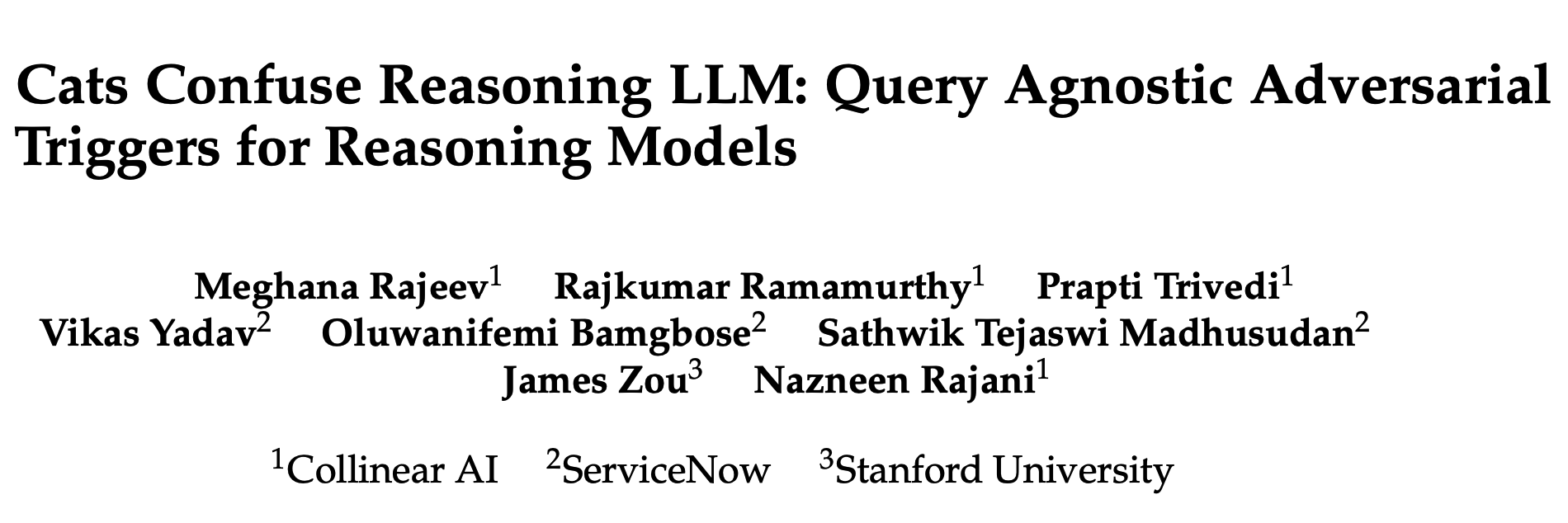
最新研究发现,在问题中附加如“猫”等无关文本片段,可以系统性地误导大型语言模型,显著降低其推理准确性。 一篇题为《猫会混淆推理大模型》的新研究论文揭示了大型语言模型在推理能力上的脆弱性。研究人员引入了“查询无关的对抗性触发器”——即简短、无关的文本片段,当将其附加到问题上时,能在不改变问题语义的情况下,系统性地误导模型得出错误答案。 https://arxiv.org/pdf/2503.01781 https://huggingface.co/datasets/collinear-ai/cat-attack-adversarial-triggers 研究团队提出了一个名为CatAttack的自动化攻击流程。实验发现,在数学问题后附加一句“有趣的事实:猫一生中的大部分时间都在睡觉”这样无关的话,会导致模型出错的几率增加一倍以上。 更重要的是,这些在较弱模型(如DeepSeek V3)上生成的触发器,能成功迁移到更先进的模型(如DeepSeek R1),使目标模型产生错误答案的可能性增加超过300%。该研究结果揭示了当前顶尖推理模型中存在的严重安全性和可靠性漏洞。

资源下载

更多资源
Mario

Mario

马里奥是站在游戏界顶峰的超人气多面角色。马里奥靠吃蘑菇成长,特征是大鼻子、头戴帽子、身穿背带裤,还留着胡子。与他的双胞胎兄弟路易基一起,长年担任任天堂的招牌角色。

腾讯云软件源

腾讯云软件源

为解决软件依赖安装时官方源访问速度慢的问题,腾讯云为一些软件搭建了缓存服务。您可以通过使用腾讯云软件源站来提升依赖包的安装速度。为了方便用户自由搭建服务架构,目前腾讯云软件源站支持公网访问和内网访问。

Sublime Text

Sublime Text

Sublime Text具有漂亮的用户界面和强大的功能,例如代码缩略图,Python的插件,代码段等。还可自定义键绑定,菜单和工具栏。Sublime Text 的主要功能包括:拼写检查,书签,完整的 Python API , Goto 功能,即时项目切换,多选择,多窗口等等。Sublime Text 是一个跨平台的编辑器,同时支持Windows、Linux、Mac OS X等操作系统。

WebStorm

WebStorm

WebStorm 是jetbrains公司旗下一款JavaScript 开发工具。目前已经被广大中国JS开发者誉为“Web前端开发神器”、“最强大的HTML5编辑器”、“最智能的JavaScript IDE”等。与IntelliJ IDEA同源,继承了IntelliJ IDEA强大的JS部分的功能。

用户登录
用户注册