首页 文章 精选 留言 我的

精选列表

搜索[快速入门],共10000篇文章
优秀的个人博客,低调大师

Hadoop MapReduce编程 API入门系列之wordcount版本4(八)

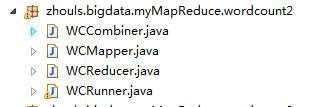
是将map、combiner、shuffle、reduce等分开放一个.java里。则需要实现Tool。 代码 1 package zhouls.bigdata.myMapReduce.wordcount2; 2 3 import java.io.IOException; 4 5 import org.apache.commons.lang.StringUtils; 6 import org.apache.hadoop.io.LongWritable; 7 import org.apache.hadoop.io.Text; 8 import org.apache.hadoop.mapreduce.Mapper; 9 10 //4个泛型中,前两个是指定mapper输入数据的类型,KEYIN是输入的key的类型,VALUEIN是输入的value的类型 11 //map 和 reduce 的数据输入输出都是以 key-value对的形式封装的 12 //默认情况下,框架传递给我们的mapper的输入数据中,key是要处理的文本中一行的起始偏移量,这一行的内容作为value 13 public class WCMapper extends Mapper<LongWritable, Text, Text, LongWritable>{ 14 15 //mapreduce框架每读一行数据就调用一次该方法 16 @Override 17 protected void map(LongWritable key, Text value,Context context)throws IOException, InterruptedException{ 18 //具体业务逻辑就写在这个方法体中,而且我们业务要处理的数据已经被框架传递进来,在方法的参数中 key-value 19 //key 是这一行数据的起始偏移量 value 是这一行的文本内容 20 21 //将这一行的内容转换成string类型 22 String line = value.toString(); 23 24 //对这一行的文本按特定分隔符切分 25 //hadoop helloworld 26 String[] words = StringUtils.split(line, " "); 27 28 //遍历这个单词数组输出为kv形式 k:单词 v : 1 29 for(String word : words){//word是k2 30 context.write(new Text(word), new LongWritable(1));//写入word是k2,1是v2 31 // context.write(word,1);等价 32 33 } 34 35 36 } 37 38 39 40 } 1 package zhouls.bigdata.myMapReduce.wordcount2; 2 3 import java.io.IOException; 4 5 import org.apache.hadoop.io.LongWritable; 6 import org.apache.hadoop.io.Text; 7 import org.apache.hadoop.mapreduce.Reducer; 8 9 public class WCReducer extends Reducer<Text, LongWritable, Text, LongWritable>{ 10 11 12 13 //框架在map处理完成之后,将所有kv对缓存起来,进行分组,然后传递一个组<key,valus{}>,调用一次reduce方法 14 //<hello,{1,1,1,1,1,1.....}> 15 @Override 16 protected void reduce(Text key, Iterable<LongWritable> values,Context context)throws IOException, InterruptedException { 17 long count = 0; 18 //遍历value的list,进行累加求和 19 for(LongWritable value:values){//value是v2 20 count += value.get(); 21 } 22 23 //输出这一个单词的统计结果 24 25 context.write(key,new LongWritable(count));//key是k3,count是v3 26 // context.write(key,count); 27 } 28 29 30 31 } 1 package zhouls.bigdata.myMapReduce.wordcount2; 2 3 import org.apache.hadoop.io.LongWritable; 4 import org.apache.hadoop.io.Text; 5 import org.apache.hadoop.mapreduce.Reducer; 6 7 8 /** 9 * combiner必须遵循reducer的规范 10 * 可以把它看成一种在map任务本地运行的reducer 11 * 使用combiner的时候要注意两点 12 * 1、combiner的输入输出数据泛型类型要能跟mapper和reducer匹配 13 * 2、combiner加入之后不能影响最终的业务逻辑运算结果 14 * 15 * 16 */ 17 public class WCCombiner extends Reducer<Text, LongWritable, Text, LongWritable>{ 18 19 } 1 package zhouls.bigdata.myMapReduce.wordcount2; 2 3 import java.io.IOException; 4 5 import org.apache.hadoop.conf.Configuration; 6 import org.apache.hadoop.fs.Path; 7 import org.apache.hadoop.io.LongWritable; 8 import org.apache.hadoop.io.Text; 9 import org.apache.hadoop.mapreduce.Job; 10 import org.apache.hadoop.mapreduce.lib.input.FileInputFormat; 11 import org.apache.hadoop.mapreduce.lib.output.FileOutputFormat; 12 13 /** 14 * 用来描述一个特定的作业 15 * 比如,该作业使用哪个类作为逻辑处理中的map,哪个作为reduce 16 * 还可以指定该作业要处理的数据所在的路径 17 * 还可以指定改作业输出的结果放到哪个路径 18 * .... 19 * @author duanhaitao@itcast.cn 20 * 21 */ 22 public class WCRunner { 23 24 public static void main(String[] args) throws Exception { 25 26 Configuration conf = new Configuration(); 27 28 Job wcjob = Job.getInstance(conf); 29 30 //设置整个job所用的那些类在哪个jar包 31 wcjob.setJarByClass(WCRunner.class); 32 33 34 //本job使用的mapper和reducer的类 35 wcjob.setMapperClass(WCMapper.class); 36 wcjob.setReducerClass(WCReducer.class); 37 38 39 //指定本job使用combiner组件,组件所用的类为 40 wcjob.setCombinerClass(WCReducer.class); 41 42 43 //指定reduce的输出数据kv类型 44 wcjob.setOutputKeyClass(Text.class); 45 wcjob.setOutputValueClass(LongWritable.class); 46 47 //指定mapper的输出数据kv类型 48 wcjob.setMapOutputKeyClass(Text.class); 49 wcjob.setMapOutputValueClass(LongWritable.class); 50 51 52 // //指定要处理的输入数据存放路径 53 // FileInputFormat.setInputPaths(wcjob, new Path("hdfs://HadoopMaster:9000/wordcount/wc.txt/")); 54 // 55 // //指定处理结果的输出数据存放路径 56 // FileOutputFormat.setOutputPath(wcjob, new Path("hdfs://HadoopMaster:9000/out/wordcount/wc/")); 57 58 //指定要处理的输入数据存放路径 59 FileInputFormat.setInputPaths(wcjob, new Path("./data/wordcount/wc.txt")); 60 61 //指定处理结果的输出数据存放路径 62 FileOutputFormat.setOutputPath(wcjob, new Path("./out/wordcount/wc/")); 63 64 65 //将job提交给集群运行 66 wcjob.waitForCompletion(true); 67 68 69 } 70 71 72 73 74 } 本文转自大数据躺过的坑博客园博客,原文链接:http://www.cnblogs.com/zlslch/p/6163687.html,如需转载请自行联系原作者

优秀的个人博客,低调大师

Hadoop HDFS编程 API入门系列之RPC版本1(八)

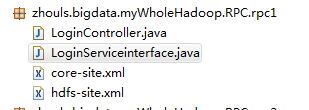
代码 1 package zhouls.bigdata.myWholeHadoop.RPC.rpc1; 2 3 import java.io.IOException; 4 import java.net.InetSocketAddress; 5 6 import org.apache.hadoop.conf.Configuration; 7 import org.apache.hadoop.ipc.RPC; 8 9 public class LoginController { 10 public static void main(String[] args) throws IOException { 11 LoginServiceinterface proxy = RPC.getProxy(LoginServiceinterface.class, 1L, new InetSocketAddress("HadoopMaster", 10000), new Configuration()); 12 String result = proxy.login("angelababy","123456"); 13 System.out.println(result); 14 } 15 } 1 package zhouls.bigdata.myWholeHadoop.RPC.rpc1; 2 3 public interface LoginServiceinterface { 4 public static final long versionID=1L; 5 public String login(String username,String password); 6 } <?xml version="1.0" encoding="UTF-8"?> <?xml-stylesheet type="text/xsl" href="configuration.xsl"?> <!-- Licensed under the Apache License, Version 2.0 (the "License"); you may not use this file except in compliance with the License. You may obtain a copy of the License at http://www.apache.org/licenses/LICENSE-2.0 Unless required by applicable law or agreed to in writing, software distributed under the License is distributed on an "AS IS" BASIS, WITHOUT WARRANTIES OR CONDITIONS OF ANY KIND, either express or implied. See the License for the specific language governing permissions and limitations under the License. See accompanying LICENSE file. --> <!-- Put site-specific property overrides in this file. --> <configuration> <property> <name>fs.default.name</name> <value>hdfs://HadoopMaster:9000</value> <description>The name of the default file system, using 9000 port.</description> </property> <property> <name>hadoop.tmp.dir</name> <value>/tmp</value> <description>A base for other temporary directories.</description> </property> </configuration> <?xml version="1.0" encoding="UTF-8"?> <?xml-stylesheet type="text/xsl" href="configuration.xsl"?> <!-- Licensed under the Apache License, Version 2.0 (the "License"); you may not use this file except in compliance with the License. You may obtain a copy of the License at http://www.apache.org/licenses/LICENSE-2.0 Unless required by applicable law or agreed to in writing, software distributed under the License is distributed on an "AS IS" BASIS, WITHOUT WARRANTIES OR CONDITIONS OF ANY KIND, either express or implied. See the License for the specific language governing permissions and limitations under the License. See accompanying LICENSE file. --> <!-- Put site-specific property overrides in this file. --> <configuration> <property> <name>dfs.namenode.rpc-address</name> <value>HadoopMaster:9000</value> </property> <property> <name>dfs.replication</name> <value>2</value> <description>Set to 1 for pseudo-distributed mode,Set to 2 for distributed mode,Set to 3 for distributed mode.</description> </property> <property> <name>dfs.namenode.http-address</name> <value>HadoopMaster:50070</value> </property> </configuration> 本文转自大数据躺过的坑博客园博客,原文链接:http://www.cnblogs.com/zlslch/p/6175638.html,如需转载请自行联系原作者

优秀的个人博客,低调大师

Hadoop HDFS编程 API入门系列之RPC版本2(九)

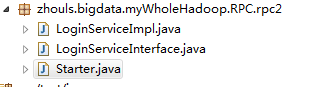
代码 1 package zhouls.bigdata.myWholeHadoop.RPC.rpc2; 2 3 public class LoginServiceImpl implements LoginServiceInterface { 4 5 @Override 6 public String login(String username, String password) { 7 8 return username + " logged in successfully!"; 9 } 10 11 } 1 package zhouls.bigdata.myWholeHadoop.RPC.rpc2; 2 3 public class LoginServiceImpl implements LoginServiceInterface { 4 5 @Override 6 public String login(String username, String password) { 7 8 return username + " logged in successfully!"; 9 } 10 11 } 1 package zhouls.bigdata.myWholeHadoop.RPC.rpc2; 2 3 import java.io.IOException; 4 5 import org.apache.hadoop.HadoopIllegalArgumentException; 6 import org.apache.hadoop.conf.Configuration; 7 import org.apache.hadoop.ipc.RPC; 8 import org.apache.hadoop.ipc.RPC.Builder; 9 import org.apache.hadoop.ipc.RPC.Server; 10 11 public class Starter { 12 13 public static void main(String[] args) throws HadoopIllegalArgumentException, IOException { 14 15 16 Builder builder = new RPC.Builder(new Configuration()); 17 18 builder.setBindAddress("HadoopMaster").setPort(10000).setProtocol(LoginServiceInterface.class).setInstance(new LoginServiceImpl()); 19 20 Server server = builder.build(); 21 22 server.start(); 23 24 25 26 } 27 28 29 } 本文转自大数据躺过的坑博客园博客,原文链接:http://www.cnblogs.com/zlslch/p/6175652.html,如需转载请自行联系原作者

优秀的个人博客,低调大师

Hadoop HDFS编程 API入门系列之HdfsUtil版本1(六)

代码 1 package zhouls.bigdata.myWholeHadoop.HDFS.hdfs2; 2 3 import java.io.FileOutputStream; 4 import java.io.IOException; 5 6 import org.apache.commons.io.IOUtils; 7 import org.apache.hadoop.conf.Configuration; 8 import org.apache.hadoop.fs.FSDataInputStream; 9 import org.apache.hadoop.fs.FileSystem; 10 import org.apache.hadoop.fs.Path; 11 12 public class HdfsUtil { 13 14 15 public static void main(String[] args) throws IOException { 16 17 // to upload a file to hdfs 18 19 Configuration conf = new Configuration(); 20 21 FileSystem fs = FileSystem.get(conf); 22 23 Path src = new Path("hdfs://HadoopMaster:9000/jdk-7u65-linux-i586.tar.gz"); 24 25 FSDataInputStream in = fs.open(src); 26 27 FileOutputStream os = new FileOutputStream("/home/hadoop/download/jdk.tgz"); 28 29 IOUtils.copy(in, os); 30 } 31 } 本文转自大数据躺过的坑博客园博客,原文链接:http://www.cnblogs.com/zlslch/p/6175616.html,如需转载请自行联系原作者

优秀的个人博客,低调大师

HBase编程 API入门系列之create(管理端而言)(8)

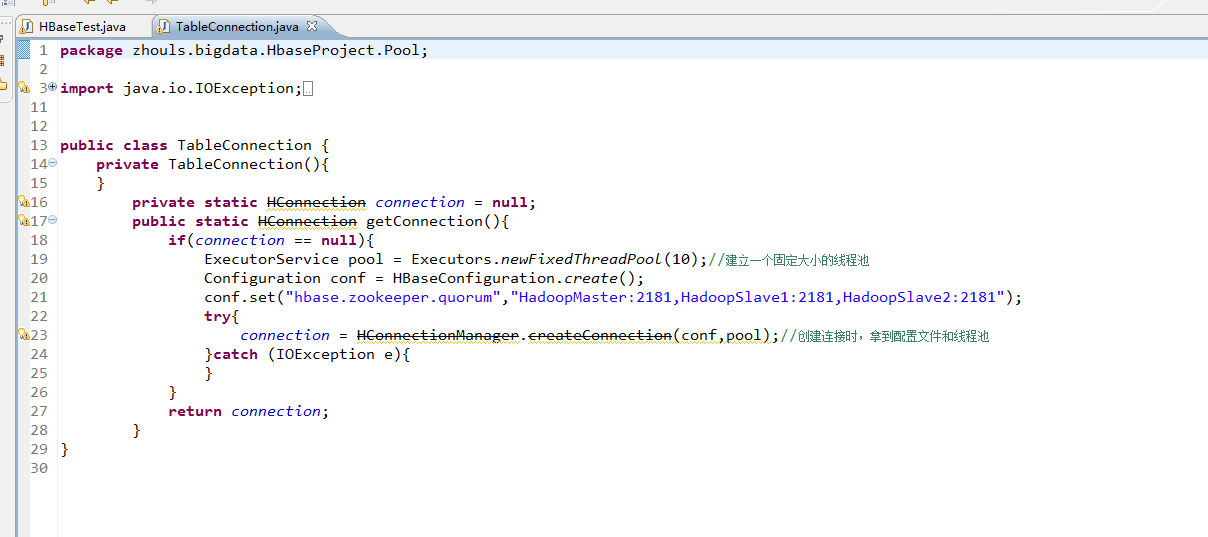
这里,我带领大家,学习更高级的,因为,在开发中,尽量不能去服务器上创建表。 所以,在管理端来创建HBase表。采用线程池的方式(也是生产开发里首推的)。 1 package zhouls.bigdata.HbaseProject.Pool; 2 3 import java.io.IOException; 4 import java.util.concurrent.ExecutorService; 5 import java.util.concurrent.Executors; 6 7 import org.apache.hadoop.conf.Configuration; 8 import org.apache.hadoop.hbase.HBaseConfiguration; 9 import org.apache.hadoop.hbase.client.HConnection; 10 import org.apache.hadoop.hbase.client.HConnectionManager; 11 12 13 public class TableConnection { 14 private TableConnection(){ 15 } 16 17 private static HConnection connection = null; 18 19 public static HConnection getConnection(){ 20 if(connection == null){ 21 ExecutorService pool = Executors.newFixedThreadPool(10);//建立一个固定大小的线程池 22 Configuration conf = HBaseConfiguration.create(); 23 conf.set("hbase.zookeeper.quorum","HadoopMaster:2181,HadoopSlave1:2181,HadoopSlave2:2181"); 24 try{ 25 connection = HConnectionManager.createConnection(conf,pool);//创建连接时,拿到配置文件和线程池 26 }catch (IOException e){ 27 } 28 } 29 return connection; 30 } 31 } 1、最简单的创建HBase表 查看,当前已创建有的表 hbase(main):055:0>list TABLE test_table test_table2 2 row(s) in 1.1030 seconds => ["test_table", "test_table2"] hbase(main):056:0> 1 package zhouls.bigdata.HbaseProject.Pool; 2 3 import java.io.IOException; 4 5 import zhouls.bigdata.HbaseProject.Pool.TableConnection; 6 7 import javax.xml.transform.Result; 8 9 import org.apache.hadoop.conf.Configuration; 10 import org.apache.hadoop.hbase.Cell; 11 import org.apache.hadoop.hbase.CellUtil; 12 import org.apache.hadoop.hbase.HBaseConfiguration; 13 import org.apache.hadoop.hbase.HColumnDescriptor; 14 import org.apache.hadoop.hbase.HTableDescriptor; 15 import org.apache.hadoop.hbase.MasterNotRunningException; 16 import org.apache.hadoop.hbase.TableName; 17 import org.apache.hadoop.hbase.ZooKeeperConnectionException; 18 import org.apache.hadoop.hbase.client.Delete; 19 import org.apache.hadoop.hbase.client.Get; 20 import org.apache.hadoop.hbase.client.HBaseAdmin; 21 import org.apache.hadoop.hbase.client.HTable; 22 import org.apache.hadoop.hbase.client.HTableInterface; 23 import org.apache.hadoop.hbase.client.Put; 24 import org.apache.hadoop.hbase.client.ResultScanner; 25 import org.apache.hadoop.hbase.client.Scan; 26 import org.apache.hadoop.hbase.util.Bytes; 27 28 public class HBaseTest { 29 public static void main(String[] args) throws Exception { 30 // HTable table = new HTable(getConfig(),TableName.valueOf("test_table"));//表名是test_table 31 // Put put = new Put(Bytes.toBytes("row_04"));//行键是row_04 32 // put.add(Bytes.toBytes("f"),Bytes.toBytes("name"),Bytes.toBytes("Andy1"));//列簇是f,列修饰符是name,值是Andy0 33 // put.add(Bytes.toBytes("f2"),Bytes.toBytes("name"),Bytes.toBytes("Andy3"));//列簇是f2,列修饰符是name,值是Andy3 34 // table.put(put); 35 // table.close(); 36 37 // Get get = new Get(Bytes.toBytes("row_04")); 38 // get.addColumn(Bytes.toBytes("f1"), Bytes.toBytes("age"));如现在这样,不指定,默认把所有的全拿出来 39 // org.apache.hadoop.hbase.client.Result rest = table.get(get); 40 // System.out.println(rest.toString()); 41 // table.close(); 42 43 // Delete delete = new Delete(Bytes.toBytes("row_2")); 44 // delete.deleteColumn(Bytes.toBytes("f1"), Bytes.toBytes("email")); 45 // delete.deleteColumn(Bytes.toBytes("f1"), Bytes.toBytes("name")); 46 // table.delete(delete); 47 // table.close(); 48 49 // Delete delete = new Delete(Bytes.toBytes("row_04")); 50 //// delete.deleteColumn(Bytes.toBytes("f"), Bytes.toBytes("name"));//deleteColumn是删除某一个列簇里的最新时间戳版本。 51 // delete.deleteColumns(Bytes.toBytes("f"), Bytes.toBytes("name"));//delete.deleteColumns是删除某个列簇里的所有时间戳版本。 52 // table.delete(delete); 53 // table.close(); 54 55 56 // Scan scan = new Scan(); 57 // scan.setStartRow(Bytes.toBytes("row_01"));//包含开始行键 58 // scan.setStopRow(Bytes.toBytes("row_03"));//不包含结束行键 59 // scan.addColumn(Bytes.toBytes("f"), Bytes.toBytes("name")); 60 // ResultScanner rst = table.getScanner(scan);//整个循环 61 // System.out.println(rst.toString()); 62 // for (org.apache.hadoop.hbase.client.Result next = rst.next();next !=null;next = rst.next() ){ 63 // for(Cell cell:next.rawCells()){//某个row key下的循坏 64 // System.out.println(next.toString()); 65 // System.out.println("family:" + Bytes.toString(CellUtil.cloneFamily(cell))); 66 // System.out.println("col:" + Bytes.toString(CellUtil.cloneQualifier(cell))); 67 // System.out.println("value" + Bytes.toString(CellUtil.cloneValue(cell))); 68 // } 69 // } 70 // table.close(); 71 72 HBaseTest hbasetest =new HBaseTest(); 73 // hbasetest.insertValue(); 74 // hbasetest.getValue(); 75 // hbasetest.delete(); 76 // hbasetest.scanValue(); 77 hbasetest.createTable("test_table3", "f"); 78 } 79 80 81 //生产开发中,建议这样用线程池做 82 // public void insertValue() throws Exception{ 83 // HTableInterface table = TableConnection.getConnection().getTable(TableName.valueOf("test_table")); 84 // Put put = new Put(Bytes.toBytes("row_01"));//行键是row_01 85 // put.add(Bytes.toBytes("f"),Bytes.toBytes("name"),Bytes.toBytes("Andy0")); 86 // table.put(put); 87 // table.close(); 88 // } 89 90 91 92 //生产开发中,建议这样用线程池做 93 // public void getValue() throws Exception{ 94 // HTableInterface table = TableConnection.getConnection().getTable(TableName.valueOf("test_table")); 95 // Get get = new Get(Bytes.toBytes("row_03")); 96 // get.addColumn(Bytes.toBytes("f"), Bytes.toBytes("name")); 97 // org.apache.hadoop.hbase.client.Result rest = table.get(get); 98 // System.out.println(rest.toString()); 99 // table.close(); 100 // } 101 // 102 //生产开发中,建议这样用线程池做 103 // public void delete() throws Exception{ 104 // HTableInterface table = TableConnection.getConnection().getTable(TableName.valueOf("test_table")); 105 // Delete delete = new Delete(Bytes.toBytes("row_01")); 106 // delete.deleteColumn(Bytes.toBytes("f"), Bytes.toBytes("name"));//deleteColumn是删除某一个列簇里的最新时间戳版本。 107 //// delete.deleteColumns(Bytes.toBytes("f"), Bytes.toBytes("name"));//delete.deleteColumns是删除某个列簇里的所有时间戳版本。 108 // table.delete(delete); 109 // table.close(); 110 // } 111 //生产开发中,建议这样用线程池做 112 // public void scanValue() throws Exception{ 113 // HTableInterface table = TableConnection.getConnection().getTable(TableName.valueOf("test_table")); 114 // Scan scan = new Scan(); 115 // scan.setStartRow(Bytes.toBytes("row_02"));//包含开始行键 116 // scan.setStopRow(Bytes.toBytes("row_04"));//不包含结束行键 117 // scan.addColumn(Bytes.toBytes("f"), Bytes.toBytes("name")); 118 // ResultScanner rst = table.getScanner(scan);//整个循环 119 // System.out.println(rst.toString()); 120 // for (org.apache.hadoop.hbase.client.Result next = rst.next();next !=null;next = rst.next() ){ 121 // for(Cell cell:next.rawCells()){//某个row key下的循坏 122 // System.out.println(next.toString()); 123 // System.out.println("family:" + Bytes.toString(CellUtil.cloneFamily(cell))); 124 // System.out.println("col:" + Bytes.toString(CellUtil.cloneQualifier(cell))); 125 // System.out.println("value" + Bytes.toString(CellUtil.cloneValue(cell))); 126 // } 127 // } 128 // table.close(); 129 // } 130 // 131 132 //生产开发中,建议这样用线程池做 133 public void createTable(String tableName,String family) throws MasterNotRunningException, ZooKeeperConnectionException, IOException{ 134 Configuration conf = HBaseConfiguration.create(getConfig()); 135 HBaseAdmin admin = new HBaseAdmin(conf); 136 HTableDescriptor tableDesc = new HTableDescriptor(TableName.valueOf(tableName)); 137 HColumnDescriptor hcd = new HColumnDescriptor(family); 138 tableDesc.addFamily(hcd); 139 admin.createTable(tableDesc); 140 admin.close(); 141 } 142 143 144 145 public static Configuration getConfig(){ 146 Configuration configuration = new Configuration(); 147 // conf.set("hbase.rootdir","hdfs:HadoopMaster:9000/hbase"); 148 configuration.set("hbase.zookeeper.quorum", "HadoopMaster:2181,HadoopSlave1:2181,HadoopSlave2:2181"); 149 return configuration; 150 } 151 } 即,创建成功。 hbase(main):057:0>list TABLE test_table test_table2 2 row(s) in 4.1700 seconds => ["test_table", "test_table2"] hbase(main):058:0>list TABLE test_table test_table2 test_table3 3 row(s) in 0.0560 seconds => ["test_table", "test_table2", "test_table3"] hbase(main):059:0> desc 'test_table3' Table test_table3 is ENABLED test_table3 COLUMN FAMILIES DESCRIPTION {NAME => 'f', DATA_BLOCK_ENCODING => 'NONE', BLOOMFILTER => 'ROW', REPLICATION_SCOPE => '0', VERSIONS => '1', COMPRESSION => 'NONE', MIN_VERSIONS => '0', TTL => 'FOREVER', KEEP_DELETED_CELLS => 'FALSE', BLOCKSIZE => '65536', IN_MEMORY => 'false', BLOCKCACHE => 'true'} 1 row(s) in 1.2370 seconds 2、带最大版本数,创建HBase表 1 package zhouls.bigdata.HbaseProject.Pool; 2 3 import java.io.IOException; 4 5 import zhouls.bigdata.HbaseProject.Pool.TableConnection; 6 7 import javax.xml.transform.Result; 8 9 import org.apache.hadoop.conf.Configuration; 10 import org.apache.hadoop.hbase.Cell; 11 import org.apache.hadoop.hbase.CellUtil; 12 import org.apache.hadoop.hbase.HBaseConfiguration; 13 import org.apache.hadoop.hbase.HColumnDescriptor; 14 import org.apache.hadoop.hbase.HTableDescriptor; 15 import org.apache.hadoop.hbase.MasterNotRunningException; 16 import org.apache.hadoop.hbase.TableName; 17 import org.apache.hadoop.hbase.ZooKeeperConnectionException; 18 import org.apache.hadoop.hbase.client.Delete; 19 import org.apache.hadoop.hbase.client.Get; 20 import org.apache.hadoop.hbase.client.HBaseAdmin; 21 import org.apache.hadoop.hbase.client.HTable; 22 import org.apache.hadoop.hbase.client.HTableInterface; 23 import org.apache.hadoop.hbase.client.Put; 24 import org.apache.hadoop.hbase.client.ResultScanner; 25 import org.apache.hadoop.hbase.client.Scan; 26 import org.apache.hadoop.hbase.util.Bytes; 27 28 public class HBaseTest { 29 public static void main(String[] args) throws Exception { 30 // HTable table = new HTable(getConfig(),TableName.valueOf("test_table"));//表名是test_table 31 // Put put = new Put(Bytes.toBytes("row_04"));//行键是row_04 32 // put.add(Bytes.toBytes("f"),Bytes.toBytes("name"),Bytes.toBytes("Andy1"));//列簇是f,列修饰符是name,值是Andy0 33 // put.add(Bytes.toBytes("f2"),Bytes.toBytes("name"),Bytes.toBytes("Andy3"));//列簇是f2,列修饰符是name,值是Andy3 34 // table.put(put); 35 // table.close(); 36 37 // Get get = new Get(Bytes.toBytes("row_04")); 38 // get.addColumn(Bytes.toBytes("f1"), Bytes.toBytes("age"));如现在这样,不指定,默认把所有的全拿出来 39 // org.apache.hadoop.hbase.client.Result rest = table.get(get); 40 // System.out.println(rest.toString()); 41 // table.close(); 42 43 // Delete delete = new Delete(Bytes.toBytes("row_2")); 44 // delete.deleteColumn(Bytes.toBytes("f1"), Bytes.toBytes("email")); 45 // delete.deleteColumn(Bytes.toBytes("f1"), Bytes.toBytes("name")); 46 // table.delete(delete); 47 // table.close(); 48 49 // Delete delete = new Delete(Bytes.toBytes("row_04")); 50 //// delete.deleteColumn(Bytes.toBytes("f"), Bytes.toBytes("name"));//deleteColumn是删除某一个列簇里的最新时间戳版本。 51 // delete.deleteColumns(Bytes.toBytes("f"), Bytes.toBytes("name"));//delete.deleteColumns是删除某个列簇里的所有时间戳版本。 52 // table.delete(delete); 53 // table.close(); 54 55 56 // Scan scan = new Scan(); 57 // scan.setStartRow(Bytes.toBytes("row_01"));//包含开始行键 58 // scan.setStopRow(Bytes.toBytes("row_03"));//不包含结束行键 59 // scan.addColumn(Bytes.toBytes("f"), Bytes.toBytes("name")); 60 // ResultScanner rst = table.getScanner(scan);//整个循环 61 // System.out.println(rst.toString()); 62 // for (org.apache.hadoop.hbase.client.Result next = rst.next();next !=null;next = rst.next() ){ 63 // for(Cell cell:next.rawCells()){//某个row key下的循坏 64 // System.out.println(next.toString()); 65 // System.out.println("family:" + Bytes.toString(CellUtil.cloneFamily(cell))); 66 // System.out.println("col:" + Bytes.toString(CellUtil.cloneQualifier(cell))); 67 // System.out.println("value" + Bytes.toString(CellUtil.cloneValue(cell))); 68 // } 69 // } 70 // table.close(); 71 72 HBaseTest hbasetest =new HBaseTest(); 73 // hbasetest.insertValue(); 74 // hbasetest.getValue(); 75 // hbasetest.delete(); 76 // hbasetest.scanValue(); 77 hbasetest.createTable("test_table4", "f"); 78 } 79 80 81 //生产开发中,建议这样用线程池做 82 // public void insertValue() throws Exception{ 83 // HTableInterface table = TableConnection.getConnection().getTable(TableName.valueOf("test_table")); 84 // Put put = new Put(Bytes.toBytes("row_01"));//行键是row_01 85 // put.add(Bytes.toBytes("f"),Bytes.toBytes("name"),Bytes.toBytes("Andy0")); 86 // table.put(put); 87 // table.close(); 88 // } 89 90 91 92 //生产开发中,建议这样用线程池做 93 // public void getValue() throws Exception{ 94 // HTableInterface table = TableConnection.getConnection().getTable(TableName.valueOf("test_table")); 95 // Get get = new Get(Bytes.toBytes("row_03")); 96 // get.addColumn(Bytes.toBytes("f"), Bytes.toBytes("name")); 97 // org.apache.hadoop.hbase.client.Result rest = table.get(get); 98 // System.out.println(rest.toString()); 99 // table.close(); 100 // } 101 // 102 //生产开发中,建议这样用线程池做 103 // public void delete() throws Exception{ 104 // HTableInterface table = TableConnection.getConnection().getTable(TableName.valueOf("test_table")); 105 // Delete delete = new Delete(Bytes.toBytes("row_01")); 106 // delete.deleteColumn(Bytes.toBytes("f"), Bytes.toBytes("name"));//deleteColumn是删除某一个列簇里的最新时间戳版本。 107 //// delete.deleteColumns(Bytes.toBytes("f"), Bytes.toBytes("name"));//delete.deleteColumns是删除某个列簇里的所有时间戳版本。 108 // table.delete(delete); 109 // table.close(); 110 // } 111 112 113 //生产开发中,建议这样用线程池做 114 // public void scanValue() throws Exception{ 115 // HTableInterface table = TableConnection.getConnection().getTable(TableName.valueOf("test_table")); 116 // Scan scan = new Scan(); 117 // scan.setStartRow(Bytes.toBytes("row_02"));//包含开始行键 118 // scan.setStopRow(Bytes.toBytes("row_04"));//不包含结束行键 119 // scan.addColumn(Bytes.toBytes("f"), Bytes.toBytes("name")); 120 // ResultScanner rst = table.getScanner(scan);//整个循环 121 // System.out.println(rst.toString()); 122 // for (org.apache.hadoop.hbase.client.Result next = rst.next();next !=null;next = rst.next() ){ 123 // for(Cell cell:next.rawCells()){//某个row key下的循坏 124 // System.out.println(next.toString()); 125 // System.out.println("family:" + Bytes.toString(CellUtil.cloneFamily(cell))); 126 // System.out.println("col:" + Bytes.toString(CellUtil.cloneQualifier(cell))); 127 // System.out.println("value" + Bytes.toString(CellUtil.cloneValue(cell))); 128 // } 129 // } 130 // table.close(); 131 // } 132 // 133 134 //生产开发中,建议这样用线程池做 135 public void createTable(String tableName,String family) throws MasterNotRunningException, ZooKeeperConnectionException, IOException{ 136 Configuration conf = HBaseConfiguration.create(getConfig()); 137 HBaseAdmin admin = new HBaseAdmin(conf); 138 HTableDescriptor tableDesc = new HTableDescriptor(TableName.valueOf(tableName)); 139 HColumnDescriptor hcd = new HColumnDescriptor(family); 140 hcd.setMaxVersions(3); 141 tableDesc.addFamily(hcd); 142 admin.createTable(tableDesc); 143 admin.close(); 144 } 145 146 147 148 public static Configuration getConfig(){ 149 Configuration configuration = new Configuration(); 150 // conf.set("hbase.rootdir","hdfs:HadoopMaster:9000/hbase"); 151 configuration.set("hbase.zookeeper.quorum", "HadoopMaster:2181,HadoopSlave1:2181,HadoopSlave2:2181"); 152 return configuration; 153 } 154 } hbase(main):060:0>list TABLE test_table test_table2 test_table3 test_table4 4 row(s) in 0.0980 seconds => ["test_table", "test_table2", "test_table3", "test_table4"] hbase(main):061:0>desc 'test_table4' Table test_table4 is ENABLED test_table4 COLUMN FAMILIES DESCRIPTION {NAME => 'f', DATA_BLOCK_ENCODING => 'NONE', BLOOMFILTER => 'ROW', REPLICATION_SCOPE => '0', VERSIONS => '3', COMPRESSION => 'NONE', MIN_VERSIONS => '0', TTL => 'FOREVER', KEEP_DELETED_CELLS => 'FALSE', BLOCKSIZE => '65536', IN_MEMORY => 'false', BLOCKCACHE => 'true'} 1 row(s) in 0.1480 seconds hbase(main):062:0> 3、更多带的创建操作,创建HBase表 1 package zhouls.bigdata.HbaseProject.Pool; 2 3 import java.io.IOException; 4 5 import zhouls.bigdata.HbaseProject.Pool.TableConnection; 6 7 import javax.xml.transform.Result; 8 9 import org.apache.hadoop.conf.Configuration; 10 import org.apache.hadoop.hbase.Cell; 11 import org.apache.hadoop.hbase.CellUtil; 12 import org.apache.hadoop.hbase.HBaseConfiguration; 13 import org.apache.hadoop.hbase.HColumnDescriptor; 14 import org.apache.hadoop.hbase.HTableDescriptor; 15 import org.apache.hadoop.hbase.MasterNotRunningException; 16 import org.apache.hadoop.hbase.TableName; 17 import org.apache.hadoop.hbase.ZooKeeperConnectionException; 18 import org.apache.hadoop.hbase.client.Delete; 19 import org.apache.hadoop.hbase.client.Get; 20 import org.apache.hadoop.hbase.client.HBaseAdmin; 21 import org.apache.hadoop.hbase.client.HTable; 22 import org.apache.hadoop.hbase.client.HTableInterface; 23 import org.apache.hadoop.hbase.client.Put; 24 import org.apache.hadoop.hbase.client.ResultScanner; 25 import org.apache.hadoop.hbase.client.Scan; 26 import org.apache.hadoop.hbase.util.Bytes; 27 28 public class HBaseTest { 29 public static void main(String[] args) throws Exception { 30 // HTable table = new HTable(getConfig(),TableName.valueOf("test_table"));//表名是test_table 31 // Put put = new Put(Bytes.toBytes("row_04"));//行键是row_04 32 // put.add(Bytes.toBytes("f"),Bytes.toBytes("name"),Bytes.toBytes("Andy1"));//列簇是f,列修饰符是name,值是Andy0 33 // put.add(Bytes.toBytes("f2"),Bytes.toBytes("name"),Bytes.toBytes("Andy3"));//列簇是f2,列修饰符是name,值是Andy3 34 // table.put(put); 35 // table.close(); 36 37 // Get get = new Get(Bytes.toBytes("row_04")); 38 // get.addColumn(Bytes.toBytes("f1"), Bytes.toBytes("age"));如现在这样,不指定,默认把所有的全拿出来 39 // org.apache.hadoop.hbase.client.Result rest = table.get(get); 40 // System.out.println(rest.toString()); 41 // table.close(); 42 43 // Delete delete = new Delete(Bytes.toBytes("row_2")); 44 // delete.deleteColumn(Bytes.toBytes("f1"), Bytes.toBytes("email")); 45 // delete.deleteColumn(Bytes.toBytes("f1"), Bytes.toBytes("name")); 46 // table.delete(delete); 47 // table.close(); 48 49 // Delete delete = new Delete(Bytes.toBytes("row_04")); 50 //// delete.deleteColumn(Bytes.toBytes("f"), Bytes.toBytes("name"));//deleteColumn是删除某一个列簇里的最新时间戳版本。 51 // delete.deleteColumns(Bytes.toBytes("f"), Bytes.toBytes("name"));//delete.deleteColumns是删除某个列簇里的所有时间戳版本。 52 // table.delete(delete); 53 // table.close(); 54 55 56 // Scan scan = new Scan(); 57 // scan.setStartRow(Bytes.toBytes("row_01"));//包含开始行键 58 // scan.setStopRow(Bytes.toBytes("row_03"));//不包含结束行键 59 // scan.addColumn(Bytes.toBytes("f"), Bytes.toBytes("name")); 60 // ResultScanner rst = table.getScanner(scan);//整个循环 61 // System.out.println(rst.toString()); 62 // for (org.apache.hadoop.hbase.client.Result next = rst.next();next !=null;next = rst.next() ){ 63 // for(Cell cell:next.rawCells()){//某个row key下的循坏 64 // System.out.println(next.toString()); 65 // System.out.println("family:" + Bytes.toString(CellUtil.cloneFamily(cell))); 66 // System.out.println("col:" + Bytes.toString(CellUtil.cloneQualifier(cell))); 67 // System.out.println("value" + Bytes.toString(CellUtil.cloneValue(cell))); 68 // } 69 // } 70 // table.close(); 71 72 HBaseTest hbasetest =new HBaseTest(); 73 // hbasetest.insertValue(); 74 // hbasetest.getValue(); 75 // hbasetest.delete(); 76 // hbasetest.scanValue(); 77 hbasetest.createTable("test_table4", "f"); 78 } 79 80 81 //生产开发中,建议这样用线程池做 82 // public void insertValue() throws Exception{ 83 // HTableInterface table = TableConnection.getConnection().getTable(TableName.valueOf("test_table")); 84 // Put put = new Put(Bytes.toBytes("row_01"));//行键是row_01 85 // put.add(Bytes.toBytes("f"),Bytes.toBytes("name"),Bytes.toBytes("Andy0")); 86 // table.put(put); 87 // table.close(); 88 // } 89 90 91 92 //生产开发中,建议这样用线程池做 93 // public void getValue() throws Exception{ 94 // HTableInterface table = TableConnection.getConnection().getTable(TableName.valueOf("test_table")); 95 // Get get = new Get(Bytes.toBytes("row_03")); 96 // get.addColumn(Bytes.toBytes("f"), Bytes.toBytes("name")); 97 // org.apache.hadoop.hbase.client.Result rest = table.get(get); 98 // System.out.println(rest.toString()); 99 // table.close(); 100 // } 101 // 102 //生产开发中,建议这样用线程池做 103 // public void delete() throws Exception{ 104 // HTableInterface table = TableConnection.getConnection().getTable(TableName.valueOf("test_table")); 105 // Delete delete = new Delete(Bytes.toBytes("row_01")); 106 // delete.deleteColumn(Bytes.toBytes("f"), Bytes.toBytes("name"));//deleteColumn是删除某一个列簇里的最新时间戳版本。 107 //// delete.deleteColumns(Bytes.toBytes("f"), Bytes.toBytes("name"));//delete.deleteColumns是删除某个列簇里的所有时间戳版本。 108 // table.delete(delete); 109 // table.close(); 110 // } 111 112 113 //生产开发中,建议这样用线程池做 114 // public void scanValue() throws Exception{ 115 // HTableInterface table = TableConnection.getConnection().getTable(TableName.valueOf("test_table")); 116 // Scan scan = new Scan(); 117 // scan.setStartRow(Bytes.toBytes("row_02"));//包含开始行键 118 // scan.setStopRow(Bytes.toBytes("row_04"));//不包含结束行键 119 // scan.addColumn(Bytes.toBytes("f"), Bytes.toBytes("name")); 120 // ResultScanner rst = table.getScanner(scan);//整个循环 121 // System.out.println(rst.toString()); 122 // for (org.apache.hadoop.hbase.client.Result next = rst.next();next !=null;next = rst.next() ){ 123 // for(Cell cell:next.rawCells()){//某个row key下的循坏 124 // System.out.println(next.toString()); 125 // System.out.println("family:" + Bytes.toString(CellUtil.cloneFamily(cell))); 126 // System.out.println("col:" + Bytes.toString(CellUtil.cloneQualifier(cell))); 127 // System.out.println("value" + Bytes.toString(CellUtil.cloneValue(cell))); 128 // } 129 // } 130 // table.close(); 131 // } 132 // 133 134 //生产开发中,建议这样用线程池做 135 public void createTable(String tableName,String family) throws MasterNotRunningException, ZooKeeperConnectionException, IOException{ 136 Configuration conf = HBaseConfiguration.create(getConfig()); 137 HBaseAdmin admin = new HBaseAdmin(conf); 138 HTableDescriptor tableDesc = new HTableDescriptor(TableName.valueOf(tableName)); 139 HColumnDescriptor hcd = new HColumnDescriptor(family); 140 hcd.setMaxVersions(3); 141 // hcd.set//很多的带创建操作,我这里只抛砖引玉的作用 142 tableDesc.addFamily(hcd); 143 admin.createTable(tableDesc); 144 admin.close(); 145 } 146 147 148 149 public static Configuration getConfig(){ 150 Configuration configuration = new Configuration(); 151 // conf.set("hbase.rootdir","hdfs:HadoopMaster:9000/hbase"); 152 configuration.set("hbase.zookeeper.quorum", "HadoopMaster:2181,HadoopSlave1:2181,HadoopSlave2:2181"); 153 return configuration; 154 } 155 } 4、先判断表是否存在,再来删创建HBase表(生产开发首推) 1 package zhouls.bigdata.HbaseProject.Pool; 2 3 import java.io.IOException; 4 5 import zhouls.bigdata.HbaseProject.Pool.TableConnection; 6 7 import javax.xml.transform.Result; 8 9 import org.apache.hadoop.conf.Configuration; 10 import org.apache.hadoop.hbase.Cell; 11 import org.apache.hadoop.hbase.CellUtil; 12 import org.apache.hadoop.hbase.HBaseConfiguration; 13 import org.apache.hadoop.hbase.HColumnDescriptor; 14 import org.apache.hadoop.hbase.HTableDescriptor; 15 import org.apache.hadoop.hbase.MasterNotRunningException; 16 import org.apache.hadoop.hbase.TableName; 17 import org.apache.hadoop.hbase.ZooKeeperConnectionException; 18 import org.apache.hadoop.hbase.client.Delete; 19 import org.apache.hadoop.hbase.client.Get; 20 import org.apache.hadoop.hbase.client.HBaseAdmin; 21 import org.apache.hadoop.hbase.client.HTable; 22 import org.apache.hadoop.hbase.client.HTableInterface; 23 import org.apache.hadoop.hbase.client.Put; 24 import org.apache.hadoop.hbase.client.ResultScanner; 25 import org.apache.hadoop.hbase.client.Scan; 26 import org.apache.hadoop.hbase.util.Bytes; 27 28 public class HBaseTest { 29 public static void main(String[] args) throws Exception { 30 // HTable table = new HTable(getConfig(),TableName.valueOf("test_table"));//表名是test_table 31 // Put put = new Put(Bytes.toBytes("row_04"));//行键是row_04 32 // put.add(Bytes.toBytes("f"),Bytes.toBytes("name"),Bytes.toBytes("Andy1"));//列簇是f,列修饰符是name,值是Andy0 33 // put.add(Bytes.toBytes("f2"),Bytes.toBytes("name"),Bytes.toBytes("Andy3"));//列簇是f2,列修饰符是name,值是Andy3 34 // table.put(put); 35 // table.close(); 36 37 // Get get = new Get(Bytes.toBytes("row_04")); 38 // get.addColumn(Bytes.toBytes("f1"), Bytes.toBytes("age"));如现在这样,不指定,默认把所有的全拿出来 39 // org.apache.hadoop.hbase.client.Result rest = table.get(get); 40 // System.out.println(rest.toString()); 41 // table.close(); 42 43 // Delete delete = new Delete(Bytes.toBytes("row_2")); 44 // delete.deleteColumn(Bytes.toBytes("f1"), Bytes.toBytes("email")); 45 // delete.deleteColumn(Bytes.toBytes("f1"), Bytes.toBytes("name")); 46 // table.delete(delete); 47 // table.close(); 48 49 // Delete delete = new Delete(Bytes.toBytes("row_04")); 50 //// delete.deleteColumn(Bytes.toBytes("f"), Bytes.toBytes("name"));//deleteColumn是删除某一个列簇里的最新时间戳版本。 51 // delete.deleteColumns(Bytes.toBytes("f"), Bytes.toBytes("name"));//delete.deleteColumns是删除某个列簇里的所有时间戳版本。 52 // table.delete(delete); 53 // table.close(); 54 55 56 // Scan scan = new Scan(); 57 // scan.setStartRow(Bytes.toBytes("row_01"));//包含开始行键 58 // scan.setStopRow(Bytes.toBytes("row_03"));//不包含结束行键 59 // scan.addColumn(Bytes.toBytes("f"), Bytes.toBytes("name")); 60 // ResultScanner rst = table.getScanner(scan);//整个循环 61 // System.out.println(rst.toString()); 62 // for (org.apache.hadoop.hbase.client.Result next = rst.next();next !=null;next = rst.next() ){ 63 // for(Cell cell:next.rawCells()){//某个row key下的循坏 64 // System.out.println(next.toString()); 65 // System.out.println("family:" + Bytes.toString(CellUtil.cloneFamily(cell))); 66 // System.out.println("col:" + Bytes.toString(CellUtil.cloneQualifier(cell))); 67 // System.out.println("value" + Bytes.toString(CellUtil.cloneValue(cell))); 68 // } 69 // } 70 // table.close(); 71 72 HBaseTest hbasetest =new HBaseTest(); 73 // hbasetest.insertValue(); 74 // hbasetest.getValue(); 75 // hbasetest.delete(); 76 // hbasetest.scanValue(); 77 hbasetest.createTable("test_table3", "f");//先判断表是否存在,再来创建HBase表(生产开发首推) 78 // hbasetest.deleteTable("test_table4");//先判断表是否存在,再来删除HBase表(生产开发首推) 79 } 80 81 82 //生产开发中,建议这样用线程池做 83 // public void insertValue() throws Exception{ 84 // HTableInterface table = TableConnection.getConnection().getTable(TableName.valueOf("test_table")); 85 // Put put = new Put(Bytes.toBytes("row_01"));//行键是row_01 86 // put.add(Bytes.toBytes("f"),Bytes.toBytes("name"),Bytes.toBytes("Andy0")); 87 // table.put(put); 88 // table.close(); 89 // } 90 91 92 93 //生产开发中,建议这样用线程池做 94 // public void getValue() throws Exception{ 95 // HTableInterface table = TableConnection.getConnection().getTable(TableName.valueOf("test_table")); 96 // Get get = new Get(Bytes.toBytes("row_03")); 97 // get.addColumn(Bytes.toBytes("f"), Bytes.toBytes("name")); 98 // org.apache.hadoop.hbase.client.Result rest = table.get(get); 99 // System.out.println(rest.toString()); 100 // table.close(); 101 // } 102 103 104 //生产开发中,建议这样用线程池做 105 // public void delete() throws Exception{ 106 // HTableInterface table = TableConnection.getConnection().getTable(TableName.valueOf("test_table")); 107 // Delete delete = new Delete(Bytes.toBytes("row_01")); 108 // delete.deleteColumn(Bytes.toBytes("f"), Bytes.toBytes("name"));//deleteColumn是删除某一个列簇里的最新时间戳版本。 109 //// delete.deleteColumns(Bytes.toBytes("f"), Bytes.toBytes("name"));//delete.deleteColumns是删除某个列簇里的所有时间戳版本。 110 // table.delete(delete); 111 // table.close(); 112 // } 113 114 115 //生产开发中,建议这样用线程池做 116 // public void scanValue() throws Exception{ 117 // HTableInterface table = TableConnection.getConnection().getTable(TableName.valueOf("test_table")); 118 // Scan scan = new Scan(); 119 // scan.setStartRow(Bytes.toBytes("row_02"));//包含开始行键 120 // scan.setStopRow(Bytes.toBytes("row_04"));//不包含结束行键 121 // scan.addColumn(Bytes.toBytes("f"), Bytes.toBytes("name")); 122 // ResultScanner rst = table.getScanner(scan);//整个循环 123 // System.out.println(rst.toString()); 124 // for (org.apache.hadoop.hbase.client.Result next = rst.next();next !=null;next = rst.next() ){ 125 // for(Cell cell:next.rawCells()){//某个row key下的循坏 126 // System.out.println(next.toString()); 127 // System.out.println("family:" + Bytes.toString(CellUtil.cloneFamily(cell))); 128 // System.out.println("col:" + Bytes.toString(CellUtil.cloneQualifier(cell))); 129 // System.out.println("value" + Bytes.toString(CellUtil.cloneValue(cell))); 130 // } 131 // } 132 // table.close(); 133 // } 134 135 136 //生产开发中,建议这样用线程池做 137 public void createTable(String tableName,String family) throws MasterNotRunningException, ZooKeeperConnectionException, IOException{ 138 Configuration conf = HBaseConfiguration.create(getConfig()); 139 HBaseAdmin admin = new HBaseAdmin(conf); 140 HTableDescriptor tableDesc = new HTableDescriptor(TableName.valueOf(tableName)); 141 HColumnDescriptor hcd = new HColumnDescriptor(family); 142 hcd.setMaxVersions(3); 143 // hcd.set//很多的带创建操作,我这里只抛砖引玉的作用 144 tableDesc.addFamily(hcd); 145 if (!admin.tableExists(tableName)){ 146 admin.createTable(tableDesc); 147 }else{ 148 System.out.println(tableName + "exist"); 149 } 150 admin.close(); 151 } 152 153 154 //生产开发中,建议这样用线程池做 155 // public void deleteTable(String tableName)throws MasterNotRunningException, ZooKeeperConnectionException, IOException{ 156 // Configuration conf = HBaseConfiguration.create(getConfig()); 157 // HBaseAdmin admin = new HBaseAdmin(conf); 158 // if (admin.tableExists(tableName)){ 159 // admin.disableTable(tableName); 160 // admin.deleteTable(tableName); 161 // }else{ 162 // System.out.println(tableName + "not exist"); 163 // } 164 // admin.close(); 165 // } 166 167 168 169 170 public static Configuration getConfig(){ 171 Configuration configuration = new Configuration(); 172 // conf.set("hbase.rootdir","hdfs:HadoopMaster:9000/hbase"); 173 configuration.set("hbase.zookeeper.quorum", "HadoopMaster:2181,HadoopSlave1:2181,HadoopSlave2:2181"); 174 return configuration; 175 } 176 } 2016-12-11 16:39:36,396 INFO [org.apache.hadoop.hbase.zookeeper.RecoverableZooKeeper] - Process identifier=hconnection-0x7cb96ac0 connecting to ZooKeeper ensemble=HadoopMaster:2181,HadoopSlave1:2181,HadoopSlave2:2181 2016-12-11 16:39:36,413 INFO [org.apache.zookeeper.ZooKeeper] - Client environment:zookeeper.version=3.4.6-1569965, built on 02/20/2014 09:09 GMT 2016-12-11 16:39:36,413 INFO [org.apache.zookeeper.ZooKeeper] - Client environment:host.name=WIN-BQOBV63OBNM 2016-12-11 16:39:36,413 INFO [org.apache.zookeeper.ZooKeeper] - Client environment:java.version=1.7.0_51 2016-12-11 16:39:36,413 INFO [org.apache.zookeeper.ZooKeeper] - Client environment:java.vendor=Oracle Corporation 2016-12-11 16:39:36,413 INFO [org.apache.zookeeper.ZooKeeper] - Client environment:java.home=C:\Program Files\Java\jdk1.7.0_51\jre 2016-12-11 16:39:36,413 INFO [org.apache.zookeeper.ZooKeeper] - Client environment:java.class.path=D:\Code\MyEclipseJavaCode\HbaseProject\bin;D:\SoftWare\hbase-1.2.3\lib\activation-1.1.jar;D:\SoftWare\hbase-1.2.3\lib\aopalliance-1.0.jar;D:\SoftWare\hbase-1.2.3\lib\apacheds-i18n-2.0.0-M15.jar;D:\SoftWare\hbase-1.2.3\lib\apacheds-kerberos-codec-2.0.0-M15.jar;D:\SoftWare\hbase-1.2.3\lib\api-asn1-api-1.0.0-M20.jar;D:\SoftWare\hbase-1.2.3\lib\api-util-1.0.0-M20.jar;D:\SoftWare\hbase-1.2.3\lib\asm-3.1.jar;D:\SoftWare\hbase-1.2.3\lib\avro-1.7.4.jar;D:\SoftWare\hbase-1.2.3\lib\commons-beanutils-1.7.0.jar;D:\SoftWare\hbase-1.2.3\lib\commons-beanutils-core-1.8.0.jar;D:\SoftWare\hbase-1.2.3\lib\commons-cli-1.2.jar;D:\SoftWare\hbase-1.2.3\lib\commons-codec-1.9.jar;D:\SoftWare\hbase-1.2.3\lib\commons-collections-3.2.2.jar;D:\SoftWare\hbase-1.2.3\lib\commons-compress-1.4.1.jar;D:\SoftWare\hbase-1.2.3\lib\commons-configuration-1.6.jar;D:\SoftWare\hbase-1.2.3\lib\commons-daemon-1.0.13.jar;D:\SoftWare\hbase-1.2.3\lib\commons-digester-1.8.jar;D:\SoftWare\hbase-1.2.3\lib\commons-el-1.0.jar;D:\SoftWare\hbase-1.2.3\lib\commons-httpclient-3.1.jar;D:\SoftWare\hbase-1.2.3\lib\commons-io-2.4.jar;D:\SoftWare\hbase-1.2.3\lib\commons-lang-2.6.jar;D:\SoftWare\hbase-1.2.3\lib\commons-logging-1.2.jar;D:\SoftWare\hbase-1.2.3\lib\commons-math-2.2.jar;D:\SoftWare\hbase-1.2.3\lib\commons-math3-3.1.1.jar;D:\SoftWare\hbase-1.2.3\lib\commons-net-3.1.jar;D:\SoftWare\hbase-1.2.3\lib\disruptor-3.3.0.jar;D:\SoftWare\hbase-1.2.3\lib\findbugs-annotations-1.3.9-1.jar;D:\SoftWare\hbase-1.2.3\lib\guava-12.0.1.jar;D:\SoftWare\hbase-1.2.3\lib\guice-3.0.jar;D:\SoftWare\hbase-1.2.3\lib\guice-servlet-3.0.jar;D:\SoftWare\hbase-1.2.3\lib\hadoop-annotations-2.5.1.jar;D:\SoftWare\hbase-1.2.3\lib\hadoop-auth-2.5.1.jar;D:\SoftWare\hbase-1.2.3\lib\hadoop-client-2.5.1.jar;D:\SoftWare\hbase-1.2.3\lib\hadoop-common-2.5.1.jar;D:\SoftWare\hbase-1.2.3\lib\hadoop-hdfs-2.5.1.jar;D:\SoftWare\hbase-1.2.3\lib\hadoop-mapreduce-client-app-2.5.1.jar;D:\SoftWare\hbase-1.2.3\lib\hadoop-mapreduce-client-common-2.5.1.jar;D:\SoftWare\hbase-1.2.3\lib\hadoop-mapreduce-client-core-2.5.1.jar;D:\SoftWare\hbase-1.2.3\lib\hadoop-mapreduce-client-jobclient-2.5.1.jar;D:\SoftWare\hbase-1.2.3\lib\hadoop-mapreduce-client-shuffle-2.5.1.jar;D:\SoftWare\hbase-1.2.3\lib\hadoop-yarn-api-2.5.1.jar;D:\SoftWare\hbase-1.2.3\lib\hadoop-yarn-client-2.5.1.jar;D:\SoftWare\hbase-1.2.3\lib\hadoop-yarn-common-2.5.1.jar;D:\SoftWare\hbase-1.2.3\lib\hadoop-yarn-server-common-2.5.1.jar;D:\SoftWare\hbase-1.2.3\lib\hbase-annotations-1.2.3.jar;D:\SoftWare\hbase-1.2.3\lib\hbase-annotations-1.2.3-tests.jar;D:\SoftWare\hbase-1.2.3\lib\hbase-client-1.2.3.jar;D:\SoftWare\hbase-1.2.3\lib\hbase-common-1.2.3.jar;D:\SoftWare\hbase-1.2.3\lib\hbase-common-1.2.3-tests.jar;D:\SoftWare\hbase-1.2.3\lib\hbase-examples-1.2.3.jar;D:\SoftWare\hbase-1.2.3\lib\hbase-external-blockcache-1.2.3.jar;D:\SoftWare\hbase-1.2.3\lib\hbase-hadoop2-compat-1.2.3.jar;D:\SoftWare\hbase-1.2.3\lib\hbase-hadoop-compat-1.2.3.jar;D:\SoftWare\hbase-1.2.3\lib\hbase-it-1.2.3.jar;D:\SoftWare\hbase-1.2.3\lib\hbase-it-1.2.3-tests.jar;D:\SoftWare\hbase-1.2.3\lib\hbase-prefix-tree-1.2.3.jar;D:\SoftWare\hbase-1.2.3\lib\hbase-procedure-1.2.3.jar;D:\SoftWare\hbase-1.2.3\lib\hbase-protocol-1.2.3.jar;D:\SoftWare\hbase-1.2.3\lib\hbase-resource-bundle-1.2.3.jar;D:\SoftWare\hbase-1.2.3\lib\hbase-rest-1.2.3.jar;D:\SoftWare\hbase-1.2.3\lib\hbase-server-1.2.3.jar;D:\SoftWare\hbase-1.2.3\lib\hbase-server-1.2.3-tests.jar;D:\SoftWare\hbase-1.2.3\lib\hbase-shell-1.2.3.jar;D:\SoftWare\hbase-1.2.3\lib\hbase-thrift-1.2.3.jar;D:\SoftWare\hbase-1.2.3\lib\htrace-core-3.1.0-incubating.jar;D:\SoftWare\hbase-1.2.3\lib\httpclient-4.2.5.jar;D:\SoftWare\hbase-1.2.3\lib\httpcore-4.4.1.jar;D:\SoftWare\hbase-1.2.3\lib\jackson-core-asl-1.9.13.jar;D:\SoftWare\hbase-1.2.3\lib\jackson-jaxrs-1.9.13.jar;D:\SoftWare\hbase-1.2.3\lib\jackson-mapper-asl-1.9.13.jar;D:\SoftWare\hbase-1.2.3\lib\jackson-xc-1.9.13.jar;D:\SoftWare\hbase-1.2.3\lib\jamon-runtime-2.4.1.jar;D:\SoftWare\hbase-1.2.3\lib\jasper-compiler-5.5.23.jar;D:\SoftWare\hbase-1.2.3\lib\jasper-runtime-5.5.23.jar;D:\SoftWare\hbase-1.2.3\lib\javax.inject-1.jar;D:\SoftWare\hbase-1.2.3\lib\java-xmlbuilder-0.4.jar;D:\SoftWare\hbase-1.2.3\lib\jaxb-api-2.2.2.jar;D:\SoftWare\hbase-1.2.3\lib\jaxb-impl-2.2.3-1.jar;D:\SoftWare\hbase-1.2.3\lib\jcodings-1.0.8.jar;D:\SoftWare\hbase-1.2.3\lib\jersey-client-1.9.jar;D:\SoftWare\hbase-1.2.3\lib\jersey-core-1.9.jar;D:\SoftWare\hbase-1.2.3\lib\jersey-guice-1.9.jar;D:\SoftWare\hbase-1.2.3\lib\jersey-json-1.9.jar;D:\SoftWare\hbase-1.2.3\lib\jersey-server-1.9.jar;D:\SoftWare\hbase-1.2.3\lib\jets3t-0.9.0.jar;D:\SoftWare\hbase-1.2.3\lib\jettison-1.3.3.jar;D:\SoftWare\hbase-1.2.3\lib\jetty-6.1.26.jar;D:\SoftWare\hbase-1.2.3\lib\jetty-sslengine-6.1.26.jar;D:\SoftWare\hbase-1.2.3\lib\jetty-util-6.1.26.jar;D:\SoftWare\hbase-1.2.3\lib\joni-2.1.2.jar;D:\SoftWare\hbase-1.2.3\lib\jruby-complete-1.6.8.jar;D:\SoftWare\hbase-1.2.3\lib\jsch-0.1.42.jar;D:\SoftWare\hbase-1.2.3\lib\jsp-2.1-6.1.14.jar;D:\SoftWare\hbase-1.2.3\lib\jsp-api-2.1-6.1.14.jar;D:\SoftWare\hbase-1.2.3\lib\junit-4.12.jar;D:\SoftWare\hbase-1.2.3\lib\leveldbjni-all-1.8.jar;D:\SoftWare\hbase-1.2.3\lib\libthrift-0.9.3.jar;D:\SoftWare\hbase-1.2.3\lib\log4j-1.2.17.jar;D:\SoftWare\hbase-1.2.3\lib\metrics-core-2.2.0.jar;D:\SoftWare\hbase-1.2.3\lib\netty-all-4.0.23.Final.jar;D:\SoftWare\hbase-1.2.3\lib\paranamer-2.3.jar;D:\SoftWare\hbase-1.2.3\lib\protobuf-java-2.5.0.jar;D:\SoftWare\hbase-1.2.3\lib\servlet-api-2.5.jar;D:\SoftWare\hbase-1.2.3\lib\servlet-api-2.5-6.1.14.jar;D:\SoftWare\hbase-1.2.3\lib\slf4j-api-1.7.7.jar;D:\SoftWare\hbase-1.2.3\lib\slf4j-log4j12-1.7.5.jar;D:\SoftWare\hbase-1.2.3\lib\snappy-java-1.0.4.1.jar;D:\SoftWare\hbase-1.2.3\lib\spymemcached-2.11.6.jar;D:\SoftWare\hbase-1.2.3\lib\xmlenc-0.52.jar;D:\SoftWare\hbase-1.2.3\lib\xz-1.0.jar;D:\SoftWare\hbase-1.2.3\lib\zookeeper-3.4.6.jar 2016-12-11 16:39:36,414 INFO [org.apache.zookeeper.ZooKeeper] - Client environment:java.library.path=C:\Program Files\Java\jdk1.7.0_51\bin;C:\Windows\Sun\Java\bin;C:\Windows\system32;C:\Windows;C:\ProgramData\Oracle\Java\javapath;C:\Python27\;C:\Python27\Scripts;C:\Windows\system32;C:\Windows;C:\Windows\System32\Wbem;C:\Windows\System32\WindowsPowerShell\v1.0\;D:\SoftWare\MATLAB R2013a\runtime\win64;D:\SoftWare\MATLAB R2013a\bin;C:\Program Files (x86)\IDM Computer Solutions\UltraCompare;C:\Program Files\Java\jdk1.7.0_51\bin;C:\Program Files\Java\jdk1.7.0_51\jre\bin;D:\SoftWare\apache-ant-1.9.0\bin;HADOOP_HOME\bin;D:\SoftWare\apache-maven-3.3.9\bin;D:\SoftWare\Scala\bin;D:\SoftWare\Scala\jre\bin;%MYSQL_HOME\bin;D:\SoftWare\MySQL Server\MySQL Server 5.0\bin;D:\SoftWare\apache-tomcat-7.0.69\bin;%C:\Windows\System32;%C:\Windows\SysWOW64;D:\SoftWare\SSH Secure Shell;. 2016-12-11 16:39:36,414 INFO [org.apache.zookeeper.ZooKeeper] - Client environment:java.io.tmpdir=C:\Users\ADMINI~1\AppData\Local\Temp\ 2016-12-11 16:39:36,415 INFO [org.apache.zookeeper.ZooKeeper] - Client environment:java.compiler=<NA> 2016-12-11 16:39:36,415 INFO [org.apache.zookeeper.ZooKeeper] - Client environment:os.name=Windows 7 2016-12-11 16:39:36,415 INFO [org.apache.zookeeper.ZooKeeper] - Client environment:os.arch=amd64 2016-12-11 16:39:36,415 INFO [org.apache.zookeeper.ZooKeeper] - Client environment:os.version=6.1 2016-12-11 16:39:36,415 INFO [org.apache.zookeeper.ZooKeeper] - Client environment:user.name=Administrator 2016-12-11 16:39:36,415 INFO [org.apache.zookeeper.ZooKeeper] - Client environment:user.home=C:\Users\Administrator 2016-12-11 16:39:36,415 INFO [org.apache.zookeeper.ZooKeeper] - Client environment:user.dir=D:\Code\MyEclipseJavaCode\HbaseProject 2016-12-11 16:39:36,417 INFO [org.apache.zookeeper.ZooKeeper] - Initiating client connection, connectString=HadoopMaster:2181,HadoopSlave1:2181,HadoopSlave2:2181 sessionTimeout=90000 watcher=hconnection-0x7cb96ac00x0, quorum=HadoopMaster:2181,HadoopSlave1:2181,HadoopSlave2:2181, baseZNode=/hbase 2016-12-11 16:39:36,504 INFO [org.apache.zookeeper.ClientCnxn] - Opening socket connection to server HadoopSlave1/192.168.80.11:2181. Will not attempt to authenticate using SASL (unknown error) 2016-12-11 16:39:36,511 INFO [org.apache.zookeeper.ClientCnxn] - Socket connection established to HadoopSlave1/192.168.80.11:2181, initiating session 2016-12-11 16:39:36,527 INFO [org.apache.zookeeper.ClientCnxn] - Session establishment complete on server HadoopSlave1/192.168.80.11:2181, sessionid = 0x25872b4d2c50026, negotiated timeout = 40000test_table3exist 2016-12-11 16:39:38,139 INFO [org.apache.hadoop.hbase.client.ConnectionManager$HConnectionImplementation] - Closing zookeeper sessionid=0x25872b4d2c50026 2016-12-11 16:39:38,156 INFO [org.apache.zookeeper.ZooKeeper] - Session: 0x25872b4d2c50026 closed 2016-12-11 16:39:38,156 INFO [org.apache.zookeeper.ClientCnxn] - EventThread shut down 本文转自大数据躺过的坑博客园博客,原文链接:http://www.cnblogs.com/zlslch/p/6159765.html,如需转载请自行联系原作者

优秀的个人博客,低调大师

Hadoop HDFS编程 API入门系列之HdfsUtil版本2(七)

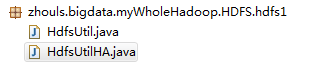
代码 1 import org.junit.Before; 2 import org.junit.Test; 3 4 package zhouls.bigdata.myWholeHadoop.HDFS.hdfs1; 5 6 import java.io.FileInputStream; 7 import java.io.FileNotFoundException; 8 import java.io.FileOutputStream; 9 import java.io.IOException; 10 import java.net.URI; 11 12 import org.apache.commons.io.IOUtils; 13 import org.apache.hadoop.conf.Configuration; 14 import org.apache.hadoop.fs.FSDataInputStream; 15 import org.apache.hadoop.fs.FSDataOutputStream; 16 import org.apache.hadoop.fs.FileStatus; 17 import org.apache.hadoop.fs.FileSystem; 18 import org.apache.hadoop.fs.LocatedFileStatus; 19 import org.apache.hadoop.fs.Path; 20 import org.apache.hadoop.fs.RemoteIterator; 21 import org.junit.Before; 22 import org.junit.Test; 23 24 public class HdfsUtil { 25 26 FileSystem fs = null; 27 28 29 @Before//@Before是在所拦截单元测试方法执行之前执行一段逻辑,读艾特Before 30 public void init() throws Exception{ 31 32 //读取classpath下的xxx-site.xml 配置文件,并解析其内容,封装到conf对象中 33 Configuration conf = new Configuration(); 34 35 //也可以在代码中对conf中的配置信息进行手动设置,会覆盖掉配置文件中的读取的值 36 conf.set("fs.defaultFS", "hdfs://HadoopMaster:9000/"); 37 38 //根据配置信息,去获取一个具体文件系统的客户端操作实例对象 39 fs = FileSystem.get(new URI("hdfs://HadoopMaster:9000/"),conf,"hadoop"); 40 41 42 } 43 44 45 46 /** 47 * 上传文件,比较底层的写法 48 * 49 * @throws Exception 50 */ 51 @Test//@Test是测试方法提示符,一般与@Before组合使用 52 public void upload() throws Exception { 53 54 Configuration conf = new Configuration(); 55 conf.set("fs.defaultFS", "hdfs://HadoopMaster:9000/"); 56 57 FileSystem fs = FileSystem.get(conf); 58 59 Path dst = new Path("hdfs://HadoopMaster:9000/aa/qingshu.txt"); 60 61 FSDataOutputStream os = fs.create(dst); 62 63 FileInputStream is = new FileInputStream("c:/qingshu.txt"); 64 65 IOUtils.copy(is, os); 66 67 68 } 69 70 /** 71 * 上传文件,封装好的写法 72 * @throws Exception 73 * @throws IOException 74 */ 75 @Test//@Test是测试方法提示符,一般与@Before组合使用 76 public void upload2() throws Exception, IOException{ 77 78 fs.copyFromLocalFile(new Path("c:/qingshu.txt"), new Path("hdfs://HadoopMaster:9000/aaa/bbb/ccc/qingshu2.txt")); 79 80 } 81 82 83 /** 84 * 下载文件 85 * @throws Exception 86 * @throws IllegalArgumentException 87 */ 88 @Test//@Test是测试方法提示符,一般与@Before组合使用 89 public void download() throws Exception { 90 91 fs.copyToLocalFile(new Path("hdfs://HadoopMaster:9000/aa/qingshu2.txt"), new Path("c:/qingshu2.txt")); 92 93 } 94 95 /** 96 * 查看文件信息 97 * @throws IOException 98 * @throws IllegalArgumentException 99 * @throws FileNotFoundException 100 * 101 */ 102 @Test//@Test是测试方法提示符,一般与@Before组合使用 103 public void listFiles() throws FileNotFoundException, IllegalArgumentException, IOException { 104 105 // listFiles列出的是文件信息,而且提供递归遍历 106 RemoteIterator<LocatedFileStatus> files = fs.listFiles(new Path("/"), true); 107 108 while(files.hasNext()){ 109 110 LocatedFileStatus file = files.next(); 111 Path filePath = file.getPath(); 112 String fileName = filePath.getName(); 113 System.out.println(fileName); 114 115 } 116 117 System.out.println("---------------------------------"); 118 119 //listStatus 可以列出文件和文件夹的信息,但是不提供自带的递归遍历 120 FileStatus[] listStatus = fs.listStatus(new Path("/")); 121 for(FileStatus status: listStatus){ 122 123 String name = status.getPath().getName(); 124 System.out.println(name + (status.isDirectory()?" is dir":" is file")); 125 126 } 127 128 } 129 130 /** 131 * 创建文件夹 132 * @throws Exception 133 * @throws IllegalArgumentException 134 */ 135 @Test//@Test是测试方法提示符,一般与@Before组合使用 136 public void mkdir() throws IllegalArgumentException, Exception { 137 138 fs.mkdirs(new Path("/aaa/bbb/ccc")); 139 140 141 } 142 143 /** 144 * 删除文件或文件夹 145 * @throws IOException 146 * @throws IllegalArgumentException 147 */ 148 @Test//@Test是测试方法提示符,一般与@Before组合使用 149 public void rm() throws IllegalArgumentException, IOException { 150 151 fs.delete(new Path("/aa"), true); 152 153 } 154 155 156 public static void main(String[] args) throws Exception { 157 158 Configuration conf = new Configuration(); 159 conf.set("fs.defaultFS", "hdfs://HadoopMaster:9000/"); 160 161 FileSystem fs = FileSystem.get(conf); 162 163 FSDataInputStream is = fs.open(new Path("/jdk-7u65-linux-i586.tar.gz")); 164 165 FileOutputStream os = new FileOutputStream("c:/jdk7.tgz"); 166 167 IOUtils.copy(is, os); 168 } 169 170 171 172 } 1 package zhouls.bigdata.myWholeHadoop.HDFS.hdfs1; 2 3 import java.io.IOException; 4 import java.net.URI; 5 6 7 import org.apache.hadoop.conf.Configuration; 8 import org.apache.hadoop.fs.FileSystem; 9 import org.apache.hadoop.fs.Path; 10 11 public class HdfsUtilHA { 12 public static void main(String[] args) throws Exception{ 13 Configuration conf = new Configuration(); 14 FileSystem fs = FileSystem.get(new URI("hdfs://HadoopMaster/9000"), conf, "hadoop"); 15 fs.copyFromLocalFile(new Path("C:/test.txt"), new Path("hdfs://HadoopMaster/9000")); 16 } 17 } 本文转自大数据躺过的坑博客园博客,原文链接:http://www.cnblogs.com/zlslch/p/6175628.html,如需转载请自行联系原作者

优秀的个人博客,低调大师

Hadoop MapReduce编程 API入门系列之wordcount版本2(六)

代码 1 package zhouls.bigdata.myMapReduce.wordcount4; 2 3 import java.io.IOException; 4 5 import org.apache.hadoop.io.IntWritable; 6 import org.apache.hadoop.io.LongWritable; 7 import org.apache.hadoop.io.Text; 8 import org.apache.hadoop.mapreduce.Mapper; 9 import org.apache.hadoop.util.StringUtils; 10 11 public class WordCountMapper extends Mapper<LongWritable, Text, Text, IntWritable>{ 12 13 //该方法循环调用,从文件的split中读取每行调用一次,把该行所在的下标为key,该行的内容为value 14 protected void map(LongWritable key, Text value, 15 Context context) 16 throws IOException, InterruptedException { 17 String[] words = StringUtils.split(value.toString(), ' '); 18 for(String w :words){ 19 context.write(new Text(w), new IntWritable(1)); 20 } 21 } 22 } 1 package zhouls.bigdata.myMapReduce.wordcount4; 2 3 import java.io.IOException; 4 5 import org.apache.hadoop.io.IntWritable; 6 import org.apache.hadoop.io.Text; 7 import org.apache.hadoop.mapreduce.Reducer; 8 9 public class WordCountReducer extends Reducer<Text, IntWritable, Text, IntWritable>{ 10 11 //每组调用一次,这一组数据特点:key相同,value可能有多个。 12 protected void reduce(Text arg0, Iterable<IntWritable> arg1, 13 Context arg2) 14 throws IOException, InterruptedException { 15 int sum =0; 16 for(IntWritable i: arg1){ 17 sum=sum+i.get(); 18 } 19 arg2.write(arg0, new IntWritable(sum)); 20 } 21 } //System.setProperty("HADOOP_USER_NAME", "root"); // //1、MR执行环境有两种:本地测试环境,服务器环境 // //本地测试环境(windows):(便于调试) // 在windows的hadoop目录bin目录有一个winutils.exe // 1、在windows下配置hadoop的环境变量 // 2、拷贝debug工具(winutils.exe)到HADOOP_HOME/bin // 3、修改hadoop的源码 ,注意:确保项目的lib需要真实安装的jdk的lib // // 4、MR调用的代码需要改变: // a、src不能有服务器的hadoop配置文件(因为,本地是调试,去服务器环境集群那边的) // b、再调用是使用: // Configuration config = new Configuration(); // config.set("fs.defaultFS", "hdfs://HadoopMaster:9000"); // config.set("yarn.resourcemanager.hostname", "HadoopMaster"); //服务器环境:(不便于调试),有两种方式。 //首先需要在src下放置服务器上的hadoop配置文件(都要这一步) //1、在本地直接调用,执行过程在服务器上(真正企业运行环境) // a、把MR程序打包(jar),直接放到本地 // b、修改hadoop的源码 ,注意:确保项目的lib需要真实安装的jdk的lib // c、增加一个属性: // config.set("mapred.jar", "C:\\Users\\Administrator\\Desktop\\wc.jar"); // d、本地执行main方法,servlet调用MR。 // // //2、直接在服务器上,使用命令的方式调用,执行过程也在服务器上 // a、把MR程序打包(jar),传送到服务器上 // b、通过: hadoop jar jar路径 类的全限定名 // // // // //a,1 b,1 //a,3 c,3 //a,2 d,2 // // //a,3 c,3 //a,2 d,2 //a,1 b,1 // 1 package zhouls.bigdata.myMapReduce.wordcount4; 2 3 4 import org.apache.hadoop.conf.Configuration; 5 import org.apache.hadoop.fs.FileSystem; 6 import org.apache.hadoop.fs.Path; 7 import org.apache.hadoop.io.IntWritable; 8 import org.apache.hadoop.io.Text; 9 import org.apache.hadoop.mapreduce.Job; 10 import org.apache.hadoop.mapreduce.lib.input.FileInputFormat; 11 import org.apache.hadoop.mapreduce.lib.output.FileOutputFormat; 12 13 public class RunJob { 14 15 public static void main(String[] args) { 16 Configuration config =new Configuration(); 17 config.set("fs.defaultFS", "hdfs://HadoopMaster:9000"); 18 config.set("yarn.resourcemanager.hostname", "HadoopMaster"); 19 // config.set("mapred.jar", "C:\\Users\\Administrator\\Desktop\\wc.jar");//先打包好wc.jar 20 try { 21 FileSystem fs =FileSystem.get(config); 22 23 Job job =Job.getInstance(config); 24 job.setJarByClass(RunJob.class); 25 26 job.setJobName("wc"); 27 28 job.setMapperClass(WordCountMapper.class); 29 job.setReducerClass(WordCountReducer.class); 30 31 job.setMapOutputKeyClass(Text.class); 32 job.setMapOutputValueClass(IntWritable.class); 33 34 FileInputFormat.addInputPath(job, new Path("/usr/input/wc/wc.txt"));//新建好输入路径,且数据源 35 36 Path outpath =new Path("/usr/output/wc"); 37 if(fs.exists(outpath)){ 38 fs.delete(outpath, true); 39 } 40 FileOutputFormat.setOutputPath(job, outpath); 41 42 boolean f= job.waitForCompletion(true); 43 if(f){ 44 System.out.println("job任务执行成功"); 45 } 46 } catch (Exception e) { 47 e.printStackTrace(); 48 } 49 } 50 } 本文转自大数据躺过的坑博客园博客,原文链接:http://www.cnblogs.com/zlslch/p/6163585.html,如需转载请自行联系原作者

优秀的个人博客,低调大师

Android GIS开发系列-- 入门季(12) 显示载天地图

在项目中可以经常需要动态加载一些图层,像投影地图服务、投影地图服务器。其实网上有大量这样的服务,比如天地图官网, 。 随便点开一个服务,里面有相关的信息。那如何加载这样图层服务呢。 一、首先感谢这篇博文ArcGIS读取天地图出现错位的情况,这篇文章的下载链接也有许多有用的资料。加载天地图用到一个关键的自定义类TianDiTuLayer View Code 另外还有三个类,TianDiTuLayerInfo、LayerInfoFactory、TianDiTuLayerTypes这里就不贴代码了。资料下载。 二、我们修改一下代码 1.常量类TDTConstant: View Code 2.TianDiTuLayer,代码如下 : View Code 3.TianDiTuInfo实体类: View Code 4.Activity代码: View Code 调用的地图服务相关信息 效果图: 没有整理与归纳的知识,一文不值!高度概括与梳理的知识,才是自己真正的知识与技能。 永远不要让自己的自由、好奇、充满创造力的想法被现实的框架所束缚,让创造力自由成长吧! 多花时间,关心他(她)人,正如别人所关心你的。理想的腾飞与实现,没有别人的支持与帮助,是万万不能的。 本文转自wenglabs博客园博客,原文链接:http://www.cnblogs.com/arxive/p/7751990.html ,如需转载请自行联系原作者

优秀的个人博客,低调大师

Android GIS开发系列-- 入门季(9) 定位当前的位置

利用MapView定位当前的位置 这里要用到Arcgis中的LocationDisplayManager这个类,由于比较简单。直接上代码: LocationDisplayManager locationDisplayManager = mMapView.getLocationDisplayManager();//获取定位类 locationDisplayManager.setShowLocation(true); locationDisplayManager.setAutoPanMode(LocationDisplayManager.AutoPanMode.LOCATION);//设置模式 locationDisplayManager.setShowPings(true); locationDisplayManager.start();//开始定位 由于是定位,在AndroidManifest文件中,要添加以下权限: <uses-permission android:name="android.permission.INTERNET" /> <uses-permission android:name="android.permission.ACCESS_COARSE_LOCATION"/> <uses-permission android:name="android.permission.ACCESS_FINE_LOCATION"/> 另外如果我们想获取定位点的位置,调用代码:Point point = locationDisplayManager.getPoint();即可获取。 没有整理与归纳的知识,一文不值!高度概括与梳理的知识,才是自己真正的知识与技能。 永远不要让自己的自由、好奇、充满创造力的想法被现实的框架所束缚,让创造力自由成长吧! 多花时间,关心他(她)人,正如别人所关心你的。理想的腾飞与实现,没有别人的支持与帮助,是万万不能的。 本文转自wenglabs博客园博客,原文链接:http://www.cnblogs.com/arxive/p/7751967.html ,如需转载请自行联系原作者

优秀的个人博客,低调大师

Hadoop入门进阶课程13--Chukwa介绍与安装部署

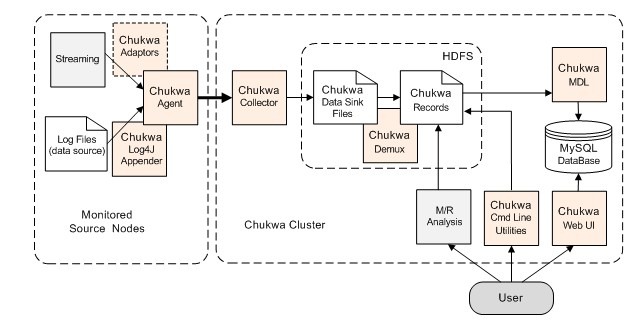
本文版权归作者和博客园共有,欢迎转载,但未经作者同意必须保留此段声明,且在文章页面明显位置给出原文连接,博主为石山园,博客地址为http://www.cnblogs.com/shishanyuan。该系列课程是应邀实验楼整理编写的,这里需要赞一下实验楼提供了学习的新方式,可以边看博客边上机实验,课程地址为https://www.shiyanlou.com/courses/237 【注】该系列所使用到安装包、测试数据和代码均可在百度网盘下载,具体地址为http://pan.baidu.com/s/10PnDs,下载该PDF文件 1、搭建环境 部署节点操作系统为CentOS,防火墙和SElinux禁用,创建了一个shiyanlou用户并在系统根目录下创建/app目录,用于存放Hadoop等组件运行包。因为该目录用于安装hadoop等组件程序,用户对shiyanlou必须赋予rwx权限(一般做法是root用户在根目录下创建/app目录,并修改该目录拥有者为shiyanlou(chown–R shiyanlou:shiyanlou /app)。 Hadoop搭建环境: l虚拟机操作系统:CentOS6.664位,单核,1G内存 lJDK:1.7.0_55 64位 lHadoop:1.1.2 2、Chukwa介绍 chukwa是一个开源的用于监控大型分布式系统的数据收集系统。这是构建在hadoop的hdfs和map/reduce框架之上的,继承了hadoop的可伸缩性和鲁棒性。Chukwa还包含了一个强大和灵活的工具集,可用于展示、监控和分析已收集的数据。 2.1Chukwa架构 其中主要的组件为: 1.agents :负责采集最原始的数据,并发送给collectors 2.adaptor :直接采集数据的接口和工具,一个agent可以管理多个adaptor的数据采集 3.collectors :负责收集agents收送来的数据,并定时写入集群中 4.map/reduce jobs :定时启动,负责把集群中的数据分类、排序、去重和合并 5.HICC :负责数据的展示 2.2组件说明 ladaptors和agents 在每个数据的产生端(基本上是集群中每一个节点上), chukwa使用一个agent来采集它感兴趣的数据,每一类数据通过一个adaptor来实现,数据的类型(DataType?)在相应的配置中指定.默认地, chukwa对以下常见的数据来源已经提供了相应的adaptor: 命令行输出、log文件和httpSender等等.这些adaptor会定期运行(比如每分钟读一次df的结果)或事件驱动地执行(比如kernel打了一条错误日志).如果这些adaptor还不够用,用户也可以方便地自己实现一个adaptor来满足需求。 为防止数据采集端的agent出现故障,chukwa的agent采用了所谓的 ‘watchdog’ 机制,会自动重启终止的数据采集进程,防止原始数据的丢失。另一方面,对于重复采集的数据,在chukwa的数据处理过程中,会自动对它们进行去重.这样,就可以对于关键的数据在多台机器上部署相同的agent,从而实现容错的功能. lcollectors agents采集到的数据,是存储到hadoop集群上的. hadoop集群擅长于处理少量大文件,而对于大量小文件的处理则不是它的强项,针对这一点,chukwa设计了collector这个角色,用于把数据先进行部分合并,再写入集群,防止大量小文件的写入。 另一方面,为防止collector成为性能瓶颈或成为单点,产生故障, chukwa允许和鼓励设置多个collector, agents随机地从collectors列表中选择一个collector传输数据,如果一个collector失败或繁忙,就换下一个collector。从而可以实现负载的均衡,实践证明,多个collector的负载几乎是平均的. ldemux和archive 放在集群上的数据,是通过map/reduce作业来实现数据分析的.在map/reduce阶段,chukwa提供了demux和archive任务两种内置的作业类型. demux作业负责对数据的分类、排序和去重.在agent一节中,我们提到了数据类型(DataType)的概念.由collector写入集群中的数据,都有自己的类型. demux作业在执行过程中,通过数据类型和配置文件中指定的数据处理类,执行相应的数据分析工作,一般是把非结构化的数据结构化,抽取中其中的数据属性.由于demux的本质是一个map/reduce作业,所以我们可以根据自己的需求制定自己的demux作业,进行各种复杂的逻辑分析. chukwa提供的demux interface可以用java语言来方便地扩展. 而archive作业则负责把同类型的数据文件合并,一方面保证了同一类的数据都在一起,便于进一步分析,另一方面减少文件数量,减轻hadoop集群的存储压力。 ldbadmin 放在集群上的数据,虽然可以满足数据的长期存储和大数据量计算需求,但是不便于展示.为此, chukwa做了两方面的努力: 1.使用mdl语言,把集群上的数据抽取到mysql数据库中,对近一周的数据,完整保存,超过一周的数据,按数据离当前时间长短作稀释,离当前越久的数据,所保存的数据时间间隔越长.通过mysql来作数据源,展示数据. 2.使用hbase或类似的技术,直接把索引化的数据在存储在集群上 到chukwa 0.4.0版本为止, chukwa都是用的第一种方法,但是第二种方法更优雅也更方便一些. lhicc hicc是chukwa的数据展示端的名称。在展示端,chukwa提供了一些默认的数据展示widget,可以使用“列表”、“曲线图”、“多曲线图”、“柱状图”、“面积图式展示一类或多类数据,给用户直观的数据趋势展示。而且,在hicc展示端,对不断生成的新数据和历史数据,采用robin策略,防止数据的不断增长增大服务器压力,并对数据在时间轴上“稀释”,可以提供长时间段的数据展示 从本质上, hicc是用jetty来实现的一个web服务端,内部用的是jsp技术和javascript技术.各种需要展示的数据类型和页面的局都可以通过简直地拖拽方式来实现,更复杂的数据展示方式,可以使用sql语言组合出各种需要的数据.如果这样还不能满足需求,不用怕,动手修改它的jsp代码就可以了 3、安装部署Chukwa 3.1Chukwa部署过程 3.1.1下载Chukwa 可以到apache基金chukwa官网http://chukwa.apache.org/,选择镜像下载地址http://mirrors.hust.edu.cn/apache/chukwa/下载一个稳定版本,如下图所示下载chukwa-0.6.0.tar.gz 也可以在/home/shiyanlou/install-pack目录中找到该安装包,解压该安装包并把该安装包复制到/app目录中 cd /home/shiyanlou/install-pack tar -xzf chukwa-0.6.0.tar.gz mv chukwa-0.6.0 /app/chukwa-0.6.0 3.1.2设置/etc/profile参数 编辑/etc/profile文件,声明chukwa的home路径和在path加入bin/sbin的路径: export CHUKWA_HOME=/app/chukwa-0.6.0 export CHUKWA_CONF_DIR=$CHUKWA_HOME/etc/chukwa export PATH=$PATH:$CHUKWA_HOME/bin:$CHUKWA_HOME/sbin 编译配置文件/etc/profile,并确认生效 source /etc/profile echo $PATH 3.1.3将Chukwa文件复制到Hadoop中 首先把hadoop配置目录中的log4j.properties和hadoop-metrics2.properties文件改名备份,然后把chukwa配置目录中的log4j.properties和hadoop-metrics2.properties文件复制到hadoop配置目录中。 cd /app/hadoop-1.1.2/conf mv log4j.properties log4j.properties.bak mv hadoop-metrics2.properties hadoop-metrics2.properties.bak cp /app/chukwa-0.6.0/etc/chukwa/hadoop-log4j.properties ./log4j.propertie cp /app/chukwa-0.6.0/etc/chukwa/hadoop-metrics2.properties ./ 3.1.4将Chukwa中jar复制到Hadoop中 把chukwa中的chukwa-0.6.0-client.jar和json-simple-1.1.jar两个jar文件复制到hadoop中lib目录下: cd /app/chukwa-0.6.0/share/chukwa cp chukwa-0.6.0-client.jar /app/hadoop-1.1.2/lib cp lib/json-simple-1.1.jar /app/hadoop-1.1.2/lib ls /app/hadoop-1.1.2/lib 3.1.5修改chukwa-config.sh 打开$CHUKWA_HOME/libexec/chukwa-config.sh文件 cd /app/chukwa-0.6.0/libexec sudo vi chukwa-config.sh 将export CHUKWA_HOME='pwd -P ${CHUKWA_LIBEXEC}/..'改为chukwa的安装目录: export CHUKWA_HOME=/app/chukwa-0.6.0 3.1.6修改chukwa-env.sh 打开$CHUKWA_HOME/etc/chukwa/chukwa-env.sh文件 cd /app/chukwa-0.6.0/etc/chukwa/ sudo vi chukwa-env.sh 配置JAVA_HOME和HADOOP_CONF_DIR等变量 # The java implementation to use.Required. export JAVA_HOME=/app/lib/jdk1.7.0_55/ # Hadoop Configuration directory export HADOOP_CONF_DIR=/app/hadoop-1.1.2/conf 编译配置文件chukwa-env.sh使之生效 3.1.7修改collectors文件 打开$CHUKWA_HOME/etc/chukwa/collectors文件 cd /app/chukwa-0.6.0/etc/chukwa/ sudo vi collectors 该配置指定哪台机器运行收集器进程,例如修改为http://hadoop:8080,指定hadoop机器运行收集器进程 3.1.8修改initial_adaptors文件 打开$CHUKWA_HOME/etc/chukwa/initial_adaptors文件 cd /app/chukwa-0.6.0/etc/chukwa/ sudo vi initial_adaptors 可以使用默认配置(即不需要修改) 为了更好显示测试效果这里添加新建的监控服务,监控/app/chukwa-0.6.0/目录下的testing文件变化情况 add filetailer.FileTailingAdaptor FooData /app/chukwa-0.6.0/testing 0 建立被监控testing文件 cd /app/chukwa-0.6.0 touch testing 3.1.9修改chukwa-collector-conf.xml文件 1.打开$CHUKWA_HOME/etc/chukwa/chukwa-collector-conf.xml文件 cd /app/chukwa-0.6.0/etc/chukwa/ sudo vi chukwa-collector-conf.xml 2.启用chukwaCollector.pipeline参数 <property> <name>chukwaCollector.pipeline</name> <value>org.apache.hadoop.chukwa.datacollection.writer.SocketTeeWriter,org.apache.hadoop.chukwa.datacollection.writer.SeqFileWriter</value> </property> 3.注释hbase的参数(如果要使用hbase则不需要注释) 4.指定HDFS的位置为hdfs://hadoop1:9000/chukwa/logs <property> <name>writer.hdfs.filesystem</name> <value>hdfs://hadoop:9000</value> <description>HDFS to dump to</description> </property> <property> <name>chukwaCollector.outputDir</name> <value>/chukwa/logs/</value> <description>Chukwa data sink directory</description> </property> 5.确认默认情况下collector监听8080端口 3.1.10配置Agents文件 打开$CHUKWA_HOME/etc/chukwa/agents文件 cd /app/chukwa-0.6.0/etc/chukwa/ sudo vi agents 编辑$CHUKWA_CONF_DIR/agents文件,使用hadoop 3.1.11修改chukwa-agent-conf.xml文件 打开$CHUKWA_HOME/etc/chukwa/chukwa-agent-conf.xml文件 cd /app/chukwa-0.6.0/etc/chukwa/ sudo vi chukwa-agent-conf.xml $CHUKWA_CONF_DIR/chukwa-agent-conf.xml文件维护了代理的基本配置信息,其中最重要的属性是集群名,用于表示被监控的节点,这个值被存储在每一个被收集到的块中,用于区分不同的集群,如设置cluster名称:cluster="chukwa",使用默认值即可: <property> <name>chukwaAgent.tags</name> <value>cluster="chukwa"</value> <description>The cluster's name for this agent</description> </property> 3.2Chukwa部署验证 3.2.1启动Chukwa 分别启动如下进程: 1.启动hadoop cd /app/hadoop-1.1.2/bin ./start-all.sh jps 2.启动chukwa: cd /app/chukwa-0.6.0/sbin ./start-chukwa.sh ./start-collectors.sh ./start-data-processors.sh 使用jps查看启动状态: 使用telnet查看agent启动情况 telnet hadoop 9093 telnet>list 3.2.2准备日志数据文件和添加数据脚本 1.在/app/chukwa-0.6.0/testdata/目录下创建weblog文件,内容如下: cd /app/chukwa-0.6.0 mkdir testdata cd testdata vi weblog 数据如下: 220.181.108.151[31/Jan/2012:00:02:32] "GET /home.php?mod=space" 208.115.113.82[31/Jan/2012:00:07:54] "GET /robots.txt" 220.181.94.221[31/Jan/2012:00:09:24] "GET /home.php?mod=spacecp" 112.97.24.243[31/Jan/2012:00:14:48] "GET /data/common.css?AZH HTTP/1.1" 112.97.24.243[31/Jan/2012:00:14:48] "GET /data/auto.css?AZH HTTP/1.1" 112.97.24.243[31/Jan/2012:00:14:48] "GET /data/display.css?AZH HTTP/1.1" 220.181.108.175[31/Jan/2012:00:16:54] "GET /home.php" 220.181.94.221[31/Jan/2012:00:19:15] "GET /?72 HTTP/1.1" 200 13614 "-" 218.5.72.173[31/Jan/2012:00:21:39] "GET /forum.php?tid=89 HTTP/1.0" 65.52.109.151[31/Jan/2012:00:24:47] "GET /robots.txt HTTP/1.1" 220.181.94.221[31/Jan/2012:00:26:12] "GET /?67 HTTP/1.1" 218.205.245.7[31/Jan/2012:00:27:16] "GET /forum-58-1.html HTTP/1.0" 2.在/app/chukwa-0.6.0/testdata/目录下创建weblogadd.sh执行脚本,该脚本执行往3.3.11创建/app/chukwa-0.6.0/testing文件添加weblog数据: cd /app/chukwa-0.6.0/testdata/ vi weblogadd.sh 内容为: cat /app/chukwa-0.6.0/testdata/weblog >> /app/chukwa-0.6.0/testing 3.2.3查看HDFS的文件 启动chukwa的agents和collector,然后运行weblogadd.sh脚本,往weblog文件中添加数据,最后查看HDFS的/chukwa/logs目录下监听生成的数据文件 cd /app/chukwa-0.6.0/testdata sudo sh ./weblogadd.sh hadoop fs -ls /chukwa/logs 本文转自shishanyuan博客园博客,原文链接:http://www.cnblogs.com/shishanyuan/p/4648294.html ,如需转载请自行联系原作者

优秀的个人博客,低调大师

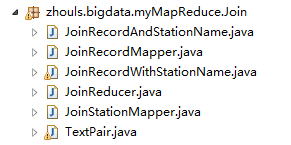
Hadoop MapReduce编程 API入门系列之join(二十六)

天气记录数据库 气象站数据库 气象站和天气记录合并之后的示意图如下所示。 011990-99999 SIHCCAJAVRI 195005150700 0 011990-99999 SIHCCAJAVRI 195005151200 22 011990-99999 SIHCCAJAVRI 195005151800 -11 012650-99999 TYNSET-HANSMOEN 194903241200 111 012650-99999 TYNSET-HANSMOEN 194903241800 78 连接操作的具体实现技术取决于数据集的规模及分区方式。如果一个数据集很大而另外一个集合很小,以至于可以分发到集群中的每一个节点之中, 则可以执行一个 MapReduce 作业,将各个气象站的天气记录放到一块,从而实现连接。mapper 或 reducer 根据各气象站 ID 从较小的数据集合中找到气象站元数据,从而完成气象站数据和天气记录数据的合并。 连接操作如果由 mapper 执行,则称为 “map 端连接” ;如果由 reducer 执行,则称为 “reduce 端连接”。 如果两个数据集的规模均很大,以至于没有哪个数据集可以被完全复制到集群的每个节点,我们仍然可以使用 MapReduce 来进行连接,至于到底采用 map 端连接还是 reduce 端连接,则取决于数据的组织方式。 map 端连接 在两个大规模输入数据集之间的 map 端连接会在数据达到 map 函数之前就执行连接操作。为达到该目的,各 map 的输入数据必须先分区并且以特定方式排序。 各个输入数据集被划分成相同数量的分区,并且均按相同的键(连接键)排序。同一键的所有记录均会放在同一分区之中。听起来似乎要求非常严格,但这的确合乎 MapReduce 作业的输出。 map 端连接操作可以连接多个作业的输出,只要这些作业的 reducer 数量相同、键相同并且输出文件是不可切分的(例如,小于一个 HDFS 块,或 gzip 压缩)。 在上面讲的天气例子中,如果气象站文件以气象站ID部分排序,记录文件也以气象站 ID 部分排序,而且 reducer 的数量相同,则就满足了执行 map 端连接的前提条件。 利用 org.apache.hadoop.mapreduce.join 包中的 CompositeInputFormat 类来运行一个 map 端连接。CompositeInputFormat 类的输入源和连接类型(内连接或外连接)可以通过一个连接表达式进行配置, 连接表达式的语法简单。详情与示例可参考包文档。此种方法不常用,了解即可,这里不再赘述。 reduce 端连接 由于 reduce 端连接并不要求输入数据集符合特定结构,因而 reduce端连接比 map 端连接更为常用。但是,由于两个数据集均需经过 MapReduce 的 shuffle 过程, 所以 reduce 端连接的效率往往要低一些。基本思路是 mapper 为各个记录标记源,并且使用连接键作为 map 输出键,使键相同的记录放在同一 reducer 中。 我们通过下面两种技术实现 reduce 端连接。 1、多输入 数据集的输入源往往有多种格式,因此可以使用 MultipleInputs 类来方便地解析和标注各个数据源。MultipleInputs 的用法,在输入格式课程已经详细介绍,这里就不再赘述。 2、二次排序 如前所述,reducer 将两个数据源中选出键相同的记录并不介意这些记录是否已排好序。此外,为了更好地执行连接操作,先将某一个数据源传输到 reducer 会非常重要。 还以上面的天气数据连接为例,当天气记录发送到 reducer 的时候,与这些记录有相同键的气象站信息最好也已经放在 reducer ,使得 reducer 能够将气象站名称填到天气记录之中就马上输出。 虽然也可以不指定数据传输次序,并将待处理的记录缓存在内存之中,但应该尽量避免这种情况,因为其中任何一组的记录数量可能非常庞大,远远超出 reducer 的可用内存容量。 因此我们用到二次排序技术,对 map 阶段输出的每个键的值进行排序,实现这一效果。 我们使用 TextPair 类构建组合键,包括气象站 ID 和 “标记”。在这里,“标记” 是一个虚拟的字段,其唯一目的是对记录排序,使气象站记录比天气记录先到达。一种简单的做法就是:对于气象站记录, “标记” 的值设为 0;对于天气记录,“标记” 的值设为1。 JoinStationMapper处理来自气象站数据,代码如下所示。 public class JoinStationMapper extends Mapper< LongWritable,Text,TextPair,Text>{ protected void map(LongWritable key,Text value,Context context) throws IOException,InterruptedException{ String line = value.toString(); String[] arr = line.split("\\s+");//解析气象站数据 int length = arr.length; if(length==2){//满足这种数据格式 //key=气象站id value=气象站名称 context.write(new TextPair(arr[0],"0"),new Text(arr[1])); } } } JoinRecordMapper处理来自天气记录数据,代码如下所示。 public class JoinRecordMapper extends Mapper< LongWritable,Text,TextPair,Text>{ protected void map(LongWritable key,Text value,Context context) throws IOException,InterruptedException{ String line = value.toString(); String[] arr = line.split("\\s+",2);//解析天气记录数据 int length = arr.length; if(length==2){ //key=气象站id value=天气记录数据 context.write(new TextPair(arr[0],"1"),new Text(arr[1])); } } } 由于 TextPair 经过了二次排序,所以 reducer 会先接收到气象站数据。因此从中抽取气象站名称,并将其作为后续每条输出记录的一部分写到输出文件。JoinReducer 的代码如下所示。 public class JoinReducer extends Reducer< TextPair,Text,Text,Text>{ protected void reduce(TextPair key, Iterable< Text> values,Context context) throws IOException,InterruptedException{ Iterator< Text> iter = values.iterator(); Text stationName = new Text(iter.next());//气象站名称 while(iter.hasNext()){ Text record = iter.next();//天气记录的每条数据 Text outValue = new Text(stationName.toString()+"\t"+record.toString()); context.write(key.getFirst(),outValue); } } } 上面 JoinReducer 里面的代码,假设天气记录的每个气象站 ID 恰巧与气象站数据集中的一条记录准确匹配。 如果该假设不成立,则需要泛化代码,使用另一个 TextPair 将标记放入值的对象中。reduce() 方法在处理天气记录之前,要能够区分哪些记录是气象站名称, 处理缺失或重复的记录。 下面我们定义作业的驱动类 JoinRecordWithStationName,在该类中,关键在于根据组合键的第一个字段(即气象站 ID)进行分区和分组,即使用一个自定义的 Partitioner 和 一个自定义的分组 comparator 作为TextPair 的嵌套类。JoinRecordWithStationName 类的代码如下所示。 public class JoinRecordWithStationName extends Configured implements Tool{ public static class KeyPartitioner extends Partitioner< TextPair,Text>{ @overwrite public int getPartition(TextPair key,Text value,int numPartitions){ return (key.getFirst().hashCode()&Integer.MAX_VALUE) % numPartitions; } } @overwrite public int run(String[] args) throws Exception{ Configuration conf = new Configuration();// 读取配置文件 Job job = Job.getInstance();// 新建一个任务 job.setJarByClass(JoinRecordWithStationName.class);// 主类 Path recordInputPath = new Path(args[0]);//天气记录数据源 Path stationInputPath = new Path(args[1]);//气象站数据源 Path outputPath = new Path(args[2]);//输出路径 MultipleInputs.addInputPath(job,recordInputPath,TextInputFormat.class,JoinRecordMapper.class);//读取天气记录Mapper MultipleInputs.addInputPath(job,stationInputPath,TextInputFormat.class,JoinStationMapper.class);//读取气象站Mapper FileOutputFormat.setOutputPath(job,outputPath); job.setPartitionerClass(KeyPartitioner.class);//自定义分区 job.setGroupingComparatorClass(TextPair.FirstComparator.class);//自定义分组 job.setMapOutputKeyClass(TextPair.class); job.setReducerClass(JoinReducer.class);// Reducer job.setOutputKeyClass(Text.class); return job.waitForCompletion(true)?0:1; } public static void main(String[] args) throws Exception{ int exitCode = ToolRunner.run(new JoinRecordWithStationName(),args); System.exit(exitCode); } } 该样本数据上运行程序,获得以下输出结果。 011990-99999 SIHCCAJAVRI 195005150700 0 011990-99999 SIHCCAJAVRI 195005151200 22 011990-99999 SIHCCAJAVRI 195005151800 -11 012650-99999 TYNSET-HANSMOEN 194903241200 111 012650-99999 TYNSET-HANSMOEN 194903241800 78 分布式缓存 当 MapReduce 处理大型数据集间的 join 操作时,此时如果一个数据集很大而另外一个集合很小,以至于可以分发到集群中的每个节点之中。 这种情况下,我们就用到了 Hadoop 的分布式缓存机制,它能够在任务运行过程中及时地将文件和存档复制到任务节点以供使用。为了节约网络宽带,在每一个作业中, 各个文件通常只需要复制到一个节点一次。 1、用法 Hadoop 命令行选项中,有三个命令可以实现文件复制分发到任务的各个节点。 1)用户可以使用 -files 选项指定待分发的文件,文件内包含以逗号隔开的 URL 列表。文件可以存放在本地文件系统、HDFS、或其它 Hadoop 可读文件系统之中。 如果尚未指定文件系统,则这些文件被默认是本地的。即使默认文件系统并非本地文件系统,这也是成立的。 2)用户可以使用 -archives 选项向自己的任务中复制存档文件,比如JAR 文件、ZIP 文件、tar 文件和 gzipped tar文件,这些文件会被解档到任务节点。 3)用户可以使用 -libjars 选项把 JAR 文件添加到 mapper 和 reducer 任务的类路径中。如果作业 JAR 文件并非包含很多库 JAR 文件,这点会很有用。 2、工作机制 当用户启动一个作业,Hadoop 会把由 -files、-archives、和 -libjars 等选项所指定的文件复制到分布式文件系统之中。接着,在任务运行之前, tasktracker 将文件从分布式文件系统复制到本地磁盘(缓存)使任务能够访问文件。此时,这些文件就被视为 “本地化” 了。从任务的角度来看, 这些文件就已经在那儿了,它并不关心这些文件是否来自 HDFS 。此外,有 -libjars 指定的文件会在任务启动前添加到任务的类路径(classpath)中。 3、分布式缓存 API 由于可以通过 Hadoop 命令行间接使用分布式缓存,大多数应用不需要使用分布式缓存 API。然而,一些应用程序需要用到分布式缓存的更高级的特性,这就需要直接使用 API 了。 API 包括两部分:将数据放到缓存中的方法,以及从缓存中读取数据的方法。 1)首先掌握数据放到缓存中的方法,以下列举 Job 中可将数据放入到缓存中的相关方法: public void addCacheFile(URI uri); public void addCacheArchive(URI uri);//以上两组方法将文件或存档添加到分布式缓存 public void setCacheFiles(URI[] files); public void setCacheArchives(URI[] archives);//以上两组方法将一次性向分布式缓存中添加一组文件或存档 public void addFileToClassPath(Path file); public void addArchiveToClassPath(Path archive);//以上两组方法将文件或存档添加到 MapReduce 任务的类路径 public void createSymlink(); 在缓存中可以存放两类对象:文件(files)和存档(achives)。文件被直接放置在任务节点上,而存档则会被解档之后再将具体文件放置在任务节点上。 2)其次掌握在 map 或者 reduce 任务中,使用 API 从缓存中读取数据。 public Path[] getLocalCacheFiles() throws IOException; public Path[] getLocalCacheArchives() throws IOException; public Path[] getFileClassPaths(); public Path[] getArchiveClassPaths(); 我们可以使用 getLocalCacheFiles()和getLocalCacheArchives()方法获取缓存中的文件或者存档的引用。 当处理存档时,将会返回一个包含解档文件的目的目录。相应的,用户可以通过 getFileClassPaths()和getArchivesClassPaths()方法获取被添加到任务的类路径下的文件和文档。 下面我们仍然以前面的气象站数据和天气记录数据为例,使用分布式缓存 API,完成两个数据集的连接操作。完整的 MapReduce 程序如下所示。 import java.io.BufferedReader; import java.io.FileNotFoundException; import java.io.IOException; import java.io.InputStreamReader; import java.net.URI; import java.util.Hashtable; import org.apache.hadoop.conf.Configuration; import org.apache.hadoop.conf.Configured; import org.apache.hadoop.fs.FSDataInputStream; import org.apache.hadoop.fs.FileSystem; import org.apache.hadoop.fs.Path; import org.apache.hadoop.io.LongWritable; import org.apache.hadoop.io.Text; import org.apache.hadoop.mapreduce.Job; import org.apache.hadoop.mapreduce.Mapper; import org.apache.hadoop.mapreduce.Reducer; import org.apache.hadoop.mapreduce.lib.input.FileInputFormat; import org.apache.hadoop.mapreduce.lib.output.FileOutputFormat; import org.apache.hadoop.util.Tool; import org.apache.hadoop.util.ToolRunner; public class JoinRecordWithStationName extends Configured implements Tool { public static class TemperatureMapper extends Mapper< LongWritable, Text, Text, Text> { public void map(LongWritable key, Text value, Context context) throws IOException, InterruptedException { String[] arr = value.toString().split("\t", 2); if (arr.length == 2) { context.write(new Text(arr[0]), value); } } } public static class TemperatureReducer extends Reducer< Text, Text, Text, Text> { private Hashtable< String, String> table = new Hashtable< String, String>();//定义Hashtable存放缓存数据 /** * 获取分布式缓存文件 */ protected void setup(Context context) throws IOException, InterruptedException { Path[] localPaths = (Path[]) context.getLocalCacheFiles();//返回本地文件路径 if (localPaths.length == 0) { throw new FileNotFoundException( "Distributed cache file not found."); } FileSystem fs = FileSystem.getLocal(context.getConfiguration());//获取本地 FileSystem 实例 FSDataInputStream in = null; in = fs.open(new Path(localPaths[0].toString()));// 打开输入流 BufferedReader br = new BufferedReader(new InputStreamReader(in));// 创建BufferedReader读取器 String infoAddr = null; while (null != (infoAddr = br.readLine())) {// 按行读取并解析气象站数据 String[] records = infoAddr.split("\t"); table.put(records[0], records[1]);//key为stationID,value为stationName } } public void reduce(Text key, Iterable< Text> values, Context context) throws IOException, InterruptedException { String stationName = table.get(key.toString());//天气记录根据stationId 获取stationName for (Text value : values) { context.write(new Text(stationName), value); } } } @Override public int run(String[] args) throws Exception { // TODO Auto-generated method stub Configuration conf = new Configuration(); FileSystem hdfs = FileSystem.get(new URI( "hdfs://single.hadoop.dajiangtai.com:9000"), conf); Path out = new Path(args[1]); if (hdfs.isDirectory(out)) { hdfs.delete(out, true); } Job job = Job.getInstance();//获取一个job实例 job.setJarByClass(JoinRecordWithStationName.class); FileInputFormat.addInputPath(job, new org.apache.hadoop.fs.Path(args[0])); FileOutputFormat.setOutputPath(job, new org.apache.hadoop.fs.Path( args[1])); //添加分布式缓存文件 station.txt job.addCacheFile(new URI("hdfs://HadoopMaster:9000/middle/temperature/station.txt")); job.setMapperClass(TemperatureMapper.class); job.setReducerClass(TemperatureReducer.class); job.setOutputKeyClass(Text.class);// 输出key类型 job.setOutputValueClass(Text.class);// 输出value类型 return job.waitForCompletion(true)?0:1; } public static void main(String[] args) throws Exception { String[] arg = { "hdfs://HadoopMaster:9000/middle/temperature/records.txt", "hdfs://HadoopMaster:9000/middle/temperature/out/" }; int ec = ToolRunner.run(new Configuration(), new JoinRecordWithStationName(), arg); System.exit(ec); } } 添加分布式缓存文件相对简单,只需使用job.addCacheFile(new URI(cacheFilePath))方法添加缓存文件即可。需要注意的是,在获取获取缓存文件时,文件将以 “本地的” Path 对象的形式返回。为了读取文件,用户需要首先使用 getLocal()方法获得一个 Hadoop 本地 FileSystem 实例。本程序中,我们在 Reduce 的 setup() 方法中获取缓存文件。 以下是示例数据集的输出结果,达到我们预期的效果。 SIHCCAJAVRI 011990-99999 195005151800 -11 SIHCCAJAVRI 011990-99999 195005151200 22 SIHCCAJAVRI 011990-99999 195005150700 0 TRNSET-HANSMOEN 012650-99999 194903241800 78 TRNSET-HANSMOEN 012650-99999 194903241200 111 得到结果 SIHCCAJAVRI 011990-99999 195005151800 -11 SIHCCAJAVRI 011990-99999 195005151200 22 SIHCCAJAVRI 011990-99999 195005150700 0 TRNSET-HANSMOEN 012650-99999 194903241800 78 TRNSET-HANSMOEN 012650-99999 194903241200 111 代码版本1 package zhouls.bigdata.myMapReduce.Join; import java.util.Set; import java.io.*; import org.apache.hadoop.io.Text; import org.apache.hadoop.io.WritableComparable; public class TextPair implements WritableComparable<TextPair> { private Text first; //Text 类型的实例变量first private Text second;//Text 类型的实例变量second public TextPair() //无参构造方法 { set(new Text(),new Text()); } public TextPair(String first,String second) // Sting类型参数的构造方法 { set(new Text(first),new Text(second)); } public TextPair(Text first,Text second) // Text类型参数的构造方法 { set(first,second); } public void set(Text first,Text second) //set方法 { this.first=first; this.second=second; } public Text getFirst() //getFirst方法 { return first; } public Text getSecond() //getSecond方法 { return second; } //将对象转换为字节流并写入到输出流out中 public void write(DataOutput out) throws IOException //write方法 { first.write(out); second.write(out); } //从输入流in中读取字节流反序列化为对象 public void readFields(DataInput in) throws IOException //readFields方法 { first.readFields(in); second.readFields(in); } @Override public int hashCode() //在mapreduce中,通过hashCode来选择reduce分区 { return first.hashCode() *163+second.hashCode(); } @Override public boolean equals(Object o) //equals方法,这里是两个对象的内容之间比较 { if (o instanceof TextPair) { TextPair tp=(TextPair) o; return first.equals(tp.first) && second.equals(tp.second); } return false; } @Override public String toString() //toString方法 { return first +"\t"+ second; } public int compareTo(TextPair o) { // TODO Auto-generated method stub if(!first.equals(o.first)) { return first.compareTo(o.first); } else if(!second.equals(o.second)) { return second.compareTo(o.second); } return 0; } } package zhouls.bigdata.myMapReduce.Join; import java.io.IOException; import org.apache.hadoop.io.LongWritable; import org.apache.hadoop.io.Text; import org.apache.hadoop.mapreduce.Mapper; import zhouls.bigdata.myMapReduce.Join.TextPair; public class JoinStationMapper extends Mapper<LongWritable,Text,TextPair,Text> { protected void map(LongWritable key,Text value,Context context) throws IOException,InterruptedException { String line = value.toString(); String[] arr = line.split("\\s+");//解析气象站数据 int length = arr.length; if(length==2) {//满足这种数据格式 //key=气象站id value=气象站名称 System.out.println("station="+arr[0]+"0"); context.write(new TextPair(arr[0],"0"),new Text(arr[1])); } } } package zhouls.bigdata.myMapReduce.Join; import java.io.IOException; import java.util.Iterator; import org.apache.hadoop.io.Text; import org.apache.hadoop.mapreduce.Reducer; public class JoinReducer extends Reducer< TextPair,Text,Text,Text> { protected void reduce(TextPair key, Iterable< Text> values,Context context) throws IOException,InterruptedException { Iterator< Text> iter = values.iterator(); Text stationName = new Text(iter.next());//气象站名称 while(iter.hasNext()){ Text record = iter.next();//天气记录的每条数据 Text outValue = new Text(stationName.toString()+"\t"+record.toString()); context.write(key.getFirst(),outValue); } } } package zhouls.bigdata.myMapReduce.Join; import java.io.IOException; import org.apache.hadoop.io.LongWritable; import org.apache.hadoop.io.Text; import org.apache.hadoop.mapreduce.Mapper; public class JoinRecordMapper extends Mapper< LongWritable,Text,TextPair,Text> { protected void map(LongWritable key,Text value,Context context) throws IOException,InterruptedException { String line = value.toString(); String[] arr = line.split("\\s+",2);//解析天气记录数据 int length = arr.length; if(length==2){ //key=气象站id value=天气记录数据 context.write(new TextPair(arr[0],"1"),new Text(arr[1])); } } } package zhouls.bigdata.myMapReduce.Join; import java.io.BufferedReader; import java.io.FileNotFoundException; import java.io.IOException; import java.io.InputStreamReader; import java.net.URI; import java.util.Hashtable; import org.apache.hadoop.conf.Configuration; import org.apache.hadoop.conf.Configured; import org.apache.hadoop.fs.FSDataInputStream; import org.apache.hadoop.fs.FileSystem; import org.apache.hadoop.fs.Path; import org.apache.hadoop.io.LongWritable; import org.apache.hadoop.io.Text; import org.apache.hadoop.mapreduce.Job; import org.apache.hadoop.mapreduce.Mapper; import org.apache.hadoop.mapreduce.Reducer; import org.apache.hadoop.mapreduce.lib.input.FileInputFormat; import org.apache.hadoop.mapreduce.lib.output.FileOutputFormat; import org.apache.hadoop.util.Tool; import org.apache.hadoop.util.ToolRunner; public class JoinRecordWithStationName extends Configured implements Tool { public static class TemperatureMapper extends Mapper< LongWritable, Text, Text, Text> { public void map(LongWritable key, Text value, Context context) throws IOException, InterruptedException { String[] arr = value.toString().split("\t", 2); if (arr.length == 2) { context.write(new Text(arr[0]), value); } } } public static class TemperatureReducer extends Reducer< Text, Text, Text, Text> { private Hashtable< String, String> table = new Hashtable< String, String>();//定义Hashtable存放缓存数据 /** * 获取分布式缓存文件 */ protected void setup(Context context) throws IOException, InterruptedException { Path[] localPaths = (Path[]) context.getLocalCacheFiles();//返回本地文件路径 if (localPaths.length == 0) { throw new FileNotFoundException("Distributed cache file not found."); } FileSystem fs = FileSystem.getLocal(context.getConfiguration());//获取本地 FileSystem 实例 FSDataInputStream in = null; in = fs.open(new Path(localPaths[0].toString()));// 打开输入流 BufferedReader br = new BufferedReader(new InputStreamReader(in));// 创建BufferedReader读取器 String infoAddr = null; while (null != (infoAddr = br.readLine())) {// 按行读取并解析气象站数据 String[] records = infoAddr.split("\t"); table.put(records[0], records[1]);//key为stationID,value为stationName } } public void reduce(Text key, Iterable< Text> values, Context context) throws IOException, InterruptedException { String stationName = table.get(key.toString());//天气记录根据stationId 获取stationName for (Text value : values) { context.write(new Text(stationName), value); } } } public int run(String[] args) throws Exception { // TODO Auto-generated method stub Configuration conf = new Configuration(); // FileSystem hdfs = FileSystem.get(new URI("hdfs://HadoopMaster:9000"), conf); // Path out = new Path(args[1]); // if (hdfs.isDirectory(out)) // { // hdfs.delete(out, true); // } Job job = Job.getInstance();//获取一个job实例 job.setJarByClass(JoinRecordWithStationName.class); // FileInputFormat.addInputPath(job, // new org.apache.hadoop.fs.Path(args[0])); // FileOutputFormat.setOutputPath(job, new org.apache.hadoop.fs.Path(args[1])); FileInputFormat.addInputPath(job, new org.apache.hadoop.fs.Path("./data/join/station.txt")); FileOutputFormat.setOutputPath(job, new org.apache.hadoop.fs.Path("./out/join/")); //添加分布式缓存文件 station.txt // job.addCacheFile(new URI("hdfs://HadoopMaster:9000/join/station.txt")); job.addCacheFile(new URI("./data/join/station.txt")); job.setMapperClass(TemperatureMapper.class); job.setReducerClass(TemperatureReducer.class); job.setOutputKeyClass(Text.class);// 输出key类型 job.setOutputValueClass(Text.class);// 输出value类型 return job.waitForCompletion(true)?0:1; } public static void main(String[] args) throws Exception { // String[] arg = { // "hdfs://HadoopMaster:9000/join/records.txt", // "hdfs://HadoopMaster:9000/join/out/" }; // String[] arg = { "./data/join/records.txt", "./out/join/" }; int ec = ToolRunner.run(new Configuration(),new JoinRecordWithStationName(), arg); System.exit(ec); } } package zhouls.bigdata.myMapReduce.Join; public class JoinRecordAndStationName { /** * @param args */ public static void main(String[] args) { // TODO Auto-generated method stub } } 代码版本2 package zhouls.bigdata.myMapReduce.Join; import java.util.Set; import java.io.*; import org.apache.hadoop.io.Text; import org.apache.hadoop.io.WritableComparable; public class TextPair implements WritableComparable<TextPair> { private Text first; //Text 类型的实例变量first private Text second;//Text 类型的实例变量second public TextPair() //无参构造方法 { set(new Text(),new Text()); } public TextPair(String first,String second) // Sting类型参数的构造方法 { set(new Text(first),new Text(second)); } public TextPair(Text first,Text second) // Text类型参数的构造方法 { set(first,second); } public void set(Text first,Text second) //set方法 { this.first=first; this.second=second; } public Text getFirst() //getFirst方法 { return first; } public Text getSecond() //getSecond方法 { return second; } //将对象转换为字节流并写入到输出流out中 public void write(DataOutput out) throws IOException //write方法 { first.write(out); second.write(out); } //从输入流in中读取字节流反序列化为对象 public void readFields(DataInput in) throws IOException //readFields方法 { first.readFields(in); second.readFields(in); } @Override public int hashCode() //在mapreduce中,通过hashCode来选择reduce分区 { return first.hashCode() *163+second.hashCode(); } @Override public boolean equals(Object o) //equals方法,这里是两个对象的内容之间比较 { if (o instanceof TextPair) { TextPair tp=(TextPair) o; return first.equals(tp.first) && second.equals(tp.second); } return false; } @Override public String toString() //toString方法 { return first +"\t"+ second; } public int compareTo(TextPair o) { // TODO Auto-generated method stub if(!first.equals(o.first)) { return first.compareTo(o.first); } else if(!second.equals(o.second)) { return second.compareTo(o.second); } return 0; } } package zhouls.bigdata.myMapReduce.Join; import java.io.IOException; import org.apache.hadoop.io.LongWritable; import org.apache.hadoop.io.Text; import org.apache.hadoop.mapreduce.Mapper; import zhouls.bigdata.myMapReduce.Join.TextPair; public class JoinStationMapper extends Mapper<LongWritable,Text,TextPair,Text> { protected void map(LongWritable key,Text value,Context context) throws IOException,InterruptedException { String line = value.toString(); String[] arr = line.split("\\s+");//解析气象站数据 int length = arr.length; if(length==2) {//满足这种数据格式 //key=气象站id value=气象站名称 System.out.println("station="+arr[0]+"0"); context.write(new TextPair(arr[0],"0"),new Text(arr[1])); } } } package zhouls.bigdata.myMapReduce.Join; import java.io.IOException; import java.util.Iterator; import org.apache.hadoop.io.Text; import org.apache.hadoop.mapreduce.Reducer; public class JoinReducer extends Reducer< TextPair,Text,Text,Text> { protected void reduce(TextPair key, Iterable< Text> values,Context context) throws IOException,InterruptedException { Iterator< Text> iter = values.iterator(); Text stationName = new Text(iter.next());//气象站名称 while(iter.hasNext()){ Text record = iter.next();//天气记录的每条数据 Text outValue = new Text(stationName.toString()+"\t"+record.toString()); context.write(key.getFirst(),outValue); } } } package zhouls.bigdata.myMapReduce.Join; import java.io.IOException; import org.apache.hadoop.io.LongWritable; import org.apache.hadoop.io.Text; import org.apache.hadoop.mapreduce.Mapper; public class JoinRecordMapper extends Mapper< LongWritable,Text,TextPair,Text> { protected void map(LongWritable key,Text value,Context context) throws IOException,InterruptedException { String line = value.toString(); String[] arr = line.split("\\s+",2);//解析天气记录数据 int length = arr.length; if(length==2){ //key=气象站id value=天气记录数据 context.write(new TextPair(arr[0],"1"),new Text(arr[1])); } } } //版本2 package zhouls.bigdata.myMapReduce.Join; import java.io.InputStream; import org.apache.hadoop.util.Tool; import java.io.OutputStream; import java.util.Set; import javax.lang.model.SourceVersion; import org.apache.hadoop.conf.Configuration; import org.apache.hadoop.conf.Configured; import org.apache.hadoop.fs.FileSystem; import org.apache.hadoop.fs.Path; import org.apache.hadoop.io.Text; import org.apache.hadoop.io.WritableComparable; import org.apache.hadoop.io.WritableComparator; import org.apache.hadoop.mapreduce.Job; import org.apache.hadoop.mapreduce.Partitioner; import org.apache.hadoop.mapreduce.lib.input.MultipleInputs; import org.apache.hadoop.mapreduce.lib.input.TextInputFormat; import org.apache.hadoop.mapreduce.lib.output.FileOutputFormat; import org.apache.hadoop.util.ToolRunner; public class JoinRecordWithStationName extends Configured implements Tool { public static class KeyPartitioner extends Partitioner< TextPair,Text> { public int getPartition(TextPair key,Text value,int numPartitions) { return (key.getFirst().hashCode()&Integer.MAX_VALUE) % numPartitions; } } public static class GroupingComparator extends WritableComparator { protected GroupingComparator() { super(TextPair.class,true); } @Override public int compare(WritableComparable w1,WritableComparable w2) { TextPair ip1=(TextPair) w1; TextPair ip2=(TextPair) w2; Text l=ip1.getFirst(); Text r=ip2.getFirst(); return l.compareTo(r); } } public int run(String[] args) throws Exception { Configuration conf = new Configuration();// 读取配置文件 Path mypath=new Path(args[2]); FileSystem hdfs=mypath.getFileSystem(conf); if (hdfs.isDirectory(mypath)) { hdfs.delete(mypath,true); } Job job = Job.getInstance(conf,"join");// 新建一个任务 job.setJarByClass(JoinRecordWithStationName.class);// 主类 Path recordInputPath = new Path(args[0]);//天气记录数据源,这里是牵扯到多路径输入和多路径输出的问题。默认是从args[0]开始 Path stationInputPath = new Path(args[1]);//气象站数据源 Path outputPath = new Path(args[2]);//输出路径 //若只有一个输入和一个输出,则输入是args[0],输出是args[1]。 //若有两个输入和一个输出,则输入是args[0]和args[1],输出是args[2] MultipleInputs.addInputPath(job,recordInputPath,TextInputFormat.class,JoinRecordMapper.class);//读取天气记录Mapper MultipleInputs.addInputPath(job,stationInputPath,TextInputFormat.class,JoinStationMapper.class);//读取气象站Mapper FileOutputFormat.setOutputPath(job,outputPath); job.setReducerClass(JoinReducer.class);// Reducer job.setNumReduceTasks(2); job.setPartitionerClass(KeyPartitioner.class);//自定义分区 job.setGroupingComparatorClass(GroupingComparator.class);//自定义分组 job.setMapOutputKeyClass(TextPair.class); job.setMapOutputValueClass(Text.class); job.setOutputKeyClass(Text.class); job.setOutputValueClass(Text.class); return job.waitForCompletion(true)?0:1; } public static void main(String[] args) throws Exception { String[] args0={"hdfs://HadoopMaster:9000/join/records.txt" ,"hdfs://HadoopMaster:9000/join/station.txt" ,"hdfs://HadoopMaster:9000/join/out" }; int exitCode=ToolRunner.run( new JoinRecordWithStationName(), args0); System.exit(exitCode); } } package zhouls.bigdata.myMapReduce.Join; public class JoinRecordAndStationName { /** * @param args */ public static void main(String[] args) { // TODO Auto-generated method stub } } 本文转自大数据躺过的坑博客园博客,原文链接:http://www.cnblogs.com/zlslch/p/6166343.html,如需转载请自行联系原作者

优秀的个人博客,低调大师

Hadoop MapReduce编程 API入门系列之最短路径(十五)

====================================== = Iteration: 1 = Input path: out/shortestpath/input.txt = Output path: out/shortestpath/1 ====================================== 2016-12-12 16:37:05,638 INFO [org.apache.hadoop.metrics.jvm.JvmMetrics] - Initializing JVM Metrics with processName=JobTracker, sessionId= 2016-12-12 16:37:06,231 WARN [org.apache.hadoop.mapreduce.JobSubmitter] - Hadoop command-line option parsing not performed. Implement the Tool interface and execute your application with ToolRunner to remedy this. 2016-12-12 16:37:06,236 WARN [org.apache.hadoop.mapreduce.JobSubmitter] - No job jar file set. User classes may not be found. See Job or Job#setJar(String). 2016-12-12 16:37:06,260 INFO [org.apache.hadoop.mapreduce.lib.input.FileInputFormat] - Total input paths to process : 1 2016-12-12 16:37:06,363 INFO [org.apache.hadoop.mapreduce.JobSubmitter] - number of splits:1 2016-12-12 16:37:06,831 INFO [org.apache.hadoop.mapreduce.JobSubmitter] - Submitting tokens for job: job_local535100118_0001 2016-12-12 16:37:07,524 INFO [org.apache.hadoop.mapreduce.Job] - The url to track the job: http://localhost:8080/ 2016-12-12 16:37:07,526 INFO [org.apache.hadoop.mapreduce.Job] - Running job: job_local535100118_0001 2016-12-12 16:37:07,534 INFO [org.apache.hadoop.mapred.LocalJobRunner] - OutputCommitter set in config null 2016-12-12 16:37:07,550 INFO [org.apache.hadoop.mapred.LocalJobRunner] - OutputCommitter is org.apache.hadoop.mapreduce.lib.output.FileOutputCommitter 2016-12-12 16:37:07,635 INFO [org.apache.hadoop.mapred.LocalJobRunner] - Waiting for map tasks 2016-12-12 16:37:07,638 INFO [org.apache.hadoop.mapred.LocalJobRunner] - Starting task: attempt_local535100118_0001_m_000000_0 2016-12-12 16:37:07,716 INFO [org.apache.hadoop.yarn.util.ProcfsBasedProcessTree] - ProcfsBasedProcessTree currently is supported only on Linux. 2016-12-12 16:37:07,759 INFO [org.apache.hadoop.mapred.Task] - Using ResourceCalculatorProcessTree : org.apache.hadoop.yarn.util.WindowsBasedProcessTree@27b70923 2016-12-12 16:37:07,767 INFO [org.apache.hadoop.mapred.MapTask] - Processing split: file:/D:/Code/MyEclipseJavaCode/myMapReduce/out/shortestpath/input.txt:0+149 2016-12-12 16:37:07,830 INFO [org.apache.hadoop.mapred.MapTask] - (EQUATOR) 0 kvi 26214396(104857584) 2016-12-12 16:37:07,830 INFO [org.apache.hadoop.mapred.MapTask] - mapreduce.task.io.sort.mb: 100 2016-12-12 16:37:07,830 INFO [org.apache.hadoop.mapred.MapTask] - soft limit at 83886080 2016-12-12 16:37:07,830 INFO [org.apache.hadoop.mapred.MapTask] - bufstart = 0; bufvoid = 104857600 2016-12-12 16:37:07,830 INFO [org.apache.hadoop.mapred.MapTask] - kvstart = 26214396; length = 6553600 2016-12-12 16:37:07,834 INFO [org.apache.hadoop.mapred.MapTask] - Map output collector class = org.apache.hadoop.mapred.MapTask$MapOutputBuffer input -> K[dee],V[0 null hadoop hello] output -> K[dee],V[0 hadoop hello] output -> K[hadoop],V[1 dee] output -> K[hello],V[1 dee] input -> K[hadoop],V[2147483647 null hive hello] output -> K[hadoop],V[2147483647 hive hello] input -> K[hello],V[2147483647 null dee hadoop hive joe] output -> K[hello],V[2147483647 dee hadoop hive joe] input -> K[hive],V[2147483647 null hadoop hello joe] output -> K[hive],V[2147483647 hadoop hello joe] input -> K[joe],V[2147483647 null hive hello] output -> K[joe],V[2147483647 hive hello] 2016-12-12 16:37:07,851 INFO [org.apache.hadoop.mapred.LocalJobRunner] - 2016-12-12 16:37:07,851 INFO [org.apache.hadoop.mapred.MapTask] - Starting flush of map output 2016-12-12 16:37:07,851 INFO [org.apache.hadoop.mapred.MapTask] - Spilling map output 2016-12-12 16:37:07,851 INFO [org.apache.hadoop.mapred.MapTask] - bufstart = 0; bufend = 174; bufvoid = 104857600 2016-12-12 16:37:07,852 INFO [org.apache.hadoop.mapred.MapTask] - kvstart = 26214396(104857584); kvend = 26214372(104857488); length = 25/6553600 2016-12-12 16:37:07,871 INFO [org.apache.hadoop.mapred.MapTask] - Finished spill 0 2016-12-12 16:37:07,877 INFO [org.apache.hadoop.mapred.Task] - Task:attempt_local535100118_0001_m_000000_0 is done. And is in the process of committing 2016-12-12 16:37:07,891 INFO [org.apache.hadoop.mapred.LocalJobRunner] - file:/D:/Code/MyEclipseJavaCode/myMapReduce/out/shortestpath/input.txt:0+149 2016-12-12 16:37:07,892 INFO [org.apache.hadoop.mapred.Task] - Task 'attempt_local535100118_0001_m_000000_0' done. 2016-12-12 16:37:07,892 INFO [org.apache.hadoop.mapred.LocalJobRunner] - Finishing task: attempt_local535100118_0001_m_000000_0 2016-12-12 16:37:07,892 INFO [org.apache.hadoop.mapred.LocalJobRunner] - map task executor complete. 2016-12-12 16:37:07,896 INFO [org.apache.hadoop.mapred.LocalJobRunner] - Waiting for reduce tasks 2016-12-12 16:37:07,896 INFO [org.apache.hadoop.mapred.LocalJobRunner] - Starting task: attempt_local535100118_0001_r_000000_0 2016-12-12 16:37:07,910 INFO [org.apache.hadoop.yarn.util.ProcfsBasedProcessTree] - ProcfsBasedProcessTree currently is supported only on Linux. 2016-12-12 16:37:07,942 INFO [org.apache.hadoop.mapred.Task] - Using ResourceCalculatorProcessTree : org.apache.hadoop.yarn.util.WindowsBasedProcessTree@5bf7b707 2016-12-12 16:37:07,948 INFO [org.apache.hadoop.mapred.ReduceTask] - Using ShuffleConsumerPlugin: org.apache.hadoop.mapreduce.task.reduce.Shuffle@969f4cd 2016-12-12 16:37:07,972 INFO [org.apache.hadoop.mapreduce.task.reduce.MergeManagerImpl] - MergerManager: memoryLimit=1327077760, maxSingleShuffleLimit=331769440, mergeThreshold=875871360, ioSortFactor=10, memToMemMergeOutputsThreshold=10 2016-12-12 16:37:07,975 INFO [org.apache.hadoop.mapreduce.task.reduce.EventFetcher] - attempt_local535100118_0001_r_000000_0 Thread started: EventFetcher for fetching Map Completion Events 2016-12-12 16:37:08,017 INFO [org.apache.hadoop.mapreduce.task.reduce.LocalFetcher] - localfetcher#1 about to shuffle output of map attempt_local535100118_0001_m_000000_0 decomp: 190 len: 194 to MEMORY 2016-12-12 16:37:08,023 INFO [org.apache.hadoop.mapreduce.task.reduce.InMemoryMapOutput] - Read 190 bytes from map-output for attempt_local535100118_0001_m_000000_0 2016-12-12 16:37:08,076 INFO [org.apache.hadoop.mapreduce.task.reduce.MergeManagerImpl] - closeInMemoryFile -> map-output of size: 190, inMemoryMapOutputs.size() -> 1, commitMemory -> 0, usedMemory ->190 2016-12-12 16:37:08,078 INFO [org.apache.hadoop.mapreduce.task.reduce.EventFetcher] - EventFetcher is interrupted.. Returning 2016-12-12 16:37:08,080 INFO [org.apache.hadoop.mapred.LocalJobRunner] - 1 / 1 copied. 2016-12-12 16:37:08,081 INFO [org.apache.hadoop.mapreduce.task.reduce.MergeManagerImpl] - finalMerge called with 1 in-memory map-outputs and 0 on-disk map-outputs 2016-12-12 16:37:08,110 INFO [org.apache.hadoop.mapred.Merger] - Merging 1 sorted segments 2016-12-12 16:37:08,111 INFO [org.apache.hadoop.mapred.Merger] - Down to the last merge-pass, with 1 segments left of total size: 184 bytes 2016-12-12 16:37:08,113 INFO [org.apache.hadoop.mapreduce.task.reduce.MergeManagerImpl] - Merged 1 segments, 190 bytes to disk to satisfy reduce memory limit 2016-12-12 16:37:08,114 INFO [org.apache.hadoop.mapreduce.task.reduce.MergeManagerImpl] - Merging 1 files, 194 bytes from disk 2016-12-12 16:37:08,115 INFO [org.apache.hadoop.mapreduce.task.reduce.MergeManagerImpl] - Merging 0 segments, 0 bytes from memory into reduce 2016-12-12 16:37:08,116 INFO [org.apache.hadoop.mapred.Merger] - Merging 1 sorted segments 2016-12-12 16:37:08,117 INFO [org.apache.hadoop.mapred.Merger] - Down to the last merge-pass, with 1 segments left of total size: 184 bytes 2016-12-12 16:37:08,118 INFO [org.apache.hadoop.mapred.LocalJobRunner] - 1 / 1 copied. 2016-12-12 16:37:08,141 INFO [org.apache.hadoop.conf.Configuration.deprecation] - mapred.skip.on is deprecated. Instead, use mapreduce.job.skiprecords input -> K[dee] input -> V[0 hadoop hello] output -> K[dee],V[0 null hadoop hello] input -> K[hadoop] input -> V[2147483647 hive hello] input -> V[1 dee] output -> K[hadoop],V[1 dee hive hello] input -> K[hello] input -> V[2147483647 dee hadoop hive joe] input -> V[1 dee] output -> K[hello],V[1 dee dee hadoop hive joe] input -> K[hive] input -> V[2147483647 hadoop hello joe] output -> K[hive],V[2147483647 null hadoop hello joe] input -> K[joe] input -> V[2147483647 hive hello] output -> K[joe],V[2147483647 null hive hello] 2016-12-12 16:37:08,154 INFO [org.apache.hadoop.mapred.Task] - Task:attempt_local535100118_0001_r_000000_0 is done. And is in the process of committing 2016-12-12 16:37:08,156 INFO [org.apache.hadoop.mapred.LocalJobRunner] - 1 / 1 copied. 2016-12-12 16:37:08,156 INFO [org.apache.hadoop.mapred.Task] - Task attempt_local535100118_0001_r_000000_0 is allowed to commit now 2016-12-12 16:37:08,162 INFO [org.apache.hadoop.mapreduce.lib.output.FileOutputCommitter] - Saved output of task 'attempt_local535100118_0001_r_000000_0' to file:/D:/Code/MyEclipseJavaCode/myMapReduce/out/shortestpath/1/_temporary/0/task_local535100118_0001_r_000000 2016-12-12 16:37:08,163 INFO [org.apache.hadoop.mapred.LocalJobRunner] - reduce > reduce 2016-12-12 16:37:08,164 INFO [org.apache.hadoop.mapred.Task] - Task 'attempt_local535100118_0001_r_000000_0' done. 2016-12-12 16:37:08,164 INFO [org.apache.hadoop.mapred.LocalJobRunner] - Finishing task: attempt_local535100118_0001_r_000000_0 2016-12-12 16:37:08,164 INFO [org.apache.hadoop.mapred.LocalJobRunner] - reduce task executor complete. 2016-12-12 16:37:08,535 INFO [org.apache.hadoop.mapreduce.Job] - Job job_local535100118_0001 running in uber mode : false 2016-12-12 16:37:08,539 INFO [org.apache.hadoop.mapreduce.Job] - map 100% reduce 100% 2016-12-12 16:37:08,544 INFO [org.apache.hadoop.mapreduce.Job] - Job job_local535100118_0001 completed successfully 2016-12-12 16:37:08,601 INFO [org.apache.hadoop.mapreduce.Job] - Counters: 33 File System Counters FILE: Number of bytes read=1340 FILE: Number of bytes written=387869 FILE: Number of read operations=0 FILE: Number of large read operations=0 FILE: Number of write operations=0 Map-Reduce Framework Map input records=5 Map output records=7 Map output bytes=174 Map output materialized bytes=194 Input split bytes=135 Combine input records=0 Combine output records=0 Reduce input groups=5 Reduce shuffle bytes=194 Reduce input records=7 Reduce output records=5 Spilled Records=14 Shuffled Maps =1 Failed Shuffles=0 Merged Map outputs=1 GC time elapsed (ms)=0 CPU time spent (ms)=0 Physical memory (bytes) snapshot=0 Virtual memory (bytes) snapshot=0 Total committed heap usage (bytes)=466616320 Shuffle Errors BAD_ID=0 CONNECTION=0 IO_ERROR=0 WRONG_LENGTH=0 WRONG_MAP=0 WRONG_REDUCE=0 File Input Format Counters Bytes Read=169 File Output Format Counters Bytes Written=161 ====================================== = Iteration: 2 = Input path: out/shortestpath/1 = Output path: out/shortestpath/2 ====================================== 2016-12-12 16:37:08,638 INFO [org.apache.hadoop.metrics.jvm.JvmMetrics] - Cannot initialize JVM Metrics with processName=JobTracker, sessionId= - already initialized 2016-12-12 16:37:08,649 WARN [org.apache.hadoop.mapreduce.JobSubmitter] - Hadoop command-line option parsing not performed. Implement the Tool interface and execute your application with ToolRunner to remedy this. 2016-12-12 16:37:08,653 WARN [org.apache.hadoop.mapreduce.JobSubmitter] - No job jar file set. User classes may not be found. See Job or Job#setJar(String). 2016-12-12 16:37:09,079 INFO [org.apache.hadoop.mapreduce.lib.input.FileInputFormat] - Total input paths to process : 1 2016-12-12 16:37:09,098 INFO [org.apache.hadoop.mapreduce.JobSubmitter] - number of splits:1 2016-12-12 16:37:09,183 INFO [org.apache.hadoop.mapreduce.JobSubmitter] - Submitting tokens for job: job_local447108750_0002 2016-12-12 16:37:09,525 INFO [org.apache.hadoop.mapreduce.Job] - The url to track the job: http://localhost:8080/ 2016-12-12 16:37:09,525 INFO [org.apache.hadoop.mapreduce.Job] - Running job: job_local447108750_0002 2016-12-12 16:37:09,527 INFO [org.apache.hadoop.mapred.LocalJobRunner] - OutputCommitter set in config null 2016-12-12 16:37:09,529 INFO [org.apache.hadoop.mapred.LocalJobRunner] - OutputCommitter is org.apache.hadoop.mapreduce.lib.output.FileOutputCommitter 2016-12-12 16:37:09,540 INFO [org.apache.hadoop.mapred.LocalJobRunner] - Waiting for map tasks 2016-12-12 16:37:09,540 INFO [org.apache.hadoop.mapred.LocalJobRunner] - Starting task: attempt_local447108750_0002_m_000000_0 2016-12-12 16:37:09,544 INFO [org.apache.hadoop.yarn.util.ProcfsBasedProcessTree] - ProcfsBasedProcessTree currently is supported only on Linux. 2016-12-12 16:37:09,591 INFO [org.apache.hadoop.mapred.Task] - Using ResourceCalculatorProcessTree : org.apache.hadoop.yarn.util.WindowsBasedProcessTree@25a02403 2016-12-12 16:37:09,597 INFO [org.apache.hadoop.mapred.MapTask] - Processing split: file:/D:/Code/MyEclipseJavaCode/myMapReduce/out/shortestpath/1/part-r-00000:0+149 2016-12-12 16:37:09,662 INFO [org.apache.hadoop.mapred.MapTask] - (EQUATOR) 0 kvi 26214396(104857584) 2016-12-12 16:37:09,663 INFO [org.apache.hadoop.mapred.MapTask] - mapreduce.task.io.sort.mb: 100 2016-12-12 16:37:09,663 INFO [org.apache.hadoop.mapred.MapTask] - soft limit at 83886080 2016-12-12 16:37:09,663 INFO [org.apache.hadoop.mapred.MapTask] - bufstart = 0; bufvoid = 104857600 2016-12-12 16:37:09,663 INFO [org.apache.hadoop.mapred.MapTask] - kvstart = 26214396; length = 6553600 2016-12-12 16:37:09,666 INFO [org.apache.hadoop.mapred.MapTask] - Map output collector class = org.apache.hadoop.mapred.MapTask$MapOutputBuffer input -> K[dee],V[0 null hadoop hello] output -> K[dee],V[0 null hadoop hello] output -> K[hadoop],V[1 null:dee] output -> K[hello],V[1 null:dee] input -> K[hadoop],V[1 dee hive hello] output -> K[hadoop],V[1 dee hive hello] output -> K[hive],V[2 dee:hadoop] output -> K[hello],V[2 dee:hadoop] input -> K[hello],V[1 dee dee hadoop hive joe] output -> K[hello],V[1 dee dee hadoop hive joe] output -> K[dee],V[2 dee:hello] output -> K[hadoop],V[2 dee:hello] output -> K[hive],V[2 dee:hello] output -> K[joe],V[2 dee:hello] input -> K[hive],V[2147483647 null hadoop hello joe] output -> K[hive],V[2147483647 null hadoop hello joe] input -> K[joe],V[2147483647 null hive hello] output -> K[joe],V[2147483647 null hive hello] 2016-12-12 16:37:09,675 INFO [org.apache.hadoop.mapred.LocalJobRunner] - 2016-12-12 16:37:09,675 INFO [org.apache.hadoop.mapred.MapTask] - Starting flush of map output 2016-12-12 16:37:09,675 INFO [org.apache.hadoop.mapred.MapTask] - Spilling map output 2016-12-12 16:37:09,675 INFO [org.apache.hadoop.mapred.MapTask] - bufstart = 0; bufend = 289; bufvoid = 104857600 2016-12-12 16:37:09,676 INFO [org.apache.hadoop.mapred.MapTask] - kvstart = 26214396(104857584); kvend = 26214348(104857392); length = 49/6553600 2016-12-12 16:37:09,691 INFO [org.apache.hadoop.mapred.MapTask] - Finished spill 0 2016-12-12 16:37:09,699 INFO [org.apache.hadoop.mapred.Task] - Task:attempt_local447108750_0002_m_000000_0 is done. And is in the process of committing 2016-12-12 16:37:09,704 INFO [org.apache.hadoop.mapred.LocalJobRunner] - file:/D:/Code/MyEclipseJavaCode/myMapReduce/out/shortestpath/1/part-r-00000:0+149 2016-12-12 16:37:09,705 INFO [org.apache.hadoop.mapred.Task] - Task 'attempt_local447108750_0002_m_000000_0' done. 2016-12-12 16:37:09,705 INFO [org.apache.hadoop.mapred.LocalJobRunner] - Finishing task: attempt_local447108750_0002_m_000000_0 2016-12-12 16:37:09,705 INFO [org.apache.hadoop.mapred.LocalJobRunner] - map task executor complete. 2016-12-12 16:37:09,707 INFO [org.apache.hadoop.mapred.LocalJobRunner] - Waiting for reduce tasks 2016-12-12 16:37:09,708 INFO [org.apache.hadoop.mapred.LocalJobRunner] - Starting task: attempt_local447108750_0002_r_000000_0 2016-12-12 16:37:09,714 INFO [org.apache.hadoop.yarn.util.ProcfsBasedProcessTree] - ProcfsBasedProcessTree currently is supported only on Linux. 2016-12-12 16:37:09,856 INFO [org.apache.hadoop.mapred.Task] - Using ResourceCalculatorProcessTree : org.apache.hadoop.yarn.util.WindowsBasedProcessTree@3f539d4b 2016-12-12 16:37:09,857 INFO [org.apache.hadoop.mapred.ReduceTask] - Using ShuffleConsumerPlugin: org.apache.hadoop.mapreduce.task.reduce.Shuffle@a7bc768 2016-12-12 16:37:09,862 INFO [org.apache.hadoop.mapreduce.task.reduce.MergeManagerImpl] - MergerManager: memoryLimit=1327077760, maxSingleShuffleLimit=331769440, mergeThreshold=875871360, ioSortFactor=10, memToMemMergeOutputsThreshold=10 2016-12-12 16:37:09,865 INFO [org.apache.hadoop.mapreduce.task.reduce.EventFetcher] - attempt_local447108750_0002_r_000000_0 Thread started: EventFetcher for fetching Map Completion Events 2016-12-12 16:37:09,871 INFO [org.apache.hadoop.mapreduce.task.reduce.LocalFetcher] - localfetcher#2 about to shuffle output of map attempt_local447108750_0002_m_000000_0 decomp: 317 len: 321 to MEMORY 2016-12-12 16:37:09,874 INFO [org.apache.hadoop.mapreduce.task.reduce.InMemoryMapOutput] - Read 317 bytes from map-output for attempt_local447108750_0002_m_000000_0 2016-12-12 16:37:09,876 INFO [org.apache.hadoop.mapreduce.task.reduce.MergeManagerImpl] - closeInMemoryFile -> map-output of size: 317, inMemoryMapOutputs.size() -> 1, commitMemory -> 0, usedMemory ->317 2016-12-12 16:37:09,877 INFO [org.apache.hadoop.mapreduce.task.reduce.EventFetcher] - EventFetcher is interrupted.. Returning 2016-12-12 16:37:09,879 INFO [org.apache.hadoop.mapred.LocalJobRunner] - 1 / 1 copied. 2016-12-12 16:37:09,879 INFO [org.apache.hadoop.mapreduce.task.reduce.MergeManagerImpl] - finalMerge called with 1 in-memory map-outputs and 0 on-disk map-outputs 2016-12-12 16:37:09,892 INFO [org.apache.hadoop.mapred.Merger] - Merging 1 sorted segments 2016-12-12 16:37:09,893 INFO [org.apache.hadoop.mapred.Merger] - Down to the last merge-pass, with 1 segments left of total size: 311 bytes 2016-12-12 16:37:09,896 INFO [org.apache.hadoop.mapreduce.task.reduce.MergeManagerImpl] - Merged 1 segments, 317 bytes to disk to satisfy reduce memory limit 2016-12-12 16:37:09,898 INFO [org.apache.hadoop.mapreduce.task.reduce.MergeManagerImpl] - Merging 1 files, 321 bytes from disk 2016-12-12 16:37:09,898 INFO [org.apache.hadoop.mapreduce.task.reduce.MergeManagerImpl] - Merging 0 segments, 0 bytes from memory into reduce 2016-12-12 16:37:09,898 INFO [org.apache.hadoop.mapred.Merger] - Merging 1 sorted segments 2016-12-12 16:37:09,901 INFO [org.apache.hadoop.mapred.Merger] - Down to the last merge-pass, with 1 segments left of total size: 311 bytes 2016-12-12 16:37:09,902 INFO [org.apache.hadoop.mapred.LocalJobRunner] - 1 / 1 copied. input -> K[dee] input -> V[2 dee:hello] input -> V[0 null hadoop hello] output -> K[dee],V[0 null hadoop hello] input -> K[hadoop] input -> V[1 null:dee] input -> V[1 dee hive hello] input -> V[2 dee:hello] output -> K[hadoop],V[1 null:dee hive hello] input -> K[hello] input -> V[1 dee dee hadoop hive joe] input -> V[2 dee:hadoop] input -> V[1 null:dee] output -> K[hello],V[1 dee dee hadoop hive joe] input -> K[hive] input -> V[2 dee:hadoop] input -> V[2 dee:hello] input -> V[2147483647 null hadoop hello joe] output -> K[hive],V[2 dee:hadoop hadoop hello joe] input -> K[joe] input -> V[2 dee:hello] input -> V[2147483647 null hive hello] output -> K[joe],V[2 dee:hello hive hello] 2016-12-12 16:37:09,929 INFO [org.apache.hadoop.mapred.Task] - Task:attempt_local447108750_0002_r_000000_0 is done. And is in the process of committing 2016-12-12 16:37:09,934 INFO [org.apache.hadoop.mapred.LocalJobRunner] - 1 / 1 copied. 2016-12-12 16:37:09,934 INFO [org.apache.hadoop.mapred.Task] - Task attempt_local447108750_0002_r_000000_0 is allowed to commit now 2016-12-12 16:37:09,944 INFO [org.apache.hadoop.mapreduce.lib.output.FileOutputCommitter] - Saved output of task 'attempt_local447108750_0002_r_000000_0' to file:/D:/Code/MyEclipseJavaCode/myMapReduce/out/shortestpath/2/_temporary/0/task_local447108750_0002_r_000000 2016-12-12 16:37:09,947 INFO [org.apache.hadoop.mapred.LocalJobRunner] - reduce > reduce 2016-12-12 16:37:09,948 INFO [org.apache.hadoop.mapred.Task] - Task 'attempt_local447108750_0002_r_000000_0' done. 2016-12-12 16:37:09,948 INFO [org.apache.hadoop.mapred.LocalJobRunner] - Finishing task: attempt_local447108750_0002_r_000000_0 2016-12-12 16:37:09,948 INFO [org.apache.hadoop.mapred.LocalJobRunner] - reduce task executor complete. 2016-12-12 16:37:10,526 INFO [org.apache.hadoop.mapreduce.Job] - Job job_local447108750_0002 running in uber mode : false 2016-12-12 16:37:10,526 INFO [org.apache.hadoop.mapreduce.Job] - map 100% reduce 100% 2016-12-12 16:37:10,527 INFO [org.apache.hadoop.mapreduce.Job] - Job job_local447108750_0002 completed successfully 2016-12-12 16:37:10,542 INFO [org.apache.hadoop.mapreduce.Job] - Counters: 35 File System Counters FILE: Number of bytes read=3162 FILE: Number of bytes written=776144 FILE: Number of read operations=0 FILE: Number of large read operations=0 FILE: Number of write operations=0 Map-Reduce Framework Map input records=5 Map output records=13 Map output bytes=289 Map output materialized bytes=321 Input split bytes=140 Combine input records=0 Combine output records=0 Reduce input groups=5 Reduce shuffle bytes=321 Reduce input records=13 Reduce output records=5 Spilled Records=26 Shuffled Maps =1 Failed Shuffles=0 Merged Map outputs=1 GC time elapsed (ms)=0 CPU time spent (ms)=0 Physical memory (bytes) snapshot=0 Virtual memory (bytes) snapshot=0 Total committed heap usage (bytes)=677380096 PATH dee:hello=1 Shuffle Errors BAD_ID=0 CONNECTION=0 IO_ERROR=0 WRONG_LENGTH=0 WRONG_MAP=0 WRONG_REDUCE=0 File Input Format Counters Bytes Read=169 File Output Format Counters Bytes Written=159 zhouls.bigdata.myMapReduce.shortestpath.Reduce$PathCounter TARGET_NODE_DISTANCE_COMPUTED=2 ========================================== = Shortest path found, details as follows. = = Start node: dee = End node: joe = Hops: 2 = Path: dee:hello ========================================== 代码 package zhouls.bigdata.myMapReduce.shortestpath; import org.apache.hadoop.io.Text; import org.apache.hadoop.mapreduce.Mapper; import java.io.IOException; public class Map extends Mapper<Text, Text, Text, Text> { private Text outKey = new Text(); private Text outValue = new Text(); @Override protected void map(Text key, Text value, Context context) throws IOException, InterruptedException { Node node = Node.fromMR(value.toString()); System.out.println("input -> K[" + key + "],V[" + node + "]"); // output this node's key/value pair again to preserve the information // System.out.println( " output -> K[" + key + "],V[" + value + "]"); context.write(key, value); // only output the neighbor details if we have an actual distance // from the source node // if (node.isDistanceSet()) { // our neighbors are just a hop away // // create the backpointer, which will append our own // node name to the list // String backpointer = node.constructBackpointer(key.toString()); // go through all the nodes and propagate the distance to them // for (int i = 0; i < node.getAdjacentNodeNames().length; i++) { String neighbor = node.getAdjacentNodeNames()[i]; int neighborDistance = node.getDistance() + 1; // output the neighbor with the propagated distance and backpointer // outKey.set(neighbor); Node adjacentNode = new Node() .setDistance(neighborDistance) .setBackpointer(backpointer); outValue.set(adjacentNode.toString()); System.out.println( " output -> K[" + outKey + "],V[" + outValue + "]"); context.write(outKey, outValue); } } } } package zhouls.bigdata.myMapReduce.shortestpath; import org.apache.hadoop.io.Text; import org.apache.hadoop.mapreduce.*; import java.io.IOException; public class Reduce extends Reducer<Text, Text, Text, Text> { public static enum PathCounter { TARGET_NODE_DISTANCE_COMPUTED, PATH } private Text outValue = new Text(); private String targetNode; protected void setup(Context context ) throws IOException, InterruptedException { targetNode = context.getConfiguration().get( Main.TARGET_NODE); } public void reduce(Text key, Iterable<Text> values, Context context) throws IOException, InterruptedException { int minDistance = Node.INFINITE; System.out.println("input -> K[" + key + "]"); Node shortestAdjacentNode = null; Node originalNode = null; for (Text textValue : values) { System.out.println(" input -> V[" + textValue + "]"); Node node = Node.fromMR(textValue.toString()); if(node.containsAdjacentNodes()) { // the original data // originalNode = node; } if(node.getDistance() < minDistance) { minDistance = node.getDistance(); shortestAdjacentNode = node; } } if(shortestAdjacentNode != null) { originalNode.setDistance(minDistance); originalNode.setBackpointer(shortestAdjacentNode.getBackpointer()); } outValue.set(originalNode.toString()); System.out.println( " output -> K[" + key + "],V[" + outValue + "]"); context.write(key, outValue); if (minDistance != Node.INFINITE && targetNode.equals(key.toString())) { Counter counter = context.getCounter( PathCounter.TARGET_NODE_DISTANCE_COMPUTED); counter.increment(minDistance); context.getCounter(PathCounter.PATH.toString(), shortestAdjacentNode.getBackpointer()).increment(1); } } } package zhouls.bigdata.myMapReduce.shortestpath; import org.apache.commons.lang.StringUtils; import java.io.IOException; import java.util.Arrays; public class Node { private int distance = INFINITE; private String backpointer; private String[] adjacentNodeNames; public static int INFINITE = Integer.MAX_VALUE; public static final char fieldSeparator = '\t'; public int getDistance() { return distance; } public Node setDistance(int distance) { this.distance = distance; return this; } public String getBackpointer() { return backpointer; } public Node setBackpointer(String backpointer) { this.backpointer = backpointer; return this; } public String constructBackpointer(String name) { StringBuilder backpointers = new StringBuilder(); if (StringUtils.trimToNull(getBackpointer()) != null) { backpointers.append(getBackpointer()).append(":"); } backpointers.append(name); return backpointers.toString(); } public String[] getAdjacentNodeNames() { return adjacentNodeNames; } public Node setAdjacentNodeNames(String[] adjacentNodeNames) { this.adjacentNodeNames = adjacentNodeNames; return this; } public boolean containsAdjacentNodes() { return adjacentNodeNames != null; } public boolean isDistanceSet() { return distance != INFINITE; } @Override public String toString() { StringBuilder sb = new StringBuilder(); sb.append(distance) .append(fieldSeparator) .append(backpointer); if (getAdjacentNodeNames() != null) { sb.append(fieldSeparator) .append(StringUtils .join(getAdjacentNodeNames(), fieldSeparator)); } return sb.toString(); } public static Node fromMR(String value) throws IOException { String[] parts = StringUtils.splitPreserveAllTokens( value, fieldSeparator); if (parts.length < 2) { throw new IOException( "Expected 2 or more parts but received " + parts.length); } Node node = new Node() .setDistance(Integer.valueOf(parts[0])) .setBackpointer(StringUtils.trimToNull(parts[1])); if (parts.length > 2) { node.setAdjacentNodeNames(Arrays.copyOfRange(parts, 2, parts.length)); } return node; } } package zhouls.bigdata.myMapReduce.shortestpath; import org.apache.commons.io.*; import org.apache.commons.lang.*; import org.apache.hadoop.conf.Configuration; import org.apache.hadoop.fs.FileSystem; import org.apache.hadoop.fs.*; import org.apache.hadoop.io.Text; import org.apache.hadoop.mapreduce.*; import org.apache.hadoop.mapreduce.lib.input.*; import org.apache.hadoop.mapreduce.lib.output.FileOutputFormat; import java.io.*; import java.util.Iterator; public final class Main { public static final String TARGET_NODE = "shortestpath.targetnode"; public static void main(String... args) throws Exception { String startNode = "dee"; String targetNode = "joe"; // String inputFile = "hdfs://HadoopMaster:9000/shortestpath/shortestpath.txt"; // String outputDir = "hdfs://HadoopMaster:9000/out/shortestpath"; String inputFile = "./data/shortestpath/shortestpath.txt"; String outputDir = "./out/shortestpath"; iterate(startNode, targetNode, inputFile, outputDir); } public static Configuration conf = new Configuration(); static{ // conf.set("fs.defaultFS", "hdfs://HadoopMaster:9000"); // conf.set("yarn.resourcemanager.hostname", "HadoopMaster"); } public static void iterate(String startNode, String targetNode, String input, String output) throws Exception { Path outputPath = new Path(output); outputPath.getFileSystem(conf).delete(outputPath, true); outputPath.getFileSystem(conf).mkdirs(outputPath); Path inputPath = new Path(outputPath, "input.txt"); createInputFile(new Path(input), inputPath, startNode); int iter = 1; while (true) { Path jobOutputPath = new Path(outputPath, String.valueOf(iter)); System.out.println("======================================"); System.out.println("= Iteration: " + iter); System.out.println("= Input path: " + inputPath); System.out.println("= Output path: " + jobOutputPath); System.out.println("======================================"); if(findShortestPath(inputPath, jobOutputPath, startNode, targetNode)) { break; } inputPath = jobOutputPath; iter++; } } public static void createInputFile(Path file, Path targetFile, String startNode) throws IOException { FileSystem fs = file.getFileSystem(conf); OutputStream os = fs.create(targetFile); LineIterator iter = org.apache.commons.io.IOUtils .lineIterator(fs.open(file), "UTF8"); while (iter.hasNext()) { String line = iter.nextLine(); String[] parts = StringUtils.split(line); int distance = Node.INFINITE; if (startNode.equals(parts[0])) { distance = 0; } IOUtils.write(parts[0] + '\t' + String.valueOf(distance) + "\t\t", os); IOUtils.write(StringUtils.join(parts, '\t', 1, parts.length), os); IOUtils.write("\n", os); } os.close(); } public static boolean findShortestPath(Path inputPath, Path outputPath, String startNode, String targetNode) throws Exception { conf.set(TARGET_NODE, targetNode); Job job = new Job(conf); job.setJarByClass(Main.class); job.setMapperClass(Map.class); job.setReducerClass(Reduce.class); job.setInputFormatClass(KeyValueTextInputFormat.class); job.setMapOutputKeyClass(Text.class); job.setMapOutputValueClass(Text.class); FileInputFormat.setInputPaths(job, inputPath); FileOutputFormat.setOutputPath(job, outputPath); if (!job.waitForCompletion(true)) { throw new Exception("Job failed"); } Counter counter = job.getCounters() .findCounter(Reduce.PathCounter.TARGET_NODE_DISTANCE_COMPUTED); if(counter != null && counter.getValue() > 0) { CounterGroup group = job.getCounters().getGroup(Reduce.PathCounter.PATH.toString()); Iterator<Counter> iter = group.iterator(); iter.hasNext(); String path = iter.next().getName(); System.out.println("=========================================="); System.out.println("= Shortest path found, details as follows."); System.out.println("= "); System.out.println("= Start node: " + startNode); System.out.println("= End node: " + targetNode); System.out.println("= Hops: " + counter.getValue()); System.out.println("= Path: " + path); System.out.println("=========================================="); return true; } return false; } // public static String getNeighbor(String str){ // return str.split(",")[0]; // } // public static int getNeighborDis(String str){ // return Integer.parseInt(str.split(",")[1]); // } } 本文转自大数据躺过的坑博客园博客,原文链接:http://www.cnblogs.com/zlslch/p/6165087.html,如需转载请自行联系原作者


优秀的个人博客,低调大师

微软同步框架入门开篇(附SnapShot快照Demo)

在Teched2008上听了一节关于MSF(Microsoft Sync Framework 微软同步框架),这一框架允许开发者创建离线式的应用、设备和服务,可以与任何应用的任意类型数据进行集成。 有关这个模架的介绍在网上有一些链接,而园子里也有朋友做过这方面的介绍。当时东西好不好,只有 用过才会知道。今天这篇文章就是简单试用一把MSF来开发ADO.NET同步的DEMO(当然其也支持文件和文件夹的同步,我会在以后写文介绍研究心得)。因为是初次使用,所以截图多了一些,当然在概念理解上也可能有偏差,有这方面开发经验的朋友欢迎指正。 好了,开始正文吧。 在开发本应用之前,假设您已下载并安装了相应的MSF框架服务包和SDK,如果没安装的朋友请自行下载并安装,下载链接。 本人下载安装的是:SyncSetup_zh-CHS.x86.zip (因为本文的VS是中文的,所以就使用了Microsoft Sync Framework v1.0 - 简体中文) 当然,目前该框架的最新版本是Sync Framework v2 CTP1(目前暂无中文开发包,且不支持在1.0和2.0版本之间的组件协同操作Interoperability)。 首先,我们需要了解一下该框架实现ADO.NET同步的实现原理。请看下图: 我们可以看到在客户端数据库(SqlServerCompact3.5)与服务端数据(Server Database)之间是提供了一组(两个)Provider,分别是ClientSyncProvider和ServerSyncProvider, 其中: ClientSyncProvider用于: 提取(供)与客户端数据存储区(SqlServerCompact3.5)进行通信并将同步代理(SyncAgent)与该数据存储区的特定实现隔离的客户端同步提供程序。说明白了就是该对象用于与本地数据存储区进行通信。 ServerSyncProvider用于: 提取(供)与服务器数据存储区(ServerDatabase)进行通信并将同步代理与该数据存储区的特定实现隔离的一般服务器同步提供程序。该对象用于与远程数据存储区进行通信。 这两个对象会通过下面的SyncAgent类以属性方式来提供:) 而图中的SyncAgent用于对象组织同步过程。其中的: Synchronize()方法会在本地和远程数据存储之间同步数据(下面会用)。 LocalProvider属性:获取或设置一个派生自ClientSyncProvider的对象。 RemoteProvider属性:获取或设置一个派生自ServerSyncProvider的对象。 图中的SyncTable对象表示在同步过程中涉及的表的客户端设置。比如我们可以通过SyncDirection属性来设置该值表示相对于客户端的同步方向,其类型为枚举,包括如下几个值: Bidirectional:首次同步期间,客户端通常从服务器下载架构和一个初始数据集。执行后续同步时,客户端将更改上载到服务器,然后从服务器下载更改。 DownloadOnly:首次同步期间,客户端通常从服务器下载架构和一个初始数据集。执行后续同步时,客户端从服务器下载更改。 Snapshot:客户端将从服务器下载一个数据集。每次同步期间,这些数据都将完全刷新(本文演示) UploadOnly:首次同步期间,客户端通常从服务器下载架构。执行后续同步时,客户端将更改上载到服务器。 图中的SyncAdapter用于提供一组数据命令,这些命令用于获取架构信息以及在服务器数据库中检索和应用更改(通过SQL语句或存储过程)。 当然上图中的结构有些复杂,涉及到的类多了一些。但我们不用手工来写这些代码。只要按照操作导航一步步走下来,就会生成这个类了。下面就以一个快照方式(Snapshot)来开发一个DEMO来大概了解一下相应的操作流程。 首先,我们需要新建一个"Windows窗体应用程序", 项目名称随个人喜好。 然后在生成的解决方案浏览器中右击“添加”-->“新建项”,打开新建项窗口,然后找到“本地数据库缓存”图标项,设置如下: 然后单击“添加”,进入“配置数据同步”对话框,在该对象框中我们将完成远程数据库与本地数据库(如没有则要新建)的相关信息绑写。首先要设置“服务器链接”(这块类型于SQLSERVER链接登陆,这里就不多说了)。然后是设置客户端链接,如下图: 在新建并设置密码(可选项,本DEMO中未设置密码)之后单击“确定”,这时在“配置数据同步”窗口中就会显示我们新建的本地SQLCE数据库文件,然后按下图进行相应设置: 然后单击“添加”按钮,在“配置供脱机使用的表”窗口中设置相应的表格,本DEMO中因为只同步主题表(dnt_topics),所以只选中了该表,然后在“要下载的数据”下拉框中选择“每次更新整个表”(此处设置对应前面所说的SnapShot快照方式,当然我们可在项目生成之后在代码中手工修改)。下图: 然后我们单击“确定”按钮。这样我们就把刚添加的表添加到了当前设置中,然后在“配置数据同步”窗口中单击“确定”按钮之后,进入“数据源配置”向导,在这个窗口中来对主题表进行更细致的设置,如下图所示: 然后单击“完成”按钮,即完成了向导的设置和代码生成工作。在初始化完成之后,我们需要定义一个WINFORM来显示我们同步的数据,其界面截图如下: 图中我们在数据窗口中放置了一个DataGridView控件,然后该控件上右击“属性”,然后在该控件“属性列表”中的DataSource进行如下图设置: 通过该项设置,设计器会为我们生成下面这一行代码: this .dnt_topicsTableAdapter.Fill( this .localDataSet_Topic.dnt_topics); 其中的dnt_topicsTableAdapter即是本地数据(SQLCE)的数据适配器,通过它即完成了向指写数据集(LocalDataSet_Topic)中的数据表(dnt_topics,这里为dnt_topicsDataTable类型,其父类为Typed-TableBase)的数据填充。 当然上面所说明的“dnt_topicsTableAdapter”“localDataSet_Topic”“dnt_topics”均是由设计器生成的,正如前面分析模型图时所说的那样,设计器基本上生成了图中的所说的所有类(分布于下载源码项目中的LocalDataSet_Topic.Designer.cs和SyncSnapData.Designer.cs两个文件中)。前面所说的SnapShot(快照方式)的设置也在SyncSnapData.Designer.cs文件中进行设置,如下: public partial class dnt_topicsSyncTable:Microsoft.Synchronization.Data.SyncTable{ [System.Diagnostics.DebuggerNonUserCodeAttribute()] private void InitializeTableOptions(){ this .TableName = " dnt_topics " ; // 此处可以修改成其它三种方式:Bidirectional,DownloadOnly,UploadOnly // 当然在数据逻辑上也要有相应修改变 this .SyncDirection = Microsoft.Synchronization.Data.SyncDirection.Snapshot; this .CreationOption = Microsoft.Synchronization.Data.TableCreationOption. DropExistingOrCreateNewTable; } } 下面的方法用于将数据填充到相应的数据集中将完成向DataGridView控件的绑写: private void LoadData() { this .dnt_topicsTableAdapter.Fill( this .localDataSet_Topic.dnt_topics); SnapDatasView.AutoGenerateColumns = true ; SnapDatasView.DataSource = this .localDataSet_Topic.dnt_topics; this .dnt_topicsTableAdapter.Dispose(); } 当然,上面只是获取数据的一种方式,我们也可以通过下面的直接方式来连接本地SQLCE数据库来执行相应的SQL语句,如下: SyncSnapDataClientSyncProviderclientSynProvider = new SyncSnapDataClientSyncProvider(); SqlCeConnectionscc = new SqlCeConnection(clientSynProvider.ConnectionString); SqlCeDataAdapterscda = new SqlCeDataAdapter( " SELECT*FROM[dnt_topics]ORDERBY[tid]ASC " ,scc); DataSetds = new DataSet(); scda.Fill(ds); SnapDatasView.AutoGenerateColumns = true ; SnapDatasView.DataSource = ds.Tables[ 0 ]; scda.Dispose(); scc.Close(); 有了这些方法之后,我们还要写一下同步数据的代码,下面的两行代码即完成了将远程SQLSERVER服务器上的数据同步到本地SQLCE数据库的任务: SyncSnapDataSyncAgentsyncAgent = new SyncSnapDataSyncAgent(); // 调用SyncAgent.Synchronize()以启动同步过程,同步仅更新本地数据库。 Microsoft.Synchronization.Data.SyncStatisticssyncStats = syncAgent.Synchronize(); 其中的SyncStatistics用于获得此次同步的一些统计数据信息,如: DownloadChangesFailed:从服务器下载的无法在客户端应用的更改数 TotalChangesDownloaded:从服务器下载的更改总数[其中包括无法在客户端应用的更改] TotalChangesUploaded:从客户端上载的更改总数[其中包括无法在服务器上应用的更改] DownloadChangesFailed:从服务器下载的无法在客户端应用的更改数 好了,开发代码基本完成了,下面运行一下程序(F5): 我们单击“加载本地数据”按钮(之前需要首次同步数据),如下图: 数据显示当前tid=601的数据行,其fid为190. 这里我们用SQL企业管理器打开远程数据服务器,将相应的tid数据行的fid字段修改为“290(新值)”。这里,我们在当前DEMO程序中再次单击“加载本地数据”按钮按钮时,数据依旧是“190(旧值)”,原因在于本地的数据库还用的是旧数据,而不是远程的新数据。所以我们需要同步一下,点击“同步到本地”按钮后,我们就会看到新的数据已被下载到本地显示了。如下图: 好了,今天的DEMO就先到这里了,当然还有一些内容没说,比如设计器所生成的代码和数据同步的另外三种方式,以及文件同步等内容我会在后续章节中加以说明。 本文转自 daizhenjun 51CTO博客,原文链接:http://blog.51cto.com/daizhj/124343,如需转载请自行联系原作者

优秀的个人博客,低调大师

Hadoop MapReduce编程 API入门系列之wordcount版本1(五)

这个很简单哈,编程的版本很多种。 代码版本1 1 package zhouls.bigdata.myMapReduce.wordcount5; 2 3 import java.io.IOException; 4 import java.util.StringTokenizer; 5 import org.apache.hadoop.conf.Configuration; 6 import org.apache.hadoop.fs.Path; 7 import org.apache.hadoop.io.IntWritable; 8 import org.apache.hadoop.io.Text; 9 import org.apache.hadoop.mapreduce.Job; 10 import org.apache.hadoop.mapreduce.Mapper; 11 import org.apache.hadoop.mapreduce.Reducer; 12 import org.apache.hadoop.mapreduce.lib.input.FileInputFormat; 13 import org.apache.hadoop.mapreduce.lib.output.FileOutputFormat; 14 15 public class WordCount 16 { 17 public static class TokenizerMapper 18 extends Mapper<Object, Text, Text, IntWritable>{ 19 20 private final static IntWritable one = new IntWritable(1); 21 private Text word = new Text(); 22 23 public void map(Object key, Text value, Context context 24 ) throws IOException, InterruptedException { 25 StringTokenizer itr = new StringTokenizer(value.toString()); 26 while (itr.hasMoreTokens()) { 27 word.set(itr.nextToken()); 28 context.write(word, one); 29 } 30 } 31 } 32 33 public static class IntSumReducer 34 extends Reducer<Text,IntWritable,Text,IntWritable> { 35 private IntWritable result = new IntWritable(); 36 37 public void reduce(Text key, Iterable<IntWritable> values, 38 Context context 39 ) throws IOException, InterruptedException { 40 int sum = 0; 41 for (IntWritable val : values) { 42 sum += val.get(); 43 } 44 result.set(sum); 45 context.write(key, result); 46 } 47 } 48 49 public static void main(String[] args) throws Exception { 50 Configuration conf = new Configuration(); 51 Job job = Job.getInstance(conf, "word count"); 52 job.setJarByClass(WordCount.class); 53 job.setMapperClass(TokenizerMapper.class); 54 job.setCombinerClass(IntSumReducer.class); 55 job.setReducerClass(IntSumReducer.class); 56 job.setOutputKeyClass(Text.class); 57 job.setOutputValueClass(IntWritable.class); 58 // FileInputFormat.addInputPath(job, new Path("hdfs:/HadoopMaster:9000/wc.txt")); 59 // FileOutputFormat.setOutputPath(job, new Path("hdfs:/HadoopMaster:9000/out/wordcount")); 60 FileInputFormat.addInputPath(job, new Path("./data/wc.txt")); 61 FileOutputFormat.setOutputPath(job, new Path("./out/WordCount")); 62 System.exit(job.waitForCompletion(true) ? 0 : 1); 63 } 64 } 代码版本3 1 package com.dajiangtai.Hadoop.MapReduce; 2 3 4 import java.io.IOException; 5 import java.util.StringTokenizer; 6 7 import org.apache.hadoop.conf.Configuration; 8 import org.apache.hadoop.fs.FileSystem; 9 import org.apache.hadoop.fs.Path; 10 import org.apache.hadoop.io.IntWritable; 11 import org.apache.hadoop.io.Text; 12 import org.apache.hadoop.mapreduce.Job; 13 import org.apache.hadoop.mapreduce.Mapper; 14 import org.apache.hadoop.mapreduce.Reducer; 15 import org.apache.hadoop.mapreduce.lib.input.FileInputFormat; 16 import org.apache.hadoop.mapreduce.lib.input.TextInputFormat; 17 import org.apache.hadoop.mapreduce.lib.output.FileOutputFormat; 18 import org.apache.hadoop.mapreduce.lib.output.TextOutputFormat; 19 20 21 @SuppressWarnings("unused") 22 public class WordCount {//2017最新详解版 23 24 public static class TokenizerMapper extends 25 Mapper<Object, Text, Text, IntWritable> 26 // 为什么这里k1要用Object、Text、IntWritable等,而不是java的string啊、int啊类型,当然,你可以用其他的,这样用的好处是,因为它里面实现了序列化和反序列化。 27 // 可以让在节点间传输和通信效率更高。这就为什么hadoop本身的机制类型的诞生。 28 29 30 //这个Mapper类是一个泛型类型,它有四个形参类型,分别指定map函数的输入键、输入值、输出键、输出值的类型。hadoop没有直接使用Java内嵌的类型,而是自己开发了一套可以优化网络序列化传输的基本类型。这些类型都在org.apache.hadoop.io包中。 31 //比如这个例子中的Object类型,适用于字段需要使用多种类型的时候,Text类型相当于Java中的String类型,IntWritable类型相当于Java中的Integer类型 32 { 33 //定义两个变量或者说是定义两个对象,叫法都可以 34 private final static IntWritable one = new IntWritable(1);//这个1表示每个单词出现一次,map的输出value就是1. 35 //因为,v1是单词出现次数,直接对one赋值为1 36 private Text word = new Text(); 37 38 public void map(Object key, Text value, Context context) 39 //context它是mapper的一个内部类,简单的说顶级接口是为了在map或是reduce任务中跟踪task的状态,很自然的MapContext就是记录了map执行的上下文,在mapper类中,这个context可以存储一些job conf的信息,比如job运行时参数等,我们可以在map函数中处理这个信息,这也是Hadoop中参数传递中一个很经典的例子,同时context作为了map和reduce执行中各个函数的一个桥梁,这个设计和Java web中的session对象、application对象很相似 40 //简单的说context对象保存了作业运行的上下文信息,比如:作业配置信息、InputSplit信息、任务ID等 41 //我们这里最直观的就是主要用到context的write方法。 42 //说白了,context起到的是连接map和reduce的桥梁。起到上下文的作用! 43 44 throws IOException, InterruptedException { 45 //The tokenizer uses the default delimiter set, which is " \t\n\r": the space character, the tab character, the newline character, the carriage-return character 46 StringTokenizer itr = new StringTokenizer(value.toString());//将Text类型的value转化成字符串类型 47 //StringTokenizer是字符串分隔解析类型,StringTokenizer 用来分割字符串,你可以指定分隔符,比如',',或者空格之类的字符。 48 49 50 //使用StringTokenizer类将字符串“hello,java,delphi,asp,PHP”分解为三个单词 51 // 程序的运行结果为: 52 // hello 53 // java 54 // delphi 55 // asp 56 // 57 // php 58 59 60 while (itr.hasMoreTokens()) {//hasMoreTokens() 方法是用来测试是否有此标记生成器的字符串可用更多的标记。 61 // 实际上就是java.util.StringTokenizer.hasMoreTokens() 62 // hasMoreTokens() 方法是用来测试是否有此标记生成器的字符串可用更多的标记。 63 //java.util.StringTokenizer.hasMoreTokens() 64 65 66 word.set(itr.nextToken());//nextToken()这是 StringTokenizer 类下的一个方法,nextToken() 用于返回下一个匹配的字段。 67 context.write(word, one); 68 } 69 } 70 } 71 72 73 74 75 public static class IntSumReducer extends 76 Reducer<Text, IntWritable, Text, IntWritable> { 77 private IntWritable result = new IntWritable(); 78 public void reduce(Text key, Iterable<IntWritable> values, 79 Context context) throws IOException, InterruptedException { 80 //我们这里最直观的就是主要用到context的write方法。 81 //说白了,context起到的是连接map和reduce的桥梁。起到上下文的作用! 82 83 int sum = 0; 84 for (IntWritable val : values) {//叫做增强的for循环,也叫for星型循环 85 sum += val.get(); 86 } 87 result.set(sum); 88 context.write(key, result); 89 } 90 } 91 92 public static void main(String[] args) throws Exception { 93 Configuration conf = new Configuration();//程序里,只需写这么一句话,就会加载到hadoop的配置文件了 94 //Configuration类代表作业的配置,该类会加载mapred-site.xml、hdfs-site.xml、core-site.xml等配置文件。 95 //删除已经存在的输出目录 96 Path mypath = new Path("hdfs://djt002:9000/outData/wordcount");//输出路径 97 FileSystem hdfs = mypath.getFileSystem(conf);//程序里,只需写这么一句话,就可以获取到文件系统了。 98 //FileSystem里面包括很多系统,不局限于hdfs,是因为,程序读到conf,哦,原来是hadoop集群啊。这时,才认知到是hdfs 99 100 //如果文件系统中存在这个输出路径,则删除掉,保证输出目录不能提前存在。 101 if (hdfs.isDirectory(mypath)) { 102 hdfs.delete(mypath, true); 103 } 104 105 //job对象指定了作业执行规范,可以用它来控制整个作业的运行。 106 Job job = Job.getInstance();// new Job(conf, "word count"); 107 job.setJarByClass(WordCount.class);//我们在hadoop集群上运行作业的时候,要把代码打包成一个jar文件,然后把这个文件 108 //传到集群上,然后通过命令来执行这个作业,但是命令中不必指定JAR文件的名称,在这条命令中通过job对象的setJarByClass() 109 //中传递一个主类就行,hadoop会通过这个主类来查找包含它的JAR文件。 110 111 job.setMapperClass(TokenizerMapper.class); 112 //job.setReducerClass(IntSumReducer.class); 113 job.setCombinerClass(IntSumReducer.class);//Combiner最终不能影响reduce输出的结果 114 // 这句话要好好理解!!! 115 116 117 118 job.setOutputKeyClass(Text.class); 119 job.setOutputValueClass(IntWritable.class); 120 //一般情况下mapper和reducer的输出的数据类型是一样的,所以我们用上面两条命令就行,如果不一样,我们就可以用下面两条命令单独指定mapper的输出key、value的数据类型 121 //job.setMapOutputKeyClass(Text.class); 122 //job.setMapOutputValueClass(IntWritable.class); 123 //hadoop默认的是TextInputFormat和TextOutputFormat,所以说我们这里可以不用配置。 124 //job.setInputFormatClass(TextInputFormat.class); 125 //job.setOutputFormatClass(TextOutputFormat.class); 126 127 FileInputFormat.addInputPath(job, new Path( 128 "hdfs://djt002:9000/inputData/wordcount/wc.txt"));//FileInputFormat.addInputPath()指定的这个路径可以是单个文件、一个目录或符合特定文件模式的一系列文件。 129 //从方法名称可以看出,可以通过多次调用这个方法来实现多路径的输入。 130 FileOutputFormat.setOutputPath(job, new Path( 131 "hdfs://djt002:9000/outData/wordcount"));//只能有一个输出路径,该路径指定的就是reduce函数输出文件的写入目录。 132 //特别注意:输出目录不能提前存在,否则hadoop会报错并拒绝执行作业,这样做的目的是防止数据丢失,因为长时间运行的作业如果结果被意外覆盖掉,那肯定不是我们想要的 133 System.exit(job.waitForCompletion(true) ? 0 : 1); 134 //使用job.waitForCompletion()提交作业并等待执行完成,该方法返回一个boolean值,表示执行成功或者失败,这个布尔值被转换成程序退出代码0或1,该布尔参数还是一个详细标识,所以作业会把进度写到控制台。 135 //waitForCompletion()提交作业后,每秒会轮询作业的进度,如果发现和上次报告后有改变,就把进度报告到控制台,作业完成后,如果成功就显示作业计数器,如果失败则把导致作业失败的错误输出到控制台 136 } 137 } 138 139 //TextInputFormat是hadoop默认的输入格式,这个类继承自FileInputFormat,使用这种输入格式,每个文件都会单独作为Map的输入,每行数据都会生成一条记录,每条记录会表示成<key,value>的形式。 140 //key的值是每条数据记录在数据分片中的字节偏移量,数据类型是LongWritable. 141 //value的值为每行的内容,数据类型为Text。 142 // 143 //实际上InputFormat()是用来生成可供Map处理的<key,value>的。 144 //InputSplit是hadoop中用来把输入数据传送给每个单独的Map(也就是我们常说的一个split对应一个Map), 145 //InputSplit存储的并非数据本身,而是一个分片长度和一个记录数据位置的数组。 146 //生成InputSplit的方法可以通过InputFormat()来设置。 147 //当数据传给Map时,Map会将输入分片传送给InputFormat(),InputFormat()则调用getRecordReader()生成RecordReader,RecordReader则再通过creatKey()和creatValue()创建可供Map处理的<key,value>对。 148 // 149 //OutputFormat() 150 //默认的输出格式为TextOutputFormat。它和默认输入格式类似,会将每条记录以一行的形式存入文本文件。它的键和值可以是任意形式的,因为程序内部会调用toString()将键和值转化为String类型再输出。 代码版本2 1 package zhouls.bigdata.myMapReduce.wordcount5; 2 3 import java.io.IOException; 4 import java.util.StringTokenizer; 5 import org.apache.hadoop.conf.Configuration; 6 import org.apache.hadoop.fs.FileSystem; 7 import org.apache.hadoop.fs.Path; 8 import org.apache.hadoop.io.IntWritable; 9 import org.apache.hadoop.io.Text; 10 import org.apache.hadoop.mapreduce.Job; 11 import org.apache.hadoop.mapreduce.Mapper; 12 import org.apache.hadoop.mapreduce.Reducer; 13 import org.apache.hadoop.mapreduce.lib.input.FileInputFormat; 14 import org.apache.hadoop.mapreduce.lib.output.FileOutputFormat; 15 import org.apache.hadoop.util.Tool; 16 import org.apache.hadoop.util.ToolRunner; 17 18 19 20 public class WordCount implements Tool 21 { 22 public static class TokenizerMapper 23 extends Mapper<Object, Text, Text, IntWritable>{ 24 25 private final static IntWritable one = new IntWritable(1); 26 private Text word = new Text(); 27 28 public void map(Object key, Text value, Context context 29 ) throws IOException, InterruptedException { 30 StringTokenizer itr = new StringTokenizer(value.toString()); 31 while (itr.hasMoreTokens()) { 32 word.set(itr.nextToken()); 33 context.write(word, one); 34 } 35 } 36 } 37 38 public static class IntSumReducer 39 extends Reducer<Text,IntWritable,Text,IntWritable> { 40 private IntWritable result = new IntWritable(); 41 42 public void reduce(Text key, Iterable<IntWritable> values, 43 Context context 44 ) throws IOException, InterruptedException { 45 int sum = 0; 46 for (IntWritable val : values) { 47 sum += val.get(); 48 } 49 result.set(sum); 50 context.write(key, result); 51 } 52 } 53 54 55 public int run(String[] arg0) throws Exception { 56 Configuration conf = new Configuration(); 57 //2删除已经存在的输出目录 58 Path mypath = new Path(arg0[1]);//下标为1,即是输出路径 59 FileSystem hdfs = mypath.getFileSystem(conf);//获取文件系统 60 if (hdfs.isDirectory(mypath)) 61 {//如果文件系统中存在这个输出路径,则删除掉 62 hdfs.delete(mypath, true); 63 } 64 65 Job job = Job.getInstance(conf, "word count"); 66 job.setJarByClass(WordCount.class); 67 job.setMapperClass(TokenizerMapper.class); 68 job.setCombinerClass(IntSumReducer.class); 69 job.setReducerClass(IntSumReducer.class); 70 job.setOutputKeyClass(Text.class); 71 job.setOutputValueClass(IntWritable.class); 72 73 74 FileInputFormat.addInputPath(job, new Path(arg0[0]));// 文件输入路径 75 FileOutputFormat.setOutputPath(job, new Path(arg0[1]));// 文件输出路径 76 job.waitForCompletion(true); 77 78 return 0; 79 80 } 81 82 83 public static void main(String[] args) throws Exception { 84 85 //集群路径 86 // String[] args0 = { "hdfs:/HadoopMaster:9000/wc.txt", 87 // "hdfs:/HadoopMaster:9000/out/wordcount"}; 88 89 //本地路径 90 String[] args0 = { "./data/wc.txt", 91 "./out/WordCount"}; 92 int ec = ToolRunner.run( new Configuration(), new WordCount(), args0); 93 System. exit(ec); 94 } 95 96 97 @Override 98 public Configuration getConf() { 99 // TODO Auto-generated method stub 100 return null; 101 } 102 103 104 @Override 105 public void setConf(Configuration arg0) { 106 // TODO Auto-generated method stub 107 108 } 109 }

优秀的个人博客,低调大师

Hadoop MapReduce编程 API入门系列之分区和合并(十四)

代码 1 package zhouls.bigdata.myMapReduce.Star; 2 3 4 import java.io.IOException; 5 import org.apache.hadoop.conf.Configuration; 6 import org.apache.hadoop.conf.Configured; 7 import org.apache.hadoop.fs.FileSystem; 8 import org.apache.hadoop.fs.Path; 9 import org.apache.hadoop.io.Text; 10 import org.apache.hadoop.mapreduce.Job; 11 import org.apache.hadoop.mapreduce.Mapper; 12 import org.apache.hadoop.mapreduce.Partitioner; 13 import org.apache.hadoop.mapreduce.Reducer; 14 import org.apache.hadoop.mapreduce.lib.input.FileInputFormat; 15 import org.apache.hadoop.mapreduce.lib.output.FileOutputFormat; 16 import org.apache.hadoop.util.Tool; 17 import org.apache.hadoop.util.ToolRunner; 18 /** 19 * 20 * @function 统计分别统计出男女明星最大搜索指数 21 * @author 小讲 22 */ 23 24 /* 25 姓名 性别 搜索指数 26 李易峰 male 32670 27 朴信惠 female 13309 28 林心如 female 5242 29 黄海波 male 5505 30 成龙 male 7757 31 刘亦菲 female 14830 32 angelababy female 55083 33 王宝强 male 9472 34 郑爽 female 9279 35 周杰伦 male 42020 36 莫小棋 female 13978 37 朱一龙 male 10524 38 宋智孝 female 12494 39 吴京 male 6684 40 赵丽颖 female 24174 41 尹恩惠 female 5985 42 李金铭 female 5925 43 关之琳 female 7668 44 邓超 male 11532 45 钟汉良 male 8289 46 周润发 male 4808 47 甄子丹 male 5479 48 林妙可 female 5306 49 柳岩 female 8221 50 蔡琳 female 7320 51 张佳宁 female 6628 52 裴涩琪 female 5658 53 李晨 male 9559 54 周星驰 male 11483 55 杨紫 female 11094 56 全智贤 female 5336 57 张柏芝 female 9337 58 孙俪 female 7295 59 鲍蕾 female 5375 60 杨幂 female 20238 61 刘德华 male 19786 62 柯震东 male 6398 63 张国荣 male 5013 64 王阳 male 5169 65 李小龙 male 6859 66 林志颖 male 4512 67 林正英 male 5832 68 吴秀波 male 5668 69 陈伟霆 male 12817 70 陈奕迅 male 10472 71 赵又廷 male 5190 72 张馨予 female 35062 73 陈晓 male 17901 74 赵韩樱子 female 7077 75 乔振宇 male 8877 76 宋慧乔 female 5708 77 韩艺瑟 female 5426 78 张翰 male 7012 79 谢霆锋 male 6654 80 刘晓庆 female 5553 81 陈翔 male 7999 82 陈学冬 male 8829 83 秋瓷炫 female 6504 84 王祖蓝 male 6662 85 吴亦凡 male 16472 86 陈妍希 female 32590 87 倪妮 female 9278 88 高梓淇 male 7101 89 赵奕欢 female 7197 90 赵本山 male 12655 91 高圆圆 female 13688 92 陈赫 male 6820 93 鹿晗 male 32492 94 贾玲 female 5304 95 宋佳 female 6202 96 郭碧婷 female 5295 97 唐嫣 female 12055 98 杨蓉 female 10512 99 李钟硕 male 26278 100 郑秀晶 female 10479 101 熊黛林 female 26732 102 金秀贤 male 11370 103 古天乐 male 4954 104 黄晓明 male 10964 105 李敏镐 male 10512 106 王丽坤 female 5501 107 谢依霖 female 7000 108 陈冠希 male 9135 109 范冰冰 female 13734 110 姚笛 female 6953 111 彭于晏 male 14136 112 张学友 male 4578 113 谢娜 female 6886 114 胡歌 male 8015 115 古力娜扎 female 8858 116 黄渤 male 7825 117 周韦彤 female 7677 118 刘诗诗 female 16548 119 郭德纲 male 10307 120 郑恺 male 21145 121 赵薇 female 5339 122 李连杰 male 4621 123 宋茜 female 11164 124 任重 male 8383 125 李若彤 female 9968 126 127 128 得到: 129 angelababy female 55083 130 周杰伦 male 42020 131 */ 132 public class Star extends Configured implements Tool{ 133 /** 134 * @function Mapper 解析明星数据 135 * @input key=偏移量 value=明星数据 136 * @output key=gender value=name+hotIndex 137 */ 138 public static class ActorMapper extends Mapper<Object,Text,Text,Text>{ 139 //在这个例子里,第一个参数Object是Hadoop根据默认值生成的,一般是文件块里的一行文字的行偏移数,这些偏移数不重要,在处理时候一般用不上 140 public void map(Object key,Text value,Context context) throws IOException,InterruptedException{ 141 //拿:周杰伦 male 42020 142 //value=name+gender+hotIndex 143 String[] tokens = value.toString().split("\t");//使用分隔符\t,将数据解析为数组 tokens 144 String gender = tokens[1].trim();//性别,trim()是去除两边空格的方法 145 //tokens[0] tokens[1] tokens[2] 146 //周杰伦 male 42020 147 String nameHotIndex = tokens[0] + "\t" + tokens[2];//名称和关注指数 148 //输出key=gender value=name+hotIndex 149 context.write(new Text(gender), new Text(nameHotIndex));//写入gender是k2,nameHotIndex是v2 150 // context.write(gender,nameHotIndex);等价 151 //将gender和nameHotIndex写入到context中 152 } 153 } 154 155 156 157 /** 158 * @function Partitioner 根据sex选择分区 159 */ 160 public static class ActorPartitioner extends Partitioner<Text, Text>{ 161 @Override 162 public int getPartition(Text key, Text value, int numReduceTasks){ 163 String sex = key.toString();//按性别分区 164 165 // 默认指定分区 0 166 if(numReduceTasks==0) 167 return 0; 168 169 //性别为male 选择分区0 170 if(sex.equals("male")) 171 return 0; 172 //性别为female 选择分区1 173 if(sex.equals("female")) 174 return 1 % numReduceTasks; 175 //其他性别 选择分区2 176 else 177 return 2 % numReduceTasks; 178 179 } 180 } 181 182 183 184 /** 185 * @function 定义Combiner 合并 Mapper 输出结果 186 */ 187 public static class ActorCombiner extends Reducer<Text, Text, Text, Text>{ 188 private Text text = new Text(); 189 @Override 190 public void reduce(Text key, Iterable<Text> values, Context context)throws IOException, InterruptedException{ 191 int maxHotIndex = Integer.MIN_VALUE; 192 int hotIndex = 0; 193 String name=""; 194 for (Text val : values){//星型for循环,即把values的值传给Text val 195 String[] valTokens = val.toString().split("\\t"); 196 hotIndex = Integer.parseInt(valTokens[1]); 197 if(hotIndex>maxHotIndex){ 198 name = valTokens[0]; 199 maxHotIndex = hotIndex; 200 } 201 } 202 text.set(name+"\t"+maxHotIndex); 203 context.write(key, text); 204 } 205 } 206 207 208 209 /** 210 * @function Reducer 统计男、女明星最高搜索指数 211 * @input key=gender value=name+hotIndex 212 * @output key=name value=gender+hotIndex(max) 213 */ 214 public static class ActorReducer extends Reducer<Text,Text,Text,Text>{ 215 @Override 216 public void reduce(Text key, Iterable<Text> values, Context context)throws IOException, InterruptedException{ 217 int maxHotIndex = Integer.MIN_VALUE; 218 219 String name = " "; 220 int hotIndex = 0; 221 // 根据key,迭代 values 集合,求出最高搜索指数 222 for (Text val : values){//星型for循环,即把values的值传给Text val 223 String[] valTokens = val.toString().split("\\t"); 224 hotIndex = Integer.parseInt(valTokens[1]); 225 if (hotIndex > maxHotIndex){ 226 name = valTokens[0]; 227 maxHotIndex = hotIndex; 228 } 229 } 230 context.write(new Text(name), new Text(key + "\t"+ maxHotIndex));//写入name是k3,key + "\t"+ maxHotIndex是v3 231 // context.write(name,key + "\t"+ maxHotIndex);//等价 232 } 233 } 234 235 /** 236 * @function 任务驱动方法 237 * @param args 238 * @return 239 * @throws Exception 240 */ 241 242 public int run(String[] args) throws Exception{ 243 // TODO Auto-generated method stub 244 245 Configuration conf = new Configuration();//读取配置文件,比如core-site.xml等等 246 Path mypath = new Path(args[1]);//Path对象mypath 247 FileSystem hdfs = mypath.getFileSystem(conf);//FileSystem对象hdfs 248 if (hdfs.isDirectory(mypath)){ 249 hdfs.delete(mypath, true); 250 } 251 252 Job job = new Job(conf, "star");//新建一个任务 253 job.setJarByClass(Star.class);//主类 254 255 job.setNumReduceTasks(2);//reduce的个数设置为2 256 job.setPartitionerClass(ActorPartitioner.class);//设置Partitioner类 257 258 job.setMapperClass(ActorMapper.class);//Mapper 259 job.setMapOutputKeyClass(Text.class);//map 输出key类型 260 job.setMapOutputValueClass(Text.class);//map 输出value类型 261 262 job.setCombinerClass(ActorCombiner.class);//设置Combiner类 263 264 job.setReducerClass(ActorReducer.class);//Reducer 265 job.setOutputKeyClass(Text.class);//输出结果 key类型 266 job.setOutputValueClass(Text.class);//输出结果 value类型 267 268 FileInputFormat.addInputPath(job, new Path(args[0]));// 输入路径 269 FileOutputFormat.setOutputPath(job, new Path(args[1]));// 输出路径 270 job.waitForCompletion(true);//提交任务 271 return 0; 272 } 273 274 275 /** 276 * @function main 方法 277 * @param args 278 * @throws Exception 279 */ 280 public static void main(String[] args) throws Exception{ 281 // String[] args0 = { "hdfs://HadoopMaster:9000/star/star.txt", 282 // "hdfs://HadoopMaster:9000/out/star/" }; 283 String[] args0 = { "./data/star/star.txt", 284 "./out/star" }; 285 286 int ec = ToolRunner.run(new Configuration(), new Star(), args0); 287 System.exit(ec); 288 } 289 } 本文转自大数据躺过的坑博客园博客,原文链接:http://www.cnblogs.com/zlslch/p/6165047.html,如需转载请自行联系原作者
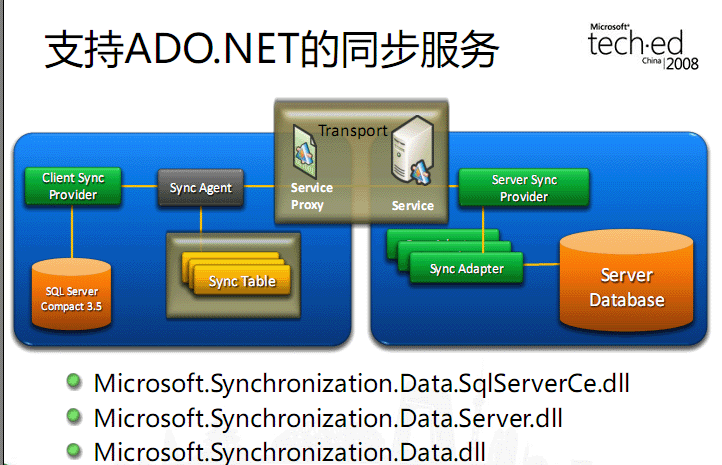
优秀的个人博客,低调大师

Hadoop HDFS编程 API入门系列之HDFS_HA(五)

代码 1 package zhouls.bigdata.myWholeHadoop.HDFS.hdfs3; 2 3 import java.io.FileInputStream; 4 import java.io.InputStream; 5 import java.io.OutputStream; 6 import java.net.URI; 7 8 import org.apache.hadoop.conf.Configuration; 9 import org.apache.hadoop.fs.FileSystem; 10 import org.apache.hadoop.fs.Path; 11 import org.apache.hadoop.io.IOUtils; 12 13 public class HDFS_HA { 14 15 16 public static void main(String[] args) throws Exception { 17 Configuration conf = new Configuration(); 18 conf.set("fs.defaultFS", "hdfs://ns1"); 19 conf.set("dfs.nameservices", "ns1"); 20 conf.set("dfs.ha.namenodes.ns1", "nn1,nn2"); 21 conf.set("dfs.namenode.rpc-address.ns1.nn1", "hadoop01:9000"); 22 conf.set("dfs.namenode.rpc-address.ns1.nn2", "hadoop02:9000"); 23 //conf.setBoolean(name, value); 24 conf.set("dfs.client.failover.proxy.provider.ns1", "org.apache.hadoop.hdfs.server.namenode.ha.ConfiguredFailoverProxyProvider"); 25 FileSystem fs = FileSystem.get(new URI("hdfs://ns1"), conf, "hadoop"); 26 InputStream in =new FileInputStream("D://eclipse.rar"); 27 OutputStream out = fs.create(new Path("/eclipse")); 28 IOUtils.copyBytes(in, out, 4096, true); 29 } 30 } 本文转自大数据躺过的坑博客园博客,原文链接:http://www.cnblogs.com/zlslch/p/6175601.html,如需转载请自行联系原作者

资源下载

更多资源
Mario

Mario

马里奥是站在游戏界顶峰的超人气多面角色。马里奥靠吃蘑菇成长,特征是大鼻子、头戴帽子、身穿背带裤,还留着胡子。与他的双胞胎兄弟路易基一起,长年担任任天堂的招牌角色。

腾讯云软件源

腾讯云软件源

为解决软件依赖安装时官方源访问速度慢的问题,腾讯云为一些软件搭建了缓存服务。您可以通过使用腾讯云软件源站来提升依赖包的安装速度。为了方便用户自由搭建服务架构,目前腾讯云软件源站支持公网访问和内网访问。

Nacos

Nacos

Nacos /nɑ:kəʊs/ 是 Dynamic Naming and Configuration Service 的首字母简称,一个易于构建 AI Agent 应用的动态服务发现、配置管理和AI智能体管理平台。Nacos 致力于帮助您发现、配置和管理微服务及AI智能体应用。Nacos 提供了一组简单易用的特性集,帮助您快速实现动态服务发现、服务配置、服务元数据、流量管理。Nacos 帮助您更敏捷和容易地构建、交付和管理微服务平台。

Rocky Linux

Rocky Linux

Rocky Linux(中文名:洛基)是由Gregory Kurtzer于2020年12月发起的企业级Linux发行版,作为CentOS稳定版停止维护后与RHEL(Red Hat Enterprise Linux)完全兼容的开源替代方案,由社区拥有并管理,支持x86_64、aarch64等架构。其通过重新编译RHEL源代码提供长期稳定性,采用模块化包装和SELinux安全架构,默认包含GNOME桌面环境及XFS文件系统,支持十年生命周期更新。

用户登录
用户注册