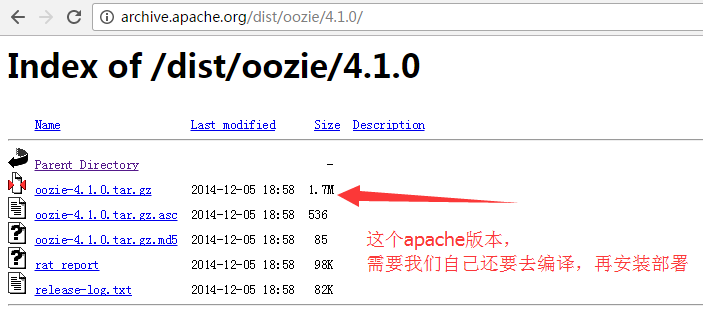
Oozie安装部署
不多说,直接上干货! 首先,大家先去看我这篇博客。对于Oozie的安装有一个全新的认识。 Oozie安装的说明 我这里呢,本篇博文定位于手动来安装Oozie,同时避免Apache版本的繁琐编译安装,直接使用CDH版本,已经编译好的oozie-4.1.0-cdh5.5.4.tar.gz。 如果,你要使用Apache版本的话,则需要自己去编译吧! Apache版本只有1.7M。CDH(已经帮我们编译好了)有1.0G。 第一大步:oozie-4.1.0-cdh5.5.4.tar.gz的下载 http://archive.cloudera.com/cdh5/cdh/5/ 当然,你这里也可以不像我这里,本地下载好,也可以在线下载。 第二大步:ApacheOozie 4.1.0编译的参考官方文档(这个大家去做吧) http://oozie.apache.org/docs/4.1.0/DG_QuickStart.html#Building_Oozie 上面是官网要求,至少的! 但是呢,现在,我建议大家,如下。 使用的环境是:Hadoop-2.6.0 Oozie 4.2.0 Jdk 1.7 Maven 3.3.9 Pig0.15.0 Hive-1.2.1 Sqoop 1.99.6 第二大步:Cloudera Oozie 4.1.0编译的参考官方文档(本博文重点) 当然,大家也可以用CDH版本的源码去编译安装,我这里也不多赘述。主要注意的是,把这个源码包打开之后,里面有个pom.xml文件 这个很重要,把里面的什么hive啊、hbase等版本,改成自己机器里的版本。别用默认的。注意这些细节就可以了。然后大家有兴趣,自己去做吧! 注意:apache版本的oozie需要自己编译,由于我本身的环境是cdh5,所以可以直接cdh编译好的版本。(即oozie-4.1.0-cdh5.5.4.tar.gz) Oozie Server Architecture 大家,可以看到Oozie Server端是在Tomcat里。 Oozie Server 的安装 上传 需要一段时间 [hadoop@bigdatamaster app]$ pwd /home/hadoop/app [hadoop@bigdatamaster app]$ ll total 68 drwxr-xr-x 8 hadoop hadoop 4096 Apr 26 2016 apache-flume-1.6.0-cdh5.5.4-bin lrwxrwxrwx 1 hadoop hadoop 19 May 5 11:15 elasticsearch -> elasticsearch-2.4.3 drwxrwxr-x 7 hadoop hadoop 4096 May 5 11:35 elasticsearch-2.4.3 lrwxrwxrwx 1 hadoop hadoop 22 May 5 12:44 filebeat -> filebeat-1.3.1-x86_64/ drwxr-xr-x 2 hadoop hadoop 4096 May 5 12:47 filebeat-1.3.1-x86_64 lrwxrwxrwx 1 hadoop hadoop 32 May 5 09:31 flume -> apache-flume-1.6.0-cdh5.5.4-bin/ lrwxrwxrwx. 1 hadoop hadoop 21 May 4 20:59 hadoop -> hadoop-2.6.0-cdh5.5.4 drwxr-xr-x. 15 hadoop hadoop 4096 May 4 21:14 hadoop-2.6.0-cdh5.5.4 lrwxrwxrwx. 1 hadoop hadoop 20 May 4 21:48 hbase -> hbase-1.0.0-cdh5.5.4 drwxr-xr-x. 27 hadoop hadoop 4096 May 4 22:05 hbase-1.0.0-cdh5.5.4 lrwxrwxrwx. 1 hadoop hadoop 20 May 4 22:37 hive -> hive-1.1.0-cdh5.5.4/ drwxr-xr-x. 10 hadoop hadoop 4096 Apr 26 2016 hive-1.1.0-cdh5.5.4 lrwxrwxrwx 1 hadoop hadoop 19 May 5 20:44 hue -> hue-3.9.0-cdh5.5.4/ drwxr-xr-x 11 hadoop hadoop 4096 May 7 09:27 hue-3.9.0-cdh5.5.4 lrwxrwxrwx. 1 hadoop hadoop 11 May 4 20:34 jdk -> jdk1.7.0_79 drwxr-xr-x. 8 hadoop hadoop 4096 Apr 11 2015 jdk1.7.0_79 drwxr-xr-x. 8 hadoop hadoop 4096 Aug 5 2015 jdk1.8.0_60 lrwxrwxrwx. 1 hadoop hadoop 19 May 4 22:49 kafka -> kafka_2.11-0.8.2.2/ drwxr-xr-x. 6 hadoop hadoop 4096 May 4 22:57 kafka_2.11-0.8.2.2 lrwxrwxrwx 1 hadoop hadoop 26 May 5 19:03 kibana -> kibana-4.6.3-linux-x86_64/ drwxrwxr-x 11 hadoop hadoop 4096 Nov 4 2016 kibana-4.6.3-linux-x86_64 lrwxrwxrwx 1 hadoop hadoop 15 May 5 14:44 logstash -> logstash-2.4.1/ drwxrwxr-x 5 hadoop hadoop 4096 May 5 14:44 logstash-2.4.1 lrwxrwxrwx 1 hadoop hadoop 12 May 5 09:05 scala -> scala-2.11.8 drwxrwxr-x 6 hadoop hadoop 4096 Mar 4 2016 scala-2.11.8 lrwxrwxrwx 1 hadoop hadoop 25 May 5 09:05 spark -> spark-2.1.0-bin-hadoop2.6 drwxr-xr-x 14 hadoop hadoop 4096 May 5 09:20 spark-2.1.0-bin-hadoop2.6 lrwxrwxrwx 1 hadoop hadoop 23 May 7 17:55 sqoop -> sqoop2-1.99.5-cdh5.5.4/ drwxr-xr-x 10 hadoop hadoop 4096 Apr 26 2016 sqoop-1.4.6-cdh5.5.4 drwxr-xr-x 22 hadoop hadoop 4096 May 7 20:18 sqoop2-1.99.5-cdh5.5.4 lrwxrwxrwx. 1 hadoop hadoop 25 May 4 20:44 zookeeper -> zookeeper-3.4.5-cdh5.5.4/ drwxr-xr-x. 18 hadoop hadoop 4096 May 7 16:13 zookeeper-3.4.5-cdh5.5.4 [hadoop@bigdatamaster app]$ rz [hadoop@bigdatamaster app]$ ll total 1696368 drwxr-xr-x 8 hadoop hadoop 4096 Apr 26 2016 apache-flume-1.6.0-cdh5.5.4-bin lrwxrwxrwx 1 hadoop hadoop 19 May 5 11:15 elasticsearch -> elasticsearch-2.4.3 drwxrwxr-x 7 hadoop hadoop 4096 May 5 11:35 elasticsearch-2.4.3 lrwxrwxrwx 1 hadoop hadoop 22 May 5 12:44 filebeat -> filebeat-1.3.1-x86_64/ drwxr-xr-x 2 hadoop hadoop 4096 May 5 12:47 filebeat-1.3.1-x86_64 lrwxrwxrwx 1 hadoop hadoop 32 May 5 09:31 flume -> apache-flume-1.6.0-cdh5.5.4-bin/ lrwxrwxrwx. 1 hadoop hadoop 21 May 4 20:59 hadoop -> hadoop-2.6.0-cdh5.5.4 drwxr-xr-x. 15 hadoop hadoop 4096 May 4 21:14 hadoop-2.6.0-cdh5.5.4 lrwxrwxrwx. 1 hadoop hadoop 20 May 4 21:48 hbase -> hbase-1.0.0-cdh5.5.4 drwxr-xr-x. 27 hadoop hadoop 4096 May 4 22:05 hbase-1.0.0-cdh5.5.4 lrwxrwxrwx. 1 hadoop hadoop 20 May 4 22:37 hive -> hive-1.1.0-cdh5.5.4/ drwxr-xr-x. 10 hadoop hadoop 4096 Apr 26 2016 hive-1.1.0-cdh5.5.4 lrwxrwxrwx 1 hadoop hadoop 19 May 5 20:44 hue -> hue-3.9.0-cdh5.5.4/ drwxr-xr-x 11 hadoop hadoop 4096 May 7 09:27 hue-3.9.0-cdh5.5.4 lrwxrwxrwx. 1 hadoop hadoop 11 May 4 20:34 jdk -> jdk1.7.0_79 drwxr-xr-x. 8 hadoop hadoop 4096 Apr 11 2015 jdk1.7.0_79 drwxr-xr-x. 8 hadoop hadoop 4096 Aug 5 2015 jdk1.8.0_60 lrwxrwxrwx. 1 hadoop hadoop 19 May 4 22:49 kafka -> kafka_2.11-0.8.2.2/ drwxr-xr-x. 6 hadoop hadoop 4096 May 4 22:57 kafka_2.11-0.8.2.2 lrwxrwxrwx 1 hadoop hadoop 26 May 5 19:03 kibana -> kibana-4.6.3-linux-x86_64/ drwxrwxr-x 11 hadoop hadoop 4096 Nov 4 2016 kibana-4.6.3-linux-x86_64 lrwxrwxrwx 1 hadoop hadoop 15 May 5 14:44 logstash -> logstash-2.4.1/ drwxrwxr-x 5 hadoop hadoop 4096 May 5 14:44 logstash-2.4.1 -rw-r--r-- 1 hadoop hadoop 1737004796 May 7 22:37 oozie-4.1.0-cdh5.5.4.tar.gz lrwxrwxrwx 1 hadoop hadoop 12 May 5 09:05 scala -> scala-2.11.8 drwxrwxr-x 6 hadoop hadoop 4096 Mar 4 2016 scala-2.11.8 lrwxrwxrwx 1 hadoop hadoop 25 May 5 09:05 spark -> spark-2.1.0-bin-hadoop2.6 drwxr-xr-x 14 hadoop hadoop 4096 May 5 09:20 spark-2.1.0-bin-hadoop2.6 lrwxrwxrwx 1 hadoop hadoop 23 May 7 17:55 sqoop -> sqoop2-1.99.5-cdh5.5.4/ drwxr-xr-x 10 hadoop hadoop 4096 Apr 26 2016 sqoop-1.4.6-cdh5.5.4 drwxr-xr-x 22 hadoop hadoop 4096 May 7 20:18 sqoop2-1.99.5-cdh5.5.4 lrwxrwxrwx. 1 hadoop hadoop 25 May 4 20:44 zookeeper -> zookeeper-3.4.5-cdh5.5.4/ drwxr-xr-x. 18 hadoop hadoop 4096 May 7 16:13 zookeeper-3.4.5-cdh5.5.4 [hadoop@bigdatamaster app]$ 解压 [hadoop@bigdatamaster app]$ pwd /home/hadoop/app [hadoop@bigdatamaster app]$ ll total 1696368 drwxr-xr-x 8 hadoop hadoop 4096 Apr 26 2016 apache-flume-1.6.0-cdh5.5.4-bin lrwxrwxrwx 1 hadoop hadoop 19 May 5 11:15 elasticsearch -> elasticsearch-2.4.3 drwxrwxr-x 7 hadoop hadoop 4096 May 5 11:35 elasticsearch-2.4.3 lrwxrwxrwx 1 hadoop hadoop 22 May 5 12:44 filebeat -> filebeat-1.3.1-x86_64/ drwxr-xr-x 2 hadoop hadoop 4096 May 5 12:47 filebeat-1.3.1-x86_64 lrwxrwxrwx 1 hadoop hadoop 32 May 5 09:31 flume -> apache-flume-1.6.0-cdh5.5.4-bin/ lrwxrwxrwx. 1 hadoop hadoop 21 May 4 20:59 hadoop -> hadoop-2.6.0-cdh5.5.4 drwxr-xr-x. 15 hadoop hadoop 4096 May 4 21:14 hadoop-2.6.0-cdh5.5.4 lrwxrwxrwx. 1 hadoop hadoop 20 May 4 21:48 hbase -> hbase-1.0.0-cdh5.5.4 drwxr-xr-x. 27 hadoop hadoop 4096 May 4 22:05 hbase-1.0.0-cdh5.5.4 lrwxrwxrwx. 1 hadoop hadoop 20 May 4 22:37 hive -> hive-1.1.0-cdh5.5.4/ drwxr-xr-x. 10 hadoop hadoop 4096 Apr 26 2016 hive-1.1.0-cdh5.5.4 lrwxrwxrwx 1 hadoop hadoop 19 May 5 20:44 hue -> hue-3.9.0-cdh5.5.4/ drwxr-xr-x 11 hadoop hadoop 4096 May 7 09:27 hue-3.9.0-cdh5.5.4 lrwxrwxrwx. 1 hadoop hadoop 11 May 4 20:34 jdk -> jdk1.7.0_79 drwxr-xr-x. 8 hadoop hadoop 4096 Apr 11 2015 jdk1.7.0_79 drwxr-xr-x. 8 hadoop hadoop 4096 Aug 5 2015 jdk1.8.0_60 lrwxrwxrwx. 1 hadoop hadoop 19 May 4 22:49 kafka -> kafka_2.11-0.8.2.2/ drwxr-xr-x. 6 hadoop hadoop 4096 May 4 22:57 kafka_2.11-0.8.2.2 lrwxrwxrwx 1 hadoop hadoop 26 May 5 19:03 kibana -> kibana-4.6.3-linux-x86_64/ drwxrwxr-x 11 hadoop hadoop 4096 Nov 4 2016 kibana-4.6.3-linux-x86_64 lrwxrwxrwx 1 hadoop hadoop 15 May 5 14:44 logstash -> logstash-2.4.1/ drwxrwxr-x 5 hadoop hadoop 4096 May 5 14:44 logstash-2.4.1 -rw-r--r-- 1 hadoop hadoop 1737004796 May 7 22:37 oozie-4.1.0-cdh5.5.4.tar.gz lrwxrwxrwx 1 hadoop hadoop 12 May 5 09:05 scala -> scala-2.11.8 drwxrwxr-x 6 hadoop hadoop 4096 Mar 4 2016 scala-2.11.8 lrwxrwxrwx 1 hadoop hadoop 25 May 5 09:05 spark -> spark-2.1.0-bin-hadoop2.6 drwxr-xr-x 14 hadoop hadoop 4096 May 5 09:20 spark-2.1.0-bin-hadoop2.6 lrwxrwxrwx 1 hadoop hadoop 23 May 7 17:55 sqoop -> sqoop2-1.99.5-cdh5.5.4/ drwxr-xr-x 10 hadoop hadoop 4096 Apr 26 2016 sqoop-1.4.6-cdh5.5.4 drwxr-xr-x 22 hadoop hadoop 4096 May 7 20:18 sqoop2-1.99.5-cdh5.5.4 lrwxrwxrwx. 1 hadoop hadoop 25 May 4 20:44 zookeeper -> zookeeper-3.4.5-cdh5.5.4/ drwxr-xr-x. 18 hadoop hadoop 4096 May 7 16:13 zookeeper-3.4.5-cdh5.5.4 [hadoop@bigdatamaster app]$ tar -zxvf oozie-4.1.0-cdh5.5.4.tar.gz 建立软链接(为了适应不同版本的需求) [hadoop@bigdatamaster app]$ pwd /home/hadoop/app [hadoop@bigdatamaster app]$ ll total 72 drwxr-xr-x 8 hadoop hadoop 4096 Apr 26 2016 apache-flume-1.6.0-cdh5.5.4-bin lrwxrwxrwx 1 hadoop hadoop 19 May 5 11:15 elasticsearch -> elasticsearch-2.4.3 drwxrwxr-x 7 hadoop hadoop 4096 May 5 11:35 elasticsearch-2.4.3 lrwxrwxrwx 1 hadoop hadoop 22 May 5 12:44 filebeat -> filebeat-1.3.1-x86_64/ drwxr-xr-x 2 hadoop hadoop 4096 May 5 12:47 filebeat-1.3.1-x86_64 lrwxrwxrwx 1 hadoop hadoop 32 May 5 09:31 flume -> apache-flume-1.6.0-cdh5.5.4-bin/ lrwxrwxrwx. 1 hadoop hadoop 21 May 4 20:59 hadoop -> hadoop-2.6.0-cdh5.5.4 drwxr-xr-x. 15 hadoop hadoop 4096 May 4 21:14 hadoop-2.6.0-cdh5.5.4 lrwxrwxrwx. 1 hadoop hadoop 20 May 4 21:48 hbase -> hbase-1.0.0-cdh5.5.4 drwxr-xr-x. 27 hadoop hadoop 4096 May 4 22:05 hbase-1.0.0-cdh5.5.4 lrwxrwxrwx. 1 hadoop hadoop 20 May 4 22:37 hive -> hive-1.1.0-cdh5.5.4/ drwxr-xr-x. 10 hadoop hadoop 4096 Apr 26 2016 hive-1.1.0-cdh5.5.4 lrwxrwxrwx 1 hadoop hadoop 19 May 5 20:44 hue -> hue-3.9.0-cdh5.5.4/ drwxr-xr-x 11 hadoop hadoop 4096 May 7 09:27 hue-3.9.0-cdh5.5.4 lrwxrwxrwx. 1 hadoop hadoop 11 May 4 20:34 jdk -> jdk1.7.0_79 drwxr-xr-x. 8 hadoop hadoop 4096 Apr 11 2015 jdk1.7.0_79 drwxr-xr-x. 8 hadoop hadoop 4096 Aug 5 2015 jdk1.8.0_60 lrwxrwxrwx. 1 hadoop hadoop 19 May 4 22:49 kafka -> kafka_2.11-0.8.2.2/ drwxr-xr-x. 6 hadoop hadoop 4096 May 4 22:57 kafka_2.11-0.8.2.2 lrwxrwxrwx 1 hadoop hadoop 26 May 5 19:03 kibana -> kibana-4.6.3-linux-x86_64/ drwxrwxr-x 11 hadoop hadoop 4096 Nov 4 2016 kibana-4.6.3-linux-x86_64 lrwxrwxrwx 1 hadoop hadoop 15 May 5 14:44 logstash -> logstash-2.4.1/ drwxrwxr-x 5 hadoop hadoop 4096 May 5 14:44 logstash-2.4.1 drwxr-xr-x 10 hadoop hadoop 4096 Apr 26 2016 oozie-4.1.0-cdh5.5.4 lrwxrwxrwx 1 hadoop hadoop 12 May 5 09:05 scala -> scala-2.11.8 drwxrwxr-x 6 hadoop hadoop 4096 Mar 4 2016 scala-2.11.8 lrwxrwxrwx 1 hadoop hadoop 25 May 5 09:05 spark -> spark-2.1.0-bin-hadoop2.6 drwxr-xr-x 14 hadoop hadoop 4096 May 5 09:20 spark-2.1.0-bin-hadoop2.6 lrwxrwxrwx 1 hadoop hadoop 23 May 7 17:55 sqoop -> sqoop2-1.99.5-cdh5.5.4/ drwxr-xr-x 10 hadoop hadoop 4096 Apr 26 2016 sqoop-1.4.6-cdh5.5.4 drwxr-xr-x 22 hadoop hadoop 4096 May 7 20:18 sqoop2-1.99.5-cdh5.5.4 lrwxrwxrwx. 1 hadoop hadoop 25 May 4 20:44 zookeeper -> zookeeper-3.4.5-cdh5.5.4/ drwxr-xr-x. 18 hadoop hadoop 4096 May 7 16:13 zookeeper-3.4.5-cdh5.5.4 [hadoop@bigdatamaster app]$ ln -s oozie-4.1.0-cdh5.5.4/ oozie [hadoop@bigdatamaster app]$ ll total 72 drwxr-xr-x 8 hadoop hadoop 4096 Apr 26 2016 apache-flume-1.6.0-cdh5.5.4-bin lrwxrwxrwx 1 hadoop hadoop 19 May 5 11:15 elasticsearch -> elasticsearch-2.4.3 drwxrwxr-x 7 hadoop hadoop 4096 May 5 11:35 elasticsearch-2.4.3 lrwxrwxrwx 1 hadoop hadoop 22 May 5 12:44 filebeat -> filebeat-1.3.1-x86_64/ drwxr-xr-x 2 hadoop hadoop 4096 May 5 12:47 filebeat-1.3.1-x86_64 lrwxrwxrwx 1 hadoop hadoop 32 May 5 09:31 flume -> apache-flume-1.6.0-cdh5.5.4-bin/ lrwxrwxrwx. 1 hadoop hadoop 21 May 4 20:59 hadoop -> hadoop-2.6.0-cdh5.5.4 drwxr-xr-x. 15 hadoop hadoop 4096 May 4 21:14 hadoop-2.6.0-cdh5.5.4 lrwxrwxrwx. 1 hadoop hadoop 20 May 4 21:48 hbase -> hbase-1.0.0-cdh5.5.4 drwxr-xr-x. 27 hadoop hadoop 4096 May 4 22:05 hbase-1.0.0-cdh5.5.4 lrwxrwxrwx. 1 hadoop hadoop 20 May 4 22:37 hive -> hive-1.1.0-cdh5.5.4/ drwxr-xr-x. 10 hadoop hadoop 4096 Apr 26 2016 hive-1.1.0-cdh5.5.4 lrwxrwxrwx 1 hadoop hadoop 19 May 5 20:44 hue -> hue-3.9.0-cdh5.5.4/ drwxr-xr-x 11 hadoop hadoop 4096 May 7 09:27 hue-3.9.0-cdh5.5.4 lrwxrwxrwx. 1 hadoop hadoop 11 May 4 20:34 jdk -> jdk1.7.0_79 drwxr-xr-x. 8 hadoop hadoop 4096 Apr 11 2015 jdk1.7.0_79 drwxr-xr-x. 8 hadoop hadoop 4096 Aug 5 2015 jdk1.8.0_60 lrwxrwxrwx. 1 hadoop hadoop 19 May 4 22:49 kafka -> kafka_2.11-0.8.2.2/ drwxr-xr-x. 6 hadoop hadoop 4096 May 4 22:57 kafka_2.11-0.8.2.2 lrwxrwxrwx 1 hadoop hadoop 26 May 5 19:03 kibana -> kibana-4.6.3-linux-x86_64/ drwxrwxr-x 11 hadoop hadoop 4096 Nov 4 2016 kibana-4.6.3-linux-x86_64 lrwxrwxrwx 1 hadoop hadoop 15 May 5 14:44 logstash -> logstash-2.4.1/ drwxrwxr-x 5 hadoop hadoop 4096 May 5 14:44 logstash-2.4.1 lrwxrwxrwx 1 hadoop hadoop 21 May 8 10:23 oozie -> oozie-4.1.0-cdh5.5.4/ drwxr-xr-x 10 hadoop hadoop 4096 Apr 26 2016 oozie-4.1.0-cdh5.5.4 lrwxrwxrwx 1 hadoop hadoop 12 May 5 09:05 scala -> scala-2.11.8 drwxrwxr-x 6 hadoop hadoop 4096 Mar 4 2016 scala-2.11.8 lrwxrwxrwx 1 hadoop hadoop 25 May 5 09:05 spark -> spark-2.1.0-bin-hadoop2.6 drwxr-xr-x 14 hadoop hadoop 4096 May 5 09:20 spark-2.1.0-bin-hadoop2.6 lrwxrwxrwx 1 hadoop hadoop 23 May 7 17:55 sqoop -> sqoop2-1.99.5-cdh5.5.4/ drwxr-xr-x 10 hadoop hadoop 4096 Apr 26 2016 sqoop-1.4.6-cdh5.5.4 drwxr-xr-x 22 hadoop hadoop 4096 May 7 20:18 sqoop2-1.99.5-cdh5.5.4 lrwxrwxrwx. 1 hadoop hadoop 25 May 4 20:44 zookeeper -> zookeeper-3.4.5-cdh5.5.4/ drwxr-xr-x. 18 hadoop hadoop 4096 May 7 16:13 zookeeper-3.4.5-cdh5.5.4 [hadoop@bigdatamaster app]$ 设置环境变量 [hadoop@bigdatamaster ~]$ su root Password: [root@bigdatamaster hadoop]# vim /etc/profile #oozie export OOZIE_HOME=/home/hadoop/app/oozie export PATH=$PATH:$OOZIE_HOME/bin [hadoop@bigdatamaster ~]$ su root Password: [root@bigdatamaster hadoop]# vim /etc/profile [root@bigdatamaster hadoop]# source /etc/profile 初步认识下Oozie的目录结构 [hadoop@bigdatamaster app]$ cd oozie [hadoop@bigdatamaster oozie]$ pwd /home/hadoop/app/oozie [hadoop@bigdatamaster oozie]$ ll total 1014180 drwxr-xr-x 2 hadoop hadoop 4096 Apr 26 2016 bin drwxr-xr-x 4 hadoop hadoop 4096 Apr 26 2016 conf drwxr-xr-x 6 hadoop hadoop 4096 Apr 26 2016 docs drwxr-xr-x 2 hadoop hadoop 4096 Apr 26 2016 lib drwxr-xr-x 2 hadoop hadoop 12288 Apr 26 2016 libtools -rw-r--r-- 1 hadoop hadoop 37664 Apr 26 2016 LICENSE.txt -rw-r--r-- 1 hadoop hadoop 909 Apr 26 2016 NOTICE.txt drwxr-xr-x 2 hadoop hadoop 4096 Apr 26 2016 oozie-core -rwxr-xr-x 1 hadoop hadoop 46275 Apr 26 2016 oozie-examples.tar.gz -rwxr-xr-x 1 hadoop hadoop 77456039 Apr 26 2016 oozie-hadooplibs-4.1.0-cdh5.5.4.tar.gz drwxr-xr-x 9 hadoop hadoop 4096 Apr 26 2016 oozie-server -r--r--r-- 1 hadoop hadoop 428704179 Apr 26 2016 oozie-sharelib-4.1.0-cdh5.5.4.tar.gz -r--r--r-- 1 hadoop hadoop 429103879 Apr 26 2016 oozie-sharelib-4.1.0-cdh5.5.4-yarn.tar.gz -rwxr-xr-x 1 hadoop hadoop 103020321 Apr 26 2016 oozie.war -rw-r--r-- 1 hadoop hadoop 83521 Apr 26 2016 release-log.txt drwxr-xr-x 21 hadoop hadoop 4096 Apr 26 2016 src [hadoop@bigdatamaster oozie]$ 点击它,就可以下载。然后上传。 http://dev.sencha.com/deploy/ext-2.2.zip 建议用迅雷下载 这里,我暂时上传到/home/hadoop下,其实,最终只需放到$OOZIE_HOME/libext下即可。(但是这个目录暂时是没有的,得要新建) [hadoop@bigdatamaster ~]$ pwd /home/hadoop [hadoop@bigdatamaster ~]$ ll total 44 drwxrwxr-x. 20 hadoop hadoop 4096 May 8 10:23 app drwxrwxr-x. 7 hadoop hadoop 4096 May 5 11:22 data drwxr-xr-x 2 hadoop hadoop 4096 May 5 08:51 Desktop drwxr-xr-x 2 hadoop hadoop 4096 May 5 08:51 Documents drwxr-xr-x 2 hadoop hadoop 4096 May 5 08:51 Downloads drwxr-xr-x 2 hadoop hadoop 4096 May 5 08:51 Music drwxr-xr-x 2 hadoop hadoop 4096 May 5 08:51 Pictures drwxr-xr-x 2 hadoop hadoop 4096 May 5 08:51 Public drwxrwxr-x. 2 hadoop hadoop 4096 May 4 17:46 shell drwxr-xr-x 2 hadoop hadoop 4096 May 5 08:51 Templates drwxr-xr-x 2 hadoop hadoop 4096 May 5 08:51 Videos [hadoop@bigdatamaster ~]$ rz [hadoop@bigdatamaster ~]$ ll total 6688 drwxrwxr-x. 20 hadoop hadoop 4096 May 8 10:23 app drwxrwxr-x. 7 hadoop hadoop 4096 May 5 11:22 data drwxr-xr-x 2 hadoop hadoop 4096 May 5 08:51 Desktop drwxr-xr-x 2 hadoop hadoop 4096 May 5 08:51 Documents drwxr-xr-x 2 hadoop hadoop 4096 May 5 08:51 Downloads -rw-r--r-- 1 hadoop hadoop 6800612 Oct 1 2015 ext-2.2.zip drwxr-xr-x 2 hadoop hadoop 4096 May 5 08:51 Music drwxr-xr-x 2 hadoop hadoop 4096 May 5 08:51 Pictures drwxr-xr-x 2 hadoop hadoop 4096 May 5 08:51 Public drwxrwxr-x. 2 hadoop hadoop 4096 May 4 17:46 shell drwxr-xr-x 2 hadoop hadoop 4096 May 5 08:51 Templates drwxr-xr-x 2 hadoop hadoop 4096 May 5 08:51 Videos [hadoop@bigdatamaster ~]$ <!-- OOZIE --> <property> <name>hadoop.proxyuser.[OOZIE_SERVER_USER].hosts</name> <value>[OOZIE_SERVER_HOSTNAME]</value> </property> <property> <name>hadoop.proxyuser.[OOZIE_SERVER_USER].groups</name> <value>[USER_GROUPS_THAT_ALLOW_IMPERSONATION]</value> </property> 我的这里是 <property> <name>hadoop.proxyuser.hadoop.hosts</name> <value>bigdatamaster</value> </property> <property> <name>hadoop.proxyuser.hadoop.groups</name> <value>*</value> </property> 或者(一般用这种) <property> <name>hadoop.proxyuser.hadoop.hosts</name> <value>*</value> </property> <property> <name>hadoop.proxyuser.hadoop.groups</name> <value>*</value> </property> 这里只需对安装oozie的机器即可,我这里只安装在bigdatamaster机器上。 注意,先配置好,再要重启hadoop。不然,不生效的哈。 接下来,是解压hadoooplibs.tar.gz Expand the Oozie hadooplibs tar.gz in the same location Oozie distribution tar.gz was expanded 我这里对应的是,oozie-hadooplibs-4.1.0-cdh5.5.4.tar.gz [hadoop@bigdatamaster oozie]$ pwd /home/hadoop/app/oozie [hadoop@bigdatamaster oozie]$ ll total 1014180 drwxr-xr-x 2 hadoop hadoop 4096 Apr 26 2016 bin drwxr-xr-x 4 hadoop hadoop 4096 Apr 26 2016 conf drwxr-xr-x 6 hadoop hadoop 4096 Apr 26 2016 docs drwxr-xr-x 2 hadoop hadoop 4096 Apr 26 2016 lib drwxr-xr-x 2 hadoop hadoop 12288 Apr 26 2016 libtools -rw-r--r-- 1 hadoop hadoop 37664 Apr 26 2016 LICENSE.txt -rw-r--r-- 1 hadoop hadoop 909 Apr 26 2016 NOTICE.txt drwxr-xr-x 2 hadoop hadoop 4096 Apr 26 2016 oozie-core -rwxr-xr-x 1 hadoop hadoop 46275 Apr 26 2016 oozie-examples.tar.gz -rwxr-xr-x 1 hadoop hadoop 77456039 Apr 26 2016 oozie-hadooplibs-4.1.0-cdh5.5.4.tar.gz drwxr-xr-x 9 hadoop hadoop 4096 Apr 26 2016 oozie-server -r--r--r-- 1 hadoop hadoop 428704179 Apr 26 2016 oozie-sharelib-4.1.0-cdh5.5.4.tar.gz -r--r--r-- 1 hadoop hadoop 429103879 Apr 26 2016 oozie-sharelib-4.1.0-cdh5.5.4-yarn.tar.gz -rwxr-xr-x 1 hadoop hadoop 103020321 Apr 26 2016 oozie.war -rw-r--r-- 1 hadoop hadoop 83521 Apr 26 2016 release-log.txt drwxr-xr-x 21 hadoop hadoop 4096 Apr 26 2016 src [hadoop@bigdatamaster oozie]$ tar -zxf oozie-hadooplibs-4.1.0-cdh5.5.4.tar.gz [hadoop@bigdatamaster oozie]$ ll total 1014184 drwxr-xr-x 2 hadoop hadoop 4096 Apr 26 2016 bin drwxr-xr-x 4 hadoop hadoop 4096 Apr 26 2016 conf drwxr-xr-x 6 hadoop hadoop 4096 Apr 26 2016 docs drwxr-xr-x 2 hadoop hadoop 4096 Apr 26 2016 lib drwxr-xr-x 2 hadoop hadoop 12288 Apr 26 2016 libtools -rw-r--r-- 1 hadoop hadoop 37664 Apr 26 2016 LICENSE.txt -rw-r--r-- 1 hadoop hadoop 909 Apr 26 2016 NOTICE.txt drwxrwxr-x 3 hadoop hadoop 4096 May 8 11:38 oozie-4.1.0-cdh5.5.4 drwxr-xr-x 2 hadoop hadoop 4096 Apr 26 2016 oozie-core -rwxr-xr-x 1 hadoop hadoop 46275 Apr 26 2016 oozie-examples.tar.gz -rwxr-xr-x 1 hadoop hadoop 77456039 Apr 26 2016 oozie-hadooplibs-4.1.0-cdh5.5.4.tar.gz drwxr-xr-x 9 hadoop hadoop 4096 Apr 26 2016 oozie-server -r--r--r-- 1 hadoop hadoop 428704179 Apr 26 2016 oozie-sharelib-4.1.0-cdh5.5.4.tar.gz -r--r--r-- 1 hadoop hadoop 429103879 Apr 26 2016 oozie-sharelib-4.1.0-cdh5.5.4-yarn.tar.gz -rwxr-xr-x 1 hadoop hadoop 103020321 Apr 26 2016 oozie.war -rw-r--r-- 1 hadoop hadoop 83521 Apr 26 2016 release-log.txt drwxr-xr-x 21 hadoop hadoop 4096 Apr 26 2016 src [hadoop@bigdatamaster oozie]$ A *hadooplibs/* directory will be created containing the Hadoop JARs for the versions of Hadoop that the Oozie distribution supports. 因为, 它是支持MR1,也支持MR2(YARN)。我们的是在YARN里。即成功生成了 [hadoop@bigdatamaster oozie-4.1.0-cdh5.5.4]$ pwd /home/hadoop/app/oozie/oozie-4.1.0-cdh5.5.4 [hadoop@bigdatamaster oozie-4.1.0-cdh5.5.4]$ ll total 4 drwxr-xr-x 4 hadoop hadoop 4096 Apr 26 2016 hadooplibs [hadoop@bigdatamaster oozie-4.1.0-cdh5.5.4]$ cd hadooplibs/ [hadoop@bigdatamaster hadooplibs]$ pwd /home/hadoop/app/oozie/oozie-4.1.0-cdh5.5.4/hadooplibs [hadoop@bigdatamaster hadooplibs]$ ll total 8 drwxr-xr-x 2 hadoop hadoop 4096 Apr 26 2016 hadooplib-2.6.0-cdh5.5.4.oozie-4.1.0-cdh5.5.4 drwxr-xr-x 2 hadoop hadoop 4096 Apr 26 2016 hadooplib-2.6.0-mr1-cdh5.5.4.oozie-4.1.0-cdh5.5.4 [hadoop@bigdatamaster hadooplibs]$ cd hadooplib-2.6.0-cdh5.5.4.oozie-4.1.0-cdh5.5.4 [hadoop@bigdatamaster hadooplib-2.6.0-cdh5.5.4.oozie-4.1.0-cdh5.5.4]$ pwd /home/hadoop/app/oozie/oozie-4.1.0-cdh5.5.4/hadooplibs/hadooplib-2.6.0-cdh5.5.4.oozie-4.1.0-cdh5.5.4 [hadoop@bigdatamaster hadooplib-2.6.0-cdh5.5.4.oozie-4.1.0-cdh5.5.4]$ ls activation-1.1.jar commons-lang-2.4.jar hadoop-mapreduce-client-shuffle-2.6.0-cdh5.5.4.jar jsr305-3.0.0.jar apacheds-i18n-2.0.0-M15.jar commons-logging-1.1.jar hadoop-yarn-api-2.6.0-cdh5.5.4.jar leveldbjni-all-1.8.jar apacheds-kerberos-codec-2.0.0-M15.jar commons-math3-3.1.1.jar hadoop-yarn-client-2.6.0-cdh5.5.4.jar log4j-1.2.17.jar api-asn1-api-1.0.0-M20.jar commons-net-3.1.jar hadoop-yarn-common-2.6.0-cdh5.5.4.jar netty-3.6.2.Final.jar api-util-1.0.0-M20.jar curator-client-2.7.1.jar hadoop-yarn-server-common-2.6.0-cdh5.5.4.jar netty-all-4.0.23.Final.jar avro-1.7.6-cdh5.5.4.jar curator-framework-2.7.1.jar htrace-core4-4.0.1-incubating.jar paranamer-2.3.jar aws-java-sdk-core-1.10.6.jar curator-recipes-2.7.1.jar httpclient-4.2.5.jar protobuf-java-2.5.0.jar aws-java-sdk-kms-1.10.6.jar gson-2.2.4.jar httpcore-4.2.5.jar servlet-api-2.5.jar aws-java-sdk-s3-1.10.6.jar guava-11.0.2.jar jackson-annotations-2.2.3.jar slf4j-api-1.7.5.jar commons-beanutils-1.7.0.jar hadoop-annotations-2.6.0-cdh5.5.4.jar jackson-core-2.2.3.jar slf4j-log4j12-1.7.5.jar commons-beanutils-core-1.8.0.jar hadoop-auth-2.6.0-cdh5.5.4.jar jackson-core-asl-1.8.8.jar snappy-java-1.0.4.1.jar commons-cli-1.2.jar hadoop-aws-2.6.0-cdh5.5.4.jar jackson-databind-2.2.3.jar stax-api-1.0-2.jar commons-codec-1.4.jar hadoop-client-2.6.0-cdh5.5.4.jar jackson-jaxrs-1.8.8.jar xercesImpl-2.10.0.jar commons-collections-3.2.2.jar hadoop-common-2.6.0-cdh5.5.4.jar jackson-mapper-asl-1.8.8.jar xml-apis-1.4.01.jar commons-compress-1.4.1.jar hadoop-hdfs-2.6.0-cdh5.5.4.jar jackson-xc-1.8.8.jar xmlenc-0.52.jar commons-configuration-1.6.jar hadoop-mapreduce-client-app-2.6.0-cdh5.5.4.jar jaxb-api-2.2.2.jar xz-1.0.jar commons-digester-1.8.jar hadoop-mapreduce-client-common-2.6.0-cdh5.5.4.jar jersey-client-1.9.jar zookeeper-3.4.5-cdh5.5.4.jar commons-httpclient-3.1.jar hadoop-mapreduce-client-core-2.6.0-cdh5.5.4.jar jersey-core-1.9.jar commons-io-2.4.jar hadoop-mapreduce-client-jobclient-2.6.0-cdh5.5.4.jar jetty-util-6.1.26.cloudera.2.jar [hadoop@bigdatamaster hadooplib-2.6.0-cdh5.5.4.oozie-4.1.0-cdh5.5.4]$ The ExtJS library is optional (only required for the Oozie web-console to work) IMPORTANT: all Oozie server scripts (=oozie-setup.sh=, oozied.sh , oozie-start.sh , oozie-run.sh and oozie-stop.sh ) run only under the Unix user that owns the Oozie installation directory, if necessary use sudo -u OOZIE_USER when invoking the scripts. As of Oozie 3.3.2, use ofoozie-start.sh,oozie-run.sh, andoozie-stop.shhas been deprecated and will print a warning. Theoozied.shscript should be used instead; passing itstart,run, orstopas an argument will perform the behaviors ofoozie-start.sh,oozie-run.sh, andoozie-stop.shrespectively. Create a libext/ directory in the directory where Oozie was expanded. 由此可见,安装后,是没有这个目录libext的。 所以,得新建mkdir libext [hadoop@bigdatamaster oozie]$ mkdir libext [hadoop@bigdatamaster oozie]$ ll total 1014188 drwxr-xr-x 2 hadoop hadoop 4096 Apr 26 2016 bin drwxr-xr-x 4 hadoop hadoop 4096 Apr 26 2016 conf drwxr-xr-x 6 hadoop hadoop 4096 Apr 26 2016 docs drwxr-xr-x 2 hadoop hadoop 4096 Apr 26 2016 lib drwxrwxr-x 2 hadoop hadoop 4096 May 8 12:51 libext drwxr-xr-x 2 hadoop hadoop 12288 Apr 26 2016 libtools -rw-r--r-- 1 hadoop hadoop 37664 Apr 26 2016 LICENSE.txt -rw-r--r-- 1 hadoop hadoop 909 Apr 26 2016 NOTICE.txt drwxrwxr-x 3 hadoop hadoop 4096 May 8 11:38 oozie-4.1.0-cdh5.5.4 drwxr-xr-x 2 hadoop hadoop 4096 Apr 26 2016 oozie-core -rwxr-xr-x 1 hadoop hadoop 46275 Apr 26 2016 oozie-examples.tar.gz -rwxr-xr-x 1 hadoop hadoop 77456039 Apr 26 2016 oozie-hadooplibs-4.1.0-cdh5.5.4.tar.gz drwxr-xr-x 9 hadoop hadoop 4096 Apr 26 2016 oozie-server -r--r--r-- 1 hadoop hadoop 428704179 Apr 26 2016 oozie-sharelib-4.1.0-cdh5.5.4.tar.gz -r--r--r-- 1 hadoop hadoop 429103879 Apr 26 2016 oozie-sharelib-4.1.0-cdh5.5.4-yarn.tar.gz -rwxr-xr-x 1 hadoop hadoop 103020321 Apr 26 2016 oozie.war -rw-r--r-- 1 hadoop hadoop 83521 Apr 26 2016 release-log.txt drwxr-xr-x 21 hadoop hadoop 4096 Apr 26 2016 src [hadoop@bigdatamaster oozie]$ 新建好目录之后,然后,将hadooplibs下所有的hadoop jar包都复制一份到这个新建好的libext目录下 If using a version of Hadoop bundled in Oozie hadooplibs/ , copy the corresponding Hadoop JARs from hadooplibs/ to the libext/ directory. If using a different version of Hadoop, copy the required Hadoop JARs from such version in the libext/ directory. [hadoop@bigdatamaster oozie]$ pwd /home/hadoop/app/oozie [hadoop@bigdatamaster oozie]$ ls bin docs libext LICENSE.txt NOTICE.txt oozie-core oozie-hadooplibs-4.1.0-cdh5.5.4.tar.gz oozie-sharelib-4.1.0-cdh5.5.4.tar.gz oozie.war src conf lib libtools logs oozie-4.1.0-cdh5.5.4 oozie-examples.tar.gz oozie-server oozie-sharelib-4.1.0-cdh5.5.4-yarn.tar.gz release-log.txt [hadoop@bigdatamaster oozie]$ cp -r oozie-4.1.0-cdh5.5.4/hadooplibs/hadooplib-2.6.0-cdh5.5.4.oozie-4.1.0-cdh5.5.4/* libext/ [hadoop@bigdatamaster oozie]$ 查看有没有拷贝成功 然后,再拷贝,我们之前,暂时上传在/home/hadop下的ext-2.2.zip到$OOZIE_HOME/libext目录下 If using the ExtJS library copy the ZIP file to the libext/ directory. 这里官网,说的很谦虚,还来什么如果。其实是必须的啊!因为Ooize的前端界面就是用到ExtJS。 [hadoop@bigdatamaster libext]$ pwd /home/hadoop/app/oozie/libext [hadoop@bigdatamaster libext]$ cp /home/hadoop/ext-2.2.zip /home/hadoop/app/oozie/libext/ [hadoop@bigdatamaster libext]$ ls activation-1.1.jar commons-lang-2.4.jar hadoop-mapreduce-client-jobclient-2.6.0-cdh5.5.4.jar jetty-util-6.1.26.cloudera.2.jar apacheds-i18n-2.0.0-M15.jar commons-logging-1.1.jar hadoop-mapreduce-client-shuffle-2.6.0-cdh5.5.4.jar jsr305-3.0.0.jar apacheds-kerberos-codec-2.0.0-M15.jar commons-math3-3.1.1.jar hadoop-yarn-api-2.6.0-cdh5.5.4.jar leveldbjni-all-1.8.jar api-asn1-api-1.0.0-M20.jar commons-net-3.1.jar hadoop-yarn-client-2.6.0-cdh5.5.4.jar log4j-1.2.17.jar api-util-1.0.0-M20.jar curator-client-2.7.1.jar hadoop-yarn-common-2.6.0-cdh5.5.4.jar netty-3.6.2.Final.jar avro-1.7.6-cdh5.5.4.jar curator-framework-2.7.1.jar hadoop-yarn-server-common-2.6.0-cdh5.5.4.jar netty-all-4.0.23.Final.jar aws-java-sdk-core-1.10.6.jar curator-recipes-2.7.1.jar htrace-core4-4.0.1-incubating.jar paranamer-2.3.jar aws-java-sdk-kms-1.10.6.jar ext-2.2.zip httpclient-4.2.5.jar protobuf-java-2.5.0.jar aws-java-sdk-s3-1.10.6.jar gson-2.2.4.jar httpcore-4.2.5.jar servlet-api-2.5.jar commons-beanutils-1.7.0.jar guava-11.0.2.jar jackson-annotations-2.2.3.jar slf4j-api-1.7.5.jar commons-beanutils-core-1.8.0.jar hadoop-annotations-2.6.0-cdh5.5.4.jar jackson-core-2.2.3.jar slf4j-log4j12-1.7.5.jar commons-cli-1.2.jar hadoop-auth-2.6.0-cdh5.5.4.jar jackson-core-asl-1.8.8.jar snappy-java-1.0.4.1.jar commons-codec-1.4.jar hadoop-aws-2.6.0-cdh5.5.4.jar jackson-databind-2.2.3.jar stax-api-1.0-2.jar commons-collections-3.2.2.jar hadoop-client-2.6.0-cdh5.5.4.jar jackson-jaxrs-1.8.8.jar xercesImpl-2.10.0.jar commons-compress-1.4.1.jar hadoop-common-2.6.0-cdh5.5.4.jar jackson-mapper-asl-1.8.8.jar xml-apis-1.4.01.jar commons-configuration-1.6.jar hadoop-hdfs-2.6.0-cdh5.5.4.jar jackson-xc-1.8.8.jar xmlenc-0.52.jar commons-digester-1.8.jar hadoop-mapreduce-client-app-2.6.0-cdh5.5.4.jar jaxb-api-2.2.2.jar xz-1.0.jar commons-httpclient-3.1.jar hadoop-mapreduce-client-common-2.6.0-cdh5.5.4.jar jersey-client-1.9.jar zookeeper-3.4.5-cdh5.5.4.jar commons-io-2.4.jar hadoop-mapreduce-client-core-2.6.0-cdh5.5.4.jar jersey-core-1.9.jar [hadoop@bigdatamaster libext]$ 欧克,这样的话。我们的/home/hadoop下的ext-2.2.zip 就可以删除了,不要了。 下面的这些操作,就是我们之前的那么jar包都准备好了,然后,怎么打到libext目录里去。 A "sharelib create -fs fs_default_name [-locallib sharelib]" command is available when running oozie-setup.sh for uploading new sharelib into hdfs where the first argument is the default fs name and the second argument is the Oozie sharelib to install, it can be a tarball or the expanded version of it. If the second argument is omitted, the Oozie sharelib tarball from the Oozie installation directory will be used. Upgrade command is deprecated, one should use create command to create new version of sharelib. Sharelib files are copied to new lib_ directory. At start, server picks the sharelib from latest time-stamp directory. While starting server also purge sharelib directory which is older than sharelib retention days (defined as oozie.service.ShareLibService.temp.sharelib.retention.days and 7 days is default). 继续往下。 "prepare-war [-d directory]" command is for creating war files for oozie with an optional alternative directory other than libext. db create|upgrade|postupgrade -run [-sqlfile ] command is for create, upgrade or postupgrade oozie db with an optional sql file Run the oozie-setup.sh script to configure Oozie with all the components added to the libext/ directory. 因为,官网说的很明白,如果我们没有像上述那样,把所有的包都拷贝到$OOZIE_HOME/libext下,则就直接执行下面的命令需要指定,也是可以达到目的的。 那我这里,已经弄好了,就不需去指定参数了,可以直接执行 bin/oozie-setup.sh prepare-war [hadoop@bigdatamaster oozie]$ pwd /home/hadoop/app/oozie [hadoop@bigdatamaster oozie]$ ls bin docs libext LICENSE.txt NOTICE.txt oozie-core oozie-hadooplibs-4.1.0-cdh5.5.4.tar.gz oozie-sharelib-4.1.0-cdh5.5.4.tar.gz oozie.war src conf lib libtools logs oozie-4.1.0-cdh5.5.4 oozie-examples.tar.gz oozie-server oozie-sharelib-4.1.0-cdh5.5.4-yarn.tar.gz release-log.txt [hadoop@bigdatamaster oozie]$ bin/oozie-setup.sh prepare-war setting CATALINA_OPTS="$CATALINA_OPTS -Xmx1024m" INFO: Adding extension: /home/hadoop/app/oozie/libext/activation-1.1.jar INFO: Adding extension: /home/hadoop/app/oozie/libext/apacheds-i18n-2.0.0-M15.jar INFO: Adding extension: /home/hadoop/app/oozie/libext/apacheds-kerberos-codec-2.0.0-M15.jar INFO: Adding extension: /home/hadoop/app/oozie/libext/api-asn1-api-1.0.0-M20.jar INFO: Adding extension: /home/hadoop/app/oozie/libext/api-util-1.0.0-M20.jar INFO: Adding extension: /home/hadoop/app/oozie/libext/avro-1.7.6-cdh5.5.4.jar INFO: Adding extension: /home/hadoop/app/oozie/libext/aws-java-sdk-core-1.10.6.jar INFO: Adding extension: /home/hadoop/app/oozie/libext/aws-java-sdk-kms-1.10.6.jar INFO: Adding extension: /home/hadoop/app/oozie/libext/aws-java-sdk-s3-1.10.6.jar INFO: Adding extension: /home/hadoop/app/oozie/libext/commons-beanutils-1.7.0.jar INFO: Adding extension: /home/hadoop/app/oozie/libext/commons-beanutils-core-1.8.0.jar INFO: Adding extension: /home/hadoop/app/oozie/libext/commons-cli-1.2.jar INFO: Adding extension: /home/hadoop/app/oozie/libext/commons-codec-1.4.jar INFO: Adding extension: /home/hadoop/app/oozie/libext/commons-collections-3.2.2.jar INFO: Adding extension: /home/hadoop/app/oozie/libext/commons-compress-1.4.1.jar INFO: Adding extension: /home/hadoop/app/oozie/libext/commons-configuration-1.6.jar INFO: Adding extension: /home/hadoop/app/oozie/libext/commons-digester-1.8.jar INFO: Adding extension: /home/hadoop/app/oozie/libext/commons-httpclient-3.1.jar INFO: Adding extension: /home/hadoop/app/oozie/libext/commons-io-2.4.jar INFO: Adding extension: /home/hadoop/app/oozie/libext/commons-lang-2.4.jar INFO: Adding extension: /home/hadoop/app/oozie/libext/commons-logging-1.1.jar INFO: Adding extension: /home/hadoop/app/oozie/libext/commons-math3-3.1.1.jar INFO: Adding extension: /home/hadoop/app/oozie/libext/commons-net-3.1.jar INFO: Adding extension: /home/hadoop/app/oozie/libext/curator-client-2.7.1.jar INFO: Adding extension: /home/hadoop/app/oozie/libext/curator-framework-2.7.1.jar INFO: Adding extension: /home/hadoop/app/oozie/libext/curator-recipes-2.7.1.jar INFO: Adding extension: /home/hadoop/app/oozie/libext/gson-2.2.4.jar INFO: Adding extension: /home/hadoop/app/oozie/libext/guava-11.0.2.jar INFO: Adding extension: /home/hadoop/app/oozie/libext/hadoop-annotations-2.6.0-cdh5.5.4.jar INFO: Adding extension: /home/hadoop/app/oozie/libext/hadoop-auth-2.6.0-cdh5.5.4.jar INFO: Adding extension: /home/hadoop/app/oozie/libext/hadoop-aws-2.6.0-cdh5.5.4.jar INFO: Adding extension: /home/hadoop/app/oozie/libext/hadoop-client-2.6.0-cdh5.5.4.jar INFO: Adding extension: /home/hadoop/app/oozie/libext/hadoop-common-2.6.0-cdh5.5.4.jar INFO: Adding extension: /home/hadoop/app/oozie/libext/hadoop-hdfs-2.6.0-cdh5.5.4.jar INFO: Adding extension: /home/hadoop/app/oozie/libext/hadoop-mapreduce-client-app-2.6.0-cdh5.5.4.jar INFO: Adding extension: /home/hadoop/app/oozie/libext/hadoop-mapreduce-client-common-2.6.0-cdh5.5.4.jar INFO: Adding extension: /home/hadoop/app/oozie/libext/hadoop-mapreduce-client-core-2.6.0-cdh5.5.4.jar INFO: Adding extension: /home/hadoop/app/oozie/libext/hadoop-mapreduce-client-jobclient-2.6.0-cdh5.5.4.jar INFO: Adding extension: /home/hadoop/app/oozie/libext/hadoop-mapreduce-client-shuffle-2.6.0-cdh5.5.4.jar INFO: Adding extension: /home/hadoop/app/oozie/libext/hadoop-yarn-api-2.6.0-cdh5.5.4.jar INFO: Adding extension: /home/hadoop/app/oozie/libext/hadoop-yarn-client-2.6.0-cdh5.5.4.jar INFO: Adding extension: /home/hadoop/app/oozie/libext/hadoop-yarn-common-2.6.0-cdh5.5.4.jar INFO: Adding extension: /home/hadoop/app/oozie/libext/hadoop-yarn-server-common-2.6.0-cdh5.5.4.jar INFO: Adding extension: /home/hadoop/app/oozie/libext/htrace-core4-4.0.1-incubating.jar INFO: Adding extension: /home/hadoop/app/oozie/libext/httpclient-4.2.5.jar INFO: Adding extension: /home/hadoop/app/oozie/libext/httpcore-4.2.5.jar INFO: Adding extension: /home/hadoop/app/oozie/libext/jackson-annotations-2.2.3.jar INFO: Adding extension: /home/hadoop/app/oozie/libext/jackson-core-2.2.3.jar INFO: Adding extension: /home/hadoop/app/oozie/libext/jackson-core-asl-1.8.8.jar INFO: Adding extension: /home/hadoop/app/oozie/libext/jackson-databind-2.2.3.jar INFO: Adding extension: /home/hadoop/app/oozie/libext/jackson-jaxrs-1.8.8.jar INFO: Adding extension: /home/hadoop/app/oozie/libext/jackson-mapper-asl-1.8.8.jar INFO: Adding extension: /home/hadoop/app/oozie/libext/jackson-xc-1.8.8.jar INFO: Adding extension: /home/hadoop/app/oozie/libext/jaxb-api-2.2.2.jar INFO: Adding extension: /home/hadoop/app/oozieb/libext/jersey-client-1.9.jar INFO: Adding extension: /home/hadoop/app/oozie/libext/jersey-core-1.9.jar INFO: Adding extension: /home/hadoop/app/oozie/libext/jetty-util-6.1.26.cloudera.2.jar INFO: Adding extension: /home/hadoop/app/oozie/libext/jsr305-3.0.0.jar INFO: Adding extension: /home/hadoop/app/oozie/libext/leveldbjni-all-1.8.jar INFO: Adding extension: /home/hadoop/app/oozie/libext/log4j-1.2.17.jar INFO: Adding extension: /home/hadoop/app/oozie/libext/netty-3.6.2.Final.jar INFO: Adding extension: /home/hadoop/app/oozie/libext/netty-all-4.0.23.Final.jar INFO: Adding extension: /home/hadoop/app/oozie/libext/paranamer-2.3.jar INFO: Adding extension: /home/hadoop/app/oozie/libext/protobuf-java-2.5.0.jar INFO: Adding extension: /home/hadoop/app/oozie/libext/servlet-api-2.5.jar INFO: Adding extension: /home/hadoop/app/oozie/libext/slf4j-api-1.7.5.jar INFO: Adding extension: /home/hadoop/app/oozie/libext/slf4j-log4j12-1.7.5.jar INFO: Adding extension: /home/hadoop/app/oozie/libext/snappy-java-1.0.4.1.jar INFO: Adding extension: /home/hadoop/app/oozie/libext/stax-api-1.0-2.jar INFO: Adding extension: /home/hadoop/app/oozie/libext/xercesImpl-2.10.0.jar INFO: Adding extension: /home/hadoop/app/oozie/libext/xml-apis-1.4.01.jar INFO: Adding extension: /home/hadoop/app/oozie/libext/xmlenc-0.52.jar INFO: Adding extension: /home/hadoop/app/oozie/libext/xz-1.0.jar INFO: Adding extension: /home/hadoop/app/oozie/libext/zookeeper-3.4.5-cdh5.5.4.jar File/Dir does no exist: /home/hadoop/app/sqoop/server/conf/ssl/server.xml [hadoop@bigdatamaster oozie]$ 我一直在这里反复试了好几次,oozie-server下的oozie.war生成不出来。 解决办法 CDH版本的oozie安装执行bin/oozie-setup.sh prepare-war,没生成oozie.war? [hadoop@bigdatamaster webapps]$ pwd /home/hadoop/app/oozie-4.1.0-cdh5.5.4/oozie-server/webapps [hadoop@bigdatamaster webapps]$ ll total 122432 -rw-rw-r-- 1 hadoop hadoop 125365511 May 8 16:08 oozie.war drwxr-xr-x 3 hadoop hadoop 4096 Apr 26 2016 ROOT [hadoop@bigdatamaster webapps]$ [hadoop@bigdatamaster oozie-server]$ pwd /home/hadoop/app/oozie-4.1.0-cdh5.5.4/oozie-server [hadoop@bigdatamaster oozie-server]$ ls bin conf lib LICENSE logs NOTICE RELEASE-NOTES RUNNING.txt temp webapps work [hadoop@bigdatamaster oozie-server]$ 然后,我们配置好$OOZIE_HOME/conf/oozie-site.xml 和 配置$OOZIE_HOME/conf/oozie-default.xml (这个配置文件,一般是不需动的,它里面是最全的) 注意,我们的oozie-site.xml配置文件里面默认是如下 <?xml version="1.0"?> <!-- Licensed to the Apache Software Foundation (ASF) under one or more contributor license agreements. See the NOTICE file distributed with this work for additional information regarding copyright ownership. The ASF licenses this file to you under the Apache License, Version 2.0 (the "License"); you may not use this file except in compliance with the License. You may obtain a copy of the License at http://www.apache.org/licenses/LICENSE-2.0 Unless required by applicable law or agreed to in writing, software distributed under the License is distributed on an "AS IS" BASIS, WITHOUT WARRANTIES OR CONDITIONS OF ANY KIND, either express or implied. See the License for the specific language governing permissions and limitations under the License. --> <configuration> <!-- Refer to the oozie-default.xml file for the complete list of Oozie configuration properties and their default values. --> <!-- Proxyuser Configuration --> <!-- <property> <name>oozie.service.ProxyUserService.proxyuser.#USER#.hosts</name> <value>*</value> <description> List of hosts the '#USER#' user is allowed to perform 'doAs' operations. The '#USER#' must be replaced with the username o the user who is allowed to perform 'doAs' operations. The value can be the '*' wildcard or a list of hostnames. For multiple users copy this property and replace the user name in the property name. </description> </property> <property> <name>oozie.service.ProxyUserService.proxyuser.#USER#.groups</name> <value>*</value> <description> List of groups the '#USER#' user is allowed to impersonate users from to perform 'doAs' operations. The '#USER#' must be replaced with the username o the user who is allowed to perform 'doAs' operations. The value can be the '*' wildcard or a list of groups. For multiple users copy this property and replace the user name in the property name. </description> </property> --> <!-- Default proxyuser configuration for Hue --> <property> <name>oozie.service.ProxyUserService.proxyuser.hue.hosts</name> <value>*</value> </property> <property> <name>oozie.service.ProxyUserService.proxyuser.hue.groups</name> <value>*</value> </property> </configuration> 然后,去网上找到如下的配置信息,复制粘贴进去。 Oozie配置说明 最后oozie-site.xml配置文件,如下 <?xml version="1.0"?> <!-- Licensed to the Apache Software Foundation (ASF) under one or more contributor license agreements. See the NOTICE file distributed with this work for additional information regarding copyright ownership. The ASF licenses this file to you under the Apache License, Version 2.0 (the "License"); you may not use this file except in compliance with the License. You may obtain a copy of the License at http://www.apache.org/licenses/LICENSE-2.0 Unless required by applicable law or agreed to in writing, software distributed under the License is distributed on an "AS IS" BASIS, WITHOUT WARRANTIES OR CONDITIONS OF ANY KIND, either express or implied. See the License for the specific language governing permissions and limitations under the License. --> <configuration> <!-- Refer to the oozie-default.xml file for the complete list of Oozie configuration properties and their default values. --> <!-- Proxyuser Configuration --> <!-- <property> <name>oozie.service.ProxyUserService.proxyuser.#USER#.hosts</name> <value>*</value> <description> List of hosts the '#USER#' user is allowed to perform 'doAs' operations. The '#USER#' must be replaced with the username o the user who is allowed to perform 'doAs' operations. The value can be the '*' wildcard or a list of hostnames. For multiple users copy this property and replace the user name in the property name. </description> </property> <property> <name>oozie.service.ProxyUserService.proxyuser.#USER#.groups</name> <value>*</value> <description> List of groups the '#USER#' user is allowed to impersonate users from to perform 'doAs' operations. The '#USER#' must be replaced with the username o the user who is allowed to perform 'doAs' operations. The value can be the '*' wildcard or a list of groups. For multiple users copy this property and replace the user name in the property name. </description> </property> --> <!-- Default proxyuser configuration for Hue --> <property> <name>oozie.service.ProxyUserService.proxyuser.hue.hosts</name> <value>*</value> </property> <property> <name>oozie.service.ProxyUserService.proxyuser.hue.groups</name> <value>*</value> </property> <property> <name>oozie.db.schema.name</name> <value>oozie</value> <description> Oozie DataBase Name </description> </property> <property> <name>oozie.service.JPAService.create.db.schema</name> <value>false</value> <description> Creates Oozie DB. If set to true, it creates the DB schema if it does not exist. If the DB schema exists is a NOP. If set to false, it does not create the DB schema. If the DB schema does not exist it fails start up. </description> </property> <property> <name>oozie.service.JPAService.jdbc.driver</name> <value>com.mysql.jdbc.Driver</value> <description> JDBC driver class. </description> </property> <property> <name>oozie.service.JPAService.jdbc.url</name> <value>jdbc:mysql://bigdatamaster:3306/oozie?createDatabaseIfNotExist=true</value> <description> JDBC URL. </description> </property> <property> <name>oozie.service.JPAService.jdbc.username</name> <value>oozie</value> <description> DB user name. </description> </property> <property> <name>oozie.service.JPAService.jdbc.password</name> <value>oozie</value> <description> DB user password. IMPORTANT: if password is emtpy leave a 1 space string, the service trims the value, if empty Configuration assumes it is NULL. </description> </property> <property> <name>oozie.service.HadoopAccessorService.hadoop.configurations</name> <value>*=/home/hadoop/app/hadoop-2.6.0-cdh5.5.4/etc/hadoop</value> <description> Comma separated AUTHORITY=HADOOP_CONF_DIR, where AUTHORITY is the HOST:PORT of the Hadoop service (JobTracker, HDFS). The wildcard '*' configuration is used when there is no exact match for an authority. The HADOOP_CONF_DIR contains the relevant Hadoop *-site.xml files. If the path is relative is looked within the Oozie configuration directory; though the path can be absolute (i.e. to point to Hadoop client conf/ directories in the local filesystem. </description> </property> </configuration> oozie-default.xml保持默认,因为,越新的版本很多都默认配置好了。 <?xml version="1.0"?> <?xml-stylesheet type="text/xsl" href="configuration.xsl"?> <!-- Licensed to the Apache Software Foundation (ASF) under one or more contributor license agreements. See the NOTICE file distributed with this work for additional information regarding copyright ownership. The ASF licenses this file to you under the Apache License, Version 2.0 (the "License"); you may not use this file except in compliance with the License. You may obtain a copy of the License at http://www.apache.org/licenses/LICENSE-2.0 Unless required by applicable law or agreed to in writing, software distributed under the License is distributed on an "AS IS" BASIS, WITHOUT WARRANTIES OR CONDITIONS OF ANY KIND, either express or implied. See the License for the specific language governing permissions and limitations under the License. --> <configuration> <!-- ************************** VERY IMPORTANT ************************** --> <!-- This file is in the Oozie configuration directory only for reference. --> <!-- It is not loaded by Oozie, Oozie uses its own privatecopy. --> <!-- ************************** VERY IMPORTANT ************************** --> <property> <name>oozie.output.compression.codec</name> <value>gz</value> <description> The name of the compression codec to use. The implementation class for the codec needs to be specified through another property oozie.compression.codecs. You can specify a comma separated list of 'Codec_name'='Codec_class' for oozie.compression.codecs where codec class implements the interface org.apache.oozie.compression.CompressionCodec. If oozie.compression.codecs is not specified, gz codec implementation is used by default. </description> </property> <property> <name>oozie.action.mapreduce.uber.jar.enable</name> <value>false</value> <description> If true, enables the oozie.mapreduce.uber.jar mapreduce workflow configuration property, which is used to specify an uber jar in HDFS. Submitting a workflow with an uber jar requires at least Hadoop 2.2.0 or 1.2.0. If false, workflows which specify the oozie.mapreduce.uber.jar configuration property will fail. </description> </property> <property> <name>oozie.processing.timezone</name> <value>UTC</value> <description> Oozie server timezone. Valid values are UTC and GMT(+/-)####, for example 'GMT+0530' would be India timezone. All dates parsed and genered dates by Oozie Coordinator/Bundle will be done in the specified timezone. The default value of 'UTC' should not be changed under normal circumtances. If for any reason is changed, note that GMT(+/-)#### timezones do not observe DST changes. </description> </property> <!-- Base Oozie URL: <SCHEME>://<HOST>:<PORT>/<CONTEXT> --> <property> <name>oozie.base.url</name> <value>http://localhost:8080/oozie</value> <description> Base Oozie URL. </description> </property> <!-- Services --> <property> <name>oozie.system.id</name> <value>oozie-${user.name}</value> <description> The Oozie system ID. </description> </property> <property> <name>oozie.systemmode</name> <value>NORMAL</value> <description> System mode for Oozie at startup. </description> </property> <property> <name>oozie.delete.runtime.dir.on.shutdown</name> <value>true</value> <description> If the runtime directory should be kept after Oozie shutdowns down. </description> </property> <property> <name>oozie.services</name> <value> org.apache.oozie.service.SchedulerService, org.apache.oozie.service.InstrumentationService, org.apache.oozie.service.MemoryLocksService, org.apache.oozie.service.UUIDService, org.apache.oozie.service.ELService, org.apache.oozie.service.AuthorizationService, org.apache.oozie.service.UserGroupInformationService, org.apache.oozie.service.HadoopAccessorService, org.apache.oozie.service.JobsConcurrencyService, org.apache.oozie.service.URIHandlerService, org.apache.oozie.service.DagXLogInfoService, org.apache.oozie.service.SchemaService, org.apache.oozie.service.LiteWorkflowAppService, org.apache.oozie.service.JPAService, org.apache.oozie.service.StoreService, org.apache.oozie.service.SLAStoreService, org.apache.oozie.service.DBLiteWorkflowStoreService, org.apache.oozie.service.CallbackService, org.apache.oozie.service.ActionService, org.apache.oozie.service.ShareLibService, org.apache.oozie.service.CallableQueueService, org.apache.oozie.service.ActionCheckerService, org.apache.oozie.service.RecoveryService, org.apache.oozie.service.PurgeService, org.apache.oozie.service.CoordinatorEngineService, org.apache.oozie.service.BundleEngineService, org.apache.oozie.service.DagEngineService, org.apache.oozie.service.CoordMaterializeTriggerService, org.apache.oozie.service.StatusTransitService, org.apache.oozie.service.PauseTransitService, org.apache.oozie.service.GroupsService, org.apache.oozie.service.ProxyUserService, org.apache.oozie.service.XLogStreamingService, org.apache.oozie.service.JvmPauseMonitorService, org.apache.oozie.service.SparkConfigurationService </value> <description> All services to be created and managed by Oozie Services singleton. Class names must be separated by commas. </description> </property> <property> <name>oozie.services.ext</name> <value> </value> <description> To add/replace services defined in 'oozie.services' with custom implementations. Class names must be separated by commas. </description> </property> <property> <name>oozie.service.XLogStreamingService.buffer.len</name> <value>4096</value> <description>4K buffer for streaming the logs progressively</description> </property> <!-- HCatAccessorService --> <property> <name>oozie.service.HCatAccessorService.jmsconnections</name> <value> default=java.naming.factory.initial#org.apache.activemq.jndi.ActiveMQInitialContextFactory;java.naming.provider.url#tcp://localhost:61616;connectionFactoryNames#ConnectionFactory </value> <description> Specify the map of endpoints to JMS configuration properties. In general, endpoint identifies the HCatalog server URL. "default" is used if no endpoint is mentioned in the query. If some JMS property is not defined, the system will use the property defined jndi.properties. jndi.properties files is retrieved from the application classpath. Mapping rules can also be provided for mapping Hcatalog servers to corresponding JMS providers. hcat://${1}.${2}.server.com:8020=java.naming.factory.initial#Dummy.Factory;java.naming.provider.url#tcp://broker.${2}:61616 </description> </property> <!-- TopicService --> <property> <name>oozie.service.JMSTopicService.topic.name</name> <value> default=${username} </value> <description> Topic options are ${username} or ${jobId} or a fixed string which can be specified as default or for a particular job type. For e.g To have a fixed string topic for workflows, coordinators and bundles, specify in the following comma-separated format: {jobtype1}={some_string1}, {jobtype2}={some_string2} where job type can be WORKFLOW, COORDINATOR or BUNDLE. e.g. Following defines topic for workflow job, workflow action, coordinator job, coordinator action, bundle job and bundle action WORKFLOW=workflow, COORDINATOR=coordinator, BUNDLE=bundle For jobs with no defined topic, default topic will be ${username} </description> </property> <!-- JMS Producer connection --> <property> <name>oozie.jms.producer.connection.properties</name> <value>java.naming.factory.initial#org.apache.activemq.jndi.ActiveMQInitialContextFactory;java.naming.provider.url#tcp://localhost:61616;connectionFactoryNames#ConnectionFactory</value> </property> <!-- JMSAccessorService --> <property> <name>oozie.service.JMSAccessorService.connectioncontext.impl</name> <value> org.apache.oozie.jms.DefaultConnectionContext </value> <description> Specifies the Connection Context implementation </description> </property> <!-- ConfigurationService --> <property> <name>oozie.service.ConfigurationService.ignore.system.properties</name> <value> oozie.service.AuthorizationService.security.enabled </value> <description> Specifies "oozie.*" properties to cannot be overriden via Java system properties. Property names must be separted by commas. </description> </property> <property> <name>oozie.service.ConfigurationService.verify.available.properties</name> <value>true</value> <description> Specifies whether the available configurations check is enabled or not. </description> </property> <!-- SchedulerService --> <property> <name>oozie.service.SchedulerService.threads</name> <value>10</value> <description> The number of threads to be used by the SchedulerService to run deamon tasks. If maxed out, scheduled daemon tasks will be queued up and delayed until threads become available. </description> </property> <!-- AuthorizationService --> <property> <name>oozie.service.AuthorizationService.authorization.enabled</name> <value>false</value> <description> Specifies whether security (user name/admin role) is enabled or not. If disabled any user can manage Oozie system and manage any job. </description> </property> <property> <name>oozie.service.AuthorizationService.default.group.as.acl</name> <value>false</value> <description> Enables old behavior where the User's default group is the job's ACL. </description> </property> <!-- InstrumentationService --> <property> <name>oozie.service.InstrumentationService.logging.interval</name> <value>60</value> <description> Interval, in seconds, at which instrumentation should be logged by the InstrumentationService. If set to 0 it will not log instrumentation data. </description> </property> <!-- PurgeService --> <property> <name>oozie.service.PurgeService.older.than</name> <value>30</value> <description> Completed workflow jobs older than this value, in days, will be purged by the PurgeService. </description> </property> <property> <name>oozie.service.PurgeService.coord.older.than</name> <value>7</value> <description> Completed coordinator jobs older than this value, in days, will be purged by the PurgeService. </description> </property> <property> <name>oozie.service.PurgeService.bundle.older.than</name> <value>7</value> <description> Completed bundle jobs older than this value, in days, will be purged by the PurgeService. </description> </property> <property> <name>oozie.service.PurgeService.purge.old.coord.action</name> <value>false</value> <description> Whether to purge completed workflows and their corresponding coordinator actions of long running coordinator jobs if the completed workflow jobs are older than the value specified in oozie.service.PurgeService.older.than. </description> </property> <property> <name>oozie.service.PurgeService.purge.limit</name> <value>100</value> <description> Completed Actions purge - limit each purge to this value </description> </property> <property> <name>oozie.service.PurgeService.purge.interval</name> <value>3600</value> <description> Interval at which the purge service will run, in seconds. </description> </property> <!-- RecoveryService --> <property> <name>oozie.service.RecoveryService.wf.actions.older.than</name> <value>120</value> <description> Age of the actions which are eligible to be queued for recovery, in seconds. </description> </property> <property> <name>oozie.service.RecoveryService.wf.actions.created.time.interval</name> <value>7</value> <description> Created time period of the actions which are eligible to be queued for recovery in days. </description> </property> <property> <name>oozie.service.RecoveryService.callable.batch.size</name> <value>10</value> <description> This value determines the number of callable which will be batched together to be executed by a single thread. </description> </property> <property> <name>oozie.service.RecoveryService.push.dependency.interval</name> <value>200</value> <description> This value determines the delay for push missing dependency command queueing in Recovery Service </description> </property> <property> <name>oozie.service.RecoveryService.interval</name> <value>60</value> <description> Interval at which the RecoverService will run, in seconds. </description> </property> <property> <name>oozie.service.RecoveryService.coord.older.than</name> <value>600</value> <description> Age of the Coordinator jobs or actions which are eligible to be queued for recovery, in seconds. </description> </property> <property> <name>oozie.service.RecoveryService.bundle.older.than</name> <value>600</value> <description> Age of the Bundle jobs which are eligible to be queued for recovery, in seconds. </description> </property> <!-- CallableQueueService --> <property> <name>oozie.service.CallableQueueService.queue.size</name> <value>10000</value> <description>Max callable queue size</description> </property> <property> <name>oozie.service.CallableQueueService.threads</name> <value>10</value> <description>Number of threads used for executing callables</description> </property> <property> <name>oozie.service.CallableQueueService.callable.concurrency</name> <value>3</value> <description> Maximum concurrency for a given callable type. Each command is a callable type (submit, start, run, signal, job, jobs, suspend,resume, etc). Each action type is a callable type (Map-Reduce, Pig, SSH, FS, sub-workflow, etc). All commands that use action executors (action-start, action-end, action-kill and action-check) use the action type as the callable type. </description> </property> <property> <name>oozie.service.CallableQueueService.callable.next.eligible</name> <value>true</value> <description> If true, when a callable in the queue has already reached max concurrency, Oozie continuously find next one which has not yet reach max concurrency. </description> </property> <property> <name>oozie.service.CallableQueueService.InterruptMapMaxSize</name> <value>500</value> <description> Maximum Size of the Interrupt Map, the interrupt element will not be inserted in the map if exceeded the size. </description> </property> <property> <name>oozie.service.CallableQueueService.InterruptTypes</name> <value>kill,resume,suspend,bundle_kill,bundle_resume,bundle_suspend,coord_kill,coord_change,coord_resume,coord_suspend</value> <description> Getting the types of XCommands that are considered to be of Interrupt type </description> </property> <!-- CoordMaterializeTriggerService --> <property> <name>oozie.service.CoordMaterializeTriggerService.lookup.interval </name> <value>300</value> <description> Coordinator Job Lookup interval.(in seconds). </description> </property> <!-- Enable this if you want different scheduling interval for CoordMaterializeTriggerService. By default it will use lookup interval as scheduling interval <property> <name>oozie.service.CoordMaterializeTriggerService.scheduling.interval </name> <value>300</value> <description> The frequency at which the CoordMaterializeTriggerService will run.</description> </property> --> <property> <name>oozie.service.CoordMaterializeTriggerService.materialization.window </name> <value>3600</value> <description> Coordinator Job Lookup command materialized each job for this next "window" duration </description> </property> <property> <name>oozie.service.CoordMaterializeTriggerService.callable.batch.size</name> <value>10</value> <description> This value determines the number of callable which will be batched together to be executed by a single thread. </description> </property> <property> <name>oozie.service.CoordMaterializeTriggerService.materialization.system.limit</name> <value>50</value> <description> This value determines the number of coordinator jobs to be materialized at a given time. </description> </property> <property> <name>oozie.service.coord.normal.default.timeout </name> <value>120</value> <description>Default timeout for a coordinator action input check (in minutes) for normal job. -1 means infinite timeout</description> </property> <property> <name>oozie.service.coord.default.max.timeout </name> <value>86400</value> <description>Default maximum timeout for a coordinator action input check (in minutes). 86400= 60days </description> </property> <property> <name>oozie.service.coord.input.check.requeue.interval </name> <value>60000</value> <description>Command re-queue interval for coordinator data input check (in millisecond). </description> </property> <property> <name>oozie.service.coord.push.check.requeue.interval </name> <value>600000</value> <description>Command re-queue interval for push dependencies (in millisecond). </description> </property> <property> <name>oozie.service.coord.default.concurrency </name> <value>1</value> <description>Default concurrency for a coordinator job to determine how many maximum action should be executed at the same time. -1 means infinite concurrency.</description> </property> <property> <name>oozie.service.coord.default.throttle </name> <value>12</value> <description>Default throttle for a coordinator job to determine how many maximum action should be in WAITING state at the same time.</description> </property> <property> <name>oozie.service.coord.materialization.throttling.factor </name> <value>0.05</value> <description>Determine how many maximum actions should be in WAITING state for a single job at any time. The value is calculated by this factor X the total queue size.</description> </property> <property> <name>oozie.service.coord.check.maximum.frequency</name> <value>true</value> <description> When true, Oozie will reject any coordinators with a frequency faster than 5 minutes. It is not recommended to disable this check or submit coordinators with frequencies faster than 5 minutes: doing so can cause unintended behavior and additional system stress. </description> </property> <!-- ELService --> <!-- List of supported groups for ELService --> <property> <name>oozie.service.ELService.groups</name> <value>job-submit,workflow,wf-sla-submit,coord-job-submit-freq,coord-job-submit-nofuncs,coord-job-submit-data,coord-job-submit-instances,coord-sla-submit,coord-action-create,coord-action-create-inst,coord-sla-create,coord-action-start,coord-job-wait-timeout</value> <description>List of groups for different ELServices</description> </property> <property> <name>oozie.service.ELService.constants.job-submit</name> <value> </value> <description> EL constant declarations, separated by commas, format is [PREFIX:]NAME=CLASS#CONSTANT. </description> </property> <property> <name>oozie.service.ELService.functions.job-submit</name> <value> </value> <description> EL functions declarations, separated by commas, format is [PREFIX:]NAME=CLASS#METHOD. </description> </property> <property> <name>oozie.service.ELService.ext.constants.job-submit</name> <value> </value> <description> EL constant declarations, separated by commas, format is [PREFIX:]NAME=CLASS#CONSTANT. This property is a convenience property to add extensions without having to include all the built in ones. </description> </property> <property> <name>oozie.service.ELService.ext.functions.job-submit</name> <value> </value> <description> EL functions declarations, separated by commas, format is [PREFIX:]NAME=CLASS#METHOD. This property is a convenience property to add extensions without having to include all the built in ones. </description> </property> <!-- Workflow specifics --> <property> <name>oozie.service.ELService.constants.workflow</name> <value> KB=org.apache.oozie.util.ELConstantsFunctions#KB, MB=org.apache.oozie.util.ELConstantsFunctions#MB, GB=org.apache.oozie.util.ELConstantsFunctions#GB, TB=org.apache.oozie.util.ELConstantsFunctions#TB, PB=org.apache.oozie.util.ELConstantsFunctions#PB, RECORDS=org.apache.oozie.action.hadoop.HadoopELFunctions#RECORDS, MAP_IN=org.apache.oozie.action.hadoop.HadoopELFunctions#MAP_IN, MAP_OUT=org.apache.oozie.action.hadoop.HadoopELFunctions#MAP_OUT, REDUCE_IN=org.apache.oozie.action.hadoop.HadoopELFunctions#REDUCE_IN, REDUCE_OUT=org.apache.oozie.action.hadoop.HadoopELFunctions#REDUCE_OUT, GROUPS=org.apache.oozie.action.hadoop.HadoopELFunctions#GROUPS </value> <description> EL constant declarations, separated by commas, format is [PREFIX:]NAME=CLASS#CONSTANT. </description> </property> <property> <name>oozie.service.ELService.ext.constants.workflow</name> <value> </value> <description> EL constant declarations, separated by commas, format is [PREFIX:]NAME=CLASS#CONSTANT. This property is a convenience property to add extensions to the built in executors without having to include all the built in ones. </description> </property> <property> <name>oozie.service.ELService.functions.workflow</name> <value> firstNotNull=org.apache.oozie.util.ELConstantsFunctions#firstNotNull, concat=org.apache.oozie.util.ELConstantsFunctions#concat, replaceAll=org.apache.oozie.util.ELConstantsFunctions#replaceAll, appendAll=org.apache.oozie.util.ELConstantsFunctions#appendAll, trim=org.apache.oozie.util.ELConstantsFunctions#trim, timestamp=org.apache.oozie.util.ELConstantsFunctions#timestamp, urlEncode=org.apache.oozie.util.ELConstantsFunctions#urlEncode, toJsonStr=org.apache.oozie.util.ELConstantsFunctions#toJsonStr, toPropertiesStr=org.apache.oozie.util.ELConstantsFunctions#toPropertiesStr, toConfigurationStr=org.apache.oozie.util.ELConstantsFunctions#toConfigurationStr, wf:id=org.apache.oozie.DagELFunctions#wf_id, wf:name=org.apache.oozie.DagELFunctions#wf_name, wf:appPath=org.apache.oozie.DagELFunctions#wf_appPath, wf:conf=org.apache.oozie.DagELFunctions#wf_conf, wf:user=org.apache.oozie.DagELFunctions#wf_user, wf:group=org.apache.oozie.DagELFunctions#wf_group, wf:callback=org.apache.oozie.DagELFunctions#wf_callback, wf:transition=org.apache.oozie.DagELFunctions#wf_transition, wf:lastErrorNode=org.apache.oozie.DagELFunctions#wf_lastErrorNode, wf:errorCode=org.apache.oozie.DagELFunctions#wf_errorCode, wf:errorMessage=org.apache.oozie.DagELFunctions#wf_errorMessage, wf:run=org.apache.oozie.DagELFunctions#wf_run, wf:actionData=org.apache.oozie.DagELFunctions#wf_actionData, wf:actionExternalId=org.apache.oozie.DagELFunctions#wf_actionExternalId, wf:actionTrackerUri=org.apache.oozie.DagELFunctions#wf_actionTrackerUri, wf:actionExternalStatus=org.apache.oozie.DagELFunctions#wf_actionExternalStatus, hadoop:counters=org.apache.oozie.action.hadoop.HadoopELFunctions#hadoop_counters, hadoop:conf=org.apache.oozie.action.hadoop.HadoopELFunctions#hadoop_conf, fs:exists=org.apache.oozie.action.hadoop.FsELFunctions#fs_exists, fs:isDir=org.apache.oozie.action.hadoop.FsELFunctions#fs_isDir, fs:dirSize=org.apache.oozie.action.hadoop.FsELFunctions#fs_dirSize, fs:fileSize=org.apache.oozie.action.hadoop.FsELFunctions#fs_fileSize, fs:blockSize=org.apache.oozie.action.hadoop.FsELFunctions#fs_blockSize, hcat:exists=org.apache.oozie.coord.HCatELFunctions#hcat_exists </value> <description> EL functions declarations, separated by commas, format is [PREFIX:]NAME=CLASS#METHOD. </description> </property> <property> <name>oozie.service.WorkflowAppService.WorkflowDefinitionMaxLength</name> <value>100000</value> <description> The maximum length of the workflow definition in bytes An error will be reported if the length exceeds the given maximum </description> </property> <property> <name>oozie.service.ELService.ext.functions.workflow</name> <value> </value> <description> EL functions declarations, separated by commas, format is [PREFIX:]NAME=CLASS#METHOD. This property is a convenience property to add extensions to the built in executors without having to include all the built in ones. </description> </property> <!-- Resolve SLA information during Workflow job submission --> <property> <name>oozie.service.ELService.constants.wf-sla-submit</name> <value> MINUTES=org.apache.oozie.util.ELConstantsFunctions#SUBMIT_MINUTES, HOURS=org.apache.oozie.util.ELConstantsFunctions#SUBMIT_HOURS, DAYS=org.apache.oozie.util.ELConstantsFunctions#SUBMIT_DAYS </value> <description> EL constant declarations, separated by commas, format is [PREFIX:]NAME=CLASS#CONSTANT. </description> </property> <property> <name>oozie.service.ELService.ext.constants.wf-sla-submit</name> <value> </value> <description> EL constant declarations, separated by commas, format is [PREFIX:]NAME=CLASS#CONSTANT. This property is a convenience property to add extensions to the built in executors without having to include all the built in ones. </description> </property> <property> <name>oozie.service.ELService.functions.wf-sla-submit</name> <value> </value> <description> EL functions declarations, separated by commas, format is [PREFIX:]NAME=CLASS#METHOD. </description> </property> <property> <name>oozie.service.ELService.ext.functions.wf-sla-submit</name> <value> </value> <description> EL functions declarations, separated by commas, format is [PREFIX:]NAME=CLASS#METHOD. This property is a convenience property to add extensions to the built in executors without having to include all the built in ones. </description> </property> <!-- Coordinator specifics -->l <!-- Phase 1 resolution during job submission --> <!-- EL Evalautor setup to resolve mainly frequency tags --> <property> <name>oozie.service.ELService.constants.coord-job-submit-freq</name> <value> </value> <description> EL constant declarations, separated by commas, format is [PREFIX:]NAME=CLASS#CONSTANT. </description> </property> <property> <name>oozie.service.ELService.ext.constants.coord-job-submit-freq</name> <value> </value> <description> EL constant declarations, separated by commas, format is [PREFIX:]NAME=CLASS#CONSTANT. This property is a convenience property to add extensions to the built in executors without having to include all the built in ones. </description> </property> <property> <name>oozie.service.ELService.functions.coord-job-submit-freq</name> <value> coord:days=org.apache.oozie.coord.CoordELFunctions#ph1_coord_days, coord:months=org.apache.oozie.coord.CoordELFunctions#ph1_coord_months, coord:hours=org.apache.oozie.coord.CoordELFunctions#ph1_coord_hours, coord:minutes=org.apache.oozie.coord.CoordELFunctions#ph1_coord_minutes, coord:endOfDays=org.apache.oozie.coord.CoordELFunctions#ph1_coord_endOfDays, coord:endOfMonths=org.apache.oozie.coord.CoordELFunctions#ph1_coord_endOfMonths, coord:conf=org.apache.oozie.coord.CoordELFunctions#coord_conf, coord:user=org.apache.oozie.coord.CoordELFunctions#coord_user, hadoop:conf=org.apache.oozie.action.hadoop.HadoopELFunctions#hadoop_conf </value> <description> EL functions declarations, separated by commas, format is [PREFIX:]NAME=CLASS#METHOD. </description> </property> <property> <name>oozie.service.ELService.ext.functions.coord-job-submit-freq</name> <value> </value> <description> EL functions declarations, separated by commas, format is [PREFIX:]NAME=CLASS#METHOD. This property is a convenience property to add extensions to the built in executors without having to include all the built in ones. </description> </property> <property> <name>oozie.service.ELService.constants.coord-job-wait-timeout</name> <value> </value> <description> EL functions declarations, separated by commas, format is [PREFIX:]NAME=CLASS#METHOD. </description> </property> <property> <name>oozie.service.ELService.ext.constants.coord-job-wait-timeout</name> <value> </value> <description> EL functions declarations, separated by commas, format is [PREFIX:]NAME=CLASS#METHOD. This property is a convenience property to add extensions without having to include all the built in ones. </description> </property> <property> <name>oozie.service.ELService.functions.coord-job-wait-timeout</name> <value> coord:days=org.apache.oozie.coord.CoordELFunctions#ph1_coord_days, coord:months=org.apache.oozie.coord.CoordELFunctions#ph1_coord_months, coord:hours=org.apache.oozie.coord.CoordELFunctions#ph1_coord_hours, coord:minutes=org.apache.oozie.coord.CoordELFunctions#ph1_coord_minutes, hadoop:conf=org.apache.oozie.action.hadoop.HadoopELFunctions#hadoop_conf </value> <description> EL functions declarations, separated by commas, format is [PREFIX:]NAME=CLASS#METHOD. </description> </property> <property> <name>oozie.service.ELService.ext.functions.coord-job-wait-timeout</name> <value> </value> <description> EL functions declarations, separated by commas, format is [PREFIX:]NAME=CLASS#METHOD. This property is a convenience property to add extensions without having to include all the built in ones. </description> </property> <!-- EL Evalautor setup to resolve mainly all constants/variables - no EL functions is resolved --> <property> <name>oozie.service.ELService.constants.coord-job-submit-nofuncs</name> <value> MINUTE=org.apache.oozie.coord.CoordELConstants#SUBMIT_MINUTE, HOUR=org.apache.oozie.coord.CoordELConstants#SUBMIT_HOUR, DAY=org.apache.oozie.coord.CoordELConstants#SUBMIT_DAY, MONTH=org.apache.oozie.coord.CoordELConstants#SUBMIT_MONTH, YEAR=org.apache.oozie.coord.CoordELConstants#SUBMIT_YEAR </value> <description> EL constant declarations, separated by commas, format is [PREFIX:]NAME=CLASS#CONSTANT. </description> </property> <property> <name>oozie.service.ELService.ext.constants.coord-job-submit-nofuncs</name> <value> </value> <description> EL constant declarations, separated by commas, format is [PREFIX:]NAME=CLASS#CONSTANT. This property is a convenience property to add extensions to the built in executors without having to include all the built in ones. </description> </property> <property> <name>oozie.service.ELService.functions.coord-job-submit-nofuncs</name> <value> coord:conf=org.apache.oozie.coord.CoordELFunctions#coord_conf, coord:user=org.apache.oozie.coord.CoordELFunctions#coord_user, hadoop:conf=org.apache.oozie.action.hadoop.HadoopELFunctions#hadoop_conf </value> <description> EL functions declarations, separated by commas, format is [PREFIX:]NAME=CLASS#METHOD. </description> </property> <property> <name>oozie.service.ELService.ext.functions.coord-job-submit-nofuncs</name> <value> </value> <description> EL functions declarations, separated by commas, format is [PREFIX:]NAME=CLASS#METHOD. This property is a convenience property to add extensions to the built in executors without having to include all the built in ones. </description> </property> <!-- EL Evalautor setup to **check** whether instances/start-instance/end-instances are valid no EL functions will be resolved --> <property> <name>oozie.service.ELService.constants.coord-job-submit-instances</name> <value> </value> <description> EL constant declarations, separated by commas, format is [PREFIX:]NAME=CLASS#CONSTANT. </description> </property> <property> <name>oozie.service.ELService.ext.constants.coord-job-submit-instances</name> <value> </value> <description> EL constant declarations, separated by commas, format is [PREFIX:]NAME=CLASS#CONSTANT. This property is a convenience property to add extensions to the built in executors without having to include all the built in ones. </description> </property> <property> <name>oozie.service.ELService.functions.coord-job-submit-instances</name> <value> coord:hoursInDay=org.apache.oozie.coord.CoordELFunctions#ph1_coord_hoursInDay_echo, coord:daysInMonth=org.apache.oozie.coord.CoordELFunctions#ph1_coord_daysInMonth_echo, coord:tzOffset=org.apache.oozie.coord.CoordELFunctions#ph1_coord_tzOffset_echo, coord:current=org.apache.oozie.coord.CoordELFunctions#ph1_coord_current_echo, coord:currentRange=org.apache.oozie.coord.CoordELFunctions#ph1_coord_currentRange_echo, coord:offset=org.apache.oozie.coord.CoordELFunctions#ph1_coord_offset_echo, coord:latest=org.apache.oozie.coord.CoordELFunctions#ph1_coord_latest_echo, coord:latestRange=org.apache.oozie.coord.CoordELFunctions#ph1_coord_latestRange_echo, coord:future=org.apache.oozie.coord.CoordELFunctions#ph1_coord_future_echo, coord:futureRange=org.apache.oozie.coord.CoordELFunctions#ph1_coord_futureRange_echo, coord:formatTime=org.apache.oozie.coord.CoordELFunctions#ph1_coord_formatTime_echo, coord:conf=org.apache.oozie.coord.CoordELFunctions#coord_conf, coord:user=org.apache.oozie.coord.CoordELFunctions#coord_user, coord:absolute=org.apache.oozie.coord.CoordELFunctions#ph1_coord_absolute_echo, hadoop:conf=org.apache.oozie.action.hadoop.HadoopELFunctions#hadoop_conf </value> <description> EL functions declarations, separated by commas, format is [PREFIX:]NAME=CLASS#METHOD. </description> </property> <property> <name>oozie.service.ELService.ext.functions.coord-job-submit-instances</name> <value> </value> <description> EL functions declarations, separated by commas, format is [PREFIX:]NAME=CLASS#METHOD. This property is a convenience property to add extensions to the built in executors without having to include all the built in ones. </description> </property> <!-- EL Evalautor setup to **check** whether dataIn and dataOut are valid no EL functions will be resolved --> <property> <name>oozie.service.ELService.constants.coord-job-submit-data</name> <value> </value> <description> EL constant declarations, separated by commas, format is [PREFIX:]NAME=CLASS#CONSTANT. </description> </property> <property> <name>oozie.service.ELService.ext.constants.coord-job-submit-data</name> <value> </value> <description> EL constant declarations, separated by commas, format is [PREFIX:]NAME=CLASS#CONSTANT. This property is a convenience property to add extensions to the built in executors without having to include all the built in ones. </description> </property> <property> <name>oozie.service.ELService.functions.coord-job-submit-data</name> <value> coord:dataIn=org.apache.oozie.coord.CoordELFunctions#ph1_coord_dataIn_echo, coord:dataOut=org.apache.oozie.coord.CoordELFunctions#ph1_coord_dataOut_echo, coord:nominalTime=org.apache.oozie.coord.CoordELFunctions#ph1_coord_nominalTime_echo_wrap, coord:actualTime=org.apache.oozie.coord.CoordELFunctions#ph1_coord_actualTime_echo_wrap, coord:dateOffset=org.apache.oozie.coord.CoordELFunctions#ph1_coord_dateOffset_echo, coord:dateTzOffset=org.apache.oozie.coord.CoordELFunctions#ph1_coord_dateTzOffset_echo, coord:formatTime=org.apache.oozie.coord.CoordELFunctions#ph1_coord_formatTime_echo, coord:actionId=org.apache.oozie.coord.CoordELFunctions#ph1_coord_actionId_echo, coord:name=org.apache.oozie.coord.CoordELFunctions#ph1_coord_name_echo, coord:conf=org.apache.oozie.coord.CoordELFunctions#coord_conf, coord:user=org.apache.oozie.coord.CoordELFunctions#coord_user, coord:databaseIn=org.apache.oozie.coord.HCatELFunctions#ph1_coord_databaseIn_echo, coord:databaseOut=org.apache.oozie.coord.HCatELFunctions#ph1_coord_databaseOut_echo, coord:tableIn=org.apache.oozie.coord.HCatELFunctions#ph1_coord_tableIn_echo, coord:tableOut=org.apache.oozie.coord.HCatELFunctions#ph1_coord_tableOut_echo, coord:dataInPartitionFilter=org.apache.oozie.coord.HCatELFunctions#ph1_coord_dataInPartitionFilter_echo, coord:dataInPartitionMin=org.apache.oozie.coord.HCatELFunctions#ph1_coord_dataInPartitionMin_echo, coord:dataInPartitionMax=org.apache.oozie.coord.HCatELFunctions#ph1_coord_dataInPartitionMax_echo, coord:dataInPartitions=org.apache.oozie.coord.HCatELFunctions#ph1_coord_dataInPartitions_echo, coord:dataOutPartitions=org.apache.oozie.coord.HCatELFunctions#ph1_coord_dataOutPartitions_echo, coord:dataOutPartitionValue=org.apache.oozie.coord.HCatELFunctions#ph1_coord_dataOutPartitionValue_echo, hadoop:conf=org.apache.oozie.action.hadoop.HadoopELFunctions#hadoop_conf </value> <description> EL functions declarations, separated by commas, format is [PREFIX:]NAME=CLASS#METHOD. </description> </property> <property> <name>oozie.service.ELService.ext.functions.coord-job-submit-data</name> <value> </value> <description> EL functions declarations, separated by commas, format is [PREFIX:]NAME=CLASS#METHOD. This property is a convenience property to add extensions to the built in executors without having to include all the built in ones. </description> </property> <!-- Resolve SLA information during Coordinator job submission --> <property> <name>oozie.service.ELService.constants.coord-sla-submit</name> <value> MINUTES=org.apache.oozie.coord.CoordELConstants#SUBMIT_MINUTES, HOURS=org.apache.oozie.coord.CoordELConstants#SUBMIT_HOURS, DAYS=org.apache.oozie.coord.CoordELConstants#SUBMIT_DAYS </value> <description> EL constant declarations, separated by commas, format is [PREFIX:]NAME=CLASS#CONSTANT. </description> </property> <property> <name>oozie.service.ELService.ext.constants.coord-sla-submit</name> <value> </value> <description> EL constant declarations, separated by commas, format is [PREFIX:]NAME=CLASS#CONSTANT. This property is a convenience property to add extensions to the built in executors without having to include all the built in ones. </description> </property> <property> <name>oozie.service.ELService.functions.coord-sla-submit</name> <value> coord:dataOut=org.apache.oozie.coord.CoordELFunctions#ph1_coord_dataOut_echo, coord:nominalTime=org.apache.oozie.coord.CoordELFunctions#ph1_coord_nominalTime_echo_fixed, coord:actualTime=org.apache.oozie.coord.CoordELFunctions#ph1_coord_actualTime_echo_wrap, coord:dateOffset=org.apache.oozie.coord.CoordELFunctions#ph1_coord_dateOffset_echo, coord:dateTzOffset=org.apache.oozie.coord.CoordELFunctions#ph1_coord_dateTzOffset_echo, coord:formatTime=org.apache.oozie.coord.CoordELFunctions#ph1_coord_formatTime_echo, coord:actionId=org.apache.oozie.coord.CoordELFunctions#ph1_coord_actionId_echo, coord:name=org.apache.oozie.coord.CoordELFunctions#ph1_coord_name_echo, coord:conf=org.apache.oozie.coord.CoordELFunctions#coord_conf, coord:user=org.apache.oozie.coord.CoordELFunctions#coord_user, coord:databaseOut=org.apache.oozie.coord.HCatELFunctions#ph1_coord_databaseOut_echo, coord:tableOut=org.apache.oozie.coord.HCatELFunctions#ph1_coord_tableOut_echo, coord:dataOutPartitions=org.apache.oozie.coord.HCatELFunctions#ph1_coord_dataOutPartitions_echo, coord:dataOutPartitionValue=org.apache.oozie.coord.HCatELFunctions#ph1_coord_dataOutPartitionValue_echo, hadoop:conf=org.apache.oozie.action.hadoop.HadoopELFunctions#hadoop_conf </value> <description> EL functions declarations, separated by commas, format is [PREFIX:]NAME=CLASS#METHOD. </description> </property> <property> <name>oozie.service.ELService.ext.functions.coord-sla-submit</name> <value> </value> <description> EL functions declarations, separated by commas, format is [PREFIX:]NAME=CLASS#METHOD. This property is a convenience property to add extensions to the built in executors without having to include all the built in ones. </description> </property> <!-- Action creation for coordinator --> <property> <name>oozie.service.ELService.constants.coord-action-create</name> <value> </value> <description> EL constant declarations, separated by commas, format is [PREFIX:]NAME=CLASS#CONSTANT. </description> </property> <property> <name>oozie.service.ELService.ext.constants.coord-action-create</name> <value> </value> <description> EL constant declarations, separated by commas, format is [PREFIX:]NAME=CLASS#CONSTANT. This property is a convenience property to add extensions to the built in executors without having to include all the built in ones. </description> </property> <property> <name>oozie.service.ELService.functions.coord-action-create</name> <value> coord:hoursInDay=org.apache.oozie.coord.CoordELFunctions#ph2_coord_hoursInDay, coord:daysInMonth=org.apache.oozie.coord.CoordELFunctions#ph2_coord_daysInMonth, coord:tzOffset=org.apache.oozie.coord.CoordELFunctions#ph2_coord_tzOffset, coord:current=org.apache.oozie.coord.CoordELFunctions#ph2_coord_current, coord:currentRange=org.apache.oozie.coord.CoordELFunctions#ph2_coord_currentRange, coord:offset=org.apache.oozie.coord.CoordELFunctions#ph2_coord_offset, coord:latest=org.apache.oozie.coord.CoordELFunctions#ph2_coord_latest_echo, coord:latestRange=org.apache.oozie.coord.CoordELFunctions#ph2_coord_latestRange_echo, coord:future=org.apache.oozie.coord.CoordELFunctions#ph2_coord_future_echo, coord:futureRange=org.apache.oozie.coord.CoordELFunctions#ph2_coord_futureRange_echo, coord:actionId=org.apache.oozie.coord.CoordELFunctions#ph2_coord_actionId, coord:name=org.apache.oozie.coord.CoordELFunctions#ph2_coord_name, coord:formatTime=org.apache.oozie.coord.CoordELFunctions#ph2_coord_formatTime, coord:conf=org.apache.oozie.coord.CoordELFunctions#coord_conf, coord:user=org.apache.oozie.coord.CoordELFunctions#coord_user, coord:absolute=org.apache.oozie.coord.CoordELFunctions#ph2_coord_absolute_echo, coord:absoluteRange=org.apache.oozie.coord.CoordELFunctions#ph2_coord_absolute_range, hadoop:conf=org.apache.oozie.action.hadoop.HadoopELFunctions#hadoop_conf </value> <description> EL functions declarations, separated by commas, format is [PREFIX:]NAME=CLASS#METHOD. </description> </property> <property> <name>oozie.service.ELService.ext.functions.coord-action-create</name> <value> </value> <description> EL functions declarations, separated by commas, format is [PREFIX:]NAME=CLASS#METHOD. This property is a convenience property to add extensions to the built in executors without having to include all the built in ones. </description> </property> <!-- Action creation for coordinator used to only evaluate instance number like ${current (daysInMonth())}. current will be echo-ed --> <property> <name>oozie.service.ELService.constants.coord-action-create-inst</name> <value> </value> <description> EL constant declarations, separated by commas, format is [PREFIX:]NAME=CLASS#CONSTANT. </description> </property> <property> <name>oozie.service.ELService.ext.constants.coord-action-create-inst</name> <value> </value> <description> EL constant declarations, separated by commas, format is [PREFIX:]NAME=CLASS#CONSTANT. This property is a convenience property to add extensions to the built in executors without having to include all the built in ones. </description> </property> <property> <name>oozie.service.ELService.functions.coord-action-create-inst</name> <value> coord:hoursInDay=org.apache.oozie.coord.CoordELFunctions#ph2_coord_hoursInDay, coord:daysInMonth=org.apache.oozie.coord.CoordELFunctions#ph2_coord_daysInMonth, coord:tzOffset=org.apache.oozie.coord.CoordELFunctions#ph2_coord_tzOffset, coord:current=org.apache.oozie.coord.CoordELFunctions#ph2_coord_current_echo, coord:currentRange=org.apache.oozie.coord.CoordELFunctions#ph2_coord_currentRange_echo, coord:offset=org.apache.oozie.coord.CoordELFunctions#ph2_coord_offset_echo, coord:latest=org.apache.oozie.coord.CoordELFunctions#ph2_coord_latest_echo, coord:latestRange=org.apache.oozie.coord.CoordELFunctions#ph2_coord_latestRange_echo, coord:future=org.apache.oozie.coord.CoordELFunctions#ph2_coord_future_echo, coord:futureRange=org.apache.oozie.coord.CoordELFunctions#ph2_coord_futureRange_echo, coord:formatTime=org.apache.oozie.coord.CoordELFunctions#ph2_coord_formatTime, coord:conf=org.apache.oozie.coord.CoordELFunctions#coord_conf, coord:user=org.apache.oozie.coord.CoordELFunctions#coord_user, coord:absolute=org.apache.oozie.coord.CoordELFunctions#ph2_coord_absolute_echo, coord:absoluteRange=org.apache.oozie.coord.CoordELFunctions#ph2_coord_absolute_range, hadoop:conf=org.apache.oozie.action.hadoop.HadoopELFunctions#hadoop_conf </value> <description> EL functions declarations, separated by commas, format is [PREFIX:]NAME=CLASS#METHOD. </description> </property> <property> <name>oozie.service.ELService.ext.functions.coord-action-create-inst</name> <value> </value> <description> EL functions declarations, separated by commas, format is [PREFIX:]NAME=CLASS#METHOD. This property is a convenience property to add extensions to the built in executors without having to include all the built in ones. </description> </property> <!-- Resolve SLA information during Action creation/materialization --> <property> <name>oozie.service.ELService.constants.coord-sla-create</name> <value> </value> <description> EL constant declarations, separated by commas, format is [PREFIX:]NAME=CLASS#CONSTANT. </description> </property> <property> <name>oozie.service.ELService.ext.constants.coord-sla-create</name> <value> MINUTES=org.apache.oozie.coord.CoordELConstants#SUBMIT_MINUTES, HOURS=org.apache.oozie.coord.CoordELConstants#SUBMIT_HOURS, DAYS=org.apache.oozie.coord.CoordELConstants#SUBMIT_DAYS</value> <description> EL constant declarations, separated by commas, format is [PREFIX:]NAME=CLASS#CONSTANT. This property is a convenience property to add extensions to the built in executors without having to include all the built in ones. </description> </property> <property> <name>oozie.service.ELService.functions.coord-sla-create</name> <value> coord:dataOut=org.apache.oozie.coord.CoordELFunctions#ph3_coord_dataOut, coord:nominalTime=org.apache.oozie.coord.CoordELFunctions#ph2_coord_nominalTime, coord:actualTime=org.apache.oozie.coord.CoordELFunctions#ph2_coord_actualTime, coord:dateOffset=org.apache.oozie.coord.CoordELFunctions#ph2_coord_dateOffset, coord:dateTzOffset=org.apache.oozie.coord.CoordELFunctions#ph2_coord_dateTzOffset, coord:formatTime=org.apache.oozie.coord.CoordELFunctions#ph2_coord_formatTime, coord:actionId=org.apache.oozie.coord.CoordELFunctions#ph2_coord_actionId, coord:name=org.apache.oozie.coord.CoordELFunctions#ph2_coord_name, coord:conf=org.apache.oozie.coord.CoordELFunctions#coord_conf, coord:user=org.apache.oozie.coord.CoordELFunctions#coord_user, coord:databaseOut=org.apache.oozie.coord.HCatELFunctions#ph3_coord_databaseOut, coord:tableOut=org.apache.oozie.coord.HCatELFunctions#ph3_coord_tableOut, coord:dataOutPartitions=org.apache.oozie.coord.HCatELFunctions#ph3_coord_dataOutPartitions, coord:dataOutPartitionValue=org.apache.oozie.coord.HCatELFunctions#ph3_coord_dataOutPartitionValue, hadoop:conf=org.apache.oozie.action.hadoop.HadoopELFunctions#hadoop_conf </value> <description> EL functions declarations, separated by commas, format is [PREFIX:]NAME=CLASS#METHOD. </description> </property> <property> <name>oozie.service.ELService.ext.functions.coord-sla-create</name> <value> </value> <description> EL functions declarations, separated by commas, format is [PREFIX:]NAME=CLASS#METHOD. This property is a convenience property to add extensions to the built in executors without having to include all the built in ones. </description> </property> <!-- Action start for coordinator --> <property> <name>oozie.service.ELService.constants.coord-action-start</name> <value> </value> <description> EL constant declarations, separated by commas, format is [PREFIX:]NAME=CLASS#CONSTANT. </description> </property> <property> <name>oozie.service.ELService.ext.constants.coord-action-start</name> <value> </value> <description> EL constant declarations, separated by commas, format is [PREFIX:]NAME=CLASS#CONSTANT. This property is a convenience property to add extensions to the built in executors without having to include all the built in ones. </description> </property> <property> <name>oozie.service.ELService.functions.coord-action-start</name> <value> coord:hoursInDay=org.apache.oozie.coord.CoordELFunctions#ph3_coord_hoursInDay, coord:daysInMonth=org.apache.oozie.coord.CoordELFunctions#ph3_coord_daysInMonth, coord:tzOffset=org.apache.oozie.coord.CoordELFunctions#ph3_coord_tzOffset, coord:latest=org.apache.oozie.coord.CoordELFunctions#ph3_coord_latest, coord:latestRange=org.apache.oozie.coord.CoordELFunctions#ph3_coord_latestRange, coord:future=org.apache.oozie.coord.CoordELFunctions#ph3_coord_future, coord:futureRange=org.apache.oozie.coord.CoordELFunctions#ph3_coord_futureRange, coord:dataIn=org.apache.oozie.coord.CoordELFunctions#ph3_coord_dataIn, coord:dataOut=org.apache.oozie.coord.CoordELFunctions#ph3_coord_dataOut, coord:nominalTime=org.apache.oozie.coord.CoordELFunctions#ph3_coord_nominalTime, coord:actualTime=org.apache.oozie.coord.CoordELFunctions#ph3_coord_actualTime, coord:dateOffset=org.apache.oozie.coord.CoordELFunctions#ph3_coord_dateOffset, coord:dateTzOffset=org.apache.oozie.coord.CoordELFunctions#ph3_coord_dateTzOffset, coord:formatTime=org.apache.oozie.coord.CoordELFunctions#ph3_coord_formatTime, coord:actionId=org.apache.oozie.coord.CoordELFunctions#ph3_coord_actionId, coord:name=org.apache.oozie.coord.CoordELFunctions#ph3_coord_name, coord:conf=org.apache.oozie.coord.CoordELFunctions#coord_conf, coord:user=org.apache.oozie.coord.CoordELFunctions#coord_user, coord:databaseIn=org.apache.oozie.coord.HCatELFunctions#ph3_coord_databaseIn, coord:databaseOut=org.apache.oozie.coord.HCatELFunctions#ph3_coord_databaseOut, coord:tableIn=org.apache.oozie.coord.HCatELFunctions#ph3_coord_tableIn, coord:tableOut=org.apache.oozie.coord.HCatELFunctions#ph3_coord_tableOut, coord:dataInPartitionFilter=org.apache.oozie.coord.HCatELFunctions#ph3_coord_dataInPartitionFilter, coord:dataInPartitionMin=org.apache.oozie.coord.HCatELFunctions#ph3_coord_dataInPartitionMin, coord:dataInPartitionMax=org.apache.oozie.coord.HCatELFunctions#ph3_coord_dataInPartitionMax, coord:dataInPartitions=org.apache.oozie.coord.HCatELFunctions#ph3_coord_dataInPartitions, coord:dataOutPartitions=org.apache.oozie.coord.HCatELFunctions#ph3_coord_dataOutPartitions, coord:dataOutPartitionValue=org.apache.oozie.coord.HCatELFunctions#ph3_coord_dataOutPartitionValue, hadoop:conf=org.apache.oozie.action.hadoop.HadoopELFunctions#hadoop_conf </value> <description> EL functions declarations, separated by commas, format is [PREFIX:]NAME=CLASS#METHOD. </description> </property> <property> <name>oozie.service.ELService.ext.functions.coord-action-start</name> <value> </value> <description> EL functions declarations, separated by commas, format is [PREFIX:]NAME=CLASS#METHOD. This property is a convenience property to add extensions to the built in executors without having to include all the built in ones. </description> </property> <property> <name>oozie.service.ELService.latest-el.use-current-time</name> <value>false</value> <description> Determine whether to use the current time to determine the latest dependency or the action creation time. This is for backward compatibility with older oozie behaviour. </description> </property> <!-- UUIDService --> <property> <name>oozie.service.UUIDService.generator</name> <value>counter</value> <description> random : generated UUIDs will be random strings. counter: generated UUIDs generated will be a counter postfixed with the system startup time. </description> </property> <!-- DBLiteWorkflowStoreService --> <property> <name>oozie.service.DBLiteWorkflowStoreService.status.metrics.collection.interval</name> <value>5</value> <description> Workflow Status metrics collection interval in minutes.</description> </property> <property> <name>oozie.service.DBLiteWorkflowStoreService.status.metrics.window</name> <value>3600</value> <description> Workflow Status metrics collection window in seconds. Workflow status will be instrumented for the window. </description> </property> <!-- DB Schema Info, used by DBLiteWorkflowStoreService --> <property> <name>oozie.db.schema.name</name> <value>oozie</value> <description> Oozie DataBase Name </description> </property> <!-- StoreService --> <property> <name>oozie.service.JPAService.create.db.schema</name> <value>false</value> <description> Creates Oozie DB. If set to true, it creates the DB schema if it does not exist. If the DB schema exists is a NOP. If set to false, it does not create the DB schema. If the DB schema does not exist it fails start up. </description> </property> <property> <name>oozie.service.JPAService.validate.db.connection</name> <value>true</value> <description> Validates DB connections from the DB connection pool. If the 'oozie.service.JPAService.create.db.schema' property is set to true, this property is ignored. </description> </property> <property> <name>oozie.service.JPAService.validate.db.connection.eviction.interval</name> <value>300000</value> <description> Validates DB connections from the DB connection pool. When validate db connection 'TestWhileIdle' is true, the number of milliseconds to sleep between runs of the idle object evictor thread. </description> </property> <property> <name>oozie.service.JPAService.validate.db.connection.eviction.num</name> <value>10</value> <description> Validates DB connections from the DB connection pool. When validate db connection 'TestWhileIdle' is true, the number of objects to examine during each run of the idle object evictor thread. </description> </property> <property> <name>oozie.service.JPAService.connection.data.source</name> <value>org.apache.commons.dbcp.BasicDataSource</value> <description> DataSource to be used for connection pooling. </description> </property> <property> <name>oozie.service.JPAService.connection.properties</name> <value> </value> <description> DataSource connection properties. </description> </property> <property> <name>oozie.service.JPAService.jdbc.driver</name> <value>org.apache.derby.jdbc.EmbeddedDriver</value> <description> JDBC driver class. </description> </property> <property> <name>oozie.service.JPAService.jdbc.url</name> <value>jdbc:derby:${oozie.data.dir}/${oozie.db.schema.name}-db;create=true</value> <description> JDBC URL. </description> </property> <property> <name>oozie.service.JPAService.jdbc.username</name> <value>sa</value> <description> DB user name. </description> </property> <property> <name>oozie.service.JPAService.jdbc.password</name> <value> </value> <description> DB user password. IMPORTANT: if password is emtpy leave a 1 space string, the service trims the value, if empty Configuration assumes it is NULL. IMPORTANT: if the StoreServicePasswordService is active, it will reset this value with the value given in the console. </description> </property> <property> <name>oozie.service.JPAService.pool.max.active.conn</name> <value>10</value> <description> Max number of connections. </description> </property> <!-- SchemaService --> <property> <name>oozie.service.SchemaService.wf.schemas</name> <value> oozie-workflow-0.1.xsd,oozie-workflow-0.2.xsd,oozie-workflow-0.2.5.xsd,oozie-workflow-0.3.xsd,oozie-workflow-0.4.xsd, oozie-workflow-0.4.5.xsd,oozie-workflow-0.5.xsd, shell-action-0.1.xsd,shell-action-0.2.xsd,shell-action-0.3.xsd, email-action-0.1.xsd,email-action-0.2.xsd, hive-action-0.2.xsd,hive-action-0.3.xsd,hive-action-0.4.xsd,hive-action-0.5.xsd,hive-action-0.6.xsd, sqoop-action-0.2.xsd,sqoop-action-0.3.xsd,sqoop-action-0.4.xsd, ssh-action-0.1.xsd,ssh-action-0.2.xsd, distcp-action-0.1.xsd,distcp-action-0.2.xsd, oozie-sla-0.1.xsd,oozie-sla-0.2.xsd, hive2-action-0.1.xsd, hive2-action-0.2.xsd, spark-action-0.1.xsd </value> <description> List of schemas for workflows (separated by commas). </description> </property> <property> <name>oozie.service.SchemaService.wf.ext.schemas</name> <value> </value> <description> List of additional schemas for workflows (separated by commas). </description> </property> <property> <name>oozie.service.SchemaService.coord.schemas</name> <value> oozie-coordinator-0.1.xsd,oozie-coordinator-0.2.xsd,oozie-coordinator-0.3.xsd,oozie-coordinator-0.4.xsd, oozie-sla-0.1.xsd,oozie-sla-0.2.xsd </value> <description> List of schemas for coordinators (separated by commas). </description> </property> <property> <name>oozie.service.SchemaService.coord.ext.schemas</name> <value> </value> <description> List of additional schemas for coordinators (separated by commas). </description> </property> <property> <name>oozie.service.SchemaService.bundle.schemas</name> <value> oozie-bundle-0.1.xsd,oozie-bundle-0.2.xsd </value> <description> List of schemas for bundles (separated by commas). </description> </property> <property> <name>oozie.service.SchemaService.bundle.ext.schemas</name> <value> </value> <description> List of additional schemas for bundles (separated by commas). </description> </property> <property> <name>oozie.service.SchemaService.sla.schemas</name> <value> gms-oozie-sla-0.1.xsd,oozie-sla-0.2.xsd </value> <description> List of schemas for semantic validation for GMS SLA (separated by commas). </description> </property> <property> <name>oozie.service.SchemaService.sla.ext.schemas</name> <value> </value> <description> List of additional schemas for semantic validation for GMS SLA (separated by commas). </description> </property> <!-- CallbackService --> <property> <name>oozie.service.CallbackService.base.url</name> <value>${oozie.base.url}/callback</value> <description> Base callback URL used by ActionExecutors. </description> </property> <property> <name>oozie.service.CallbackService.early.requeue.max.retries</name> <value>5</value> <description> If Oozie receives a callback too early (while the action is in PREP state), it will requeue the command this many times to give the action time to transition to RUNNING. </description> </property> <!-- CallbackServlet --> <property> <name>oozie.servlet.CallbackServlet.max.data.len</name> <value>2048</value> <description> Max size in characters for the action completion data output. </description> </property> <!-- External stats--> <property> <name>oozie.external.stats.max.size</name> <value>-1</value> <description> Max size in bytes for action stats. -1 means infinite value. </description> </property> <!-- JobCommand --> <property> <name>oozie.JobCommand.job.console.url</name> <value>${oozie.base.url}?job=</value> <description> Base console URL for a workflow job. </description> </property> <!-- ActionService --> <property> <name>oozie.service.ActionService.executor.classes</name> <value> org.apache.oozie.action.decision.DecisionActionExecutor, org.apache.oozie.action.hadoop.JavaActionExecutor, org.apache.oozie.action.hadoop.FsActionExecutor, org.apache.oozie.action.hadoop.MapReduceActionExecutor, org.apache.oozie.action.hadoop.PigActionExecutor, org.apache.oozie.action.hadoop.HiveActionExecutor, org.apache.oozie.action.hadoop.ShellActionExecutor, org.apache.oozie.action.hadoop.SqoopActionExecutor, org.apache.oozie.action.hadoop.DistcpActionExecutor, org.apache.oozie.action.hadoop.Hive2ActionExecutor, org.apache.oozie.action.ssh.SshActionExecutor, org.apache.oozie.action.oozie.SubWorkflowActionExecutor, org.apache.oozie.action.email.EmailActionExecutor, org.apache.oozie.action.hadoop.SparkActionExecutor </value> <description> List of ActionExecutors classes (separated by commas). Only action types with associated executors can be used in workflows. </description> </property> <property> <name>oozie.service.ActionService.executor.ext.classes</name> <value> </value> <description> List of ActionExecutors extension classes (separated by commas). Only action types with associated executors can be used in workflows. This property is a convenience property to add extensions to the built in executors without having to include all the built in ones. </description> </property> <!-- ActionCheckerService --> <property> <name>oozie.service.ActionCheckerService.action.check.interval</name> <value>60</value> <description> The frequency at which the ActionCheckService will run. </description> </property> <property> <name>oozie.service.ActionCheckerService.action.check.delay</name> <value>600</value> <description> The time, in seconds, between an ActionCheck for the same action. </description> </property> <property> <name>oozie.service.ActionCheckerService.callable.batch.size</name> <value>10</value> <description> This value determines the number of actions which will be batched together to be executed by a single thread. </description> </property> <!-- StatusTransitService --> <property> <name>oozie.service.StatusTransitService.statusTransit.interval</name> <value>60</value> <description> The frequency in seconds at which the StatusTransitService will run. </description> </property> <property> <name>oozie.service.StatusTransitService.backward.support.for.coord.status</name> <value>false</value> <description> true, if coordinator job submits using 'uri:oozie:coordinator:0.1' and wants to keep Oozie 2.x status transit. if set true, 1. SUCCEEDED state in coordinator job means materialization done. 2. No DONEWITHERROR state in coordinator job 3. No PAUSED or PREPPAUSED state in coordinator job 4. PREPSUSPENDED becomes SUSPENDED in coordinator job </description> </property> <property> <name>oozie.service.StatusTransitService.backward.support.for.states.without.error</name> <value>true</value> <description> true, if you want to keep Oozie 3.2 status transit. Change it to false for Oozie 4.x releases. if set true, No states like RUNNINGWITHERROR, SUSPENDEDWITHERROR and PAUSEDWITHERROR for coordinator and bundle </description> </property> <!-- PauseTransitService --> <property> <name>oozie.service.PauseTransitService.PauseTransit.interval</name> <value>60</value> <description> The frequency in seconds at which the PauseTransitService will run. </description> </property> <!-- LauncherMapper --> <property> <name>oozie.action.max.output.data</name> <value>2048</value> <description> Max size in characters for output data. </description> </property> <property> <name>oozie.action.fs.glob.max</name> <value>50000</value> <description> Maximum number of globbed files. </description> </property> <!-- JavaActionExecutor --> <!-- This is common to the subclasses of action executors for Java (e.g. map-reduce, pig, hive, java, etc) --> <property> <name>oozie.action.launcher.mapreduce.job.ubertask.enable</name> <value>true</value> <description> Enables Uber Mode for the launcher job in YARN/Hadoop 2 (no effect in Hadoop 1) for all action types by default. This can be overridden on a per-action-type basis by setting oozie.action.#action-type#.launcher.mapreduce.job.ubertask.enable in oozie-site.xml (where #action-type# is the action type; for example, "pig"). And that can be overridden on a per-action basis by setting oozie.launcher.mapreduce.job.ubertask.enable in an action's configuration section in a workflow. In summary, the priority is this: 1. action's configuration section in a workflow 2. oozie.action.#action-type#.launcher.mapreduce.job.ubertask.enable in oozie-site 3. oozie.action.launcher.mapreduce.job.ubertask.enable in oozie-site </description> </property> <property> <name>oozie.action.shell.launcher.mapreduce.job.ubertask.enable</name> <value>false</value> <description> The Shell action may have issues with the $PATH environment when using Uber Mode, and so Uber Mode is disabled by default for it. See oozie.action.launcher.mapreduce.job.ubertask.enable </description> </property> <property> <name>oozie.action.shell.setup.hadoop.conf.dir</name> <value>true</value> <description> The Shell action is commonly used to run programs that rely on HADOOP_CONF_DIR (e.g. hive, beeline, sqoop, etc). With YARN, HADOO_CONF_DIR is set to the NodeManager's copies of Hadoop's *-site.xml files, which can be problematic because (a) they are for meant for the NM, not necessarily clients, and (b) they won't have any of the configs that Oozie, or the user through Oozie, sets. When this property is set to true, The Shell action will prepare the *-site.xml files based on the correct config and set HADOOP_CONF_DIR to point to it. Setting it to false will make Oozie leave HADOOP_CONF_DIR alone. This can also be set at the Action level by putting it in the Shell Action's configuration section, which also has priorty. That all said, it's recommended to use the appropriate action type when possible. </description> </property> <!-- HadoopActionExecutor --> <!-- This is common to the subclasses action executors for map-reduce and pig --> <property> <name>oozie.action.retries.max</name> <value>3</value> <description> The number of retries for executing an action in case of failure </description> </property> <property> <name>oozie.action.retry.interval</name> <value>10</value> <description> The interval between retries of an action in case of failure </description> </property> <property> <name>oozie.action.retry.policy</name> <value>periodic</value> <description> Retry policy of an action in case of failure. Possible values are periodic/exponential </description> </property> <!-- SshActionExecutor --> <property> <name>oozie.action.ssh.delete.remote.tmp.dir</name> <value>true</value> <description> If set to true, it will delete temporary directory at the end of execution of ssh action. </description> </property> <property> <name>oozie.action.ssh.http.command</name> <value>curl</value> <description> Command to use for callback to oozie, normally is 'curl' or 'wget'. The command must available in PATH environment variable of the USER@HOST box shell. </description> </property> <property> <name>oozie.action.ssh.http.command.post.options</name> <value>--data-binary @#stdout --request POST --header "content-type:text/plain"</value> <description> The callback command POST options. Used when the ouptut of the ssh action is captured. </description> </property> <property> <name>oozie.action.ssh.allow.user.at.host</name> <value>true</value> <description> Specifies whether the user specified by the ssh action is allowed or is to be replaced by the Job user </description> </property> <!-- SubworkflowActionExecutor --> <property> <name>oozie.action.subworkflow.max.depth</name> <value>50</value> <description> The maximum depth for subworkflows. For example, if set to 3, then a workflow can start subwf1, which can start subwf2, which can start subwf3; but if subwf3 tries to start subwf4, then the action will fail. This is helpful in preventing errant workflows from starting infintely recursive subworkflows. </description> </property> <!-- HadoopAccessorService --> <property> <name>oozie.service.HadoopAccessorService.kerberos.enabled</name> <value>false</value> <description> Indicates if Oozie is configured to use Kerberos. </description> </property> <property> <name>local.realm</name> <value>LOCALHOST</value> <description> Kerberos Realm used by Oozie and Hadoop. Using 'local.realm' to be aligned with Hadoop configuration </description> </property> <property> <name>oozie.service.HadoopAccessorService.keytab.file</name> <value>${user.home}/oozie.keytab</value> <description> Location of the Oozie user keytab file. </description> </property> <property> <name>oozie.service.HadoopAccessorService.kerberos.principal</name> <value>${user.name}/localhost@${local.realm}</value> <description> Kerberos principal for Oozie service. </description> </property> <property> <name>oozie.service.HadoopAccessorService.jobTracker.whitelist</name> <value> </value> <description> Whitelisted job tracker for Oozie service. </description> </property> <property> <name>oozie.service.HadoopAccessorService.nameNode.whitelist</name> <value> </value> <description> Whitelisted job tracker for Oozie service. </description> </property> <property> <name>oozie.service.HadoopAccessorService.hadoop.configurations</name> <value>*=hadoop-conf</value> <description> Comma separated AUTHORITY=HADOOP_CONF_DIR, where AUTHORITY is the HOST:PORT of the Hadoop service (JobTracker, YARN, HDFS). The wildcard '*' configuration is used when there is no exact match for an authority. The HADOOP_CONF_DIR contains the relevant Hadoop *-site.xml files. If the path is relative is looked within the Oozie configuration directory; though the path can be absolute (i.e. to point to Hadoop client conf/ directories in the local filesystem. </description> </property> <property> <name>oozie.service.HadoopAccessorService.action.configurations</name> <value>*=action-conf</value> <description> Comma separated AUTHORITY=ACTION_CONF_DIR, where AUTHORITY is the HOST:PORT of the Hadoop MapReduce service (JobTracker, YARN). The wildcard '*' configuration is used when there is no exact match for an authority. The ACTION_CONF_DIR may contain ACTION.xml files where ACTION is the action type ('java', 'map-reduce', 'pig', 'hive', 'sqoop', etc.). If the ACTION.xml file exists, its properties will be used as defaults properties for the action. If the path is relative is looked within the Oozie configuration directory; though the path can be absolute (i.e. to point to Hadoop client conf/ directories in the local filesystem. </description> </property> <!-- Credentials --> <property> <name>oozie.credentials.credentialclasses</name> <value> </value> <description> A list of credential class mapping for CredentialsProvider </description> </property> <property> <name>oozie.credentials.skip</name> <value>false</value> <description> This determines if Oozie should skip getting credentials from the credential providers. This can be overwritten at a job-level or action-level. </description> </property> <property> <name>oozie.actions.main.classnames</name> <value>distcp=org.apache.hadoop.tools.DistCp</value> <description> A list of class name mapping for Action classes </description> </property> <property> <name>oozie.service.WorkflowAppService.system.libpath</name> <value>/user/${user.name}/share/lib</value> <description> System library path to use for workflow applications. This path is added to workflow application if their job properties sets the property 'oozie.use.system.libpath' to true. </description> </property> <property> <name>oozie.command.default.lock.timeout</name> <value>5000</value> <description> Default timeout (in milliseconds) for commands for acquiring an exclusive lock on an entity. </description> </property> <property> <name>oozie.command.default.requeue.delay</name> <value>10000</value> <description> Default time (in milliseconds) for commands that are requeued for delayed execution. </description> </property> <!-- LiteWorkflowStoreService, Workflow Action Automatic Retry --> <property> <name>oozie.service.LiteWorkflowStoreService.user.retry.max</name> <value>3</value> <description> Automatic retry max count for workflow action is 3 in default. </description> </property> <property> <name>oozie.service.LiteWorkflowStoreService.user.retry.inteval</name> <value>10</value> <description> Automatic retry interval for workflow action is in minutes and the default value is 10 minutes. </description> </property> <property> <name>oozie.service.LiteWorkflowStoreService.user.retry.error.code</name> <value>JA008,JA009,JA017,JA018,JA019,FS009,FS008,FS014</value> <description> Automatic retry interval for workflow action is handled for these specified error code: FS009, FS008 is file exists error when using chmod in fs action. FS014 is permission error in fs action JA018 is output directory exists error in workflow map-reduce action. JA019 is error while executing distcp action. JA017 is job not exists error in action executor. JA008 is FileNotFoundException in action executor. JA009 is IOException in action executor. ALL is the any kind of error in action executor. </description> </property> <property> <name>oozie.service.LiteWorkflowStoreService.user.retry.error.code.ext</name> <value> </value> <description> Automatic retry interval for workflow action is handled for these specified extra error code: ALL is the any kind of error in action executor. </description> </property> <property> <name>oozie.service.LiteWorkflowStoreService.node.def.version</name> <value>_oozie_inst_v_1</value> <description> NodeDef default version, _oozie_inst_v_0 or _oozie_inst_v_1 </description> </property> <!-- Oozie Authentication --> <property> <name>oozie.authentication.type</name> <value>simple</value> <description> Defines authentication used for Oozie HTTP endpoint. Supported values are: simple | kerberos | #AUTHENTICATION_HANDLER_CLASSNAME# </description> </property> <property> <name>oozie.server.authentication.type</name> <value>${oozie.authentication.type}</value> <description> Defines authentication used for Oozie server communicating to other Oozie server over HTTP(s). Supported values are: simple | kerberos | #AUTHENTICATOR_CLASSNAME# </description> </property> <property> <name>oozie.authentication.token.validity</name> <value>36000</value> <description> Indicates how long (in seconds) an authentication token is valid before it has to be renewed. </description> </property> <property> <name>oozie.authentication.cookie.domain</name> <value></value> <description> The domain to use for the HTTP cookie that stores the authentication token. In order to authentiation to work correctly across multiple hosts the domain must be correctly set. </description> </property> <property> <name>oozie.authentication.simple.anonymous.allowed</name> <value>true</value> <description> Indicates if anonymous requests are allowed when using 'simple' authentication. </description> </property> <property> <name>oozie.authentication.kerberos.principal</name> <value>HTTP/localhost@${local.realm}</value> <description> Indicates the Kerberos principal to be used for HTTP endpoint. The principal MUST start with 'HTTP/' as per Kerberos HTTP SPNEGO specification. </description> </property> <property> <name>oozie.authentication.kerberos.keytab</name> <value>${oozie.service.HadoopAccessorService.keytab.file}</value> <description> Location of the keytab file with the credentials for the principal. Referring to the same keytab file Oozie uses for its Kerberos credentials for Hadoop. </description> </property> <property> <name>oozie.authentication.kerberos.name.rules</name> <value>DEFAULT</value> <description> The kerberos names rules is to resolve kerberos principal names, refer to Hadoop's KerberosName for more details. </description> </property> <!-- Coordinator "NONE" execution order default time tolerance --> <property> <name>oozie.coord.execution.none.tolerance</name> <value>1</value> <description> Default time tolerance in minutes after action nominal time for an action to be skipped when execution order is "NONE" </description> </property> <!-- Coordinator Actions default length --> <property> <name>oozie.coord.actions.default.length</name> <value>1000</value> <description> Default number of coordinator actions to be retrieved by the info command </description> </property> <!-- ForkJoin validation --> <property> <name>oozie.validate.ForkJoin</name> <value>true</value> <description> If true, fork and join should be validated at wf submission time. </description> </property> <property> <name>oozie.coord.action.get.all.attributes</name> <value>false</value> <description> Setting to true is not recommended as coord job/action info will bring all columns of the action in memory. Set it true only if backward compatibility for action/job info is required. </description> </property> <property> <name>oozie.service.HadoopAccessorService.supported.filesystems</name> <value>hdfs,hftp,webhdfs</value> <description> Enlist the different filesystems supported for federation. If wildcard "*" is specified, then ALL file schemes will be allowed. </description> </property> <property> <name>oozie.service.URIHandlerService.uri.handlers</name> <value>org.apache.oozie.dependency.FSURIHandler</value> <description> Enlist the different uri handlers supported for data availability checks. </description> </property> <!-- Oozie HTTP Notifications --> <property> <name>oozie.notification.url.connection.timeout</name> <value>10000</value> <description> Defines the timeout, in milliseconds, for Oozie HTTP notification callbacks. Oozie does HTTP notifications for workflow jobs which set the 'oozie.wf.action.notification.url', 'oozie.wf.worklfow.notification.url' and/or 'oozie.coord.action.notification.url' properties in their job.properties. Refer to section '5 Oozie Notifications' in the Workflow specification for details. </description> </property> <!-- Enable Distributed Cache workaround for Hadoop 2.0.2-alpha (MAPREDUCE-4820) --> <property> <name>oozie.hadoop-2.0.2-alpha.workaround.for.distributed.cache</name> <value>false</value> <description> Due to a bug in Hadoop 2.0.2-alpha, MAPREDUCE-4820, launcher jobs fail to set the distributed cache for the action job because the local JARs are implicitly included triggering a duplicate check. This flag removes the distributed cache files for the action as they'll be included from the local JARs of the JobClient (MRApps) submitting the action job from the launcher. </description> </property> <property> <name>oozie.service.EventHandlerService.filter.app.types</name> <value>workflow_job, coordinator_action</value> <description> The app-types among workflow/coordinator/bundle job/action for which for which events system is enabled. </description> </property> <property> <name>oozie.service.EventHandlerService.event.queue</name> <value>org.apache.oozie.event.MemoryEventQueue</value> <description> The implementation for EventQueue in use by the EventHandlerService. </description> </property> <property> <name>oozie.service.EventHandlerService.event.listeners</name> <value>org.apache.oozie.jms.JMSJobEventListener</value> </property> <property> <name>oozie.service.EventHandlerService.queue.size</name> <value>10000</value> <description> Maximum number of events to be contained in the event queue. </description> </property> <property> <name>oozie.service.EventHandlerService.worker.interval</name> <value>30</value> <description> The default interval (seconds) at which the worker threads will be scheduled to run and process events. </description> </property> <property> <name>oozie.service.EventHandlerService.batch.size</name> <value>10</value> <description> The batch size for batched draining per thread from the event queue. </description> </property> <property> <name>oozie.service.EventHandlerService.worker.threads</name> <value>3</value> <description> Number of worker threads to be scheduled to run and process events. </description> </property> <property> <name>oozie.sla.service.SLAService.capacity</name> <value>5000</value> <description> Maximum number of sla records to be contained in the memory structure. </description> </property> <property> <name>oozie.sla.service.SLAService.alert.events</name> <value>END_MISS</value> <description> Default types of SLA events for being alerted of. </description> </property> <property> <name>oozie.sla.service.SLAService.calculator.impl</name> <value>org.apache.oozie.sla.SLACalculatorMemory</value> <description> The implementation for SLACalculator in use by the SLAService. </description> </property> <property> <name>oozie.sla.service.SLAService.job.event.latency</name> <value>90000</value> <description> Time in milliseconds to account of latency of getting the job status event to compare against and decide sla miss/met </description> </property> <property> <name>oozie.sla.service.SLAService.check.interval</name> <value>30</value> <description> Time interval, in seconds, at which SLA Worker will be scheduled to run </description> </property> <!-- ZooKeeper configuration --> <property> <name>oozie.zookeeper.connection.string</name> <value>localhost:2181</value> <description> Comma-separated values of host:port pairs of the ZooKeeper servers. </description> </property> <property> <name>oozie.zookeeper.namespace</name> <value>oozie</value> <description> The namespace to use. All of the Oozie Servers that are planning on talking to each other should have the same namespace. </description> </property> <property> <name>oozie.zookeeper.connection.timeout</name> <value>180</value> <description> Default ZK connection timeout (in sec). If connection is lost for more than timeout, then Oozie server will shutdown itself if oozie.zookeeper.server.shutdown.ontimeout is true. </description> </property> <property> <name>oozie.zookeeper.server.shutdown.ontimeout</name> <value>true</value> <description> If true, Oozie server will shutdown itself on ZK connection timeout. </description> </property> <property> <name>oozie.http.hostname</name> <value>localhost</value> <description> Oozie server host name. </description> </property> <property> <name>oozie.http.port</name> <value>11000</value> <description> Oozie server port. </description> </property> <property> <name>oozie.instance.id</name> <value>${oozie.http.hostname}</value> <description> Each Oozie server should have its own unique instance id. The default is system property =${OOZIE_HTTP_HOSTNAME}= (i.e. the hostname). </description> </property> <!-- Sharelib Configuration --> <property> <name>oozie.service.ShareLibService.mapping.file</name> <value> </value> <description> Sharelib mapping files contains list of key=value, where key will be the sharelib name for the action and value is a comma separated list of DFS directories or jar files. Example. oozie.pig_10=hdfs:///share/lib/pig/pig-0.10.1/lib/ oozie.pig=hdfs:///share/lib/pig/pig-0.11.1/lib/ oozie.distcp=hdfs:///share/lib/hadoop-2.2.0/share/hadoop/tools/lib/hadoop-distcp-2.2.0.jar </description> </property> <property> <name>oozie.service.ShareLibService.fail.fast.on.startup</name> <value>false</value> <description> Fails server starup if sharelib initilzation fails. </description> </property> <property> <name>oozie.service.ShareLibService.purge.interval</name> <value>1</value> <description> How often, in days, Oozie should check for old ShareLibs and LauncherLibs to purge from HDFS. </description> </property> <property> <name>oozie.service.ShareLibService.temp.sharelib.retention.days</name> <value>7</value> <description> ShareLib retention time in days. </description> </property> <property> <name>oozie.action.ship.launcher.jar</name> <value>false</value> <description> Specifies whether launcher jar is shipped or not. </description> </property> <property> <name>oozie.action.jobinfo.enable</name> <value>false</value> <description> JobInfo will contain information of bundle, coordinator, workflow and actions. If enabled, hadoop job will have property(oozie.job.info) which value is multiple key/value pair separated by ",". This information can be used for analytics like how many oozie jobs are submitted for a particular period, what is the total number of failed pig jobs, etc from mapreduce job history logs and configuration. User can also add custom workflow property to jobinfo by adding property which prefix with "oozie.job.info." Eg. oozie.job.info="bundle.id=,bundle.name=,coord.name=,coord.nominal.time=,coord.name=,wf.id=, wf.name=,action.name=,action.type=,launcher=true" </description> </property> <property> <name>oozie.service.XLogStreamingService.max.log.scan.duration</name> <value>-1</value> <description> Max log scan duration in hours. If log scan request end_date - start_date > value, then exception is thrown to reduce the scan duration. -1 indicate no limit. </description> </property> <property> <name>oozie.service.XLogStreamingService.actionlist.max.log.scan.duration</name> <value>-1</value> <description> Max log scan duration in hours for coordinator job when list of actions are specified. If log streaming request end_date - start_date > value, then exception is thrown to reduce the scan duration. -1 indicate no limit. This setting is separate from max.log.scan.duration as we want to allow higher durations when actions are specified. </description> </property> <!-- JvmPauseMonitorService Configuration --> <property> <name>oozie.service.JvmPauseMonitorService.warn-threshold.ms</name> <value>10000</value> <description> The JvmPauseMonitorService runs a thread that repeatedly tries to detect when the JVM pauses, which could indicate that the JVM or host machine is overloaded or other problems. This thread sleeps for 500ms; if it sleeps for significantly longer, then there is likely a problem. This property specifies the threadshold for when Oozie should log a WARN level message; there is also a counter named "jvm.pause.warn-threshold". </description> </property> <property> <name>oozie.service.JvmPauseMonitorService.info-threshold.ms</name> <value>1000</value> <description> The JvmPauseMonitorService runs a thread that repeatedly tries to detect when the JVM pauses, which could indicate that the JVM or host machine is overloaded or other problems. This thread sleeps for 500ms; if it sleeps for significantly longer, then there is likely a problem. This property specifies the threadshold for when Oozie should log an INFO level message; there is also a counter named "jvm.pause.info-threshold". </description> </property> <property> <name>oozie.service.ZKLocksService.locks.reaper.threshold</name> <value>300</value> <description> The frequency at which the ChildReaper will run. Duration should be in sec. Default is 5 min. </description> </property> <property> <name>oozie.service.ZKLocksService.locks.reaper.threads</name> <value>2</value> <description> Number of fixed threads used by ChildReaper to delete empty locks. </description> </property> <property> <name>oozie.service.AbandonedCoordCheckerService.check.interval </name> <value>1440</value> <description> Interval, in minutes, at which AbandonedCoordCheckerService should run. </description> </property> <property> <name>oozie.service.AbandonedCoordCheckerService.check.delay </name> <value>60</value> <description> Delay, in minutes, at which AbandonedCoordCheckerService should run. </description> </property> <property> <name>oozie.service.AbandonedCoordCheckerService.failure.limit </name> <value>25</value> <description> Failure limit. A job is considered to be abandoned/faulty if total number of actions in failed/timedout/suspended >= "Failure limit" and there are no succeeded action. </description> </property> <property> <name>oozie.service.AbandonedCoordCheckerService.kill.jobs </name> <value>false</value> <description> If true, AbandonedCoordCheckerService will kill abandoned coords. </description> </property> <property> <name>oozie.service.AbandonedCoordCheckerService.job.older.than</name> <value>2880</value> <description> In minutes, job will be considered as abandoned/faulty if job is older than this value. </description> </property> <property> <name>oozie.notification.proxy</name> <value></value> <description> System level proxy setting for job notifications. </description> </property> <property> <name>oozie.wf.rerun.disablechild</name> <value>false</value> <description> By setting this option, workflow rerun will be disabled if parent workflow or coordinator exist and it will only rerun through parent. </description> </property> <property> <name>oozie.service.PauseTransitService.callable.batch.size </name> <value>10</value> <description> This value determines the number of callable which will be batched together to be executed by a single thread. </description> </property> <!-- XConfiguration --> <property> <name>oozie.configuration.substitute.depth</name> <value>20</value> <description> This value determines the depth of substitution in configurations. If set -1, No limitation on substitution. </description> </property> <property> <name>oozie.service.SparkConfigurationService.spark.configurations</name> <value>*=spark-conf</value> <description> Comma separated AUTHORITY=SPARK_CONF_DIR, where AUTHORITY is the HOST:PORT of the ResourceManager of a YARN cluster. The wildcard '*' configuration is used when there is no exact match for an authority. The SPARK_CONF_DIR contains the relevant spark-defaults.conf properties file. If the path is relative is looked within the Oozie configuration directory; though the path can be absolute. This is only used when the Spark master is set to either "yarn-client" or "yarn-cluster". </description> </property> <property> <name>oozie.service.SparkConfigurationService.spark.configurations.ignore.spark.yarn.jar</name> <value>true</value> <description> If true, Oozie will ignore the "spark.yarn.jar" property from any Spark configurations specified in oozie.service.SparkConfigurationService.spark.configurations. If false, Oozie will not ignore it. It is recommended to leave this as true because it can interfere with the jars in the Spark sharelib. </description> </property> <property> <name>oozie.email.attachment.enabled</name> <value>true</value> <description> This value determines whether to support email attachment of a file on HDFS. Set it false if there is any security concern. </description> </property> <property> <name>oozie.actions.default.name-node</name> <value> </value> <description> The default value to use for the <name-node> element in applicable action types. This value will be used when neither the action itself nor the global section specifies a <name-node>. As expected, it should be of the form "hdfs://HOST:PORT". </description> </property> <property> <name>oozie.actions.default.job-tracker</name> <value> </value> <description> The default value to use for the <job-tracker> element in applicable action types. This value will be used when neither the action itself nor the global section specifies a <job-tracker>. As expected, it should be of the form "HOST:PORT". </description> </property> </configuration> 此时,得要启动hadoop集群 这里,我不多赘述。 刚开始,/user/hadoop/下只有这个。 $ bin/oozie-setup.sh sharelib create -fs <FS_URI> [-locallib <PATH>] 注意: 我们要oozie-sharelib-4.1.0-cdh5.5.4-yarn.tar.gz ,不要oozie-sharelib-4.1.0-cdh5.5.4.tar.gz。 [hadoop@bigdatamaster oozie-4.1.0-cdh5.5.4]$ pwd /home/hadoop/app/oozie-4.1.0-cdh5.5.4 [hadoop@bigdatamaster oozie-4.1.0-cdh5.5.4]$ ls bin lib LICENSE.txt oozie-core oozie-server oozie.war conf libext NOTICE.txt oozie-examples.tar.gz oozie-sharelib-4.1.0-cdh5.5.4.tar.gz release-log.txt docs libtools oozie-4.1.0-cdh5.5.4 oozie-hadooplibs-4.1.0-cdh5.5.4.tar.gz oozie-sharelib-4.1.0-cdh5.5.4-yarn.tar.gz src [hadoop@bigdatamaster oozie-4.1.0-cdh5.5.4]$ bin/oozie-setup.sh sharelib create -fs hdfs://bigdatamaster:9000 -locallib oozie-sharelib-4.1.0-cdh5.5.4-yarn.tar.gz setting CATALINA_OPTS="$CATALINA_OPTS -Xmx1024m" log4j:WARN No appenders could be found for logger (org.apache.hadoop.util.Shell). log4j:WARN Please initialize the log4j system properly. log4j:WARN See http://logging.apache.org/log4j/1.2/faq.html#noconfig for more info. SLF4J: Class path contains multiple SLF4J bindings. SLF4J: Found binding in [jar:file:/home/hadoop/app/oozie-4.1.0-cdh5.5.4/libtools/slf4j-log4j12-1.7.5.jar!/org/slf4j/impl/StaticLoggerBinder.class] SLF4J: Found binding in [jar:file:/home/hadoop/app/oozie-4.1.0-cdh5.5.4/libtools/slf4j-simple-1.7.5.jar!/org/slf4j/impl/StaticLoggerBinder.class] SLF4J: Found binding in [jar:file:/home/hadoop/app/oozie-4.1.0-cdh5.5.4/libext/slf4j-log4j12-1.7.5.jar!/org/slf4j/impl/StaticLoggerBinder.class] SLF4J: See http://www.slf4j.org/codes.html#multiple_bindings for an explanation. SLF4J: Actual binding is of type [org.slf4j.impl.Log4jLoggerFactory] the destination path for sharelib is: /user/hadoop/share/lib/lib_20170508192944 [hadoop@bigdatamaster oozie-4.1.0-cdh5.5.4]$ 然后,现在,/user/hadoop/下,有了/user/hadoop/share/lib/lib_20170508192944(注意这个时间,是刚执行那一刻时间命名的) bin/ooziedb.sh create -sqlfile oozie.sql -runValidate DB Connection (注意不是这条,官网的bug) bin/ooziedb.sh create -sqlfile oozie.sql -run DB Connection (得要用这条) [hadoop@bigdatamaster oozie-4.1.0-cdh5.5.4]$ bin/ooziedb.sh create -sqlfile oozie.sql -run DB Connection setting CATALINA_OPTS="$CATALINA_OPTS -Xmx1024m" Validate DB Connection Exception in thread "main" java.lang.UnsupportedClassVersionError: com/mysql/jdbc/Driver : Unsupported major.minor version 52.0 at java.lang.ClassLoader.defineClass1(Native Method) at java.lang.ClassLoader.defineClass(ClassLoader.java:800) at java.security.SecureClassLoader.defineClass(SecureClassLoader.java:142) at java.net.URLClassLoader.defineClass(URLClassLoader.java:449) at java.net.URLClassLoader.access$100(URLClassLoader.java:71) at java.net.URLClassLoader$1.run(URLClassLoader.java:361) at java.net.URLClassLoader$1.run(URLClassLoader.java:355) at java.security.AccessController.doPrivileged(Native Method) at java.net.URLClassLoader.findClass(URLClassLoader.java:354) at java.lang.ClassLoader.loadClass(ClassLoader.java:425) at sun.misc.Launcher$AppClassLoader.loadClass(Launcher.java:308) at java.lang.ClassLoader.loadClass(ClassLoader.java:358) at java.lang.Class.forName0(Native Method) at java.lang.Class.forName(Class.java:191) at org.apache.oozie.tools.OozieDBCLI.createConnection(OozieDBCLI.java:894) at org.apache.oozie.tools.OozieDBCLI.validateConnection(OozieDBCLI.java:901) at org.apache.oozie.tools.OozieDBCLI.createDB(OozieDBCLI.java:185) at org.apache.oozie.tools.OozieDBCLI.run(OozieDBCLI.java:129) at org.apache.oozie.tools.OozieDBCLI.main(OozieDBCLI.java:80) 行,这里二选一。我就拿这条命令来执行演示吧 解决办法: Exception in thread "main" java.lang.UnsupportedClassVersionError: com/mysql/jdbc/Driver : Unsupported major.minor version 52.0 见 Oozie时出现Exception in thread "main" java.lang.UnsupportedClassVersionError: com/mysql/jdbc/Driver : Unsupported major.minor version 52.0? Caused by: com.mysql.jdbc.exceptions.jdbc4.CommunicationsException: Communications link failure 解决办法,见 Oozie时出现Caused by: com.mysql.jdbc.exceptions.jdbc4.CommunicationsException: Communications link failure? [hadoop@bigdatamaster oozie-4.1.0-cdh5.5.4]$ bin/ooziedb.sh create -sqlfile oozie.sql -run DB Connection setting CATALINA_OPTS="$CATALINA_OPTS -Xmx1024m" Validate DB Connection DONE Check DB schema does not exist DONE Check OOZIE_SYS table does not exist DONE Create SQL schema DONE Create OOZIE_SYS table DONE Oozie DB has been created for Oozie version '4.1.0-cdh5.5.4' The SQL commands have been written to: oozie.sql [hadoop@bigdatamaster oozie-4.1.0-cdh5.5.4]$ pwd /home/hadoop/app/oozie-4.1.0-cdh5.5.4 [hadoop@bigdatamaster oozie-4.1.0-cdh5.5.4]$ ls bin docs libext LICENSE.txt NOTICE.txt oozie-core oozie-hadooplibs-4.1.0-cdh5.5.4.tar.gz oozie-sharelib-4.1.0-cdh5.5.4.tar.gz oozie.sql release-log.txt conf lib libtools logs oozie-4.1.0-cdh5.5.4 oozie-examples.tar.gz oozie-server oozie-sharelib-4.1.0-cdh5.5.4-yarn.tar.gz oozie.war src [hadoop@bigdatamaster oozie-4.1.0-cdh5.5.4]$ 成功! Start Oozie as a daemon process run: $ bin/oozied.sh start To start Oozie as a foreground process run: $ bin/oozied.sh run Check the Oozie log file logs/oozie.log to ensure Oozie started properly. [hadoop@bigdatamaster oozie-4.1.0-cdh5.5.4]$ pwd /home/hadoop/app/oozie-4.1.0-cdh5.5.4 [hadoop@bigdatamaster oozie-4.1.0-cdh5.5.4]$ ls bin docs libext LICENSE.txt NOTICE.txt oozie-core oozie-hadooplibs-4.1.0-cdh5.5.4.tar.gz oozie-sharelib-4.1.0-cdh5.5.4.tar.gz oozie.sql release-log.txt conf lib libtools logs oozie-4.1.0-cdh5.5.4 oozie-examples.tar.gz oozie-server oozie-sharelib-4.1.0-cdh5.5.4-yarn.tar.gz oozie.war src [hadoop@bigdatamaster oozie-4.1.0-cdh5.5.4]$ bin/oozied.sh start Setting OOZIE_HOME: /home/hadoop/app/oozie-4.1.0-cdh5.5.4 Setting OOZIE_CONFIG: /home/hadoop/app/oozie-4.1.0-cdh5.5.4/conf Sourcing: /home/hadoop/app/oozie-4.1.0-cdh5.5.4/conf/oozie-env.sh setting CATALINA_OPTS="$CATALINA_OPTS -Xmx1024m" Setting OOZIE_CONFIG_FILE: oozie-site.xml Setting OOZIE_DATA: /home/hadoop/app/oozie-4.1.0-cdh5.5.4/data Setting OOZIE_LOG: /home/hadoop/app/oozie-4.1.0-cdh5.5.4/logs Setting OOZIE_LOG4J_FILE: oozie-log4j.properties Setting OOZIE_LOG4J_RELOAD: 10 Setting OOZIE_HTTP_HOSTNAME: bigdatamaster Setting OOZIE_HTTP_PORT: 11000 Setting OOZIE_ADMIN_PORT: 11001 Setting OOZIE_HTTPS_PORT: 11443 Setting OOZIE_BASE_URL: http://bigdatamaster:11000/oozie Using CATALINA_BASE: /home/hadoop/app/sqoop/server Setting OOZIE_HTTPS_KEYSTORE_FILE: /home/hadoop/.keystore Setting OOZIE_HTTPS_KEYSTORE_PASS: password Setting OOZIE_INSTANCE_ID: bigdatamaster Setting CATALINA_OUT: /home/hadoop/app/oozie-4.1.0-cdh5.5.4/logs/catalina.out Setting CATALINA_PID: /home/hadoop/app/oozie-4.1.0-cdh5.5.4/oozie-server/temp/oozie.pid 出现如下,一直没反应 Setting OOZIE_INSTANCE_ID: bigdatamaster Setting CATALINA_OUT: /home/hadoop/app/oozie-4.1.0-cdh5.5.4/logs/catalina.out Setting CATALINA_PID: /home/hadoop/app/oozie-4.1.0-cdh5.5.4/oozie-server/temp/oozie.pid Using CATALINA_OPTS: -Xmx1024m -Dderby.stream.error.file=/home/hadoop/app/oozie-4.1.0-cdh5.5.4/logs/derby.log Adding to CATALINA_OPTS: -Doozie.home.dir=/home/hadoop/app/oozie-4.1.0-cdh5.5.4 -Doozie.config.dir=/home/hadoop/app/oozie-4.1.0-cdh5.5.4/conf -Doozie.log.dir=/home/hadoop/app/oozie-4.1.0-cdh5.5.4/logs -Doozie.data.dir=/home/hadoop/app/oozie-4.1.0-cdh5.5.4/data -Doozie.instance.id=bigdatamaster -Doozie.config.file=oozie-site.xml -Doozie.log4j.file=oozie-log4j.properties -Doozie.log4j.reload=10 -Doozie.http.hostname=bigdatamaster -Doozie.admin.port=11001 -Doozie.http.port=11000 -Doozie.https.port=11443 -Doozie.base.url=http://bigdatamaster:11000/oozie -Doozie.https.keystore.file=/home/hadoop/.keystore -Doozie.https.keystore.pass=password -Djava.library.path= WARN: Oozie WAR has not been set up at ''/home/hadoop/app/sqoop/server/webapps'', doing default set up setting CATALINA_OPTS="$CATALINA_OPTS -Xmx1024m" no arguments given Usage : oozie-setup.sh <Command and OPTIONS> prepare-war [-d directory] [-secure] (-d identifies an alternative directory for processing jars -secure will configure the war file to use HTTPS (SSL)) sharelib create -fs FS_URI [-locallib SHARED_LIBRARY] (create sharelib for oozie, FS_URI is the fs.default.name for hdfs uri; SHARED_LIBRARY, path to the Oozie sharelib to install, it can be a tarball or an expanded version of it. If ommited, the Oozie sharelib tarball from the Oozie installation directory will be used) (action failes if sharelib is already installed in HDFS) sharelib upgrade -fs FS_URI [-locallib SHARED_LIBRARY] (upgrade existing sharelib, fails if there is no existing sharelib installed in HDFS) db create|upgrade|postupgrade -run [-sqlfile <FILE>] (create, upgrade or postupgrade oozie db with an optional sql File) (without options prints this usage information) EXTJS can be downloaded from http://www.extjs.com/learn/Ext_Version_Archives [hadoop@bigdatamaster oozie-4.1.0-cdh5.5.4]$ jps 3543 ThriftServer 3101 QuorumPeerMain 3281 HMaster 8257 ResourceManager 14271 Jps 7918 NameNode 8075 SecondaryNameNode [hadoop@bigdatamaster oozie-4.1.0-cdh5.5.4]$ 见解决如下 然后呢,大家也许还会出现如下问题: Oozie安装时放置Mysql驱动包的总结(网上最全) Oozie时bin/oozied.sh start或bin/oozied.sh run出现Bootstrap进程无法启动,http://bigdatamaster:11000/oozie界面也无法打开?E0103: Could not load service classes, java.lang.ClassNotFoundException: Class org.apache.oozie.ser Oozie时bin/oozied.sh start或bin/oozied.sh run出现Bootstrap进程无法启动,http://bigdatamaster:11000/oozie界面也无法打开? Oozie时出现Caused by: com.mysql.jdbc.exceptions.jdbc4.CommunicationsException: Communications link failure? Oozie时出现Exception in thread "main" java.lang.UnsupportedClassVersionError: com/mysql/jdbc/Driver : Unsupported major.minor version 52.0? 本文转自大数据躺过的坑博客园博客,原文链接:http://www.cnblogs.com/zlslch/p/6118431.html,如需转载请自行联系原作者