首页 文章 精选 留言 我的

精选列表

搜索[数据库相关],共10023篇文章
优秀的个人博客,低调大师

elasticsearch安装相关有用的插件

准备工作 安装Node JS curl -O https://nodejs.org/dist/v8.11.3/node-v8.11.3-linux-x64.tar.gz tar -zxvf node-v8.11.3-linux-x64.tar.gz mv node-v8.11.3-linux-x64 /usr/local/node vim ~/.bash_profile #永久设置环境变量,只影响当前用户 或 vim /etc/profile #永久设置环境变量,影响所有用户 export NODE_HOME=/usr/local/node export PATH=NODE_HOME/bin source ~/.bash_profile 或者 source /etc/profile #使配置立即生效(修改哪个文件就source哪个文件,使其生效) node -v npm -v 一、head 0、在线安装 ./bin/elasticsearch-plugin mobz/elasticsearch-head ES集群管理工具,它是完全由html5编写的独立网页程序,可视化管理集群状态。 下面是解压安装 1、下载安装https://github.com/mobz/elasticsearch-head git clone [git://github.com/mobz/elasticsearch-head.git cd elasticsearch-head npm install 2、启动 npm run start open http://localhost:9100/ image.png 3、停止 netstat -anp |grep 9100 # 通过端口查找pid ps -ef | head -1;ps -ef | grep grunt #通过名称查找pid,(elasticsearch-head启动的是grunt server) kill 87523 # 杀死查找到的pid(进程id) 4、问题 如果显示elasticsearch未连接。则需要配置elasticsearch,然后重启elasticsearch vim elasticsearch/config/elasticsearch.yml 修改如下参数为"0.0.0.0" network.host: "0.0.0.0" 末尾添加如下参数 http.cors.enabled: true http.cors.allow-origin: "*" 二、Kibana 1、下载 官网:https://www.elastic.co/downloads/kibana 2、安装 tar -xzf kibanaxxx.tar.gz cd kibanaHOME 3、启动 ./bin/kibana nohup ./bin/kibana //后台运行 4、停止 ps -ef | grep node # 查找kibana的pid(./bin/../node/bin/node --no-warnings ./bin/../src/cli) kill pid 5、访问 http://127.0.0.1:5601/ 或者 curl -X GET 'http://127.0.0.1:5601' 6、问题 解决外网无法访问: vim ./config/kibana.yml 修改如下参数为"0.0.0.0"即可 network.host: "0.0.0.0" 修改监听端口 vim ./config/kibana.yml 修改如下端口号为自己本机elasticsearch master的端口号"9201""即可 , 默认9200 elasticsearch.url: "http://localhost:9201"

优秀的个人博客,低调大师

UIKeyboard键盘相关知识点-IOS开发

一、键盘风格 UIKit框架支持8种风格键盘。 [java] view plain copy print ? typedefenum{ UIKeyboardTypeDefault,//默认键盘:支持所有字符 UIKeyboardTypeASCIICapable,//支持ASCII的默认键盘 UIKeyboardTypeNumbersAndPunctuation,//标准电话键盘,支持+*#等符号 UIKeyboardTypeURL,//URL键盘,有.com按钮;只支持URL字符 UIKeyboardTypeNumberPad,//数字键盘 UIKeyboardTypePhonePad,//电话键盘 UIKeyboardTypeNamePhonePad,//电话键盘,也支持输入人名字 UIKeyboardTypeEmailAddress,//用于输入电子邮件地址的键盘 }UIKeyboardType; 用法用例: textView.keyboardtype =UIKeyboardTypeNumberPad; 二、键盘外观 [java] view plain copy print ? typedefenum{ UIKeyboardAppearanceDefault,//默认外观:浅灰色 UIKeyboardAppearanceAlert,//深灰/石墨色 }UIKeyboardAppearance; 用法用例: textView.keyboardAppearance=UIKeyboardAppearanceDefault; 三、回车键 typedefenum{ UIReturnKeyDefault, //默认:灰色按钮,标有Return UIReturnKeyGo,//标有Go的蓝色按钮 UIReturnKeyGoogle, //标有Google的蓝色按钮,用于搜索 UIReturnKeyJoin, //标有Join的蓝色按钮 UIReturnKeyNext, //标有Next的蓝色按钮 UIReturnKeyRoute, //标有Route的蓝色按钮 UIReturnKeySearch, //标有Search的蓝色按钮 UIReturnKeySend, //标有Send的蓝色按钮 UIReturnKeyYahoo, //标有Yahoo!的蓝色按钮,用于搜索 UIReturnKeyDone, //标有Done的蓝色按钮 UIReturnKeyEmergencyCall, //紧急呼叫按钮 }UIReturnKeyType; 用法用例: textView.returnKeyType=UIReturnKeyGo; 四、自动大写 [java] view plain copy print ? typedefenum{ UITextAutocapitalizationTypeNone,//不自动大写 UITextAutocapitalizationTypeWords,//单词首字母大写 UITextAutocapitalizationTypeSentences,//句子首字母大写 UITextAutocapitalizationTypeAllCharacters,//所有字母大写 }UITextAutocapitalizationType; 用法用例: textField.autocapitalizationType=UITextAutocapitalizationTypeWords; 五、自动更正 [java] view plain copy print ? typedefenum{ UITextAutocorrectionTypeDefault,//默认 UITextAutocorrectionTypeNo,//不自动更正 UITextAutocorrectionTypeYes,//自动更正 }UITextAutocorrectionType; 用法用例: textField.autocorrectionType=UITextAutocorrectionTypeYes; 六、安全文本输入 textView.secureTextEntry=YES; 开启安全输入主要是用于密码或一些私人数据的输入,此时会禁用自动更正和自此缓存。 原文来自:http://blog.csdn.net/iukey/article/details/7301150 七、键盘遮住视图 默认情况下打开键盘会遮住下面的view,带来一点点困扰,不过这不是什么大问题,我们使用点小小的手段就可以解决。 首先我们要知道键盘的高度是固定不变的,不过在IOS 5.0 以后键盘的高度貌似不是216了,不过不要紧,我们调整调整就是了: iPhone ipad 竖屏(portrait) 216 264 横屏(landScape) 140 352 我们采取的方法就是在textField(有可能是其他控件)接收到弹出键盘事件时把self.view整体上移216px了(我们就以iPhone竖屏为例了)。 有关View的frame,origin,size之类的知识点不懂的请参看我的另一篇博文: <<有关View的几个基础知识点>> 首先我们要设置textField的代理,我们就设为当前控制器了。 textField,delegate=self; 然后我们在当前控制器实现下面三个委托方法: [java] view plain copy print ? -(void)textFieldDidBeginEditing:(UITextField*)textField {//当点触textField内部,开始编辑都会调用这个方法。textField将成为firstresponder NSTimeIntervalanimationDuration=0.30f; CGRectframe=self.view.frame; frame.origin.y-=216; frame.size.height+=216; self.view.frame=frame; [UIViewbeginAnimations:@"ResizeView"context:nil]; [UIViewsetAnimationDuration:animationDuration]; self.view.frame=frame; [UIViewcommitAnimations]; } [java] view plain copy print ? -(BOOL)textFieldShouldReturn:(UITextField*)textField {//当用户按下ruturn,把焦点从textField移开那么键盘就会消失了 NSTimeIntervalanimationDuration=0.30f; CGRectframe=self.view.frame; frame.origin.y+=216; frame.size.height-=216; self.view.frame=frame; //self.view移回原位置 [UIViewbeginAnimations:@"ResizeView"context:nil]; [UIViewsetAnimationDuration:animationDuration]; self.view.frame=frame; [UIViewcommitAnimations]; [textFieldresignFirstResponder]; } 原文来自:http://blog.csdn.net/iukey/article/details/7242488 本文转自新风作浪 51CTO博客,原文链接:http://blog.51cto.com/duxinfeng/1208763,如需转载请自行联系原作者


优秀的个人博客,低调大师

Android笔记:存储相关,getExternalCacheDir, getExternalFilesDir,getExternalSto...

1 2 3 4 5 6 7 8 9 10 11 12 13 FilecacheDir=mContext.getExternalCacheDir(); if ( null !=cacheDir){ mCacheDirPath=cacheDir.getAbsolutePath()+ "/images/" ; } if (TextUtils.isEmpty(mCacheDirPath)){ if (Environment.MEDIA_MOUNTED.equals(Environment.getExternalStorageState())){ mCacheDirPath=Environment.getExternalStorageDirectory().getPath()+ "/Android/data/com.meiyaapp.meiya/cache/images/" ; } else { Toast.makeText(mContext, "SD卡状态错误,请调整后重试哦。" ,Toast.LENGTH_SHORT).show(); } } 本文转自 glblong 51CTO博客,原文链接:http://blog.51cto.com/glblong/1699245,如需转载请自行联系原作者

优秀的个人博客,低调大师

Android——SeekBar(拖动条)相关知识总结贴

Android进度条(ProgressBar)拖动条(SeekBar)星级滑块(RatingBar)的例子 http://www.apkbus.com/android-51326-1-1.html Android 中文 API (26) —— SeekBar http://www.apkbus.com/android-18339-1-1.html android用户界面之SeekBar教程实例汇总 http://www.apkbus.com/android-51333-1-1.html Android 中文 API (27) —— SeekBar.OnSeekBarChangeListener http://www.apkbus.com/android-18340-1-1.html Android之SeekBar,RatingBar控件 http://www.apkbus.com/android-14871-1-1.html Android 音量seekbar制作 http://www.apkbus.com/android-51327-1-1.html android 拖动条(SeekBar) http://www.apkbus.com/android-1749-1-1.html Android中SeekBar - 可拖动的进度条控件 http://www.apkbus.com/android-51325-1-1.html Android 基本控件 之 SeekBar(一) 个性你的视图 http://www.apkbus.com/android-19093-1-1.html Android 自定义SeekBar http://www.apkbus.com/android-1056-1-1.html Android SeekBar自定义使用图片和颜色显示 http://www.apkbus.com/android-83484-1-1.html Android 竖着的SeekBar http://www.apkbus.com/android-82748-1-1.html Android 让你的SeekBar 也支持长按事件 http://www.apkbus.com/android-17505-1-1.html SeekBar的基本使用方法 http://www.apkbus.com/android-20203-1-1.html 竖着自定义的seekbar返回五种状态 http://www.apkbus.com/android-84630-1-1.html 自定义SeekBar的背景颜色,进度条颜色,以及滑块的图片 http://www.apkbus.com/android-51324-1-1.html 本文转自qianqianlianmeng博客园博客,原文链接:http://www.cnblogs.com/aimeng/p/3305880.html ,如需转载请自行联系原作者

优秀的个人博客,低调大师

Android——RatingBar(评价条)相关知识总结贴

android用户界面之RatingBar教程实例汇总 http://www.apkbus.com/android-51346-1-1.html Android 中文 API (40) —— RatingBar http://www.apkbus.com/android-18356-1-1.html android 中文 API (41) —— RatingBar.OnRatingBarChangeListener http://www.apkbus.com/android-18357-1-1.html Android 控件之RatingBar评分条 http://www.apkbus.com/android-1345-1-1.html Android 的 RatingBar 扩展 http://www.apkbus.com/android-51341-1-1.html Android 自定义RatingBar,重载RatingBar的样式 http://www.apkbus.com/android-1316-1-1.html Android 自定义RatingBar http://www.apkbus.com/android-14817-1-1.html 图片修改之RatingBar http://www.apkbus.com/android-51340-1-1.html 组件篇---SeekBar,RatingBar,Chronometer http://www.apkbus.com/android-14206-1-1.html android 星级滑块 http://www.apkbus.com/android-4069-1-1.html 用户界面 View(六) http://www.apkbus.com/android-651-1-1.html 分类: Android开发 本文转自qianqianlianmeng博客园博客,原文链接:http://www.cnblogs.com/aimeng/p/3310744.html ,如需转载请自行联系原作者

优秀的个人博客,低调大师

Hive的jion性能分析的相关文章

Hive中小表与大表关联(join)的性能分析http://blog.sina.com.cn/s/blog_6ff05a2c01016j7n.html 要点:重复度较小的表(比如纬度表)放在前面,可以使得reduce过程中的检查过程变少,提高效率 一骑绝尘引发的思考–关于hive程序员是否需要学习mapreducehttp://www.alidata.org/archives/1083 要点:使用hive的程序员需要知道MR的原理,就好比使用Java的程序员也需要了解GC的原理 声明:如有转载本博文章,请注明出处。您的支持是我的动力!文章部分内容来自互联网,本人不负任何法律责任。 本文转自bourneli博客园博客,原文链接:http://www.cnblogs.com/bourneli/archive/2013/04/22/3036422.html ,如需转载请自行联系原作者

优秀的个人博客,低调大师

Docker 1.13 新特性 —— Docker服务编排相关

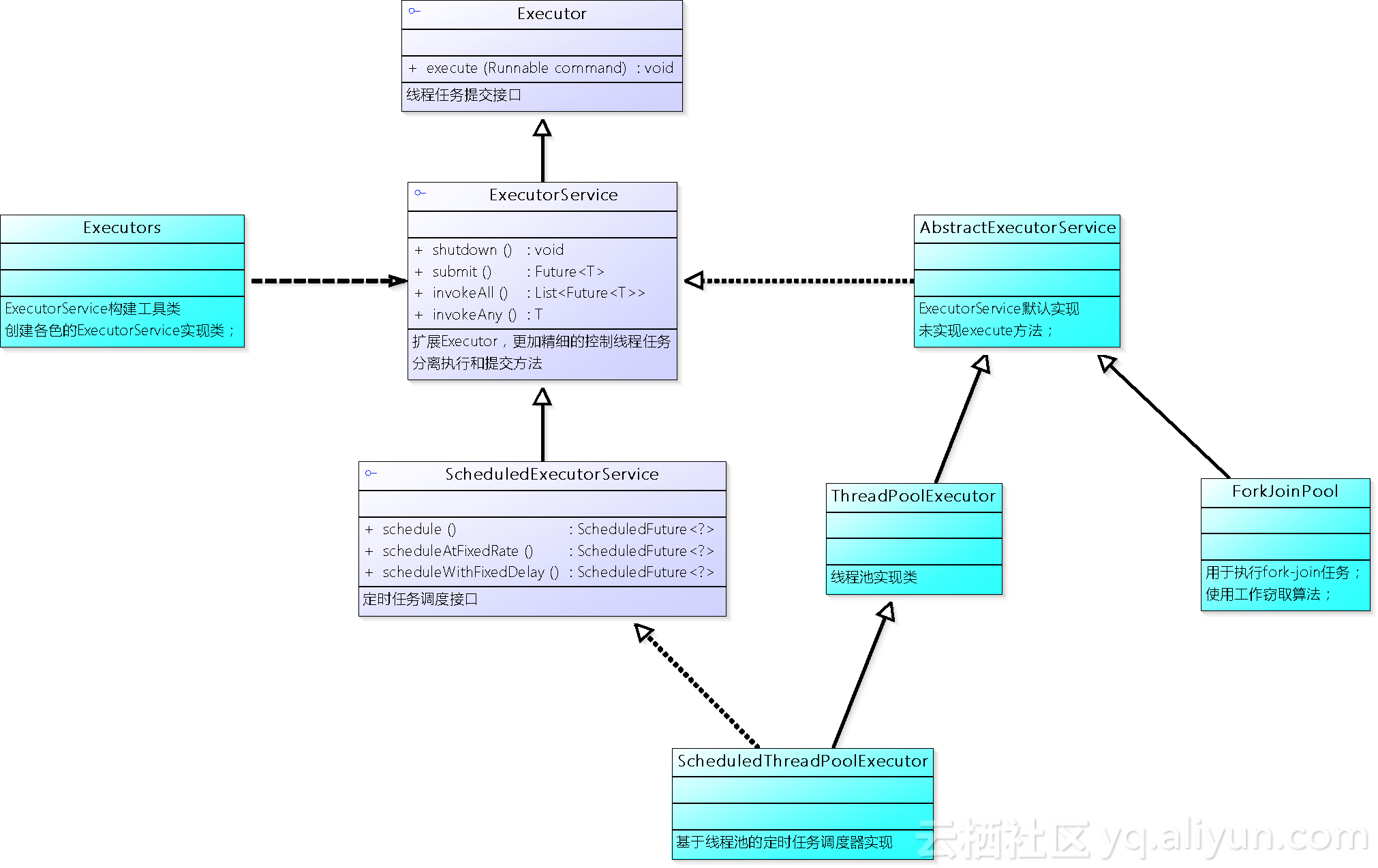
我们都知道在去年Docker轰动容器社区的在Docker Engine中集成了编排能力,并随着1.12的Docker版本发布,但是那个版本的编排还有很多的不足,比如: 不兼容传统的Docker Compose格式,从Compose迁移到服务复杂。 不支持复杂的服务发布方式和回滚等 而在近期发布的1.13的版本中,Docker对Docker Engine内置的编排能力做了很多的更新,我们下面看一下Docker Engine 1.13中内置的编排能力有哪些更新: 支持Compose/(docker stack) Docker 1.13中将之前的Compose加入到Docker Engine中,通过docker stack命令进行管理: docker stack deploy部署一个Compose模板到Docker集群中作为一个stack,相当于

资源下载

更多资源
腾讯云软件源

腾讯云软件源

为解决软件依赖安装时官方源访问速度慢的问题,腾讯云为一些软件搭建了缓存服务。您可以通过使用腾讯云软件源站来提升依赖包的安装速度。为了方便用户自由搭建服务架构,目前腾讯云软件源站支持公网访问和内网访问。

Rocky Linux

Rocky Linux

Rocky Linux(中文名:洛基)是由Gregory Kurtzer于2020年12月发起的企业级Linux发行版,作为CentOS稳定版停止维护后与RHEL(Red Hat Enterprise Linux)完全兼容的开源替代方案,由社区拥有并管理,支持x86_64、aarch64等架构。其通过重新编译RHEL源代码提供长期稳定性,采用模块化包装和SELinux安全架构,默认包含GNOME桌面环境及XFS文件系统,支持十年生命周期更新。

Sublime Text

Sublime Text

Sublime Text具有漂亮的用户界面和强大的功能,例如代码缩略图,Python的插件,代码段等。还可自定义键绑定,菜单和工具栏。Sublime Text 的主要功能包括:拼写检查,书签,完整的 Python API , Goto 功能,即时项目切换,多选择,多窗口等等。Sublime Text 是一个跨平台的编辑器,同时支持Windows、Linux、Mac OS X等操作系统。

WebStorm

WebStorm

WebStorm 是jetbrains公司旗下一款JavaScript 开发工具。目前已经被广大中国JS开发者誉为“Web前端开发神器”、“最强大的HTML5编辑器”、“最智能的JavaScript IDE”等。与IntelliJ IDEA同源,继承了IntelliJ IDEA强大的JS部分的功能。

用户登录
用户注册