elasticsearch 核心的http api
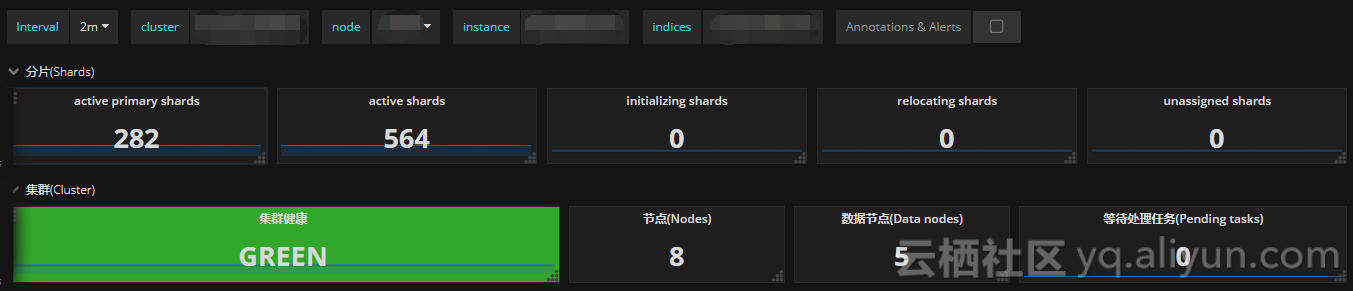
开篇 作为一个elasticsearch的新手,我觉得elasticsearch的官网的文档归类清楚,作为新手很有必要多阅读几次,每次都能加深印象。这里作为个人理解进行一些简单的归类便于查阅。 对于新手而言,熟悉各类能够掌握简单的操作包括:索引的创建删除查询,文档的增删改查、集群信息查询等。 Indices APIs:负责索引Index的创建(create)、删除(delete)、获取(get)、索引存在(exist)等操作。 Document APIs:负责索引文档的创建(index)、删除(delete)、获取(get)等操作。 Search APIs:负责索引文档的search(查询),Document APIS根据doc_id进行查询,Search APIs]根据条件查询。 Aggregations:负责针对索引的文档各维度的聚合(Aggregation)。 cat APIs:负责查询索引相关的各类信息查询。 Cluster APIs:负责集群相关的各类信息查询。 提供一个操作的方法,就是本机搭建个es集群然后部署一个kibana,通过kibana熟悉http api就可以了,这篇文章就专注下cat和cluster相关的api。 cat APIs介绍 cat APIs cat aliases 说明: aliases 负责展示当前es集群配置别名包括filter和routing信息。 命令: GET /_cat/aliases?v GET /_cat/aliases/alias1,alias2 返回: alias index filter routing.index routing.search alias1 test1 - - - alias2 test1 * - - alias3 test1 - 1 1 alias4 test1 - 2 1,2 cat allocation 说明: allocation负责展示es的每个数据节点分配的索引分片以及使用的磁盘空间。 命令: GET /_cat/allocation?v 返回值: shards disk.indices disk.used disk.avail disk.total disk.percent host ip node 5 260b 47.3gb 43.4gb 100.7gb 46 127.0.0.1 127.0.0.1 CSUXak2 cat count 说明: count负责展示整个ES集群或者单个索引的文档数。 命令: GET /_cat/count?v GET /_cat/count/twitter?v 返回值: epoch timestamp count 1475868259 15:24:20 120 cat fielddata 说明: fielddata负责展示ES集群每个数据节点中fileddata占用的堆内存。 命令: GET /_cat/fielddata?v GET /_cat/fielddata?v&fields=body GET /_cat/fielddata/body,soul?v 返回值: id host ip node field size Nqk-6inXQq-OxUfOUI8jNQ 127.0.0.1 127.0.0.1 Nqk-6in body 544b Nqk-6inXQq-OxUfOUI8jNQ 127.0.0.1 127.0.0.1 Nqk-6in soul 480b cat health 说明: health负责展示集群的健康状态 命令: GET /_cat/health?v GET /_cat/health?v&ts=false 返回值: epoch timestamp cluster status node.total node.data shards pri relo init unassign pending_tasks max_task_wait_time active_shards_percent 1475871424 16:17:04 elasticsearch green 1 1 5 5 0 0 0 0 - 100.0% cat indices 说明: indices负责提供索引的相关信息,包括组成一个索引(index)的shard、document的数量,删除的doc数量,主存大小和所有索引的总存储大小。 命令: GET /_cat/indices/twi*?v&s=index 返回值: health status index uuid pri rep docs.count docs.deleted store.size pri.store.size yellow open twitter u8FNjxh8Rfy_awN11oDKYQ 1 1 1200 0 88.1kb 88.1kb green open twitter2 nYFWZEO7TUiOjLQXBaYJpA 5 0 0 0 260b 260b cat master 说明: master负责展示es集群的master节点信息包括节点id、节点名、ip地址等。 命令: GET /_cat/master?v 返回值: id host ip node YzWoH_2BT-6UjVGDyPdqYg 127.0.0.1 127.0.0.1 YzWoH_2 cat nodeattrs 说明: nodeattrs负责展示通用的节点信息。 命令: GET /_cat/nodeattrs?v 返回值: node host ip attr value node-0 127.0.0.1 127.0.0.1 testattr test cat nodes 说明: nodes负责展示es集群的拓扑信息。 命令: GET /_cat/nodes?v 返回值: ip heap.percent ram.percent cpu load_1m load_5m load_15m node.role master name 127.0.0.1 65 99 42 3.07 mdi * mJw06l1 cat pending tasks 说明: pending_tasks返回集群层面的未执行的任务列表包括创建索引,更新mapping,allocate分片信息。 命令: GET /_cat/pending_tasks?v 返回值: insertOrder timeInQueue priority source 1685 855ms HIGH update-mapping [foo][t] 1686 843ms HIGH update-mapping [foo][t] 1693 753ms HIGH refresh-mapping [foo][[t]] 1688 816ms HIGH update-mapping [foo][t] 1689 802ms HIGH update-mapping [foo][t] 1690 787ms HIGH update-mapping [foo][t] 1691 773ms HIGH update-mapping [foo][t] cat plugins 说明: plugins命令展示每个节点正在运行的插件信息。 命令: GET /_cat/plugins?v&s=component&h=name,component,version,description 返回值: name component version description U7321H6 analysis-icu 6.5.4 The ICU Analysis plugin integrates Lucene ICU module into elasticsearch, adding ICU relates analysis components. U7321H6 analysis-kuromoji 6.5.4 The Japanese (kuromoji) Analysis plugin integrates Lucene kuromoji analysis module into elasticsearch. U7321H6 analysis-nori 6.5.4 The Korean (nori) Analysis plugin integrates Lucene nori analysis module into elasticsearch. U7321H6 analysis-phonetic 6.5.4 The Phonetic Analysis plugin integrates phonetic token filter analysis with elasticsearch. cat recovery 说明: recovery命令展示索引分片恢复,包括正在进行的和已经完成的任务。 命令: GET _cat/recovery?v GET _cat/recovery?v&h=i,s,t,ty,st,shost,thost,f,fp,b,bp 返回值: index shard time type stage source_host source_node target_host target_node repository snapshot files files_recovered files_percent files_total bytes bytes_recovered bytes_percent bytes_total translog_ops translog_ops_recovered translog_ops_percent twitter 0 13ms store done n/a n/a 127.0.0.1 node-0 n/a n/a 0 0 100% 13 0 0 100% 9928 0 0 100.0% cat repositories 说明: repositories命令展示在集群中注册的快照仓库。 命令: GET /_cat/repositories?v GET /_cat/thread_pool/generic?v&h=id,name,active,rejected,completed 返回值: id type repo1 fs repo2 s3 cat thread pool 说明: thread_pool命令展示集群节点的线程池的统计信息,包括处于活跃、队列等待、拒绝的线程任务信息。 命令: GET /_cat/thread_pool 返回值: node-0 bulk 0 0 0 node-0 fetch_shard_started 0 0 0 node-0 fetch_shard_store 0 0 0 node-0 flush 0 0 0 node-0 force_merge 0 0 0 node-0 generic 0 0 0 node-0 get 0 0 0 node-0 index 0 0 0 node-0 listener 0 0 0 node-0 management 1 0 0 node-0 refresh 0 0 0 node-0 search 0 0 0 node-0 snapshot 0 0 0 node-0 warmer 0 0 0 cat shards 说明: shards命令展示每个节点包括哪些分片信息。 命令: GET _cat/shards GET _cat/shards/twitt* 返回值: twitter 0 p STARTED 3014 31.1mb 192.168.56.10 H5dfFeA cat segments 说明: segments命令展示索引的segments的信息。 命令: GET /_cat/segments?v 返回值: index shard prirep ip segment generation docs.count docs.deleted size size.memory committed searchable version compound test 3 p 127.0.0.1 _0 0 1 0 3kb 2042 false true 7.1.0 true test1 3 p 127.0.0.1 _0 0 1 0 3kb 2042 false true 7.1.0 true cat snapshots 说明: snapshots命令展示属于某个指定快照仓库的所有快照信息。通过/_cat/repositories查找所有的仓库列表。 命令: GET /_cat/snapshots/repo1?v&s=id 返回值: id status start_epoch start_time end_epoch end_time duration indices successful_shards failed_shards total_shards snap1 FAILED 1445616705 18:11:45 1445616978 18:16:18 4.6m 1 4 1 5 snap2 SUCCESS 1445634298 23:04:58 1445634672 23:11:12 6.2m 2 10 0 10 cat templates 说明: templates展示已存在的模板信息。 命令: GET /_cat/templates?v&s=name 返回值: name index_patterns order version template0 [te*] 0 template1 [tea*] 1 template2 [teak*] 2 7 Cluster APIs介绍 Cluster APIsCluster Health 说明: health命令展示集群的健康状态, 命令: GET _cluster/health GET /_cluster/health/test1,test2 返回值: { "cluster_name" : "testcluster", "status" : "yellow", "timed_out" : false, "number_of_nodes" : 1, "number_of_data_nodes" : 1, "active_primary_shards" : 5, "active_shards" : 5, "relocating_shards" : 0, "initializing_shards" : 0, "unassigned_shards" : 5, "delayed_unassigned_shards": 0, "number_of_pending_tasks" : 0, "number_of_in_flight_fetch": 0, "task_max_waiting_in_queue_millis": 0, "active_shards_percent_as_number": 50.0 } Cluster State 说明: state命令展示集群详细的状态信息, 其中metrics指标包括version、master_node、nodes、routing_table、metadata、blocks。 命令: GET /_cluster/state GET /_cluster/state/{metrics}/{indices} GET /_cluster/state/metadata,routing_table/foo,bar 返回值: { "cluster_name": "my-application", "compressed_size_in_bytes": 847, "version": 10, "state_uuid": "DDWoFtm7TvCydbp8SKRQdw", "master_node": "YOIwJR1bTxG0iKHur_M-Rg" } Cluster Stats 说明: Stats命令展示集群的多维度统计信息。 指标包括shard numbers, store size, memory usage、 number, roles, os, jvm versions, memory usage, cpu and installed plugins。 命令: GET /_cluster/stats?human&pretty 返回值: { "_nodes" : { "total" : 1, "successful" : 1, "failed" : 0 }, "cluster_name": "elasticsearch", "timestamp": 1459427693515, "status": "green", "indices": { "count": 1, "shards": { "total": 5, "primaries": 5, "replication": 0, "index": { "shards": { "min": 5, "max": 5, "avg": 5 }, "primaries": { "min": 5, "max": 5, "avg": 5 }, "replication": { "min": 0, "max": 0, "avg": 0 } } }, "docs": { "count": 10, "deleted": 0 }, "store": { "size": "16.2kb", "size_in_bytes": 16684 }, "fielddata": { "memory_size": "0b", "memory_size_in_bytes": 0, "evictions": 0 }, "query_cache": { "memory_size": "0b", "memory_size_in_bytes": 0, "total_count": 0, "hit_count": 0, "miss_count": 0, "cache_size": 0, "cache_count": 0, "evictions": 0 }, "completion": { "size": "0b", "size_in_bytes": 0 }, "segments": { "count": 4, "memory": "8.6kb", "memory_in_bytes": 8898, "terms_memory": "6.3kb", "terms_memory_in_bytes": 6522, "stored_fields_memory": "1.2kb", "stored_fields_memory_in_bytes": 1248, "term_vectors_memory": "0b", "term_vectors_memory_in_bytes": 0, "norms_memory": "384b", "norms_memory_in_bytes": 384, "points_memory" : "0b", "points_memory_in_bytes" : 0, "doc_values_memory": "744b", "doc_values_memory_in_bytes": 744, "index_writer_memory": "0b", "index_writer_memory_in_bytes": 0, "version_map_memory": "0b", "version_map_memory_in_bytes": 0, "fixed_bit_set": "0b", "fixed_bit_set_memory_in_bytes": 0, "max_unsafe_auto_id_timestamp" : -9223372036854775808, "file_sizes": {} } }, "nodes": { "count": { "total": 1, "data": 1, "coordinating_only": 0, "master": 1, "ingest": 1 }, "versions": [ "6.1.4" ], "os": { "available_processors": 8, "allocated_processors": 8, "names": [ { "name": "Mac OS X", "count": 1 } ], "mem" : { "total" : "16gb", "total_in_bytes" : 17179869184, "free" : "78.1mb", "free_in_bytes" : 81960960, "used" : "15.9gb", "used_in_bytes" : 17097908224, "free_percent" : 0, "used_percent" : 100 } }, "process": { "cpu": { "percent": 9 }, "open_file_descriptors": { "min": 268, "max": 268, "avg": 268 } }, "jvm": { "max_uptime": "13.7s", "max_uptime_in_millis": 13737, "versions": [ { "version": "1.8.0_74", "vm_name": "Java HotSpot(TM) 64-Bit Server VM", "vm_version": "25.74-b02", "vm_vendor": "Oracle Corporation", "count": 1 } ], "mem": { "heap_used": "57.5mb", "heap_used_in_bytes": 60312664, "heap_max": "989.8mb", "heap_max_in_bytes": 1037959168 }, "threads": 90 }, "fs": { "total": "200.6gb", "total_in_bytes": 215429193728, "free": "32.6gb", "free_in_bytes": 35064553472, "available": "32.4gb", "available_in_bytes": 34802409472 }, "plugins": [ { "name": "analysis-icu", "version": "6.1.4", "description": "The ICU Analysis plugin integrates Lucene ICU module into elasticsearch, adding ICU relates analysis components.", "classname": "org.elasticsearch.plugin.analysis.icu.AnalysisICUPlugin", "has_native_controller": false }, { "name": "ingest-geoip", "version": "6.1.4", "description": "Ingest processor that uses looksup geo data based on ip adresses using the Maxmind geo database", "classname": "org.elasticsearch.ingest.geoip.IngestGeoIpPlugin", "has_native_controller": false }, { "name": "ingest-user-agent", "version": "6.1.4", "description": "Ingest processor that extracts information from a user agent", "classname": "org.elasticsearch.ingest.useragent.IngestUserAgentPlugin", "has_native_controller": false } ], "network_types" : { "transport_types" : { "netty4" : 1 }, "http_types" : { "netty4" : 1 } } } } Pending cluster tasks 说明: pending_tasks返回集群级别的未执行的任务, 包括创建索引,、更新mapping、 分配分片等。 命令: ET /_cluster/pending_tasks 返回值: { "tasks": [ { "insert_order": 101, "priority": "URGENT", "source": "create-index [foo_9], cause [api]", "time_in_queue_millis": 86, "time_in_queue": "86ms" }, { "insert_order": 46, "priority": "HIGH", "source": "shard-started ([foo_2][1], node[tMTocMvQQgGCkj7QDHl3OA], [P], s[INITIALIZING]), reason [after recovery from shard_store]", "time_in_queue_millis": 842, "time_in_queue": "842ms" }, { "insert_order": 45, "priority": "HIGH", "source": "shard-started ([foo_2][0], node[tMTocMvQQgGCkj7QDHl3OA], [P], s[INITIALIZING]), reason [after recovery from shard_store]", "time_in_queue_millis": 858, "time_in_queue": "858ms" } ] } Cluster Reroute 说明: reroute命令允许我们人工的重新分配集群中的索引分片。 move:移动分片 cancel:取消分片分配 allocate_replica:分配副本 命令: POST /_cluster/reroute { "commands" : [ { "move" : { "index" : "test", "shard" : 0, "from_node" : "node1", "to_node" : "node2" } }, { "allocate_replica" : { "index" : "test", "shard" : 1, "node" : "node3" } } ] } Cluster Update Settings 说明: 更新集群的配置信息并返回执行更新完成的配置。 命令: PUT /_cluster/settings { "persistent" : { "indices.recovery.max_bytes_per_sec" : "50mb" } } PUT /_cluster/settings?flat_settings=true { "transient" : { "indices.recovery.max_bytes_per_sec" : "20mb" } } 返回值: { ... "persistent" : { }, "transient" : { "indices.recovery.max_bytes_per_sec" : "20mb" } } Nodes Stats 说明: _nodes/stats 展示集群中指定节点或所有节点的统计信息。 命令: GET /_nodes/stats GET /_nodes/nodeId1,nodeId2/stats 返回值: { "_nodes": { "total": 1, "successful": 1, "failed": 0 }, "cluster_name": "my-application", "nodes": { "YOIwJR1bTxG0iKHur_M-Rg": { "timestamp": 1545564028595, "name": "node-2", "transport_address": "127.0.0.1:9300", "host": "127.0.0.1", "ip": "127.0.0.1:9300", "roles": [ "master", "data", "ingest" ], "os": { "timestamp": 1545564028595, "cpu": { "percent": 12, "load_average": { "1m": 1.7255859375 } }, "mem": { "total_in_bytes": 8589934592, "free_in_bytes": 305328128, "used_in_bytes": 8284606464, "free_percent": 4, "used_percent": 96 }, "swap": { "total_in_bytes": 2147483648, "free_in_bytes": 1657012224, "used_in_bytes": 490471424 } } } } } Nodes Info 说明: _nodes展示集群中每个节点的信息。 命令: GET /_nodes GET /_nodes/nodeId1,nodeId2 指标包括settings, os, process, jvm, thread_pool, transport, http, plugins, ingest,indices 返回值: { "_nodes": { "total": 1, "successful": 1, "failed": 0 }, "cluster_name": "my-application", "nodes": { "YOIwJR1bTxG0iKHur_M-Rg": { "name": "node-2", "transport_address": "127.0.0.1:9300", "host": "127.0.0.1", "ip": "127.0.0.1", "version": "6.1.0", "build_hash": "c0c1ba0", "roles": [ "master", "data", "ingest" ], "os": { "refresh_interval_in_millis": 1000, "name": "Mac OS X", "arch": "x86_64", "version": "10.14.2", "available_processors": 4, "allocated_processors": 4 } } } } Nodes Feature Usage 说明: _nodes/usage展示集群各个节点各类服务调用次数 命令: GET _nodes/usage GET _nodes/nodeId1,nodeId2/usage 返回值: { "_nodes": { "total": 1, "successful": 1, "failed": 0 }, "cluster_name": "my_cluster", "nodes": { "pQHNt5rXTTWNvUgOrdynKg": { "timestamp": 1492553961812, "since": 1492553906606, "rest_actions": { "org.elasticsearch.rest.action.admin.cluster.RestNodesUsageAction": 1, "org.elasticsearch.rest.action.admin.indices.RestCreateIndexAction": 1, "org.elasticsearch.rest.action.document.RestGetAction": 1, "org.elasticsearch.rest.action.search.RestSearchAction": 19, "org.elasticsearch.rest.action.admin.cluster.RestNodesInfoAction": 36 } } } } Remote Cluster Info 说明: 返回集群的连接信息。 命令: GET /_remote/info Nodes hot_threads 说明: _nodes/hot_threads展示集群节点的热点线程信息。 命令: GET /_nodes/hot_threads GET /_nodes/{nodesIds}/hot_threads. 返回值: ::: {node-2}{YOIwJR1bTxG0iKHur_M-Rg}{UmVpL8zQTUa1tu6TtOhpyQ}{127.0.0.1}{127.0.0.1:9300} Hot threads at 2018-12-23T12:22:24.368Z, interval=500ms, busiestThreads=3, ignoreIdleThreads=true: Cluster Allocation Explain API 说明: 用于解释分片没有被分配的原因 命令: GET /_cluster/allocation/explain { "index": "myindex", "shard": 0, "primary": true } 返回值: { "index" : "idx", "shard" : 0, "primary" : true, "current_state" : "unassigned", "unassigned_info" : { "reason" : "INDEX_CREATED", "at" : "2017-01-04T18:08:16.600Z", "last_allocation_status" : "no" }, "can_allocate" : "no", "allocate_explanation" : "cannot allocate because allocation is not permitted to any of the nodes", "node_allocation_decisions" : [ { "node_id" : "8qt2rY-pT6KNZB3-hGfLnw", "node_name" : "node-0", "transport_address" : "127.0.0.1:9401", "node_attributes" : {}, "node_decision" : "no", "weight_ranking" : 1, "deciders" : [ { "decider" : "filter", "decision" : "NO", "explanation" : "node does not match index setting [index.routing.allocation.include] filters [_name:\"non_existent_node\"]" } ] } ] }