首页 文章 精选 留言 我的

精选列表

搜索[产业分析],共10000篇文章
优秀的个人博客,低调大师

Drawable以及资源分析

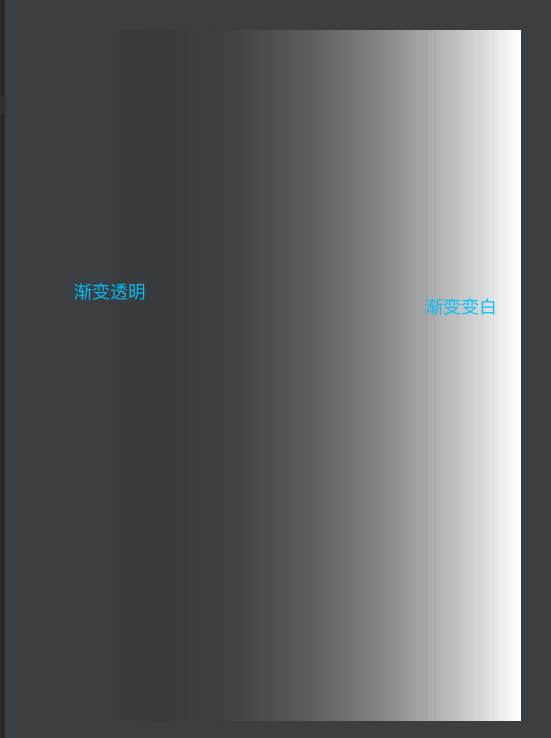
drawable是一个抽象类,他把资源文件夹下的Drawable用其子类进行实例化,然后绘制.so,我们只是在drawble资源中进行了配置,其绘制过程在对应的实现类中. 本文举例几种不常见的drawable...... 1.BitmapDrawble Bitmap-->位图 Bitmap是存储图片的一个类,构造成的是一个位图.构造过程在native方法中. Drawable-->绘制 A Drawable is a general abstraction for "something that can be drawn." Most * often you will deal with Drawable as the type of resource retrieved for * drawing things to the screen. *drawable是一个抽象类,可以对资源进行绘制的工具类. 说一下Bitmap和Drawable的关系 Drawable的子类BitmapDrawble是对bitmap的包装类,在他的BitmapState中有一个bitmap对象引用.也就是说可以通过转型得到bitmap BitmapDrawable bd = (BitmapDrawable) drawable; Bitmap bm= bd.getBitmap(); 下是他注释的翻译. A Drawable that wraps a bitmap and can be tiled, stretched, or aligned. You can create a BitmapDrawable from a file path, an input stream, through XML inflation, or from a {@link android.graphics.Bitmap} object. BitmapDrawble是一个bitmap的包装类,可以对bitmap进行平铺,拉伸和对齐等.可以通过IO,文件,xml或者bitmap构建对象 2.ShapeDrawable ShapeDrawable是最常见的,他通过xml的drawable构建shape得到. 它对应的类不是ShapeDrawable,而是android.graphics.drawable.GradientDrawable.....害我找了好久shape中的ring等方法,好坑. 我们可以通过这个绘制我们想要的效果 比如,我们绘制一层蒙层效果,效果不错. <?xml version="1.0" encoding="utf-8"?> <shape xmlns:android="http://schemas.android.com/apk/res/android"> <gradient android:angle="180" android:endColor="@android:color/transparent" android:startColor="@android:color/white" /> </shape> image.png 3.LayerDrawable LayerDrawable对应的是XML的<layer-list>,他是一种层次化的Drawable,类似于层叠效果. 这种我们可以做这种需求,比如需要对一个自定义控件进行底部画线,或者用线半包含底边,我们可以用.9图,或者用layer_list实现,作为background.比如 <?xml version="1.0" encoding="utf-8"?> <layer-list xmlns:android="http://schemas.android.com/apk/res/android"> <item > <shape android:shape="rectangle"> <solid android:color="#0ac39e"></solid> </shape> </item> <item android:bottom="10dp"> <shape android:shape="rectangle"> <solid android:color="#ffffff"></solid> </shape> </item> <item android:right="3dp" android:bottom="3dp" android:left="3dp"> <shape android:shape="rectangle"> <solid android:color="#ffffff"></solid> </shape> </item> </layer-list> image.png 4.StateListDrawable 对应着<Selector> 根据状态进行不同的操作.不做赘述. LevelListDrawable 对应着<level-list>标签,它可以根据level不同,改变相应的drawable.额....感觉和直接setImageVIew差不多.... <?xml version="1.0" encoding="utf-8"?> <level-list xmlns:android="http://schemas.android.com/apk/res/android"> <item android:minLevel="0" android:maxLevel="3" android:drawable="@color/colorAccent"></item> <item android:minLevel="4" android:maxLevel="6" android:drawable="@color/colorPrimary"></item> <item android:minLevel="7" android:maxLevel="9" android:drawable="@color/colorPrimaryDark"></item> </level-list> //两种调用方式 drawable.setLevel(0); imageView.setImageLevel(0);

优秀的个人博客,低调大师

Spark 源码分析 -- RDD

关于RDD, 详细可以参考Spark的论文, 下面看下源码 A Resilient Distributed Dataset (RDD), the basic abstraction in Spark. Represents an immutable, partitioned collection of elements that can be operated on in parallel. * Internally, each RDD is characterized by five main properties: * - A list of partitions * - A function for computing each split * - A list of dependencies on other RDDs * - Optionally, a Partitioner for key-value RDDs (e.g. to say that the RDD is hash-partitioned) * - Optionally, a list of preferred locations to compute each split on (e.g. block locations for an HDFS file) RDD分为一下几类, basic(org.apache.spark.rdd.RDD): This class contains the basic operations available on all RDDs, such as `map`, `filter`, and `persist`. org.apache.spark.rdd.PairRDDFunctions: contains operations available only on RDDs ofkey-value pairs, such as `groupByKey` and `join` org.apache.spark.rdd.DoubleRDDFunctions: contains operations available only on RDDs ofDoubles org.apache.spark.rdd.SequenceFileRDDFunctions: contains operations available on RDDs that can be saved asSequenceFiles RDD首先是泛型类, T表示存放数据的类型, 在处理数据是都是基于Iterator[T] 以SparkContext和依赖关系Seq deps为初始化参数 从RDD提供的这些接口大致就可以知道, 什么是RDD 1. RDD是一块数据, 可能比较大的数据, 所以不能保证可以放在一个机器的memory中, 所以需要分成partitions, 分布在集群的机器的memory 所以自然需要getPartitions, partitioner如果分区, getPreferredLocations分区如何考虑locality Partition的定义很简单, 只有id, 不包含data trait Partition extends Serializable { /** * Get the split's index within its parent RDD */ def index: Int // A better default implementation of HashCode override def hashCode(): Int = index } 2. RDD之间是有关联的, 一个RDD可以通过compute逻辑把父RDD的数据转化成当前RDD的数据, 所以RDD之间有因果关系 并且通过getDependencies, 可以取到所有的dependencies 3. RDD是可以被persisit的, 常用的是cache, 即StorageLevel.MEMORY_ONLY 4. RDD是可以被checkpoint的, 以提高failover的效率, 当有很长的RDD链时, 单纯的依赖replay会比较低效 5. RDD.iterator可以产生用于迭代真正数据的Iterator[T] 6. 在RDD上可以做各种transforms和actions abstract class RDD[T: ClassManifest]( @transient private var sc: SparkContext, //@transient, 不需要序列化 @transient private var deps: Seq[Dependency[_]] ) extends Serializable with Logging { /**辅助构造函数, 专门用于初始化1对1依赖关系的RDD,这种还是很多的, filter, map... Construct an RDD with just a one-to-one dependency on one parent */ def this(@transient oneParent: RDD[_]) = this(oneParent.context , List(new OneToOneDependency(oneParent))) // 不同于一般的RDD, 这种情况因为只有一个parent, 所以直接传入parent RDD对象即可 // ======================================================================= // Methods that should be implemented by subclasses of RDD // ======================================================================= /** Implemented by subclasses to compute a given partition. */ def compute(split: Partition, context: TaskContext): Iterator[T] /** * Implemented by subclasses to return the set of partitions in this RDD. This method will only * be called once, so it is safe to implement a time-consuming computation in it. */ protected def getPartitions: Array[Partition] /** * Implemented by subclasses to return how this RDD depends on parent RDDs. This method will only * be called once, so it is safe to implement a time-consuming computation in it. */ protected def getDependencies: Seq[Dependency[_]] = deps /** Optionally overridden by subclasses to specify placement preferences. */ protected def getPreferredLocations(split: Partition): Seq[String] = Nil /** Optionally overridden by subclasses to specify how they are partitioned. */ val partitioner: Option[Partitioner] = None // ======================================================================= // Methods and fields available on all RDDs // ======================================================================= /** The SparkContext that created this RDD. */ def sparkContext: SparkContext = sc /** A unique ID for this RDD (within its SparkContext). */ val id: Int = sc.newRddId() /** A friendly name for this RDD */ var name: String = null /** * Set this RDD's storage level to persist its values across operations after the first time * it is computed. This can only be used to assign a new storage level if the RDD does not * have a storage level set yet.. */ def persist(newLevel: StorageLevel): RDD[T] = { // TODO: Handle changes of StorageLevel if (storageLevel != StorageLevel.NONE && newLevel != storageLevel) { throw new UnsupportedOperationException( "Cannot change storage level of an RDD after it was already assigned a level") } storageLevel = newLevel // Register the RDD with the SparkContext sc.persistentRdds(id) = this this } /** Persist this RDD with the default storage level (`MEMORY_ONLY`). */ def persist(): RDD[T] = persist(StorageLevel.MEMORY_ONLY) /** Persist this RDD with the default storage level (`MEMORY_ONLY`). */ def cache(): RDD[T] = persist() /** Get the RDD's current storage level, or StorageLevel.NONE if none is set. */ def getStorageLevel = storageLevel // Our dependencies and partitions will be gotten by calling subclass's methods below, and will // be overwritten when we're checkpointed private var dependencies_ : Seq[Dependency[_]] = null @transient private var partitions_ : Array[Partition] = null /** An Option holding our checkpoint RDD, if we are checkpointed * checkpoint就是把RDD存到磁盘文件中, 以提高failover的效率, 虽然也可以选择replay * 并且在RDD的实现中, 如果存在checkpointRDD, 则可以直接从中读到RDD数据, 而不需要compute */ private def checkpointRDD: Option[RDD[T]] = checkpointData.flatMap(_.checkpointRDD) /** * Internal method to this RDD; will read from cache if applicable, or otherwise compute it. * This should ''not'' be called by users directly, but is available for implementors of custom * subclasses of RDD. */ /** 这是RDD访问数据的核心, 在RDD中的Partition中只包含id而没有真正数据 * 那么如果获取RDD的数据? 参考storage模块 * 在cacheManager.getOrCompute中, 会将RDD和Partition id对应到相应的block, 并从中读出数据*/ final def iterator(split: Partition, context: TaskContext): Iterator[T] = { if (storageLevel != StorageLevel.NONE) {//StorageLevel不为None,说明这个RDD persist过, 可以直接读出来 SparkEnv.get.cacheManager.getOrCompute(this, split, context, storageLevel) } else { computeOrReadCheckpoint(split, context) //如果没有persisit过, 只有从新计算出, 或从checkpoint中读出 } } // Transformations (return a new RDD) //...... 各种transformations的接口,map, union... /** * Return a new RDD by applying a function to all elements of this RDD. */ def map[U: ClassManifest](f: T => U): RDD[U] = new MappedRDD(this, sc.clean(f)) // Actions (launch a job to return a value to the user program) //......各种actions的接口,count, collect... /** * Return the number of elements in the RDD. */ def count(): Long = {// 只有在action中才会真正调用runJob, 所以transform都是lazy的 sc.runJob(this, (iter: Iterator[T]) => { var result = 0L while (iter.hasNext) { result += 1L iter.next() } result }).sum } // ======================================================================= // Other internal methods and fields // ======================================================================= /** Returns the first parent RDD 返回第一个parent RDD*/ protected[spark] def firstParent[U: ClassManifest] = { dependencies.head.rdd.asInstanceOf[RDD[U]] } //................ } 这里先只讨论一些basic的RDD, pairRDD会单独讨论 FilteredRDD One-to-one Dependency, FilteredRDD 使用FilteredRDD, 将当前RDD作为第一个参数, f函数作为第二个参数, 返回值是filter过后的RDD /** * Return a new RDD containing only the elements that satisfy a predicate. */ def filter(f: T => Boolean): RDD[T] = new FilteredRDD(this, sc.clean(f)) 在compute中, 对parent RDD的Iterator[T]进行filter操作 private[spark] class FilteredRDD[T: ClassManifest]( //filter是典型的one-to-one dependency, 使用辅助构造函数 prev: RDD[T], //parent RDD f: T => Boolean) //f,过滤函数 extends RDD[T](prev) { //firstParent会从deps中取出第一个RDD对象, 就是传入的prev RDD, 在One-to-one Dependency中,parent和child的partition信息相同 override def getPartitions: Array[Partition] = firstParent[T].partitions override val partitioner = prev.partitioner // Since filter cannot change a partition's keys override def compute(split: Partition, context: TaskContext) = firstParent[T].iterator(split, context).filter(f) //compute就是真正产生RDD的逻辑 } UnionRDD Range Dependency, 仍然是narrow的 先看看如果使用union的, 第二个参数是, 两个RDD的array, 返回值就是把这两个RDD union后产生的新的RDD /** * Return the union of this RDD and another one. Any identical elements will appear multiple * times (use `.distinct()` to eliminate them). */ def union(other: RDD[T]): RDD[T] = new UnionRDD(sc, Array(this, other)) 先定义UnionPartition, Union操作的特点是, 只是把多个RDD的partition合并到一个RDD中, 而partition本身没有变化, 所以可以直接重用parent partition 3个参数 idx, partition id, 在当前UnionRDD中的序号 rdd, parent RDD splitIndex, parent partition的id private[spark] class UnionPartition[T: ClassManifest](idx: Int, rdd: RDD[T], splitIndex: Int) extends Partition { var split: Partition = rdd.partitions(splitIndex)//从parent RDD中取出相应的partition, 重用 def iterator(context: TaskContext) = rdd.iterator(split, context)//Iterator也可以重用 def preferredLocations() = rdd.preferredLocations(split) override val index: Int = idx//partition id是新的, 因为多个合并后, 序号肯定会发生变化 } 定义UnionRDD class UnionRDD[T: ClassManifest]( sc: SparkContext, @transient var rdds: Seq[RDD[T]]) //parent RDD Seq extends RDD[T](sc, Nil) { // Nil since we implement getDependencies override def getPartitions: Array[Partition] = { val array = new Array[Partition](rdds.map(_.partitions.size).sum) //UnionRDD的partition数,是所有parent RDD中的partition数目的和 var pos = 0 for (rdd <- rdds; split <- rdd.partitions) { array(pos) = new UnionPartition(pos, rdd, split.index) //创建所有的UnionPartition pos += 1 } array } override def getDependencies: Seq[Dependency[_]] = { val deps = new ArrayBuffer[Dependency[_]] var pos = 0 for (rdd <- rdds) { deps += new RangeDependency(rdd, 0, pos, rdd.partitions.size)//创建RangeDependency pos += rdd.partitions.size)//由于是RangeDependency, 所以pos的递增是加上整个区间size } deps } override def compute(s: Partition, context: TaskContext): Iterator[T] = s.asInstanceOf[UnionPartition[T]].iterator(context)//Union的compute非常简单,什么都不需要做 override def getPreferredLocations(s: Partition): Seq[String] = s.asInstanceOf[UnionPartition[T]].preferredLocations() } 本文章摘自博客园,原文发布日期:2013-12-24
优秀的个人博客,低调大师

Spark 源码分析 -- Task

Task是介于DAGScheduler和TaskScheduler中间的接口 在DAGScheduler, 需要把DAG中的每个stage的每个partitions封装成task 最终把taskset提交给TaskScheduler /** * A task to execute on a worker node. */ private[spark] abstract class Task[T](val stageId: Int) extends Serializable { def run(attemptId: Long): T //Task的核心函数 def preferredLocations: Seq[TaskLocation] = Nil //Spark关注locality,可以选择该task运行的location var epoch: Long = -1 // Map output tracker epoch. Will be set by TaskScheduler. var metrics: Option[TaskMetrics] = None } TaskContext 用于记录TaskMetrics和在Task中用到的callback 比如对于HadoopRDD, task完成时需要close input stream package org.apache.spark class TaskContext( val stageId: Int, val splitId: Int, val attemptId: Long, val runningLocally: Boolean = false, val taskMetrics: TaskMetrics = TaskMetrics.empty() //TaskMetrics封装了task执行时一些指标和数据 ) extends Serializable { @transient val onCompleteCallbacks = new ArrayBuffer[() => Unit] // Add a callback function to be executed on task completion. An example use // is for HadoopRDD to register a callback to close the input stream. def addOnCompleteCallback(f: () => Unit) { onCompleteCallbacks += f } def executeOnCompleteCallbacks() { onCompleteCallbacks.foreach{_()} } } ResultTask 对应于Result Stage直接产生结果 package org.apache.spark.scheduler private[spark] class ResultTask[T, U]( stageId: Int, var rdd: RDD[T], var func: (TaskContext, Iterator[T]) => U, var partition: Int, @transient locs: Seq[TaskLocation], var outputId: Int) extends Task[U](stageId) with Externalizable { override def run(attemptId: Long): U = { // 对于resultTask, run就是返回执行的结果, 比如count值 val context = new TaskContext(stageId, partition, attemptId, runningLocally = false) metrics = Some(context.taskMetrics) try { func(context, rdd.iterator(split, context)) // 直接就是对RDD的iterator调用func, 比如count函数 } finally { context.executeOnCompleteCallbacks() } } } ShuffleMapTask 对应于ShuffleMap Stage, 产生的结果作为其他stage的输入 package org.apache.spark.scheduler private[spark] class ShuffleMapTask( stageId: Int, var rdd: RDD[_], var dep: ShuffleDependency[_,_], var partition: Int, @transient private var locs: Seq[TaskLocation]) extends Task[MapStatus](stageId) with Externalizable with Logging { override def run(attemptId: Long): MapStatus = { val numOutputSplits = dep.partitioner.numPartitions // 从ShuffleDependency的partitioner中获取到shuffle目标partition的个数 val taskContext = new TaskContext(stageId, partition, attemptId, runningLocally = false) metrics = Some(taskContext.taskMetrics) val blockManager = SparkEnv.get.blockManager // shuffle需要借助blockManager来完成 var shuffle: ShuffleBlocks = null var buckets: ShuffleWriterGroup = null try { // Obtain all the block writers for shuffle blocks. val ser = SparkEnv.get.serializerManager.get(dep.serializerClass) shuffle = blockManager.shuffleBlockManager.forShuffle(dep.shuffleId, numOutputSplits, ser) // 创建shuffleBlockManager, 参数是shuffleId和目标partitions数目 buckets = shuffle.acquireWriters(partition) // 生成shuffle目标buckets(对应于partition) // Write the map output to its associated buckets. for (elem <- rdd.iterator(split, taskContext)) { // 从RDD中取出每个elem数据 val pair = elem.asInstanceOf[Product2[Any, Any]] val bucketId = dep.partitioner.getPartition(pair._1) // 根据pair的key进行shuffle, 得到目标bucketid buckets.writers(bucketId).write(pair) // 将pair数据写入bucket } // Commit这些buckets到block, 其他的RDD会从通过shuffleid找到这些block, 并读取数据 // Commit the writes. Get the size of each bucket block (total block size). var totalBytes = 0L val compressedSizes: Array[Byte] = buckets.writers.map { writer: BlockObjectWriter => // 计算所有buckets写入文件data的size总和(压缩值) writer.commit() writer.close() val size = writer.size() totalBytes += size MapOutputTracker.compressSize(size) } // Update shuffle metrics. val shuffleMetrics = new ShuffleWriteMetrics shuffleMetrics.shuffleBytesWritten = totalBytes metrics.get.shuffleWriteMetrics = Some(shuffleMetrics) return new MapStatus(blockManager.blockManagerId, compressedSizes) // 返回值为MapStatus, 包含blockManagerId和写入的data size, 会被注册到MapOutputTracker } catch { case e: Exception => // If there is an exception from running the task, revert the partial writes // and throw the exception upstream to Spark. if (buckets != null) { buckets.writers.foreach(_.revertPartialWrites()) } throw e } finally { // Release the writers back to the shuffle block manager. if (shuffle != null && buckets != null) { shuffle.releaseWriters(buckets) } // Execute the callbacks on task completion. taskContext.executeOnCompleteCallbacks() } } TaskSet 用于封装一个stage的所有的tasks, 以提交给TaskScheduler package org.apache.spark.scheduler /** * A set of tasks submitted together to the low-level TaskScheduler, usually representing * missing partitions of a particular stage. */ private[spark] class TaskSet( val tasks: Array[Task[_]], val stageId: Int, val attempt: Int, val priority: Int, val properties: Properties) { val id: String = stageId + "." + attempt override def toString: String = "TaskSet " + id } 本文章摘自博客园,原文发布日期:2013-12-30

优秀的个人博客,低调大师

Spark 源码分析 -- Stage

理解stage, 关键就是理解Narrow Dependency和Wide Dependency, 可能还是觉得比较难理解 关键在于是否需要shuffle, 不需要shuffle是可以随意并发的, 所以stage的边界就是需要shuffle的地方, 如下图很清楚 并且Stage分为两种, shuffle map stage, in which case its tasks' results are input for another stage 其实就是,非最终stage, 后面还有其他的stage, 所以它的输出一定是需要shuffle并作为后续的输入result stage, in which case its tasks directly compute the action that initiated a job (e.g. count(), save(), etc) 最终的stage, 没有输出, 而是直接产生结果或存储 1 stage class 这个注释写的很清楚 可以看到stage的RDD参数只有一个RDD, final RDD, 而不是一系列的RDD 因为在一个stage中的所有RDD都是map, partition不会有任何改变, 只是在data依次执行不同的map function 所以对于task scheduler而言, 一个RDD的状况就可以代表这个stage /** * A stage is a set of independent tasks all computing the same function that need to run as part * of a Spark job, where all the tasks have the same shuffle dependencies. Each DAG of tasks run * by the scheduler is split up into stages at the boundaries where shuffle occurs, and then the * DAGScheduler runs these stages in topological order. * * Each Stage can either be a shuffle map stage, in which case its tasks' results are input for * another stage, or a result stage, in which case its tasks directly compute the action that * initiated a job (e.g. count(), save(), etc). For shuffle map stages, we also track the nodes * that each output partition is on. * * Each Stage also has a jobId, identifying the job that first submitted the stage. When FIFO * scheduling is used, this allows Stages from earlier jobs to be computed first or recovered * faster on failure. */ private[spark] class Stage( val id: Int, val rdd: RDD[_], // final RDD val shuffleDep: Option[ShuffleDependency[_,_]], // Output shuffle if stage is a map stage val parents: List[Stage], // 父stage val jobId: Int, callSite: Option[String]) extends Logging { val isShuffleMap = shuffleDep != None // 是否是shuffle map stage, 取决于是否有shuffleDep val numPartitions = rdd.partitions.size val outputLocs = Array.fill[List[MapStatus]](numPartitions)(Nil) // 用于buffer每个shuffle中每个maptask的MapStatus var numAvailableOutputs = 0 private var nextAttemptId = 0 def isAvailable: Boolean = { if (!isShuffleMap) { true } else { numAvailableOutputs == numPartitions } } } 2 newStage 如果是shuffle map stage, 需要在这里向mapOutputTracker注册shuffle /** * Create a Stage for the given RDD, either as a shuffle map stage (for a ShuffleDependency) or * as a result stage for the final RDD used directly in an action. The stage will also be * associated with the provided jobId. */ private def newStage( rdd: RDD[_], shuffleDep: Option[ShuffleDependency[_,_]], jobId: Int, callSite: Option[String] = None) : Stage = { if (shuffleDep != None) { // Kind of ugly: need to register RDDs with the cache and map output tracker here // since we can't do it in the RDD constructor because # of partitions is unknown logInfo("Registering RDD " + rdd.id + " (" + rdd.origin + ")") mapOutputTracker.registerShuffle(shuffleDep.get.shuffleId, rdd.partitions.size) } val id = nextStageId.getAndIncrement() val stage = new Stage(id, rdd, shuffleDep, getParentStages(rdd, jobId), jobId, callSite) stageIdToStage(id) = stage stageToInfos(stage) = StageInfo(stage) stage } 3 getMissingParentStages 可以根据final stage的deps找出所有的parent stage private def getMissingParentStages(stage: Stage): List[Stage] = { val missing = new HashSet[Stage] val visited = new HashSet[RDD[_]] def visit(rdd: RDD[_]) { if (!visited(rdd)) { visited += rdd if (getCacheLocs(rdd).contains(Nil)) { for (dep <- rdd.dependencies) { dep match { case shufDep: ShuffleDependency[_,_] => // 如果发现ShuffleDependency, 说明遇到新的stage val mapStage = getShuffleMapStage(shufDep, stage.jobId) // check shuffleToMapStage, 如果该stage已经被创建则直接返回, 否则newStage if (!mapStage.isAvailable) { missing += mapStage } case narrowDep: NarrowDependency[_] => // 对于NarrowDependency, 说明仍然在这个stage中 visit(narrowDep.rdd) } } } } } visit(stage.rdd) missing.toList } 本文章摘自博客园,原文发布日期:2013-12-26

优秀的个人博客,低调大师

Spark 源码分析 -- BlockStore

BlockStore 抽象接口类, 关键get和put都有两个版本 序列化, putBytes, getBytes 非序列化, putValues, getValues 其中putValues的返回值为PutResult, 其中的data可能是Iterator或ByteBuffer private[spark] case class PutResult(size: Long, data: Either[Iterator[_], ByteBuffer]) /** * Abstract class to store blocks */ private[spark] abstract class BlockStore(val blockManager: BlockManager) extends Logging { def putBytes(blockId: String, bytes: ByteBuffer, level: StorageLevel) /** * Put in a block and, possibly, also return its content as either bytes or another Iterator. * This is used to efficiently write the values to multiple locations (e.g. for replication). * * @return a PutResult that contains the size of the data, as well as the values put if * returnValues is true (if not, the result's data field can be null) */ def putValues(blockId: String, values: ArrayBuffer[Any], level: StorageLevel, returnValues: Boolean) : PutResult /** * Return the size of a block in bytes. */ def getSize(blockId: String): Long def getBytes(blockId: String): Option[ByteBuffer] def getValues(blockId: String): Option[Iterator[Any]] /** * Remove a block, if it exists. * @param blockId the block to remove. * @return True if the block was found and removed, False otherwise. */ def remove(blockId: String): Boolean def contains(blockId: String): Boolean def clear() { } } DiskStore 对应DiskStore其实很单纯, 就是打开相应的文件读或写. /** * Stores BlockManager blocks on disk. */ private class DiskStore(blockManager: BlockManager, rootDirs: String) extends BlockStore(blockManager) with Logging { override def putBytes(blockId: String, _bytes: ByteBuffer, level: StorageLevel) { // So that we do not modify the input offsets ! // duplicate does not copy buffer, so inexpensive val bytes = _bytes.duplicate() val file = createFile(blockId) val channel = new RandomAccessFile(file, "rw").getChannel() while (bytes.remaining > 0) { channel.write(bytes) } channel.close() } override def putValues( blockId: String, values: ArrayBuffer[Any], level: StorageLevel, returnValues: Boolean) : PutResult = { val file = createFile(blockId) val fileOut = blockManager.wrapForCompression(blockId, new FastBufferedOutputStream(new FileOutputStream(file))) val objOut = blockManager.defaultSerializer.newInstance().serializeStream(fileOut) objOut.writeAll(values.iterator) objOut.close() val length = file.length() if (returnValues) { // Return a byte buffer for the contents of the file val buffer = getFileBytes(file) PutResult(length, Right(buffer)) } else { PutResult(length, null) } } override def getBytes(blockId: String): Option[ByteBuffer] = { val file = getFile(blockId) val bytes = getFileBytes(file) Some(bytes) } override def getValues(blockId: String): Option[Iterator[Any]] = { getBytes(blockId).map(bytes => blockManager.dataDeserialize(blockId, bytes)) } } MemoryStore 对于MemoryStore复杂一些 首先使用LinkedHashMap, 可遍历的HashMap, 来组织MemoryStore, 其中的hashmap的结构(blockid, entry) 使用Entry抽象来表示block内容 并且在put的时候, 还涉及到memory空间的释放, ensureFreeSpace /** * Stores blocks in memory, either as ArrayBuffers of deserialized Java objects or as * serialized ByteBuffers. */ private class MemoryStore(blockManager: BlockManager, maxMemory: Long) extends BlockStore(blockManager) { // 使用Entry来表示block内容 case class Entry(value: Any, size: Long, deserialized: Boolean, var dropPending: Boolean = false) private val entries = new LinkedHashMap[String, Entry](32, 0.75f, true) // 使用LinkedHashMap来表示整个MemoryStore private var currentMemory = 0L // Object used to ensure that only one thread is putting blocks and if necessary, dropping // blocks from the memory store. private val putLock = new Object() // HashMap不是线程安全的, 需要锁同步 override def putBytes(blockId: String, _bytes: ByteBuffer, level: StorageLevel) { // Work on a duplicate - since the original input might be used elsewhere. val bytes = _bytes.duplicate() bytes.rewind() // 对于NIO的ByteBuffer, 使用前最好rewind if (level.deserialized) { // 如果storage level需要非序列化的 val values = blockManager.dataDeserialize(blockId, bytes) // 需要先反序列化 val elements = new ArrayBuffer[Any] elements ++= values val sizeEstimate = SizeEstimator.estimate(elements.asInstanceOf[AnyRef]) tryToPut(blockId, elements, sizeEstimate, true) } else { tryToPut(blockId, bytes, bytes.limit, false) } } // putValues的返回值取决于storage level, 如果是deserialized, 返回iterator, 否则ByteBuffer override def putValues( blockId: String, values: ArrayBuffer[Any], level: StorageLevel, returnValues: Boolean) : PutResult = { if (level.deserialized) { val sizeEstimate = SizeEstimator.estimate(values.asInstanceOf[AnyRef]) tryToPut(blockId, values, sizeEstimate, true) PutResult(sizeEstimate, Left(values.iterator)) } else { val bytes = blockManager.dataSerialize(blockId, values.iterator) tryToPut(blockId, bytes, bytes.limit, false) PutResult(bytes.limit(), Right(bytes.duplicate())) } } override def getBytes(blockId: String): Option[ByteBuffer] = { val entry = entries.synchronized { entries.get(blockId) } if (entry == null) { None } else if (entry.deserialized) { Some(blockManager.dataSerialize(blockId, entry.value.asInstanceOf[ArrayBuffer[Any]].iterator)) } else { Some(entry.value.asInstanceOf[ByteBuffer].duplicate()) // Doesn't actually copy the data } } override def getValues(blockId: String): Option[Iterator[Any]] = { val entry = entries.synchronized { entries.get(blockId) } if (entry == null) { None } else if (entry.deserialized) { Some(entry.value.asInstanceOf[ArrayBuffer[Any]].iterator) } else { val buffer = entry.value.asInstanceOf[ByteBuffer].duplicate() // Doesn't actually copy data Some(blockManager.dataDeserialize(blockId, buffer)) } } /** * Try to put in a set of values, if we can free up enough space. The value should either be * an ArrayBuffer if deserialized is true or a ByteBuffer otherwise. Its (possibly estimated) * size must also be passed by the caller. * * Locks on the object putLock to ensure that all the put requests and its associated block * dropping is done by only on thread at a time. Otherwise while one thread is dropping * blocks to free memory for one block, another thread may use up the freed space for * another block. */ private def tryToPut(blockId: String, value: Any, size: Long, deserialized: Boolean): Boolean = { // TODO: Its possible to optimize the locking by locking entries only when selecting blocks // to be dropped. Once the to-be-dropped blocks have been selected, and lock on entries has been // released, it must be ensured that those to-be-dropped blocks are not double counted for // freeing up more space for another block that needs to be put. Only then the actually dropping // of blocks (and writing to disk if necessary) can proceed in parallel. putLock.synchronized { if (ensureFreeSpace(blockId, size)) { // 如果可用分配足够的memory val entry = new Entry(value, size, deserialized) entries.synchronized { entries.put(blockId, entry) } currentMemory += size true } else { // 如果memory无法放下这个block, 那么只有从memory删除, 如果可以用disk, 那么在dropFromMemory中会put到disk中 // Tell the block manager that we couldn't put it in memory so that it can drop it to // disk if the block allows disk storage. val data = if (deserialized) { Left(value.asInstanceOf[ArrayBuffer[Any]]) } else { Right(value.asInstanceOf[ByteBuffer].duplicate()) } blockManager.dropFromMemory(blockId, data) false } } } /** * Tries to free up a given amount of space to store a particular block, but can fail and return * false if either the block is bigger than our memory or it would require replacing another * block from the same RDD (which leads to a wasteful cyclic replacement pattern for RDDs that * don't fit into memory that we want to avoid). * * Assumes that a lock is held by the caller to ensure only one thread is dropping blocks. * Otherwise, the freed space may fill up before the caller puts in their new value. */ private def ensureFreeSpace(blockIdToAdd: String, space: Long): Boolean = { if (space > maxMemory) { logInfo("Will not store " + blockIdToAdd + " as it is larger than our memory limit") return false } if (maxMemory - currentMemory < space) { val rddToAdd = getRddId(blockIdToAdd) val selectedBlocks = new ArrayBuffer[String]() var selectedMemory = 0L // This is synchronized to ensure that the set of entries is not changed // (because of getValue or getBytes) while traversing the iterator, as that // can lead to exceptions. entries.synchronized { val iterator = entries.entrySet().iterator() // 会依次删除现有的block, 直到可以放下新的block while (maxMemory - (currentMemory - selectedMemory) < space && iterator.hasNext) { val pair = iterator.next() val blockId = pair.getKey if (rddToAdd != null && rddToAdd == getRddId(blockId)) { logInfo("Will not store " + blockIdToAdd + " as it would require dropping another " + "block from the same RDD") return false } selectedBlocks += blockId selectedMemory += pair.getValue.size } } if (maxMemory - (currentMemory - selectedMemory) >= space) { logInfo(selectedBlocks.size + " blocks selected for dropping") for (blockId <- selectedBlocks) { // 删除selectedBlocks, 释放空间 val entry = entries.synchronized { entries.get(blockId) } // This should never be null as only one thread should be dropping // blocks and removing entries. However the check is still here for // future safety. if (entry != null) { val data = if (entry.deserialized) { Left(entry.value.asInstanceOf[ArrayBuffer[Any]]) } else { Right(entry.value.asInstanceOf[ByteBuffer].duplicate()) } blockManager.dropFromMemory(blockId, data) } } return true } else { return false } } return true } 本文章摘自博客园,原文发布日期:2014-01-09

优秀的个人博客,低调大师

Spark源码分析 – Executor

ExecutorBackend 很简单的接口 package org.apache.spark.executor /** * A pluggable interface used by the Executor to send updates to the cluster scheduler. */ private[spark] trait ExecutorBackend { def statusUpdate(taskId: Long, state: TaskState, data: ByteBuffer) } StandaloneExecutorBackend 维护executor, 并负责注册executor以及executor和driver之间的通信 private[spark] class StandaloneExecutorBackend( driverUrl: String, executorId: String, hostPort: String, cores: Int) extends Actor with ExecutorBackend with Logging { var executor: Executor = null var driver: ActorRef = null override def preStart() { logInfo("Connecting to driver: " + driverUrl) driver = context.actorFor(driverUrl) // 创建driver actor ref, 以便于和driver通信 driver ! RegisterExecutor(executorId, hostPort, cores) // 向driver注册executor } override def receive = { case RegisteredExecutor(sparkProperties) => logInfo("Successfully registered with driver") // Make this host instead of hostPort ? executor = new Executor(executorId, Utils.parseHostPort(hostPort)._1, sparkProperties) // 当注册成功后, 创建Executor case RegisterExecutorFailed(message) => logError("Slave registration failed: " + message) System.exit(1) case LaunchTask(taskDesc) => logInfo("Got assigned task " + taskDesc.taskId) if (executor == null) { logError("Received launchTask but executor was null") System.exit(1) } else { executor.launchTask(this, taskDesc.taskId, taskDesc.serializedTask) // 调用executor.launchTask,启动task } case Terminated(_) | RemoteClientDisconnected(_, _) | RemoteClientShutdown(_, _) => logError("Driver terminated or disconnected! Shutting down.") System.exit(1) } override def statusUpdate(taskId: Long, state: TaskState, data: ByteBuffer) { driver ! StatusUpdate(executorId, taskId, state, data) // 当task状态变化时, 报告给driver actor } } Executor 对于Executor, 维护一个threadPool, 可以run多个task, 取决于core的个数 所以对于launchTask, 就是在threadPool中挑个thread去run TaskRunner private[spark] class Executor( executorId: String, slaveHostname: String, properties: Seq[(String, String)]) extends Logging { // Initialize Spark environment (using system properties read above) val env = SparkEnv.createFromSystemProperties(executorId, slaveHostname, 0, false, false) SparkEnv.set(env) // Start worker thread pool val threadPool = new ThreadPoolExecutor( 1, 128, 600, TimeUnit.SECONDS, new SynchronousQueue[Runnable]) def launchTask(context: ExecutorBackend, taskId: Long, serializedTask: ByteBuffer) { threadPool.execute(new TaskRunner(context, taskId, serializedTask)) } } TaskRunner class TaskRunner(context: ExecutorBackend, taskId: Long, serializedTask: ByteBuffer) extends Runnable { override def run() { try { SparkEnv.set(env) Accumulators.clear() val (taskFiles, taskJars, taskBytes) = Task.deserializeWithDependencies(serializedTask) // 反序列化 updateDependencies(taskFiles, taskJars) val task = ser.deserialize[Task[Any]](taskBytes, Thread.currentThread.getContextClassLoader) // 反序列化 attemptedTask = Some(task) logInfo("Its epoch is " + task.epoch) env.mapOutputTracker.updateEpoch(task.epoch) taskStart = System.currentTimeMillis() val value = task.run(taskId.toInt) // 调用task.run执行真正的逻辑 val taskFinish = System.currentTimeMillis() val accumUpdates = Accumulators.values val result = new TaskResult(value, accumUpdates, task.metrics.getOrElse(null)) // 生成TaskResult val serializedResult = ser.serialize(result) // 将TaskResult序列化 logInfo("Serialized size of result for " + taskId + " is " + serializedResult.limit) context.statusUpdate(taskId, TaskState.FINISHED, serializedResult) // 将任务完成和taskresult,通过statusUpdate报告给driver logInfo("Finished task ID " + taskId) } catch { // 处理各种fail, 同样也要用statusUpdate event通知driver case ffe: FetchFailedException => { val reason = ffe.toTaskEndReason context.statusUpdate(taskId, TaskState.FAILED, ser.serialize(reason)) } case t: Throwable => { val serviceTime = (System.currentTimeMillis() - taskStart).toInt val metrics = attemptedTask.flatMap(t => t.metrics) for (m <- metrics) { m.executorRunTime = serviceTime m.jvmGCTime = getTotalGCTime - startGCTime } val reason = ExceptionFailure(t.getClass.getName, t.toString, t.getStackTrace, metrics) context.statusUpdate(taskId, TaskState.FAILED, ser.serialize(reason)) // TODO: Should we exit the whole executor here? On the one hand, the failed task may // have left some weird state around depending on when the exception was thrown, but on // the other hand, maybe we could detect that when future tasks fail and exit then. logError("Exception in task ID " + taskId, t) //System.exit(1) } } } } 本文章摘自博客园,原文发布日期:2014-01-07

优秀的个人博客,低调大师

Spark源码分析 – Checkpoint

CP的步骤 1. 首先如果RDD需要CP, 调用RDD.checkpoint()来mark 注释说了, 这个需要在Job被执行前被mark, 原因后面看, 并且最好选择persist这个RDD, 否则在存CP文件时需要重新computeRDD内容 并且当RDD被CP后, 所有dependencies都会被清除, 因为既然RDD已经被CP, 那么就可以直接从文件读取, 没有必要保留之前的parents的dependencies(保留只是为了replay) 2. 在SparkContext.runJob中, 最后会调用rdd.doCheckpoint() 如果前面已经mark过, 那么这里就会将rdd真正CP到文件中去, 这也是前面为什么说, mark必须在run job之前完成 def runJob[T, U: ClassManifest]( rdd: RDD[T], func: (TaskContext, Iterator[T]) => U, partitions: Seq[Int], allowLocal: Boolean, resultHandler: (Int, U) => Unit) { val result = dagScheduler.runJob(rdd, func, partitions, callSite, allowLocal, resultHandler, localProperties.get) rdd.doCheckpoint() result } 3. 在RDDCheckpointData.doCheckpoint中 会调用rdd.markCheckpointed(newRDD), 清除dependencies信息 并最终将状态设为, Checkpointed, 以表示完成CP 4. Checkpoint如何使用, 在RDD.computeOrReadCheckpoint中, 看到如果已经完成CP, 会直接从firstParent中读数据, 刚开始会觉得比较奇怪 if (isCheckpointed) { firstParent[T].iterator(split, context) } RDD.firstParent的定义如下, 就是从dependencies中取第一个dependency的rdd dependencies.head.rdd.asInstanceOf[RDD[U]] 而RDD.dependencies的定义如下, 可用看到在完成CP的情况下, 从dependencies中读到的其实就是CP RDD, 所以可以直接用 checkpointRDD.map(r => List(new OneToOneDependency(r))).getOrElse {dependencies_} RDD /** An Option holding our checkpoint RDD, if we are checkpointed */ private def checkpointRDD: Option[RDD[T]] = checkpointData.flatMap(_.checkpointRDD) private[spark] var checkpointData: Option[RDDCheckpointData[T]] = None // Avoid handling doCheckpoint multiple times to prevent excessive recursion private var doCheckpointCalled = false /** * Mark this RDD for checkpointing. It will be saved to a file inside the checkpoint * directory set with SparkContext.setCheckpointDir() and all references to its parent * RDDs will be removed. This function must be called before any job has been * executed on this RDD. It is strongly recommended that this RDD is persisted in * memory, otherwise saving it on a file will require recomputation. */ def checkpoint() { if (context.checkpointDir.isEmpty) { throw new Exception("Checkpoint directory has not been set in the SparkContext") } else if (checkpointData.isEmpty) { checkpointData = Some(new RDDCheckpointData(this)) // 创建RDDCheckpointData, 记录关于CP的所有信息 checkpointData.get.markForCheckpoint() // 标记为Marked } } /** * Performs the checkpointing of this RDD by saving this. It is called by the DAGScheduler * after a job using this RDD has completed (therefore the RDD has been materialized and * potentially stored in memory). doCheckpoint() is called recursively on the parent RDDs. */ private[spark] def doCheckpoint() { if (!doCheckpointCalled) { doCheckpointCalled = true if (checkpointData.isDefined) { checkpointData.get.doCheckpoint() // 调用RDDCheckpointData.doCheckpoint } else { dependencies.foreach(_.rdd.doCheckpoint()) // 当checkpointData没有被创建, 就checkpoint所有的父RDD } } } /** * Changes the dependencies of this RDD from its original parents to a new RDD (`newRDD`) * created from the checkpoint file, and forget its old dependencies and partitions. */ private[spark] def markCheckpointed(checkpointRDD: RDD[_]) { clearDependencies() // dependencies_ = null partitions_ = null deps = null // Forget the constructor argument for dependencies too } /** * Compute an RDD partition or read it from a checkpoint if the RDD is checkpointing. */ private[spark] def computeOrReadCheckpoint(split: Partition, context: TaskContext): Iterator[T] = { if (isCheckpointed) { firstParent[T].iterator(split, context) } else { compute(split, context) } } RDDCheckpointData /** * Enumeration to manage state transitions of an RDD through checkpointing * [ Initialized --> marked for checkpointing --> checkpointing in progress --> checkpointed ] */ private[spark] object CheckpointState extends Enumeration { // 定义Checkpoint过程中的各个状态 type CheckpointState = Value val Initialized, MarkedForCheckpoint, CheckpointingInProgress, Checkpointed = Value } /** * This class contains all the information related to RDD checkpointing. Each instance of this class * is associated with a RDD. It manages process of checkpointing of the associated RDD, as well as, * manages the post-checkpoint state by providing the updated partitions, iterator and preferred locations * of the checkpointed RDD. */ private[spark] class RDDCheckpointData[T: ClassManifest](rdd: RDD[T]) extends Logging with Serializable { import CheckpointState._ // The checkpoint state of the associated RDD. var cpState = Initialized // cp状态,先设为Initialized // The file to which the associated RDD has been checkpointed to @transient var cpFile: Option[String] = None // The CheckpointRDD created from the checkpoint file, that is, the new parent the associated RDD. var cpRDD: Option[RDD[T]] = None // Mark the RDD for checkpointing def markForCheckpoint() { RDDCheckpointData.synchronized { // 先mark, 防止两个同时做cp if (cpState == Initialized) cpState = MarkedForCheckpoint } } // Is the RDD already checkpointed def isCheckpointed: Boolean = { RDDCheckpointData.synchronized { cpState == Checkpointed } } // Get the file to which this RDD was checkpointed to as an Option def getCheckpointFile: Option[String] = { RDDCheckpointData.synchronized { cpFile } } // Do the checkpointing of the RDD. Called after the first job using that RDD is over. def doCheckpoint() { // If it is marked for checkpointing AND checkpointing is not already in progress, // then set it to be in progress, else return RDDCheckpointData.synchronized { if (cpState == MarkedForCheckpoint) { // 只有已经是MarkedForCheckpoint状态, 才能继续CP cpState = CheckpointingInProgress } else { return } } // Create the output path for the checkpoint val path = new Path(rdd.context.checkpointDir.get, "rdd-" + rdd.id) val fs = path.getFileSystem(new Configuration()) if (!fs.mkdirs(path)) { throw new SparkException("Failed to create checkpoint path " + path) } // Save to file, and reload it as an RDD rdd.context.runJob(rdd, CheckpointRDD.writeToFile(path.toString) _) // 将RDD存入文件, 完成cp val newRDD = new CheckpointRDD[T](rdd.context, path.toString) // 将RDD从文件重新载入 // Change the dependencies and partitions of the RDD RDDCheckpointData.synchronized { cpFile = Some(path.toString) cpRDD = Some(newRDD) rdd.markCheckpointed(newRDD) // 调用rdd.markCheckpointed清除deps cpState = Checkpointed // 将状态置为Checkpointed RDDCheckpointData.clearTaskCaches() logInfo("Done checkpointing RDD " + rdd.id + ", new parent is RDD " + newRDD.id) } } // Get preferred location of a split after checkpointing def getPreferredLocations(split: Partition): Seq[String] = { RDDCheckpointData.synchronized { cpRDD.get.preferredLocations(split) } } def getPartitions: Array[Partition] = { RDDCheckpointData.synchronized { cpRDD.get.partitions } } def checkpointRDD: Option[RDD[T]] = { RDDCheckpointData.synchronized { cpRDD } } } CheckpointRDD private[spark] class CheckpointRDDPartition(val index: Int) extends Partition {} /** * This RDD represents a RDD checkpoint file (similar to HadoopRDD). */ private[spark] class CheckpointRDD[T: ClassManifest](sc: SparkContext, val checkpointPath: String) extends RDD[T](sc, Nil) { @transient val fs = new Path(checkpointPath).getFileSystem(sc.hadoopConfiguration) override def getPartitions: Array[Partition] = { // 应该是每个partitions是一个文件, 所以就是看cp目录里面的文件个数 val cpath = new Path(checkpointPath) val numPartitions = // listStatus can throw exception if path does not exist. if (fs.exists(cpath)) { val dirContents = fs.listStatus(cpath) val partitionFiles = dirContents.map(_.getPath.toString).filter(_.contains("part-")).sorted val numPart = partitionFiles.size if (numPart > 0 && (! partitionFiles(0).endsWith(CheckpointRDD.splitIdToFile(0)) || ! partitionFiles(numPart-1).endsWith(CheckpointRDD.splitIdToFile(numPart-1)))) { throw new SparkException("Invalid checkpoint directory: " + checkpointPath) } numPart } else 0 Array.tabulate(numPartitions)(i => new CheckpointRDDPartition(i)) } checkpointData = Some(new RDDCheckpointData[T](this)) checkpointData.get.cpFile = Some(checkpointPath) override def getPreferredLocations(split: Partition): Seq[String] = { val status = fs.getFileStatus(new Path(checkpointPath, CheckpointRDD.splitIdToFile(split.index))) val locations = fs.getFileBlockLocations(status, 0, status.getLen) locations.headOption.toList.flatMap(_.getHosts).filter(_ != "localhost") } override def compute(split: Partition, context: TaskContext): Iterator[T] = { val file = new Path(checkpointPath, CheckpointRDD.splitIdToFile(split.index)) CheckpointRDD.readFromFile(file, context) // compute就是从cp文件里面把RDD读取出来 } override def checkpoint() { // Do nothing. CheckpointRDD should not be checkpointed. } } 本文章摘自博客园,原文发布日期:2014-01-10

优秀的个人博客,低调大师

Spark源码分析 – SparkEnv

SparkEnv在两个地方会被创建, 由于SparkEnv中包含了很多重要的模块, 比如BlockManager, 所以SparkEnv很重要 Driver端, 在SparkContext初始化的时候, SparkEnv会被创建 // Create the Spark execution environment (cache, map output tracker, etc) private[spark] val env = SparkEnv.createFromSystemProperties( "<driver>", // 表示是driver, 下面的executor则是executorid System.getProperty("spark.driver.host"), System.getProperty("spark.driver.port").toInt, true, isLocal) SparkEnv.set(env) Executor端, 在executor初始化时被创建 // Initialize Spark environment (using system properties read above) val env = SparkEnv.createFromSystemProperties(executorId, slaveHostname, 0, false, false) SparkEnv.set(env) SparkEnv Class 用于hold所有Spark运行时的环境对象, serializer, Akka actor system, block manager, and map output tracker等 /** * Holds all the runtime environment objects for a running Spark instance (either master or worker), * including the serializer, Akka actor system, block manager, map output tracker, etc. Currently * Spark code finds the SparkEnv through a thread-local variable, so each thread that accesses these * objects needs to have the right SparkEnv set. You can get the current environment with * SparkEnv.get (e.g. after creating a SparkContext) and set it with SparkEnv.set. */ class SparkEnv ( val executorId: String, val actorSystem: ActorSystem, val serializerManager: SerializerManager, val serializer: Serializer, val closureSerializer: Serializer, val cacheManager: CacheManager, val mapOutputTracker: MapOutputTracker, val shuffleFetcher: ShuffleFetcher, val broadcastManager: BroadcastManager, val blockManager: BlockManager, val connectionManager: ConnectionManager, val httpFileServer: HttpFileServer, val sparkFilesDir: String, val metricsSystem: MetricsSystem) { } SparkEnv Object scala使用伴生object当作类接口 除了基本的get和set 就是在createFromSystemProperties中创建了一堆很关键的对象 object SparkEnv extends Logging { private val env = new ThreadLocal[SparkEnv] // ThreadLocal,所以每个线程各访问各的 @volatile private var lastSetSparkEnv : SparkEnv = _ // 缓存最新更新的SparkEnv,并且volatile,便于其他线程获得 def set(e: SparkEnv) { lastSetSparkEnv = e env.set(e) } /** * Returns the ThreadLocal SparkEnv, if non-null. Else returns the SparkEnv * previously set in any thread. */ def get: SparkEnv = { Option(env.get()).getOrElse(lastSetSparkEnv) // 没有local时, 可以用lastSetSparkEnv } /** * Returns the ThreadLocal SparkEnv. */ def getThreadLocal : SparkEnv = { env.get() // 只取到local的 } def createFromSystemProperties( executorId: String, hostname: String, port: Int, isDriver: Boolean, isLocal: Boolean): SparkEnv = { val (actorSystem, boundPort) = AkkaUtils.createActorSystem("spark", hostname, port) val classLoader = Thread.currentThread.getContextClassLoader // Create an instance of the class named by the given Java system property, or by // defaultClassName if the property is not set, and return it as a T def instantiateClass[T](propertyName: String, defaultClassName: String): T = { val name = System.getProperty(propertyName, defaultClassName) Class.forName(name, true, classLoader).newInstance().asInstanceOf[T] } val serializerManager = new SerializerManager val serializer = serializerManager.setDefault( System.getProperty("spark.serializer", "org.apache.spark.serializer.JavaSerializer")) val closureSerializer = serializerManager.get( System.getProperty("spark.closure.serializer", "org.apache.spark.serializer.JavaSerializer")) val connectionManager = blockManager.connectionManager val broadcastManager = new BroadcastManager(isDriver) val cacheManager = new CacheManager(blockManager) // BlockManager val blockManagerMaster = new BlockManagerMaster(registerOrLookup( // registerOrLookup表示只有在master上创建Actor对象, slave上只是创建ref "BlockManagerMaster", new BlockManagerMasterActor(isLocal))) val blockManager = new BlockManager(executorId, actorSystem, blockManagerMaster, serializer) // MapOutputTracker val mapOutputTracker = new MapOutputTracker() mapOutputTracker.trackerActor = registerOrLookup( // 同样只有在master创建actor对象 "MapOutputTracker", new MapOutputTrackerActor(mapOutputTracker)) // ShuffleFetcher val shuffleFetcher = instantiateClass[ShuffleFetcher]( "spark.shuffle.fetcher", "org.apache.spark.BlockStoreShuffleFetcher") val httpFileServer = new HttpFileServer() httpFileServer.initialize() System.setProperty("spark.fileserver.uri", httpFileServer.serverUri) val metricsSystem = if (isDriver) { MetricsSystem.createMetricsSystem("driver") } else { MetricsSystem.createMetricsSystem("executor") } metricsSystem.start() new SparkEnv( executorId, actorSystem, serializerManager, serializer, closureSerializer, cacheManager, mapOutputTracker, shuffleFetcher, broadcastManager, blockManager, connectionManager, httpFileServer, sparkFilesDir, metricsSystem) } } 本文章摘自博客园,原文发布日期:2014-01-13

资源下载

更多资源
Mario

Mario

马里奥是站在游戏界顶峰的超人气多面角色。马里奥靠吃蘑菇成长,特征是大鼻子、头戴帽子、身穿背带裤,还留着胡子。与他的双胞胎兄弟路易基一起,长年担任任天堂的招牌角色。

腾讯云软件源

腾讯云软件源

为解决软件依赖安装时官方源访问速度慢的问题,腾讯云为一些软件搭建了缓存服务。您可以通过使用腾讯云软件源站来提升依赖包的安装速度。为了方便用户自由搭建服务架构,目前腾讯云软件源站支持公网访问和内网访问。

Nacos

Nacos

Nacos /nɑ:kəʊs/ 是 Dynamic Naming and Configuration Service 的首字母简称,一个易于构建 AI Agent 应用的动态服务发现、配置管理和AI智能体管理平台。Nacos 致力于帮助您发现、配置和管理微服务及AI智能体应用。Nacos 提供了一组简单易用的特性集,帮助您快速实现动态服务发现、服务配置、服务元数据、流量管理。Nacos 帮助您更敏捷和容易地构建、交付和管理微服务平台。

Sublime Text

Sublime Text

Sublime Text具有漂亮的用户界面和强大的功能,例如代码缩略图,Python的插件,代码段等。还可自定义键绑定,菜单和工具栏。Sublime Text 的主要功能包括:拼写检查,书签,完整的 Python API , Goto 功能,即时项目切换,多选择,多窗口等等。Sublime Text 是一个跨平台的编辑器,同时支持Windows、Linux、Mac OS X等操作系统。

用户登录
用户注册