Hadoop on Windows with Eclipse -06- Unpack Hadoop Installation
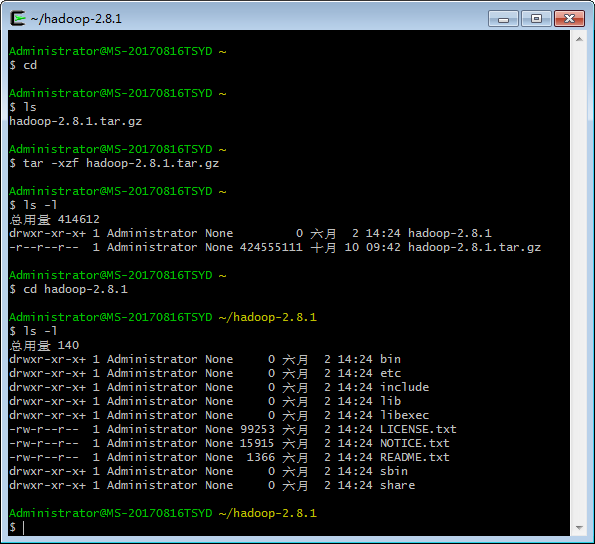
Unpack Hadoop Installation The next step is to unpack the downloaded and copied package. here To unpack the package follow these steps: Open a new Cygwin window. After the new Cygwin window appears, execute the following command: tar -xzf hadoop-0.19.1.tar.gz This will start unpacking the Hadoop distribution. After several minutes you should see a new Cygwin prompt again as shown in the screenshot below: When you see the new prompt, execute the following command: ls -l This command will list the contents of your home directory. You should see a newly created directory calledhadoop-0.19.1 Next execute the following commands: cd hadoop-0.19.1 ls -l If you get output similar to the following, everything was unpacked correctly and you can go to the next step.