PHP Agentic 实战〡06. Tools 工具底层原理与实践(概念篇)
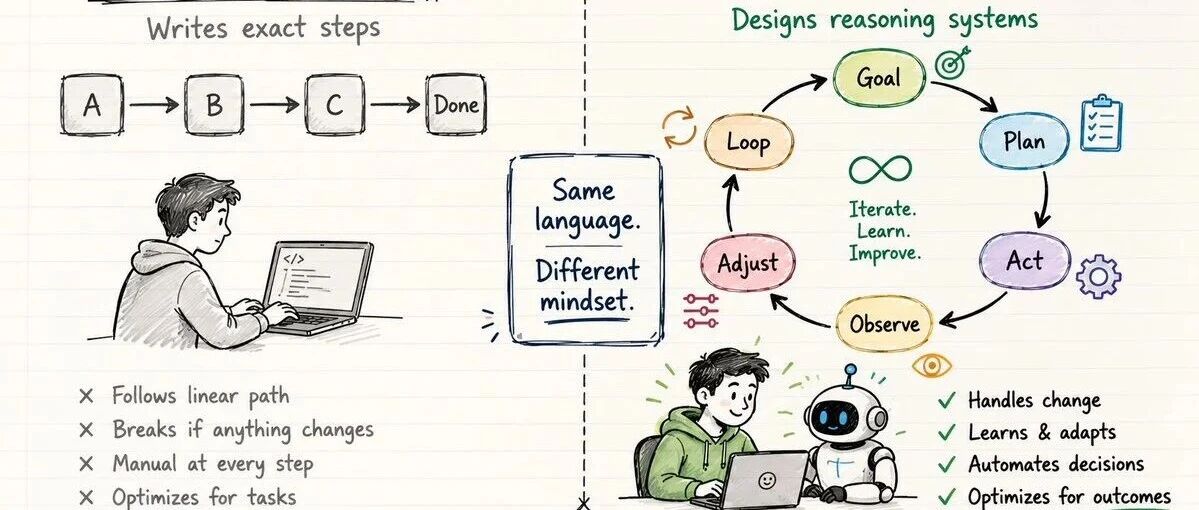
## **模型与执行边界** **Function Calling 并不是让 LLM 直接运行你的 PHP 代码。** 简单来说,LLM 扮演的是一个"调度员"的角色。当你给它提供了一系列工具(Tools)的描述后,它会根据用户的意图进行判断。如果需要调用外部工具,它会返回一段特定格式的文本(通常是 JSON),告诉调用方:"我建议你调用这个函数,参数是这些。" 真正的代码执行、权限校验和错误处理,依然牢牢掌握在你的 PHP 程序手中。这种 **"意图在模型,执行在代码"** 的边界划分,正是 AI 系统安全性的核心保障。 ``` ┌─────────────────────────────────────────────────────────────┐ │ Function Calling 的本质 │ ├─────────────────────────────────────────────────────────────┤ │ │ │ 用户:"帮我读取 tinywan.txt 文件内容" │ │ ↓ │ │ LLM 分析语义,发现自己不知道文件内容 │ │ ↓ │ │ LLM 返回:建议调用 tool_read_file,参数 {"file_path": │ │ "tinywan.txt"} │ │ ↓ │ │ ★ 你的 PHP 代码实际执行 tool_read_file() 函数 │ │ ↓ │ │ 将执行结果回传给 LLM │ │ ↓ │ │ LLM 基于真实数据生成最终回答 │ │ │ │ 关键边界:LLM 只做"决策",你负责"执行" │ └─────────────────────────────────────────────────────────────┘ ``` --- ## **定义 LLM 能听懂的语言** 要让模型知道什么时候该调用你的函数,你必须向它提供一份"说明书"。在 OpenAI 的标准中,这被称为 JSON Schema。 工具定义告诉 LLM:"你可以调用哪些函数"。每个工具遵循统一的 JSON Schema 规范,是 LLM 选择工具的**唯一依据**: ``` /** * 获取可用工具列表 * * 返回数组中的每个元素都是一个独立的工具定义。当 tool_choice='auto' 时, * LLM 会根据用户消息的语义自动判断是否需要调用某个工具。 */ function get_tool_list(): array { return [ // ---- 工具1:读取文件内容 ---- [ 'type' => 'function', // 固定值,表示这是一个函数工具 'function' => [ 'name' => 'tool_read_file', // 函数唯一标识,LLM 返回的 tool_calls[].function.name 即为此值 'description' => '读取指定路径的文件内容,用于代码分析、日志查看等场景', 'parameters' => [ 'type' => 'object', // 参数顶层类型固定为 object 'properties' => [ // 每个参数的 JSON Schema 定义 'file_path' => [ 'type' => 'string', // 参数类型:string / number / integer / boolean 'description' => '文件的完整路径或相对路径(相对于项目根目录)', ], ], 'required' => ['file_path'], // 必填参数列表,LLM 会确保这些字段被传值 ], ], ], // ---- 工具2:获取系统信息(无参数工具示例)---- [ 'type' => 'function', 'function' => [ 'name' => 'get_system_info', 'description' => '获取当前系统信息,包括 PHP 版本、扩展、webman 状态等', 'parameters' => [ 'type' => 'object', // 无参数时 properties 设为空对象(不能省略,必须是合法的 JSON Schema) 'properties' => new \stdClass(), // required 可省略,因为没有任何参数需要校验 ], ], ], ]; } ``` ### **关键要点** |字段|说明|注意事项| | --- | --- | --- | |type|固定为 "function"|目前只支持函数类型| |function.name|函数唯一标识|LLM 返回的 tool_calls[].function.name 会引用此名称| |function.description|函数用途描述|LLM 据此判断何时调用,务必写清楚"何时用、做什么"| |function.parameters|参数 JSON Schema|必须符合 JSON Schema 规范| |required|必填参数列表|LLM 会确保这些字段被传值| > **Token 消耗提醒**:每个工具定义约消耗 200~500 tokens。建议只携带当前场景可能用到的工具,避免冗余定义浪费 token。 --- ## **工具实现:本地执行逻辑** 工具的实际执行逻辑由你的 PHP 代码实现,LLM 不会执行这些代码。函数签名必须与工具定义中的 `parameters` 保持一致: ``` /** * 读取文件内容 —— tool_read_file 的实际实现 * * 安全设计: * - 路径前强制拼接 './',将访问范围限制在项目根目录下 * - 先检查文件存在性,避免 file_get_contents 抛异常中断流程 * - 生产环境建议进一步做路径白名单校验,禁止访问 .env / 系统文件等敏感路径 * * @param string $filePath LLM 传入的文件路径(来自 tool_calls[].function.arguments.file_path) * @return string 文件内容或错误信息,此字符串将原样回传给 LLM */ function tool_read_file(string $filePath): string { // './' 前缀确保路径相对于当前工作目录(项目根目录),同时阻止 /etc/passwd 这类绝对路径穿越 $realPath = './' . $filePath; // 校验:文件必须存在且为普通文件(排除目录、符号链接等) if (!file_exists($realPath) || !is_file($realPath)) { return "错误:文件不存在 - {$filePath}"; } $content = file_get_contents($realPath); return "文件内容:\n{$content}"; } ``` > **安全原则**:LLM 传入的参数是不可信的。务必对路径做校验(防目录穿越),对命令参数做转义(防命令注入),不要将工具结果直接用于 `eval()` 等危险操作。 ## **完整两轮对话流程** Function Calling 的完整流程由两轮 API 调用构成: ``` 第一轮:用户提问 → LLM 分析语义,返回 tool_calls(只返回工具名+参数,content 为空) 第二轮:本地执行工具 → 将结果回传给 LLM → LLM 结合工具结果生成最终文本回复 ``` ### **初始化 HTTP 客户端** 智谱 AI API 地址兼容 OpenAI Chat Completions API 格式,使用 GuzzleHttp 作为 HTTP 客户端: ``` $apiKey = 'xxxxxxxx.LdBoJfK4XKBCpxz5'; // 生产环境必须迁移到 .env 或 config/ 目录 $client = new Client([ 'timeout' => , // 工具调用链路(LLM 推理 + 本地执行)可能较长 'verify' => false, // 跳过 SSL 证书验证(仅开发环境,生产环境必须设为 true) 'headers' => [ 'Authorization' => 'Bearer ' . $apiKey, // Bearer Token 鉴权方式 'Content-Type' => 'application/json', // 请求体统一使用 JSON 格式 ], ]); ``` ### **构建对话消息** `$messages` 数组是贯穿整个对话的"上下文",每次 API 调用都需要携带完整的消息历史: ``` // 用户初始提问 —— 这个问题需要 LLM 读取文件才能回答,因此会触发工具调用 $messages[] = ['role' => 'user', 'content' => '帮我读取 tinywan.txt 文件内容']; // 获取工具定义列表 $tools = get_tool_list(); ``` 消息角色说明: |角色|说明|使用时机| | --- | --- | --- | |system|系统提示词|设定 AI 行为边界(本演示未使用)| |user|用户消息|终端用户的提问| |assistant|AI 回复|可能只包含 content 文本,也可能只包含 tool_calls 工具调用| |tool|工具执行结果|必须通过 tool_call_id 与对应的 tool_call 关联| > **关键约束**:`role='tool'` 的消息必须紧跟对应的 `role='assistant'`(含 tool_calls)消息之后。每次 API 调用都必须回传完整的 messages 历史,LLM 本身是无状态的。 --- ### **第一轮 API 调用:LLM 决定调用哪个工具** ``` $payload = [ 'model' => 'glm-5', 'messages' => $messages, 'thinking' => ['type' => 'disabled'], // 关闭深度思考,减少延迟和 token 消耗 'tools' => $tools, // 携带工具菜单,LLM 据此判断是否需要调用工具 'tool_choice' => 'auto', // 自动模式:LLM 自行决定调还是不调、调哪个 ]; $response = $client->post('https://open.bigmodel.cn/api/paas/v4/chat/completions', [ 'json' => $payload, ]); // 解析第一轮响应 $firstResponse = json_decode((string)$response->getBody(), true, , JSON_THROW_ON_ERROR); $assistantMessage = $firstResponse['choices'][]['message'] ?? []; // 将 assistant 消息(含 tool_calls)追加到对话历史 // 这一步非常关键:LLM 需要看到完整的对话链,否则会丢失上下文 $messages[] = $assistantMessage; ``` 参数详解: |参数|值|说明| | --- | --- | --- | |model|'glm-5'|智谱 AI GLM-5 模型,支持 Function Calling| |thinking|['type' => 'disabled']|关闭深度思考模式,Function Calling 场景建议关闭| |tools|$tools|告诉 LLM 当前可用的函数列表| |tool_choice|'auto'|自动判断是否调用工具| |第一轮响应示例(LLM 决定调用工具时):||| ``` { "content": "", ← 注意:有 tool_calls 时 content 为空 "role": "assistant", "tool_calls": [ { "id": "call_-7619257311495709898", ← 工具调用唯一ID,回传时必须带上 "type": "function", ← 固定值 "index": , ← 在 tool_calls 数组中的序号 "function": { "name": "tool_read_file", ← LLM 选择的函数名 "arguments": "{\"file_path\":\"tinywan.txt\"}" ← JSON 字符串,需 json_decode 解析 } } ] } ``` > **注意**:`arguments` 是 JSON **字符串**,不是对象!必须 `json_decode()` 后才能使用。`tool_call_id` 是关联工具结果的关键字段,丢失会导致 LLM 无法理解回传结果。 --- ### **本地执行工具 & 回传结果** 这是连接"LLM 决策"和"本地执行"的桥梁: ``` if (!empty($assistantMessage['tool_calls'])) { // 提取第一个 tool_call(生产环境应遍历所有 tool_calls,支持并行调用) $toolCall = $assistantMessage['tool_calls'][]; // 按函数名分发到对应的本地实现 if ($toolCall['function']['name'] == 'tool_read_file') { echo'[x] [LLM] 需要调用工具 tool_read_file' . PHP_EOL; // 解析 LLM 传入的参数 $function = $toolCall['function']; $arguments = json_decode($function['arguments'] ?? '{}', true) ?: []; $file_path = $arguments['file_path']; // 执行本地工具函数 $toolResult = tool_read_file($file_path); // ★ 封装为 role='tool' 消息 —— 这是 Function Calling 协议中最关键的数据结构 $messages[] = [ 'role' => 'tool', 'tool_call_id' => $toolCall['id'], // 必须与 LLM 返回的 id 严格一致 'content' => $toolResult, ]; } } ``` `role='tool'` 消息的三要素: |字段|值|常见错误| | --- | --- | --- | |role|必须为 'tool'|❌ 写成 'user' 或 'function'(智谱不支持 function 角色)| |tool_call_id|必须与 tool_calls[i].id 一致|❌ 写错或遗漏 → LLM 不知道这个结果对应哪个调用| |content|工具执行结果字符串|❌ 写 null 或空字符串 → LLM 拿不到数据,可能编造回答(幻觉)| ### **第二轮 API 调用:LLM 生成最终回答** 此时 `$messages` 的完整结构: ``` [0] role=user: "帮我读取 tinywan.txt 文件内容" [1] role=assistant: {content: "", tool_calls: [{function: {name: "tool_read_file", ...}}]} [2] role=tool: {tool_call_id: "call_xxx", content: "文件内容:\nHello World"} ``` ``` $payload = [ 'model' => 'glm-5', 'messages' => $messages, // 包含完整的对话链:user + assistant(tool_calls) + tool(result) 'thinking' => ['type' => 'disabled'], 'tools' => $tools, // 仍需携带工具列表,支持可能的多轮工具调用 'tool_choice' => 'auto', ]; $response = $client->post('https://open.bigmodel.cn/api/paas/v4/chat/completions', [ 'json' => $payload, ]); $secondResponse = json_decode((string)$response->getBody(), true, , JSON_THROW_ON_ERROR); $finalContent = $secondResponse['choices'][]['message']['content'] ?? ''; echo '[x] [LLM 最终回答] ' . $finalContent . PHP_EOL; ``` LLM 看到工具结果后,会: 1. 通过 `tool_call_id` 关联到之前的 tool_call 1. 阅读 `content` 中的文件内容 1. 基于真实数据生成自然语言回复 ## **完整代码** 以下是可直接运行的完整代码: ``` 'function', 'function' => [ 'name' => 'tool_read_file', 'description' => '读取指定路径的文件内容,用于代码分析、日志查看等场景', 'parameters' => [ 'type' => 'object', 'properties' => [ 'file_path' => [ 'type' => 'string', 'description' => '文件的完整路径或相对路径(相对于项目根目录)', ], ], 'required' => ['file_path'], ], ], ], // ---- 工具2:获取系统信息(无参数工具示例)---- [ 'type' => 'function', 'function' => [ 'name' => 'get_system_info', 'description' => '获取当前系统信息,包括 PHP 版本、扩展、webman 状态等', 'parameters' => [ 'type' => 'object', 'properties' => new \stdClass(), ], ], ], ]; } // ============================================================================ // 二、工具实现(Tool Implementation) // ============================================================================ function tool_read_file(string $filePath): string { $realPath = './' . $filePath; if (!file_exists($realPath) || !is_file($realPath)) { return"错误:文件不存在 - {$filePath}"; } $content = file_get_contents($realPath); return"文件内容:\n{$content}"; } // ============================================================================ // 三、初始化 HTTP 客户端(GuzzleHttp) // ============================================================================ $apiKey = 'xxxxxxxx.LdBoJfK4XKBCpxz5'; $client = new Client([ 'timeout' => , 'verify' => false, 'headers' => [ 'Authorization' => 'Bearer ' . $apiKey, 'Content-Type' => 'application/json', ], ]); // ============================================================================ // 四、构建对话消息(Messages) // ============================================================================ $messages[] = ['role' => 'user', 'content' => '帮我读取 tinywan.txt 文件内容']; $tools = get_tool_list(); // ============================================================================ // 五、第一轮 API 调用 —— LLM 决定调用哪个工具 // ============================================================================ $payload = [ 'model' => 'glm-5', 'messages' => $messages, 'thinking' => ['type' => 'disabled'], 'tools' => $tools, 'tool_choice' => 'auto', ]; echo'[x] [第一次请求内容] ' . json_encode($payload, JSON_UNESCAPED_UNICODE) . PHP_EOL; $response = $client->post('https://open.bigmodel.cn/api/paas/v4/chat/completions', [ 'json' => $payload, ]); $firstResponse = json_decode((string)$response->getBody(), true, , JSON_THROW_ON_ERROR); $assistantMessage = $firstResponse['choices'][]['message'] ?? []; echo'[x] [LLM 第一次响应] ' . json_encode($assistantMessage, JSON_UNESCAPED_UNICODE) . PHP_EOL . PHP_EOL; // 将 assistant 消息(含 tool_calls)追加到对话历史 $messages[] = $assistantMessage; // ============================================================================ // 六、判断是否需要调用工具 & 本地执行工具 // ============================================================================ if (!empty($assistantMessage['tool_calls'])) { $toolCall = $assistantMessage['tool_calls'][]; if ($toolCall['function']['name'] == 'tool_read_file') { echo'[x] [LLM] 需要调用工具 tool_read_file' . PHP_EOL; $function = $toolCall['function']; $arguments = json_decode($function['arguments'] ?? '{}', true) ?: []; $file_path = $arguments['file_path']; $toolResult = tool_read_file($file_path); $messages[] = [ 'role' => 'tool', 'tool_call_id' => $toolCall['id'], 'content' => $toolResult, ]; } // ============================================================================ // 七、第二轮 API 调用 —— 将工具结果回传给 LLM // ============================================================================ $payload = [ 'model' => 'glm-5', 'messages' => $messages, 'thinking' => ['type' => 'disabled'], 'tools' => $tools, 'tool_choice' => 'auto', ]; echo'[x] [第二次请求内容] ' . json_encode($payload, JSON_UNESCAPED_UNICODE) . PHP_EOL; $response = $client->post('https://open.bigmodel.cn/api/paas/v4/chat/completions', [ 'json' => $payload, ]); $secondResponse = json_decode((string)$response->getBody(), true, , JSON_THROW_ON_ERROR); $finalContent = $secondResponse['choices'][]['message']['content'] ?? ''; echo'[x] [LLM 最终回答] ' . $finalContent . PHP_EOL; } ``` 执行结果 ``` [x] [第一次请求内容] {"model":"glm-5","messages":[{"role":"user","content":"帮我读取 tinywan.txt 文件内容"}],"thinking":{"type":"disabled"},"tools":[{"type":"function","function":{" name":"tool_read_file","description":"读取指定路径的文件内容,用于代码分析、日志查看等场景","parameters":{"type":"object","properties":{"file_path":{"type":"string","description":" 文件的完整路径或相对路径(相对于项目根目录)"}},"required":["file_path"]}}},{"type":"function","function":{"name":"get_system_info","description":"获取当前系统信息,包括 PHP 版本、 扩展、webman 状态等","parameters":{"type":"object","properties":{}}}}],"tool_choice":"auto"} [x] [LLM] 第一次响应内容 {"content":"","role":"assistant","tool_calls":[{"function":{"arguments":"{\"file_path\":\"tinywan.txt\"}","name":"tool_read_file"},"id":"call_-7619284696207188744","index":0,"type":"function"}]} [x] [LLM] 需要调用工具 tool_read_file [x] [第二次请求内容] {"model":"glm-5","messages":[{"role":"user","content":"帮我读取 tinywan.txt 文件内容"},{"content":"","role":"assistant","tool_calls":[{"function":{"arguments":"\"tinywan.txt\"}","name":"tool_read_file"},"id":"call_-7619284696207188744","index":0,"type":"function"}]},{"role":"tool","tool_call_id":"call_-7619284696207188744","content":"文件内\n开源技术小栈"}],"thinking":{"type":"disabled"},"tools":[{"type":"function","function":{"name":"tool_read_file","description":"读取指定路径的文件内容,用于代码 分析、日志查看等场景"properties":{"file_path":{"type":"string","description":"文件的完整路径或相对路径(相对于项目根目录)"}},"required":["file_path"]}}},{"type":"function","function":{"name":"get_syst:"获取当前系统信息,包括 PHP 版本、扩展、webman 状态等","parameters":{"type":"object","properties":{}}}}],"tool_choice":"auto"} [x] [LLM] 第二次响应内容 我已经成功读取了 tinywan.txt 文件的内容。 **文件内容:** 开源技术小栈 文件中只包含一行文本:"开源技术小栈"。 ```