首页 文章 精选 留言 我的

精选列表

搜索[设置],共10000篇文章
优秀的个人博客,低调大师

Filebeat-1.3.1安装和设置(图文详解)(多节点的ELK集群安装在一个节点就好)(以Console Output为例)

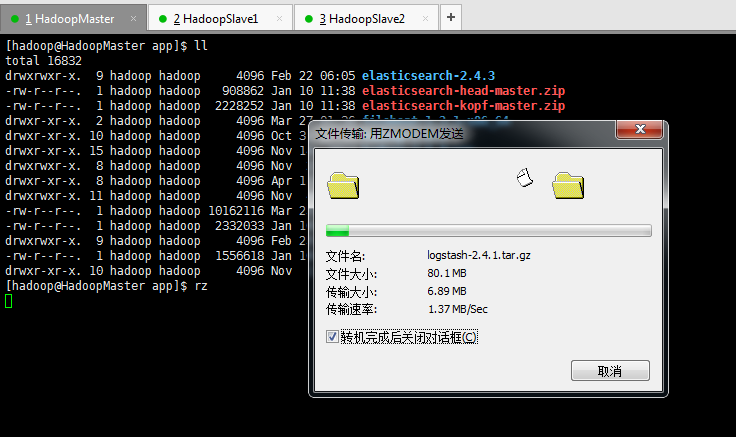
在此基础上,我们安装好ELK(Elasticsearch、Logstasg和kibana)之后,我们继续来安装,Filebeat。 Filebeat是轻量级的日志收集工具,使用go语言开发。 我这里的机器集群情况分别是: HadoopMaster(192.168.80.10)、HadoopSlave1(192.168.80.11)和HadoopSlave2(192.168.80.12)。 1、上传elasticsearch-2.4.3.tar.gz压缩包 total 16828 drwxrwxr-x. 9 hadoop hadoop 4096 Feb 22 06:05 elasticsearch-2.4.3 -rw-r--r--. 1 hadoop hadoop 908862 Jan 10 11:38 elasticsearch-head-master.zip -rw-r--r--. 1 hadoop hadoop 2228252 Jan 10 11:38 elasticsearch-kopf-master.zip drwxr-xr-x. 10 hadoop hadoop 4096 Oct 31 17:15 hadoop-2.6.0 drwxr-xr-x. 15 hadoop hadoop 4096 Nov 14 2014 hadoop-2.6.0-src drwxrwxr-x. 8 hadoop hadoop 4096 Nov 2 18:20 hbase-1.2.3 drwxr-xr-x. 8 hadoop hadoop 4096 Apr 11 2015 jdk1.7.0_79 drwxrwxr-x. 11 hadoop hadoop 4096 Nov 4 23:24 kibana-4.6.3-linux-x86_64 -rw-r--r--. 1 hadoop hadoop 10162116 Mar 25 10:00 marvel-2.4.4.tar.gz -rw-r--r--. 1 hadoop hadoop 2332033 Jan 16 17:25 shield-2.4.3.zip drwxrwxr-x. 9 hadoop hadoop 4096 Feb 25 19:18 tomcat-7.0.73 -rw-r--r--. 1 hadoop hadoop 1556618 Jan 16 17:22 watcher-2.4.3.zip drwxr-xr-x. 10 hadoop hadoop 4096 Nov 1 23:39 zookeeper-3.4.6 [hadoop@HadoopMaster app]$ rz [hadoop@HadoopMaster app]$ ll total 20512 drwxrwxr-x. 9 hadoop hadoop 4096 Feb 22 06:05 elasticsearch-2.4.3 -rw-r--r--. 1 hadoop hadoop 908862 Jan 10 11:38 elasticsearch-head-master.zip -rw-r--r--. 1 hadoop hadoop 2228252 Jan 10 11:38 elasticsearch-kopf-master.zip -rw-r--r--. 1 hadoop hadoop 3768614 Feb 25 11:06 filebeat-1.3.1-x86_64.tar.gz drwxr-xr-x. 10 hadoop hadoop 4096 Oct 31 17:15 hadoop-2.6.0 drwxr-xr-x. 15 hadoop hadoop 4096 Nov 14 2014 hadoop-2.6.0-src drwxrwxr-x. 8 hadoop hadoop 4096 Nov 2 18:20 hbase-1.2.3 drwxr-xr-x. 8 hadoop hadoop 4096 Apr 11 2015 jdk1.7.0_79 drwxrwxr-x. 11 hadoop hadoop 4096 Nov 4 23:24 kibana-4.6.3-linux-x86_64 -rw-r--r--. 1 hadoop hadoop 10162116 Mar 25 10:00 marvel-2.4.4.tar.gz -rw-r--r--. 1 hadoop hadoop 2332033 Jan 16 17:25 shield-2.4.3.zip drwxrwxr-x. 9 hadoop hadoop 4096 Feb 25 19:18 tomcat-7.0.73 -rw-r--r--. 1 hadoop hadoop 1556618 Jan 16 17:22 watcher-2.4.3.zip drwxr-xr-x. 10 hadoop hadoop 4096 Nov 1 23:39 zookeeper-3.4.6 [hadoop@HadoopMaster app]$ 2、解压缩filebeat-1.3.1-x86_64.tar.gz压缩包 total 20512 drwxrwxr-x. 9 hadoop hadoop 4096 Feb 22 06:05 elasticsearch-2.4.3 -rw-r--r--. 1 hadoop hadoop 908862 Jan 10 11:38 elasticsearch-head-master.zip -rw-r--r--. 1 hadoop hadoop 2228252 Jan 10 11:38 elasticsearch-kopf-master.zip -rw-r--r--. 1 hadoop hadoop 3768614 Feb 25 11:06 filebeat-1.3.1-x86_64.tar.gz drwxr-xr-x. 10 hadoop hadoop 4096 Oct 31 17:15 hadoop-2.6.0 drwxr-xr-x. 15 hadoop hadoop 4096 Nov 14 2014 hadoop-2.6.0-src drwxrwxr-x. 8 hadoop hadoop 4096 Nov 2 18:20 hbase-1.2.3 drwxr-xr-x. 8 hadoop hadoop 4096 Apr 11 2015 jdk1.7.0_79 drwxrwxr-x. 11 hadoop hadoop 4096 Nov 4 23:24 kibana-4.6.3-linux-x86_64 -rw-r--r--. 1 hadoop hadoop 10162116 Mar 25 10:00 marvel-2.4.4.tar.gz -rw-r--r--. 1 hadoop hadoop 2332033 Jan 16 17:25 shield-2.4.3.zip drwxrwxr-x. 9 hadoop hadoop 4096 Feb 25 19:18 tomcat-7.0.73 -rw-r--r--. 1 hadoop hadoop 1556618 Jan 16 17:22 watcher-2.4.3.zip drwxr-xr-x. 10 hadoop hadoop 4096 Nov 1 23:39 zookeeper-3.4.6 [hadoop@HadoopMaster app]$ tar -zxvf filebeat-1.3.1-x86_64.tar.gz filebeat-1.3.1-x86_64/ filebeat-1.3.1-x86_64/filebeat filebeat-1.3.1-x86_64/filebeat.template.json filebeat-1.3.1-x86_64/filebeat.yml [hadoop@HadoopMaster app]$ ll total 20516 drwxrwxr-x. 9 hadoop hadoop 4096 Feb 22 06:05 elasticsearch-2.4.3 -rw-r--r--. 1 hadoop hadoop 908862 Jan 10 11:38 elasticsearch-head-master.zip -rw-r--r--. 1 hadoop hadoop 2228252 Jan 10 11:38 elasticsearch-kopf-master.zip drwxr-xr-x. 2 hadoop hadoop 4096 Sep 15 2016 filebeat-1.3.1-x86_64 -rw-r--r--. 1 hadoop hadoop 3768614 Feb 25 11:06 filebeat-1.3.1-x86_64.tar.gz drwxr-xr-x. 10 hadoop hadoop 4096 Oct 31 17:15 hadoop-2.6.0 drwxr-xr-x. 15 hadoop hadoop 4096 Nov 14 2014 hadoop-2.6.0-src drwxrwxr-x. 8 hadoop hadoop 4096 Nov 2 18:20 hbase-1.2.3 drwxr-xr-x. 8 hadoop hadoop 4096 Apr 11 2015 jdk1.7.0_79 drwxrwxr-x. 11 hadoop hadoop 4096 Nov 4 23:24 kibana-4.6.3-linux-x86_64 -rw-r--r--. 1 hadoop hadoop 10162116 Mar 25 10:00 marvel-2.4.4.tar.gz -rw-r--r--. 1 hadoop hadoop 2332033 Jan 16 17:25 shield-2.4.3.zip drwxrwxr-x. 9 hadoop hadoop 4096 Feb 25 19:18 tomcat-7.0.73 -rw-r--r--. 1 hadoop hadoop 1556618 Jan 16 17:22 watcher-2.4.3.zip drwxr-xr-x. 10 hadoop hadoop 4096 Nov 1 23:39 zookeeper-3.4.6 [hadoop@HadoopMaster app]$ 3、删除filebeat-1.3.1-x86_64.tar.gz压缩包和修改为hadoop权限。 [hadoop@HadoopMaster app]$ ll total 20516 drwxrwxr-x. 9 hadoop hadoop 4096 Feb 22 06:05 elasticsearch-2.4.3 -rw-r--r--. 1 hadoop hadoop 908862 Jan 10 11:38 elasticsearch-head-master.zip -rw-r--r--. 1 hadoop hadoop 2228252 Jan 10 11:38 elasticsearch-kopf-master.zip drwxr-xr-x. 2 hadoop hadoop 4096 Sep 15 2016 filebeat-1.3.1-x86_64 -rw-r--r--. 1 hadoop hadoop 3768614 Feb 25 11:06 filebeat-1.3.1-x86_64.tar.gz drwxr-xr-x. 10 hadoop hadoop 4096 Oct 31 17:15 hadoop-2.6.0 drwxr-xr-x. 15 hadoop hadoop 4096 Nov 14 2014 hadoop-2.6.0-src drwxrwxr-x. 8 hadoop hadoop 4096 Nov 2 18:20 hbase-1.2.3 drwxr-xr-x. 8 hadoop hadoop 4096 Apr 11 2015 jdk1.7.0_79 drwxrwxr-x. 11 hadoop hadoop 4096 Nov 4 23:24 kibana-4.6.3-linux-x86_64 -rw-r--r--. 1 hadoop hadoop 10162116 Mar 25 10:00 marvel-2.4.4.tar.gz -rw-r--r--. 1 hadoop hadoop 2332033 Jan 16 17:25 shield-2.4.3.zip drwxrwxr-x. 9 hadoop hadoop 4096 Feb 25 19:18 tomcat-7.0.73 -rw-r--r--. 1 hadoop hadoop 1556618 Jan 16 17:22 watcher-2.4.3.zip drwxr-xr-x. 10 hadoop hadoop 4096 Nov 1 23:39 zookeeper-3.4.6 [hadoop@HadoopMaster app]$ rm filebeat-1.3.1-x86_64.tar.gz [hadoop@HadoopMaster app]$ ll total 16832 drwxrwxr-x. 9 hadoop hadoop 4096 Feb 22 06:05 elasticsearch-2.4.3 -rw-r--r--. 1 hadoop hadoop 908862 Jan 10 11:38 elasticsearch-head-master.zip -rw-r--r--. 1 hadoop hadoop 2228252 Jan 10 11:38 elasticsearch-kopf-master.zip drwxr-xr-x. 2 hadoop hadoop 4096 Sep 15 2016 filebeat-1.3.1-x86_64 drwxr-xr-x. 10 hadoop hadoop 4096 Oct 31 17:15 hadoop-2.6.0 drwxr-xr-x. 15 hadoop hadoop 4096 Nov 14 2014 hadoop-2.6.0-src drwxrwxr-x. 8 hadoop hadoop 4096 Nov 2 18:20 hbase-1.2.3 drwxr-xr-x. 8 hadoop hadoop 4096 Apr 11 2015 jdk1.7.0_79 drwxrwxr-x. 11 hadoop hadoop 4096 Nov 4 23:24 kibana-4.6.3-linux-x86_64 -rw-r--r--. 1 hadoop hadoop 10162116 Mar 25 10:00 marvel-2.4.4.tar.gz -rw-r--r--. 1 hadoop hadoop 2332033 Jan 16 17:25 shield-2.4.3.zip drwxrwxr-x. 9 hadoop hadoop 4096 Feb 25 19:18 tomcat-7.0.73 -rw-r--r--. 1 hadoop hadoop 1556618 Jan 16 17:22 watcher-2.4.3.zip drwxr-xr-x. 10 hadoop hadoop 4096 Nov 1 23:39 zookeeper-3.4.6 [hadoop@HadoopMaster app]$ 4、解读认识Filebeat的目录结构 这里,仅仅是在HadoopMaster安装,为例。 [hadoop@HadoopMaster app]$ cd filebeat-1.3.1-x86_64/ [hadoop@HadoopMaster filebeat-1.3.1-x86_64]$ pwd /home/hadoop/app/filebeat-1.3.1-x86_64 [hadoop@HadoopMaster filebeat-1.3.1-x86_64]$ ll total 11116 -rwxr-xr-x. 1 hadoop hadoop 11354200 Sep 15 2016 filebeat -rw-r--r--. 1 hadoop hadoop 814 Sep 15 2016 filebeat.template.json -rw-r--r--. 1 hadoop hadoop 17212 Sep 15 2016 filebeat.yml [hadoop@HadoopMaster filebeat-1.3.1-x86_64]$ 5、修改filebeat.yml文件配置文件 [hadoop@HadoopMaster filebeat-1.3.1-x86_64]$ pwd /home/hadoop/app/filebeat-1.3.1-x86_64 [hadoop@HadoopMaster filebeat-1.3.1-x86_64]$ vim filebeat.yml 默认,/var/log/*.log。即监控/var/log下这个目录里所有以.log结尾的文件。 同时,比如配置的如果是: 则只会去/var/log目录的所有子目录中寻找以”.log”结尾的文件,而不会寻找/var/log目录下以”.log”结尾的文件。 注意: 如果说,你收集的日志,不需做任何解析,则可以用Filebeat收集到es里。 因为,我这里是,请移步, 采用的是,如下这么一个架构。 架构设计3:filebeat(1.3)(3台)-->redis-->logstash(parse)-->es集群-->kibana--ngix(可选) (我这里,目前为了学习,走这条线路) 所以,我这里就把默认的(filebeat收集后放到es里),给注销掉。以后自己可以改回来。 启动 filebeat [hadoop@HadoopMaster filebeat-1.3.1-x86_64]$ pwd /home/hadoop/app/filebeat-1.3.1-x86_64 [hadoop@HadoopMaster filebeat-1.3.1-x86_64]$ ll total 11116 -rwxr-xr-x. 1 hadoop hadoop 11354200 Sep 15 2016 filebeat -rw-r--r--. 1 hadoop hadoop 814 Sep 15 2016 filebeat.template.json -rw-r--r--. 1 hadoop hadoop 17212 Sep 15 2016 filebeat.yml [hadoop@HadoopMaster filebeat-1.3.1-x86_64]$ ./filebeat -c filebeat.yml 初步修改好配置文件之后,我这里打开HadoopMaster(因为Filebeat安装在这台)的另一个窗口。 [hadoop@HadoopMaster ~]$ pwd /home/hadoop [hadoop@HadoopMaster ~]$ ll total 40 drwxrwxr-x. 11 hadoop hadoop 4096 Mar 26 18:49 app drwxrwxr-x. 7 hadoop hadoop 4096 Mar 25 06:34 data drwxr-xr-x. 2 hadoop hadoop 4096 Oct 31 17:19 Desktop drwxr-xr-x. 2 hadoop hadoop 4096 Oct 31 17:19 Documents drwxr-xr-x. 2 hadoop hadoop 4096 Oct 31 17:19 Downloads drwxr-xr-x. 2 hadoop hadoop 4096 Oct 31 17:19 Music drwxr-xr-x. 2 hadoop hadoop 4096 Oct 31 17:19 Pictures drwxr-xr-x. 2 hadoop hadoop 4096 Oct 31 17:19 Public drwxr-xr-x. 2 hadoop hadoop 4096 Oct 31 17:19 Templates drwxr-xr-x. 2 hadoop hadoop 4096 Oct 31 17:19 Videos [hadoop@HadoopMaster ~]$ touch app.log [hadoop@HadoopMaster ~]$ echo My name is zhouls >> app.log [hadoop@HadoopMaster ~]$ more app.log My name is zhouls [hadoop@HadoopMaster ~]$ 立马,对应这边,是 [hadoop@HadoopMaster filebeat-1.3.1-x86_64]$ ll total 11116 -rwxr-xr-x. 1 hadoop hadoop 11354200 Sep 15 2016 filebeat -rw-r--r--. 1 hadoop hadoop 814 Sep 15 2016 filebeat.template.json -rw-r--r--. 1 hadoop hadoop 17218 Mar 26 19:58 filebeat.yml [hadoop@HadoopMaster filebeat-1.3.1-x86_64]$ ./filebeat -c filebeat.yml {"@timestamp":"2017-03-26T11:59:26.392Z", "beat":{"hostname":"HadoopMaster","name":"HadoopMaster"}, "count":1, "fields":null, "input_type":"log", "message":"My name is zhouls", "offset":0, "source":"/home/hadoop/app.log", "type":"log"} 同时,继续等待下一个的数据收集,其实啊,功能类似与hadoop里的flume。这个很简单 若想,深入学习的,请移步, http://www.cnblogs.com/zlslch/category/894300.html filebeat的帮助命令 [hadoop@HadoopMaster filebeat-1.3.1-x86_64]$ pwd /home/hadoop/app/filebeat-1.3.1-x86_64 [hadoop@HadoopMaster filebeat-1.3.1-x86_64]$ ./filebeat -h Usage of ./filebeat: -N Disable actual publishing for testing -c string Configuration file (default "/home/hadoop/app/filebeat-1.3.1-x86_64/filebeat.yml") -configtest Test configuration and exit. -cpuprofile string Write cpu profile to file -d string Enable certain debug selectors -e Log to stderr and disable syslog/file output -httpprof string Start pprof http server -memprofile string Write memory profile to this file -v Log at INFO level -version Print version and exit [hadoop@HadoopMaster filebeat-1.3.1-x86_64]$ filebeat的后台运行 [hadoop@HadoopMaster filebeat-1.3.1-x86_64]$ pwd /home/hadoop/app/filebeat-1.3.1-x86_64 [hadoop@HadoopMaster filebeat-1.3.1-x86_64]$ nohup ./filebeat -e -c filebeat.yml >/dev/null 2>&1 & [1] 2697 [hadoop@HadoopMaster filebeat-1.3.1-x86_64]$ 为了后期调试和排除问题方便。建议开启日志(可选) 去修改filebeat.yml配置文件Logging部分 [hadoop@HadoopMaster filebeat-1.3.1-x86_64]$ pwd /home/hadoop/app/filebeat-1.3.1-x86_64 [hadoop@HadoopMaster filebeat-1.3.1-x86_64]$ ll total 11116 -rwxr-xr-x. 1 hadoop hadoop 11354200 Sep 15 2016 filebeat -rw-r--r--. 1 hadoop hadoop 814 Sep 15 2016 filebeat.template.json -rw-r--r--. 1 hadoop hadoop 17218 Mar 26 19:58 filebeat.yml [hadoop@HadoopMaster filebeat-1.3.1-x86_64]$ vim filebeat.yml logging: logging: # Send all logging output to syslog. On Windows default is false, otherwise # default is true. to_syslog: false # Write all logging output to files. Beats automatically rotate files if rotateeverybytes # limit is reached. to_files: true # To enable logging to files, to_files option has to be set to true files: # The directory where the log files will written to. path: /home/hadoop/mybeat (日志保存的目录) # The name of the files where the logs are written to. name: mybeat (日志文件名) # Configure log file size limit. If limit is reached, log file will be # automatically rotated rotateeverybytes: 10485760 # = 10MB (当日志文件达到10M的时候会滚动生成一个新文件) # Number of rotated log files to keep. Oldest files will be deleted first. keepfiles: 7 (文件保留时间 7天) # Enable debug output for selected components. To enable all selectors use ["*"] # Other available selectors are beat, publish, service # Multiple selectors can be chained. #selectors: [ ] # Sets log level. The default log level is error. # Available log levels are: critical, error, warning, info, debug level: debug (在调试期间可以把日志级别调整为debug级别,正式运行的时候可以调整为info或者error级别) 然后,我们再次启动filebeat,来查看它的日志 [hadoop@HadoopMaster filebeat-1.3.1-x86_64]$ pwd /home/hadoop/app/filebeat-1.3.1-x86_64 [hadoop@HadoopMaster filebeat-1.3.1-x86_64]$ ./filebeat -c filebeat.yml [hadoop@HadoopMaster ~]$ pwd /home/hadoop [hadoop@HadoopMaster ~]$ ll total 44 drwxrwxr-x. 11 hadoop hadoop 4096 Mar 26 18:49 app -rw-rw-r--. 1 hadoop hadoop 18 Mar 26 19:59 app.log drwxrwxr-x. 7 hadoop hadoop 4096 Mar 25 06:34 data drwxr-xr-x. 2 hadoop hadoop 4096 Oct 31 17:19 Desktop drwxr-xr-x. 2 hadoop hadoop 4096 Oct 31 17:19 Documents drwxr-xr-x. 2 hadoop hadoop 4096 Oct 31 17:19 Downloads drwxr-xr-x. 2 hadoop hadoop 4096 Oct 31 17:19 Music drwxr-xr-x. 2 hadoop hadoop 4096 Oct 31 17:19 Pictures drwxr-xr-x. 2 hadoop hadoop 4096 Oct 31 17:19 Public drwxr-xr-x. 2 hadoop hadoop 4096 Oct 31 17:19 Templates drwxr-xr-x. 2 hadoop hadoop 4096 Oct 31 17:19 Videos [hadoop@HadoopMaster ~]$ ll total 48 drwxrwxr-x. 11 hadoop hadoop 4096 Mar 26 18:49 app -rw-rw-r--. 1 hadoop hadoop 18 Mar 26 19:59 app.log drwxrwxr-x. 7 hadoop hadoop 4096 Mar 25 06:34 data drwxr-xr-x. 2 hadoop hadoop 4096 Oct 31 17:19 Desktop drwxr-xr-x. 2 hadoop hadoop 4096 Oct 31 17:19 Documents drwxr-xr-x. 2 hadoop hadoop 4096 Oct 31 17:19 Downloads drwxr-xr-x. 2 hadoop hadoop 4096 Oct 31 17:19 Music drwxr-xr-x. 2 hadoop hadoop 4096 Mar 26 20:35 mybeat drwxr-xr-x. 2 hadoop hadoop 4096 Oct 31 17:19 Pictures drwxr-xr-x. 2 hadoop hadoop 4096 Oct 31 17:19 Public drwxr-xr-x. 2 hadoop hadoop 4096 Oct 31 17:19 Templates drwxr-xr-x. 2 hadoop hadoop 4096 Oct 31 17:19 Videos [hadoop@HadoopMaster ~]$ [hadoop@HadoopMaster mybeat]$ pwd /home/hadoop/mybeat [hadoop@HadoopMaster mybeat]$ ll total 12 -rw-rw-r--. 1 hadoop hadoop 9497 Mar 26 20:37 mybeat [hadoop@HadoopMaster mybeat]$ more mybeat 2017-03-26T20:35:42+08:00 DBG Disable stderr logging 2017-03-26T20:35:42+08:00 DBG Initializing output plugins 2017-03-26T20:35:42+08:00 INFO GeoIP disabled: No paths were set under output.geoip.paths 2017-03-26T20:35:42+08:00 INFO Activated console as output plugin. 2017-03-26T20:35:42+08:00 DBG Create output worker 2017-03-26T20:35:42+08:00 DBG No output is defined to store the topology. The server fields might not be filled. 2017-03-26T20:35:42+08:00 INFO Publisher name: HadoopMaster 2017-03-26T20:35:42+08:00 INFO Flush Interval set to: 1s 2017-03-26T20:35:42+08:00 INFO Max Bulk Size set to: 2048 2017-03-26T20:35:42+08:00 DBG create bulk processing worker (interval=1s, bulk size=2048) 2017-03-26T20:35:42+08:00 INFO Init Beat: filebeat; Version: 1.3.1 2017-03-26T20:35:42+08:00 INFO filebeat sucessfully setup. Start running. 2017-03-26T20:35:42+08:00 INFO Registry file set to: /home/hadoop/app/filebeat-1.3.1-x86_64/.filebeat 2017-03-26T20:35:42+08:00 INFO Loading registrar data from /home/hadoop/app/filebeat-1.3.1-x86_64/.filebeat 2017-03-26T20:35:42+08:00 DBG Set idleTimeoutDuration to 5s 2017-03-26T20:35:42+08:00 DBG File Configs: [/home/hadoop/app.log] 2017-03-26T20:35:42+08:00 INFO Set ignore_older duration to 0s 2017-03-26T20:35:42+08:00 INFO Set close_older duration to 1h0m0s 2017-03-26T20:35:42+08:00 INFO Set scan_frequency duration to 10s 2017-03-26T20:35:42+08:00 INFO Input type set to: log 2017-03-26T20:35:42+08:00 INFO Set backoff duration to 1s 2017-03-26T20:35:42+08:00 INFO Set max_backoff duration to 10s 2017-03-26T20:35:42+08:00 INFO force_close_file is disabled 2017-03-26T20:35:42+08:00 DBG Waiting for 1 prospectors to initialise 2017-03-26T20:35:42+08:00 INFO Starting prospector of type: log 2017-03-26T20:35:42+08:00 DBG exclude_files: [] 2017-03-26T20:35:42+08:00 DBG scan path /home/hadoop/app.log 扩展延伸(进一步建议学习,更贴近生产) 本文转自大数据躺过的坑博客园博客,原文链接:http://www.cnblogs.com/zlslch/p/6622052.html,如需转载请自行联系原作者

优秀的个人博客,低调大师

【Andrioid】在Gradle编译时生成一个不同的版本号,动态设置应用程序标题,应用程序图标,更换常数

写项目的时候常常会遇到下面的情况: 1.须要生成測试版本号和正式版本号的apk 2.測试版本号和正式版本号的URL是不一样的 3.測试版本号和正式版本号的包名须要不一致,这样才干安装到同一部手机上面。 4.不同apk须要应用名不同,图标不同,某些常量不同.... 假设你有以上的需求。看这篇文章就对了 When developing an app, you usually have many slightly different versions of this app. The most common example is probably the backend you want to use:productionorstaging. 当我们做开发的时候。常常会须要生成多个版本号的app。 最常见的就是測试版和正式版。 You usually define the base URLs with the other constants of the app. Switching from one environment to the other is done by (un)commenting the right lines: 我们经常须要在应用中定义一些常量,当应用正式公布的时候,经常是凝视掉測试用的部分,放开正式的部分,就像以下一样: public static String BASE_URL = "http://staging.tamere.be" //public static String BASE_URL = "http://production.tamere.be" The process is manual, boring and error prone but hey, changing one line is not that bad, is it? Then you add more and more features that depends on the environment. You maybe want a different icon and then different input validation rules and then ... That's where your build tool can help. Let's see how we can automate the process of generating different APKs for different environment with Gradle. 上面的步骤是烦躁。无味的,改动一个地方还好。代码写多了以后正过来整过去就egg_pain了,这个时候我们Gragle就闪亮登场了 Build variants Gradle has the concepts ofBuild TypesandBuild Flavors. When combining the two, you get aBuild Variant. There two default build types:releaseanddebug. We won't change them in our example but we will create two new flavors:productionandstaging. Gradle默认有release和debug两个版本号。 我们这里添加了production和staging.两两组合就是以下4个版本号了。 As a result, we'll have four different variants: ProductionDebug ProductionRelease StagingDebug StagingRelease Sample project 演示样例项目 The project is pretty simple but shows how you can define for each build variant: an app name an icon constants (in our case aBASE_URLvariable) You can download the project onGithub. Here are two screenshots of the generated apps. Nothing really fancy: 演示样例项目非常easy。在不同的版本号中我们须要改动项目名称。项目图标,一些常量:url...,项目能够从Github下载,效果图例如以下: build.gradle file buildscript { repositories { mavenCentral() } dependencies { classpath 'com.android.tools.build:gradle:0.5.+' } } apply plugin: 'android' repositories { mavenCentral() } android { compileSdkVersion 18 buildToolsVersion "18.0.1" defaultConfig { minSdkVersion 15 targetSdkVersion 18 } productFlavors { production { packageName "be.tamere.gradlebuildtypesexample" } staging { packageName "be.tamere.gradlebuildtypesexample.staging" } } } dependencies { compile 'com.android.support:appcompat-v7:18.0.0' } The definition of the flavors is super simple, all the magic will happen in their folders. 改动非常easy:核心配置是productFlavors,同一时候须要注意production和staging。它们须要与后面的文件夹结构名字一致 File structure 改动后的文件结构 In thesrcfolder, we've created two directories whose names must match the flavors. We will define all the flavor-specific values. Only specific values are necessary. 改动也比較简单,在src以下(main同级的文件夹)新建和上面productFlavors中配置production和staging同样的文件夹,分别放入相应的Constants.java。这两个文件夹的属性和功能与系统默认创建的main是一样的。 总结一下就是: 1.production和staging两个文件夹,相应着各存放一份Constants.java 2.对于应用图标和应用名字信息配置在res文件夹以下的。这个地方针对staging又一次配置了一份ic_launcher.png和string.xml。production没配置的话就是用默认main以下的res。 这个比較easy理解哈。 The staging version defines new icons while both flavors defines aConstants.java. The app name is defined in thestring.xmlfiles. ├── main │ ├── AndroidManifest.xml │ ├── ic_launcher-web.png │ ├── java │ │ └── be │ │ └── tamere │ │ └── gradlebuildtypesexample │ │ └── MainActivity.java │ └── res │ ├── drawable-hdpi │ │ └── ic_launcher.png │ ├── drawable-mdpi │ │ └── ic_launcher.png │ ├── drawable-xhdpi │ │ └── ic_launcher.png │ ├── drawable-xxhdpi │ │ └── ic_launcher.png │ ├── layout │ │ └── activity_main.xml │ ├── menu │ │ └── main.xml │ ├── values │ │ ├── dimens.xml │ │ ├── strings.xml │ │ └── styles.xml │ ├── values-v11 │ │ └── styles.xml │ └── values-v14 │ └── styles.xml ├── production │ └── java │ └── be │ └── tamere │ └── gradlebuildtypesexample │ └── Constants.java └── staging ├── java │ └── be │ └── tamere │ └── gradlebuildtypesexample │ └── Constants.java └── res ├── drawable-hdpi │ └── ic_launcher.png ├── drawable-mdpi │ └── ic_launcher.png ├── drawable-xhdpi │ └── ic_launcher.png ├── drawable-xxhdpi │ └── ic_launcher.png └── values └── string.xml Android Studio You can switch between the two flavors in theBuild variantstab of the IDE. Android Studio has some trouble identifying the resources for a non-active flavors. We are using theproductionflavor, Studio does not understand that thestagingfolder contains source code. Don't worry, it's normal, it will catch up when you switch to the staging variant. Launch the app with the different flavors to see the result. The app drawer shows the two icons: References http://tools.android.com/tech-docs/new-build-system/user-guide#TOC-Product-flavors Xav's answer on thisStack overflow topicis particularly helpful. 原文地址: http://tulipemoutarde.be/2013/10/06/gradle-build-variants-for-your-android-project.html 本文转自mfrbuaa博客园博客,原文链接:http://www.cnblogs.com/mfrbuaa/p/4734552.html,如需转载请自行联系原作者

优秀的个人博客,低调大师

ES里设置索引中倒排列表仅仅存文档ID——采用docs存储后可以降低pos文件和cfs文件大小

index_options Theindex_optionsparameter controls what information is added to the inverted index, for search and highlighting purposes. It accepts the following settings: docs Only the doc number is indexed. Can answer the questionDoes this term exist in this field? freqs Doc number and term frequencies are indexed. Term frequencies are used to score repeated terms higher than single terms. positions Doc number, term frequencies, and term positions (or order) are indexed. Positions can be used forproximity or phrase queries. offsets Doc number, term frequencies, positions, and start and end character offsets (which map the term back to the original string) are indexed. Offsets are used by thepostings highlighter. Analyzedstring fields usepositionsas the default, and all other fields usedocsas the default. PUT my_index { "mappings": { "my_type": { "properties": { "text": { "type": "text", "index_options": "offsets" } } } } } PUT my_index/my_type/1 { "text": "Quick brown fox" } GET my_index/_search { "query": { "match": { "text": "brown fox" } }, "highlight": { "fields": { "text": {} } } } COPY AS CURL VIEW IN CONSOLE Thetextfield will use the postings highlighter by default becauseoffsetsare indexed. 转自:https://www.elastic.co/guide/en/elasticsearch/reference/current/index-options.html 注意:ES2.41里没有text这个type curl -XPUT 'http://localhost:9200/hec_test2' -d ' { "mappings": { "hec_type2": { "properties": { "filed-0": { "type": "string", "index_options": "docs" }, "filed-1": { "type": "string", "index_options": "docs" } } } } } ' 比较测试: 可以比默认的节省10+%的存储空间! 本文转自张昺华-sky博客园博客,原文链接:http://www.cnblogs.com/bonelee/p/6397522.html,如需转载请自行联系原作者

优秀的个人博客,低调大师

kibana智能检索发送多次_msearch —— 配置index pattern,同时设置时间段,就知道到底是在哪些索引里去查找数据了

kibanasite/elasticsearch/log-*/_field_stats?level=indices 返回: {"_shards":{"total":600,"successful":600,"failed":0},"indices":{"log-2017.11.22-19-192.168.2.3-93004":{"fields":{"ReceiveDate":{"type":"date","max_doc":24117711,"doc_count":24117711,"density":100,"sum_doc_freq":-1,"sum_total_term_freq":24117711,"searchable":true,"aggregatable":true,"min_value":1511348400000,"min_value_as_string":"2017-11-22T11:00:00.000Z","max_value":1511351999000,"max_value_as_string":"2017-11-22T11:59:59.000Z"}}},"log-2017.11.22-19-192.168.2.3-93005":{"fields":{"ReceiveDate":{"type":"date","max_doc":24108636,"doc_count":24108636,"density":100,"sum_doc_freq":-1,"sum_total_term_freq":24108636,"searchable":true,"aggregatable":true,"min_value":1511348400000,"min_value_as_string":"2017-11-22T11:00:00.000Z","max_value":1511351999000,"max_value_as_string":"2017-11-22T11:59:59.000Z"}}},"log-2017.11.22-19-192.168.2.3-93002":{"fields":{"ReceiveDate":{"type":"date","max_doc":24123473,"doc_count":24123473,"density":100,"sum_doc_freq":-1,"sum_total_term_freq":24123473,"searchable":true,"aggregatable":true,"min_value":1511348400000,"min_value_as_string":"2017-11-22T11:00:00.000Z","max_value":1511351999000,"max_value_as_string":"2017-11-22T11:59:59.000Z"}}},"log-2017.11.22-19-192.168.2.3-93003":{"fields":{"ReceiveDate":{"type":"date","max_doc":24109946,"doc_count":24109946,"density":100,"sum_doc_freq":-1,"sum_total_term_freq":24109946,"searchable":true,"aggregatable":true,"min_value":1511348400000,"min_value_as_string":"2017-11-22T11:00:00.000Z","max_value":1511351999000,"max_value_as_string":"2017-11-22T11:59:59.000Z"}}},"log-2017.11.22-19-192.168.2.3-93001":{"fields":{"ReceiveDate":{"type":"date","max_doc":24111347,"doc_count":24111347,"density":100,"sum_doc_freq":-1,"sum_total_term_freq":24111347,"searchable":true,"aggregatable":true,"min_value":1511348400000,"min_value_as_string":"2017-11-22T11:00:00.000Z","max_value":1511351999000,"max_value_as_string":"2017-11-22T11:59:59.000Z"}}}}} 上述是按照小时建立的索引。 本文转自张昺华-sky博客园博客,原文链接:http://www.cnblogs.com/bonelee/p/7881031.html ,如需转载请自行联系原作者

优秀的个人博客,低调大师

【Android游戏开发二十七】讲解游戏开发与项目下的hdpi 、mdpi与ldpi资源文件夹以及游戏高清版本的设置

今天一个开发者问到我为什么游戏开发要删除项目下的hdpi、mdpi和ldpi文件夹;下面详细给大家解答一下: 首先童鞋们如果看过我写的《【Android游戏开发二十一】Android os设备谎言分辨率的解决方案!》这一节的话都应该知道Android从1.6和更高,Google为了方便开发者对于各种分辨率机型的移植而增加了自动适配的功能; 自动适配的原理很简单,只要你建立的项目是1.6或者更高都会看到项目下有drawable-hdpi、drawable-mdpi、drawable-ldpi 三个文件夹,这三个文件夹分别放置高清分辨率、中分辨率、低分辨率的资源文件;那么如果你的项目在高清分辨率上运行的话,系统会默认索引drawable-hdpi文件夹下的资源,其他雷同; 那么既然系统会自动找匹配的文件夹,那么肯定会出现找不到的情况,比如当前你的应用在高清分辨率运行,假设代码中加载一张“himi.png”的图,那么系统首先会去drawable-hdpi文件夹下去找这张图,一旦找不到,系统会再到其他drawable下寻找,再假设你其实把这张“himi.png”放在了drawable-mdpi中,那么系统会默认把这张图片放大;反之一样,如果你在低分辨率中运行加载一张图片的话,一旦你将图片放入高清的drawable-dpi中,那么系统默认缩小这张图; 总结来说:如果你的应用想适配高、中、低分辨率,那么你需要有3套图放入对应的文件夹中,这样系统会智能加载;如果你就想保留一个文件夹,不想让系统智能寻找缩放的话,有两种方式可以解决: 1.删除drawable-hdpi、drawable-mdpi、drawable-ldpi三个文件夹,创建一个drawable文件夹即可; 2.将资源文件放入assets中,因为assets中的资源系统永远不会为其生成id,所以不会智能缩放; -------------------下面介绍第二点,如何让你的游戏应用高清 其实还是在《【Android游戏开发二十一】Android os设备谎言分辨率的解决方案!》中介绍过,1.6后android有了智能判断的缘故,你获取的屏幕宽高其实是不准确的,详情可以参考【Android游戏开发二十一】Android os设备谎言分辨率的解决方案!》;那么这里要补充一点就是: 如果你在AndroidMainFest 中,定义 <uses-sdk android:minSdkVersion="4" /> 就OK了!你会发现你的图片很清楚,其实也是因为android自动缩放造成的,上面说了,一般获取的分辨率会不正常(比正确的偏小)那么一旦你加上这一句之后,你的分辨率就正常了,所以就明显游戏质量高了一个档次。 这里再补充一下: 一旦你定义了<uses-sdk android:minSdkVersion="4" />,就是限制1.5SDK的手机无法安装你的程序; OK,继续忙了,大家尝试下吧~ 本文转自 xiaominghimi 51CTO博客,原文链接:http://blog.51cto.com/xiaominghimi/659074,如需转载请自行联系原作者

资源下载

更多资源
腾讯云软件源

腾讯云软件源

为解决软件依赖安装时官方源访问速度慢的问题,腾讯云为一些软件搭建了缓存服务。您可以通过使用腾讯云软件源站来提升依赖包的安装速度。为了方便用户自由搭建服务架构,目前腾讯云软件源站支持公网访问和内网访问。

Spring

Spring

Spring框架(Spring Framework)是由Rod Johnson于2002年提出的开源Java企业级应用框架,旨在通过使用JavaBean替代传统EJB实现方式降低企业级编程开发的复杂性。该框架基于简单性、可测试性和松耦合性设计理念,提供核心容器、应用上下文、数据访问集成等模块,支持整合Hibernate、Struts等第三方框架,其适用范围不仅限于服务器端开发,绝大多数Java应用均可从中受益。

Rocky Linux

Rocky Linux

Rocky Linux(中文名:洛基)是由Gregory Kurtzer于2020年12月发起的企业级Linux发行版,作为CentOS稳定版停止维护后与RHEL(Red Hat Enterprise Linux)完全兼容的开源替代方案,由社区拥有并管理,支持x86_64、aarch64等架构。其通过重新编译RHEL源代码提供长期稳定性,采用模块化包装和SELinux安全架构,默认包含GNOME桌面环境及XFS文件系统,支持十年生命周期更新。

WebStorm

WebStorm

WebStorm 是jetbrains公司旗下一款JavaScript 开发工具。目前已经被广大中国JS开发者誉为“Web前端开发神器”、“最强大的HTML5编辑器”、“最智能的JavaScript IDE”等。与IntelliJ IDEA同源,继承了IntelliJ IDEA强大的JS部分的功能。

用户登录
用户注册