首页 文章 精选 留言 我的

精选列表

搜索[网站开发],共10000篇文章
优秀的个人博客,低调大师

Android开发学习笔记:Intent的简介以及属性的详解

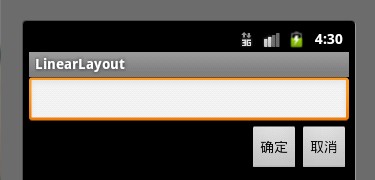
一.Intent的介绍 Intent的中文意思是“意图,意向”,在Android中提供了Intent机制来协助应用间的交互与通讯,Intent负责对应用中一次操作的动作、动作涉及数据、附加数据进行描述,Android则根据此Intent的描述,负责找到对应的组件,将 Intent传递给调用的组件,并完成组件的调用。Intent不仅可用于应用程序之间,也可用于应用程序内部的Activity/Service之间的交互。因此,可以将Intent理解为不同组件之间通信的“媒介”专门提供组件互相调用的相关信息。 二.Inten启动组件的方法 Intent可以启动一个Activity,也可以启动一个Service,还可以发起一个广播Broadcasts。具体方法如下: 组件名称 方法名称 Activity startActvity( ) startActivity( ) Service startService( ) bindService( ) Broadcasts sendBroadcasts( ) sendOrderedBroadcasts( ) sendStickyBroadcasts( ) 三.Intent的属性 Intent有以下几个属性: 动作(Action),数据(Data),分类(Category),类型(Type),组件(Compent)以及扩展信(Extra)。其中最常用的是Action属性和Data属性。 1.Intent的Action属性 Action是指Intent要完成的动作,是一个字符串常量。SDK中定义了一些标准的Action常量如下表所示。 Constant Target component Action ACTION_CALL activity Initiate a phone call. ACTION_EDIT activity Display data for the user to edit. ACTION_MAIN activity Start up as the initial activity of a task, with no data input and no returned output. ACTION_SYNC activity Synchronize data on a server with data on the mobile device. ACTION_BATTERY_LOW broadcast receiver A warning that the battery is low. ACTION_HEADSET_PLUG broadcast receiver A headset has been plugged into the device, or unplugged from it. ACTION_SCREEN_ON broadcast receiver The screen has been turned on. ACTION_TIMEZONE_CHANGED broadcast receiver The setting for the time zone has changed. 下面是一个测试Action常量的例子: main.xml <?xmlversion="1.0"encoding="utf-8"?> <LinearLayoutxmlns:android="http://schemas.android.com/apk/res/android" android:orientation="vertical" android:layout_width="fill_parent" android:layout_height="fill_parent" > <TextView android:layout_width="fill_parent" android:layout_height="wrap_content" android:text="@string/hello" /> <Button android:text="测试Action属性" android:id="@+id/getBtn" android:layout_width="wrap_content" android:layout_height="wrap_content" /> </LinearLayout> strings.xml <?xmlversion="1.0"encoding="utf-8"?> <resources> <stringname="hello">测试Action属性</string> <stringname="app_name">IntentActionDemo</string> </resources> MainActivity.java packagecom.android.action.activity; importandroid.app.Activity; importandroid.content.Intent; importandroid.os.Bundle; importandroid.view.View; importandroid.view.View.OnClickListener; importandroid.widget.Button; publicclassMainActivityextendsActivity{ privateButtongetBtn; @Override publicvoidonCreate(BundlesavedInstanceState){ super.onCreate(savedInstanceState); setContentView(R.layout.main); getBtn=(Button)findViewById(R.id.getBtn); getBtn.setOnClickListener(newOnClickListener(){ @Override publicvoidonClick(Viewv){ Intentintent=newIntent(); intent.setAction(Intent.ACTION_GET_CONTENT);//设置IntentAction属性 intent.setType("vnd.android.cursor.item/phone");//设置IntentType属性 //主要是获取通讯录的内容 startActivity(intent);//启动Activity } }); } } 效果图: 2.Intent的Data属性 Intent的Data属性是执行动作的URI和MIME类型,不同的Action有不同的Data数据指定。比如:ACTION_EDIT Action应该和要编辑的文档URI Data匹配,ACTION_VIEW应用应该和要显示的URI匹配。 3.Intent的Category属性 Intent中的Category属性是一个执行动作Action的附加信息。比如:CATEGORY_HOME则表示放回到Home界面,ALTERNATIVE_CATEGORY表示当前的Intent是一系列的可选动作中的一个。下表是SDK文档中关于Category的信息。 Constant Meaning CATEGORY_BROWSABLE The target activity can be safely invoked by the browser to display data referenced by a link — for example, an image or an e-mail message. CATEGORY_GADGET The activity can be embedded inside of another activity that hosts gadgets. CATEGORY_HOME The activity displays the home screen, the first screen the user sees when the device is turned on or when the HOME key is pressed. CATEGORY_LAUNCHER The activity can be the initial activity of a task and is listed in the top-level application launcher. CATEGORY_PREFERENCE The target activity is a preference panel. 下面是一个回到Home界面的例子: main.xml <?xmlversion="1.0"encoding="utf-8"?> <LinearLayoutxmlns:android="http://schemas.android.com/apk/res/android" android:orientation="vertical"android:layout_width="fill_parent" android:layout_height="fill_parent" > <TextView android:layout_width="fill_parent" android:layout_height="wrap_content" android:text="测试IntentCategory" /> <Button android:id="@+id/Button1" android:layout_width="wrap_content" android:layout_height="wrap_content" android:text="转到Home界面" /> </LinearLayout> strings.xml <?xmlversion="1.0"encoding="utf-8"?> <resources> <stringname="hello">HelloWorld,MainActivity!</string> <stringname="app_name">IntentCategoryDemo</string> </resources> MainActivity.java packagecom.android.category.activity; importandroid.app.Activity; importandroid.content.Intent; importandroid.os.Bundle; importandroid.view.View; importandroid.view.View.OnClickListener; importandroid.widget.Button; publicclassMainActivityextendsActivity{ privateButtonbtn; @Override publicvoidonCreate(BundlesavedInstanceState){ super.onCreate(savedInstanceState); setContentView(R.layout.main); btn=(Button)findViewById(R.id.Button1); btn.setOnClickListener(newOnClickListener(){ @Override publicvoidonClick(Viewv){ Intentintent=newIntent(); intent.setAction(Intent.ACTION_MAIN);//添加Action属性 intent.addCategory(Intent.CATEGORY_HOME);//添加Category属性 startActivity(intent);//启动Activity } }); } } 效果图: 4.Intent的Type属性 Intent的Type属性显式指定Intent的数据类型(MIME)。一般Intent的数据类型能够根据数据本身进行判定,但是通过设置这个属性,可以强制采用显式指定的类型而不再进行推导。 5.Intent的Compent属性 Intent的Compent属性指定Intent的的目标组件的类名称。通常 Android会根据Intent 中包含的其它属性的信息,比如action、data/type、category进行查找,最终找到一个与之匹配的目标组件。但是,如果 component这个属性有指定的话,将直接使用它指定的组件,而不再执行上述查找过程。指定了这个属性以后,Intent的其它所有属性都是可选的。 6.Intent的Extra属性 Intent的Extra属性是添加一些组件的附加信息。比如,如果我们要通过一个Activity来发送一个Email,就可以通过Extra属性来添加subject和body。 下面的例子在第一个Activity的EditText输入用户名,该年龄保存在Intent的Extras属性中。当单击Button时,会在第二个Activity中显示用户名。 first.xml <?xmlversion="1.0"encoding="utf-8"?> <LinearLayoutxmlns:android="http://schemas.android.com/apk/res/android" android:orientation="vertical" android:layout_width="fill_parent" android:layout_height="fill_parent" > <TextView android:layout_width="wrap_content" android:layout_height="wrap_content" android:text="请输入用户名" /> <EditText android:id="@+id/EditText1" android:layout_width="fill_parent" android:layout_height="wrap_content" /> <Button android:id="@+id/Button1" android:layout_width="wrap_content" android:layout_height="wrap_content" android:text="测试Extras属性" /> </LinearLayout> second.xml <?xmlversion="1.0"encoding="utf-8"?> <LinearLayoutxmlns:android="http://schemas.android.com/apk/res/android" android:orientation="vertical" android:layout_width="fill_parent" android:layout_height="fill_parent" > <TextView android:id="@+id/TextView1" android:layout_width="wrap_content" android:layout_height="wrap_content" /> </LinearLayout> strings.xml <?xmlversion="1.0"encoding="utf-8"?> <resources> <stringname="hello">HelloWorld,FirstActivity!</string> <stringname="app_name">IntentExtrasDemo</string> </resources> FirstActivity.java packagecom.android.extras.activity; importandroid.app.Activity; importandroid.content.Intent; importandroid.os.Bundle; importandroid.view.View; importandroid.view.View.OnClickListener; importandroid.widget.Button; importandroid.widget.EditText; publicclassFirstActivityextendsActivity{ privateButtonbtn; privateEditTextetx; @Override publicvoidonCreate(BundlesavedInstanceState){ super.onCreate(savedInstanceState); setContentView(R.layout.first); btn=(Button)findViewById(R.id.Button1); etx=(EditText)findViewById(R.id.EditText1); btn.setOnClickListener(newOnClickListener(){ @Override publicvoidonClick(Viewv){ Intentintent=newIntent(); //设置Intent的class属性,跳转到SecondActivity intent.setClass(FirstActivity.this,SecondActivity.class); //为intent添加额外的信息 intent.putExtra("useName",etx.getText().toString()); //启动Activity startActivity(intent); } }); } } SecondActivity.java packagecom.android.extras.activity; importandroid.app.Activity; importandroid.content.Intent; importandroid.os.Bundle; importandroid.widget.TextView; publicclassSecondActivityextendsActivity{ privateTextViewtv; @Override publicvoidonCreate(BundlesavedInstanceState){ super.onCreate(savedInstanceState); //设置当前的Activity的界面布局 setContentView(R.layout.second); //获得Intent Intentintent=this.getIntent(); tv=(TextView)findViewById(R.id.TextView1); //从Intent获得额外信息,设置为TextView的文本 tv.setText(intent.getStringExtra("useName")); } } 注意:在添加第二个Activity SecondActivity的时候,要在AndroidManifest.xml里面添加上SecondActivity,具体如下,即是在15行</activity>的后面添加上16~18行的代码。如果不这样做,就会在模拟器上出现错误。 <?xmlversion="1.0"encoding="utf-8"?> <manifestxmlns:android="http://schemas.android.com/apk/res/android" package="com.android.extras.activity" android:versionCode="1" android:versionName="1.0"> <uses-sdkandroid:minSdkVersion="10"/> <applicationandroid:icon="@drawable/icon"android:label="@string/app_name"> <activityandroid:name=".FirstActivity" android:label="@string/app_name"> <intent-filter> <actionandroid:name="android.intent.action.MAIN"/> <categoryandroid:name="android.intent.category.LAUNCHER"/> </intent-filter> </activity> <activityandroid:name=".SecondActivity" android:label="@string/app_name"> </activity> </application> </manifest> 效果图: 本文转自 lingdududu 51CTO博客,原文链接: http://blog.51cto.com/liangruijun/634411

优秀的个人博客,低调大师

【Android开发—智能家居系列】(三):手机连接WIFI模块

版权声明:本文为博主原创文章,未经博主允许不得转载。 目录(?)[+] 概述 实现连接WIFI的功能会用到一个工具类,源码可以点击链接下载。网上这些类似的工具类里的代码差不多是一样的。连接无线网主要有两个方法: 其中有一个Connect方法,还有一个connectSpecificAP方法,对于不需要密码就能链接的WIFI模块,我使用的是后者。 主要步骤 连接WIFI大致分为一下几个步骤: 【1】打开WIFI openWifi 【2】配置网络信息 createWifiInfo返回WIFiConfig 【3】添加配置好的网络并连接 int netID = mWifiManager.addNetwork(wifiConfig); boolean bRet = mWifiManager.enableNetwork(netID, false); 【4】判断连接是否成功 上面的enableNetWork方法返回成功并不能反映手机是否真的连接成功,所以还需要调用isConnect方法进行判断,针对自己的业务逻辑和场景,我又写了一个判断是否连接成功的方法:isWifiConnected的方法 应用 /** * 手机接入模块的WIFI网络——BLACKANTS */ private void ConnectDisplay(){ //获得消息对象 Message msg=mainHandler.obtainMessage(); //是否连接成功的一个标记 Boolean isConnected=false; //标志BLACKANTS的ScanResult是否存在,true存在,false不存在 Boolean isExist=false; //用户存放BLACKANTS的WIFI信息 ScanResult srWifiInfo=null; //声明一个用于临时存放SSID的变量 String strTempSSID; /******************以下一段代码主要是为了获得BLACKANTS的ScanResult(包括了它的SSID,BSSID,capabilities)*****************/ //扫描WIFI wifiAdmin.startScan(); //获得WIFI列表 List<ScanResult> lstWiFi= wifiAdmin.getWifiList(); //如果WIFI列表为空,则说明WIFI开关未打开,向Handler发送消息 if(lstWiFi==null || lstWiFi.size()==0){ msg.what=NotOpen; mainHandler.sendMessage(msg); return; } //如果列表存在,则对列表进行遍历 if(lstWiFi!=null & lstWiFi.size()>0){ //遍历列表,查看BLACKANTS是否存在 for(int i=0;i<lstWiFi.size();i++){ strTempSSID=lstWiFi.get(i).SSID; //如果存在,则退出For循环 if((DisplaySSID).equals(strTempSSID.trim()) ){ //修改标志位为存在 isExist=true; //将BLACKANTS的Wifi信息放入到变量srWifiInfo中 srWifiInfo=lstWiFi.get(i); break; } } } /******************以上一段代码主要是为了获得BLACKANTS的ScanResult(包括了它的SSID,BSSID,capabilities)*****************/ //默认是失败 msg.what=Failure; //如果存在,则让手机接入BLACKANTS-------------------V1.0 if(isExist){ if(wifiAdmin.connectSpecificAP(srWifiInfo)){ //判断是否连接上 if(wifiAdmin.isWifiConnected(InitActivity.this,DisplaySSID)){ msg.what=Success; } } } mainHandler.sendMessage(msg); } 附: 下载工具类(WIFIAdmin) 本文转自 一点点征服 博客园博客,原文链接: http://www.cnblogs.com/ldq2016/p/6774176.html ,如需转载请自行联系原作者

优秀的个人博客,低调大师

Android UI开发第五篇——自定义列表

自定义列表,设置列表背景、列表的列背景、列表的间隔线。 借鉴了一些前辈的代码。 MainActivity.class public class MainActivity extends Activity { @Override public void onCreate(Bundle savedInstanceState) { super.onCreate(savedInstanceState); setContentView(R.layout.main); //绑定Layout里面的ListView ListView list = (ListView) findViewById(R.id.ListView01); //生成动态数组,加入数据 ArrayList<HashMap<String, Object>> listItem = new ArrayList<HashMap<String, Object>>(); for(int i=0;i<5;i++) { if(i==0){ HashMap<String, Object> map = new HashMap<String, Object>(); map.put("ItemImage", R.drawable.checked);//图像资源的ID map.put("ItemTitle", "个人信息"); map.put("LastImage", R.drawable.lastimage); listItem.add(map); }else if(i==1){ HashMap<String, Object> map = new HashMap<String, Object>(); map.put("ItemImage", R.drawable.c);//图像资源的ID map.put("ItemTitle", "修改密码"); map.put("LastImage", R.drawable.lastimage); listItem.add(map); }else if(i==2){ HashMap<String, Object> map = new HashMap<String, Object>(); map.put("ItemImage", R.drawable.d);//图像资源的ID map.put("ItemTitle", "网络设置"); map.put("LastImage", R.drawable.lastimage); listItem.add(map); }else if(i==3){ HashMap<String, Object> map = new HashMap<String, Object>(); map.put("ItemImage", R.drawable.d);//图像资源的ID map.put("ItemTitle", "打印设置"); map.put("LastImage", R.drawable.lastimage); listItem.add(map); }else{ HashMap<String, Object> map = new HashMap<String, Object>(); map.put("ItemImage", R.drawable.e);//图像资源的ID map.put("ItemTitle", "返回"); map.put("LastImage", R.drawable.lastimage); listItem.add(map); } } //生成适配器的Item和动态数组对应的元素 SimpleAdapter listItemAdapter = new SimpleAdapter(this,listItem,// 数据源 R.layout.list_items,//ListItem的XML实现 //动态数组与ImageItem对应的子项 new String[] {"ItemImage","ItemTitle", "LastImage"}, //ImageItem的XML文件里面的一个ImageView,两个TextView ID new int[] {R.id.ItemImage,R.id.ItemTitle,R.id.last} ); //添加并且显示 list.setAdapter(listItemAdapter); //添加点击 list.setOnItemClickListener(new OnItemClickListener() { @Override public void onItemClick(AdapterView<?> arg0, View arg1, int arg2, long arg3) { setTitle("点击第"+arg2+"个项目"); if(arg2 == 4){ MainActivity.this.finish(); } } }); //添加长按点击 list.setOnCreateContextMenuListener(new OnCreateContextMenuListener() { @Override public void onCreateContextMenu(ContextMenu menu, View v,ContextMenuInfo menuInfo) { menu.setHeaderTitle("长按菜单-ContextMenu"); menu.add(0, 0, 0, "弹出长按菜单0"); menu.add(0, 1, 0, "弹出长按菜单1"); } }); } //长按菜单响应函数 @Override public boolean onContextItemSelected(MenuItem item) { setTitle("点击了长按菜单里面的第"+item.getItemId()+"个项目"); return super.onContextItemSelected(item); } } main.xml <?xml version="1.0" encoding="utf-8"?> <LinearLayout android:id="@+id/LinearLayout01" android:layout_width="fill_parent" android:layout_height="fill_parent" android:background="#ffffff" xmlns:android="http://schemas.android.com/apk/res/android"> <ListView android:layout_width="fill_parent" android:layout_height="wrap_content" android:id="@+id/ListView01" android:divider="@drawable/divider_color" android:dividerHeight="3dip" android:cacheColorHint="#00000000" /> </LinearLayout> list_item.xml <?xml version="1.0" encoding="utf-8"?> <RelativeLayout android:id="@+id/RelativeLayout01" android:layout_width="fill_parent" xmlns:android="http://schemas.android.com/apk/res/android" android:layout_height="wrap_content" android:paddingBottom="4dip" android:paddingLeft="12dip" android:paddingRight="12dip" android:background="@drawable/list_bg"> <ImageView android:paddingTop="12dip" android:layout_alignParentLeft="true" android:layout_width="wrap_content" android:layout_height="wrap_content" android:id="@+id/ItemImage" /> <TextView android:text="TextView01" android:layout_height="wrap_content" android:layout_marginTop="30px" android:textSize="20dip" android:paddingLeft="12dip" android:textColor="#000000" android:layout_width="fill_parent" android:id="@+id/ItemTitle" android:layout_toRightOf="@+id/ItemImage" /> <ImageView android:paddingTop="12dip" android:layout_marginTop="20px" android:layout_alignParentRight="true" android:layout_width="wrap_content" android:layout_height="wrap_content" android:id="@+id/last" /> </RelativeLayout> http://www.devdiv.com/home.php?mod=space&uid=14682&do=blog&id=2888 http://www.devdiv.com/home.php?mod=space&uid=14682&do=blog&id=2888 http://www.devdiv.com/home.php?mod=space&uid=14682&do=blog&id=2888 http://www.devdiv.com/forum.php?mod=viewthread&tid=97913&page=1#pid591587 http://blog.csdn.net/zeng622peng/archive/2010/08/11/5804965.aspx http://www.devdiv.com/home.php?mod=space&uid=14682&do=blog&id=2888 本文转自xyz_lmn51CTO博客,原文链接:http://blog.51cto.com/xyzlmn/817375 ,如需转载请自行联系原作者

优秀的个人博客,低调大师

Java微服务开发指南 -- 使用Dropwizard构建微服务

使用Dropwizard构建微服务 Dropwizard的历史要早于Spring Boot和WildFly Swarm,它最早是在2011.12发布的v0.1.0版本,在本文编写的过程中,它已经发布了v0.9.2版本,而v1.0.0版本也在准备中了。Dropwizard是Coda Hale在Yammer公司时创立的,它旨在提升公司分布式系统的架构(现在叫:微服务)。虽然它最早被用来构建REST Web 服务,而现在它具备了越来越多的功能,但是它的目标始终是作为轻量化、为生产环境准备且容易使用的web框架。 目前Dropwizard已经发布了v1.1.0版本 Dropwizard与Spring Boot类似,也是构建微服务可选的工具,但是它显得比Spring Boot更加规范一些。它使用的组件一般不会做可选替换,而好处是可

优秀的个人博客,低调大师

ios开发学习--动画(Animation)效果源码分享--系列教程1

Genie View 介绍: 实现所谓的genie effect。即点击最小化或删除按钮,视图会被吸进某个地方。 http://ios.itmdc.com/forum.php?mod=viewthread&tid=15&fromuid=15Animated Hovering Views 介绍:实现飘动视图(Hovering Views)的效果。Demo中,飘动的视图是一朵朵白云,可以自定义每朵白云的飘动速度和、文字和颜色等等。只支持ARC。 http://ios.itmdc.com/forum.php?mod=viewthread&tid=16&fromuid=15AHEasing 介绍: 实现动画中的缓动函数(easing function)。Easing function就是让物体的运动过程遵循某类数学公式,即定好起点和终点,物体在这个移动过程中,按照某个线性或者非线性的速度来进行移动,这样会让物体的运动看起来更加真实、更加符合真实世界的物理规律。 AHEasing支持的移动模式包括:Linear,Quadratic,Cubic,Quartic,Quintic,Sine,Circular,Elastic,Back,Bounce。 http://ios.itmdc.com/forum.php?mod=viewthread&tid=17&fromuid=15Wave Animation 介绍: 实现点击屏幕出现波纹效果。可以设置波纹的大小、波纹扩散的速度、波纹扩散的大小、持续时间等等参数。 http://ios.itmdc.com/forum.php?mod=viewthread&tid=19&fromuid=15Core Animation Fun House 介绍: 利用Core Animation 框架实现各种各样动画效果。包括:图形变大变小、改变颜色、改变透明度等动画(implicit animations),倒影(reflection)、抖动、三角函数取消等等动画 http://ios.itmdc.com/forum.php?mod=viewthread&tid=20&fromuid=15FireBall 介绍: 实现小球在屏幕不停的来回反弹,反弹后有小球轨迹。 http://ios.itmdc.com/forum.php?mod=viewthread&tid=21&fromuid=15PRTween 介绍: 实现某些Core Animation无法实现或很难实现的动画效果,比如物体弹跳(bounce)、给运动物体一个加速度、让运动物体逐渐停止等等动画效果。 http://ios.itmdc.com/forum.php?mod=viewthread&tid=22&fromuid=15Dazzle 介绍:利用Core Animation、CAEmitterCell 以及 CAEmitterLayer在iOS5中实现各种粒子动画效果,包括雪花、火焰、烟雾、飘动的花瓣、爆炸等效果。 http://ios.itmdc.com/forum.php?mod=viewthread&tid=23&fromuid=15Path去睡觉超炫特效 介绍: Path2.0 iOS应用中,用户有两种状态,分别是睡眠和唤醒状态。切换睡眠状态时,一个月亮会慢慢升起来,背景图案也会慢慢变化。唤醒之后,月亮慢慢消失。这份代码就是实现了这种超炫特效。需将模拟器的语言区域设置成中国。 http://ios.itmdc.com/forum.php?mod=viewthread&tid=24&fromuid=15Full Screen Animations 介绍: 这个代码实现了两种比较酷的动画效果: 1. 程序启动画面(splash画面)到程序界面(root view controller)之间的过渡动画效果是翻书的效果。即开机画面停留一小段时间后,慢慢像翻书一样翻到程序主页面。 2. 第二个效果十分特殊,是当用户点击星星的按钮(收藏按钮)之后,按钮上的星星图标会慢慢坠落到tab bar上面。在星星坠落的过程,tab bar上其他的tab慢慢变暗,只留下图标是星星的tab。也就是让用户慢慢看到收藏的效果。 http://ios.itmdc.com/forum.php?mod=viewthread&tid=25&fromuid=15 本文转自qianqianlianmeng博客园博客,原文链接:http://www.cnblogs.com/aimeng/archive/2012/12/05/2803803.html ,如需转载请自行联系原作者

资源下载

更多资源
腾讯云软件源

腾讯云软件源

为解决软件依赖安装时官方源访问速度慢的问题,腾讯云为一些软件搭建了缓存服务。您可以通过使用腾讯云软件源站来提升依赖包的安装速度。为了方便用户自由搭建服务架构,目前腾讯云软件源站支持公网访问和内网访问。

Nacos

Nacos

Nacos /nɑ:kəʊs/ 是 Dynamic Naming and Configuration Service 的首字母简称,一个易于构建 AI Agent 应用的动态服务发现、配置管理和AI智能体管理平台。Nacos 致力于帮助您发现、配置和管理微服务及AI智能体应用。Nacos 提供了一组简单易用的特性集,帮助您快速实现动态服务发现、服务配置、服务元数据、流量管理。Nacos 帮助您更敏捷和容易地构建、交付和管理微服务平台。

Rocky Linux

Rocky Linux

Rocky Linux(中文名:洛基)是由Gregory Kurtzer于2020年12月发起的企业级Linux发行版,作为CentOS稳定版停止维护后与RHEL(Red Hat Enterprise Linux)完全兼容的开源替代方案,由社区拥有并管理,支持x86_64、aarch64等架构。其通过重新编译RHEL源代码提供长期稳定性,采用模块化包装和SELinux安全架构,默认包含GNOME桌面环境及XFS文件系统,支持十年生命周期更新。

Sublime Text

Sublime Text

Sublime Text具有漂亮的用户界面和强大的功能,例如代码缩略图,Python的插件,代码段等。还可自定义键绑定,菜单和工具栏。Sublime Text 的主要功能包括:拼写检查,书签,完整的 Python API , Goto 功能,即时项目切换,多选择,多窗口等等。Sublime Text 是一个跨平台的编辑器,同时支持Windows、Linux、Mac OS X等操作系统。

用户登录
用户注册