spark集成hbase与hive数据转换与代码练习
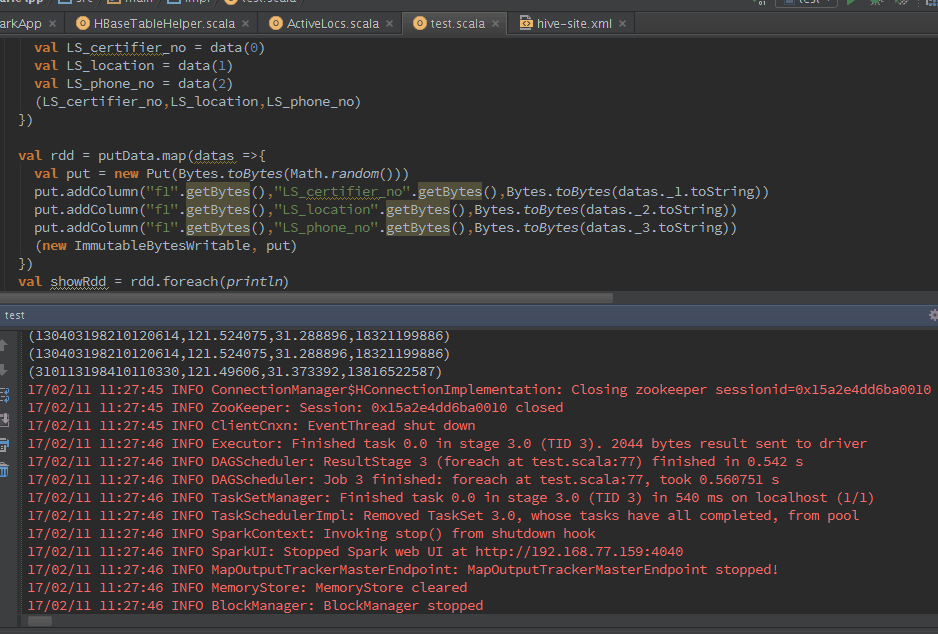
帮一个朋友写个样例,顺便练手啦~一直在做平台的各种事,但是代码后续还要精进啊。。。 1 import java.util.Date 2 3 import org.apache.hadoop.hbase.HBaseConfiguration 4 import org.apache.hadoop.hbase.client.{Put, Scan, Result} 5 import org.apache.hadoop.hbase.io.ImmutableBytesWritable 6 import org.apache.hadoop.hbase.mapred.TableOutputFormat 7 import org.apache.hadoop.hbase.mapreduce.TableInputFormat 8 import org.apache.hadoop.hbase.util.Bytes 9 import org.apache.hadoop.mapred.JobConf 10 import org.apache.log4j.{Level, Logger} 11 import org.apache.spark.rdd.RDD 12 import org.apache.spark.sql.DataFrame 13 import org.apache.spark.sql.hive.HiveContext 14 import org.apache.spark.{SparkContext, SparkConf} 15 16 /** 17 * Created by ysy on 2/10/17. 18 */ 19 object test { 20 21 case class ysyTest(LS_certifier_no: String,loc: String,LS_phone_no: String) 22 23 def main (args: Array[String]) { 24 val sparkConf = new SparkConf().setMaster("local").setAppName("ysy").set("spark.executor.memory", "1g") 25 val sc = new SparkContext(sparkConf) 26 val sqlContext = new HiveContext(sc) 27 sqlContext.sql("drop table pkq") 28 val columns = "LS_certifier_no,LS_location,LS_phone_no" 29 val hbaseRDD = dataInit(sc,"EVENT_LOG_LBS",columns).map(data =>{ 30 val id =Bytes.toString(data._2.getValue("f1".getBytes, "LS_certifier_no".getBytes)) 31 val loc = Bytes.toString(data._2.getValue("f1".getBytes, "LS_location".getBytes)) 32 val phone = Bytes.toString(data._2.getValue("f1".getBytes, "LS_phone_no".getBytes)) 33 (id,loc,phone) 34 }) 35 val showData = hbaseRDD.foreach(println) 36 val datas = hbaseRDD.filter(_._1 != null).filter(_._2 != null).filter(_._3 != null) 37 val hiveDF = initHiveTableFromHbase(sc:SparkContext,sqlContext,datas) 38 writeHiveTableToHbase(sc,hiveDF) 39 40 41 } 42 43 def initHiveTableFromHbase(sc:SparkContext,sqlContext: HiveContext,hiveRDD:RDD[(String,String,String)]) : DataFrame = { 44 val hRDD = hiveRDD.map(p => ysyTest(p._1,p._2,p._3)) 45 val hiveRDDSchema = sqlContext.createDataFrame(hiveRDD) 46 hiveRDDSchema.registerTempTable("pkq") 47 hiveRDDSchema.show(10) 48 hiveRDDSchema 49 } 50 51 def dataInit(sc : SparkContext,tableName : String,columns : String) : RDD[(ImmutableBytesWritable,Result)] = { 52 val configuration = HBaseConfiguration.create() 53 configuration.addResource("hbase-site.xml") 54 configuration.set(TableInputFormat.INPUT_TABLE,tableName ) 55 val scan = new Scan 56 val column = columns.split(",") 57 for(columnName <- column){ 58 scan.addColumn("f1".getBytes(),columnName.getBytes()) 59 } 60 val hbaseRDD = sc.newAPIHadoopRDD(configuration,classOf[TableInputFormat],classOf[org.apache.hadoop.hbase.io.ImmutableBytesWritable],classOf[org.apache.hadoop.hbase.client.Result]) 61 System.out.println(hbaseRDD.count()) 62 hbaseRDD 63 } 64 65 def writeHiveTableToHbase(sc : SparkContext,hiveDF : DataFrame) = { 66 val configuration = HBaseConfiguration.create() 67 configuration.addResource("hbase-site.xml ") 68 configuration.set(TableOutputFormat.OUTPUT_TABLE,"EVENT_LOG_LBS") 69 val jobConf = new JobConf(configuration) 70 jobConf.setOutputFormat(classOf[TableOutputFormat]) 71 72 val putData = hiveDF.map(data =>{ 73 val LS_certifier_no = data(0) 74 val LS_location = data(1) 75 val LS_phone_no = data(2) 76 (LS_certifier_no,LS_location,LS_phone_no) 77 }) 78 79 val rdd = putData.map(datas =>{ 80 val put = new Put(Bytes.toBytes(Math.random())) 81 put.addColumn("f1".getBytes(),"LS_certifier_no".getBytes(),Bytes.toBytes(datas._1.toString)) 82 put.addColumn("f1".getBytes(),"LS_location".getBytes(),Bytes.toBytes(datas._2.toString)) 83 put.addColumn("f1".getBytes(),"LS_phone_no".getBytes(),Bytes.toBytes(datas._3.toString)) 84 (new ImmutableBytesWritable, put) 85 }) 86 val showRdd = rdd.foreach(println) 87 rdd.saveAsHadoopDataset(jobConf) 88 } 89 90 }