部署自己的gitlab服务器
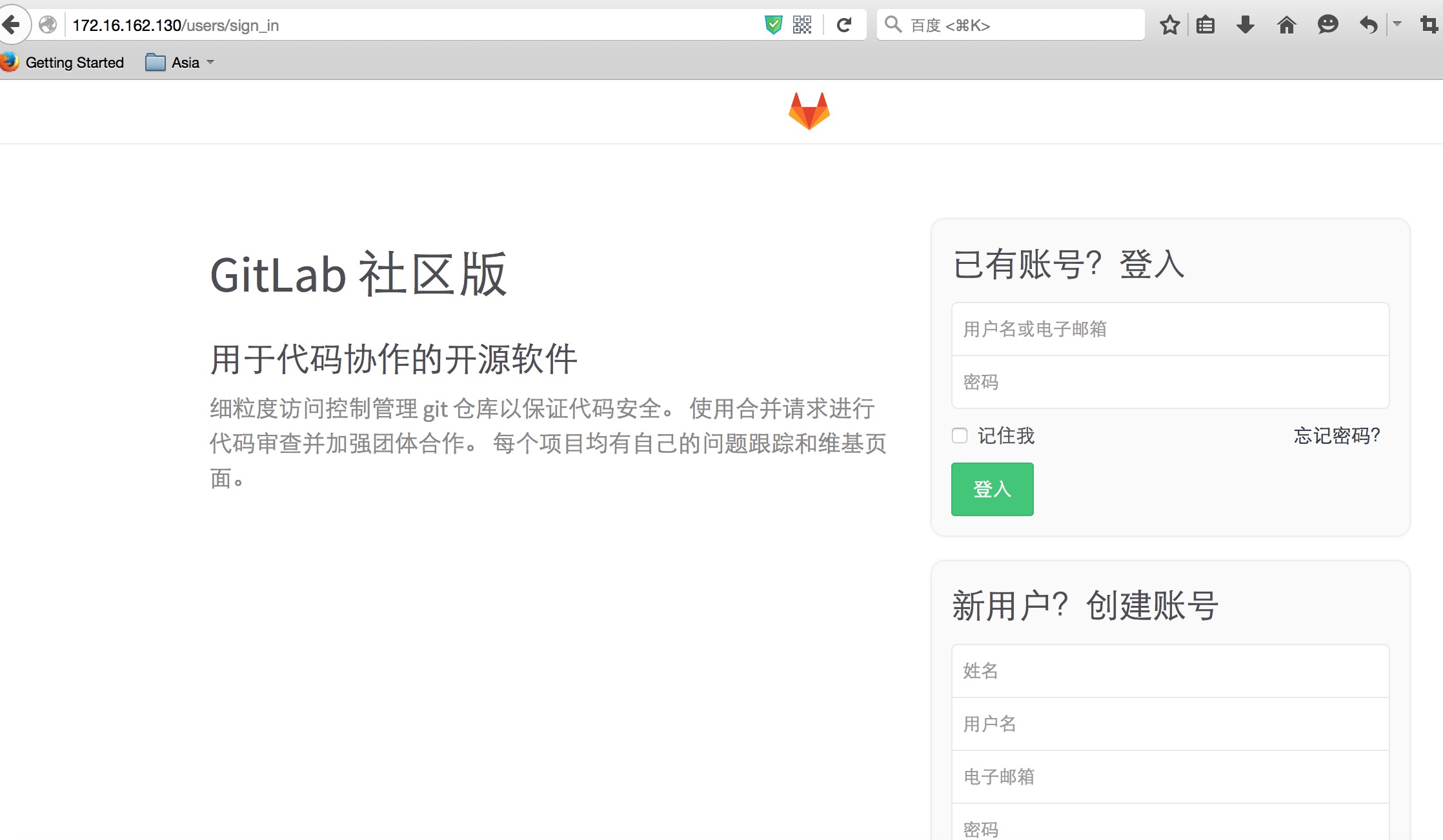
本文系统:centos 6.5 x64 ip: 172.16.162.130 GitLab8.0.5 GitLabShell2.6.6 GitLabAPIv3 Ruby2.2.3p173 Rails4.1.12 1、安装依赖包 [root@vm1~]#yuminstallgcc*libicu*-y 2、安装git程序,因为系统自带版本太低 [root@vm1~]#mkdir/opt/src/opt/soft [root@vm1src]#pwd /opt/src [root@vm1src]#ls git-2.6.2.tar.xz [root@vm1src]#tarxfgit-2.6.2.tar.xz [root@vm1src]#cdgit-2.6.2 [root@vm1git-2.6.2]#./configure--prefix=/opt/soft/git--with-curl--with-expat [root@vm1git-2.6.2]#make&&makeinstall [root@vm1git-2.6.2]#echo'exportPATH=/opt/soft/git/bin:$PATH'>>/etc/profile [root@vm1git-2.6.2]#source/etc/profile [root@vm1git-2.6.2]#git--version gitversion2.6.2 [root@vm1git-2.6.2]# 2、安装ruby [root@vm1src]#tarxfruby-2.2.3.tar.gz [root@vm1src]#cdruby-2.2.3 [root@vm1ruby-2.2.3]#./configure--prefix=/opt/soft/ruby--disable-install-rdoc [root@vm1ruby-2.2.3]#make&&makeinstall [root@vm1ruby-2.2.3]#echo'exportPATH=/opt/soft/ruby/bin:$PATH'>>/etc/profile [root@vm1ruby-2.2.3]#source/etc/profile [root@vm1ruby-2.2.3]#gemsources--addhttps://ruby.taobao.org/--removehttps://rubygems.org/ https://ruby.taobao.org/addedtosources https://rubygems.org/removedfromsources [root@vm1ruby-2.2.3]#geminstallbundler--no-ri--no-rdoc Fetching:bundler-1.11.2.gem(100%) Successfullyinstalledbundler-1.11.2 1geminstalled [root@vm1ruby-2.2.3]# 3、安装nodejs [root@vm1src]#tarzxfnode-v4.2.2-linux-x64.tar.gz [root@vm1src]#mvnode-v4.2.2-linux-x64/opt/soft/nodejs [root@vm1src]#echo'exportPATH=/opt/soft/nodejs/bin:$PATH'>>/etc/profile 4、安装go [root@vm1src]#tarxfgo1.5.1.linux-amd64.tar [root@vm1src]#mvgo/opt/soft/ [root@vm1src]#echo'exportGOROOT=/opt/soft/go'>>/etc/profile [root@vm1src]#echo'exportGOARCH=amd64'>>/etc/profile [root@vm1src]#echo'exportGOOS=linux'>>/etc/profile [root@vm1src]#echo'exportGOBIN=$GOROOT/bin'>>/etc/profile [root@vm1src]#echo'exportGOPATH=/opt/soft/go/code/go'>>/etc/profile [root@vm1src]#echo'exportPATH=$GOBIN:$PATH'>>/etc/profile 5、安装redis [root@vm1~]#yuminstallredis-y [root@vm1~]#/etc/init.d/redisstart 启动:[确定] 6、安装mysql [root@vm1~]#yuminstallmysql-server-y [root@vm1~]#/etc/init.d/mysqldstart [root@node1~]#mysql mysql>createdatabasegitlab; mysql>grantallprivilegesongitlab.*togitlab@'localhost'identifiedby'gitlab'; 7、安装gitlab [root@node1~]#useradd-d/opt/gitgit [root@node1~]#chmod755/opt/git [root@node1~]#su-git [git@node1~]$pwd /opt/git [git@node1~]$gitclonehttps://gitlab.com/larryli/gitlab.git-b8-0-zhgitlab 正克隆到'gitlab'... remote:Countingobjects:214761,done. remote:Compressingobjects:100%(45405/45405),done. remote:Total214761(delta166493),reused214623(delta166408) 接收对象中:100%(214761/214761),111.36MiB|74.00KiB/s,完成. 处理delta中:100%(166493/166493),完成. 检查连接...完成。 [git@node1~]$cdgitlab/ [git@node1gitlab]$cpconfig/gitlab.yml.exampleconfig/gitlab.yml [git@node1gitlab]$cpconfig/secrets.yml.exampleconfig/secrets.yml [git@node1gitlab]$cpconfig/unicorn.rb.exampleconfig/unicorn.rb [git@node1gitlab]$cpconfig/initializers/rack_attack.rb.exampleconfig/initializers/rack_attack.rb [git@node1gitlab]$cpconfig/resque.yml.exampleconfig/resque.yml [git@node1gitlab]$cpconfig/database.yml.mysqlconfig/database.yml [git@node1gitlab]$mkdir/opt/git/gitlab-satellites/ 8、修改配置文件,因为默认是在 git 账号下的 home 目录,我们这里是在 /opt/git 修改gitlab.yml配置,将行host: localhost修改为本机IP地址或者域名 修改gitlab.yml,配置git路径行bin_path: /usr/bin/git为bin_path: /opt/soft/git/bin/git [git@node1gitlab]$grephomeconfig/gitlab.yml path:/home/git/gitlab-satellites/ path:/home/git/gitlab-shell/ repos_path:/home/git/repositories/ hooks_path:/home/git/gitlab-shell/hooks/ secret_file:/home/git/gitlab/.gitlab_shell_secret 分别修改为 /opt 下,并且创建相应目录 [git@node1gitlab]$mkdir-p/opt/git/gitlab-satellites/opt/git/gitlab-shell/opt/git/repositories/opt/git/gitlab-shell/hooks/ [git@node1gitlab]$grephomeconfig/unicorn.rb working_directory"/home/git/gitlab"#availablein0.94.0+ listen"/home/git/gitlab/tmp/sockets/gitlab.socket",:backlog=>1024 pid"/home/git/gitlab/tmp/pids/unicorn.pid" stderr_path"/home/git/gitlab/log/unicorn.stderr.log" stdout_path"/home/git/gitlab/log/unicorn.stdout.log" [git@node1gitlab]$ 9、修改Redis相关配置config/resque.yml文件production:unix:/var/run/redis/redis.sock为production: redis://172.16.162.130:6379 数据库配置: production: adapter:mysql2 encoding:utf8 collation:utf8_general_ci reconnect:false database:gitlab pool:10 username:gitlab password:"gitlab" #host:localhost #socket:/tmp/mysql.sock 10、修改 Gemfile 首行内容 source "https://rubygems.org" 修改为 source "https://ruby.taobao.org"。 安装mysql包 [git@node1gitlab]$bundleinstall--deployment--withoutdevelopmenttestpostgresawskerberos 当出现下面问题时: Installingtimers4.0.4 Anerroroccurredwhileinstallingcharlock_holmes(0.6.9.4),andBundlercannotcontinue. Makesurethat`geminstallcharlock_holmes-v'0.6.9.4'`succeedsbeforebundling. [git@node1gitlab]$geminstallcharlock_holmes-v'0.6.9.4' ERROR:Whileexecutinggem...(Gem::RemoteFetcher::FetchError) Errno::ECONNRESET:Connectionresetbypeer-SSL_connect(https://api.rubygems.org/quick/Marshal.4.8/charlock_holmes-0.6.9.4.gemspec.rz) [git@node1gitlab]$ 先安装下面的 rpm 包,然后再执行上面的命令 [root@node1src]#rpm-vhilibicu-devel-4.2.1-9.1.el6_2.x86_64.rpm warning:libicu-devel-4.2.1-9.1.el6_2.x86_64.rpm:HeaderV4DSA/SHA1Signature,keyID192a7d7d:NOKEY Preparing...###########################################[100%] 1:libicu-devel###########################################[100%] [root@node1src]# 当出现下面的问题时: Installingnokogiri1.6.6.2withnativeextensions Anerroroccurredwhileinstallingrugged(0.22.2),andBundlercannotcontinue. Makesurethat`geminstallrugged-v'0.22.2'`succeedsbeforebundling. [git@node1gitlab]$ 先安装下面的 rpm 包,然后再执行上面的命令 [root@node1src]#yuminstallcmake-y 11、安装 gitlab-shell [git@node1gitlab]$bundleexecrakegitlab:shell:install[v2.6.6]REDIS_URL=redis://172.16.162.130:6379RAILS_ENV=production 当出现如下报错: [git@node1gitlab]$bundleexecrakegitlab:shell:install[v2.6.6]REDIS_URL=redis://172.16.162.130:6379RAILS_ENV=production WARNING:ThisversionofGitLabdependsongitlab-shell2.6.5,butyou'rerunningUnknown.Pleaseupdategitlab-shell. Missing`db_key_base`for'production'environment.Thesecretswillbegeneratedandstoredin`config/secrets.yml` fatal:Notagitrepository(oranyoftheparentdirectories):.git fatal:Notagitrepository(oranyoftheparentdirectories):.git fatal:Notagitrepository(oranyoftheparentdirectories):.git rakeaborted! Errno::ENOENT:Nosuchfileordirectory@rb_sysopen-/opt/git/.ssh/environment /opt/git/gitlab/lib/tasks/gitlab/shell.rake:73:in`initialize' /opt/git/gitlab/lib/tasks/gitlab/shell.rake:73:in`open' /opt/git/gitlab/lib/tasks/gitlab/shell.rake:73:in`block(3levels)in<top(required)>' Tasks:TOP=>gitlab:shell:install (Seefulltracebyrunningtaskwith--trace) [git@node1gitlab]$ 安装如下处理: [git@node1~]$mkdir/opt/git/.ssh [git@node1gitlab]$bundleexecrakegitlab:shell:install[v2.6.6]REDIS_URL=redis://172.16.162.130:6379RAILS_ENV=production WARNING:ThisversionofGitLabdependsongitlab-shell2.6.5,butyou'rerunningUnknown.Pleaseupdategitlab-shell. 正克隆到'/opt/git/gitlab-shell'... remote:Countingobjects:2558,done. remote:Compressingobjects:100%(895/895),done. remote:Total2558(delta1607),reused2501(delta1571) 接收对象中:100%(2558/2558),360.62KiB|241.00KiB/s,完成. 处理delta中:100%(1607/1607),完成. 检查连接...完成。 HEAD现在位于cdaa9aeMergebranch'bump_2.6.6'into'master' mkdir-p/opt/git/repositories/:OK mkdir-p/opt/git/.ssh:OK chmod700/opt/git/.ssh:OK touch/opt/git/.ssh/authorized_keys:OK chmod600/opt/git/.ssh/authorized_keys:OK chmodug+rwX,o-rwx/opt/git/repositories/:OK [git@node1gitlab]$ 12、安装gitlab-git-http-server [git@node1~]$gitclonehttps://gitlab.com/gitlab-org/gitlab-git-http-server.git-b0.2.14 正克隆到'gitlab-git-http-server'... remote:Countingobjects:418,done. remote:Compressingobjects:100%(169/169),done. remote:Total418(delta214),reused417(delta213) 接收对象中:100%(418/418),63.16KiB|0bytes/s,完成. 处理delta中:100%(214/214),完成. 检查连接...完成。 Note:checkingout'7c63f08f7051348e56b903fc0bbefcfed398fc1c'. Youarein'detachedHEAD'state.Youcanlookaround,makeexperimental changesandcommitthem,andyoucandiscardanycommitsyoumakeinthis statewithoutimpactinganybranchesbyperforminganothercheckout. Ifyouwanttocreateanewbranchtoretaincommitsyoucreate,youmay doso(noworlater)byusing-bwiththecheckoutcommandagain.Example: gitcheckout-b<new-branch-name> [git@node1~]$ [git@node1~]$cdgitlab-git-http-server/ [git@node1gitlab-git-http-server]$ls githandler.goLICENSEmain.gomain_test.goMakefileREADME.mdsupporttest [git@node1gitlab-git-http-server]$make gobuild-ldflags"-Xmain.Version0.2.14-20160405.151430"-ogitlab-git-http-server #_/opt/git/gitlab-git-http-server link:warning:option-Xmain.Version0.2.14-20160405.151430maynotworkinfuturereleases;use-Xmain.Version=0.2.14-20160405.151430 [git@node1gitlab-git-http-server]$ 13、初始化数据库并激活高级功能 (lansgg123为 web管理员root的密码) [git@node1gitlab-git-http-server]$cd~/gitlab [git@node1gitlab]$bundleexecrakegitlab:setupRAILS_ENV=productionGITLAB_ROOT_PASSWORD=lansgg123 14、复制启动脚本等内容: [root@node1git]#cpgitlab/lib/support/init.d/gitlab/etc/init.d/ [root@node1git]#cpgitlab/lib/support/logrotate/gitlab/etc/logrotate.d/ [root@node1git]#su-git [git@node1~]$cdgitlab 检查下应用信息状态: [git@node1gitlab]$bundleexecrakegitlab:env:infoRAILS_ENV=production Systeminformation System:RedHatEnterpriseServer6.5 CurrentUser:git UsingRVM:no RubyVersion:2.2.3p173 GemVersion:2.4.5.1 BundlerVersion:1.11.2 RakeVersion:10.4.2 SidekiqVersion:3.3.0 GitLabinformation Version:8.0.5 Revision:a6659af Directory:/opt/git/gitlab DBAdapter:mysql2 URL:http://172.16.162.130 HTTPCloneURL:http://172.16.162.130/some-group/some-project.git SSHCloneURL:git@172.16.162.130:some-group/some-project.git UsingLDAP:no UsingOmniauth:no GitLabShell Version:2.6.6 Repositories:/opt/git/repositories/ Hooks:/opt/git/gitlab-shell/hooks/ Git:/opt/soft/git/bin/git [git@node1gitlab]$ 编译静态文件 [git@node1 gitlab]$ bundle exec rake assets:precompile RAILS_ENV=production 15、安装nginx nginx 安装 --> 传送门 16、编辑配置文件: [root@node1conf]#pwd /opt/soft/nginx/conf [root@node1conf]#catnginx.conf usernginxnginx; worker_processesauto; error_loglogs/error.logerror; pidlogs/nginx.pid; worker_rlimit_nofile65536; events { useepoll; accept_mutexoff; worker_connections65536; } http { includemime.types; default_typetext/html; charsetUTF-8; server_names_hash_bucket_size128; client_header_buffer_size4k; large_client_header_buffers432k; client_max_body_size20m; open_file_cachemax=65536inactive=60s; open_file_cache_valid80s; open_file_cache_min_uses1; log_formatmain'$remote_addr-$remote_user[$time_local]"$request"' '$status$body_bytes_sent"$http_referer"' '"$http_user_agent""$http_x_forwarded_for"'; access_loglogs/access.logmain; sendfileon; server_tokensoff; keepalive_timeout60; gzipon; gzip_min_length1k; gzip_buffers464k; gzip_http_version1.1; gzip_comp_level2; gzip_typestext/plaintext/cssapplication/jsonapplication/x-javascripttext/xmlapplication/xmlapplication/xml+rsstext/javascript; upstreamgitlab { serverunix:/opt/git/gitlab/tmp/sockets/gitlab.socketfail_timeout=0; } upstreamgitlab-git-http-server { serverunix:/opt/git/gitlab/tmp/sockets/gitlab-git-http-server.socketfail_timeout=0; } server{ listen80; server_name_; root/opt/git/gitlab/public; location/ { try_files$uri$uri/index.html$uri.html@gitlab; } location/uploads/ { proxy_read_timeout300; proxy_connect_timeout300; proxy_redirectoff; proxy_set_headerHost$http_host; proxy_set_headerX-Real-IP$remote_addr; proxy_set_headerX-Forwarded-For$proxy_add_x_forwarded_for; proxy_set_headerX-Forwarded-Proto$scheme; proxy_set_headerX-Frame-OptionsSAMEORIGIN; proxy_passhttp://gitlab; } location@gitlab { proxy_read_timeout300; proxy_connect_timeout300; proxy_redirectoff; proxy_set_headerHost$http_host; proxy_set_headerX-Real-IP$remote_addr; proxy_set_headerX-Forwarded-For$proxy_add_x_forwarded_for; proxy_set_headerX-Forwarded-Proto$scheme; proxy_set_headerX-Frame-OptionsSAMEORIGIN; proxy_passhttp://gitlab; } location~[-\/\w\.]+\.git\/ { proxy_read_timeout300; proxy_connect_timeout300; proxy_redirectoff; proxy_bufferingoff; proxy_set_headerHost$http_host; proxy_set_headerX-Real-IP$remote_addr; proxy_set_headerX-Forwarded-For$proxy_add_x_forwarded_for; proxy_set_headerX-Forwarded-Proto$scheme; proxy_passhttp://gitlab-git-http-server; } location~^/(assets)/ { root/opt/git/gitlab/public; gzip_staticon; expiresmax; add_headerCache-Controlpublic; } error_page502/502.html; } } 17、启动服务,测试: [root@node1sbin]#./nginx [root@node1sbin]#pwd /opt/soft/nginx/sbin [root@node1sbin]# [root@node1sbin]#/etc/init.d/gitlabstart StartingGitLabUnicorn StartingGitLabSidekiq Startinggitlab-git-http-server TheGitLabUnicornwebserverwithpid10956isrunning. TheGitLabSidekiqjobdispatcherwithpid11004isrunning. Thegitlab-git-http-serverwithpid10987isrunning. GitLabandallitscomponentsareupandrunning. [root@node1sbin]# 启动gitlab前,要修改gitlab的启动程序。 (下面两行) app_user="git" app_root="/opt/$app_user/gitlab" 访问地址:http://172.16.162.130/ 18、smtp邮件设置,比如用户注册,验证、找回密码、提交等邮件发送设置。 [git@node1gitlab]$vimconfig/environments/production.rb config.action_mailer.delivery_method=:smtp [git@node1gitlab]$cpconfig/initializers/smtp_settings.rb.sampleconfig/initializers/smtp_settings.rb [git@node1gitlab]$vimconfig/initializers/smtp_settings.rb ifGitlab::Application.config.action_mailer.delivery_method==:smtp ActionMailer::Base.smtp_settings={ address:"smtp.domain.com", port:587, user_name:"mail_username", password:"mail_password", domain:"domain.com", authentication:'plain', enable_starttls_auto:true }end Tip: 如果没用smtp没有开加密连接的话enable_starttls_auto 的值应该配置为 false 这里需要注意一个问题, 如果你的smtp服务器做了权限限制,只能以登陆账户的邮件帐号发邮件的话,还需要修改一处地方 编辑config/gitlab.yml找到下面两个字段将内容改成你的邮件帐户地址: email_from:xxx@xx.com email_display_name:GitLab email_reply_to:noreply@example.com