Android -- 图片异步上传到PHP服务器
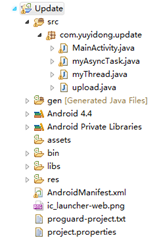
背景 网上很多上传到java服务器上的,找了好久,找到了上传到php的了,思路跟我当初想的差不多,就是POST过去。废话不多说,直接上图看代码。 php代码 <?php $target_path = "./upload/";//接收文件目录 $target_path = $target_path . basename( $_FILES['uploadedfile']['name']); if(move_uploaded_file($_FILES['uploadedfile']['tmp_name'], $target_path)) { echo "The file ". basename( $_FILES['uploadedfile']['name']). " has been uploaded"; } else{ echo "There was an error uploading the file, please try again!" . $_FILES['uploadedfile']['error']; } ?> Android代码 上传的主要代码: private void uploadFile(String uploadUrl) { String end = "\r\n"; String twoHyphens = "--"; String boundary = "******"; try { URL url = new URL(uploadUrl); HttpURLConnection httpURLConnection = (HttpURLConnection) url .openConnection();//http连接 // 设置每次传输的流大小,可以有效防止手机因为内存不足崩溃 // 此方法用于在预先不知道内容长度时启用没有进行内部缓冲的 HTTP 请求正文的流。 httpURLConnection.setChunkedStreamingMode(128 * 1024);// 128K // 允许输入输出流 httpURLConnection.setDoInput(true); httpURLConnection.setDoOutput(true); httpURLConnection.setUseCaches(false); // 使用POST方法 httpURLConnection.setRequestMethod("POST"); httpURLConnection.setRequestProperty("Connection", "Keep-Alive");//保持一直连接 httpURLConnection.setRequestProperty("Charset", "UTF-8");//编码 httpURLConnection.setRequestProperty("Content-Type", "multipart/form-data;boundary=" + boundary);//POST传递过去的编码 DataOutputStream dos = new DataOutputStream( httpURLConnection.getOutputStream());//输出流 dos.writeBytes(twoHyphens + boundary + end); dos.writeBytes("Content-Disposition: form-data; name=\"uploadedfile\"; filename=\"" + srcPath.substring(srcPath.lastIndexOf("/") + 1) + "\"" + end); dos.writeBytes(end); FileInputStream fis = new FileInputStream(srcPath);//文件输入流,写入到内存中 byte[] buffer = new byte[8192]; // 8k int count = 0; // 读取文件 while ((count = fis.read(buffer)) != -1) { dos.write(buffer, 0, count); } fis.close(); dos.writeBytes(end); dos.writeBytes(twoHyphens + boundary + twoHyphens + end); dos.flush(); InputStream is = httpURLConnection.getInputStream();//http输入,即得到返回的结果 InputStreamReader isr = new InputStreamReader(is, "utf-8"); BufferedReader br = new BufferedReader(isr); String result = br.readLine(); Toast.makeText(this, result, Toast.LENGTH_LONG).show();//将结果输出 dos.close(); is.close(); } catch (Exception e) { e.printStackTrace(); setTitle(e.getMessage()); } } 因为安卓4.0之后耗时间的操作要求都在非UI线程中操作,即将前面的AsyncTask拿来用了吧~ AsyncTask传送门:http://www.cnblogs.com/yydcdut/p/3707960.html 在这个类中,将上传的操作放在doInBackground当中,可以有ProgressDialog显示上传了多少: // Read file bytesRead = fileInputStream.read(buffer, 0, bufferSize); while (bytesRead > 0) { outputStream.write(buffer, 0, bufferSize); length += bufferSize; progress = (int) ((length * 100) / totalSize); publishProgress(progress); bytesAvailable = fileInputStream.available(); bufferSize = Math.min(bytesAvailable, maxBufferSize); bytesRead = fileInputStream.read(buffer, 0, bufferSize); } outputStream.writeBytes(lineEnd); outputStream.writeBytes(twoHyphens + boundary + twoHyphens + lineEnd); publishProgress(100); 还有就是,注意权限哟: <uses-permission android:name="android.permission.INTERNET" /> 我是天王盖地虎的分割线 源代码:http://pan.baidu.com/s/1dD1Qx01 Update.zip 本文转自我爱物联网博客园博客,原文链接:http://www.cnblogs.com/yydcdut/p/3720635.html,如需转载请自行联系原作者