首页 文章 精选 留言 我的

精选列表

搜索[配置],共10000篇文章
优秀的个人博客,低调大师

一个快速找到Spring框架是在哪里找到XML配置文件并解析Beans定义的小技巧

We can define bean configuration in xml and then can get instantiated bean instance with help of all kinds of containers for example ClassPathXmlApplicationContext as displayed below: The content of Beans.xml: <?xml version="1.0" encoding="UTF-8"?> <!-- http://stackoverflow.com/questions/18802982/no-declaration-can-be-found-for-element-contextannotation-config --> <beans xmlns="http://www.springframework.org/schema/beans" xmlns:xsi="http://www.w3.org/2001/XMLSchema-instance" xmlns:context="http://www.springframework.org/schema/context" xsi:schemaLocation="http://www.springframework.org/schema/beans http://www.springframework.org/schema/beans/spring-beans-3.0.xsd http://www.springframework.org/schema/context http://www.springframework.org/schema/context/spring-context.xsd"> <bean id="helloWorld" class="main.java.com.sap.HelloWorld"> <property name="message" value="sss"/> <property name="testMin" value="2"/> <property name="phone" value="1"/> </bean> </beans> Where can we set breakpoint to start? No hint. Here is a tip: we can make the Beans.xml invalid by deliberately changing te tag bean to beana, and relaunch application. Now exception is raised as expected: Click the hyperlink XmlBeanDefinitionReader.java:399, The line 399 where exception is raised will be automatically located. The core logic to load xml file is just near the exception raise position: line 391. So we can set breakpoint in line 391 now: Change the tag from beana back to bean, and start application via debug mode. The code below is the core logic of Bean configuration file parse in Spring framework. The logic consists of two main steps: parse XML as a dom structure in memory ( line 391 ) extract bean information contained in dom structure and generate BeanDefinition structure ( line 392 ) from screenshot below we can find out the xml is parsed via SAX parser: My “helloWorld” bean is parsed here: 本文来自云栖社区合作伙伴“汪子熙”,了解相关信息可以关注微信公众号"汪子熙"。

优秀的个人博客,低调大师

18、 Python快速开发分布式搜索引擎Scrapy精讲—Scrapy启动文件的配置—xpath表达式

【http://www.bdyss.cn】 【http://www.swpan.cn】 我们自定义一个main.py来作为启动文件 main.py #!/usr/bin/envpython #-*-coding:utf8-*- fromscrapy.cmdlineimportexecute#导入执行scrapy命令方法 importsys importos sys.path.append(os.path.join(os.getcwd()))#给Python解释器,添加模块新路径,将main.py文件所在目录添加到Python解释器 execute(['scrapy','crawl','pach','--nolog'])#执行scrapy命令 爬虫文件 #-*-coding:utf-8-*- importscrapy fromscrapy.httpimportRequest importurllib.response fromlxmlimportetree importre classPachSpider(scrapy.Spider): name='pach' allowed_domains=['blog.jobbole.com'] start_urls=['http://blog.jobbole.com/all-posts/'] defparse(self,response): pass xpath表达式 1、 2、 3、 基本使用 allowed_domains设置爬虫起始域名start_urls设置爬虫起始url地址parse(response)默认爬虫回调函数,response返回的是爬虫获取到的html信息对象,里面封装了一些关于htnl信息的方法和属性 responsehtml信息对象下的方法和属性response.url获取抓取的rulresponse.body获取网页内容response.body_as_unicode()获取网站内容unicode编码xpath()方法,用xpath表达式过滤节点extract()方法,获取过滤后的数据,返回列表 #-*-coding:utf-8-*- importscrapy classPachSpider(scrapy.Spider): name='pach' allowed_domains=['blog.jobbole.com'] start_urls=['http://blog.jobbole.com/all-posts/'] defparse(self,response): leir=response.xpath('//a[@class="archive-title"]/text()').extract()#获取指定标题 leir2=response.xpath('//a[@class="archive-title"]/@href').extract()#获取指定url print(response.url)#获取抓取的rul print(response.body)#获取网页内容 print(response.body_as_unicode())#获取网站内容unicode编码 foriinleir: print(i) foriinleir2: print(i) 【转载自:http://www.lqkweb.com】

优秀的个人博客,低调大师

统一tomcat的程序包路径,日志路径,自定义变量,JAVA启动项的配置文件示例

在企业环境中,将tomcat里的日志和程序包统一到不同的路径, 自定义全局变量,自定义JAVA_OPTS都是很常见的操作。 现将相关文件作一示例, 以后可照猫画虎了。 (有时,tomcat日志的时间不对,系统的时间是对的,这里就要用GMT+8参数) bin/setenv.sh CLASSPATH=$CLASSPATH:/xxx/webconfigs LOG_DIR="/xxx/weblogs/${MY_POD_NAMESPACE}_${MY_POD_NAME}" JAVA_OPTS="$JAVA_OPTS -Duser.timezone=GMT+08" JAVA_OPTS="$JAVA_OPTS -Dlog.home=${LOG_DIR}" JAVA_OPTS="$JAVA_OPTS -Dxxx.log=${LOG_DIR}" JAVA_OPTS="$JAVA_OPTS -Xms4096m -Xmx6144m -XX:MaxNewSize=512m -XX:MaxPermSize=512m" JAVA_OPTS="$JAVA_OPTS -XX:+UseConcMarkSweepGC -XX:CMSInitiatingOccupancyFraction=85 -XX:+PrintGCDetails -XX:+PrintGCDateStamps -XX:+PrintGCTimeStamps" JAVA_OPTS="$JAVA_OPTS -XX:+HeapDumpOnOutOfMemoryError -XX:HeapDumpPath=${LOG_DIR} -verbose:gc -Xloggc:${LOG_DIR}/gc.log" conf/server.xml <Server port="59076" shutdown="SHUTDOWN"> <Listener className="org.apache.catalina.core.AprLifecycleListener" /> <!--Listener className="org.apache.catalina.mbeans.ServerLifecycleListener" /--> <Listener className="org.apache.catalina.mbeans.GlobalResourcesLifecycleListener" /> <Listener className="org.apache.catalina.storeconfig.StoreConfigLifecycleListener"/> <GlobalNamingResources> <!-- Used by Manager webapp --> <Resource name="UserDatabase" auth="Container" type="org.apache.catalina.UserDatabase" description="User database that can be updated and saved" factory="org.apache.catalina.users.MemoryUserDatabaseFactory" pathname="conf/tomcat-users.xml" /> </GlobalNamingResources> <Service name="Catalina"> <Connector port="8080" protocol="HTTP/1.1" maxThreads="150" minSpareThreads="25" enableLookups="false" redirectPort="8443" acceptCount="200" connectionTimeout="40000" disableUploadTimeout="false"/> <!-- This is here for compatibility only, not required --> <!-- <Connector port="59009" protocol="AJP/1.3" /> --> <Engine name="Catalina" defaultHost="localhost"> <Realm className="org.apache.catalina.realm.UserDatabaseRealm" resourceName="UserDatabase" /> <Host name="localhost" appBase="/xxx/webapps" unpackWARs="true"> <Valve className="org.apache.catalina.valves.AccessLogValve" rotatable="true" directory="${xxx.log}" prefix="localhost_access.log" pattern="%h %{X-FORWARDED-FOR}i %l %u %t %r %s %b %q %{User-Agent}i %T %D" resolveHosts="false"/> </Host> </Engine> </Service> </Server> conf/logging.properties # Licensed to the Apache Software Foundation (ASF) under one or more # contributor license agreements. See the NOTICE file distributed with # this work for additional information regarding copyright ownership. # The ASF licenses this file to You under the Apache License, Version 2.0 # (the "License"); you may not use this file except in compliance with # the License. You may obtain a copy of the License at # # http://www.apache.org/licenses/LICENSE-2.0 # # Unless required by applicable law or agreed to in writing, software # distributed under the License is distributed on an "AS IS" BASIS, # WITHOUT WARRANTIES OR CONDITIONS OF ANY KIND, either express or implied. # See the License for the specific language governing permissions and # limitations under the License. handlers = 1catalina.org.apache.juli.AsyncFileHandler, 2localhost.org.apache.juli.AsyncFileHandler, 3manager.org.apache.juli.AsyncFileHandler, 4host-manager.org.apache.juli.AsyncFileHandler, java.util.logging.ConsoleHandler .handlers = 1catalina.org.apache.juli.AsyncFileHandler, java.util.logging.ConsoleHandler ############################################################ # Handler specific properties. # Describes specific configuration info for Handlers. ############################################################ 1catalina.org.apache.juli.AsyncFileHandler.level = FINE 1catalina.org.apache.juli.AsyncFileHandler.directory = ${xxx.log} 1catalina.org.apache.juli.AsyncFileHandler.prefix = catalina. 2localhost.org.apache.juli.AsyncFileHandler.level = FINE 2localhost.org.apache.juli.AsyncFileHandler.directory = ${xxx.log} 2localhost.org.apache.juli.AsyncFileHandler.prefix = localhost. 3manager.org.apache.juli.AsyncFileHandler.level = FINE 3manager.org.apache.juli.AsyncFileHandler.directory = ${xxx.log} 3manager.org.apache.juli.AsyncFileHandler.prefix = manager. 4host-manager.org.apache.juli.AsyncFileHandler.level = FINE 4host-manager.org.apache.juli.AsyncFileHandler.directory = ${xxx.log} 4host-manager.org.apache.juli.AsyncFileHandler.prefix = host-manager. java.util.logging.ConsoleHandler.level = FINE java.util.logging.ConsoleHandler.formatter = org.apache.juli.OneLineFormatter ############################################################ # Facility specific properties. # Provides extra control for each logger. ############################################################ org.apache.catalina.core.ContainerBase.[Catalina].[localhost].level = INFO org.apache.catalina.core.ContainerBase.[Catalina].[localhost].handlers = 2localhost.org.apache.juli.AsyncFileHandler org.apache.catalina.core.ContainerBase.[Catalina].[localhost].[/manager].level = INFO org.apache.catalina.core.ContainerBase.[Catalina].[localhost].[/manager].handlers = 3manager.org.apache.juli.AsyncFileHandler org.apache.catalina.core.ContainerBase.[Catalina].[localhost].[/host-manager].level = INFO org.apache.catalina.core.ContainerBase.[Catalina].[localhost].[/host-manager].handlers = 4host-manager.org.apache.juli.AsyncFileHandler # For example, set the org.apache.catalina.util.LifecycleBase logger to log # each component that extends LifecycleBase changing state: #org.apache.catalina.util.LifecycleBase.level = FINE # To see debug messages in TldLocationsCache, uncomment the following line: #org.apache.jasper.compiler.TldLocationsCache.level = FINE # To see debug messages for HTTP/2 handling, uncomment the following line: #org.apache.coyote.http2.level = FINE # To see debug messages for WebSocket handling, uncomment the following line: #org.apache.tomcat.websocket.level = FINE

优秀的个人博客,低调大师

kafka_2.10-0.8.1.1.tgz的1或3节点集群的下载、安装和配置(图文详细教程)绝对干货

kafka_2.10-0.8.1.1.tgz的1节点集群 我这里是使用的是,kafka自带的zookeeper。 以及关于kafka的日志文件啊,都放在默认里即/tmp下,我没修改。保存默认的 1、 [hadoop@sparksinglenode kafka_2.10-0.8.1.1]$ jps 2625 Jps 2、 [hadoop@sparksinglenode kafka_2.10-0.8.1.1]$ bin/zookeeper-server-start.sh config/zookeeper.properties & 此刻,这时,会一直停在这,因为是前端运行。 另开一窗口, 3、 [hadoop@sparksinglenode kafka_2.10-0.8.1.1]$ bin/kafka-server-start.sh config/server.properties & 也是前端运行。 推荐做法!!! 但是,我这里,自己在kafka安装目录下,为了自己的方便,写了个startkafka.sh和startzookeeper.sh nohup bin/kafka-server-start.sh config/server.properties > kafka.log 2>&1 & nohup bin/zookeeper-server-start.sh config/zookeeper.properties > zookeeper.log 2>&1 & 注意还要,root用户来,附上执行权限。chmod +x ./startkafka.sh chmod +x ./startzookeeper.sh 这样,就会在kafka安装目录下,对应生出kafka.log和zookeeper.log。 1、[spark@sparksinglenode kafka_2.10-0.8.1.1]$ jps 5098 Jps 2、[spark@sparksinglenode kafka_2.10-0.8.1.1]$bash startzookeeper.sh [spark@sparksinglenode kafka_2.10-0.8.1.1]$ jps 5125 Jps 5109 QuorumPeerMain 3、[spark@sparksinglenode kafka_2.10-0.8.1.1]$bash startkafka.sh [spark@sparksinglenode kafka_2.10-0.8.1.1]$ jps 5155 Jps 5140 Kafka 5109 QuorumPeerMain [spark@sparksinglenode kafka_2.10-0.8.1.1]$ 我了个去,启动是多么方便! kafka_2.10-0.8.1.1.tgz的3节点集群 关于下载,和安装,解压,这些,我不多赘述了。见我的单节点博客。 root@SparkMaster:/usr/local/kafka/kafka_2.10-0.8.1.1/config# cat server.properties # Licensed to the Apache Software Foundation (ASF) under one or more # contributor license agreements. See the NOTICE file distributed with # this work for additional information regarding copyright ownership. # The ASF licenses this file to You under the Apache License, Version 2.0 # (the "License"); you may not use this file except in compliance with # the License. You may obtain a copy of the License at # # http://www.apache.org/licenses/LICENSE-2.0 # # Unless required by applicable law or agreed to in writing, software # distributed under the License is distributed on an "AS IS" BASIS, # WITHOUT WARRANTIES OR CONDITIONS OF ANY KIND, either express or implied. # See the License for the specific language governing permissions and # limitations under the License. # see kafka.server.KafkaConfig for additional details and defaults ############################# Server Basics ############################# # The id of the broker. This must be set to a unique integer for each broker.broker.id=0 ############################# Socket Server Settings ############################# # The port the socket server listens on port=9092 # Hostname the broker will bind to. If not set, the server will bind to all interfaces #host.name=localhost # Hostname the broker will advertise to producers and consumers. If not set, it uses the # value for "host.name" if configured. Otherwise, it will use the value returned from # java.net.InetAddress.getCanonicalHostName(). #advertised.host.name=<hostname routable by clients> # The port to publish to ZooKeeper for clients to use. If this is not set, # it will publish the same port that the broker binds to. #advertised.port=<port accessible by clients> # The number of threads handling network requests num.network.threads=2 # The number of threads doing disk I/O num.io.threads=8 # The send buffer (SO_SNDBUF) used by the socket server socket.send.buffer.bytes=1048576 # The receive buffer (SO_RCVBUF) used by the socket server socket.receive.buffer.bytes=1048576 # The maximum size of a request that the socket server will accept (protection against OOM) socket.request.max.bytes=104857600 ############################# Log Basics ############################# # A comma seperated list of directories under which to store log fileslog.dirs=/kafka-logs # The default number of log partitions per topic. More partitions allow greater # parallelism for consumption, but this will also result in more files across # the brokers. num.partitions=2 ############################# Log Flush Policy ############################# # Messages are immediately written to the filesystem but by default we only fsync() to sync # the OS cache lazily. The following configurations control the flush of data to disk. # There are a few important trade-offs here: # 1. Durability: Unflushed data may be lost if you are not using replication. # 2. Latency: Very large flush intervals may lead to latency spikes when the flush does occur as there will be a lot of data to flush. # 3. Throughput: The flush is generally the most expensive operation, and a small flush interval may lead to exceessive seeks. # The settings below allow one to configure the flush policy to flush data after a period of time or # every N messages (or both). This can be done globally and overridden on a per-topic basis. # The number of messages to accept before forcing a flush of data to disk #log.flush.interval.messages=10000 # The maximum amount of time a message can sit in a log before we force a flush #log.flush.interval.ms=1000 ############################# Log Retention Policy ############################# # The following configurations control the disposal of log segments. The policy can # be set to delete segments after a period of time, or after a given size has accumulated. # A segment will be deleted whenever *either* of these criteria are met. Deletion always happens # from the end of the log. # The minimum age of a log file to be eligible for deletion log.retention.hours=168 # A size-based retention policy for logs. Segments are pruned from the log as long as the remaining # segments don't drop below log.retention.bytes. #log.retention.bytes=1073741824 # The maximum size of a log segment file. When this size is reached a new log segment will be created. log.segment.bytes=536870912 # The interval at which log segments are checked to see if they can be deleted according # to the retention policies log.retention.check.interval.ms=60000 # By default the log cleaner is disabled and the log retention policy will default to just delete segments after their retention expires. # If log.cleaner.enable=true is set the cleaner will be enabled and individual logs can then be marked for log compaction. log.cleaner.enable=false ############################# Zookeeper ############################# # Zookeeper connection string (see zookeeper docs for details). # This is a comma separated host:port pairs, each corresponding to a zk # server. e.g. "127.0.0.1:3000,127.0.0.1:3001,127.0.0.1:3002". # You can also append an optional chroot string to the urls to specify the # root directory for all kafka znodes.zookeeper.connect=SparkMaster:2181,SparkWorker1:2181,SparkWorker2:2181 # Timeout in ms for connecting to zookeeper zookeeper.connection.timeout.ms=1000000 root@SparkMaster:/usr/local/kafka/kafka_2.10-0.8.1.1/config# SparkWorker1和SparkWorker2分别只把broker.id=0改成broker.id=1 ,broker.id=2。 即SparkMaster: broker.id=0 log.dirs=/kafka-logs zookeeper.connect=SparkMaster:2181,SparkWorker1:2181,SparkWorker2:2181 即SparkWorker1: broker.id=1 log.dirs=/kafka-logs zookeeper.connect=SparkMaster:2181,SparkWorker1:2181,SparkWorker2:2181 即SparkWorker2: broker.id=2 log.dirs=/kafka-logs zookeeper.connect=SparkMaster:2181,SparkWorker1:2181,SparkWorker2:2181 kafka的3节点如何启动 步骤一:先,分别在SparkMaster、SpakrWorker1、SparkWorker2节点上,启动zookeeper进程。 root@SparkMaster:/usr/local/kafka/kafka_2.10-0.8.1.1#bash startkafka.sh 其他,两台机器,一样的,不多赘述。 本文转自大数据躺过的坑博客园博客,原文链接:http://www.cnblogs.com/zlslch/p/6073192.html,如需转载请自行联系原作者

优秀的个人博客,低调大师

阿里云服务器共享型实例xn4 n4 ——配置性能使用场景及注意事项

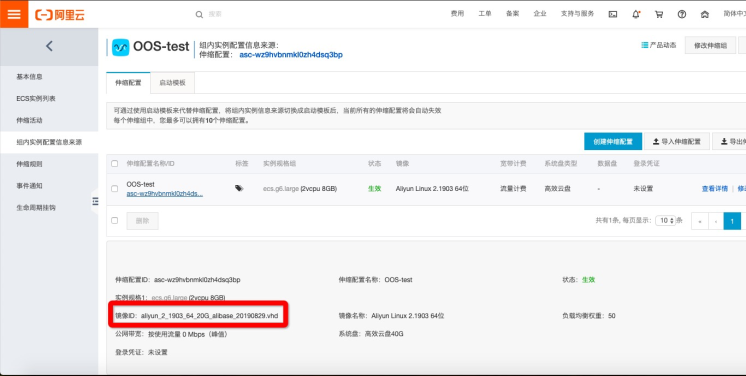
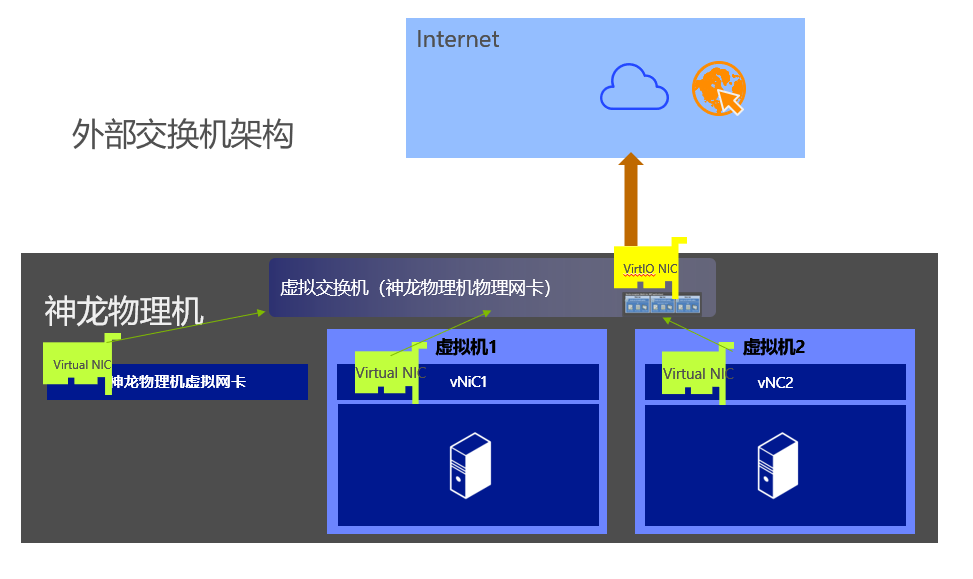
阿里云服务器共享型实例xn4 n4 属于多台小鸡共享一台母鸡资源,小鸡之间存在资源争抢的情况。本文介绍共享型实例的特点,以及基准性能、CPU积分、性能模式、使用场景及注意事项。 共享型实例xn4、n4介绍 共享型实例xn4 n4属于阿里云上一代实例机型,不过现在还是有很多人在普遍使用这几款机型。因为大多数业务环境都可以在这种机型中流畅的运行。 共享型实例xn4、n4特点 处理器:2.5 GHz主频的Intel ® Xeon ® E5-2682 v4(Broadwell)搭配DDR4内存多种处理器和内存配比xn4 共享基本型实例 1:1n4 共享计算型实例 1:2 共享型实例xn4、n4适用场景 共享型实例xn4适用于:Web应用前端机,轻负载应用、微服务,开发测试压测服务应用,网站和Web应用程序共享型实例n4适用于:开发环境、构建服务器、代码存储库、微服务、测试和暂存环境,轻量级企业应用 共享基本型xn4包括的实例规格及指标数据 共享基本型n4包括的实例规格及指标数据 建议是普通的个人博客、中小型网站可以使用共享型实例,从性能上可以满足这类业务需要。云小站详情 购买可领取: 阿里云代金券

优秀的个人博客,低调大师

阿里云服务器共享型实例xn4 n4 配置性能使用场景及注意事项

阿里云服务器共享型实例xn4 n4 属于多台小鸡共享一台母鸡资源,小鸡之间存在资源争抢的情况。老魏介绍共享型实例的特点,以及基准性能、CPU积分、性能模式、使用场景及注意事项。 共享型实例xn4、n4介绍 共享型实例xn4 n4属于阿里云上一代实例机型,不过现在还是有很多人在普遍使用这几款机型。因为大多数业务环境都可以在这种机型中流畅的运行。 共享型实例xn4、n4特点 处理器:2.5 GHz主频的Intel ® Xeon ® E5-2682 v4(Broadwell)搭配DDR4内存多种处理器和内存配比xn4 共享基本型实例 1:1n4 共享计算型实例 1:2 共享型实例xn4、n4适用场景 共享型实例xn4适用于:Web应用前端机,轻负载应用、微服务,开发测试压测服务应用,网站和Web应用程序共享型实例n4适用于:开发环境、构建服务器、代码存储库、微服务、测试和暂存环境,轻量级企业应用 共享基本型xn4包括的实例规格及指标数据 共享基本型n4包括的实例规格及指标数据 建议是普通的个人博客、中小型网站可以使用共享型实例,从性能上可以满足这类业务需要。云小站详情

资源下载

更多资源
优质分享App

优质分享App

近一个月的开发和优化,本站点的第一个app全新上线。该app采用极致压缩,本体才4.36MB。系统里面做了大量数据访问、缓存优化。方便用户在手机上查看文章。后续会推出HarmonyOS的适配版本。

Mario

Mario

马里奥是站在游戏界顶峰的超人气多面角色。马里奥靠吃蘑菇成长,特征是大鼻子、头戴帽子、身穿背带裤,还留着胡子。与他的双胞胎兄弟路易基一起,长年担任任天堂的招牌角色。

腾讯云软件源

腾讯云软件源

为解决软件依赖安装时官方源访问速度慢的问题,腾讯云为一些软件搭建了缓存服务。您可以通过使用腾讯云软件源站来提升依赖包的安装速度。为了方便用户自由搭建服务架构,目前腾讯云软件源站支持公网访问和内网访问。

Spring

Spring

Spring框架(Spring Framework)是由Rod Johnson于2002年提出的开源Java企业级应用框架,旨在通过使用JavaBean替代传统EJB实现方式降低企业级编程开发的复杂性。该框架基于简单性、可测试性和松耦合性设计理念,提供核心容器、应用上下文、数据访问集成等模块,支持整合Hibernate、Struts等第三方框架,其适用范围不仅限于服务器端开发,绝大多数Java应用均可从中受益。

用户登录
用户注册