首页 文章 精选 留言 我的

精选列表

搜索[多表查询],共10009篇文章
优秀的个人博客,低调大师

Hive查询失败:no LazyObject for VOID

线上一个ETLJob不能跑了,报异常,这里为了说明问题简化表结构: 1 2 3 4 hive> desc void_t; OK x int None z void None 而 1 select * from void_t 确实会抛出异常: 1 14 / 03 / 0201 : 28 : 58 ERROR CliDriver: Failed with exceptionjava.io.IOException:org.apache.hadoop.hive.ql.metadata.HiveException: Errorevaluating x 看到这个异常很疑惑,和x字段有什么关系呢,继续看详细日志: 1 2 3 4 5 6 7 8 9 10 11 12 13 14 15 16 17 18 19 20 21 22 23 24 25 26 27 28 29 30 31 java.io.IOException:org.apache.hadoop.hive.ql.metadata.HiveException: Error evaluating x atorg.apache.hadoop.hive.ql.exec.FetchTask.fetch(FetchTask.java: 150 ) atorg.apache.hadoop.hive.ql.Driver.getResults(Driver.java: 1412 ) at org.apache.hadoop.hive.cli.CliDriver.processLocalCmd(CliDriver.java: 271 ) atorg.apache.hadoop.hive.cli.CliDriver.processCmd(CliDriver.java: 216 ) atorg.apache.hadoop.hive.cli.CliDriver.processLine(CliDriver.java: 413 ) at org.apache.hadoop.hive.cli.CliDriver.run(CliDriver.java: 756 ) atorg.apache.hadoop.hive.cli.CliDriver.main(CliDriver.java: 614 ) atsun.reflect.NativeMethodAccessorImpl.invoke0(Native Method) atsun.reflect.NativeMethodAccessorImpl.invoke(NativeMethodAccessorImpl.java: 39 ) atsun.reflect.DelegatingMethodAccessorImpl.invoke(DelegatingMethodAccessorImpl.java: 25 ) atjava.lang.reflect.Method.invoke(Method.java: 597 ) atorg.apache.hadoop.util.RunJar.main(RunJar.java: 208 ) Causedby: org.apache.hadoop.hive.ql.metadata.HiveException: Error evaluating x atorg.apache.hadoop.hive.ql.exec.SelectOperator.processOp(SelectOperator.java: 80 ) atorg.apache.hadoop.hive.ql.exec.Operator.process(Operator.java: 502 ) at org.apache.hadoop.hive.ql.exec.Operator.forward(Operator.java: 832 ) atorg.apache.hadoop.hive.ql.exec.TableScanOperator.processOp(TableScanOperator.java: 90 ) atorg.apache.hadoop.hive.ql.exec.Operator.process(Operator.java: 502 ) atorg.apache.hadoop.hive.ql.exec.FetchOperator.pushRow(FetchOperator.java: 490 ) atorg.apache.hadoop.hive.ql.exec.FetchTask.fetch(FetchTask.java: 136 ) ... 11 more Causedby: java.lang.RuntimeException: Internal error: no LazyObject for VOID atorg.apache.hadoop.hive.serde2.lazy.LazyFactory.createLazyPrimitiveClass(LazyFactory.java: 119 ) atorg.apache.hadoop.hive.serde2.lazy.LazyFactory.createLazyObject(LazyFactory.java: 155 ) at org.apache.hadoop.hive.serde2.lazy.LazyStruct.parse(LazyStruct.java: 108 ) atorg.apache.hadoop.hive.serde2.lazy.LazyStruct.getField(LazyStruct.java: 190 ) atorg.apache.hadoop.hive.serde2.lazy.objectinspector.LazySimpleStructObjectInspector.getStructFieldData(LazySimpleStructObjectInspector.java: 188 ) atorg.apache.hadoop.hive.serde2.objectinspector.DelegatedStructObjectInspector.getStructFieldData(DelegatedStructObjectInspector.java: 79 ) atorg.apache.hadoop.hive.ql.exec.ExprNodeColumnEvaluator.evaluate(ExprNodeColumnEvaluator.java: 98 ) atorg.apache.hadoop.hive.ql.exec.SelectOperator.processOp(SelectOperator.java: 76 ) 看到这个noLazyObject for VOID才知道原来问题出现在这里,也就是字段z上;查看ETL Job里的Query发现里面一个建表的语句用到了create table xxx as select null as z from xxx这样的方式,进而生成了一个VOID类型的字段,但是Hive本身却无法处理该字段,在jira里确实也有这么一个unresolved的Bug:HIVE-2615 Workaround也比较简单:1.先建表再insert select 2.在ctas时cast(null as <type>) z来强制指定类型. 本文转自MIKE老毕 51CTO博客,原文链接:http://blog.51cto.com/boylook/1365747,如需转载请自行联系原作者

优秀的个人博客,低调大师

elasticsearch 经纬度查询

1 2 3 4 5 6 7 8 9 10 11 12 13 14 15 16 17 18 19 20 21 22 23 24 25 26 27 28 29 30 31 32 33 34 35 36 37 38 39 40 41 42 43 44 45 46 47 48 49 50 51 52 53 54 55 56 57 58 59 60 61 62 63 64 65 66 67 68 69 70 71 72 73 74 75 76 77 78 79 80 81 82 83 84 85 86 87 88 89 90 91 92 93 94 95 96 97 98 99 100 101 102 103 104 105 106 107 108 109 110 111 112 113 114 115 116 117 118 119 120 121 122 123 124 125 126 127 128 129 130 131 132 133 134 135 136 137 138 139 140 141 142 143 curl-XPUT "http://localhost:9200/shop/" -d'{ "mappings" :{ "shop" :{ "properties" :{ "name" :{ "type" : "string" }, "location" :{ "type" : "geo_point" , //经纬度类型 "lat_lon" : true , "fielddata" :{ "format" : "compressed" , //压缩模式,节省内存 "precision" : "3m" } } } } } }'; curl-XPUThttp: //localhost:9200/shop/shop/1-d' { "name" : "北京" , "location" : "39.9047253699,116.4072154982" } '; curl-XPUThttp: //localhost:9200/shop/shop/2-d' { "name" : "顺义" , "location" : "40.1299127031,116.6569478577" } '; curl-XPUThttp: //localhost:9200/shop/shop/3-d' { "name" : "天津" , "location" : "39.0850853357,117.1993482089" } '; curl-XPUThttp: //localhost:9200/shop/shop/4-d' { "name" : "上海" , "location" : "31.2304324029,121.4737919321" } '; curl-XGET "http://localhost:9200/shop/shop/_search?pretty" -d'{ "query" :{ "filtered" :{ "filter" :{ "geo_distance" :{ "distance" : "28km" , "type" : "indexed" , "distance_type" : "sloppy_arc" , "location" :{ "lat" : 39.9682060617 , "lon" : 116.4107280170 } } } } }, "sort" :[ //按距离排序 { "_geo_distance" :{ "location" :{ "lat" : 39.9682060617 , "lon" : 116.4107280170 }, "order" : "asc" , "unit" : "km" , "distance_type" : "sloppy_arc" //推荐适应此模式plane不准,精度太差 } } ] }' 再举一个更加实际的例子 curl-XGET "http://localhost:9200/shop/shop/_search?pretty" -d'{ "query" :{ "function_score" :{ "query" :{ "bool" :{ "filter" :{ "geo_distance" :{ "distance" : "28km" , "type" : "indexed" , "distance_type" : "sloppy_arc" , "location" :{ "lat" : 39.9682060617 , "lon" : 116.4107280170 } } } } }, "functions" :[{ "script_score" :{ "script" :{ "inline" : "return0" } } },{ "gauss" :{ //按举例远近打分 "location" :{ "origin" : "39.9682060617,116.4107280170" , "scale" : "5km" , "offset" : "0" , "decay" : 0.5 } }, "weight" : "1" }], "score_mode" : "sum" , "boost_mode" : "replace" } } }' 此时你会看到北京的得分是 0.25 分,因为差 5 公里,衰减 0.5 ,北京距此坐标 7 公里,所以取值 0.25 . 2.3 版本的mapping可以写成 curl-XPUT "http://localhost:9200/shop/" -d'{ "mappings" :{ "shop" :{ "properties" :{ "name" :{ "type" : "string" }, "location" :{ "type" : "geo_point" , "lat_lon" : true , //倒排索引 "geohash" : true , "geohash_prefix" : true , "geohash_precision" : "50m" } } } } }'; 其实它还支持多个地址,例如 curl-XPUThttp: //localhost:9200/ext-shop/ext-shop/5-d' { "name" : "京津冀" , "location" :[[ 116.4072154982 , 39.9047253699 ],[ 116.6569478577 , 40.1299127031 ]]} '; 佩服ES的强大 本文转自whk66668888 51CTO博客,原文链接:http://blog.51cto.com/12597095/2048249


优秀的个人博客,低调大师

elasticsearch 关联查询对比

两种方式 嵌套和父子关联 Nested Nested docs are stored in the same Lucene block as each other, which helps read/query performance. Reading a nested doc is faster than the equivalent parent/child. Updating a single field in a nested document (parent or nested children) forces ES to reindex the entire nested document. This can be very expensive for large nested docs "Cross referencing" nested documents is impossible Best suited for data that does not change frequently Parent/Child Children are stored separately from the parent, but are routed to the same shard. So parent/children are slightly less performance on read/query than nested Parent/child mappings have a bit extra memory overhead, since ES maintains a "join" list in memory Updating a child doc does not affect the parent or any other children, which can potentially save a lot of indexing on large docs Sorting/scoring can be difficult with Parent/Child since the Has Child/Has Parent operations can be opaque at times 综上所述,两种方式均有利弊,官方建议,自己处理关联关系,减轻ES的压力。 本文转自whk66668888 51CTO博客,原文链接:http://blog.51cto.com/12597095/1904058

优秀的个人博客,低调大师

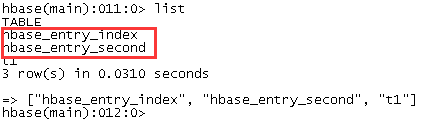
HBase查询优化——持续更新

Scan:setBatch,setCaching,setCacheBlocks public void setBatch(int batch) public void setCaching(int caching) public void setCacheBlocks(boolean cacheBlocks) setBatch:为设置获取记录的列个数,默认无限制,也就是返回所有的列 setCaching:每次从服务器端读取的行数,默认为配置文件中设置的值 <property> <name>hbase.client.scanner.caching</name> <value>100</value> </property> setCacheBlocks:是否缓存块,默认缓存,我们分内存,缓存和磁盘,三种方式,一般数据的读取为内存->缓存->磁盘,当为非热点数据,不需要缓存 设置示例: dataScan.setCacheBlocks(false);//禁用缓存块 dataScan.setBatch(19);//设置获取记录的列个数,默认都返回 dataScan.setCaching(500);//太大了占用内存,太少了rpc太多

资源下载

更多资源
腾讯云软件源

腾讯云软件源

为解决软件依赖安装时官方源访问速度慢的问题,腾讯云为一些软件搭建了缓存服务。您可以通过使用腾讯云软件源站来提升依赖包的安装速度。为了方便用户自由搭建服务架构,目前腾讯云软件源站支持公网访问和内网访问。

Rocky Linux

Rocky Linux

Rocky Linux(中文名:洛基)是由Gregory Kurtzer于2020年12月发起的企业级Linux发行版,作为CentOS稳定版停止维护后与RHEL(Red Hat Enterprise Linux)完全兼容的开源替代方案,由社区拥有并管理,支持x86_64、aarch64等架构。其通过重新编译RHEL源代码提供长期稳定性,采用模块化包装和SELinux安全架构,默认包含GNOME桌面环境及XFS文件系统,支持十年生命周期更新。

Sublime Text

Sublime Text

Sublime Text具有漂亮的用户界面和强大的功能,例如代码缩略图,Python的插件,代码段等。还可自定义键绑定,菜单和工具栏。Sublime Text 的主要功能包括:拼写检查,书签,完整的 Python API , Goto 功能,即时项目切换,多选择,多窗口等等。Sublime Text 是一个跨平台的编辑器,同时支持Windows、Linux、Mac OS X等操作系统。

WebStorm

WebStorm

WebStorm 是jetbrains公司旗下一款JavaScript 开发工具。目前已经被广大中国JS开发者誉为“Web前端开发神器”、“最强大的HTML5编辑器”、“最智能的JavaScript IDE”等。与IntelliJ IDEA同源,继承了IntelliJ IDEA强大的JS部分的功能。

用户登录
用户注册