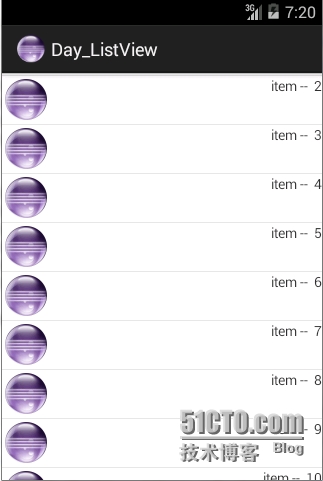
Android LruCache & DiskLruCache cooperate working in ListView
package zhangphil.cache; import android.app.ListActivity; import android.graphics.Bitmap; import android.graphics.BitmapFactory; import android.support.annotation.NonNull; import android.support.annotation.Nullable; import android.os.Bundle; import android.util.Log; import android.util.LruCache; import android.view.View; import android.view.ViewGroup; import android.widget.ArrayAdapter; import android.widget.ImageView; import java.io.ByteArrayOutputStream; import java.io.InputStream; import java.io.OutputStream; import java.security.MessageDigest; public class MainActivity extends ListActivity { private LruCache<String, Bitmap> mLruCache; private DiskLruCache mDiskLruCache; @Override protected void onCreate(Bundle savedInstanceState) { super.onCreate(savedInstanceState); int CACHE_SIZE = 8 * 1024 * 1024; mLruCache = new LruCache(CACHE_SIZE); try { mDiskLruCache = DiskLruCache.open(this.getCacheDir(), 1, 1, CACHE_SIZE * 10); } catch (Exception e) { e.printStackTrace(); } ArrayAdapter mAdapter = new ArrayAdapter(this, 0) { @NonNull @Override public View getView(int position, @Nullable View convertView, @NonNull ViewGroup parent) { ImageView image = new ImageView(getContext()); load(R.mipmap.ic_launcher, image); return image; } @Override public int getCount() { return 20; } }; setListAdapter(mAdapter); } private void load(int id, ImageView image) { String key = null; if (id == R.mipmap.ic_launcher) { key = getMD5("R.mipmap.ic_launcher"); } //首先查找LruCache中的缓存 Bitmap bmp = mLruCache.get(key); if (bmp == null) { Log.d("LruCache缓存", "没有,继续深入到DiskLruCache读取。"); bmp = readFromDiskLruCache(key); if (bmp == null) { Log.d("LruCache与DiskLruCache", "没有缓存,开始创建新数据资源并缓存之。"); bmp = BitmapFactory.decodeResource(getResources(), id); //初次创建新资源,更新到DiskLruCache writeToDiskLruCache(key, bmp); } else { image.setImageBitmap(bmp); } //更新到LruCache缓存中,以待下一次使用。 mLruCache.put(key, bmp); Log.d("LruCache缓存", "写入完成。"); } else { //命中缓存 Log.d("LruCache缓存", "已有,复用。"); image.setImageBitmap(bmp); } } private void writeToDiskLruCache(String key, Bitmap bmp) { try { DiskLruCache.Editor editor = mDiskLruCache.edit(key); //把Bitmap转化为byte数组存储 ByteArrayOutputStream baos = new ByteArrayOutputStream(); bmp.compress(Bitmap.CompressFormat.PNG, 100, baos); byte[] bytes = baos.toByteArray(); //再次把Bitmap数组写进为DiskLruCache准备的输出流。 OutputStream os = editor.newOutputStream(0); os.write(bytes); os.flush(); //正式写入DiskLruCache editor.commit(); Log.d("DiskLruCache缓存", "写入缓存资源完毕。"); } catch (Exception e) { e.printStackTrace(); } } private Bitmap readFromDiskLruCache(String key) { DiskLruCache.Snapshot snapShot = null; try { snapShot = mDiskLruCache.get(key); } catch (Exception e) { e.printStackTrace(); } Bitmap bmp = null; if (snapShot != null) { Log.d("DiskLruCache缓存", "发现资源,复用。"); InputStream is = snapShot.getInputStream(0); bmp = BitmapFactory.decodeStream(is); } else { Log.d("DiskLruCache缓存", "没有发现缓存资源。"); } return bmp; } private String getMD5(String msg) { MessageDigest md = null; try { md = MessageDigest.getInstance("MD5"); } catch (Exception e) { e.printStackTrace(); } md.reset(); md.update(msg.getBytes()); byte[] bytes = md.digest(); String result = ""; for (byte b : bytes) { result += String.format("%02x", b); } return result; } }