首页 文章 精选 留言 我的

精选列表

搜索[Java],共10000篇文章
优秀的个人博客,低调大师

binlog4j 1.9.0 发布,Java 轻量级 binary log 客户端

Binlog4j - 1.9.0 轻量级 Mysql Binlog 客户端, 提供宕机续读, 高可用集群等特性 更新日志 [新增] BinlogClient 对象 strict 属性,默认为 true,每次更新数据都会匹配最新的表结构。[新增] BinlogClienetConfig 对象新增 hikarConfig 属性,用于自定义数据源连接池配置。[修复] time-offset 属性不生效的问题。[调整] IBinlogEventHandler 接口 isHandle 入参为 database 和 table.[修复] Mysql 账户 perssmion 问题 项目特性 集群模式, 通过集群部署的方式,从而实现服务的高可用。 宕机续读, 避免宕机期间造成数据丢失, 保证数据一致性。 支持 传统项目 与 Spring Boot 项目集成, 同时兼容 Spring Boot 2.x 与 3.x 版本。 数据转换, 基于 IBinlogEventHandler 的泛型参数, 提供自动的数据转换。 下载安装 <dependency> <groupId>com.gitee.Jmysy</groupId> <artifactId>binlog4j-core</artifactId> <version>latest.version</version> </dependency> 或 implementation group: 'com.gitee.Jmysy', name: 'binlog4j-core', version: 'latest.version' 简单使用 通过 BinlogClient 创建 binlog 客户端, IBinlogEventHandler 为 binlog 事件的通知, 配置 host 中的所有数据变化, 都将会被推送到 onUpdate, onDelete, onInsert 接口。 isHandle 为 1.4.0 新增, 用于判定当前 handler 是否需要被执行, 你可以用过 BinlogEvent 获取到 database 和 table 判定依据。 public class BootStrap { public static void main(String[] args) { BinlogClientConfig clientConfig = new BinlogClientConfig(); clientConfig.setHost("127.0.0.1"); clientConfig.setPort(3306); clientConfig.setUsername("root"); clientConfig.setPassword("taoren@123"); clientConfig.setServerId(1990); IBinlogClient binlogClient = new BinlogClient(clientConfig); binlogClient.registerEventHandler(new IBinlogEventHandler() { @Override public void onInsert(BinlogEvent event) { System.out.println("插入数据:{}", event.getData()); } @Override public void onUpdate(BinlogEvent event) { System.out.println("修改数据:{}", event.getData()); } @Override public void onDelete(BinlogEvent event) { System.out.println("删除数据:{}", event.getData()); } @Override public boolean isHandle(String database, String table) { return database.equals("pear-admin") && table.equals("sys_user"); } }); binlogClient.connect(); } } 注销事件 通过 registerEventHandler 的重载方法注册具名处理器, 调用 unregisterEventHandler 注销指定 eventName 的处理器。 IBinlogClient binlogClient = new BinlogClient(clientConfig); binlogClient.registerEventHandler("eventName", new CustomBinlogEventHandler()); binlogClient.unregisterEventHandler("eventName"); 宕机续读 防止宕机期间的数据丢失, 从而保证数据一致性, persistence[boolean] 为此而生。你可以通过设置 true 来开启, 每次处理 binlog event 时, binlog4j 都将会 当前的消费进度记录到 Redis 中, 从而在下次启动时实现续读。 RedisConfig redisConfig = new RedisConfig(); redisConfig.setHost("127.0.0.1"); redisConfig.setPort(6379); redisConfig.setPassword("taoren@123"); BinlogClientConfig clientConfig = new BinlogClientConfig(); clientConfig.setRedisConfig(redisConfig); // Redis 配置 clientConfig.setPersistence(true); // 开启续读 PS: persistence 的功能实现依赖于 Redis 中间件, 在开启时, 你需要提供 RedisConfig 的配置。 集群模式 在实际应用场景中, 为了提供服务的可用性, 服务常常以集群的方式呈现。在 binlog4j 中, 你可以通过 mode 配置, 开启 cluster(集群) 模式, 默认为 standalone(单机)。 cluster 模式借助 Redisson 实现, RedisConfig 不可或缺。需要注意的是, 不同的集群你需要保证 serverId 配置的唯一性。 RedisConfig redisConfig = new RedisConfig(); redisConfig.setHost("127.0.0.1"); redisConfig.setPort(6379); redisConfig.setPassword("taoren@123"); BinlogClientConfig clientConfig = new BinlogClientConfig(); clientConfig.setRedisConfig(redisConfig); // Redis 配置 clientConfig.setMode(BinlogClientMode.cluster); // 集群模式 泛型参数 在 BinlogEvent 中 data 与 originalData 的 Class 类型为 Map<String, Object>, 为进一步降低使用的心智负担, IBinlogEventHandler 接口提供了泛型参数的支持, binlog4j 将依据泛型参数, 将 接收到的数据转换为 JavaBean。 public class UserBinlogEventHandler implements IBinlogEventHandler<User> { @Override public void onInsert(BinlogEvent<User> event) { System.out.println("插入数据:" + event.getData()); } @Override public void onUpdate(BinlogEvent<User> event) { System.out.println("修改数据:" + event.getData()); } @Override public void onDelete(BinlogEvent<User> event) { System.out.println("删除数据:" + event.getData()); } @Override public boolean isHandle(String database, String table) { return database.equals("pear-admin") && table.equals("sys_user"); } } bit -> BitSet | Boolean | boolean text | longtext -> String datetime -> Date | LocalDate | LocalDateTime | LocalTime .... 快速启动 为了进一步简化 binlog4j 在 Spring Boot 项目中的使用, 我们提供了 binlog4j-spring-boot-starter 包, 它将帮助你在 Spring Boot 中快速集成。 <dependency> <groupId>com.gitee.Jmysy</groupId> <artifactId>binlog4j-spring-boot-starter</artifactId> <version>latest.version</version> </dependency> 或 implementation group: 'com.gitee.Jmysy', name: 'binlog4j-spring-boot-starter', version: 'latest.version' 首先, 在 application.yml / application.properties 中编写 binlog4j 所需配置 spring: binlog4j: redis-config: host: 127.0.0.1 port: 6379 password: taoren@123 client-configs: master: username: root password: taoren@123 host: 127.0.0.1 port: 3306 serverId: 1990 slave: username: root password: taoren@123 host: 127.0.0.1 port: 3307 serverId: 1991 在 Spring Boot 中存在多个 client 的概念,通过 @BinlogSubscriber 注解指定 handler 绑定的客户端, 本质上它代替了 binlogClient.registerEventHandler(IBinlogEventHandler)。 @BinlogSubscriber(clientName = "master") public class UserEventHandler implements IBinlogEventHandler<User> { @Override public void onInsert(BinlogEvent<User> event) { System.out.println("插入数据:" + event.getData()); } @Override public void onUpdate(BinlogEvent<User> event) { System.out.println("修改数据:" + event.getData()); } @Override public void onDelete(BinlogEvent<User> event) { System.out.println("删除数据:" + event.getData()); } @Override public boolean isHandle(String database, String table) { return database.equals("pear-admin") && table.equals("sys_user"); } } 配置说明 timeOffset 时间偏移量, 单位:毫秒 serverId 编号 redisConfig Redis 配置信息, 详见 RedisConfig inaugural 首次启动, 如果为 true 在启动时不再读取 Redis 记录 persistence 是否启用持久化, 默认为 false strict 严格模式, 默认为 true mode 模式, 详见: BinlogClientMode username 数据库账户 password 数据库密码 host 数据库所在服务器 IP 地址 port 数据库占用端口, 默认 3306 hikariConfig 数据库连接池配置

优秀的个人博客,低调大师

高效数据传输:Java通过绑定快速将数据导出至Excel

摘要:本文由葡萄城技术团队原创并首发。转载请注明出处:葡萄城官网,葡萄城为开发者提供专业的开发工具、解决方案和服务,赋能开发者。 前言 把数据导出至 Excel 是很常见的需求,而数据的持久化,往往又放在数据库中。因此把数据库中的数据导出到 Excel中,成了非常普遍的一个需求。 以关系型数据库为例,数据表是一个二维矩阵,但是为了易于操作和维护,在数据读取中,都会定义类,并且以对象的形式在内存中存放数据。但是Excel的工作表又是另一个二维矩阵,这就意味着,从数据库读取出的对象数据,又需要循环写入另一个表格中,这使得代码难以维护。 为了解决数据不易维护的问题,可以给工作表,单元格或者表格设置对象及单元格的绑定关系,这样在保存时便可以根据数据源的绑定关系,自动填充数据。 具体实现方法 现有数据类如下: public static class SalesRecord { public int sales; public String productType; public String product; public String salesman; public String area; } public static class SalesData { public ArrayList records; } 样本数据如下: private SalesData getDataSource() { // 创建数据源 SalesData datasource = new SalesData(); datasource.records = new ArrayList(); // 添加数据 SalesRecord record1 = new SalesRecord(); record1.area = "NorthChina"; record1.salesman = "Hellen"; record1.product = "Apple"; record1.productType = "Fruit"; record1.sales = 120; datasource.records.add(record1); SalesRecord record2 = new SalesRecord(); record2.area = "NorthChina"; record2.salesman = "Hellen"; record2.product = "Banana"; record2.productType = "Fruit"; record2.sales = 143; datasource.records.add(record2); SalesRecord record3 = new SalesRecord(); record3.area = "NorthChina"; record3.salesman = "Hellen"; record3.product = "Kiwi"; record3.productType = "Fruit"; record3.sales = 322; datasource.records.add(record3); return datasource; } 1.数据源绑定至工作表 下面是给工作表设置数据源绑定的代码,其中setAutoGenerateColumns设置为false,当setAutoGenerateColumns为true 时,工作表会根据数据源自动生成列。 public void SheetBinding() { // 创建一个新的workbook Workbook workbook = new Workbook(); // 获取默认sheet IWorksheet worksheet = workbook.getWorksheets().get(0); SalesData datasource = getDataSource(); // 自动生成列设置为false worksheet.setAutoGenerateColumns(false); // 给工作表中的每一列绑定数据源 worksheet.getRange("A:A").getEntireColumn().setBindingPath("area"); worksheet.getRange("B:B").getEntireColumn().setBindingPath("salesman"); worksheet.getRange("C:C").getEntireColumn().setBindingPath("product"); worksheet.getRange("D:D").getEntireColumn().setBindingPath("productType"); worksheet.getRange("E:E").getEntireColumn().setBindingPath("sales"); // 设置数据源 worksheet.setDataSource(datasource.records); // 保存为Excel文件 workbook.save("output/SheetBinding.xlsx"); } 实现效果如下: 2.数据源绑定至单元格 // 创建workbook Workbook workbook = new Workbook(); // 获取默认的sheet IWorksheet worksheet = workbook.getActiveSheet(); // 添加数据 SalesRecord record = new SalesRecord(); record.area = "北方"; record.salesman = "李强"; record.product = "苹果"; record.productType = "水果"; record.sales = 120; // 给单元格设置绑定 worksheet.getRange("A1").setBindingPath("area"); worksheet.getRange("B2").setBindingPath("salesman"); worksheet.getRange("C2").setBindingPath("product"); worksheet.getRange("D3").setBindingPath("productType"); // 设置数据源 worksheet.setDataSource(record); // 保存为Excel workbook.save("output/CellBinding.xlsx"); 实现效果如下: 3.数据源绑定至表格 下面的代码使用了setExpandBoundRows ,ITable.setExpandBoundRows方法用来处理一个绑定的表格对数据源的更改该如何响应。当属性设置为true时,该绑定表格会使用整行操作自动调整行数以适应数据源更改。 // 创建workbook Workbook workbook = new Workbook(); // 获取默认的sheet IWorksheet worksheet = workbook.getActiveSheet(); SalesData datasource = getDataSource(); // 添加一个表格 ITable table = worksheet.getTables().add(worksheet.getRange("B2:F5"), true); // 设置表格,不自动生成列 table.setAutoGenerateColumns(false); // 给表格设置绑定path table.setBindingPath("records"); // 设置setExpandBoundRows为true, table.setExpandBoundRows(true); // 设置表格列的数据字段 table.getColumns().get(0).setDataField("area"); table.getColumns().get(1).setDataField("salesman"); table.getColumns().get(2).setDataField("product"); table.getColumns().get(3).setDataField("productType"); table.getColumns().get(4).setDataField("sales"); // 设置数据源 worksheet.setDataSource(datasource); // 保存为excel workbook.save("output/TableBinding.xlsx"); 实现效果如下: 总结 通过给工作表、单元格或表格设置数据源绑定关系,可以实现将数据库中的数据导出到Excel的功能。这种方法使用对象和属性的绑定关系,将内存中的数据源与Excel中的工作表、单元格或表格进行连接。这样,在保存数据时,只需要根据数据源的绑定关系自动填充数据,而无需手动循环写入。这种实现方式简化了代码,提高了代码的可维护性和可扩展性。同时,通过设置自动生成列、设置绑定路径以及处理数据源变化等操作,还可以进一步增强导出功能的灵活性和适应性。总的来说,这种数据源绑定的方法为数据导出提供了一种优雅而高效的解决方案。 扩展链接: 从表单驱动到模型驱动,解读低代码开发平台的发展趋势 低代码开发平台是什么? 基于分支的版本管理,帮助低代码从项目交付走向定制化产品开发

优秀的个人博客,低调大师

JeeSite V5.5.0 发布,升级 Antd v4.0,Java 快速开发平台

升级内容 升级 spring boot 2.7.14、justauth 1.16.5、antdv 4.0.0 调整 语法 html 和 js 编写不同的占位符,减少IDE标红提示 新增 支持数据源独立设置XA开关,如 jdbc.数据源名.xa: false 新增 当前用户展示子系统列表过滤,进入角色管理中配置包含系统 新增 js ajax 下载 clearParams 参数,可清理掉不需要添加的请求参数 优化 子系统,角色增加包含系统参数,切换系统时只需展示当前用户包含的子系统 优化 fileupload 增加缩略图生成设置,前端组件可使用 imageThumbName 使用缩略图 优化 fileupload 使用 returnPath 时的下载还原原始文件名 优化 翰高数据库有原来的 oracle 语法换为原生 postgresql 语法 优化 导出,查询后默认不添加 pageNo 参数 优化 界面,默认隐藏表单右上角按钮 修正 jquery migrate 版本,处理ie9下的一些兼容问题 修正 GBase 数据库,多余的 remarksReporting 属性问题,支持设置为空 修正 SqlServer2012 驱动下初始化库报 OFFSET 错误问题 修正 树表更新子节点状态,字段名错误问题(所有版本) 修正 初始化库的时候 area 表没有插入数据问题 优化 用户头像获取接口,排除 http 的地址,不增加 ctxPath 其它细节更多改进... Vue分离端 升级 antdv4.0.0、vite4.4.9 等等 新增 ListSelect 组件 queryParams 参数 新增 Upload 组件 图片最大宽高的压缩参数 新增 Upload 组件 缩略图生成预览参数支持 新增 对话框弹窗、路由页签的弹窗表单例子 新增 downloadByUrl post 带参数下载文件 新增 iframe 支持 query 参数接受 新增 BpmButton initialize 事件 优化 国际化语言包完善(用户组织公司岗位个人中心) 优化 在线用户列表查询换 Switch 组件 优化 权限类型的菜单也可以设置组件名称 优化 升级 antdv4 后的整体配色、布局等细节 简化 视图组件名称,直接通过 name 统一设置 修正 解决 Radio 组件 onChange 调用 2 次的问题 升级方法 修改pom.xml文件中的jeesite-parent版本号为5.5.0-SNAPSHOT 如果你修改了parent、common、core项目源码,请与git上的代码进行同步 如果你是跨版本升级,请注意每一个版本的升级方法,业务上有调整的地方进行修改 关于 Beetl 语法 html 和 js 编写不同的占位符,查找替换方法(使用正则表达式、全字匹配): \$\{@DictUtils\.getDictListJson\(\'(.+?)\'\)\}替换为"#\{@DictUtils\.getDictListJson\(\'$1\'\)\}" \$\{toJson\((.+?)\)\}替换为"#\{toJson\($1\)\}" \/\/\<\% (.+?) \%\>替换为//# $1 执行root/package.bat(sh)打包脚本,强制更新依赖。 Vue分离端升级 请与jeesite-vue代码仓库源码进行同步,合并代码,手动解决冲突代码。 Antdv 4.0 相比 3.2 改动还是比较大的,遗弃和修改了很多内容,但是您也无需担心升级的问题 由于 JeeSite 封装了各种业务组件,所以业务代码上变化不是很大,您对 JeeSite 改动越少,升级越容易 请先了解 Ant Design Vue 4.0 的升级指南:https://antdv.com/docs/vue/migration-v4-cn(opens new window) 全局替换,匹配文件*.vue,*.ts,*.tsx(区分大小写、全字匹配,注意排除掉 css、sys.ts 文件): dropdownClassName替换为popupClassName visible替换为open 关于 antdv4 样式 less 替换 CSS-in-JS 实现动态主题 为了方便升级 jeesite 保留了 less,减少升级难度 同时支持 CSS-in-JS 提供更好的动态主题支持 业务中的样式可通过 css and 选择器,可覆盖 antdv 中的样式 匹配后端版本为JeeSite v5.5.0 了解更多 JeeSite 官网地址:http://jeesite.com JeeSite 在线文档:http://docs.jeesite.com JeeSite 演示地址:http://demo.jeesite.com JeeSite Vue 演示地址:http://vue.jeesite.com JeeSite 源码仓库:https://gitee.com/thinkgem/jeesite4 JeeSite Vue 前端源码:https://gitee.com/thinkgem/jeesite-vue JeeSite 跨平台手机端:https://gitee.com/thinkgem/jeesite4-uniapp JeeSite Cloud 微服务:https://gitee.com/thinkgem/jeesite4-cloud JeeSite 客户端安装程序:https://gitee.com/thinkgem/jeesite-client

优秀的个人博客,低调大师

Binlog4j 1.2.0 发布,Java 轻量级 Binary Log 客户端

Binlog4j 轻量级 Mysql Binlog 客户端, 提供宕机续读, 高可用集群等特性 项目特性 集群模式, 通过集群部署的方式,保证服务高可用。 宕机续读, 避免宕机期间造成数据丢失。 数据转换, 基于泛型封装 binlog Event 的序列化数据。 兼容 传统项目 与 Spring Boot / Cloud 项目。 兼容 Spring Boot 2.x 与 Spring Boot 3.x 版本。项目特性 更新日志(1.2.0) [新增] BinlogClient 类 connect 方法日志打印。[新增] Binlog4jException.class 代替 RuntimeException.class 异常处理。[新增] binlog4j-spring-boot-starter 包 spring.binlog4j.enabled 配置, 默认为 true。[新增] GsonUtils 工具类到 utils 包 , 提供 Gson 方法。[升级] spring-boot 到 2.7.14 版本。[升级] redisson 到 3.23.3 版本。[升级] gson 到 2.10.1 版本。[升级] jedis 到 4.4.3 版本 下载安装 <dependency> <groupId>com.gitee.Jmysy</groupId> <artifactId>binlog4j-core</artifactId> <version>latest.version</version> </dependency> 或 implementation group: 'com.gitee.Jmysy', name: 'binlog4j-core', version: 'latest.version' 简单使用 通过 BinlogClient 创建 binlog 客户端, IBinlogEventHandler 用于接受 binlog 事件通知, 该接口允许使用泛型, 数据将遵循驼峰规则进行封装。 public class BootStrap { public static void main(String[] args) { BinlogClientConfig clientConfig = new BinlogClientConfig(); clientConfig.setHost("127.0.0.1"); clientConfig.setPort(3306); clientConfig.setUsername("root"); clientConfig.setPassword("taoren@123"); clientConfig.setServerId(1990); IBinlogClient binlogClient = new BinlogClient(clientConfig); binlogClient.registerEventHandler("database", "table", new IBinlogEventHandler() { @Override public void onInsert(BinlogEvent event) { System.out.println("插入数据:{}", event.getData()); } @Override public void onUpdate(BinlogEvent event) { System.out.println("修改数据:{}", event.getData()); } @Override public void onDelete(BinlogEvent event) { System.out.println("删除数据:{}", event.getData()); } }); binlogClient.connect(); } } 高级特性 通过 Persistence 配置为 true 启用宕机续读功能, Binlog4j 会将 binlog 的 filename 与 position 记录到 redis, 所以同时你需要设置 Redis 配置。 public class BootStrap { public static void main(String[] args) { RedisConfig redisConfig = new RedisConfig(); redisConfig.setHost("127.0.0.1"); redisConfig.setPort(6379); redisConfig.setPassword("taoren@123"); BinlogClientConfig clientConfig = new BinlogClientConfig(); clientConfig.setHost("127.0.0.1"); clientConfig.setPort(3306); clientConfig.setUsername("root"); clientConfig.setPassword("taoren@123"); clientConfig.setServerId(1990); // Client 编号 clientConfig.setRedisConfig(redisConfig); // Redis 配置 clientConfig.setPersistence(true); // 启用持久化 (宕机重启后, 从上次读取的位置开始) clientConfig.setMode(BinlogClientMode.cluster); // 高可用集群 BinlogClient binlogClient = new BinlogClient(clientConfig); binlogClient.registerEventHandler("database", "table", new IBinlogEventHandler<User>() { @Override public void onInsert(BinlogEvent<User> event) { System.out.println("插入数据:{}", event.getData()); } @Override public void onUpdate(BinlogEvent<User> event) { System.out.println("修改数据:{}", event.getData()); } @Override public void onDelete(BinlogEvent<User> event) { System.out.println("删除数据:{}", event.getData()); } }); binlogClient.connect(); } } Spring Boot Starter <dependency> <groupId>com.gitee.Jmysy</groupId> <artifactId>binlog4j-spring-boot-starter</artifactId> <version>latest.version</version> </dependency> 或 implementation group: 'com.gitee.Jmysy', name: 'binlog4j-spring-boot-starter', version: 'latest.version' 首先, 在 application.yml 中填写 BinlogClient 配置 spring: binlog4j: redis-config: host: 127.0.0.1 port: 6379 password: taoren@123 client-configs: master: username: root password: taoren@123 host: 127.0.0.1 port: 3306 serverId: 1990 单表监听 使用 @BinlogSubscriber 注解, 指定 IBinlogEventHandler 需要注册到哪个客户端, 并且指定监听的 database 与 table。 @BinlogSubscriber(clientName = "master", database = "pear-admin", table ="sys_user") public class UserEventHandler implements IBinlogEventHandler<User> { @Override public void onInsert(BinlogEvent<User> event) { System.out.println("插入数据:" + event.getData()); } @Override public void onUpdate(BinlogEvent<User> event) { System.out.println("修改数据:" + event.getData()); } @Override public void onDelete(BinlogEvent<User> event) { System.out.println("删除数据:" + event.getData()); } } 多表监听 @BinlogSubscriber 注解 database 与 table 属性支持 Pattern 匹配, IBinlogEventHandler 在不指定泛型的情况下, event.getData() 为 Map<String, Object> 类型, 用于兼容不同表的数据结构。 @BinlogSubscriber(clientName = "master", database = ".*", table ="sys.*") public class UserEventHandler implements IBinlogEventHandler { @Override public void onInsert(BinlogEvent event) { System.out.println("数据库:" + event.getDatabase()); System.out.println("数据表:" + event.getTable()); System.out.println("新数据:" + event.getData()); } @Override public void onUpdate(BinlogEvent event) { System.out.println("数据库:" + event.getDatabase()); System.out.println("数据表:" + event.getTable()); System.out.println("原数据:" + event.getOriginalData()); System.out.println("新数据:" + event.getData()); } @Override public void onDelete(BinlogEvent event) { System.out.println("数据库:" + event.getDatabase()); System.out.println("数据表:" + event.getTable()); System.out.println("新数据:" + event.getData()); } } 监听 master 数据源所有数据库中所有表的数据变化【最灵活】 @BinlogSubscriber(clientName = "master") 监听 master 数据源 pear-admin 数据库中所有表的数据变化 @BinlogSubscriber(clientName = "master", database="pear-admin") 监听 master 数据源 pear-admin 数据库中 user 表的数据变化 @BinlogSubscriber(clientName = "master", database="pear-admin", table="user") 监听 master 数据源所有数据库中 user 表的数据变化 @BinlogSubscriber(clientName = "master", table="user") 监听 master 数据源所有数据库中以 user 开头的表的数据变化 @BinlogSubscriber(clientName = "master", table="user.*")

优秀的个人博客,低调大师

binlog4j 1.1.0 发布,Java 轻量级 MySQL Binlog 客户端

Binlog4j 轻量级 Mysql Binlog 客户端, 提供宕机续读, 高可用集群等特性 项目特性 集群模式, 通过集群部署的方式,保证服务高可用。 宕机续读, 避免宕机期间造成数据丢失。 数据转换, 基于泛型封装 binlog Event 的序列化数据。 兼容 传统项目 与 Spring Boot / Cloud 项目。 兼容 Spring Boot 2.x 与 Spring Boot 3.x 版本。 更新内容(1.1.0) [破坏] IBinlogEventHandler 接口入参由 T 调整为 BinlogEvent。[新增] @BinlogSubscriber 注解 database 与 table 属性 pattern 匹配。[新增] @BinlogSubscriber 注解 database 与 table 属性默认值为 .*。[移动] BinlogUtils 包路径为 com.gitee.Jmysy.binlog4j.core.utils。[新增] PatternUtils 内置工具 Class 下载安装 <dependency> <groupId>com.gitee.Jmysy</groupId> <artifactId>binlog4j-core</artifactId> <version>latest.version</version> </dependency> 或 implementation group: 'com.gitee.Jmysy', name: 'binlog4j-core', version: 'latest.version' 简单使用 通过 BinlogClient 创建 binlog 客户端, IBinlogEventHandler 用于接受 binlog 事件通知, 该接口允许使用泛型, 数据将遵循驼峰规则进行封装。 public class BootStrap { public static void main(String[] args) { BinlogClientConfig clientConfig = new BinlogClientConfig(); clientConfig.setHost("127.0.0.1"); clientConfig.setPort(3306); clientConfig.setUsername("root"); clientConfig.setPassword("taoren@123"); clientConfig.setServerId(1990); IBinlogClient binlogClient = new BinlogClient(clientConfig); binlogClient.registerEventHandler("database", "table", new IBinlogEventHandler() { @Override public void onInsert(BinlogEvent event) { System.out.println("插入数据:{}", event.getData()); } @Override public void onUpdate(BinlogEvent event) { System.out.println("修改数据:{}", event.getData()); } @Override public void onDelete(BinlogEvent event) { System.out.println("删除数据:{}", event.getData()); } }); binlogClient.connect(); } } 高级特性 通过 Persistence 配置为 true 启用宕机续读功能, Binlog4j 会将 binlog 的 filename 与 position 记录到 redis, 所以同时你需要设置 Redis 配置。 public class BootStrap { public static void main(String[] args) { RedisConfig redisConfig = new RedisConfig(); redisConfig.setHost("127.0.0.1"); redisConfig.setPort(6379); redisConfig.setPassword("taoren@123"); BinlogClientConfig clientConfig = new BinlogClientConfig(); clientConfig.setHost("127.0.0.1"); clientConfig.setPort(3306); clientConfig.setUsername("root"); clientConfig.setPassword("taoren@123"); clientConfig.setServerId(1990); // Client 编号 clientConfig.setRedisConfig(redisConfig); // Redis 配置 clientConfig.setPersistence(true); // 启用持久化 (宕机重启后, 从上次读取的位置开始) clientConfig.setMode(BinlogClientMode.cluster); // 高可用集群 BinlogClient binlogClient = new BinlogClient(clientConfig); binlogClient.registerEventHandler("database", "table", new IBinlogEventHandler<User>() { @Override public void onInsert(BinlogEvent<User> event) { System.out.println("插入数据:{}", event.getData()); } @Override public void onUpdate(BinlogEvent<User> event) { System.out.println("修改数据:{}", event.getData()); } @Override public void onDelete(BinlogEvent<User> event) { System.out.println("删除数据:{}", event.getData()); } }); binlogClient.connect(); } } Spring Boot Starter <dependency> <groupId>com.gitee.Jmysy</groupId> <artifactId>binlog4j-spring-boot-starter</artifactId> <version>latest.version</version> </dependency> 或 implementation group: 'com.gitee.Jmysy', name: 'binlog4j-spring-boot-starter', version: 'latest.version' 首先, 在 application.yml 中填写 BinlogClient 配置 spring: binlog4j: redis-config: host: 127.0.0.1 port: 6379 password: taoren@123 client-configs: master: username: root password: taoren@123 host: 127.0.0.1 port: 3306 serverId: 1990 使用 @BinlogSubscriber 注解, 指定 IBinlogEventHandler 需要注册到哪个客户端, 并且指定监听的 database 与 table。 @BinlogSubscriber(clientName = "master", database = "pear-admin", table ="sys_user") public class UserEventHandler implements IBinlogEventHandler<User> { @Override public void onInsert(BinlogEvent<User> event) { System.out.println("插入数据:" + event.getData()); } @Override public void onUpdate(BinlogEvent<User> event) { System.out.println("修改数据:" + event.getData()); } @Override public void onDelete(BinlogEvent<User> event) { System.out.println("删除数据:" + event.getData()); } } 多表监听, database 与 table 使用 Pattern 匹配, 泛型不应该再被使用, data 默认为 Map<String, Object> 类型 @BinlogSubscriber(clientName = "master", database = ".*", table ="sys.*") public class UserEventHandler implements IBinlogEventHandler<User> { @Override public void onInsert(BinlogEvent<User> event) { System.out.println("数据库:" + event.getDatabase()); System.out.println("数据表:" + event.getTable()); System.out.println("新数据:" + event.getData()); } @Override public void onUpdate(BinlogEvent<User> event) { System.out.println("数据库:" + event.getDatabase()); System.out.println("数据表:" + event.getTable()); System.out.println("原数据:" + event.getOriginalData()); System.out.println("新数据:" + event.getData()); } @Override public void onDelete(BinlogEvent<User> event) { System.out.println("数据库:" + event.getDatabase()); System.out.println("数据表:" + event.getTable()); System.out.println("新数据:" + event.getData()); } }

优秀的个人博客,低调大师

Solon v2.2.17 发布,Java 新的生态型应用开发框架

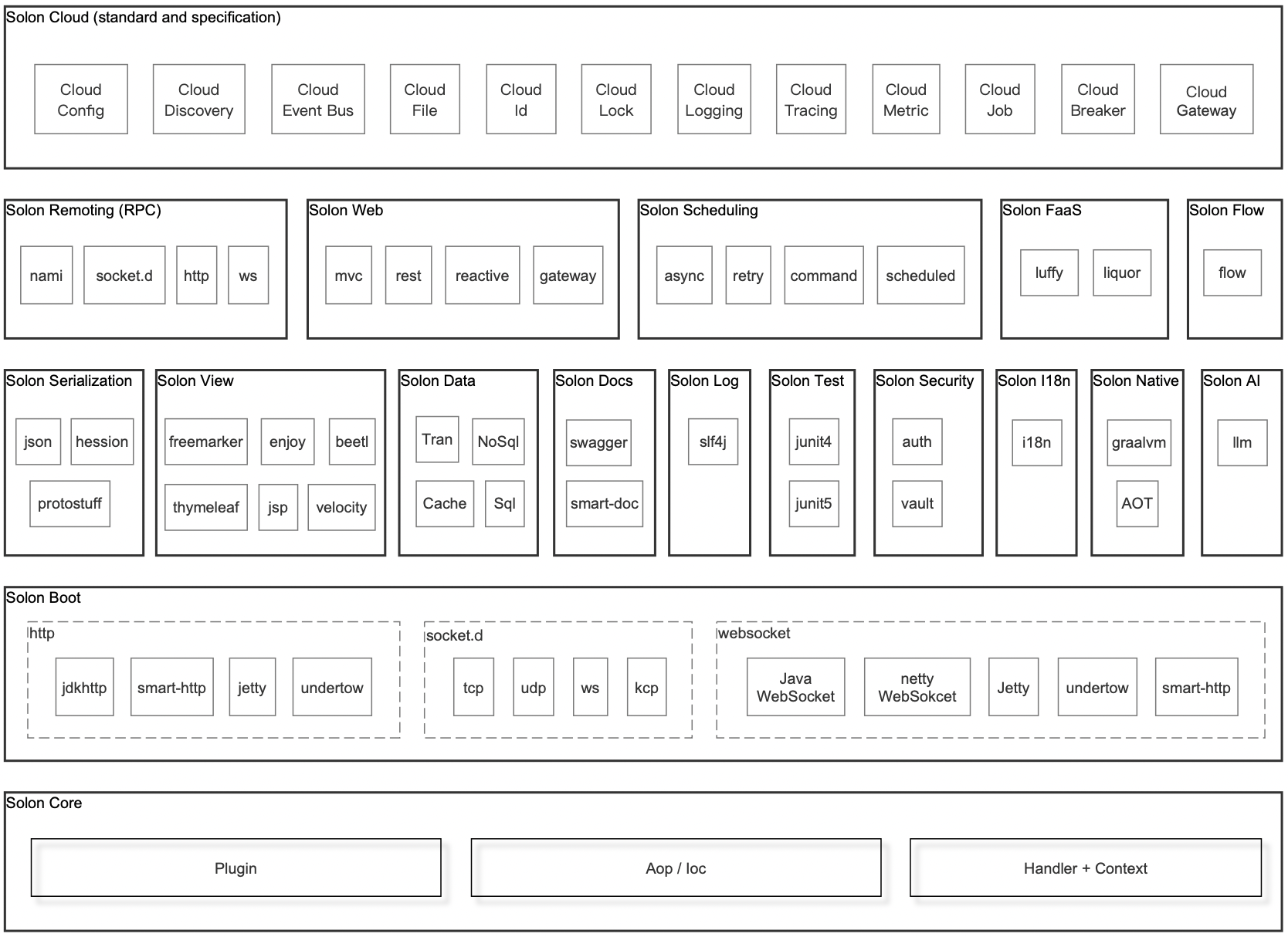
相对于 Spring Boot 和 Spring Cloud 的项目: 启动快 5 ~ 10 倍。(更快) qps 高 2~ 3 倍。(更高) 运行时内存节省 1/3 ~ 1/2。(更少) 打包可以缩小到 1/2 ~ 1/10;比如,300Mb 的变成了 23Mb。(更小) 同时支持 jdk8, jdk11, jdk17, jdk20,graalvm native (不会)因为依赖变多而启动很慢(以小诺项目为例“snowy-spring 版”启动 30-50秒,“snowy-solon 版”启动3-5秒) 似曾相识的体验,入门更简单,迁移很方便: @Controller public class App { public static void main(String[] args) { Solon.start(App.class, args, app->{ //手写模式 app.get("/", ctx -> ctx.outputAsJson("{message:'Hello world!'}")) }); } //注解模式 @Get @Socket @Mapping("/hello") public String hello(String name) { return String.format("Hello %s!", name); } } 入门探索视频(用户录制): 本次更新: 完成 Solon Native 开发 完成 Solon Aot 开发 增加 @Inject 注入 bean 的 required 检测支持 增加 缓存服务适配类可传入客户端的构建函数 增加 DynamicDataSource 无参构造函数,方便定制 增加 CloudDiscoveryService 代理类,以支持发现代理的配置 增加 ctx:pathAsLower() 接口 增加 solon.boot.undertow 原生编译配置申明 增加 solon.sessionstate.jwt 原生编译配置申明 增加 solon.logging.logback 原生编译配置申明 增加 solon.logging.log4j2 原生编译配置申明 增加 solon cloud 发现代理的配置支持(在 k8s 环境,可直接转发到 k8s sev 上) 调整 aot 注册时对空类名进行过滤 增加 aot 配置注入实体的自动登记处理 增加 aot 函数包装的返回可序列化类型的自动登记处理 增加 aot 有注入jdk代理的自动登记处理 增加 aot jdbc 驱动的的自动登记处理 增加 aot 通用反射代理的自动登记处理 调整 aot 完成后的关闭处理方式 增强 solon.boot.jetty 在原生运行时兼容性 增强 solon.boot.undertow 在原生运行时兼容性 调整 Context::commit 函数位置,迁移到别处 调整 预热工具在 aot 时跳过执行 调整 MethodWrap 和 BeanWrap 的两个异常解包处理 解决 solon.aot 部分类型不能解析识别的问题 smart-socket 升级为 1.5.27 smart-http 升级为 1.2.0 fastjson2 升为 2.0.31 mybatis flex 升为 1.2.1 polaris 升为 1.12.2 beetl 升为 3.15.4.RELEASE beetlsql 升为 3.22.0-RELEASE sqltoy 升为 5.2.45 liteflow 升为 2.10.2 forest 升为 1.5.31 dbvisitor 升为 5.3.1 项目仓库: gitee:https://gitee.com/noear/solon github:https://github.com/noear/solon

资源下载

更多资源
Mario

Mario

马里奥是站在游戏界顶峰的超人气多面角色。马里奥靠吃蘑菇成长,特征是大鼻子、头戴帽子、身穿背带裤,还留着胡子。与他的双胞胎兄弟路易基一起,长年担任任天堂的招牌角色。

腾讯云软件源

腾讯云软件源

为解决软件依赖安装时官方源访问速度慢的问题,腾讯云为一些软件搭建了缓存服务。您可以通过使用腾讯云软件源站来提升依赖包的安装速度。为了方便用户自由搭建服务架构,目前腾讯云软件源站支持公网访问和内网访问。

Sublime Text

Sublime Text

Sublime Text具有漂亮的用户界面和强大的功能,例如代码缩略图,Python的插件,代码段等。还可自定义键绑定,菜单和工具栏。Sublime Text 的主要功能包括:拼写检查,书签,完整的 Python API , Goto 功能,即时项目切换,多选择,多窗口等等。Sublime Text 是一个跨平台的编辑器,同时支持Windows、Linux、Mac OS X等操作系统。

WebStorm

WebStorm

WebStorm 是jetbrains公司旗下一款JavaScript 开发工具。目前已经被广大中国JS开发者誉为“Web前端开发神器”、“最强大的HTML5编辑器”、“最智能的JavaScript IDE”等。与IntelliJ IDEA同源,继承了IntelliJ IDEA强大的JS部分的功能。


用户登录
用户注册