Python3 与 NetCore 基础语法对比(List、Tuple、Dict、Set专栏)
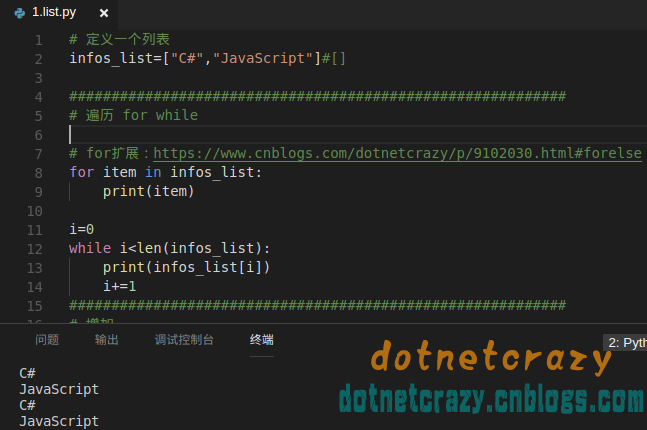
Jupyter最新版:https://www.cnblogs.com/dotnetcrazy/p/9155310.html 在线演示:http://nbviewer.jupyter.org/github/lotapp/BaseCode/blob/master/python/notebook/1.POP/3.list_tuple_dict 更新:新增Python可变Tuple、List切片、Set的扩展:https://www.cnblogs.com/dotnetcrazy/p/9155310.html#extend 今天说说List和Tuple以及Dict。POP部分还有一些如Func、IO(也可以放OOP部分说)然后就说说面向对象吧。 先吐槽一下:Python面向对象真心需要规范,不然太容易走火入魔了 -_-!!! 汗,下次再说。。。 对比写作真的比单写累很多,希望大家多捧捧场 ^_^ 进入扩展:https://www.cnblogs.com/dotnetcrazy/p/9155310.html#ext 步入正题: 1.列表相关: Python定义一个列表(列表虽然可以存不同类型,一般我们把相同类型的值存列表里面,不同类型存字典里(key,value)) info_list=[] #空列表 infos_list=["C#","JavaScript"] 遍历和之前一样,for 或者 while 都可以(for扩展:https://www.cnblogs.com/dotnetcrazy/p/9102030.html#forelse) NetCore:var infos_list = new List<object>() { "C#", "JavaScript" }; 遍历可以用foreach,for,while Python列表的添加: # 末尾追加infos_list. append("Java") # 添加一个列表infos_list. extend(infos_list2) # 指定位置插入infos_list. insert(0,"Python") # 插入列表:infos_list .insert(0,temp_list) 看后面的 列表嵌套,是通过下标方式获取,eg: infos_list[0][1] Python在指定位置插入列表是真的插入一个列表进去,C#是把里面的元素挨个插入进去 NetCore:Add,AddRange,Insert,InsertRange (和Python插入列表有些区别) Python列表删除系列: infos_list. pop() #删除最后一个 infos_list. pop(0) #删除指定索引,不存在就报错 infos_list. remove("张三") # remove("")删除指定元素 ,不存在就报错 delinfos_list[1]#删除指定下标元素,不存在就报错 del infos_list#删除集合(集合再访问就不存在了)不同于C#给集合赋null 再过一遍 NetCore:移除指定索引:infos_list.RemoveAt(1); 移除指定值: infos_list.Remove(item);清空列表:infos_list.Clear(); Python修改:(只能通过索引修改) infos_list2[1]="PHP" #只有下标修改一种方式, 不存在则异常 # 想按值修改需要先查下标再修改 eg: infos_list2.index("张三") infos_list2[0]="GO" # infos_list2.index("dnt")# 不存在则异常 # 知识面拓展: https://www.zhihu.com/question/49098374 # 为什么python中不建议在for循环中修改列表? # 由于在遍历的过程中,删除了其中一个元素,导致后面的元素整体前移,导致有个元素成了漏网之鱼。 # 同样的,在遍历过程中,使用插入操作,也会导致类似的错误。这也就是问题里说的无法“跟踪”元素。 # 如果使用while,则可以在面对这样情况的时候灵活应对。 NetCore:基本上和Python一样 Python查询系列:in, not in, index, count if "张三" in names_list: names_list.remove("张三") if "大舅子" not in names_list: names_list.append("大舅子") names_list.index("王二麻子") names_list.count("逆天") NetCore:IndexOf , Count 查找用Contains,其他的先看看,后面会讲 Python排序 num_list. reverse() # 倒序 num_list. sort() # 从小到大排序 num_list. sort(reverse=True) # 从大到小 列表嵌套,获取用下标的方式:num_list[5][1] NetCore:var num_list2 = new List<object>() { 33, 44, 22,new List<object>(){11,55,77} }; 不能像python那样下标操作,可以定义多维数组来支持 num_list2[i][j] (PS,其实这个嵌套不太用,以后都是列表里面套Dict,类似与Json) 2.Tuple 元组 这次先说NetCore吧:(逆天ValueTuple用的比较多,下面案例就是用的这个) 元组系: https://msdn.microsoft.com/zh-cn/library/system.tuple.aspx 值元组: https://msdn.microsoft.com/zh-cn/library/system.valuetuple.aspx C#中元组主要是方便程序员,不用自然可以。比如:当你返回多个值是否还用ref out 或者返回一个list之类的?这些都需要先定义,比较麻烦.元祖在这些场景用的比较多。 先说说基本使用: 初始化: var test_tuple = ("萌萌哒", 1, 3, 5, "加息", "加息"); //这种方式就是valueTuple了(看vscode监视信息) 需要说下的是,取值只能通过 itemxxx来取了,然后就是 valueTuple的值是可以修改的 忽略上面说的(一般不会用的),直接进应用场景: 就说到这了,代码部分附录是有的 Python:用法基本上和列表差不多( 下标和前面说的用法一样,比如test_tuples[-1] 最后一个元素) 定义:一个元素: test_tuple1=(1,) test_tuple=("萌萌哒",1,3,5,"加息","加息") test_tuple.count("加息") test_tuple. index("萌萌哒") #没有find方法 test_tuple. index("加息", 1, 4) #从特定位置查找, 左闭右开区间==>[1,4) 来说说拆包相关的,C#的上面说了,这边来个案例即可: a=(1,2) b=a #把a的引用给b c,d=a #不是把a分别赋值给c和d, 等价于:c=a[0] d=a[1] 来个扩展吧(多维元组): some_tuples=[(2,"萌萌哒"),(4,3)] some_tuples[0] some_tuples[0][1] 3.Dict系列 Python遍历相关: #每一次相当于取一个元组,那可以用之前讲的例子来简化了:c,d=a #等价于:c=a[0] d=a[1] for k,v in infos_dict.items(): print("Key:%s,Value:%s"%(k,v)) NetCore:方式和Python差不多 foreach (KeyValuePair<string, object> kv in infos_dict) { Console.WriteLine($"Key:{kv.Key},Value:{kv.Value}"); } Python增删改系列: 增加、修改:infos_dict["wechat"]="dotnetcrazy" #有就修改,没就添加 删除系列: # 删除 del infos_dict["name"]#不存在就报错 #清空字典内容 infos_dict.clear() # 删除字典 del infos_dict NetCore: 添加:infos_dict.Add("wechat", "lll");infos_dict["wechat1"] = "lll"; 修改: infos_dict["wechat"] = "dotnetcrazy"; 删除: infos_dict.Remove("dog"); //不存在不报错 infos_dict.Clear(); //列表内容清空 Python查询系列:推荐:infos_dict.get("mmd")#查不到不会异常 NetCore:infos_dict["name"] 可以通过ContainsKey(key) 避免异常。看值就 ContainsValue(value) 扩展: 1.多维元组: some_tuples=[(2,"萌萌哒"),(4,3)] some_tuples[0] some_tuples[0][1] 2.运算符扩展:(+,*,in,not in) # 运算符扩展: test_str="www.baidu.com" test_list=[1,"d",5] test_dict={"name":"dnt","wechat":"xxx"} test_list1=[2,4,"n","t",3] # + 合并 (不支持字典) print(test_str+test_str) print(test_list+test_list1) # * 复制 (不支持字典) print(test_str*2) print(test_list*2) # in 是否存在(字典是查key) print("d" in test_str) #True print("d" in test_list) #True print("d" in test_dict) #False print("name" in test_dict) #True # not in 是否不存在(字典是查key) print("z" not in test_str) #True print("z" not in test_list) #True print("z" not in test_dict) #True print("name" not in test_dict) #False 3.内置函数扩展:(len,max,min,del) len(),这个就不说了,用的太多了 max(),求最大值,dict的最大值是比较的key 这个注意一种情况(当然了,你按照之前说的规范,list里面放同一种类型就不会出错了) min(),这个和max一样用 del() or del xxx删完就木有了 #可以先忽略cmp(item1, item2)比较两个值 #是Python2里面有的 cmp(1,2) ==> -1 #cmp在比较字典数据时,先比较键,再比较值 知识扩展: 可变的元组(元组在定义的时候就不能变了,但是可以通过类似这种方式来改变) List切片: Set集合扩展: 更新:(漏了一个删除的方法): 概念再补充下: # dict内部存放的顺序和key放入的顺序是没有关系的# dict的key必须是不可变对象(dict根据key进行hash算法,来计算value的存储位置# 如果每次计算相同的key得出的结果不同,那dict内部就完全混乱了) 用一张图理解一下:(测试结果:元组是可以作为Key的 -_-!) 附录Code: Python:https://github.com/lotapp/BaseCode/tree/master/python/1.POP/3.list_tuple_dict Python List: # 定义一个列表,列表虽然可以存不同类型,一般我们把相同类型的值存列表里面,不同类型存字典里(key,value) infos_list=["C#","JavaScript"]#[] # ########################################################### # # 遍历 for while # for item in infos_list: # print(item) # i=0 # while i<len(infos_list): # print(infos_list[i]) # i+=1 # ########################################################### # # 增加 # # 末尾追加 # infos_list.append("Java") # print(infos_list) # # 指定位置插入 # infos_list.insert(0,"Python") # print(infos_list) # temp_list=["test1","test2"] # infos_list.insert(0,temp_list) # print(infos_list) # # 添加一个列表 # infos_list2=["张三",21]#python里面的列表类似于List<object> # infos_list.extend(infos_list2) # print(infos_list) # # help(infos_list.extend)#可以查看etend方法描述 # ########################################################### # # 删除 # # pop()删除最后一个元素,返回删掉的元素 # # pop(index) 删除指定下标元素 # print(infos_list.pop()) # print(infos_list) # print(infos_list.pop(0)) # # print(infos_list.pop(10)) #不存在就报错 # print(infos_list) # # remove("")删除指定元素 # infos_list.remove("张三") # # infos_list.remove("dnt") #不存在就报错 # print(infos_list) # # del xxx[index] 删除指定下标元素 # del infos_list[1] # print(infos_list) # # del infos_list[10] #不存在就报错 # # del infos_list #删除集合(集合再访问就不存在了) # ########################################################### # # 修改 xxx[index]=xx # # 注意:一般不推荐在for循环里面修改 # print(infos_list2) # infos_list2[1]="PHP" #只有下标修改一种方式 # # infos_list2[3]="GO" #不存在则异常 # print(infos_list2) # # 想按值修改需要先查下标再修改 # infos_list2.index("张三") # infos_list2[0]="GO" # print(infos_list2) # # infos_list2.index("dnt")#不存在则异常 # # 知识面拓展: https://www.zhihu.com/question/49098374 # # 为什么python中不建议在for循环中修改列表? # # 由于在遍历的过程中,删除了其中一个元素,导致后面的元素整体前移,导致有个元素成了漏网之鱼。 # # 同样的,在遍历过程中,使用插入操作,也会导致类似的错误。这也就是问题里说的无法“跟踪”元素。 # # 如果使用while,则可以在面对这样情况的时候灵活应对。 ########################################################### # # 查询 in, not in, index, count # # # for扩展:https://www.cnblogs.com/dotnetcrazy/p/9102030.html#forelse # names_list=["张三","李四","王二麻子"] # # #张三在列表中执行操作 # if "张三" in names_list: # names_list.remove("张三") # print(names_list) # # #查看"大舅子"不在列表中执行操作 # if "大舅子" not in names_list: # names_list.append("大舅子") # print(names_list) # # #查询王二麻子的索引 # print(names_list.index("王二麻子")) # print(names_list.count("大舅子")) # print(names_list.count("逆天")) ########################################################### # # 排序(sort, reverse 逆置) # num_list=[1,3,5,88,7] # #倒序 # num_list.reverse() # print(num_list) # # 从小到大排序 # num_list.sort() # print(num_list) # # 从大到小 # num_list.sort(reverse=True) # print(num_list) # # ########################################################### # # #列表嵌套(列表也是可以嵌套的) # num_list2=[33,44,22] # num_list.append(num_list2) # print(num_list) # # for item in num_list: # # print(item,end="") # print(num_list[5]) # print(num_list[5][1]) # # ########################################################### # # # 引入Null==>None # # a=[1,2,3,4] # # b=[5,6] # # a=a.append(b)#a.append(b)没有返回值 # # print(a)#None View Code Python Tuple: # 只能查询,其他操作和列表差不多(不可变) test_tuple=("萌萌哒",1,3,5,"加息","加息") # count index print(test_tuple.count("加息")) print(test_tuple.index("萌萌哒"))#没有find方法 # 注意是左闭右开区间==>[1,4) # print(test_tuple.index("加息", 1, 4))#查不到报错:ValueError: tuple.index(x): x not in tuple #下标取 print(test_tuple[0]) # 遍历 for item in test_tuple: print(item) i=0 while i<len(test_tuple): print(test_tuple[i]) i+=1 # 扩展: test_tuple1=(1,) #(1)就不是元祖了 test_tuple2=(2) print(type(test_tuple1)) print(type(test_tuple2)) # # ============================================== # 扩展:(后面讲字典遍历的时候会再提一下的) a=(1,2) b=a#把a的引用给b #a里面两个值,直接给左边两个变量赋值了(有点像拆包了) c,d=a #不是把a分别赋值给c和d,等价于:c=a[0] d=a[1] print(a) print(b) print(c) print(d) View Code Python Dict: infos_dict={"name":"dnt","web":"dkill.net"} # # 遍历 # for item in infos_dict.keys(): # print(item) # #注意,如果你直接对infos遍历,其实只是遍历keys # for item in infos_dict: # print(item) # for item in infos_dict.values(): # print(item) # for item in infos_dict.items(): # print("Key:%s,Value:%s"%(item[0],item[1])) # #每一次相当于取一个元组,那可以用之前讲的例子来简化了:c,d=a #等价于:c=a[0] d=a[1] # for k,v in infos_dict.items(): # print("Key:%s,Value:%s"%(k,v)) # # 增加 修改 (有就修改,没就添加) # # 添加 # infos_dict["wechat"]="lll" # print(infos_dict) # # 修改 # infos_dict["wechat"]="dotnetcrazy" # print(infos_dict) # # 删除 # del infos_dict["name"] # del infos_dict["dog"] #不存在就报错 # print(infos_dict) # #清空字典内容 # infos_dict.clear() # print(infos_dict) # # 删除字典 # del infos_dict # 查询 infos_dict["name"] # infos_dict["mmd"] #查不到就异常 infos_dict.get("name") infos_dict.get("mmd")#查不到不会异常 # 查看帮助 # help(infos_dict) len(infos_dict) #有几对key,value # infos_dict.has_key("name") #这个是python2里面的 View Code NetCore:https://github.com/lotapp/BaseCode/tree/master/netcore/1_POP NetCore List: // using System; // using System.Collections.Generic; // using System.Linq; // namespace aibaseConsole // { // public static class Program // { // private static void Main() // { // #region List // //# 定义一个列表 // // # infos_list=["C#","JavaScript"]#[] // var infos_list = new List<object>() { "C#", "JavaScript" }; // // var infos_list2 = new List<object>() { "张三", 21 }; // // // # ########################################################### // // // # # 遍历 for while // // // # for item in infos_list: // // // # print(item) // // foreach (var item in infos_list) // // { // // System.Console.WriteLine(item); // // } // // for (int i = 0; i < infos_list.Count; i++) // // { // // System.Console.WriteLine(infos_list[i]); // // } // // // # i=0 // // // # while i<len(infos_list): // // // # print(infos_list[i]) // // // # i+=1 // // int j=0; // // while(j<infos_list.Count){ // // Console.WriteLine(infos_list[j++]); // // } // // // # ########################################################### // // // # # 增加 // // // # # 末尾追加 // // // # infos_list.append("Java") // // // # print(infos_list) // // DivPrintList(infos_list); // // infos_list.Add("Java"); // // DivPrintList(infos_list); // // // # # 指定位置插入 // // // # infos_list.insert(0,"Python") // // // # print(infos_list) // // infos_list.Insert(0,"Python"); // // DivPrintList(infos_list); // // // # # 添加一个列表 // // // # infos_list2=["张三",21]#python里面的列表类似于List<object> // // // # infos_list.extend(infos_list2) // // // # print(infos_list) // // infos_list.AddRange(infos_list2); // // DivPrintList(infos_list); // // /*C#有insertRange方法 */ // // DivPrintList(infos_list2,"List2原来的列表:"); // // infos_list2.InsertRange(0,infos_list); // // DivPrintList(infos_list2,"List2变化后列表:"); // // // # # help(infos_list.extend)#可以查看etend方法描述 // // // # ########################################################### // // // # # 删除 // // // # # pop()删除最后一个元素,返回删掉的元素 // // // # # pop(index) 删除指定下标元素 // // // # print(infos_list.pop()) // // // # print(infos_list) // // // # print(infos_list.pop(1)) // // // # # print(infos_list.pop(10)) #不存在就报错 // // // # print(infos_list) // // // # # remove("")删除指定元素 // // // # infos_list.remove("张三") // // // # # infos_list.remove("dnt") #不存在就报错 // // // # print(infos_list) // // // # # del xxx[index] 删除指定下标元素 // // // # del infos_list[1] // // // # print(infos_list) // // // # # del infos_list[10] #不存在就报错 // // // # del infos_list #删除集合(集合再访问就不存在了) // // DivPrintList(infos_list); // // infos_list.RemoveAt(1); // // // infos_list.RemoveAt(10);//不存在则报错 // // // infos_list.RemoveRange(0,1); //可以移除多个 // // DivPrintList(infos_list); // // infos_list.Remove("我家在东北吗?"); //移除指定item,不存在不会报错 // // DivPrintList(infos_list,"清空前:"); // // infos_list.Clear();//清空列表 // // DivPrintList(infos_list,"清空后:"); // // // # ########################################################### // // // # # 修改 xxx[index]=xx // // // # # 注意:一般不推荐在for循环里面修改 // // // # print(infos_list2) // // // # infos_list2[1]="PHP" #只有下标修改一种方式 // // // # # infos_list2[3]="GO" #不存在则异常 // // // # print(infos_list2) // // DivPrintList(infos_list2); // // infos_list2[1] = "PHP"; // // // infos_list2[3]="GO"; //不存在则异常 // // DivPrintList(infos_list2); // // // # # 想按值修改需要先查下标再修改 // // // # infos_list2.index("张三") // // // # infos_list2[0]="GO" // // // # print(infos_list2) // // // # # infos_list2.index("dnt")#不存在则异常 // // int index = infos_list2.IndexOf("张三"); // // infos_list2[index] = "GO"; // // DivPrintList(infos_list2); // // infos_list2.IndexOf("dnt");//不存在返回-1 // // // ########################################################### // // // # 查询 in, not in, index, count // // // # # for扩展:https://www.cnblogs.com/dotnetcrazy/p/9102030.html#forelse // // // # names_list=["张三","李四","王二麻子"] // // var names_list=new List<string>(){"张三","李四","王二麻子"}; // // // Console.WriteLine(names_list.Find(i=>i=="张三")); // // // Console.WriteLine(names_list.FirstOrDefault(i=>i=="张三")); // // Console.WriteLine(names_list.Exists(i=>i=="张三")); // // System.Console.WriteLine(names_list.Contains("张三")); // // // # #张三在列表中执行操作 // // // # if "张三" in names_list: // // // # names_list.remove("张三") // // // # else: // // // # print(names_list) // // // # #查看"大舅子"不在列表中执行操作 // // // # if "大舅子" not in names_list: // // // # names_list.append("大舅子") // // // # else: // // // # print(names_list) // // // # #查询王二麻子的索引 // // // # print(names_list.index("王二麻子")) // // // names_list.IndexOf("王二麻子"); // // // # print(names_list.count("大舅子")) // // // # print(names_list.count("逆天")) // // // Console.WriteLine(names_list.Count); // // // ########################################################### // // // # # 排序(sort, reverse 逆置) // // // # num_list=[1,3,5,88,7] // // var num_list = new List<object>() { 1, 3, 5, 88, 7 }; // // // # #倒序 // // // # num_list.reverse() // // // # print(num_list) // // num_list.Reverse(); // // DivPrintList(num_list); // // // # # 从小到大排序 // // // # num_list.sort() // // // # print(num_list) // // num_list.Sort(); // // DivPrintList(num_list); // // // # # 从大到小 // // // # num_list.sort(reverse=True) // // // # print(num_list) // // num_list.Sort(); // // num_list.Reverse(); // // DivPrintList(num_list); // // // # ########################################################### // // // # #列表嵌套(列表也是可以嵌套的) // // // # num_list2=[33,44,22] // // // # num_list.append(num_list2) // // // # print(num_list) // // var num_list2 = new List<object>() { 33, 44, 22,new List<object>(){11,55,77} }; // // DivPrintList(num_list2);//可以定义多维数组来支持 num_list2[i][j] // // // # for item in num_list: // // // # print(item) // // // # ########################################################### // // // # # 引入Null==>None // // // # a=[1,2,3,4] // // // # b=[5,6] // // // # a=a.append(b)#a.append(b)没有返回值 // // // # print(a)#None // #endregion // // Console.Read(); // } // private static void DivPrintList(List<object> list, string say = "") // { // Console.WriteLine($"\n{say}"); // foreach (var item in list) // { // System.Console.Write($"{item} "); // } // } // } // } View Code NetCore Tuple: // using System; // namespace aibaseConsole // { // public static class Program // { // private static void Main() // { // #region Tuple // // C#中元组主要是方便程序员,不用自然可以. // // 元祖系:https://msdn.microsoft.com/zh-cn/library/system.tuple.aspx // // 值元组:https://msdn.microsoft.com/zh-cn/library/system.valuetuple.aspx // // 比如:当你返回多个值是否还用ref out 或者返回一个list之类的? // // 这些都需要先定义,比较麻烦.元祖在一些场景用的比较多 eg: // // 初始化 // // var test_tuple = ("萌萌哒", 1, 3, 5, "加息", "加息"); //这种方式就是valueTuple了 // // test_tuple.Item1 = "ddd";//可以修改值 // // test_tuple.GetType(); // // test_tuple.itemxxx //获取值只能通过itemxxx // var result = GetCityAndTel(); //支持async/await模式 // var city = result.city; // var tel = result.tel; // // 拆包方式: // var (city1, tel1) = GetCityAndTel(); // #endregion // // Console.Read(); // } // // public static (string city, string tel) GetCityAndTel() // // { // // return ("北京", "110"); // // } // // 简化写法 // public static (string city, string tel) GetCityAndTel() => ("北京", "110"); // } // } View Code NetCore Dict: using System; using System.Collections.Generic; namespace aibaseConsole { public static class Program { private static void Main() { #region Dict // infos_dict={"name":"dnt","web":"dkill.net"} // # # 遍历 // # for item in infos_dict.keys(): // # print(item) // # for item in infos_dict.values(): // # print(item) // # for item in infos_dict.items(): // # print("Key:%s,Value:%s"%(item[0],item[1])) // # #每一次相当于取一个元组,那可以用之前讲的例子来简化了:c,d=a #等价于:c=a[0] d=a[1] // # for k,v in infos_dict.items(): // # print("Key:%s,Value:%s"%(k,v)) var infos_dict = new Dictionary<string, object>{ {"name","dnt"}, {"web","dkill.net"} }; // foreach (var item in infos_dict.Keys) // { // System.Console.WriteLine(item); // } // foreach (var item in infos_dict.Values) // { // System.Console.WriteLine(item); // } // foreach (KeyValuePair<string, object> kv in infos_dict) // { // // System.Console.WriteLine("Key:%s,Value:%s",(kv.Key,kv.Value)); // System.Console.WriteLine($"Key:{kv.Key},Value:{kv.Value}"); // } // // # # 增加 修改 (有就修改,没就添加) // // # # 添加 // // # infos_dict["wechat"]="lll" // // # print(infos_dict) // infos_dict.Add("wechat", "lll"); // infos_dict["wechat1"] = "lll"; // // # # 修改 // // # infos_dict["wechat"]="dotnetcrazy" // // # print(infos_dict) // infos_dict["wechat"] = "dotnetcrazy"; // // # # 删除 // // # del infos_dict["name"] // // # del infos_dict["dog"] #不存在就报错 // // # print(infos_dict) // infos_dict.Remove("name"); // infos_dict.Remove("dog"); // // # #清空列表内容 // // # infos_dict.clear() // // # print(infos_dict) // infos_dict.Clear(); // // # # 删除列表 // // # del infos_dict // # 查询 // infos_dict["name"] // infos_dict["mmd"] #查不到就异常 // infos_dict.get("name") // infos_dict.get("mmd")#查不到不会异常 Console.WriteLine(infos_dict["name"]); // Console.WriteLine(infos_dict["mmd"]); //#查不到就异常 // 先看看有没有 ContainsKey(key),看值就 ContainsValue(value) if (infos_dict.ContainsKey("mmd")) Console.WriteLine(infos_dict["mmd"]); // # 查看帮助 // help(infos_dict) // len(infos_dict) #有几对key,value Console.WriteLine(infos_dict.Count); #endregion // Console.Read(); } } } View Code 作者: 毒逆天 出处: https://www.cnblogs.com/dotnetcrazy 打赏: 18i4JpL6g54yAPAefdtgqwRrZ43YJwAV5z 本文版权归作者和博客园共有。欢迎转载,但必须保留此段声明,且在文章页面明显位置给出原文连接!