首页 文章 精选 留言 我的

精选列表

搜索[队列],共10000篇文章
优秀的个人博客,低调大师

企业级 SpringBoot 教程-在springboot中用redis实现消息队列

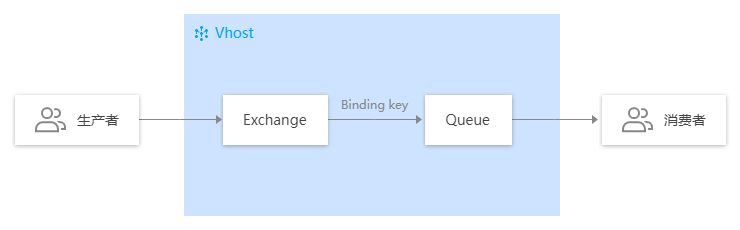
准备阶段 java 1.8 maven 3.0 idea 环境依赖 创建一个新的springboot工程,在其pom文件,加入spring-boot-starter-data-redis依赖: <dependency> <groupId>org.springframework.boot</groupId> <artifactId>spring-boot-starter-data-redis</artifactId> </dependency> 创建一个消息接收者 REcevier类,它是一个普通的类,需要注入到springboot中。 public class Receiver { private static final Logger LOGGER = LoggerFactory.getLogger(Receiver.class); private CountDownLatch latch; @Autowired public Receiver(CountDownLatch latch) { this.latch = latch; } public void receiveMessage(String message) { LOGGER.info("Received <" + message + ">"); latch.countDown(); } } 注入消息接收者 @Bean Receiver receiver(CountDownLatch latch) { return new Receiver(latch); } @Bean CountDownLatch latch() { return new CountDownLatch(1); } @Bean StringRedisTemplate template(RedisConnectionFactory connectionFactory) { return new StringRedisTemplate(connectionFactory); } 注入消息监听容器 在spring data redis中,利用redis发送一条消息和接受一条消息,需要三样东西: 一个连接工厂 一个消息监听容器 Redis template 上述1、3步已经完成,所以只需注入消息监听容器即可: @Bean RedisMessageListenerContainer container(RedisConnectionFactory connectionFactory, MessageListenerAdapter listenerAdapter) { RedisMessageListenerContainer container = new RedisMessageListenerContainer(); container.setConnectionFactory(connectionFactory); container.addMessageListener(listenerAdapter, new PatternTopic("chat")); return container; } @Bean MessageListenerAdapter listenerAdapter(Receiver receiver) { return new MessageListenerAdapter(receiver, "receiveMessage"); } 测试在springboot入口的main方法: public static void main(String[] args) throws Exception{ ApplicationContext ctx = SpringApplication.run(SpringbootRedisApplication.class, args); StringRedisTemplate template = ctx.getBean(StringRedisTemplate.class); CountDownLatch latch = ctx.getBean(CountDownLatch.class); LOGGER.info("Sending message..."); template.convertAndSend("chat", "Hello from Redis!"); latch.await(); System.exit(0); }

资源下载

更多资源
优质分享App

优质分享App

近一个月的开发和优化,本站点的第一个app全新上线。该app采用极致压缩,本体才4.36MB。系统里面做了大量数据访问、缓存优化。方便用户在手机上查看文章。后续会推出HarmonyOS的适配版本。

腾讯云软件源

腾讯云软件源

为解决软件依赖安装时官方源访问速度慢的问题,腾讯云为一些软件搭建了缓存服务。您可以通过使用腾讯云软件源站来提升依赖包的安装速度。为了方便用户自由搭建服务架构,目前腾讯云软件源站支持公网访问和内网访问。

Rocky Linux

Rocky Linux

Rocky Linux(中文名:洛基)是由Gregory Kurtzer于2020年12月发起的企业级Linux发行版,作为CentOS稳定版停止维护后与RHEL(Red Hat Enterprise Linux)完全兼容的开源替代方案,由社区拥有并管理,支持x86_64、aarch64等架构。其通过重新编译RHEL源代码提供长期稳定性,采用模块化包装和SELinux安全架构,默认包含GNOME桌面环境及XFS文件系统,支持十年生命周期更新。

Sublime Text

Sublime Text

Sublime Text具有漂亮的用户界面和强大的功能,例如代码缩略图,Python的插件,代码段等。还可自定义键绑定,菜单和工具栏。Sublime Text 的主要功能包括:拼写检查,书签,完整的 Python API , Goto 功能,即时项目切换,多选择,多窗口等等。Sublime Text 是一个跨平台的编辑器,同时支持Windows、Linux、Mac OS X等操作系统。


用户登录
用户注册
修改密码
忘记密码