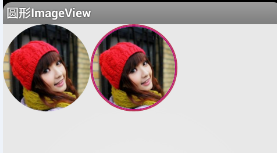
iOS开发-UIImageView高效设置Radius
圆角的设置在iOS中随处可见,开发的时候也很方便,但是有的时候如果一个页面有大量的需要设置圆角的图片,容易产生性能问题,UIImageView ios9.0之前设置圆角是会产生离屏渲染的,9.0之后不会产生离屏渲染 因此需要日常设置圆角的方法上加一些改动: 1.最简单的图片圆角设置: 1 2 3 4 5 self.imageView=[[UIImageView alloc]initWithFrame:CGRectMake(100,200, 100, 100)]; [self.imageView setImage:[UIImage imageNamed: @"FlyElephant.jpg" ]]; self.imageView.layer.cornerRadius=50; self.imageView.layer.masksToBounds=YES; [self.view addSubview:self.imageView]; 2.设置Rasterize栅格化处理,会将图片放在缓存区,不会不断的进行图片渲染: 1 2 3 4 5 6 7 self.imageView=[[UIImageView alloc]initWithFrame:CGRectMake(100,200, 100, 100)]; [self.imageView setImage:[UIImage imageNamed: @"dress3.jpg" ]]; self.imageView.layer.cornerRadius=50; self.imageView.layer.shouldRasterize = YES; self.imageView.clipsToBounds=YES; self.imageView.layer.rasterizationScale=[UIScreen mainScreen].scale; //不设置会模糊,不相信可以自己尝试 [self.view addSubview:self.imageView]; 3.UIBezierPath贝塞尔曲线绘制(推荐) 1 2 3 4 5 6 7 8 9 10 11 12 13 14 self.imageView=[[UIImageView alloc]initWithFrame:CGRectMake(100,200, 100, 100)]; UIImage *anotherImage = [UIImage imageNamed: @"FlyElephant.jpg" ]; //注意第三个选项的设置 UIGraphicsBeginImageContextWithOptions(self.imageView.bounds.size, NO, [UIScreen mainScreen].scale); //在绘制之前先裁剪出一个圆形 [[UIBezierPath bezierPathWithRoundedRect:self.imageView.bounds cornerRadius:50] addClip]; //图片在设置的圆形里面进行绘制 [anotherImage drawInRect:self.imageView.bounds]; //获取图片 self.imageView.image = UIGraphicsGetImageFromCurrentImageContext(); //结束绘制 UIGraphicsEndImageContext(); [self.view addSubview:self.imageView]; 本文转自Fly_Elephant博客园博客,原文链接:http://www.cnblogs.com/xiaofeixiang/p/5123169.html,如需转载请自行联系原作者