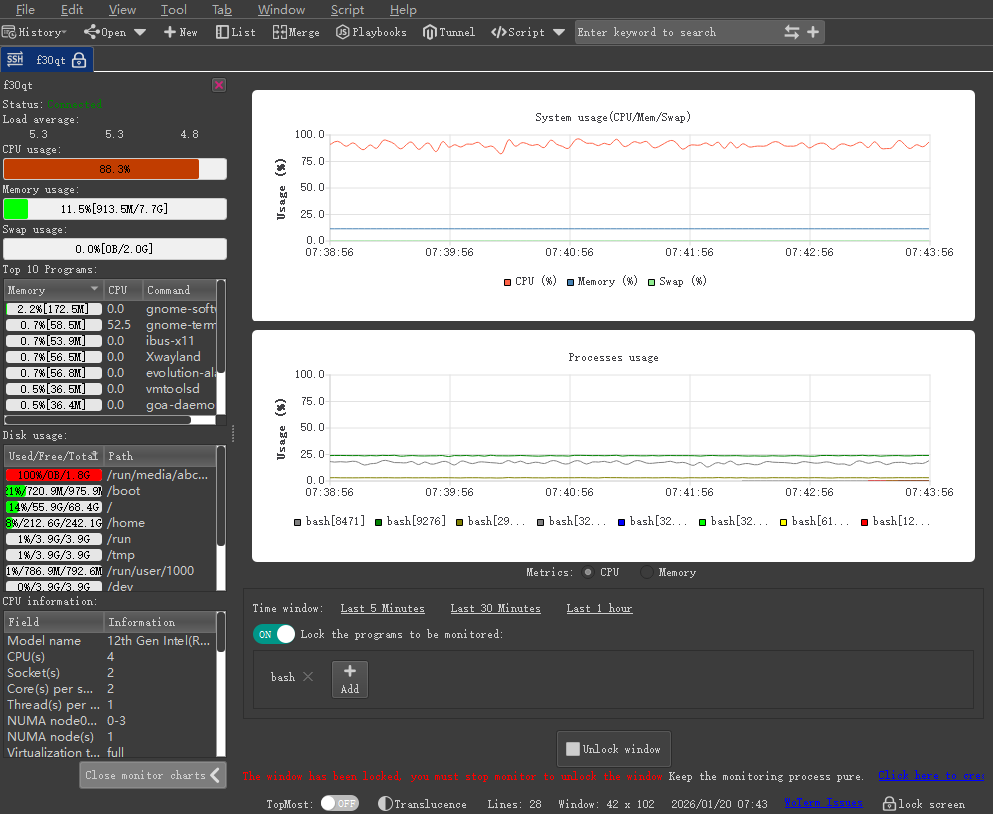
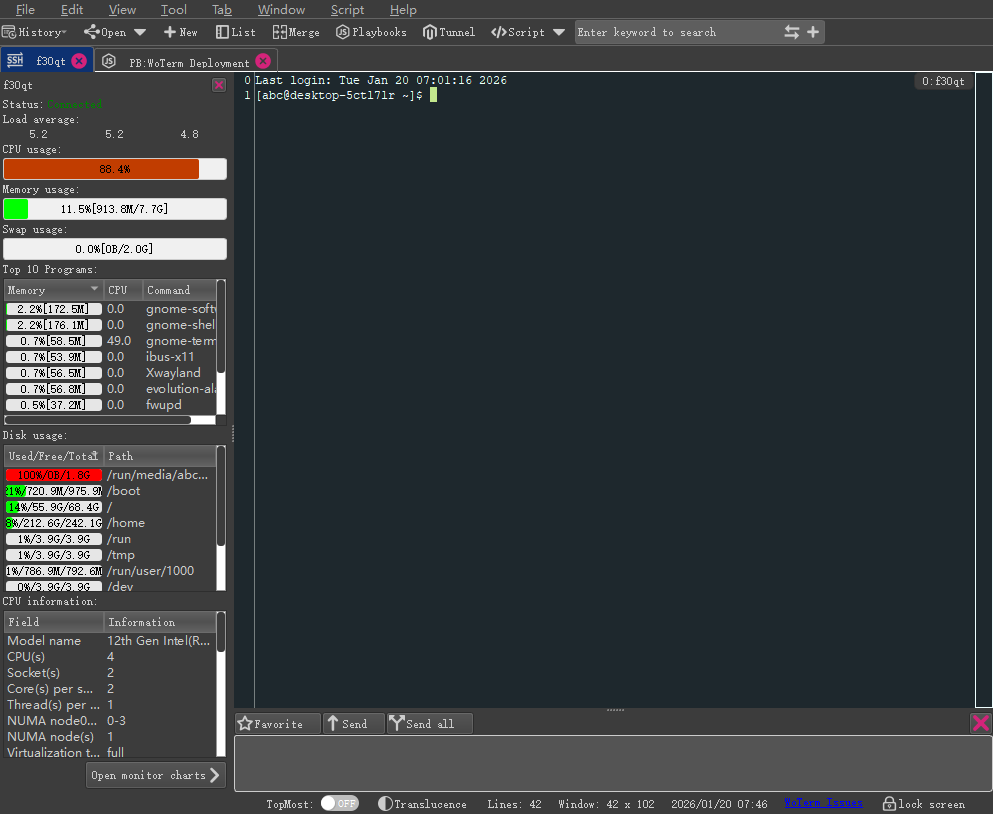
很久以前就有用户建议我模仿一下finalshell的一项远程监控的功能,但一直都没有想着去实现它,因为觉得这作为一个运维人员来说,不可能不懂这些命令,图表只会消耗无谓的一直消耗系统的资源。直到听到实施团队电话远程叫厂家帮助看一下监控界面时,才察觉原来这功能还可以这么玩,于是就简单实现了一个,后续有空再慢慢完善它。
[SFTP/FTP]增加返回上一层、进入文件夹、删除选项的快捷键。
[Tunnel]修复多个隧道同时开启时,潜在数据串错而崩溃问题。
[SFTP]增加系统监控并图表化,直观显示系统资源消耗包括CPU、进程、硬盘。
增加选项卡琐定功能,琐定的选项卡将禁用关闭功能。
增加选项卡快捷键切换功能,方便用户快速切换终端并提供快捷键修改功能。
[SFTP/FTP] Add shortcut keys for going up one level, entering a folder, and deleting.
[Tunnel] Fix the potential data mix-up and crash issue when multiple tunnels are opened simultaneously.
[SFTP] Add system monitoring and visualization, intuitively displaying system resource consumption including CPU, processes, and hard disk.
Add a tab locking function. Locked tabs will disable the close function.
Add a tab shortcut key switching function to facilitate users to quickly switch terminals and provide a shortcut key modification function.
![]()
![]()
软件官网地址:https://woterm.com/
软件开源地址:https://github.com/aoyiduo/woterm/ 和 https://gitee.com/aoyiduo/woterm/