helm 版本支持列表
Helm | Helm版本支持策略
helm 安装地址
github.com
初始化
下载包默认解压以后是一个可执行文件,移动到系统 PATH 变量下的 bin 目录即可
# 启用 helm 命令补全
~]# source <(helm completion bash)
~]# echo "source <(helm completion bash)" >> /etc/profile
添加、更新、删除微软 chart 仓库
~]# helm repo add azure http://mirror.azure.cn/kubernetes/charts/
~]# helm repo list
NAME    URL
azure   http://mirror.azure.cn/kubernetes/charts/

# 更新 chart 仓库,确保 Helm 客户端是最新的
~]# helm repo update

# 移除仓库
~]# helm repo remove
搜索chart
# 从你所添加的仓库中查找 chart
~]# helm search repo mysql
NAME                            CHART VERSION   APP VERSION     DESCRIPTION
azure/mysql                     1.6.9           5.7.30          DEPRECATED - Fast,
·····

# 从 Artifact Hub 中搜索
~]# helm search hub mysql

# 查看仓库 chart 的详细信息
~]# helm show chart azure/mysql
安装一个 helm 包
Helm | 使用Helm
从仓库中查找到指定的 chart 包后,pull 至本地,会下载一个 tgz 文件
~]# helm pull azure/mysql --version=1.6.9
~]# ll mysql-1.6.9.tgz
-rw-r--r-- 1 root root 11589 6月   1 16:36 mysql-1.6.9.tgz
~]# tar -xf mysql-1.6.9.tgz
~]# ls mysql
Chart.yaml  README.md  templates  values.yaml
  Chart.yaml          # 包含了chart信息的YAML文件
  LICENSE             # 可选: 包含chart许可证的纯文本文件
  README.md           # 可选: 可读的README文件
  values.yaml         # chart 默认的配置值
  values.schema.json  # 可选: 一个使用JSON结构的values.yaml文件
  charts/             # 包含chart依赖的其他chart
  crds/               # 自定义资源的定义
  templates/          # 模板目录, 当和values 结合时,可生成有效的Kubernetes manifest文件
  templates/NOTES.txt # 可选: 包含简要使用说明的纯文本文件

# 安装 helm 包
~]# helm install -f vlaues.yaml azure/mysql --generate-name

~]# helm ls
NAME                    NAMESPACE       REVISION        UPDATED                                 STATUS          CHART         APP VERSION
mysql-1622537121        default         1               2021-06-01 16:45:23.84313489 +0800 CST  deployed        mysql-1.6.9   5.7.30

~]# helm status mysql-1622537121
NAME: mysql-1622537121
LAST DEPLOYED: Tue Jun  1 16:45:23 2021
NAMESPACE: default
STATUS: deployed
REVISION: 1
NOTES:
MySQL can be accessed via port 3306 on the following DNS name from within your cluster:
mysql-1622537121.default.svc.cluster.local

To get your root password run:

    MYSQL_ROOT_PASSWORD=$(kubectl get secret --namespace default mysql-1622537121 -o jsonpath="{.data.mysql-root-password}" | base64 --decode; echo)

To connect to your database:

1. Run an Ubuntu pod that you can use as a client:

    kubectl run -i --tty ubuntu --image=ubuntu:16.04 --restart=Never -- bash -il

2. Install the mysql client:

    $ apt-get update && apt-get install mysql-client -y

3. Connect using the mysql cli, then provide your password:
    $ mysql -h mysql-1622537121 -p

To connect to your database directly from outside the K8s cluster:
    MYSQL_HOST=127.0.0.1
    MYSQL_PORT=3306

    # Execute the following command to route the connection:
    kubectl port-forward svc/mysql-1622537121 3306

    mysql -h ${MYSQL_HOST} -P${MYSQL_PORT} -u root -p${MYSQL_ROOT_PASSWORD}
创建自定义的 chart
Helm | Chart
# 创建chart
~]# helm create deis-workflow

# 检测编辑过程中格式是否正确
~]# helm init

# 打包
~]# helm package deis-workflow
deis-workflow-0.1.0.tgz
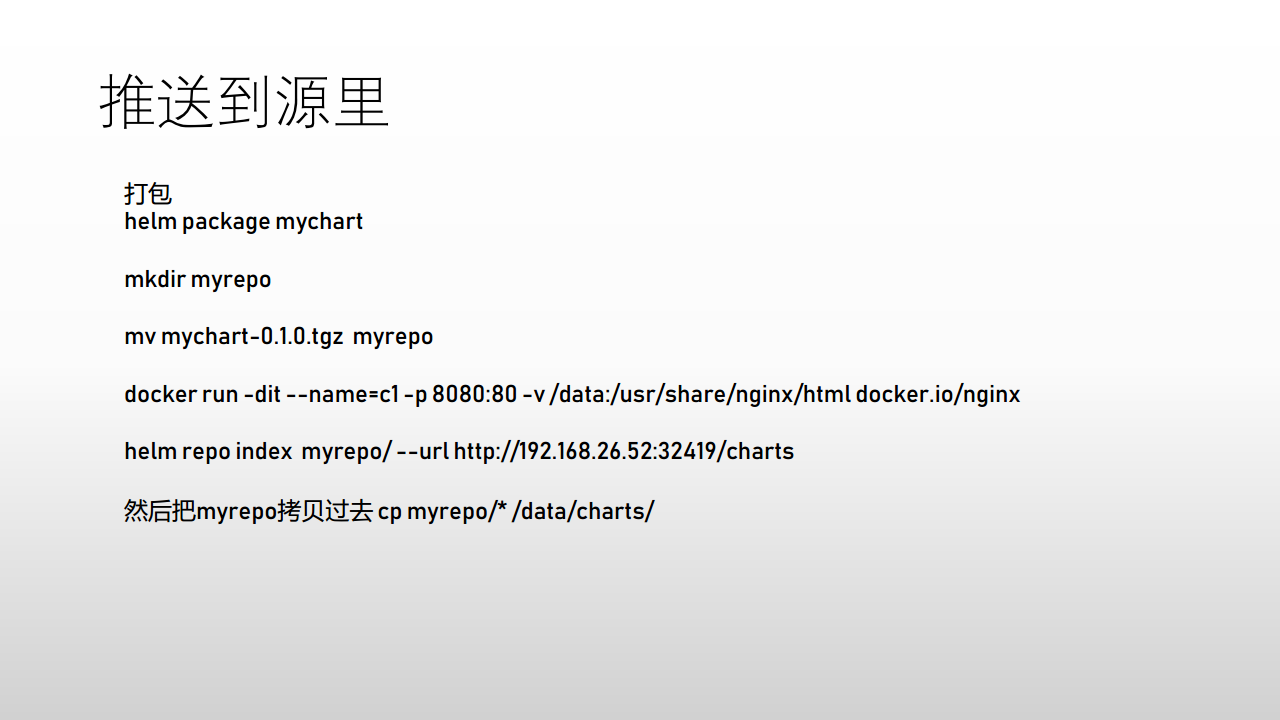
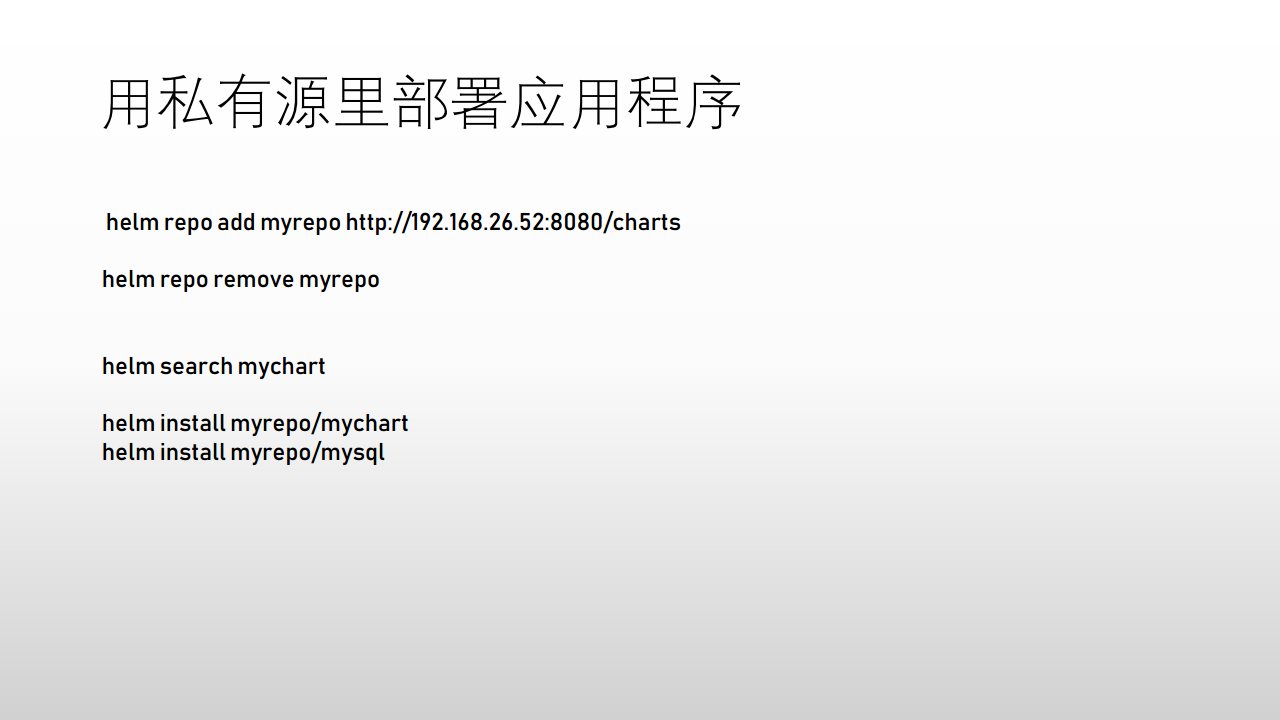
创建私有 chart 仓库(chartmuseum)
搭建私有 helm 仓库 chartmuseum - 码农教程 (manongjc.com)
chartmuseum/README.md at main · helm/chartmuseum · GitHub
ChartMuseum - Helm Chart Repository
自定义 nginx 仓库地址
![image-20210603105929869]()
![image-20210603105939704]()
卸载 chart
~]# helm uninstall mysql-1622537121
helm 命令
Helm | Helm
Helm的一般操作:
- helm search: 搜索chart
- helm pull: 下载chart到本地目录查看
- helm install: 上传chart到Kubernetes
- helm list: 列出已发布的chart
Helm 基于以下配置顺序存储缓存,配置和添加数据:
- 如果设置了 *HELM__HOME** 环境变量,则使用该变量
- 否则,在支持XDG基本目录规范的系统上,会使用XDG变量
- 当没有设置其他位置时,将根据操作系统使用默认位置
默认情况下,默认目录取决于操作系统,默认值如下:
| 操作系统 |
缓存路径 |
配置路径 |
数据路径 |
| Linux |
$HOME/.cache/helm |
$HOME/.config/helm |
$HOME/.local/share/helm |