Flutter 混合开发系列 包含如下:
-
-
-
-
与原生通信-BasicMessageChannel
-
-
添加 Flutter 到 Android Activity
-
添加 Flutter 到 Android Fragment
-
每个工作日分享一篇,欢迎关注、点赞及转发。
iOS View
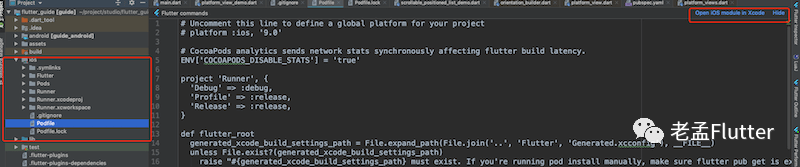
建议使用 Xcode 进行开发,在 Android Studio 左侧 project tab下选中 ios 目录下任意一个文件,右上角会出现 Open iOS module in Xcode ,
![]()
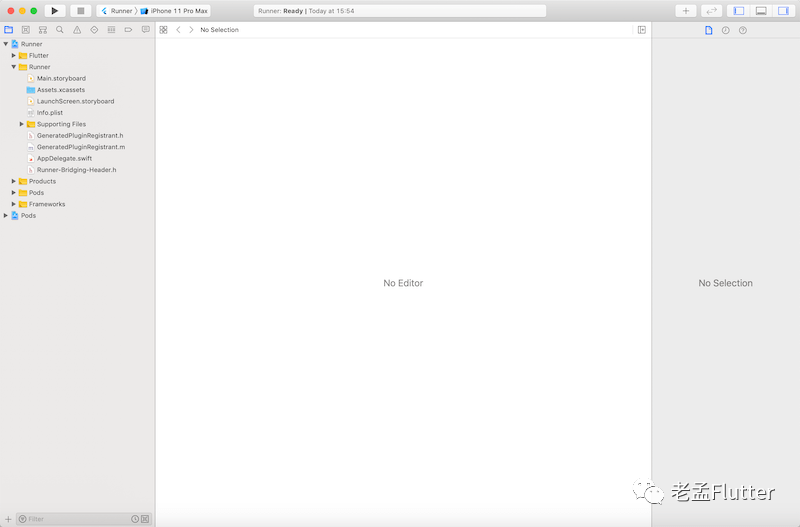
点击即可打开,打开后如下:
![]()
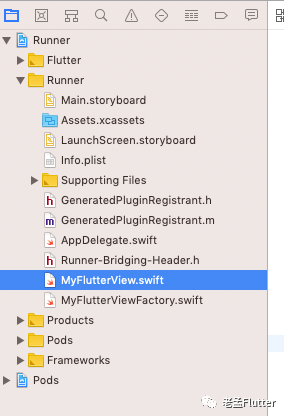
在Runner 目录下创建 iOS View,此 View 继承 FlutterPlatformView ,返回一个简单的 UILabel :
import Foundation
import Flutter

class MyFlutterView: NSObject,FlutterPlatformView {

    let label = UILabel()

    init(_ frame: CGRect,viewID: Int64,args :Any?,messenger :FlutterBinaryMessenger) {
        label.text = "我是 iOS View"
    }

    func view() -> UIView {
        return label
    }
}
![]()
注册PlatformView
创建 MyFlutterViewFactory:
import Foundation
import Flutter

class MyFlutterViewFactory: NSObject,FlutterPlatformViewFactory {

    var messenger:FlutterBinaryMessenger

    init(messenger:FlutterBinaryMessenger) {
        self.messenger = messenger
        super.init()
    }

    func create(withFrame frame: CGRect, viewIdentifier viewId: Int64, arguments args: Any?) -> FlutterPlatformView {
        return MyFlutterView(frame,viewID: viewId,args: args,messenger: messenger)
    }

    func createArgsCodec() -> FlutterMessageCodec & NSObjectProtocol {
        return FlutterStandardMessageCodec.sharedInstance()
    }
}
在 AppDelegate 中注册:
import UIKit
import Flutter

@UIApplicationMain
@objc class AppDelegate: FlutterAppDelegate {
  override func application(
    _ application: UIApplication,
    didFinishLaunchingWithOptions launchOptions: [UIApplication.LaunchOptionsKey: Any]?
  ) -> Bool {
    GeneratedPluginRegistrant.register(with: self)

    let registrar:FlutterPluginRegistrar = self.registrar(forPlugin: "plugins.flutter.io/custom_platform_view_plugin")!
    let factory = MyFlutterViewFactory(messenger: registrar.messenger())
    registrar.register(factory, withId: "plugins.flutter.io/custom_platform_view")
    return super.application(application, didFinishLaunchingWithOptions: launchOptions)
  }
}
记住 plugins.flutter.io/custom_platform_view ,这个字符串在 Flutter 中需要与其保持一致。
嵌入Flutter
在 Flutter 中调用
class PlatformViewDemo extends StatelessWidget {
  @override
  Widget build(BuildContext context) {
    Widget platformView() {
      if (defaultTargetPlatform == TargetPlatform.android) {
        return AndroidView(
          viewType: 'plugins.flutter.io/custom_platform_view',
          onPlatformViewCreated: (viewId) {
            print('viewId:$viewId');
            platforms
                .add(MethodChannel('com.flutter.guide.MyFlutterView_$viewId'));
          },
          creationParams: {'text': 'Flutter传给AndroidTextView的参数'},
          creationParamsCodec: StandardMessageCodec(),
        );
      }else if(defaultTargetPlatform == TargetPlatform.iOS){
        return UiKitView(
          viewType: 'plugins.flutter.io/custom_platform_view',
        );
      }
    }
    return Scaffold(
      appBar: AppBar(),
      body: Center(
        child: platformView(),
      ),
    );
  }
}
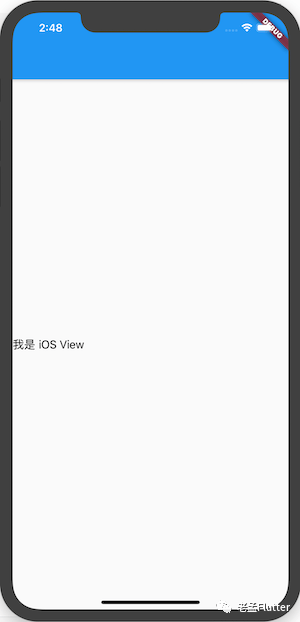
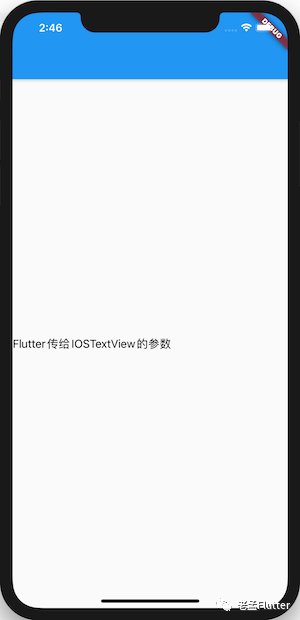
上面嵌入的是 iOS View,因此通过 defaultTargetPlatform == TargetPlatform.iOS 判断当前平台加载,在 iOS 上运行效果:
![]()
设置初始化参数
Flutter 端修改如下:
UiKitView(
          viewType: 'plugins.flutter.io/custom_platform_view',
          creationParams: {'text': 'Flutter传给IOSTextView的参数'},
          creationParamsCodec: StandardMessageCodec(),
        )
-
creationParams :传递的参数,插件可以将此参数传递给 AndroidView 的构造函数。
-
creationParamsCodec :将 creationParams 编码后再发送给平台侧,它应该与传递给构造函数的编解码器匹配。值的范围:
修改 MyFlutterView :
import Foundation
import Flutter

class MyFlutterView: NSObject,FlutterPlatformView {

    let label = UILabel()

    init(_ frame: CGRect,viewID: Int64,args :Any?,messenger :FlutterBinaryMessenger) {
        super.init()
        if(args is NSDictionary){
            let dict = args as! NSDictionary
            label.text  = dict.value(forKey: "text") as! String
        }
    }

    func view() -> UIView {
        return label
    }

}
最终效果:
![]()
Flutter 向 iOS View 发送消息
修改 Flutter 端,创建 MethodChannel 用于通信:
class PlatformViewDemo extends StatefulWidget {
  @override
  _PlatformViewDemoState createState() => _PlatformViewDemoState();
}

class _PlatformViewDemoState extends State<PlatformViewDemo> {
  static const platform =
      const MethodChannel('com.flutter.guide.MyFlutterView');

  @override
  Widget build(BuildContext context) {
  Widget platformView() {
      if (defaultTargetPlatform == TargetPlatform.android) {
        return AndroidView(
          viewType: 'plugins.flutter.io/custom_platform_view',
          creationParams: {'text': 'Flutter传给AndroidTextView的参数'},
          creationParamsCodec: StandardMessageCodec(),
        );
      } else if (defaultTargetPlatform == TargetPlatform.iOS) {
        return UiKitView(
          viewType: 'plugins.flutter.io/custom_platform_view',
          creationParams: {'text': 'Flutter传给IOSTextView的参数'},
          creationParamsCodec: StandardMessageCodec(),
        );
      }
    }

    return Scaffold(
      appBar: AppBar(),
      body: Column(children: [
        RaisedButton(
          child: Text('传递参数给原生View'),
          onPressed: () {
            platform.invokeMethod('setText', {'name': 'laomeng', 'age': 18});
          },
        ),
        Expanded(child: platformView()),
      ]),
    );
  }
}
在 原生View 中也创建一个 MethodChannel 用于通信:
import Foundation
import Flutter

class MyFlutterView: NSObject,FlutterPlatformView {

    let label = UILabel()

    init(_ frame: CGRect,viewID: Int64,args :Any?,messenger :FlutterBinaryMessenger) {
        super.init()
        if(args is NSDictionary){
            let dict = args as! NSDictionary
            label.text  = dict.value(forKey: "text") as! String
        }

        let methodChannel = FlutterMethodChannel(name: "com.flutter.guide.MyFlutterView", binaryMessenger: messenger)
        methodChannel.setMethodCallHandler { (call, result) in
            if (call.method == "setText") {
                if let dict = call.arguments as? Dictionary<String, Any> {
                    let name:String = dict["name"] as? String ?? ""
                    let age:Int = dict["age"] as? Int ?? -1
                    self.label.text = "hello,\(name),年龄:\(age)"
                }
            }
        }
    }

    func view() -> UIView {
        return label
    }

}
![]()
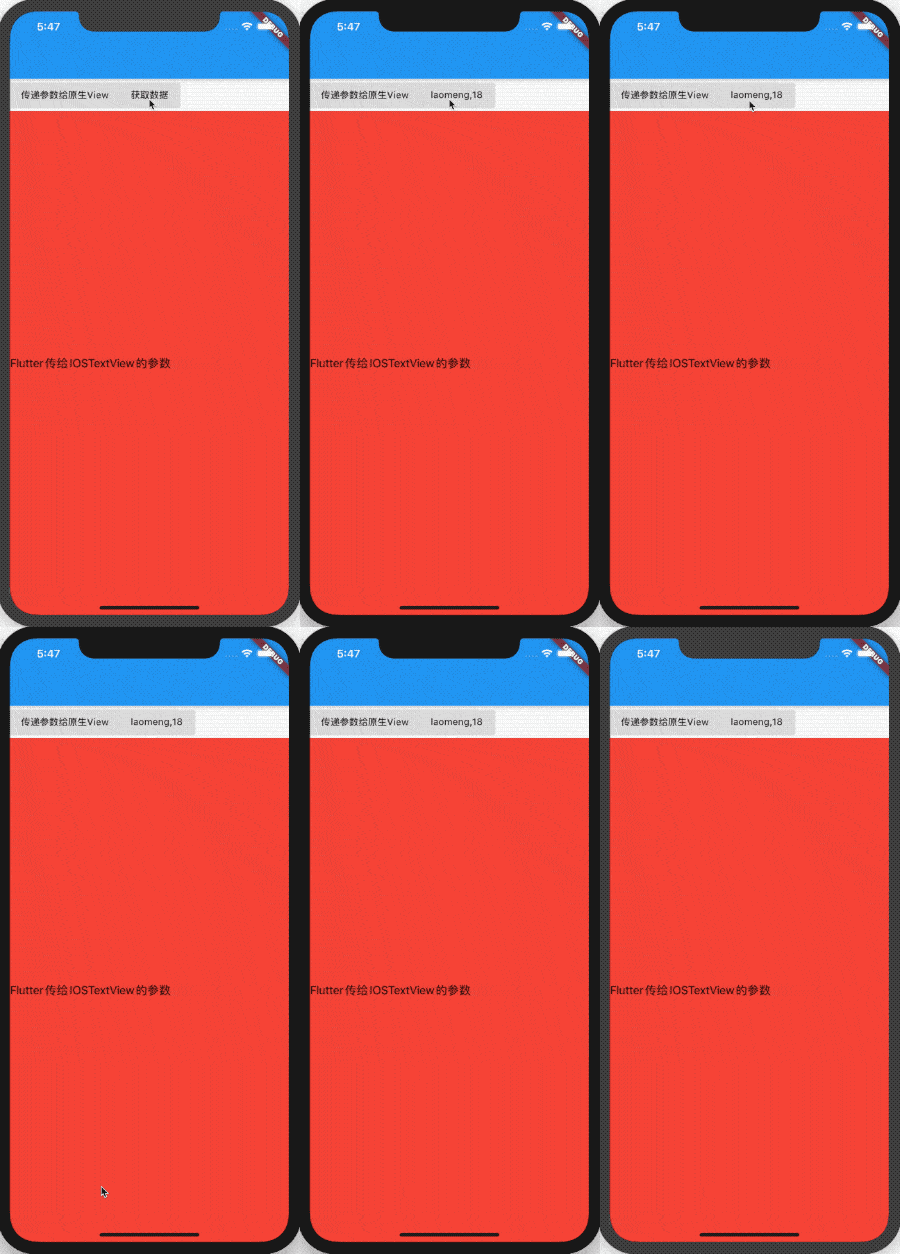
Flutter 向 Android View 获取消息
与上面发送信息不同的是,Flutter 向原生请求数据,原生返回数据到 Flutter 端,修改 MyFlutterView onMethodCall:
import Foundation
import Flutter

class MyFlutterView: NSObject,FlutterPlatformView {

    let label = UILabel()

    init(_ frame: CGRect,viewID: Int64,args :Any?,messenger :FlutterBinaryMessenger) {
        super.init()
        if(args is NSDictionary){
            let dict = args as! NSDictionary
            label.text  = dict.value(forKey: "text") as! String
        }

        let methodChannel = FlutterMethodChannel(name: "com.flutter.guide.MyFlutterView", binaryMessenger: messenger)
        methodChannel.setMethodCallHandler { (call, result:FlutterResult) in
            if (call.method == "setText") {
                if let dict = call.arguments as? Dictionary<String, Any> {
                    let name:String = dict["name"] as? String ?? ""
                    let age:Int = dict["age"] as? Int ?? -1
                    self.label.text = "hello,\(name),年龄:\(age)"
                }
            }else if (call.method == "getData") {
                if let dict = call.arguments as? Dictionary<String, Any> {
                    let name:String = dict["name"] as? String ?? ""
                    let age:Int = dict["age"] as? Int ?? -1
                    result(["name":name,"age":age])
                }
            }
        }
    }

    func view() -> UIView {
        return label
    }

}
result() 是返回的数据。
Flutter 端接收数据:
var _data = '获取数据';

RaisedButton(
  child: Text('$_data'),
  onPressed: () async {
    var result = await platform
        .invokeMethod('getData', {'name': 'laomeng', 'age': 18});
    setState(() {
      _data = '${result['name']},${result['age']}';
    });
  },
),
![]()
解决多个原生View通信冲突问题
当然页面有3个原生View,
class PlatformViewDemo extends StatefulWidget {
  @override
  _PlatformViewDemoState createState() => _PlatformViewDemoState();
}

class _PlatformViewDemoState extends State<PlatformViewDemo> {
  static const platform =
      const MethodChannel('com.flutter.guide.MyFlutterView');

  var _data = '获取数据';

  @override
  Widget build(BuildContext context) {
  Widget platformView() {
      if (defaultTargetPlatform == TargetPlatform.android) {
        return AndroidView(
          viewType: 'plugins.flutter.io/custom_platform_view',
          creationParams: {'text': 'Flutter传给AndroidTextView的参数'},
          creationParamsCodec: StandardMessageCodec(),
        );
      } else if (defaultTargetPlatform == TargetPlatform.iOS) {
        return UiKitView(
          viewType: 'plugins.flutter.io/custom_platform_view',
          creationParams: {'text': 'Flutter传给IOSTextView的参数'},
          creationParamsCodec: StandardMessageCodec(),
        );
      }
    }

    return Scaffold(
      appBar: AppBar(),
      body: Column(children: [
        Row(
          children: [
            RaisedButton(
              child: Text('传递参数给原生View'),
              onPressed: () {
                platform
                    .invokeMethod('setText', {'name': 'laomeng', 'age': 18});
              },
            ),
            RaisedButton(
              child: Text('$_data'),
              onPressed: () async {
                var result = await platform
                    .invokeMethod('getData', {'name': 'laomeng', 'age': 18});
                setState(() {
                  _data = '${result['name']},${result['age']}';
                });
              },
            ),
          ],
        ),
        Expanded(child: Container(color: Colors.red, child: platformView())),
        Expanded(child: Container(color: Colors.blue, child: platformView())),
        Expanded(child: Container(color: Colors.yellow, child: platformView())),
      ]),
    );
  }
}
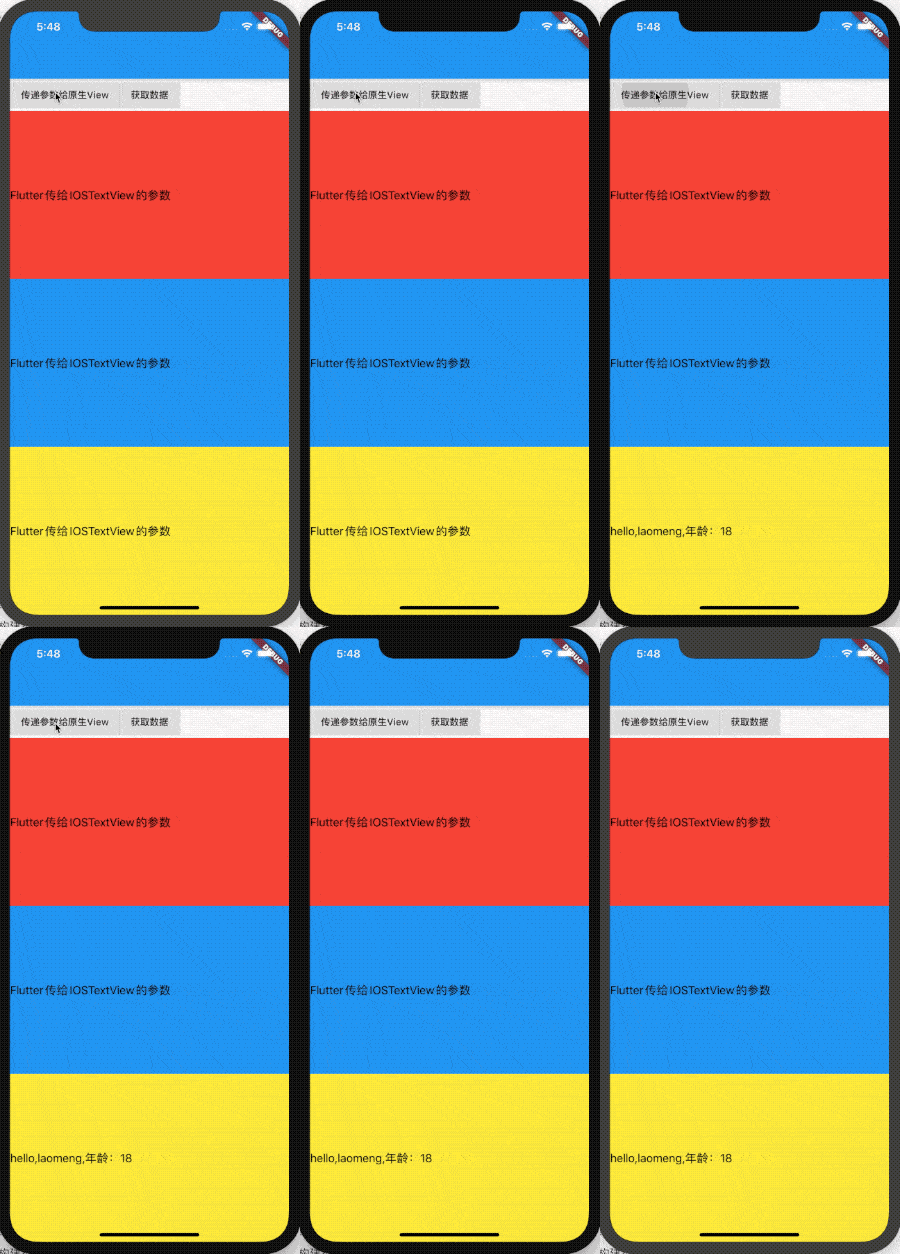
此时点击 传递参数给原生View 按钮哪个View会改变内容,实际上只有最后一个会改变。
![]()
如何改变指定View的内容?重点是 MethodChannel,只需修改上面3个通道的名称不相同即可:
-
第一种方法:将一个唯一 id 通过初始化参数传递给原生 View,原生 View使用这个id 构建不同名称的 MethodChannel。
-
第二种方法(推荐):原生 View 生成时,系统会为其生成唯一id:viewId,使用 viewId 构建不同名称的 MethodChannel。
原生 View 使用 viewId 构建不同名称的 MethodChannel:
import Foundation
import Flutter

class MyFlutterView: NSObject,FlutterPlatformView {

    let label = UILabel()

    init(_ frame: CGRect,viewID: Int64,args :Any?,messenger :FlutterBinaryMessenger) {
        super.init()
        if(args is NSDictionary){
            let dict = args as! NSDictionary
            label.text  = dict.value(forKey: "text") as! String
        }

        let methodChannel = FlutterMethodChannel(name: "com.flutter.guide.MyFlutterView_\(viewID)", binaryMessenger: messenger)
        methodChannel.setMethodCallHandler { (call, result:FlutterResult) in
            ...
        }
    }

    func view() -> UIView {
        return label
    }

}
Flutter 端为每一个原生 View 创建不同的MethodChannel:
var platforms = [];

UiKitView(
  viewType: 'plugins.flutter.io/custom_platform_view',
  onPlatformViewCreated: (viewId) {
    print('viewId:$viewId');
    platforms
        .add(MethodChannel('com.flutter.guide.MyFlutterView_$viewId'));
  },
  creationParams: {'text': 'Flutter传给AndroidTextView的参数'},
  creationParamsCodec: StandardMessageCodec(),
)
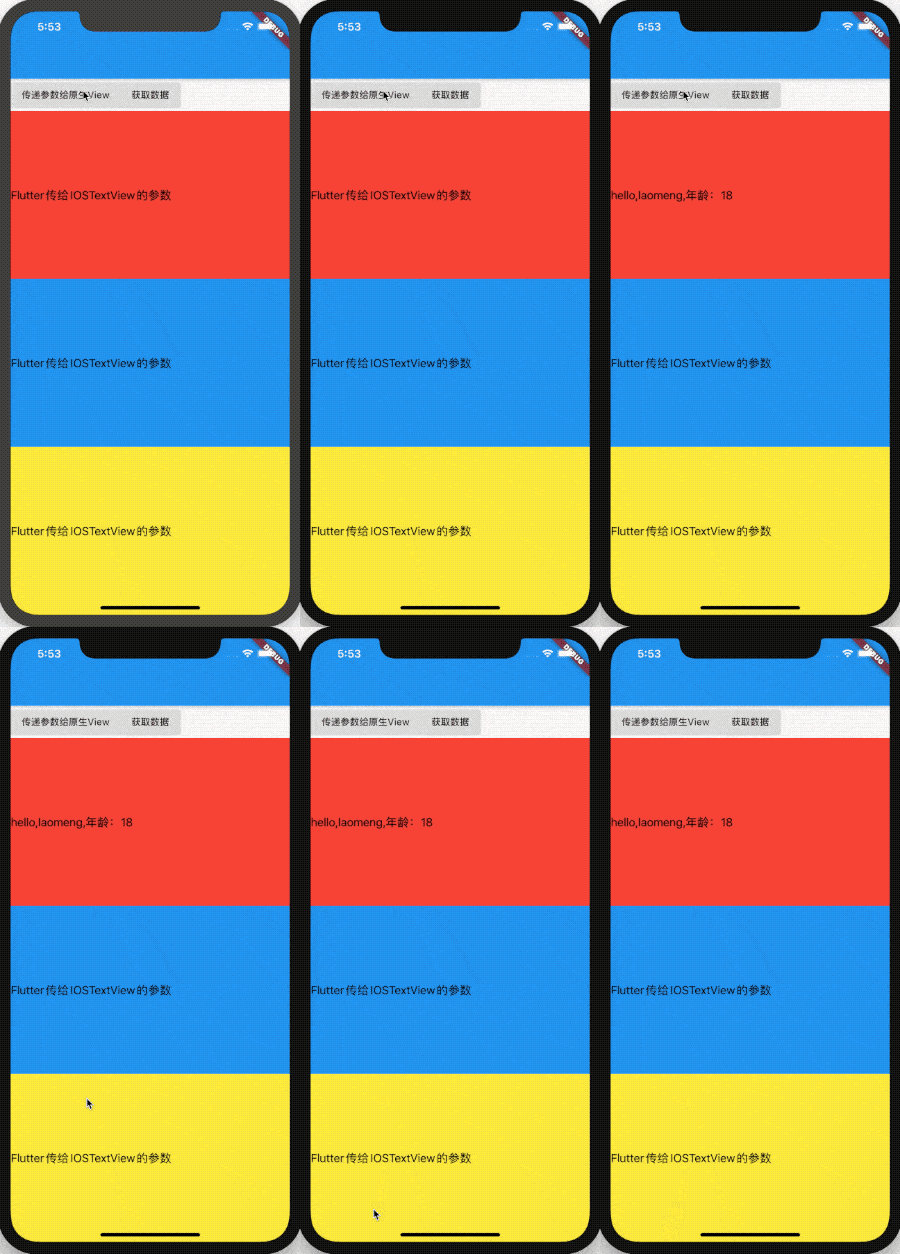
给第一个发送消息:
platforms[0]
    .invokeMethod('setText', {'name': 'laomeng', 'age': 18});
![]()