前言
    NS_CLASS_AVAILABLE_IOS(2_0) @interface UILabel : UIView <NSCoding>
    @available(iOS 2.0, *)   public class UILabel : UIView, NSCoding
- 实际上 label 就是一个可以显示文字的视图控件。
1、Label 的创建
-
Objective-C
    // 实例化 label 对象
    UILabel *label = [[UILabel alloc] initWithFrame:CGRectMake(10, 40, 100, 25)];

    // 将 label 加到 window 上显示出来
    [self.view addSubview:label];
-
Swift
    // 实例化 label 对象
    let label:UILabel = UILabel(frame: CGRectMake(10, 40, 100, 25))

    // 将 label 加到 window 上显示出来
    self.view.addSubview(label)
2、Label 的设置
-
Objective-C
    // 背景颜色
    label.backgroundColor = [UIColor redColor];

    // label 文字
    label.text = @"LabelLabelLabelLabelLabelLabelLabelLabelLabelLabel";

    // label 变属性文字
    label.attributedText = mutableAttributedString;

    // 设置字体

        // 系统样式
        label.font = [UIFont systemFontOfSize:30];

        // 加粗
        label.font = [UIFont boldSystemFontOfSize:30];

        // 倾斜
        label.font = [UIFont italicSystemFontOfSize:30];

        // 设置为指定字体类型的文字
        label.font = [UIFont fontWithName:@"Zapfino" size:15];

    // 获取系统字体库中的所有字体名称
    NSArray *fontNameArray = [UIFont familyNames];

    // 文字颜色
    label.textColor = [UIColor blackColor];

    // 文字对齐方式
    label.textAlignment = NSTextAlignmentCenter;

    // 文字阴影
    /*
        shadowColor:阴影颜色,shadowOffset:阴影偏移量
    */
    label.shadowColor = [UIColor greenColor];
    label.shadowOffset = CGSizeMake(5, 5);

    // 文字换行方式
    /*
        // 以单词为单位换行(最后一行显示不完以单词截断剩下的内容不显示也不会省略(没有...))
        NSLineBreakByWordWrapping = 0,     // Wrap at word boundaries, default

        // 以字符为单位换行(最后一行显示不完以字符截断剩下的内容不显示也不会省略(没有...))
        NSLineBreakByCharWrapping,         // Wrap at character boundaries

        // 以单词为单位换行(最后一行显示不完以字符截断剩下的内容不显示也不会省略(没有...))
        NSLineBreakByClipping,             // Simply clip

        // 以单词换行,最后一行以字符截断,最后一行显示不完则省略最后一行的开头,以”...”显示
        NSLineBreakByTruncatingHead,       // Truncate at head of line: "...wxyz"

        // 以单词换行,最后一行以字符截断,最后一行显示不完则省略最后一行的中间,以”...”显示
        NSLineBreakByTruncatingTail,       // Truncate at tail of line: "abcd..."

        // 以单词换行,最后一行以字符截断,最后一行显示不完则省略最后一行的最后,以”...”显示
        NSLineBreakByTruncatingMiddle      // Truncate middle of line:  "ab...yz"
    */
    label.lineBreakMode = NSLineBreakByWordWrapping;

    // 文字行数
    /*
        设置文字行数,0: 默认,行数不限
    */
    label.numberOfLines = 0;

    // 文字自动调整
    label.adjustsFontSizeToFitWidth = YES;

    // 文字自适应 frame
    /*
        frame 自适配文字,宽度不变,必须要在添加了显示文字之后设置
    */
    [label sizeToFit];

    // 设置 label 每一行文字的最大宽度
    /*
        在自动计算 label 高度时,为了保证计算出来的数值 跟 真正显示出来的效果 一致,若自动换行必须设置
    */
    label.preferredMaxLayoutWidth = [UIScreen mainScreen].bounds.size.width - 20;
-
Swift
    // 背景颜色
    label.backgroundColor = UIColor.redColor()

    // label 文字
    label.text = "LabelLabelLabelLabelLabelLabelLabelLabelLabelLabel"

    // label 变属性文字
    label.attributedText = mutableAttributedString

    // 设置字体

        // 系统样式
        label.font = UIFont.systemFontOfSize(30)

        // 设置字体  加粗
        label.font = UIFont.boldSystemFontOfSize(30)

        // 设置字体  倾斜
        label.font = UIFont.italicSystemFontOfSize(30)

        // 设置为指定字体类型的文字
        label.font = UIFont(name: "Zapfino", size: 15)

    // 获取系统字体库中的所有字体名称
    let fontNameArray:NSArray = UIFont.familyNames()

    // 文字颜色
    label.textColor = UIColor.blackColor()

    // 文字对齐方式
    label.textAlignment = NSTextAlignment.Center

    // 文字阴影
    /*
        shadowColor:阴影颜色,shadowOffset:阴影偏移量
    */
    label.shadowColor = UIColor.greenColor()
    label.shadowOffset = CGSizeMake(5, 5)

    // 文字换行方式
    /*
        // 以单词为单位换行(最后一行显示不完以单词截断剩下的内容不显示也不会省略(没有...))
        case ByWordWrapping

        // 以字符为单位换行(最后一行显示不完以字符截断剩下的内容不显示也不会省略(没有...))
        case ByCharWrapping

        // 以单词为单位换行(最后一行显示不完以字符截断剩下的内容不显示也不会省略(没有...))
        case ByClipping

        // 以单词换行,最后一行以字符截断,最后一行显示不完则省略最后一行的开头,以”...”显示
        case ByTruncatingHead

        // 以单词换行,最后一行以字符截断,最后一行显示不完则省略最后一行的中间,以”...”显示
        case ByTruncatingTail

        // 以单词换行,最后一行以字符截断,最后一行显示不完则省略最后一行的最后,以”...”显示
        case ByTruncatingMiddle
    */
    label.lineBreakMode = .ByWordWrapping

    // 文字行数
    /*
        设置文字行数,0: 默认,行数不限
    */
    label.numberOfLines = 0

    // 文字自动调整
    label.adjustsFontSizeToFitWidth = true

    // 文字自适应 frame
    /*
        frame 自适配文字,宽度不变,必须要在添加了显示文字之后设置
    */
    label.sizeToFit()

    // 设置 label 每一行文字的最大宽度
    /*
        在自动计算 label 高度时,为了保证计算出来的数值 跟 真正显示出来的效果 一致,若自动换行必须设置
    */
    label.preferredMaxLayoutWidth = UIScreen.mainScreen().bounds.size.width - 20
3、可变属性 Label 的创建
-
Objective-C
    UILabel *label = [[UILabel alloc] initWithFrame:CGRectMake(10, 50, 100, 30)];
    label.backgroundColor = [UIColor grayColor];
    [self.view addSubview:label];

    NSString *str1 = @"NSMutable";
    NSString *str2 = @"Attributed";
    NSString *str3 = @"String";

    // 设置 range 的大小
    NSRange range1 = NSMakeRange(0, str1.length);
    NSRange range2 = NSMakeRange(str1.length, str2.length);
    NSRange range3 = NSMakeRange(str1.length + str2.length, str3.length);

    // 实例化可变属性的字符串对象
    NSMutableAttributedString *str = [[NSMutableAttributedString alloc]
                              initWithString:[NSString stringWithFormat:@"%@%@%@", str1, str2, str3]];

    // 设置文字的颜色和文字的大小
    [str addAttributes:@{NSForegroundColorAttributeName:[UIColor blueColor],
                                    NSFontAttributeName:[UIFont boldSystemFontOfSize:15]}
                 range:range1];
    [str addAttributes:@{NSForegroundColorAttributeName:[UIColor brownColor],
                                    NSFontAttributeName:[UIFont systemFontOfSize:40]}
                 range:range2];
    [str addAttributes:@{NSForegroundColorAttributeName:[UIColor greenColor],
                                    NSFontAttributeName:[UIFont italicSystemFontOfSize:25]}
                 range:range3];

    // 向 label 中添加文字
    label.attributedText = str;

    // frame 自适配文字,必须放在最后边,否则会不显示任何内容
    [label sizeToFit];
-
Swift
    let label:UILabel = UILabel(frame: CGRectMake(10, 50, 100, 30))
    label.backgroundColor = UIColor.grayColor()
    self.view.addSubview(label)

    let str1:NSString = "NSMutable"
    let str2:NSString = "Attributed"
    let str3:NSString = "String"

    // 设置 range 的大小
    let range1:NSRange = NSMakeRange(0, str1.length)
    let range2:NSRange = NSMakeRange(str1.length, str2.length)
    let range3:NSRange = NSMakeRange(str1.length + str2.length, str3.length)

    // 实例化可变属性的字符串对象
    let str:NSMutableAttributedString = NSMutableAttributedString(string:
                                                           String(format: "%@%@%@", str1, str2, str3))

    // 设置文字的颜色和文字的大小
    str.addAttributes([NSForegroundColorAttributeName:UIColor.blueColor(),
                                  NSFontAttributeName:UIFont.boldSystemFontOfSize(15)],
                range: range1)
    str.addAttributes([NSForegroundColorAttributeName:UIColor.brownColor(),
                                  NSFontAttributeName:UIFont.systemFontOfSize(40)],
                range: range2)
    str.addAttributes([NSForegroundColorAttributeName:UIColor.greenColor(),
                                  NSFontAttributeName:UIFont.italicSystemFontOfSize(25)],
                range: range3)

    // 向 label 中添加文字
    label.attributedText = str

    // frame 自适配文字,必须放在最后边,否则会不显示任何内容
    label.sizeToFit()
4、Storyboard 中设置
-
在 Storyboard 场景中设置
-
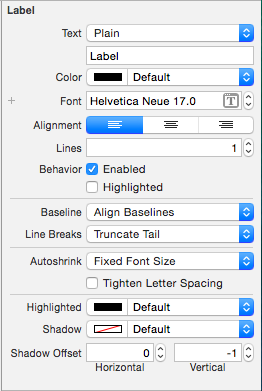
Label 设置
![Label1]()
| Text |
文字类型和显示的文字 |
| Color |
文字颜色 |
| Font |
文字字体 |
| Alignment |
文字对齐方式 |
| Lines |
行数 |
| Behavior |
|
| -- Enable |
|
| -- Highlighted |
|
|
| Baseline |
|
| Line Breaks |
断行方式 |
|
| Autoshrink |
|
| -- Tighten Letter Spacing |
|
|
| Highlighted |
高亮颜色 |
| Shadow |
阴影颜色 |
| Shadow Offset |
阴影偏移量 |
5、HUD
其他说法:指示器、遮盖、蒙板
- UILabel 半透明 HUD 的做法:
-
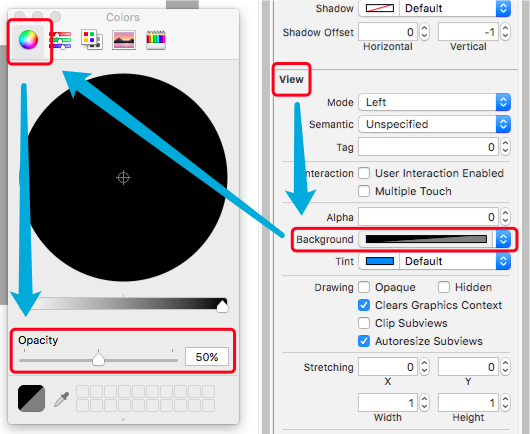
背景色设置为半透明颜色,文字颜色透明度不变。
-
1> Storyboard 中设置背景半透明颜色
![UILabel2]()
-
2> 纯代码中设置背景半透明颜色
-
显示 HUD
-
隐藏 HUD
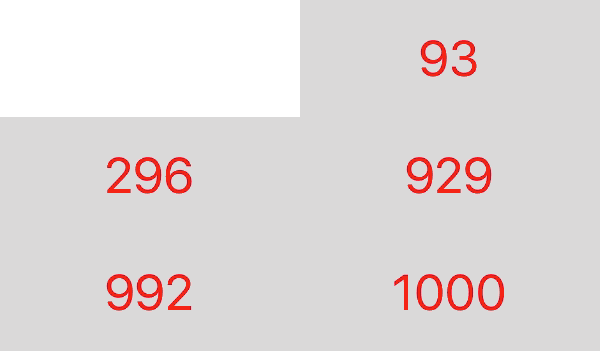
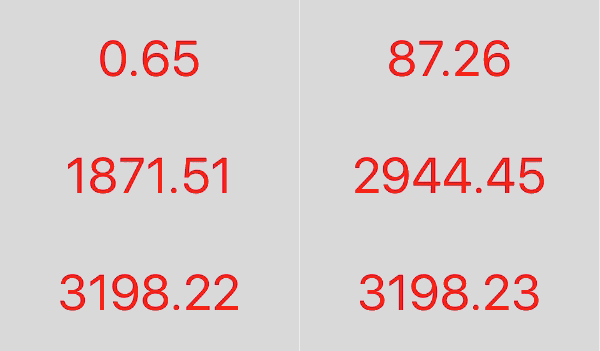
6、数字动态变化
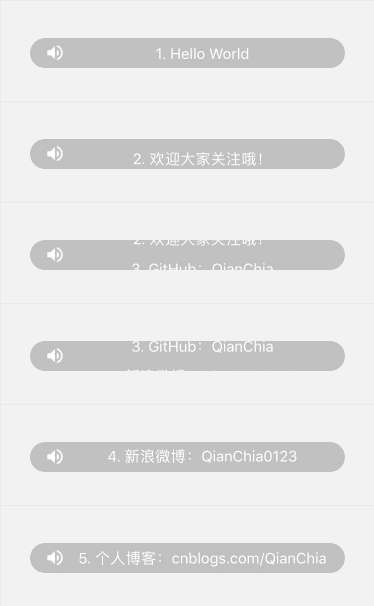
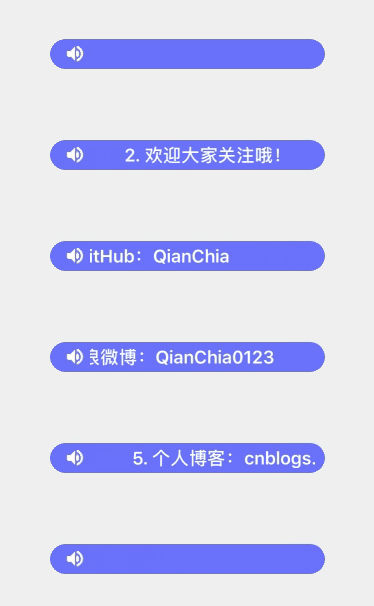
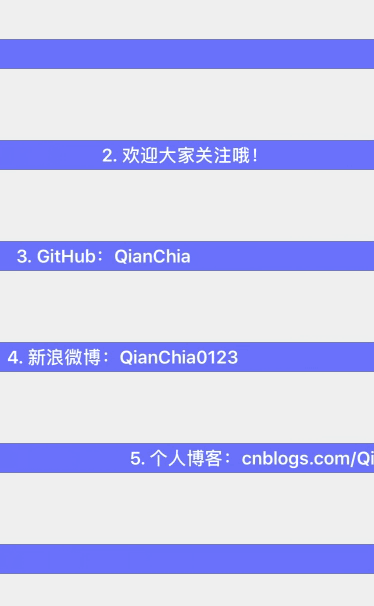
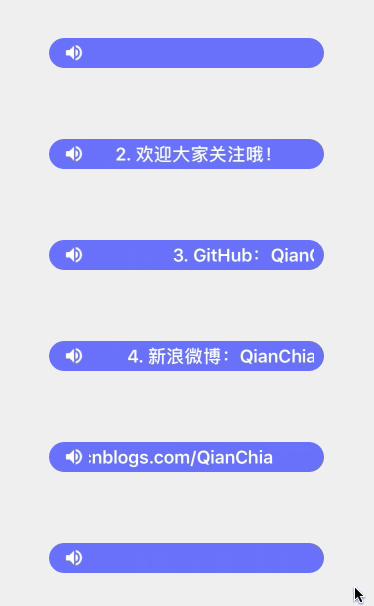
7、跑马灯
7.1 简单实现
-
Objective-C
    UIView *backView = [[UIView alloc] initWithFrame:CGRectMake(10, 30, [[UIScreen mainScreen] bounds].size.width - 20, 50)];
    backView.backgroundColor = [UIColor grayColor];
    [self.view addSubview:backView];

    UILabel *label = [[UILabel alloc] initWithFrame:CGRectMake(0, 10, 120, 30)];
    label.backgroundColor = [UIColor yellowColor];
    label.textColor = [UIColor greenColor];
    label.text = @"Label Marquee";
    [backView addSubview:label];

    // 子视图的范围不允许超过父视图的范围
    backView.clipsToBounds = YES;

    // 开始动画播放

        // 设置 label 的起始位置
        CGRect frame = label.frame;
        frame.origin.x = backView.frame.size.width;
        label.frame = frame;

        // 开始简单动画
        [UIView beginAnimations:nil context:nil];

        // 设置动画时间(开始播放动画)
        [UIView setAnimationDuration:5];

        // 匀速
        [UIView setAnimationCurve:UIViewAnimationCurveLinear];

        // 无限重复
        [UIView setAnimationRepeatCount:CGFLOAT_MAX];

        // 设置 label 的结束位置
        frame.origin.x = -frame.size.width;
        label.frame = frame;

        // 结束动画
        [UIView commitAnimations];

    // 一次播放动画结束
-
Swift
    let backView:UIView = UIView(frame: CGRectMake(10, 30, UIScreen.mainScreen().bounds.size.width - 20, 50))
    backView.backgroundColor = UIColor.grayColor()
    self.view.addSubview(backView)

    let label:UILabel = UILabel(frame: CGRectMake(0, 10, 120, 30))
    label.textColor = UIColor.greenColor()
    label.text = "Label Marquee"
    backView.addSubview(label)

    // 子视图的范围不允许超过父视图的范围
    backView.clipsToBounds = true

    // 开始动画播放

        // 设置 label 的起始位置
        var frame:CGRect = label.frame
        frame.origin.x = backView.frame.size.width
        label.frame = frame

        // 开始简单动画
        UIView.beginAnimations(nil, context: nil)

        // 设置动画时间(开始播放动画)
        UIView.setAnimationDuration(5)

        // 匀速
        UIView.setAnimationCurve(UIViewAnimationCurve.Linear)

        // 无限重复
        UIView.setAnimationRepeatCount(9999999)

        // 设置 label 的结束位置
        frame.origin.x = -frame.size.width
        label.frame = frame

        // 结束动画
        UIView.commitAnimations()

    // 一次播放动画结束
7.2 跑马灯实现封装
8、弹幕