首页 文章 精选 留言 我的

精选列表

搜索[API],共10000篇文章
优秀的个人博客,低调大师

Hadoop HDFS编程 API入门系列之HDFS_HA(五)

代码 1 package zhouls.bigdata.myWholeHadoop.HDFS.hdfs3; 2 3 import java.io.FileInputStream; 4 import java.io.InputStream; 5 import java.io.OutputStream; 6 import java.net.URI; 7 8 import org.apache.hadoop.conf.Configuration; 9 import org.apache.hadoop.fs.FileSystem; 10 import org.apache.hadoop.fs.Path; 11 import org.apache.hadoop.io.IOUtils; 12 13 public class HDFS_HA { 14 15 16 public static void main(String[] args) throws Exception { 17 Configuration conf = new Configuration(); 18 conf.set("fs.defaultFS", "hdfs://ns1"); 19 conf.set("dfs.nameservices", "ns1"); 20 conf.set("dfs.ha.namenodes.ns1", "nn1,nn2"); 21 conf.set("dfs.namenode.rpc-address.ns1.nn1", "hadoop01:9000"); 22 conf.set("dfs.namenode.rpc-address.ns1.nn2", "hadoop02:9000"); 23 //conf.setBoolean(name, value); 24 conf.set("dfs.client.failover.proxy.provider.ns1", "org.apache.hadoop.hdfs.server.namenode.ha.ConfiguredFailoverProxyProvider"); 25 FileSystem fs = FileSystem.get(new URI("hdfs://ns1"), conf, "hadoop"); 26 InputStream in =new FileInputStream("D://eclipse.rar"); 27 OutputStream out = fs.create(new Path("/eclipse")); 28 IOUtils.copyBytes(in, out, 4096, true); 29 } 30 } 本文转自大数据躺过的坑博客园博客,原文链接:http://www.cnblogs.com/zlslch/p/6175601.html,如需转载请自行联系原作者

优秀的个人博客,低调大师

Hadoop MapReduce编程 API入门系列之wordcount版本1(五)

这个很简单哈,编程的版本很多种。 代码版本1 1 package zhouls.bigdata.myMapReduce.wordcount5; 2 3 import java.io.IOException; 4 import java.util.StringTokenizer; 5 import org.apache.hadoop.conf.Configuration; 6 import org.apache.hadoop.fs.Path; 7 import org.apache.hadoop.io.IntWritable; 8 import org.apache.hadoop.io.Text; 9 import org.apache.hadoop.mapreduce.Job; 10 import org.apache.hadoop.mapreduce.Mapper; 11 import org.apache.hadoop.mapreduce.Reducer; 12 import org.apache.hadoop.mapreduce.lib.input.FileInputFormat; 13 import org.apache.hadoop.mapreduce.lib.output.FileOutputFormat; 14 15 public class WordCount 16 { 17 public static class TokenizerMapper 18 extends Mapper<Object, Text, Text, IntWritable>{ 19 20 private final static IntWritable one = new IntWritable(1); 21 private Text word = new Text(); 22 23 public void map(Object key, Text value, Context context 24 ) throws IOException, InterruptedException { 25 StringTokenizer itr = new StringTokenizer(value.toString()); 26 while (itr.hasMoreTokens()) { 27 word.set(itr.nextToken()); 28 context.write(word, one); 29 } 30 } 31 } 32 33 public static class IntSumReducer 34 extends Reducer<Text,IntWritable,Text,IntWritable> { 35 private IntWritable result = new IntWritable(); 36 37 public void reduce(Text key, Iterable<IntWritable> values, 38 Context context 39 ) throws IOException, InterruptedException { 40 int sum = 0; 41 for (IntWritable val : values) { 42 sum += val.get(); 43 } 44 result.set(sum); 45 context.write(key, result); 46 } 47 } 48 49 public static void main(String[] args) throws Exception { 50 Configuration conf = new Configuration(); 51 Job job = Job.getInstance(conf, "word count"); 52 job.setJarByClass(WordCount.class); 53 job.setMapperClass(TokenizerMapper.class); 54 job.setCombinerClass(IntSumReducer.class); 55 job.setReducerClass(IntSumReducer.class); 56 job.setOutputKeyClass(Text.class); 57 job.setOutputValueClass(IntWritable.class); 58 // FileInputFormat.addInputPath(job, new Path("hdfs:/HadoopMaster:9000/wc.txt")); 59 // FileOutputFormat.setOutputPath(job, new Path("hdfs:/HadoopMaster:9000/out/wordcount")); 60 FileInputFormat.addInputPath(job, new Path("./data/wc.txt")); 61 FileOutputFormat.setOutputPath(job, new Path("./out/WordCount")); 62 System.exit(job.waitForCompletion(true) ? 0 : 1); 63 } 64 } 代码版本3 1 package com.dajiangtai.Hadoop.MapReduce; 2 3 4 import java.io.IOException; 5 import java.util.StringTokenizer; 6 7 import org.apache.hadoop.conf.Configuration; 8 import org.apache.hadoop.fs.FileSystem; 9 import org.apache.hadoop.fs.Path; 10 import org.apache.hadoop.io.IntWritable; 11 import org.apache.hadoop.io.Text; 12 import org.apache.hadoop.mapreduce.Job; 13 import org.apache.hadoop.mapreduce.Mapper; 14 import org.apache.hadoop.mapreduce.Reducer; 15 import org.apache.hadoop.mapreduce.lib.input.FileInputFormat; 16 import org.apache.hadoop.mapreduce.lib.input.TextInputFormat; 17 import org.apache.hadoop.mapreduce.lib.output.FileOutputFormat; 18 import org.apache.hadoop.mapreduce.lib.output.TextOutputFormat; 19 20 21 @SuppressWarnings("unused") 22 public class WordCount {//2017最新详解版 23 24 public static class TokenizerMapper extends 25 Mapper<Object, Text, Text, IntWritable> 26 // 为什么这里k1要用Object、Text、IntWritable等,而不是java的string啊、int啊类型,当然,你可以用其他的,这样用的好处是,因为它里面实现了序列化和反序列化。 27 // 可以让在节点间传输和通信效率更高。这就为什么hadoop本身的机制类型的诞生。 28 29 30 //这个Mapper类是一个泛型类型,它有四个形参类型,分别指定map函数的输入键、输入值、输出键、输出值的类型。hadoop没有直接使用Java内嵌的类型,而是自己开发了一套可以优化网络序列化传输的基本类型。这些类型都在org.apache.hadoop.io包中。 31 //比如这个例子中的Object类型,适用于字段需要使用多种类型的时候,Text类型相当于Java中的String类型,IntWritable类型相当于Java中的Integer类型 32 { 33 //定义两个变量或者说是定义两个对象,叫法都可以 34 private final static IntWritable one = new IntWritable(1);//这个1表示每个单词出现一次,map的输出value就是1. 35 //因为,v1是单词出现次数,直接对one赋值为1 36 private Text word = new Text(); 37 38 public void map(Object key, Text value, Context context) 39 //context它是mapper的一个内部类,简单的说顶级接口是为了在map或是reduce任务中跟踪task的状态,很自然的MapContext就是记录了map执行的上下文,在mapper类中,这个context可以存储一些job conf的信息,比如job运行时参数等,我们可以在map函数中处理这个信息,这也是Hadoop中参数传递中一个很经典的例子,同时context作为了map和reduce执行中各个函数的一个桥梁,这个设计和Java web中的session对象、application对象很相似 40 //简单的说context对象保存了作业运行的上下文信息,比如:作业配置信息、InputSplit信息、任务ID等 41 //我们这里最直观的就是主要用到context的write方法。 42 //说白了,context起到的是连接map和reduce的桥梁。起到上下文的作用! 43 44 throws IOException, InterruptedException { 45 //The tokenizer uses the default delimiter set, which is " \t\n\r": the space character, the tab character, the newline character, the carriage-return character 46 StringTokenizer itr = new StringTokenizer(value.toString());//将Text类型的value转化成字符串类型 47 //StringTokenizer是字符串分隔解析类型,StringTokenizer 用来分割字符串,你可以指定分隔符,比如',',或者空格之类的字符。 48 49 50 //使用StringTokenizer类将字符串“hello,java,delphi,asp,PHP”分解为三个单词 51 // 程序的运行结果为: 52 // hello 53 // java 54 // delphi 55 // asp 56 // 57 // php 58 59 60 while (itr.hasMoreTokens()) {//hasMoreTokens() 方法是用来测试是否有此标记生成器的字符串可用更多的标记。 61 // 实际上就是java.util.StringTokenizer.hasMoreTokens() 62 // hasMoreTokens() 方法是用来测试是否有此标记生成器的字符串可用更多的标记。 63 //java.util.StringTokenizer.hasMoreTokens() 64 65 66 word.set(itr.nextToken());//nextToken()这是 StringTokenizer 类下的一个方法,nextToken() 用于返回下一个匹配的字段。 67 context.write(word, one); 68 } 69 } 70 } 71 72 73 74 75 public static class IntSumReducer extends 76 Reducer<Text, IntWritable, Text, IntWritable> { 77 private IntWritable result = new IntWritable(); 78 public void reduce(Text key, Iterable<IntWritable> values, 79 Context context) throws IOException, InterruptedException { 80 //我们这里最直观的就是主要用到context的write方法。 81 //说白了,context起到的是连接map和reduce的桥梁。起到上下文的作用! 82 83 int sum = 0; 84 for (IntWritable val : values) {//叫做增强的for循环,也叫for星型循环 85 sum += val.get(); 86 } 87 result.set(sum); 88 context.write(key, result); 89 } 90 } 91 92 public static void main(String[] args) throws Exception { 93 Configuration conf = new Configuration();//程序里,只需写这么一句话,就会加载到hadoop的配置文件了 94 //Configuration类代表作业的配置,该类会加载mapred-site.xml、hdfs-site.xml、core-site.xml等配置文件。 95 //删除已经存在的输出目录 96 Path mypath = new Path("hdfs://djt002:9000/outData/wordcount");//输出路径 97 FileSystem hdfs = mypath.getFileSystem(conf);//程序里,只需写这么一句话,就可以获取到文件系统了。 98 //FileSystem里面包括很多系统,不局限于hdfs,是因为,程序读到conf,哦,原来是hadoop集群啊。这时,才认知到是hdfs 99 100 //如果文件系统中存在这个输出路径,则删除掉,保证输出目录不能提前存在。 101 if (hdfs.isDirectory(mypath)) { 102 hdfs.delete(mypath, true); 103 } 104 105 //job对象指定了作业执行规范,可以用它来控制整个作业的运行。 106 Job job = Job.getInstance();// new Job(conf, "word count"); 107 job.setJarByClass(WordCount.class);//我们在hadoop集群上运行作业的时候,要把代码打包成一个jar文件,然后把这个文件 108 //传到集群上,然后通过命令来执行这个作业,但是命令中不必指定JAR文件的名称,在这条命令中通过job对象的setJarByClass() 109 //中传递一个主类就行,hadoop会通过这个主类来查找包含它的JAR文件。 110 111 job.setMapperClass(TokenizerMapper.class); 112 //job.setReducerClass(IntSumReducer.class); 113 job.setCombinerClass(IntSumReducer.class);//Combiner最终不能影响reduce输出的结果 114 // 这句话要好好理解!!! 115 116 117 118 job.setOutputKeyClass(Text.class); 119 job.setOutputValueClass(IntWritable.class); 120 //一般情况下mapper和reducer的输出的数据类型是一样的,所以我们用上面两条命令就行,如果不一样,我们就可以用下面两条命令单独指定mapper的输出key、value的数据类型 121 //job.setMapOutputKeyClass(Text.class); 122 //job.setMapOutputValueClass(IntWritable.class); 123 //hadoop默认的是TextInputFormat和TextOutputFormat,所以说我们这里可以不用配置。 124 //job.setInputFormatClass(TextInputFormat.class); 125 //job.setOutputFormatClass(TextOutputFormat.class); 126 127 FileInputFormat.addInputPath(job, new Path( 128 "hdfs://djt002:9000/inputData/wordcount/wc.txt"));//FileInputFormat.addInputPath()指定的这个路径可以是单个文件、一个目录或符合特定文件模式的一系列文件。 129 //从方法名称可以看出,可以通过多次调用这个方法来实现多路径的输入。 130 FileOutputFormat.setOutputPath(job, new Path( 131 "hdfs://djt002:9000/outData/wordcount"));//只能有一个输出路径,该路径指定的就是reduce函数输出文件的写入目录。 132 //特别注意:输出目录不能提前存在,否则hadoop会报错并拒绝执行作业,这样做的目的是防止数据丢失,因为长时间运行的作业如果结果被意外覆盖掉,那肯定不是我们想要的 133 System.exit(job.waitForCompletion(true) ? 0 : 1); 134 //使用job.waitForCompletion()提交作业并等待执行完成,该方法返回一个boolean值,表示执行成功或者失败,这个布尔值被转换成程序退出代码0或1,该布尔参数还是一个详细标识,所以作业会把进度写到控制台。 135 //waitForCompletion()提交作业后,每秒会轮询作业的进度,如果发现和上次报告后有改变,就把进度报告到控制台,作业完成后,如果成功就显示作业计数器,如果失败则把导致作业失败的错误输出到控制台 136 } 137 } 138 139 //TextInputFormat是hadoop默认的输入格式,这个类继承自FileInputFormat,使用这种输入格式,每个文件都会单独作为Map的输入,每行数据都会生成一条记录,每条记录会表示成<key,value>的形式。 140 //key的值是每条数据记录在数据分片中的字节偏移量,数据类型是LongWritable. 141 //value的值为每行的内容,数据类型为Text。 142 // 143 //实际上InputFormat()是用来生成可供Map处理的<key,value>的。 144 //InputSplit是hadoop中用来把输入数据传送给每个单独的Map(也就是我们常说的一个split对应一个Map), 145 //InputSplit存储的并非数据本身,而是一个分片长度和一个记录数据位置的数组。 146 //生成InputSplit的方法可以通过InputFormat()来设置。 147 //当数据传给Map时,Map会将输入分片传送给InputFormat(),InputFormat()则调用getRecordReader()生成RecordReader,RecordReader则再通过creatKey()和creatValue()创建可供Map处理的<key,value>对。 148 // 149 //OutputFormat() 150 //默认的输出格式为TextOutputFormat。它和默认输入格式类似,会将每条记录以一行的形式存入文本文件。它的键和值可以是任意形式的,因为程序内部会调用toString()将键和值转化为String类型再输出。 代码版本2 1 package zhouls.bigdata.myMapReduce.wordcount5; 2 3 import java.io.IOException; 4 import java.util.StringTokenizer; 5 import org.apache.hadoop.conf.Configuration; 6 import org.apache.hadoop.fs.FileSystem; 7 import org.apache.hadoop.fs.Path; 8 import org.apache.hadoop.io.IntWritable; 9 import org.apache.hadoop.io.Text; 10 import org.apache.hadoop.mapreduce.Job; 11 import org.apache.hadoop.mapreduce.Mapper; 12 import org.apache.hadoop.mapreduce.Reducer; 13 import org.apache.hadoop.mapreduce.lib.input.FileInputFormat; 14 import org.apache.hadoop.mapreduce.lib.output.FileOutputFormat; 15 import org.apache.hadoop.util.Tool; 16 import org.apache.hadoop.util.ToolRunner; 17 18 19 20 public class WordCount implements Tool 21 { 22 public static class TokenizerMapper 23 extends Mapper<Object, Text, Text, IntWritable>{ 24 25 private final static IntWritable one = new IntWritable(1); 26 private Text word = new Text(); 27 28 public void map(Object key, Text value, Context context 29 ) throws IOException, InterruptedException { 30 StringTokenizer itr = new StringTokenizer(value.toString()); 31 while (itr.hasMoreTokens()) { 32 word.set(itr.nextToken()); 33 context.write(word, one); 34 } 35 } 36 } 37 38 public static class IntSumReducer 39 extends Reducer<Text,IntWritable,Text,IntWritable> { 40 private IntWritable result = new IntWritable(); 41 42 public void reduce(Text key, Iterable<IntWritable> values, 43 Context context 44 ) throws IOException, InterruptedException { 45 int sum = 0; 46 for (IntWritable val : values) { 47 sum += val.get(); 48 } 49 result.set(sum); 50 context.write(key, result); 51 } 52 } 53 54 55 public int run(String[] arg0) throws Exception { 56 Configuration conf = new Configuration(); 57 //2删除已经存在的输出目录 58 Path mypath = new Path(arg0[1]);//下标为1,即是输出路径 59 FileSystem hdfs = mypath.getFileSystem(conf);//获取文件系统 60 if (hdfs.isDirectory(mypath)) 61 {//如果文件系统中存在这个输出路径,则删除掉 62 hdfs.delete(mypath, true); 63 } 64 65 Job job = Job.getInstance(conf, "word count"); 66 job.setJarByClass(WordCount.class); 67 job.setMapperClass(TokenizerMapper.class); 68 job.setCombinerClass(IntSumReducer.class); 69 job.setReducerClass(IntSumReducer.class); 70 job.setOutputKeyClass(Text.class); 71 job.setOutputValueClass(IntWritable.class); 72 73 74 FileInputFormat.addInputPath(job, new Path(arg0[0]));// 文件输入路径 75 FileOutputFormat.setOutputPath(job, new Path(arg0[1]));// 文件输出路径 76 job.waitForCompletion(true); 77 78 return 0; 79 80 } 81 82 83 public static void main(String[] args) throws Exception { 84 85 //集群路径 86 // String[] args0 = { "hdfs:/HadoopMaster:9000/wc.txt", 87 // "hdfs:/HadoopMaster:9000/out/wordcount"}; 88 89 //本地路径 90 String[] args0 = { "./data/wc.txt", 91 "./out/WordCount"}; 92 int ec = ToolRunner.run( new Configuration(), new WordCount(), args0); 93 System. exit(ec); 94 } 95 96 97 @Override 98 public Configuration getConf() { 99 // TODO Auto-generated method stub 100 return null; 101 } 102 103 104 @Override 105 public void setConf(Configuration arg0) { 106 // TODO Auto-generated method stub 107 108 } 109 }

优秀的个人博客,低调大师

Hadoop MapReduce编程 API入门系列之分区和合并(十四)

代码 1 package zhouls.bigdata.myMapReduce.Star; 2 3 4 import java.io.IOException; 5 import org.apache.hadoop.conf.Configuration; 6 import org.apache.hadoop.conf.Configured; 7 import org.apache.hadoop.fs.FileSystem; 8 import org.apache.hadoop.fs.Path; 9 import org.apache.hadoop.io.Text; 10 import org.apache.hadoop.mapreduce.Job; 11 import org.apache.hadoop.mapreduce.Mapper; 12 import org.apache.hadoop.mapreduce.Partitioner; 13 import org.apache.hadoop.mapreduce.Reducer; 14 import org.apache.hadoop.mapreduce.lib.input.FileInputFormat; 15 import org.apache.hadoop.mapreduce.lib.output.FileOutputFormat; 16 import org.apache.hadoop.util.Tool; 17 import org.apache.hadoop.util.ToolRunner; 18 /** 19 * 20 * @function 统计分别统计出男女明星最大搜索指数 21 * @author 小讲 22 */ 23 24 /* 25 姓名 性别 搜索指数 26 李易峰 male 32670 27 朴信惠 female 13309 28 林心如 female 5242 29 黄海波 male 5505 30 成龙 male 7757 31 刘亦菲 female 14830 32 angelababy female 55083 33 王宝强 male 9472 34 郑爽 female 9279 35 周杰伦 male 42020 36 莫小棋 female 13978 37 朱一龙 male 10524 38 宋智孝 female 12494 39 吴京 male 6684 40 赵丽颖 female 24174 41 尹恩惠 female 5985 42 李金铭 female 5925 43 关之琳 female 7668 44 邓超 male 11532 45 钟汉良 male 8289 46 周润发 male 4808 47 甄子丹 male 5479 48 林妙可 female 5306 49 柳岩 female 8221 50 蔡琳 female 7320 51 张佳宁 female 6628 52 裴涩琪 female 5658 53 李晨 male 9559 54 周星驰 male 11483 55 杨紫 female 11094 56 全智贤 female 5336 57 张柏芝 female 9337 58 孙俪 female 7295 59 鲍蕾 female 5375 60 杨幂 female 20238 61 刘德华 male 19786 62 柯震东 male 6398 63 张国荣 male 5013 64 王阳 male 5169 65 李小龙 male 6859 66 林志颖 male 4512 67 林正英 male 5832 68 吴秀波 male 5668 69 陈伟霆 male 12817 70 陈奕迅 male 10472 71 赵又廷 male 5190 72 张馨予 female 35062 73 陈晓 male 17901 74 赵韩樱子 female 7077 75 乔振宇 male 8877 76 宋慧乔 female 5708 77 韩艺瑟 female 5426 78 张翰 male 7012 79 谢霆锋 male 6654 80 刘晓庆 female 5553 81 陈翔 male 7999 82 陈学冬 male 8829 83 秋瓷炫 female 6504 84 王祖蓝 male 6662 85 吴亦凡 male 16472 86 陈妍希 female 32590 87 倪妮 female 9278 88 高梓淇 male 7101 89 赵奕欢 female 7197 90 赵本山 male 12655 91 高圆圆 female 13688 92 陈赫 male 6820 93 鹿晗 male 32492 94 贾玲 female 5304 95 宋佳 female 6202 96 郭碧婷 female 5295 97 唐嫣 female 12055 98 杨蓉 female 10512 99 李钟硕 male 26278 100 郑秀晶 female 10479 101 熊黛林 female 26732 102 金秀贤 male 11370 103 古天乐 male 4954 104 黄晓明 male 10964 105 李敏镐 male 10512 106 王丽坤 female 5501 107 谢依霖 female 7000 108 陈冠希 male 9135 109 范冰冰 female 13734 110 姚笛 female 6953 111 彭于晏 male 14136 112 张学友 male 4578 113 谢娜 female 6886 114 胡歌 male 8015 115 古力娜扎 female 8858 116 黄渤 male 7825 117 周韦彤 female 7677 118 刘诗诗 female 16548 119 郭德纲 male 10307 120 郑恺 male 21145 121 赵薇 female 5339 122 李连杰 male 4621 123 宋茜 female 11164 124 任重 male 8383 125 李若彤 female 9968 126 127 128 得到: 129 angelababy female 55083 130 周杰伦 male 42020 131 */ 132 public class Star extends Configured implements Tool{ 133 /** 134 * @function Mapper 解析明星数据 135 * @input key=偏移量 value=明星数据 136 * @output key=gender value=name+hotIndex 137 */ 138 public static class ActorMapper extends Mapper<Object,Text,Text,Text>{ 139 //在这个例子里,第一个参数Object是Hadoop根据默认值生成的,一般是文件块里的一行文字的行偏移数,这些偏移数不重要,在处理时候一般用不上 140 public void map(Object key,Text value,Context context) throws IOException,InterruptedException{ 141 //拿:周杰伦 male 42020 142 //value=name+gender+hotIndex 143 String[] tokens = value.toString().split("\t");//使用分隔符\t,将数据解析为数组 tokens 144 String gender = tokens[1].trim();//性别,trim()是去除两边空格的方法 145 //tokens[0] tokens[1] tokens[2] 146 //周杰伦 male 42020 147 String nameHotIndex = tokens[0] + "\t" + tokens[2];//名称和关注指数 148 //输出key=gender value=name+hotIndex 149 context.write(new Text(gender), new Text(nameHotIndex));//写入gender是k2,nameHotIndex是v2 150 // context.write(gender,nameHotIndex);等价 151 //将gender和nameHotIndex写入到context中 152 } 153 } 154 155 156 157 /** 158 * @function Partitioner 根据sex选择分区 159 */ 160 public static class ActorPartitioner extends Partitioner<Text, Text>{ 161 @Override 162 public int getPartition(Text key, Text value, int numReduceTasks){ 163 String sex = key.toString();//按性别分区 164 165 // 默认指定分区 0 166 if(numReduceTasks==0) 167 return 0; 168 169 //性别为male 选择分区0 170 if(sex.equals("male")) 171 return 0; 172 //性别为female 选择分区1 173 if(sex.equals("female")) 174 return 1 % numReduceTasks; 175 //其他性别 选择分区2 176 else 177 return 2 % numReduceTasks; 178 179 } 180 } 181 182 183 184 /** 185 * @function 定义Combiner 合并 Mapper 输出结果 186 */ 187 public static class ActorCombiner extends Reducer<Text, Text, Text, Text>{ 188 private Text text = new Text(); 189 @Override 190 public void reduce(Text key, Iterable<Text> values, Context context)throws IOException, InterruptedException{ 191 int maxHotIndex = Integer.MIN_VALUE; 192 int hotIndex = 0; 193 String name=""; 194 for (Text val : values){//星型for循环,即把values的值传给Text val 195 String[] valTokens = val.toString().split("\\t"); 196 hotIndex = Integer.parseInt(valTokens[1]); 197 if(hotIndex>maxHotIndex){ 198 name = valTokens[0]; 199 maxHotIndex = hotIndex; 200 } 201 } 202 text.set(name+"\t"+maxHotIndex); 203 context.write(key, text); 204 } 205 } 206 207 208 209 /** 210 * @function Reducer 统计男、女明星最高搜索指数 211 * @input key=gender value=name+hotIndex 212 * @output key=name value=gender+hotIndex(max) 213 */ 214 public static class ActorReducer extends Reducer<Text,Text,Text,Text>{ 215 @Override 216 public void reduce(Text key, Iterable<Text> values, Context context)throws IOException, InterruptedException{ 217 int maxHotIndex = Integer.MIN_VALUE; 218 219 String name = " "; 220 int hotIndex = 0; 221 // 根据key,迭代 values 集合,求出最高搜索指数 222 for (Text val : values){//星型for循环,即把values的值传给Text val 223 String[] valTokens = val.toString().split("\\t"); 224 hotIndex = Integer.parseInt(valTokens[1]); 225 if (hotIndex > maxHotIndex){ 226 name = valTokens[0]; 227 maxHotIndex = hotIndex; 228 } 229 } 230 context.write(new Text(name), new Text(key + "\t"+ maxHotIndex));//写入name是k3,key + "\t"+ maxHotIndex是v3 231 // context.write(name,key + "\t"+ maxHotIndex);//等价 232 } 233 } 234 235 /** 236 * @function 任务驱动方法 237 * @param args 238 * @return 239 * @throws Exception 240 */ 241 242 public int run(String[] args) throws Exception{ 243 // TODO Auto-generated method stub 244 245 Configuration conf = new Configuration();//读取配置文件,比如core-site.xml等等 246 Path mypath = new Path(args[1]);//Path对象mypath 247 FileSystem hdfs = mypath.getFileSystem(conf);//FileSystem对象hdfs 248 if (hdfs.isDirectory(mypath)){ 249 hdfs.delete(mypath, true); 250 } 251 252 Job job = new Job(conf, "star");//新建一个任务 253 job.setJarByClass(Star.class);//主类 254 255 job.setNumReduceTasks(2);//reduce的个数设置为2 256 job.setPartitionerClass(ActorPartitioner.class);//设置Partitioner类 257 258 job.setMapperClass(ActorMapper.class);//Mapper 259 job.setMapOutputKeyClass(Text.class);//map 输出key类型 260 job.setMapOutputValueClass(Text.class);//map 输出value类型 261 262 job.setCombinerClass(ActorCombiner.class);//设置Combiner类 263 264 job.setReducerClass(ActorReducer.class);//Reducer 265 job.setOutputKeyClass(Text.class);//输出结果 key类型 266 job.setOutputValueClass(Text.class);//输出结果 value类型 267 268 FileInputFormat.addInputPath(job, new Path(args[0]));// 输入路径 269 FileOutputFormat.setOutputPath(job, new Path(args[1]));// 输出路径 270 job.waitForCompletion(true);//提交任务 271 return 0; 272 } 273 274 275 /** 276 * @function main 方法 277 * @param args 278 * @throws Exception 279 */ 280 public static void main(String[] args) throws Exception{ 281 // String[] args0 = { "hdfs://HadoopMaster:9000/star/star.txt", 282 // "hdfs://HadoopMaster:9000/out/star/" }; 283 String[] args0 = { "./data/star/star.txt", 284 "./out/star" }; 285 286 int ec = ToolRunner.run(new Configuration(), new Star(), args0); 287 System.exit(ec); 288 } 289 } 本文转自大数据躺过的坑博客园博客,原文链接:http://www.cnblogs.com/zlslch/p/6165047.html,如需转载请自行联系原作者

优秀的个人博客,低调大师

HBase编程 API入门系列之modify(管理端而言)(10)

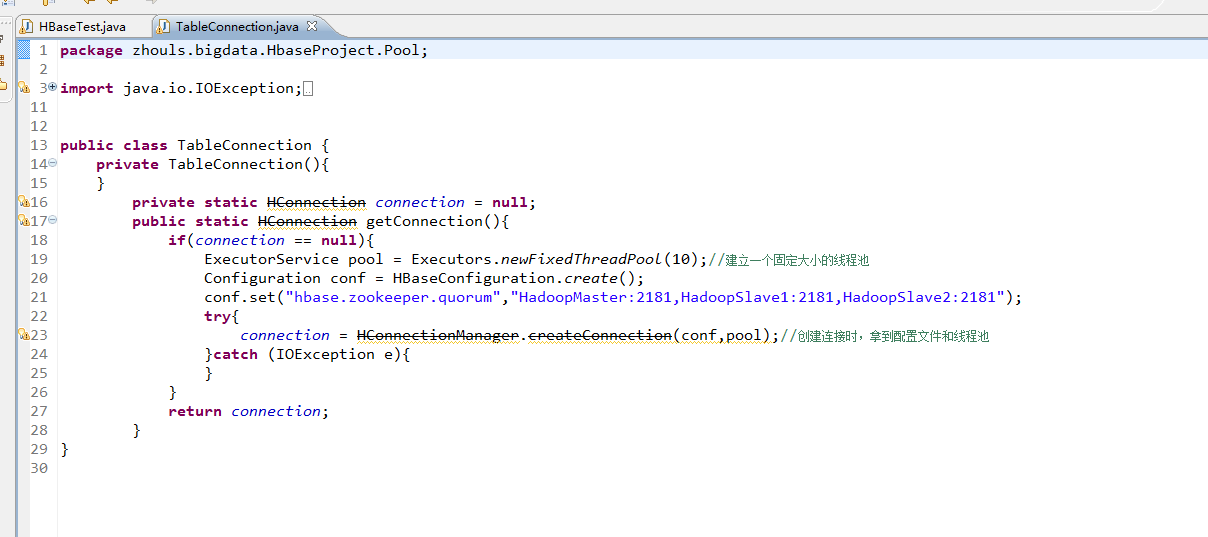
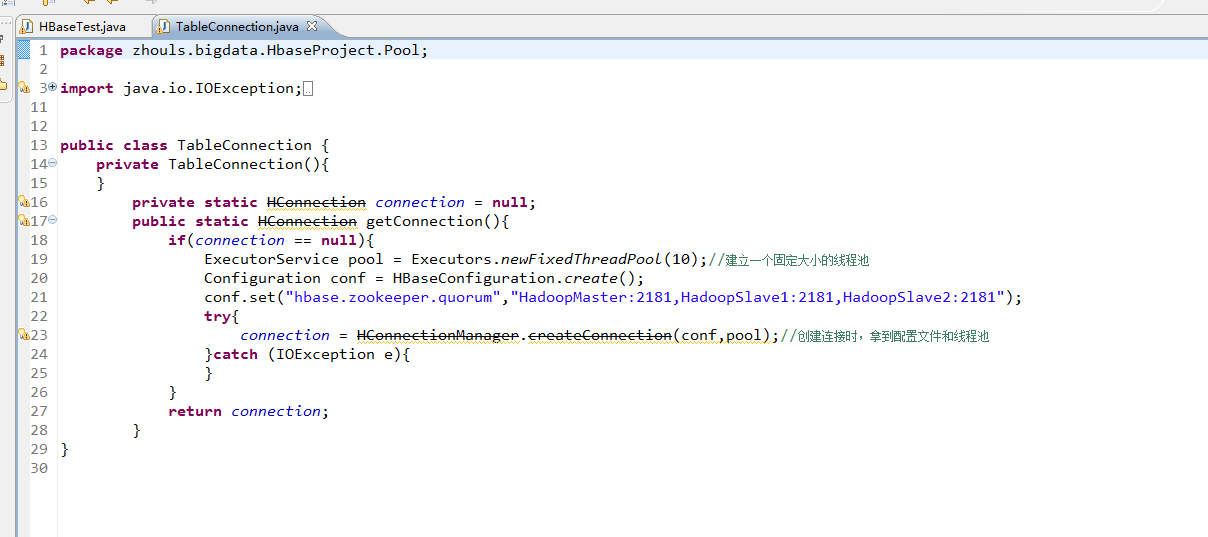
这里,我带领大家,学习更高级的,因为,在开发中,尽量不能去服务器上修改表。 所以,在管理端来修改HBase表。采用线程池的方式(也是生产开发里首推的) package zhouls.bigdata.HbaseProject.Pool; import java.io.IOException; import java.util.concurrent.ExecutorService; import java.util.concurrent.Executors; import org.apache.hadoop.conf.Configuration; import org.apache.hadoop.hbase.HBaseConfiguration; import org.apache.hadoop.hbase.client.HConnection; import org.apache.hadoop.hbase.client.HConnectionManager; public class TableConnection { private TableConnection(){ } private static HConnection connection = null; public static HConnection getConnection(){ if(connection == null){ ExecutorService pool = Executors.newFixedThreadPool(10);//建立一个固定大小的线程池 Configuration conf = HBaseConfiguration.create(); conf.set("hbase.zookeeper.quorum","HadoopMaster:2181,HadoopSlave1:2181,HadoopSlave2:2181"); try{ connection = HConnectionManager.createConnection(conf,pool);//创建连接时,拿到配置文件和线程池 }catch (IOException e){ } } return connection; } } 1、修改HBase表 暂时,有错误 package zhouls.bigdata.HbaseProject.Pool; import java.io.IOException; import zhouls.bigdata.HbaseProject.Pool.TableConnection; import javax.xml.transform.Result; import org.apache.hadoop.conf.Configuration; import org.apache.hadoop.hbase.Cell; import org.apache.hadoop.hbase.CellUtil; import org.apache.hadoop.hbase.HBaseConfiguration; import org.apache.hadoop.hbase.HColumnDescriptor; import org.apache.hadoop.hbase.HTableDescriptor; import org.apache.hadoop.hbase.MasterNotRunningException; import org.apache.hadoop.hbase.NamespaceDescriptor; import org.apache.hadoop.hbase.TableName; import org.apache.hadoop.hbase.ZooKeeperConnectionException; import org.apache.hadoop.hbase.client.Delete; import org.apache.hadoop.hbase.client.Get; import org.apache.hadoop.hbase.client.HBaseAdmin; import org.apache.hadoop.hbase.client.HTable; import org.apache.hadoop.hbase.client.HTableInterface; import org.apache.hadoop.hbase.client.Put; import org.apache.hadoop.hbase.client.ResultScanner; import org.apache.hadoop.hbase.client.Scan; import org.apache.hadoop.hbase.util.Bytes; public class HBaseTest { public static void main(String[] args) throws Exception { // HTable table = new HTable(getConfig(),TableName.valueOf("test_table"));//表名是test_table // Put put = new Put(Bytes.toBytes("row_04"));//行键是row_04 // put.add(Bytes.toBytes("f"),Bytes.toBytes("name"),Bytes.toBytes("Andy1"));//列簇是f,列修饰符是name,值是Andy0 // put.add(Bytes.toBytes("f2"),Bytes.toBytes("name"),Bytes.toBytes("Andy3"));//列簇是f2,列修饰符是name,值是Andy3 // table.put(put); // table.close(); // Get get = new Get(Bytes.toBytes("row_04")); // get.addColumn(Bytes.toBytes("f1"), Bytes.toBytes("age"));如现在这样,不指定,默认把所有的全拿出来 // org.apache.hadoop.hbase.client.Result rest = table.get(get); // System.out.println(rest.toString()); // table.close(); // Delete delete = new Delete(Bytes.toBytes("row_2")); // delete.deleteColumn(Bytes.toBytes("f1"), Bytes.toBytes("email")); // delete.deleteColumn(Bytes.toBytes("f1"), Bytes.toBytes("name")); // table.delete(delete); // table.close(); // Delete delete = new Delete(Bytes.toBytes("row_04")); //// delete.deleteColumn(Bytes.toBytes("f"), Bytes.toBytes("name"));//deleteColumn是删除某一个列簇里的最新时间戳版本。 // delete.deleteColumns(Bytes.toBytes("f"), Bytes.toBytes("name"));//delete.deleteColumns是删除某个列簇里的所有时间戳版本。 // table.delete(delete); // table.close(); // Scan scan = new Scan(); // scan.setStartRow(Bytes.toBytes("row_01"));//包含开始行键 // scan.setStopRow(Bytes.toBytes("row_03"));//不包含结束行键 // scan.addColumn(Bytes.toBytes("f"), Bytes.toBytes("name")); // ResultScanner rst = table.getScanner(scan);//整个循环 // System.out.println(rst.toString()); // for (org.apache.hadoop.hbase.client.Result next = rst.next();next !=null;next = rst.next() ) // { // for(Cell cell:next.rawCells()){//某个row key下的循坏 // System.out.println(next.toString()); // System.out.println("family:" + Bytes.toString(CellUtil.cloneFamily(cell))); // System.out.println("col:" + Bytes.toString(CellUtil.cloneQualifier(cell))); // System.out.println("value" + Bytes.toString(CellUtil.cloneValue(cell))); // } // } // table.close(); HBaseTest hbasetest =new HBaseTest(); // hbasetest.insertValue(); // hbasetest.getValue(); // hbasetest.delete(); // hbasetest.scanValue(); hbasetest.createTable("test_table3", "f");//先判断表是否存在,再来创建HBase表(生产开发首推) // hbasetest.deleteTable("test_table4");//先判断表是否存在,再来删除HBase表(生产开发首推) // hbasetest.modifyTable("test_table","row_02","f",'f:age'); } //生产开发中,建议这样用线程池做 // public void insertValue() throws Exception{ // HTableInterface table = TableConnection.getConnection().getTable(TableName.valueOf("test_table")); // Put put = new Put(Bytes.toBytes("row_01"));//行键是row_01 // put.add(Bytes.toBytes("f"),Bytes.toBytes("name"),Bytes.toBytes("Andy0")); // table.put(put); // table.close(); // } //生产开发中,建议这样用线程池做 // public void getValue() throws Exception{ // HTableInterface table = TableConnection.getConnection().getTable(TableName.valueOf("test_table")); // Get get = new Get(Bytes.toBytes("row_03")); // get.addColumn(Bytes.toBytes("f"), Bytes.toBytes("name")); // org.apache.hadoop.hbase.client.Result rest = table.get(get); // System.out.println(rest.toString()); // table.close(); // } // //生产开发中,建议这样用线程池做 // public void delete() throws Exception{ // HTableInterface table = TableConnection.getConnection().getTable(TableName.valueOf("test_table")); // Delete delete = new Delete(Bytes.toBytes("row_01")); // delete.deleteColumn(Bytes.toBytes("f"), Bytes.toBytes("name"));//deleteColumn是删除某一个列簇里的最新时间戳版本。 //// delete.deleteColumns(Bytes.toBytes("f"), Bytes.toBytes("name"));//delete.deleteColumns是删除某个列簇里的所有时间戳版本。 // table.delete(delete); // table.close(); // // } //生产开发中,建议这样用线程池做 // public void scanValue() throws Exception{ // HTableInterface table = TableConnection.getConnection().getTable(TableName.valueOf("test_table")); // Scan scan = new Scan(); // scan.setStartRow(Bytes.toBytes("row_02"));//包含开始行键 // scan.setStopRow(Bytes.toBytes("row_04"));//不包含结束行键 // scan.addColumn(Bytes.toBytes("f"), Bytes.toBytes("name")); // ResultScanner rst = table.getScanner(scan);//整个循环 // System.out.println(rst.toString()); // for (org.apache.hadoop.hbase.client.Result next = rst.next();next !=null;next = rst.next() ) // { // for(Cell cell:next.rawCells()){//某个row key下的循坏 // System.out.println(next.toString()); // System.out.println("family:" + Bytes.toString(CellUtil.cloneFamily(cell))); // System.out.println("col:" + Bytes.toString(CellUtil.cloneQualifier(cell))); // System.out.println("value" + Bytes.toString(CellUtil.cloneValue(cell))); // } // } // table.close(); // } // //生产开发中,建议这样用线程池做 public void createTable(String tableName,String family) throws MasterNotRunningException, ZooKeeperConnectionException, IOException{ Configuration conf = HBaseConfiguration.create(getConfig()); HBaseAdmin admin = new HBaseAdmin(conf); HTableDescriptor tableDesc = new HTableDescriptor(TableName.valueOf(tableName)); HColumnDescriptor hcd = new HColumnDescriptor(family); hcd.setMaxVersions(3); // hcd.set//很多的带创建操作,我这里只抛砖引玉的作用 tableDesc.addFamily(hcd); if (!admin.tableExists(tableName)){ admin.createTable(tableDesc); }else{ System.out.println(tableName + "exist"); } admin.close(); } public void modifyTable(String tableName,String rowkey,String family,HColumnDescriptor hColumnDescriptor) throws MasterNotRunningException, ZooKeeperConnectionException, IOException{ Configuration conf = HBaseConfiguration.create(getConfig()); HBaseAdmin admin = new HBaseAdmin(conf); // HTableDescriptor tableDesc = new HTableDescriptor(TableName.valueOf(tableName)); HColumnDescriptor hcd = new HColumnDescriptor(family); // NamespaceDescriptor nsd = admin.getNamespaceDescriptor(tableName); // nsd.setConfiguration("hbase.namespace.quota.maxregion", "10"); // nsd.setConfiguration("hbase.namespace.quota.maxtables", "10"); if (admin.tableExists(tableName)){ admin.modifyColumn(tableName, hcd); // admin.modifyTable(tableName, tableDesc); // admin.modifyNamespace(nsd); }else{ System.out.println(tableName + "not exist"); } admin.close(); } //生产开发中,建议这样用线程池做 // public void deleteTable(String tableName)throws MasterNotRunningException, ZooKeeperConnectionException, IOException{ // Configuration conf = HBaseConfiguration.create(getConfig()); // HBaseAdmin admin = new HBaseAdmin(conf); // if (admin.tableExists(tableName)){ // admin.disableTable(tableName); // admin.deleteTable(tableName); // }else{ // System.out.println(tableName + "not exist"); // } // admin.close(); // } public static Configuration getConfig(){ Configuration configuration = new Configuration(); // conf.set("hbase.rootdir","hdfs:HadoopMaster:9000/hbase"); configuration.set("hbase.zookeeper.quorum", "HadoopMaster:2181,HadoopSlave1:2181,HadoopSlave2:2181"); return configuration; } } 本文转自大数据躺过的坑博客园博客,原文链接:http://www.cnblogs.com/zlslch/p/6159995.html,如需转载请自行联系原作者

优秀的个人博客,低调大师

Hadoop MapReduce编程 API入门系列之wordcount版本3(七)

代码 1 package zhouls.bigdata.myMapReduce.wordcount3; 2 3 import java.io.IOException; 4 5 import org.apache.hadoop.io.IntWritable; 6 import org.apache.hadoop.io.LongWritable; 7 import org.apache.hadoop.io.Text; 8 import org.apache.hadoop.mapreduce.Mapper; 9 import org.apache.hadoop.util.StringUtils; 10 11 public class WordCountMapper extends Mapper<LongWritable, Text, Text, IntWritable>{ 12 13 //该方法循环调用,从文件的split中读取每行调用一次,把该行所在的下标为key,该行的内容为value 14 protected void map(LongWritable key, Text value, 15 Context context) 16 throws IOException, InterruptedException { 17 String[] words = StringUtils.split(value.toString(), ' '); 18 for(String w :words){ 19 context.write(new Text(w), new IntWritable(1)); 20 } 21 } 22 } 1 package zhouls.bigdata.myMapReduce.wordcount3; 2 3 import java.io.IOException; 4 5 import org.apache.hadoop.io.IntWritable; 6 import org.apache.hadoop.io.Text; 7 import org.apache.hadoop.mapreduce.Reducer; 8 9 public class WordCountReducer extends Reducer<Text, IntWritable, Text, IntWritable>{ 10 11 //每组调用一次,这一组数据特点:key相同,value可能有多个。 12 protected void reduce(Text arg0, Iterable<IntWritable> arg1, 13 Context arg2) 14 throws IOException, InterruptedException { 15 int sum =0; 16 for(IntWritable i: arg1){ 17 sum=sum+i.get(); 18 } 19 arg2.write(arg0, new IntWritable(sum)); 20 } 21 } 1 package zhouls.bigdata.myMapReduce.wordcount3; 2 3 4 import org.apache.hadoop.conf.Configuration; 5 import org.apache.hadoop.fs.FileSystem; 6 import org.apache.hadoop.fs.Path; 7 import org.apache.hadoop.io.IntWritable; 8 import org.apache.hadoop.io.Text; 9 import org.apache.hadoop.mapreduce.Job; 10 import org.apache.hadoop.mapreduce.lib.input.FileInputFormat; 11 import org.apache.hadoop.mapreduce.lib.output.FileOutputFormat; 12 13 public class RunJob { 14 15 public static void main(String[] args) { 16 Configuration config =new Configuration(); 17 18 try { 19 FileSystem fs =FileSystem.get(config); 20 21 Job job =Job.getInstance(config); 22 job.setJarByClass(RunJob.class); 23 24 job.setJobName("wc"); 25 26 job.setMapperClass(WordCountMapper.class); 27 job.setReducerClass(WordCountReducer.class); 28 29 job.setMapOutputKeyClass(Text.class); 30 job.setMapOutputValueClass(IntWritable.class); 31 32 FileInputFormat.addInputPath(job, new Path("./data/wc.txt")); 33 34 Path outpath =new Path("./out/WordCountout"); 35 if(fs.exists(outpath)){ 36 fs.delete(outpath, true); 37 } 38 FileOutputFormat.setOutputPath(job, outpath); 39 40 boolean f= job.waitForCompletion(true); 41 if(f){ 42 System.out.println("job任务执行成功"); 43 } 44 } catch (Exception e) { 45 e.printStackTrace(); 46 } 47 } 48 }

优秀的个人博客,低调大师

openstack 调用API 实现云主机的IO 控制,CGroup 策略

1 2 3 4 5 6 7 8 9 10 11 12 13 14 15 16 17 18 19 20 21 22 23 24 25 26 27 28 29 30 31 32 33 34 35 36 37 38 39 40 41 42 43 44 45 46 47 48 49 50 51 52 53 54 55 56 57 58 59 60 61 62 63 64 65 66 67 68 69 70 71 72 73 74 75 76 77 78 79 80 81 82 83 84 85 86 87 88 89 90 91 92 93 94 95 96 97 98 99 100 101 102 103 104 105 106 107 108 109 110 111 112 113 114 115 116 117 118 119 120 121 122 123 124 125 126 127 128 129 130 131 132 133 134 135 136 137 138 139 140 141 142 143 144 145 146 147 # vim: tabstop= 4 shiftwidth= 4 softtabstop= 4 # Copyright (c) 2011 X.commerce, a business unit of eBay Inc. # Copyright 2010 United States Government as represented by the # Administrator of the National Aeronautics and Space Administration. # All Rights Reserved. # # Licensed under the Apache License, Version 2.0 (the "License" ); you may # not use this file except in compliance with the License. You may obtain # a copy of the License at # # http: //www.apache.org/licenses/LICENSE-2.0 # # Unless required by applicable law or agreed to in writing, software # distributed under the License is distributed on an "AS IS" BASIS, WITHOUT # WARRANTIES OR CONDITIONS OF ANY KIND, either express or implied. See the # License for the specific language governing permissions and limitations # under the License. # Single virtual machine io limit , reader 70 /MB , writer 50 /MB "" " curl -d '{"auth": {"tenantName": "admin", "passwordCredentials": {"username": "admin", "password": "admin"}}}' -H "Content-type: application/json" http: //127.0.0.1:35357/v2.0/tokens | python -m json.tool curl -v -d '{"ioctlAction": {"instance_name":"instance-0000000c","limit_reader":"40MB","limit_writer":"60MB"}}' -i http: //127.0.0.1:8774/v2/ba5a6a86a8224a70ba0ffde747d8a724/servers/e6b9cae7-8732-405d-9aaf-575643b4bbef/action -X POST -H "X-Auth-Project-Id: ba5a6a86a8224a70ba0ffde747d8a724" -H "Accept: application/json" -H "X-Auth-Token: 6f0c37595f384fd4a18766825cf49013" -H "Content-Type: application/json" "" " import time,sys,os,libvirt, trace back,re,subprocess,json from nova import log as logging from nova import flags from nova.periodic.blkio import config from nova import utils from nova.periodic.blkio import utils as blkio_utils FLAGS = flags.FLAGS LOG = logging.getLogger(__name__) class ActionIoctl(object): def __init__(self,instance_name,limit_reader,limit_writer): self.conn = libvirt.open(None) self.limitReader = int (limit_reader[ 0 :- 2 ]) self.limitWriter = int (limit_writer[ 0 :- 2 ]) self.name = instance_name self.path = FLAGS.instances_path def diskDeviceNum(self,disk): "" " Func info: Returns the number of hard disk,other is 8:0 " "" if disk == '/dev/sda1' or disk == '/dev/hda1' or disk[:- 1 ] == '/dev/sda' or disk[:- 1 ] == '/dev/hda' : return '8:0' elif disk == '/dev/sdb1' or disk == '/dev/hdb1' or disk[:- 1 ] == '/dev/sdb' or disk[:- 1 ] == '/dev/hdb' : return '8:16' elif disk == '/dev/sdc1' or disk == '/dev/hdc1' or disk[:- 1 ] == '/dev/sdc' or disk[:- 1 ] == '/dev/hdc' : return '8:32' elif disk == '/dev/sdd1' or disk == '/dev/hdd1' or disk[:- 1 ] == '/dev/sdd' or disk[:- 1 ] == '/dev/hdd' : return '8:48' else : return '8:16' def vmsPIDall(self): "" " Getting all vm port, return to " "" pid = list() try : cmds = "" "ps -ef |grep uuid|grep -v grep |awk '{print $2}'" "" pid=os.popen(cmds).readlines() return pid except Exception,e: LOG.error(_( '[-william-] Error %s' %e)) return def cgroupPath(self): '' ' Func info : Return Cgroup path ,Because the system is not the same, the Cgroup path is different also. By default , have RedHat, Centos, Ubuntu linux ... osType : The current system version , And return to ... Cpath : Cgroup path '' ' osType = open( '/etc/issue' ).readlines() for i in osType: if re.match( 'Ubuntu' ,i): Cpath = '/sys/fs/cgroup/' return Cpath elif re.match( 'CentOS' ,i): Cpath = '/cgroup/' return Cpath elif re.match( 'Red Hat' ,i): Cpath = '/cgroup/' return Cpath else : return '/sys/fs/cgroup/' def exeCmd(self,cmds): '' ' Perform system command ' '' LOG.info(_( 'exeCmd %s' %cmds)) try : exec_process = subprocess.Popen(cmds, stdin = subprocess.PIPE, stdout = subprocess.PIPE, stderr = subprocess.PIPE, shell = True) exec_process.wait() rest = exec_process.stdout.read() err = exec_process.stderr.read() if err == '' : return rest else : LOG.error(_( '[-william-] return values is null' )) except Exception,e: LOG.error(_( '[-william-] Error %s' ) %e) return '' ' Geting vmName name and pid ' '' def get_vm_pid(self,name): pid = self.conn.listDomainsID() try : pid = os.popen( "" "ps -ef |grep %s |grep -v grep |awk '{print $2}'" "" %name).readlines() return int (pid[ 0 ]) except: LOG.error(_( '[-william-] Error %s' \ % trace back.format_exc())) return def _vm_pids(self): try : return os.popen( 'pidof kvm' ).read().split() except: return def work(self): "" " Func info : working func ................ Cpath : is _Cpath function return values ... path : The current virtual machine IMG file path vm_count: All of the current node number of virtual machines size : Limit size mountInfo : mounting point "" " Cpath = self.cgroupPath() vm_pid = self.get_vm_pid(self.name) LOG.info(_( '[- william -] %s , %s' %(self.name,vm_pid))) r_size = self.limitReader * 1000 * 1000 w_size = self.limitWriter * 1000 * 1000 device = blkio_utils.instance_path(self.path) diskDeviceNum = self.diskDeviceNum(device) vmTaskPath = "%s/blkio/%s" %(Cpath,self.name) utils.execute( "mkdir" , "-p" ,vmTaskPath,run_as_root=True) utils.execute( "tee" , "%s/blkio.throttle.read_bps_device" %vmTaskPath,\ process_input = "%s %s" %(diskDeviceNum,r_size),\ run_as_root=True) utils.execute( "tee" , "%s/blkio.throttle.write_bps_device" %vmTaskPath, \ process_input = "%s %s" %(diskDeviceNum,w_size) ,\ run_as_root=True) LOG.info(_( "" " [-william-] echo '%s, %s, %s , %s , %s ' write oK " "" %(self.path , device, diskDeviceNum, w_size, r_size))) utils.execute( 'tee' , '%s/tasks' %vmTaskPath,\ process_input= str(vm_pid) ,\ run_as_root=True) LOG.info(_( '[- william-] append pid %s in task' %vm_pid)) if __name__ == "__main__" : sc = ActionIoctl( 'instance-0000000c' , '40MB' , '30MB' ) sc.work() 本文转自 swq499809608 51CTO博客,原文链接:http://blog.51cto.com/swq499809608/1412022

资源下载

更多资源
Spring

Spring

Spring框架(Spring Framework)是由Rod Johnson于2002年提出的开源Java企业级应用框架,旨在通过使用JavaBean替代传统EJB实现方式降低企业级编程开发的复杂性。该框架基于简单性、可测试性和松耦合性设计理念,提供核心容器、应用上下文、数据访问集成等模块,支持整合Hibernate、Struts等第三方框架,其适用范围不仅限于服务器端开发,绝大多数Java应用均可从中受益。

Rocky Linux

Rocky Linux

Rocky Linux(中文名:洛基)是由Gregory Kurtzer于2020年12月发起的企业级Linux发行版,作为CentOS稳定版停止维护后与RHEL(Red Hat Enterprise Linux)完全兼容的开源替代方案,由社区拥有并管理,支持x86_64、aarch64等架构。其通过重新编译RHEL源代码提供长期稳定性,采用模块化包装和SELinux安全架构,默认包含GNOME桌面环境及XFS文件系统,支持十年生命周期更新。

Sublime Text

Sublime Text

Sublime Text具有漂亮的用户界面和强大的功能,例如代码缩略图,Python的插件,代码段等。还可自定义键绑定,菜单和工具栏。Sublime Text 的主要功能包括:拼写检查,书签,完整的 Python API , Goto 功能,即时项目切换,多选择,多窗口等等。Sublime Text 是一个跨平台的编辑器,同时支持Windows、Linux、Mac OS X等操作系统。

WebStorm

WebStorm

WebStorm 是jetbrains公司旗下一款JavaScript 开发工具。目前已经被广大中国JS开发者誉为“Web前端开发神器”、“最强大的HTML5编辑器”、“最智能的JavaScript IDE”等。与IntelliJ IDEA同源,继承了IntelliJ IDEA强大的JS部分的功能。

用户登录
用户注册