首页 文章 精选 留言 我的

精选列表

搜索[网站开发],共10000篇文章
优秀的个人博客,低调大师

Android开发过程中的视图组详解

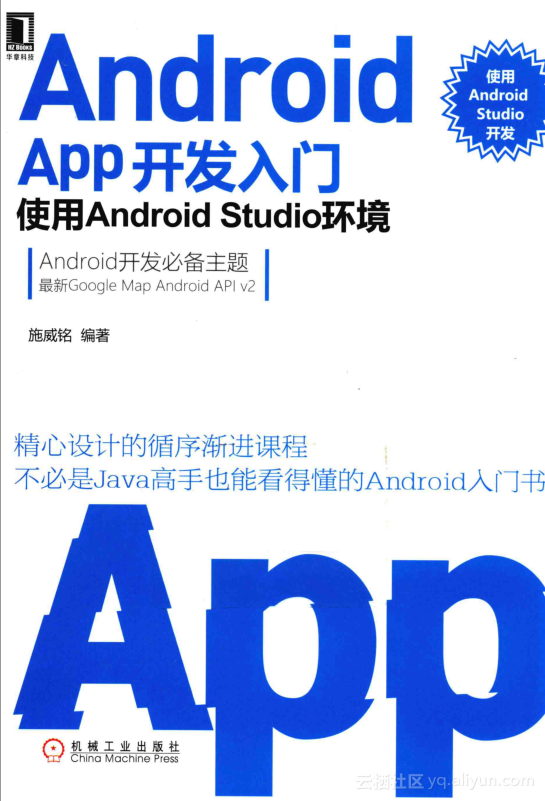
Android在屏幕中控件的组织上,可以将各个视图(控件)组成一个视图组(ViewGroup),视图组是一个包含了其他视图的视图。 ▲图书封面 1.视图组(ViewGroup抽象类) android.view包中ViewGroup类继承了View,因此它本身也具有View的特性。ViewGroup主要的功能在于它可以包含其他控件,作为其他控件的容器。 ViewGroup实现了android.view包中的ViewParent接口,这个类表示一个可以作为其他的View的容器的职责。 ViewGroup也实现了android.view包中的ViewManager接口,因此包含ViewManager中的以下几个方法: public abstract void addView(View view, ViewGroup.LayoutParams params) public abstract void removeView(View view) public abstract void updateViewLayout(View view, ViewGroup.LayoutParams params) addView()以View作为参数,用于将这个View增加为当前视图组的“孩子”;removeView()用于将一个View从视图组中移除;updateViewLayout()用于更新某个View的布局。 ViewGroup.OnHierarchyChangeListener是一个接口,用于监听ViewGroup中的View的层次变化。这个接口中包含了两个监听方法: public abstract void onChildViewAdded (View parent, View child) public abstract void onChildViewRemoved (View parent, View child) 实现一个OnHierarchyChangeListener接口后,这两个方法可以监听包括ViewGroup(包括其继承者)之中的增加和删除孩子的情况。通过ViewGroup的setOnHierarchyChangeListener()方法可以将其设置给一个ViewGroup。 ViewGroup是一个抽象类,其中包含了以下的一个抽象方法: protected abstract void onLayout (boolean changed, int l, int t, int r, int b) ViewGroup中的onLayout()方法将在ViewGroup为它的孩子们分配尺寸和位置的时候被调用,在这个类的实现中,需要调用每一个控件的布局方法为其布局。 提示:onLayout()在View中是一个public的方法,在ViewGroup为protected类型,并且为abstract,由于这个方法在ViewGroup中没有实现,因此ViewGroup本身不可以直接使用。 2.Android的屏幕元素体系 Android UI程序的屏幕体系结构的组织遵循以下原则: 一个屏幕可以包含一个视图; 视图组本身也是一个视图; 视图组可以包含若干个视图。 Android视图和视图组的关系如图3-12所示。 图3-12中左右两图表示的一个屏幕中View组织的结构,左图是各个视图组和控件在一个屏幕之中的示意图;右图为视图组的层次结构图(View Hierarchy),这也是Android中一种常用的表示屏幕中布局的方式。 如图3-12所示,外部最大的框表示整个屏幕,其中包含一个视图组ViewGroup0,ViewGroup0包含三个子视图,即View1、ViewGroup1、ViewGroup2。ViewGroup1本身也是视图组,包含了View2和View3;ViewGroup2本身也是视图组,包含了View4、ViewGroup3和ViewGroup4;ViewGroup4本身也是视图组,包含了View5和View6。 ▲图3-12 视图和视图组的关系(上:屏幕示意图;下:View的层次结构图) 根据以上的原则,当屏幕需要包含多个视图时,必须组织在一个视图组中。由于视图组本身也是一个视图,因此视图组还可以包含视图组。 一个主要的限制是:在没有视图组的情况下,两个以上的视图(也包括视图组)是不能够并列的。例如,在布局文件中,类似下面的写法是不可以的。 <?xml version="1.0" encoding="utf-8"?> <Button android:id="@+id/button"/> <EditText android:id="@+id/edit"/> 3.ViewGroup的继承结构 ViewGroup是所有视图组的基类,它本身是一个不能直接使用的抽象类。在程序中使用的主要是ViewGroup的继承者。 ViewGroup的继承者大部分在android.widget包中,其直接继承者包括:AdapterView、AbsoluteLayout、FrameLayout、LinearLayout、RelativeLayout。这些继承者各自又具有一些继承者。 ViewGroup继承者的体系结构如图3-13所示。 图3-13中所示的ViewGroup继承者都是可以作为容器使用的。这些继承者可以为它们的孩子们提供不同的布局方法,用以确定孩子们相互之间的位置和尺寸关系。 这些继承者又具有一些继承者,有些继承者是不作为容器使用的,仅仅是像一个普通控件一样使用。 ▲图3-13 视图组的继承结构 4.布局参数类 在Android中每个控件在布局文件中能使用的XML属性其实有三类: 其自己的XML属性; 其祖先类的XML属性; 其容器的布局参数。 其中,布局参数是包含这个控件的容器(一个ViewGroup的继承者)所提供的参数。在Android中,每一个ViewGroup的继承者都有一个相对应的名称为{XXX}.LayoutParams的静态子类,表示这个ViewGroup的孩子们中可以使用的布局参数。 这些布局参数类的基类为ViewGroup.LayoutParams,这是一个ViewGroup的静态子类,表示ViewGroup的子对象中可以使用参数。 ViewGroup.LayoutParams包含有两个重要的XML属性:android:layout_width和android:layout_height,它们表示布局对象的宽和高。除了使用实际的尺寸数值外,还有如下两个常用的选项。 “match_parent”或者“fill_parent”:表示能匹配父视图的最大尺寸; “wrap_content”:表示仅包裹孩子的最小尺寸。 ViewGroup.MarginLayoutParams是ViewGroup.LayoutParams的一个继承者,主要用于定义和边缘的空白,它具有android:layout_marginTop,android:layout_marginLeft,android:layout_marginBottom,android:layout_marginRight几个XML属性,表示四个方向的边缘空白。 在ViewGroup的继承者中,都具有一个名称为.LayoutParams的静态子类,这些子类继承关系和ViewGroup子类的继承关系具有相似性。布局参数LayoutParams使用方式如图3-14所示。 ▲图3-14 视图组布局参数的结构 从图3-14中可见,LinearLayout的布局参数LinearLayout.LayoutParams可以被这个布局的孩子们使用,RelativeLayout的布局参数RelativeLayout.LayoutParams可以被这个布局的孩子们使用。但是这里“孩子”的含义,只包括这个容器直接的孩子。例如,图3-14中LinearLayout的孩子有一个是RelativeLayout,RelativeLayout的孩子中能使用的参数就不包括线性布局的参数LinearLayout.LayoutParams。 提示:由于LayoutParams也具有继承关系,因此LinearLayout的孩子们除了可以使用LinearLayout.LayoutParams自己的XML属性,还可以使用其祖先类ViewGroup.LayoutParams的XML属性。 本文转自 wws5201985 51CTO博客,原文链接:http://blog.51cto.com/wws5201985/787672,如需转载请自行联系原作者

优秀的个人博客,低调大师

Android开发学习笔记:Activity的生命周期浅析

1.Android系统中Activity作为Activity栈(Stack)被管理的,大家都知道栈的特点是先进后出,所以当前活动的Activity处于栈顶,之前非活动的Activity被压入栈底,等待是否可能被恢复为活动状态。 Android API中所提供的Activity生命周期图: 2.下面的整个Activity生命周期中的所有方法,我们可以根据程序的需要来覆盖相应的方法: publicclassActivityextendsApplicationContext{ //创建的时候调用 protectedvoidonCreate(BundlesavedInstanceState); //启动的时候调用 protectedvoidonStart(); //重新启动的时候调用 protectedvoidonRestart(); //恢复的时候调用 protectedvoidonResume(); //暂停的时候调用 protectedvoidonPause(); //停止的时候调用 protectedvoidonStop(); //销毁的时候调用 protectedvoidonDestroy(); } onCreate(Bundle savedInstanceState):创建activity时调用。设置在该方法中,还以Bundle的形式提供对以前储存的任何状态的访问! onStart():activity变为在屏幕上对用户可见时调用。 onResume():activity开始与用户交互时调用(无论是启动还是重新启动一个活动,该方法总是被调用的) onPause():activity被暂停或收回cpu和其他资源时调用,该方法用于保存活动状态的,也是保护现场,压栈。 onStop():activity被停止并转为不可见阶段及后续的生命周期事件时调用。 onRestart():重新启动activity时调用。该活动仍在栈中,而不是启动新的活动 onDestroy():activity被完全从系统内存中移除时调用 3.下面通过实例来测试Activity的生命周期中各个方法的调用情况,将Activity的所有方法都覆盖,主要用Log打印输出信息,并通过日志(LogCat)方式来观察运行结果。Log.v(String tag, String msg); //Verbose Log.d(String tag, String msg); //Debug Log.i(String tag, String msg); //Info Log.w(String tag, String msg); //Warning Log.e(String tag, String msg); //Error tag类似标签,可以是任意字符串,通常可以使用类名+方法名, 主要是用来在查看日志时提供一个筛选条件。 下面的实例是测试Activity的生命周期中各个方法的调用情况: MainActivity.java packagecom.android.TestAvtivity.activity; importandroid.app.Activity; importandroid.os.Bundle; importandroid.util.Log; importandroid.view.View; importandroid.view.View.OnClickListener; importandroid.widget.Button; publicclassMainActivityextendsActivity{ privateButtonbtn; privatestaticfinalStringTAG="MainActivity"; @Override publicvoidonCreate(BundlesavedInstanceState){ super.onCreate(savedInstanceState); setContentView(R.layout.main); //输出日志 Log.i(TAG,"MainActivityonCreate--->"); btn=(Button)findViewById(R.id.Button1); btn.setOnClickListener(newOnClickListener(){ @Override publicvoidonClick(Viewv){ //结束当前的Activity MainActivity.this.finish(); } }); } @Override //启动 protectedvoidonStart(){ super.onStart(); //输出日志信息 Log.i(TAG,"MainActivityonStart--->"); } @Override //重启 protectedvoidonRestart(){ super.onRestart(); //输出日志信息 Log.i(TAG,"MainActivityonRestart--->"); } @Override //恢复 protectedvoidonResume(){ super.onResume(); //输出日志信息 Log.i(TAG,"MainActivityonResume--->"); } @Override //暂停 protectedvoidonPause(){ super.onPause(); //输出日志信息 Log.i(TAG,"MainActivityonPause--->"); } @Override //停止 protectedvoidonStop(){ super.onStop(); //输出日志信息 Log.i(TAG,"MainActivityonStop--->"); } @Override //销毁 protectedvoidonDestroy(){ super.onDestroy(); //输出日志信息 Log.i(TAG,"MainActivityonDestroy--->"); } } main.xml <?xmlversion="1.0"encoding="utf-8"?> <LinearLayoutxmlns:android="http://schemas.android.com/apk/res/android" android:orientation="vertical" android:layout_width="fill_parent" android:layout_height="fill_parent" > <TextView android:id="@+id/TextView01" android:layout_width="wrap_content" android:layout_height="wrap_content" android:text="测试Activit生命周期" /> <Button android:id="@+id/Button1" android:layout_width="wrap_content" android:layout_height="wrap_content" android:text="关闭Activity" /> </LinearLayout> 效果图: ①当启动程序时,日志的输出结果如下图所示,程序执行了onCreate()->onStart()->onResume三个方法。输出如下: MainActivity onCreate---> MainActivity onStart---> MainActivity onResume---> 注意:这里我是在选择了绿色的“+”,这时出现了下图的界面,之后我就在Filter Name上写入Test,by Log Tag上写入MainActivity,按OK保存,这时就能在LogCat上面筛选我们想要看到的信息了。 ②当按(返回键)或者按钮时,日志的输出结果如下图所示,程序先后调用了onPause( )->onStop( )->onDestory( )三个方法。 ③当按(Home键)时,日志的输出结果如下图所示,程序先后调用了onPause( )->onStop( )这两个方法,这时候应用程序并没有销毁。 ④当再次启动程序时,日志的输出结果如下图所示,程序先后调用了onRestart( )->onStart( )->onResume( )三个方法。 本文转自 lingdududu 51CTO博客,原文链接: http://blog.51cto.com/liangruijun/636913

优秀的个人博客,低调大师

iOS开发socket程序被SIGPIPE信号Terminate的问题

以前在iphone上写socket的程序的时候,如果尝试send到一个disconnected socket上,就会让底层抛出一个SIGPIPE信号。 client端通过 pipe 发送信息到server端后,就关闭client端, 这时server端,返回信息给 client 端时就产生Broken pipe 信号了。 对于产生信号,我们可以在产生信号前利用方法 signal(int signum, sighandler_t handler) 设置信号的处理。 如果没有调用此方法,系统就会调用默认处理方法:中止程序,显示提示信息(就是我们经常遇到的问题)。 我们可以调用系统的处理方法,也可以自定义处理方法。 以前不清楚的时候,程序莫名其妙的崩溃不了解,后来才了解到,在代码中进行了以下处理后app就不会崩溃了。 /***************************************************/ //设置不被SIGPIPE信号中断,物理链路损坏时才不会导致程序直接被Terminate //在网络异常的时候如果程序收到SIGPIRE是会直接被退出的。 struct sigaction sa; sa.sa_handler = SIG_IGN; sigaction( SIGPIPE, &sa, 0 ); /***************************************************/ 以下是从网络中整理的一些相关资料: 1) SIGHUP 2) SIGINT 3) SIGQUIT 4) SIGILL 5) SIGTRAP 6) SIGABRT 7) SIGEMT 8) SIGFPE 9) SIGKILL 10) SIGBUS 11) SIGSEGV 12) SIGSYS 13) SIGPIPE 14) SIGALRM 15) SIGTERM 16) SIGUSR1 17) SIGUSR2 18) SIGCHLD 19) SIGPWR 20) SIGWINCH 21) SIGURG 22) SIGIO 23) SIGSTOP 24) SIGTSTP 25) SIGCONT 26) SIGTTIN 27) SIGTTOU 28) SIGVTALRM 29) SIGPROF 30) SIGXCPU 31) SIGXFSZ 32) SIGWAITING 33) SIGLWP 34) SIGFREEZE 35) SIGTHAW 36) SIGCANCEL 37) SIGLOST 39) SIGRTMIN 40) SIGRTMIN+1 41) SIGRTMIN+2 42) SIGRTMIN+3 43) SIGRTMAX-3 44) SIGRTMAX-2 45) SIGRTMAX-1 46) SIGRTMAX 下面是一些信号说明 1) SIGHUP 本信号在用户终端连接(正常或非正常)结束时发出, 通常是在终端的控制进程结束时, 通知同一session内的各个作业, 这时它们与控制终端不再关联。 登录Linux时,系统会分配给登录用户一个终端(Session)。在这个终端运行的所有程序,包括前台进程组和后台进程组,一般都属于这个 Session。当用户退出Linux登录时,前台进程组和后台有对终端输出的进程将会收到SIGHUP信号。这个信号的默认操作为终止进程,因此前台进 程组和后台有终端输出的进程就会中止。不过可以捕获这个信号,比如wget能捕获SIGHUP信号,并忽略它,这样就算退出了Linux登录, wget也 能继续下载。 此外,对于与终端脱离关系的守护进程,这个信号用于通知它重新读取配置文件。 2) SIGINT 程序终止(interrupt)信号, 在用户键入INTR字符(通常是Ctrl-C)时发出,用于通知前台进程组终止进程。 3) SIGQUIT 和SIGINT类似, 但由QUIT字符(通常是Ctrl-\)来控制. 进程在因收到SIGQUIT退出时会产生core文件, 在这个意义上类似于一个程序错误信号。 4) SIGILL 执行了非法指令. 通常是因为可执行文件本身出现错误, 或者试图执行数据段. 堆栈溢出时也有可能产生这个信号。 5) SIGTRAP 由断点指令或其它trap指令产生. 由debugger使用。 6) SIGABRT 调用abort函数生成的信号。 7) SIGBUS 非法地址, 包括内存地址对齐(alignment)出错。比如访问一个四个字长的整数, 但其地址不是4的倍数。它与SIGSEGV的区别在于后者是由于对合法存储地址的非法访问触发的(如访问不属于自己存储空间或只读存储空间)。 8) SIGFPE 在发生致命的算术运算错误时发出. 不仅包括浮点运算错误, 还包括溢出及除数为0等其它所有的算术的错误。 9) SIGKILL 用来立即结束程序的运行. 本信号不能被阻塞、处理和忽略。如果管理员发现某个进程终止不了,可尝试发送这个信号。 10) SIGUSR1 留给用户使用 11) SIGSEGV 试图访问未分配给自己的内存, 或试图往没有写权限的内存地址写数据. 12) SIGUSR2 留给用户使用 13) SIGPIPE 管道破裂。这个信号通常在进程间通信产生,比如采用FIFO(管道)通信的两个进程,读管道没打开或者意外终止就往管道写,写进程会收到SIGPIPE信号。此外用Socket通信的两个进程,写进程在写Socket的时候,读进程已经终止。 14) SIGALRM 时钟定时信号, 计算的是实际的时间或时钟时间. alarm函数使用该信号. 15) SIGTERM 程序结束(terminate)信号, 与SIGKILL不同的是该信号可以被阻塞和处理。通常用来要求程序自己正常退出,shell命令kill缺省产生这个信号。如果进程终止不了,我们才会尝试SIGKILL。 17) SIGCHLD 子进程结束时, 父进程会收到这个信号。 如果父进程没有处理这个信号,也没有等待(wait)子进程,子进程虽然终止,但是还会在内核进程表中占有表项,这时的子进程称为僵尸进程。这种情 况我们应该避免(父进程或者忽略SIGCHILD信号,或者捕捉它,或者wait它派生的子进程,或者父进程先终止,这时子进程的终止自动由init进程 来接管)。 18) SIGCONT 让一个停止(stopped)的进程继续执行. 本信号不能被阻塞. 可以用一个handler来让程序在由stopped状态变为继续执行时完成特定的工作. 例如, 重新显示提示符 19) SIGSTOP 停止(stopped)进程的执行. 注意它和terminate以及interrupt的区别:该进程还未结束, 只是暂停执行. 本信号不能被阻塞, 处理或忽略. 20) SIGTSTP 停止进程的运行, 但该信号可以被处理和忽略. 用户键入SUSP字符时(通常是Ctrl-Z)发出这个信号 21) SIGTTIN 当后台作业要从用户终端读数据时, 该作业中的所有进程会收到SIGTTIN信号. 缺省时这些进程会停止执行. 22) SIGTTOU 类似于SIGTTIN, 但在写终端(或修改终端模式)时收到. 23) SIGURG 有”紧急”数据或out-of-band数据到达socket时产生. 24) SIGXCPU 超过CPU时间资源限制. 这个限制可以由getrlimit/setrlimit来读取/改变。 25) SIGXFSZ 当进程企图扩大文件以至于超过文件大小资源限制。 26) SIGVTALRM 虚拟时钟信号. 类似于SIGALRM, 但是计算的是该进程占用的CPU时间. 27) SIGPROF 类似于SIGALRM/SIGVTALRM, 但包括该进程用的CPU时间以及系统调用的时间. 28) SIGWINCH 窗口大小改变时发出. 29) SIGIO 文件描述符准备就绪, 可以开始进行输入/输出操作. 30) SIGPWR Power failure 31) SIGSYS 非法的系统调用。 在以上列出的信号中,程序不可捕获、阻塞或忽略的信号有:SIGKILL,SIGSTOP 不能恢复至默认动作的信号有:SIGILL,SIGTRAP 默认会导致进程流产的信号有:SIGABRT,SIGBUS,SIGFPE,SIGILL,SIGIOT,SIGQUIT,SIGSEGV,SIGTRAP,SIGXCPU,SIGXFSZ 默认会导致进程退出的信号有:SIGALRM,SIGHUP,SIGINT,SIGKILL,SIGPIPE,SIGPOLL,SIGPROF,SIGSYS,SIGTERM,SIGUSR1,SIGUSR2,SIGVTALRM 默认会导致进程停止的信号有:SIGSTOP,SIGTSTP,SIGTTIN,SIGTTOU 默认进程忽略的信号有:SIGCHLD,SIGPWR,SIGURG,SIGWINCH 此外,SIGIO在SVR4是退出,在4.3BSD中是忽略;SIGCONT在进程挂起时是继续,否则是忽略,不能被阻塞。 大部分的信号都能中断socket程序。 本文转自 arthurchen 51CTO博客,原文链接:http://blog.51cto.com/arthurchen/736181,如需转载请自行联系原作者

优秀的个人博客,低调大师

Android开发学习笔记:Service的简介和启动方式

一.Service的简介 1.Service 介绍和作用 Service是Android系统中的四大组件之一,它是一种长生命周期的,没有可视化界面,运行于后台的一种服务程序。比如我们播放音乐的时候,有可能想边听音乐边干些其他事情,当退出播放音乐的应用,如果不用Service,我 们就听不到歌了,所以这时候就得用到Service了。 2. Service生命周期 Service的生命周期并不像Activity那么复杂,它只继承了onCreate(),onStart(),onDestroy()三个方法,当第一次启动Service时,先后调用了onCreate(),onStart()这两个方法,当停止Service时,则执行onDestroy()方法,这里需要注意的是,如果Service已经启动了,当我们再次启动Service时,不会在执行onCreate()方法,而是直接执行onStart()方法。 二.Service的启动方式 Service的有两种启动方式: Context.startService()和Context.bindService(),这两种方式对 Service生命周期的影响是不同的。 1.Context.startService()方式启动 ①Context.startService()方式的生命周期:启动时,startService –> onCreate() –> onStart() 停止时,stopService –> onDestroy() 如果调用者直接退出而没有停止Service,则Service 会一直在后台运行 Context.startService()方法启动服务,在服务未被创建时,系统会先调用服务的onCreate()方法,接着调用onStart()方法。如果调用startService()方法前服务已经被创建,多次调用startService()方法并不会导致多次创建服务,但会导致多次调用onStart()方法。采用startService()方法启动的服务,只能调用Context.stopService()方法结束服务,服务结束时会调用onDestroy()方法。 ②Context.startService()方式启动 Service的方法: 下面是具体例子: MainActivity.java packagecom.android.service.activity; importandroid.app.Activity; importandroid.content.Intent; importandroid.os.Bundle; importandroid.view.View; importandroid.view.View.OnClickListener; importandroid.widget.Button; publicclassMainActivityextendsActivity { privateButtonstartBtn; privateButtonstopBtn; @Override publicvoidonCreate(BundlesavedInstanceState) { super.onCreate(savedInstanceState); setContentView(R.layout.main); startBtn=(Button)findViewById(R.id.startBtn); stopBtn=(Button)findViewById(R.id.stopBtn); //添加监听器 startBtn.setOnClickListener(listener); stopBtn.setOnClickListener(listener); } //启动监听器 privateOnClickListenerlistener=newOnClickListener() { @Override publicvoidonClick(Viewv) { Intentintent=newIntent(MainActivity.this,ServiceDemo.class); switch(v.getId()) { caseR.id.startBtn: startService(intent); break; caseR.id.stopBtn: stopService(intent); break; default: break; } } }; } ServiceDemo.java packagecom.android.service.activity; importandroid.app.Service; importandroid.content.Intent; importandroid.os.IBinder; importandroid.util.Log; publicclassServiceDemoextendsService { privatestaticfinalStringTAG="Test"; @Override //Service时被调用 publicvoidonCreate() { Log.i(TAG,"ServiceonCreate--->"); super.onCreate(); } @Override //当调用者使用startService()方法启动Service时,该方法被调用 publicvoidonStart(Intentintent,intstartId) { Log.i(TAG,"ServiceonStart--->"); super.onStart(intent,startId); } @Override //当Service不在使用时调用 publicvoidonDestroy() { Log.i(TAG,"ServiceonDestroy--->"); super.onDestroy(); } @Override //当使用startService()方法启动Service时,方法体内只需写returnnull publicIBinderonBind(Intentintent) { returnnull; } } main.xml <?xmlversion="1.0"encoding="utf-8"?> <LinearLayoutxmlns:android="http://schemas.android.com/apk/res/android" android:orientation="vertical" android:layout_width="fill_parent" android:layout_height="fill_parent" > <Button android:id="@+id/startBtn" android:layout_width="match_parent" android:layout_height="wrap_content" android:text="启动Service" /> <Button android:id="@+id/stopBtn" android:layout_width="match_parent" android:layout_height="wrap_content" android:text="停止Service" /> </LinearLayout> 在AndroidManifest.xml文件中添加16~21行的声明 <?xmlversion="1.0"encoding="utf-8"?> <manifestxmlns:android="http://schemas.android.com/apk/res/android" package="com.android.service.activity" android:versionCode="1" android:versionName="1.0"> <uses-sdkandroid:minSdkVersion="10"/> <applicationandroid:icon="@drawable/icon"android:label="@string/app_name"> <activityandroid:name=".MainActivity" android:label="@string/app_name"> <intent-filter> <actionandroid:name="android.intent.action.MAIN"/> <categoryandroid:name="android.intent.category.LAUNCHER"/> </intent-filter> </activity> <serviceandroid:name=".ServiceDemo"> <intent-filter> <actionandroid:name="android.intent.action.MAIN"/> <categoryandroid:name="android.intent.category.LAUNCHER"/> </intent-filter> </service> </application> </manifest> 效果图: 当点击按钮时,先后执行了Service中onCreate()->onStart()这两个方法,LogCat显示如下: 当点击按钮时,Service则执行了onDestroy()方法,LogCat显示如下: 当点击或按钮,进入Settings(设置)->Applications(应用)->Running Services(正在运行的服务)看一下我们新启动了的服务,效果图如下: 2 .Context.bindService() 方式启动: ①Context.bindService()方式的生命周期:绑定时,bindService -> onCreate() –> onBind() 调用者退出了,即解绑定时,Srevice就会unbindService –>onUnbind() –> onDestory() 用Context.bindService()方法启动服务,在服务未被创建时,系统会先调用服务的onCreate()方法,接着调用onBind()方法。这个时候调用者和服务绑定在一起,调用者退出了,系统就会先调用服务的onUnbind()方法,接着调用onDestroy()方法。如果调用bindService()方法前服务已经被绑定,多次调用bindService()方法并不会导致多次创建服务及绑定(也就是说onCreate()和onBind()方法并不会被多次调用)。如果调用者希望与正在绑定的服务解除绑定,可以调用unbindService()方法,调用该方法也会导致系统调用服务的onUnbind()-->onDestroy()方法。 ②Context.bindService()方式启动 Service的方法: 绑定Service需要三个参数:bindService(intent, conn, Service.BIND_AUTO_CREATE); 第一个:Intent对象 第二个:ServiceConnection对象,创建该对象要实现它的onServiceConnected()和onServiceDisconnected()来判断连接成功或者是断开连接 第三个:如何创建Service,一般指定绑定的时候自动创建 下面是具体的例子: MainActivity.java packagecom.android.bindservice.activity; importandroid.app.Activity; importandroid.app.Service; importandroid.content.ComponentName; importandroid.content.Intent; importandroid.content.ServiceConnection; importandroid.os.Bundle; importandroid.os.IBinder; importandroid.util.Log; importandroid.view.View; importandroid.view.View.OnClickListener; importandroid.widget.Button; publicclassMainActivityextendsActivity{ //声明Button privateButtonstartBtn,stopBtn,bindBtn,unbindBtn; @Override publicvoidonCreate(BundlesavedInstanceState){ super.onCreate(savedInstanceState); //设置当前布局视图 setContentView(R.layout.main); //实例化Button startBtn=(Button)findViewById(R.id.startBtn1); stopBtn=(Button)findViewById(R.id.stopBtn2); bindBtn=(Button)findViewById(R.id.bindBtn3); unbindBtn=(Button)findViewById(R.id.unbindBtn4); //添加监听器 startBtn.setOnClickListener(startListener); stopBtn.setOnClickListener(stopListener); bindBtn.setOnClickListener(bindListener); unbindBtn.setOnClickListener(unBindListener); } //启动Service监听器 privateOnClickListenerstartListener=newOnClickListener(){ @Override publicvoidonClick(Viewv){ //创建Intent Intentintent=newIntent(); //设置Class属性 intent.setClass(MainActivity.this,BindService.class); //启动该Service startService(intent); } }; //停止Service监听器 privateOnClickListenerstopListener=newOnClickListener(){ @Override publicvoidonClick(Viewv){ //创建Intent Intentintent=newIntent(); //设置Class属性 intent.setClass(MainActivity.this,BindService.class); //启动该Service stopService(intent); } }; //连接对象 privateServiceConnectionconn=newServiceConnection(){ @Override publicvoidonServiceConnected(ComponentNamename,IBinderservice){ Log.i("Service","连接成功!"); } @Override publicvoidonServiceDisconnected(ComponentNamename){ Log.i("Service","断开连接!"); } }; //綁定Service监听器 privateOnClickListenerbindListener=newOnClickListener(){ @Override publicvoidonClick(Viewv){ //创建Intent Intentintent=newIntent(); //设置Class属性 intent.setClass(MainActivity.this,BindService.class); //绑定Service bindService(intent,conn,Service.BIND_AUTO_CREATE); } }; //解除绑定Service监听器 privateOnClickListenerunBindListener=newOnClickListener(){ @Override publicvoidonClick(Viewv){ //创建Intent Intentintent=newIntent(); //设置Class属性 intent.setClass(MainActivity.this,BindService.class); //解除绑定Service unbindService(conn); } }; } BindService.java packagecom.android.bindservice.activity; importandroid.app.Service; importandroid.content.Intent; importandroid.os.IBinder; importandroid.util.Log; publicclassBindServiceextendsService{ privatestaticfinalStringTAG="Test"; //返回null publicIBinderonBind(Intentintent){ Log.i(TAG,"ServiceonBind--->"); returnnull; } //Service创建时调用 publicvoidonCreate(){ Log.i(TAG,"ServiceonCreate--->"); } //当客户端调用startService()方法启动Service时,该方法被调用 publicvoidonStart(Intentintent,intstartId){ Log.i(TAG,"ServiceonStart--->"); } //当Service不再使用时调用 publicvoidonDestroy(){ Log.i(TAG,"ServiceonDestroy--->"); } //当解除绑定时调用 publicbooleanonUnbind(Intentintent){ Log.i(TAG,"ServiceonUnbind--->"); returnsuper.onUnbind(intent); } } main.xml <?xmlversion="1.0"encoding="utf-8"?> <LinearLayoutxmlns:android="http://schemas.android.com/apk/res/android" android:orientation="vertical" android:layout_width="fill_parent" android:layout_height="fill_parent" > <Button android:text="启动Service" android:id="@+id/startBtn1" android:layout_width="match_parent" android:layout_height="wrap_content" /> <Button android:text="停止Service" android:id="@+id/stopBtn2" android:layout_width="match_parent" android:layout_height="wrap_content" /> <Button android:text="绑定Service" android:id="@+id/bindBtn3" android:layout_width="match_parent" android:layout_height="wrap_content" /> <Button android:text="解除绑定" android:id="@+id/unbindBtn4" android:layout_width="match_parent" android:layout_height="wrap_content" /> </LinearLayout> 在AndroidManifest.xml文件中添加16~21行的声明 <?xmlversion="1.0"encoding="utf-8"?> <manifestxmlns:android="http://schemas.android.com/apk/res/android" package="com.android.bindservice.activity" android:versionCode="1" android:versionName="1.0"> <uses-sdkandroid:minSdkVersion="10"/> <applicationandroid:icon="@drawable/icon"android:label="@string/app_name"> <activityandroid:name=".MainActivity" android:label="@string/app_name"> <intent-filter> <actionandroid:name="android.intent.action.MAIN"/> <categoryandroid:name="android.intent.category.LAUNCHER"/> </intent-filter> </activity> <serviceandroid:name=".BindService"> <intent-filter> <actionandroid:name="android.intent.action.MAIN"/> <categoryandroid:name="android.intent.category.LAUNCHER"/> </intent-filter> </service> </application> </manifest> 效果图: 当点击按钮时,先后执行了Service中onCreate()->onStart()这两个方法,LogCat显示如下: 当点击按钮,则Service执行了onUnbind()方法,LogCat显示如下: 当点击按钮,则Service执行了onUnbind()方法,LogCat显示如下: 本文转自 lingdududu 51CTO博客,原文链接:http://blog.51cto.com/liangruijun/647804

优秀的个人博客,低调大师

hadoop mapreduce开发实践之HDFS压缩文件(-cacheArchive)

1、分发HDFS压缩文件(-cacheArchive) 需求:wordcount(只统计指定的单词【the,and,had...】),但是该文件存储在HDFS上的压缩文件,压缩文件内可能有多个文件,通过-cacheArchive的方式进行分发; -cacheArchive hdfs://host:port/path/to/file.tar.gz#linkname.tar.gz #选项在计算节点上缓存文件,streaming程序通过./linkname.tar.gz的方式访问文件。 思路:reducer程序都不需要修改,mapper需要增加用来读取压缩文件的函数(或模块),运行streaming的时候需要使用-cacheArchive 指定hdfs上的文件; 1.1、 streaming命令格式(-cacheArchive) $HADOOP_HOME/bin/hadoop jar hadoop-streaming.jar \ -jobconf mapred.job.name="streaming_cacheArchive_demo" \ -jobconf mapred.job.priority=3 \ -jobconf mapred.compress.map.output=true \ -jobconf mapred.map.output.compression_codec=org.apache.hadoop.io.compress.GzipCodec \ -jobconf mapred.output.compress=true \ -jobconf mapred.out.compression.codec=org.apache.hadoop.io.compress.GzipCodec \ -input /input/ \ -output /output/ \ -mapper "python mapper.py whc.tar.gz" \ -reducer "python reducer.py" \ -cacheArchive "hdfs://master:9000/cache_file/wordwhite.tar.gz#whc.tar.gz" -file ./mapper.py \ -file ./reducer.py 1.2、mapper程序 #!/usr/bin/env python # -*- coding:utf-8 -*- import os import os.path import sys def getCachefile(filename): filelist = [] if os.path.isdir(filename): for root, dirs, files, in os.walk(filename): for name in files: filepath = root + '/' + name filelist.append(filepath) return filelist def readWordwhite(filename): wordset = set() for cachefile in getCachefile(filename): with open(cachefile, 'r') as fd: for line in fd: word = line.strip() wordset.add(word) return wordset def mapper(filename): wordset = readWordwhite(filename) for line in sys.stdin: line = line.strip() words = line.split() for word in words: if word != "" and (word in wordset): print "%s\t%s" %(word, 1) if __name__ == "__main__": if sys.argv[1]: file_fd = sys.argv[1] mapper(file_fd) 1.3、 reducer程序 #!/usr/bin/env python # -*- coding:utf-8 -*- import sys def reducer(): currentword = None wordsum = 0 for line in sys.stdin: wordlist = line.strip().split('\t') if len(wordlist) < 2: continue word = wordlist[0].strip() wordvalue = wordlist[1].strip() if currentword == None: currentword = word if currentword != word: print "%s\t%s" %(currentword, str(wordsum)) currentword = word wordsum = 0 wordsum += int(wordvalue) print "%s\t%s" %(currentword, str(wordsum)) if __name__ == "__main__": reducer() 1.4、上传wordwhite.tar.gz $ ls -R wordwhite wordwhite: wordwhite01 wordwhite02 wordwhite03 $ cat wordwhite/wordwhite0* have and had the in this or this to $ tar zcf wordwhite.tar.gz wordwhite $ hadoop fs -put wordwhite.tar.gz hdfs://localhost:9000/input/cachefile/ 1.5、 run_streaming程序 #!/bin/bash HADOOP_CMD="/home/hadoop/app/hadoop/hadoop-2.6.0-cdh5.13.0/bin/hadoop" STREAM_JAR_PATH="/home/hadoop/app/hadoop/hadoop-2.6.0-cdh5.13.0/share/hadoop/tools/lib/hadoop-streaming-2.6.0-cdh5.13.0.jar" INPUT_FILE_PATH="/input/The_Man_of_Property" OUTPUT_FILE_PATH="/output/wordcount/WordwhiteCacheArchiveFiletest" $HADOOP_CMD fs -rmr -skipTrash $OUTPUT_FILE_PATH $HADOOP_CMD jar $STREAM_JAR_PATH \ -input $INPUT_FILE_PATH \ -output $OUTPUT_FILE_PATH \ -jobconf "mapred.job.name=wordcount_wordwhite_cacheArchivefile_demo" \ -mapper "python mapper.py WHF.gz" \ -reducer "python reducer.py" \ -cacheArchive "hdfs://localhost:9000/input/cachefile/wordwhite.tar.gz#WHF.gz" \ -file "./mapper.py" \ -file "./reducer.py" 1.6、执行程序 $ chmod +x run_streaming.sh $ ./run_streaming.sh rmr: DEPRECATED: Please use 'rm -r' instead. Deleted /output/wordcount/WordwhiteCacheArchiveFiletest 18/02/01 17:57:00 WARN streaming.StreamJob: -file option is deprecated, please use generic option -files instead. 18/02/01 17:57:00 WARN streaming.StreamJob: -cacheArchive option is deprecated, please use -archives instead. 18/02/01 17:57:00 WARN streaming.StreamJob: -jobconf option is deprecated, please use -D instead. 18/02/01 17:57:00 INFO Configuration.deprecation: mapred.job.name is deprecated. Instead, use mapreduce.job.name packageJobJar: [./mapper.py, ./reducer.py, /tmp/hadoop-unjar211766205758273068/] [] /tmp/streamjob9043244899616176268.jar tmpDir=null 18/02/01 17:57:01 INFO client.RMProxy: Connecting to ResourceManager at /0.0.0.0:8032 18/02/01 17:57:01 INFO client.RMProxy: Connecting to ResourceManager at /0.0.0.0:8032 18/02/01 17:57:03 INFO mapred.FileInputFormat: Total input paths to process : 1 18/02/01 17:57:03 INFO mapreduce.JobSubmitter: number of splits:2 18/02/01 17:57:04 INFO mapreduce.JobSubmitter: Submitting tokens for job: job_1516345010544_0030 18/02/01 17:57:04 INFO impl.YarnClientImpl: Submitted application application_1516345010544_0030 18/02/01 17:57:04 INFO mapreduce.Job: The url to track the job: http://localhost:8088/proxy/application_1516345010544_0030/ 18/02/01 17:57:04 INFO mapreduce.Job: Running job: job_1516345010544_0030 18/02/01 17:57:11 INFO mapreduce.Job: Job job_1516345010544_0030 running in uber mode : false 18/02/01 17:57:11 INFO mapreduce.Job: map 0% reduce 0% 18/02/01 17:57:20 INFO mapreduce.Job: map 50% reduce 0% 18/02/01 17:57:21 INFO mapreduce.Job: map 100% reduce 0% 18/02/01 17:57:27 INFO mapreduce.Job: map 100% reduce 100% 18/02/01 17:57:28 INFO mapreduce.Job: Job job_1516345010544_0030 completed successfully 18/02/01 17:57:28 INFO mapreduce.Job: Counters: 49 File System Counters FILE: Number of bytes read=113911 FILE: Number of bytes written=664972 FILE: Number of read operations=0 FILE: Number of large read operations=0 FILE: Number of write operations=0 HDFS: Number of bytes read=636501 HDFS: Number of bytes written=68 HDFS: Number of read operations=9 HDFS: Number of large read operations=0 HDFS: Number of write operations=2 Job Counters Launched map tasks=2 Launched reduce tasks=1 Data-local map tasks=2 Total time spent by all maps in occupied slots (ms)=12584 Total time spent by all reduces in occupied slots (ms)=4425 Total time spent by all map tasks (ms)=12584 Total time spent by all reduce tasks (ms)=4425 Total vcore-milliseconds taken by all map tasks=12584 Total vcore-milliseconds taken by all reduce tasks=4425 Total megabyte-milliseconds taken by all map tasks=12886016 Total megabyte-milliseconds taken by all reduce tasks=4531200 Map-Reduce Framework Map input records=2866 Map output records=14734 Map output bytes=84437 Map output materialized bytes=113917 Input split bytes=198 Combine input records=0 Combine output records=0 Reduce input groups=8 Reduce shuffle bytes=113917 Reduce input records=14734 Reduce output records=8 Spilled Records=29468 Shuffled Maps =2 Failed Shuffles=0 Merged Map outputs=2 GC time elapsed (ms)=390 CPU time spent (ms)=3660 Physical memory (bytes) snapshot=713809920 Virtual memory (bytes) snapshot=8331399168 Total committed heap usage (bytes)=594018304 Shuffle Errors BAD_ID=0 CONNECTION=0 IO_ERROR=0 WRONG_LENGTH=0 WRONG_MAP=0 WRONG_REDUCE=0 File Input Format Counters Bytes Read=636303 File Output Format Counters Bytes Written=68 18/02/01 17:57:28 INFO streaming.StreamJob: Output directory: /output/wordcount/WordwhiteCacheArchiveFiletest 1.7、 查看结果 $ hadoop fs -ls /output/wordcount/WordwhiteCacheArchiveFiletest Found 2 items -rw-r--r-- 1 hadoop supergroup 0 2018-02-01 17:57 /output/wordcount/WordwhiteCacheArchiveFiletest/_SUCCESS -rw-r--r-- 1 hadoop supergroup 68 2018-02-01 17:57 /output/wordcount/WordwhiteCacheArchiveFiletest/part-00000 $ hadoop fs -text /output/wordcount/WordwhiteCacheArchiveFiletest/part-00000 and 2573 had 1526 have 350 in 1694 or 253 the 5144 this 412 to 2782 以上就完成了分发HDFS上的压缩文件并指定单词的wordcount. 2、hadoop streaming 语法参考 http://blog.51cto.com/balich/2065419 本文转自 巴利奇 51CTO博客,原文链接:http://blog.51cto.com/balich/2067858

优秀的个人博客,低调大师

【Android 应用开发】Activity 状态保存 OnSaveInstanceState參数解析

作者:韩曙亮 转载请著名出处:http://blog.csdn.net/shulianghan/article/details/38297083 一. 相关方法简单介绍 1. 状态保存方法演示样例 package com.example.octopus_saveinstance; import android.app.Activity; import android.os.Bundle; public class MainActivity extends Activity { @Override protected void onCreate(Bundle savedInstanceState) { super.onCreate(savedInstanceState); setContentView(R.layout.activity_main); } @Override protected void onRestoreInstanceState(Bundle savedInstanceState) { super.onRestoreInstanceState(savedInstanceState); } @Override protected void onSaveInstanceState(Bundle outState) { super.onSaveInstanceState(outState); } } 2. 相关方法介绍 (1) onCreate(Bundle savedInstanceState) 方法 Activity 创建时回调: 该方法会自己主动传入一个 Bundle 对象, 该 Bundle 对象就是上次被系统销毁时在onSaveInstanceState 或者onRestoreInstanceState 中保存的数据; --注意: 仅仅有是系统自己主动回收的时候才会保存 Bundle 对象数据; --Bundle 对象来源: onCreate() 方法中的 Bundle 对象參数, 是在 onSaveInstance() 或者 onRestoreInstanceState() 方法中保存的 Bundle 对象; . (2)onSaveInstanceState(Bundle outState) 方法 outState 參数作用: --数据保存: Activity 声明周期结束的时候, 须要保存 Activity 状态的时候, 会将要保存的数据使用键值对的形式 保存在 Bundle 对象中; --恢复数据: 在 Activity 的 onCreate()方法 创建 Activity 的时候会传入一个 Bundle 对象, 这个 Bundle 对象就是这个 outState 參数; 调用时机: Activity easy被销毁的时候调用, 注意是easy被销毁, 也可能没有销毁就调用了; --按下Home键: Activity 进入了后台, 此时会调用该方法; --按下电源键: 屏幕关闭, Activity 进入后台; --启动其他 Activity: Activity 被压入了任务栈的栈底; --横竖屏切换: 会销毁当前 Activity 并又一次创建; onSaveInstanceState方法调用注意事项: --用户主动销毁不会调用: 当用户点击回退键 或者 调用了 finish() 方法, 不会调用该方法; --调用时机不固定: 该方法一定是在 onStop() 方法之前调用, 可是不确定是在 onPause() 方法之前 还是 之后调用; --布局中组件状态存储: 每一个组件都 实现了 onSaveInstance() 方法, 在调用函数的时候, 会自己主动保存组件的状态, 注意, 仅仅有有 id 的组件才会保存; --关于默认的super.onSaveInstanceState(outState): 该默认的方法是实现 组件状态保存的; (3)onRestoreInstanceState(Bundle savedInstanceState) 方法 方法回调时机: 在 Activity 被系统销毁之后恢复 Activity 时被调用, 仅仅有销毁了之后重建的时候才调用, 假设内存充足, 系统没有销毁这个 Activity, 就不须要调用; --Bundle 对象传递: 该方法保存的 Bundle 对象在 Activity 恢复的时候也会通过參数传递到 onCreate() 方法中; --位于生命周期位置吧: 该方法在 onResume() 方法之前保存信息; 二 代码演示样例 Activity 主要代码: package com.example.octopus_saveinstance; import android.app.Activity; import android.os.Bundle; public class MainActivity extends Activity { @Override protected void onCreate(Bundle savedInstanceState) { super.onCreate(savedInstanceState); setContentView(R.layout.activity_main); if(savedInstanceState != null) System.out.println("onCreate() : " + savedInstanceState.getString("octopus")); } @Override protected void onRestoreInstanceState(Bundle savedInstanceState) { super.onRestoreInstanceState(savedInstanceState); System.out.println("onRestoreInstanceState() : " + savedInstanceState.getString("octopus")); } @Override protected void onSaveInstanceState(Bundle outState) { super.onSaveInstanceState(outState); outState.putString("octopus", "www.octopus.org.cn"); System.out.println("onSaveInstanceState() : save date www.octopus.org.cn"); } } 执行结果: 在执行的过程中 旋转屏幕; I/System.out( 8167): onSaveInstanceState() : save date www.octopus.org.cn I/System.out( 8167): onCreate() : www.octopus.org.cn I/System.out( 8167): onRestoreInstanceState() : www.octopus.org.cn 作者:韩曙亮 转载请著名出处:http://blog.csdn.net/shulianghan/article/details/38297083 本文转自mfrbuaa博客园博客,原文链接:http://www.cnblogs.com/mfrbuaa/p/5346976.html,如需转载请自行联系原作者

资源下载

更多资源
优质分享App

优质分享App

近一个月的开发和优化,本站点的第一个app全新上线。该app采用极致压缩,本体才4.36MB。系统里面做了大量数据访问、缓存优化。方便用户在手机上查看文章。后续会推出HarmonyOS的适配版本。

腾讯云软件源

腾讯云软件源

为解决软件依赖安装时官方源访问速度慢的问题,腾讯云为一些软件搭建了缓存服务。您可以通过使用腾讯云软件源站来提升依赖包的安装速度。为了方便用户自由搭建服务架构,目前腾讯云软件源站支持公网访问和内网访问。

Spring

Spring

Spring框架(Spring Framework)是由Rod Johnson于2002年提出的开源Java企业级应用框架,旨在通过使用JavaBean替代传统EJB实现方式降低企业级编程开发的复杂性。该框架基于简单性、可测试性和松耦合性设计理念,提供核心容器、应用上下文、数据访问集成等模块,支持整合Hibernate、Struts等第三方框架,其适用范围不仅限于服务器端开发,绝大多数Java应用均可从中受益。

Sublime Text

Sublime Text

Sublime Text具有漂亮的用户界面和强大的功能,例如代码缩略图,Python的插件,代码段等。还可自定义键绑定,菜单和工具栏。Sublime Text 的主要功能包括:拼写检查,书签,完整的 Python API , Goto 功能,即时项目切换,多选择,多窗口等等。Sublime Text 是一个跨平台的编辑器,同时支持Windows、Linux、Mac OS X等操作系统。

用户登录
用户注册