首页 文章 精选 留言 我的

精选列表

搜索[Token效率],共10000篇文章
优秀的个人博客,低调大师

怎么用店匠AI原生系统提高运营效率?

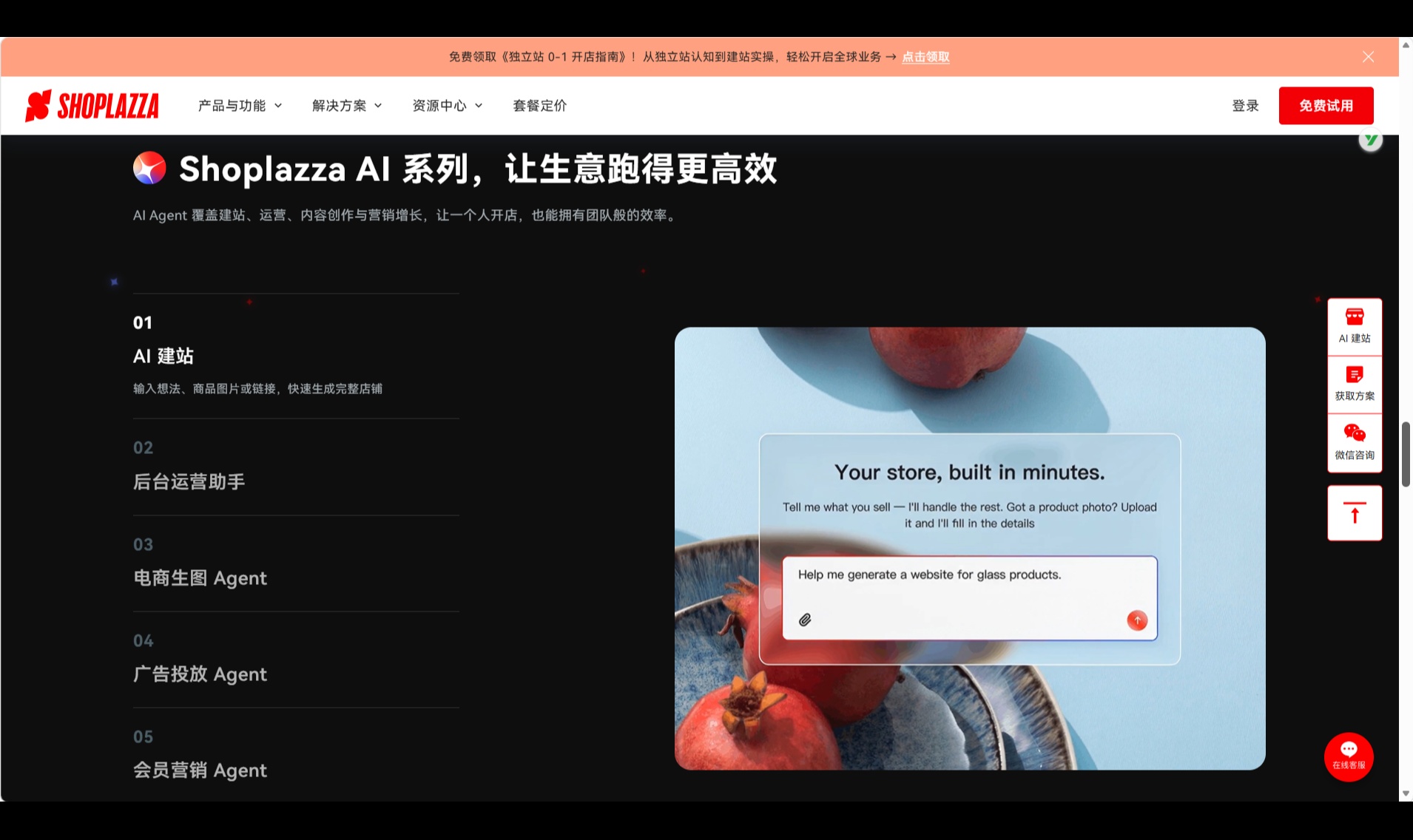
2026年8月,店匠Shoplazza发布了全球首个AI原生电商操作系统AI-native Commerce OS,并推出统一入口——AI智能体Athena,独立站经营从此迈入“意图驱动时代”。过去十几年,独立站软件迭代始终停留在让“工具更好用”的层面,却未能解决人的协同成本问题。店匠这次通过多智能体系统连接建站、内容、投放、支付等核心环节,商家只需用自然语言告诉Athena想做什么,系统便会自动调用相应Agent完成任务。 ![](https://developer.qcloudimg.com/http-save/audit-12667226/ced219f105c842e7c4192de4817b3637.png) 为了量化AI的真实应用深度,店匠建立了《独立站AI运营成熟度分级体系》,从任务覆盖度、自主完成率、人工介入率、结果闭环率四个维度定义AI能力。**目前Athena已进入超5000家店铺,累计执行超200万次运营任务,人工介入率低至18%。**店匠CEO透露,今年内Athena将跨入L4阶段端到端运营,化身“数字员工”,中小卖家也能以极低的人力成本运营完整的品牌独立站。 在功能层面,Athena打通了建站、运营、投放、支付、复购等核心环节。它可根据目标市场的语言偏好自动生成网站文案与视觉素材,实现分钟级建站,同时覆盖批量调价、丢单诊断、捆绑销售、折扣策划等运营能力。广告投放方面,Athena打通了投放与经营数据的底层链路,提供投放诊断、归因分析及素材优化,帮助商家从“看数据”升级到“AI辅助决策”。支付环节则提供了“诊断+建议+执行+度量”的智能闭环,Shoplazza Payments开启智能EC后结账转化率提升7.5%,全链路优化后最高提升41%。 ![](https://developer.qcloudimg.com/http-save/audit-12667226/d82f3b1bd6b1bf7406c7165f8a125936.png) 当通过shoplazza收到款后,可通过WindPayer——亚马逊官方白名单收款平台提现到国内,卖家注册并实名认证后即可绑定收款账户,支持多店铺多平台卖家申请多个收款账户,且不占用个人外汇额度,还支持错名提现,用起来很方便。 复购方面,Athena的Loyalty&Push智能会员系统能实时监测核心指标,发现异常时主动提醒并一键调整策略。使用后,商家LTV平均提升73%,复购率提升31%,客单价跃升51%。 未来的独立站经营不再是工具的堆叠,而是AI驱动的高效运转。店匠这次发布的AI原生操作系统,为中小品牌和创业者降低了全球经营的门槛,独立站Agent时代已经来了。

优秀的个人博客,低调大师

9 个【宝藏工具】精选,大幅提升效率与灵感!

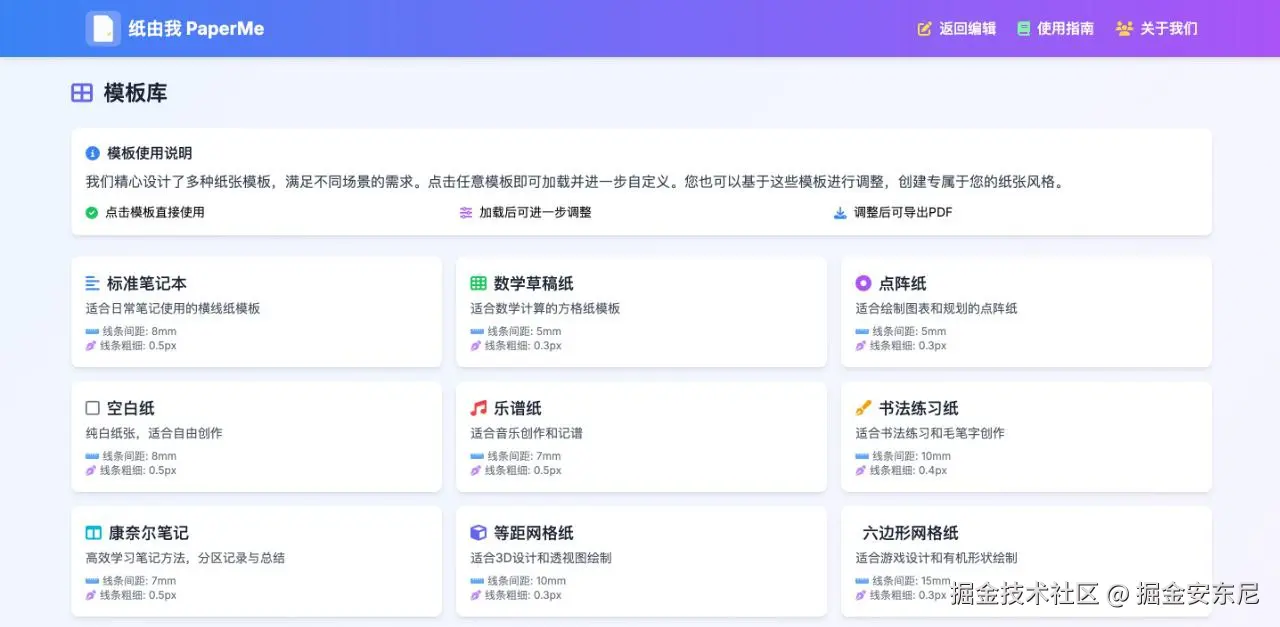
本篇文章带你看看近期收藏的几款实用小工具,有的是 PDF 页面神器,有的是剪贴板 AI 辅助器,有的是能一键生成花体字、净化网页阅读体验的插件……小而美,轻却强,用起来真的有被惊艳到。 ## 🖨 PaperMe:在线自定义打印纸生成器 ![image.png](https://developer.qcloudimg.com/http-save/yehe-7738744/6b066711463a95008113d023b7358155.webp) --- ## ⚙️ PasteMe:AI 加持的剪切板小工具 ![image.png](https://developer.qcloudimg.com/http-save/yehe-7738744/ad9eb4ed7b7e7b01d186eee8d4188260.webp) 🔗[ GitHub 开源项](https://link.juejin.cn/?target=https%3A%2F%2Fgithub.com%2FCKylinMC%2FPasteMe)目 ?[? 下载](https://link.juejin.cn/?target=https%3A%2F%2Fgithub.com%2FCKylinMC%2FPasteMe%2Freleases)地址 Windows 上的智能剪贴板助手,可查看、修改、转纯文本、AI 调整、保存提示词等,支持自定义接入 OpenAI API。让你的 Ctrl+C / Ctrl+V 不再只是机械操作,而是带有上下文理解的生产力提升。 --- ## 🔠 FontGenerator:一键生成酷炫社交字体 ![image.png](https://developer.qcloudimg.com/http-save/yehe-7738744/1a741fcbf0c5ff730cb901c11d673dbc.webp) 🔗[ 访问网](https://link.juejin.cn/?target=https%3A%2F%2Fwww.fontgenerator.dev%2Fzh)站 无需设计软件,直接生成多种花式字体,包括粗体、斜体、Unicode 字形等。轻松复制,适用于朋友圈、微博、X 等社交媒体的“高亮文字”。 --- ## 😁 CSDN Focus:博客净化油猴脚本 ![image.png](https://developer.qcloudimg.com/http-save/yehe-7738744/ce844bac45f06903f197add2ef65cd75.webp) 🔗[ 安装地](https://link.juejin.cn/?target=https%3A%2F%2Fgreasyfork.org%2Fzh-CN%2Fscripts%2F420352)址 为 CSDN、简书、脚本之家等博客平台打造的净化体验脚本。自动展开全文、解锁复制、屏蔽弹窗广告、强制跳转外链等功能一应俱全,让你安心阅读不受打扰。 --- ## 📑 PDF Arranger:跨平台 PDF 页面编辑器 ![image.png](https://developer.qcloudimg.com/http-save/yehe-7738744/99f069b56e4e9b484b55e9dd69bf0e82.webp) 🔗[ GitHub 开源项](https://link.juejin.cn/?target=https%3A%2F%2Fgithub.com%2Fpdfarranger%2Fpdfarranger)目 ?[? 下载](https://link.juejin.cn/?target=https%3A%2F%2Fgithub.com%2Fpdfarranger%2Fpdfarranger%2Freleases)地址 一款支持 Windows / macOS / Linux 的轻量 PDF 页面处理工具,支持合并、拆分、旋转、裁剪、拖拽重排等操作,界面简洁直观,适合日常文档整理与重构。 --- ## 💧 Copicseal:为照片添加专业水印 ![image.png](https://developer.qcloudimg.com/http-save/yehe-7738744/31ac2bcdafd1b1dcf9e80d28f69196e6.webp) 🔗[ GitHub 项目地](https://link.juejin.cn/?target=https%3A%2F%2Fgithub.com%2Fcopicseal%2Fcopicseal)址 ?[? 下载](https://link.juejin.cn/?target=https%3A%2F%2Fgithub.com%2Fcopicseal%2Fcopicseal%2Freleases)地址 跨平台的图片加水印工具,支持读取照片 EXIF 数据(快门、ISO、焦距等),并可自定义水印样式、透明度、位置等参数,支持批量处理与实时预览,适合摄影师与图文创作者。 --- ## 🐼 PandaWiki:AI 驱动的知识库系统 ![image.png](https://developer.qcloudimg.com/http-save/yehe-7738744/12dc58cd32f4116c8f407f578c850045.webp) 🔗[ GitHub 项目主](https://link.juejin.cn/?target=https%3A%2F%2Fgithub.com%2Fchaitin%2FPandaWiki)页 由 Chaitin 团队开源的智能知识管理平台,支持文档导入(网页、RSS、本地文件等)、富文本编辑、内容搜索、问答与摘要。内置 RAG 检索增强生成能力,还可接入钉钉、飞书、企业微信等平台协作。 --- ## 🧠 创业大全:大学生项目资源平台 ![image.png](https://developer.qcloudimg.com/http-save/yehe-7738744/dfc21f175514bd8938c016958466a92b.webp) 🔗[ 访问网](https://link.juejin.cn/?target=https%3A%2F%2Fcy.urongda.com%2F)站 涵盖“挑战杯”“互联网+”“国创”等 80 多个主流赛事,超 2 万份创业计划书、项目 PPT 与资料库可免费下载。内置全文搜索、思维导图提取、AI 阅读等功能,适合学生、创业者、高校指导老师使用。 --- ## 🗿 电脑开荒网:新电脑装机资源导航 ![image.png](https://developer.qcloudimg.com/http-save/yehe-7738744/39256ea644a3f4e66fb2b635b213b9e2.webp) 🔗[ 访问网](https://link.juejin.cn/?target=https%3A%2F%2Fdnkh.mwks77.cn%2F)站 一站式收录系统工具、开发软件、影音剪辑、办公必备等高频使用工具,适合新电脑开荒或系统重装后的软件快速补全。界面清晰、持续更新,少走冤枉路。 > OK,以上便是本次分享,收藏 + 点赞 == 学会~

优秀的个人博客,低调大师

Python 列表和字典40个进阶用法,效率翻倍

![](https://developer.qcloudimg.com/http-save/yehe-11081884/46d54d0bd585a61be2d334caf609a874.jpg) 列表和字典是 Python 里用得最多的两种数据结构,但真正用熟的人不多。下面这 40 个技巧,从切片到深层合并,挑你用得上的记就行。 --- ## **一、基础高效操作** ### **1. 链式比较** ``` # 传统写法 ifx>5andxyelsey, numbers) print(f"最大值: {max_value}") # 5 ``` --- ## **七、错误处理与边界情况** ### **20. 安全获取字典值** ``` user_data = {'name': 'Alice', 'age': 25} # 安全获取不存在的键 email = user_data.get('email', '未提供') print(f"邮箱: {email}") # 邮箱: 未提供 # 使用setdefault设置默认值 user_data.setdefault('country', '中国') print(user_data) # {'name': 'Alice', 'age': 25, 'country': '中国'} ``` --- ## **八、高级数据处理** ### **21. 使用any和all进行条件判断** ``` numbers = [1, 3, 5, 7, 9] has_even = any(x%2 == 0forxinnumbers) print(f"是否有偶数: {has_even}") # False all_positive = all(x>0forxinnumbers) print(f"是否都为正数: {all_positive}") # True ``` ### **22. 列表元素旋转** ``` defrotate_list(lst, k): """将列表元素向右旋转k个位置""" k = k%len(lst) # 处理k大于列表长度的情况 returnlst[-k:] +lst[:-k] my_list = [1, 2, 3, 4, 5] rotated = rotate_list(my_list, 2) print(f"旋转后: {rotated}") # [4, 5, 1, 2, 3] ``` ### **23. 字典键值交换(处理重复值)** ``` defswap_dict_with_duplicates(original): """处理有重复值的字典键值交换""" result = {} forkey, valueinoriginal.items(): ifvaluenotinresult: result[value] = [key] else: result[value].append(key) returnresult original = {'a': 1, 'b': 2, 'c': 1, 'd': 3} swapped = swap_dict_with_duplicates(original) print(swapped) # {1: ['a', 'c'], 2: ['b'], 3: ['d']} ``` ### **24. 列表分块处理** ``` defchunk_list(lst, chunk_size): """将列表分成指定大小的块""" return [lst[i:i+chunk_size] foriinrange(0, len(lst), chunk_size)] numbers = list(range(1, 11)) chunks = chunk_list(numbers, 3) print(f"分块结果: {chunks}") # [[1, 2, 3], [4, 5, 6], [7, 8, 9], [10]] ``` ### **25. 字典值排序并获取键** ``` defget_keys_sorted_by_value(dictionary, reverse=False): """根据值排序并返回对应的键""" return [kfork, vinsorted(dictionary.items(), key=lambdax: x[1], reverse=reverse)] scores = {'Alice': 85, 'Bob': 92, 'Charlie': 78, 'David': 95} sorted_keys = get_keys_sorted_by_value(scores, reverse=True) print(f"按分数降序排列的名字: {sorted_keys}") # ['David', 'Bob', 'Alice', 'Charlie'] ``` ### **26. 列表元素频率统计(不使用Counter)** ``` deffrequency_count(lst): """手动实现元素频率统计""" freq = {} foriteminlst: freq[item] = freq.get(item, 0) +1 returnfreq items = ['apple', 'banana', 'apple', 'orange', 'banana', 'apple'] freq = frequency_count(items) print(f"元素频率: {freq}") # {'apple': 3, 'banana': 2, 'orange': 1} ``` ### **27. 字典深度合并** ``` defdeep_merge_dicts(dict1, dict2): """深度合并两个字典,处理嵌套字典""" result = dict1.copy() forkey, valueindict2.items(): ifkeyinresultandisinstance(result[key], dict) andisinstance(value, dict): result[key] = deep_merge_dicts(result[key], value) else: result[key] = value returnresult dict1 = {'a': 1, 'b': {'x': 10, 'y': 20}} dict2 = {'b': {'y': 30, 'z': 40}, 'c': 3} merged = deep_merge_dicts(dict1, dict2) print(merged) # {'a': 1, 'b': {'x': 10, 'y': 30, 'z': 40}, 'c': 3} ``` ### **28. 列表元素滑动窗口** ``` defsliding_window(lst, window_size): """生成滑动窗口""" foriinrange(len(lst) -window_size+1): yieldlst[i:i+window_size] numbers = [1, 2, 3, 4, 5, 6] windows = list(sliding_window(numbers, 3)) print(f"滑动窗口: {windows}") # [[1, 2, 3], [2, 3, 4], [3, 4, 5], [4, 5, 6]] ``` ### **29. 字典键值类型转换** ``` defconvert_dict_types(dictionary, key_type=str, value_type=int): """转换字典键值的类型""" return {key_type(k): value_type(v) fork, vindictionary.items()} original = {'1': '10', '2': '20', '3': '30'} converted = convert_dict_types(original, key_type=int, value_type=int) print(f"转换后: {converted}") # {1: 10, 2: 20, 3: 30} ``` ### **30. 列表元素排列组合** ``` fromitertoolsimportpermutations, combinations items = ['A', 'B', 'C'] perms = list(permutations(items, 2)) print(f"排列结果: {perms}") # [('A', 'B'), ('A', 'C'), ('B', 'A'), ('B', 'C'), ('C', 'A'), ('C', 'B')] combs = list(combinations(items, 2)) print(f"组合结果: {combs}") # [('A', 'B'), ('A', 'C'), ('B', 'C')] ``` ### **31. 字典值提取与转换** ``` defextract_and_transform(dictionary, key_list, transform_func=None): """提取指定键的值并应用转换函数""" result = [] forkeyinkey_list: ifkeyindictionary: value = dictionary[key] iftransform_func: value = transform_func(value) result.append(value) returnresult data = {'name': 'Alice', 'age': '25', 'score': '95.5'} keys = ['name', 'age', 'score'] values = extract_and_transform(data, keys, transform_func=lambdax: x.upper() ifisinstance(x, str) elsex) print(f"提取并转换的值: {values}") # ['ALICE', '25', '95.5'] ``` ### **32. 列表元素交错合并** ``` definterleave_lists(*lists): """交错合并多个列表""" result = [] max_len = max(len(lst) forlstinlists) foriinrange(max_len): forlstinlists: ifi3) print(f"过滤结果: {filtered}") # {'apple': 5, 'orange': 8} # 过滤键包含'a'的项 filtered_by_key = filter_dict_by_condition(data, lambdak, v: 'a'ink) print(f"按键过滤结果: {filtered_by_key}") # {'apple': 5, 'banana': 3, 'grape': 2} ``` ### **34. 列表元素运行总和** ``` defrunning_sum(lst): """计算列表元素的运行总和""" total = 0 result = [] fornuminlst: total += num result.append(total) returnresult numbers = [1, 2, 3, 4, 5] sums = running_sum(numbers) print(f"运行总和: {sums}") # [1, 3, 6, 10, 15] ``` ### **35. 字典键值对批量更新** ``` defbatch_update_dict(original, updates): """批量更新字典,支持嵌套键""" result = original.copy() forkey_path, valueinupdates.items(): if'.'inkey_path: # 处理嵌套键 keys = key_path.split('.') current = result forkinkeys[:-1]: current = current.setdefault(k, {}) current[keys[-1]] = value else: result[key_path] = value returnresult user = {'name': 'Alice', 'profile': {'age': 25}} updates = {'name': 'Alice Smith', 'profile.age': 26, 'profile.city': 'Beijing'} updated = batch_update_dict(user, updates) print(updated) # {'name': 'Alice Smith', 'profile': {'age': 26, 'city': 'Beijing'}} ``` ### **36. 列表元素模式匹配** ``` deffind_pattern(lst, pattern): """在列表中查找特定模式""" pattern_len = len(pattern) matches = [] foriinrange(len(lst) -pattern_len+1): iflst[i:i+pattern_len] == pattern: matches.append(i) returnmatches sequence = [1, 2, 3, 1, 2, 3, 4, 1, 2, 3] pattern = [1, 2, 3] positions = find_pattern(sequence, pattern) print(f"模式出现位置: {positions}") # [0, 3, 7] ``` ### **37. 字典值统计摘要** ``` defdict_summary(dictionary): """生成字典值的统计摘要""" ifnotdictionary: return {} values = list(dictionary.values()) numeric_values = [vforvinvaluesifisinstance(v, (int, float))] summary = { 'count': len(dictionary), 'keys': list(dictionary.keys()), 'value_types': {type(v).__name__forvinvalues} } ifnumeric_values: summary.update({ 'min': min(numeric_values), 'max': max(numeric_values), 'sum': sum(numeric_values), 'avg': sum(numeric_values) /len(numeric_values) }) returnsummary data = {'a': 10, 'b': 20, 'c': 30, 'd': 'text'} summary = dict_summary(data) print(f"字典摘要: {summary}") ``` ### **38. 列表元素差异分析** ``` deflist_differences(list1, list2): """分析两个列表的差异""" set1, set2 = set(list1), set(list2) return { 'only_in_list1': list(set1-set2), 'only_in_list2': list(set2-set1), 'common': list(set1&set2), 'union': list(set1|set2) } list_a = [1, 2, 3, 4, 5] list_b = [4, 5, 6, 7, 8] diff = list_differences(list_a, list_b) print(f"列表差异分析: {diff}") ``` ### **39. 字典键路径访问** ``` defget_nested_value(dictionary, key_path, default=None): """通过点分隔的路径访问嵌套字典值""" keys = key_path.split('.') current = dictionary forkeyinkeys: ifisinstance(current, dict) andkeyincurrent: current = current[key] else: returndefault returncurrent data = { 'user': { 'profile': { 'name': 'Alice', 'age': 25, 'address': { 'city': 'Beijing', 'zip': '100000' } } } } name = get_nested_value(data, 'user.profile.name') city = get_nested_value(data, 'user.profile.address.city') country = get_nested_value(data, 'user.profile.address.country', 'China') print(f"姓名: {name}") # Alice print(f"城市: {city}") # Beijing print(f"国家: {country}") # China ``` ### **40. 列表元素权重随机选择** ``` importrandom defweighted_random_choice(items, weights): """根据权重随机选择列表元素""" iflen(items) != len(weights): raiseValueError("Items and weights must have the same length") total = sum(weights) r = random.uniform(0, total) cumulative = 0 foritem, weightinzip(items, weights): cumulative += weight ifr<= cumulative: returnitem returnitems[-1] # 安全返回 fruits = ['apple', 'banana', 'orange'] weights = [0.5, 0.3, 0.2] # 模拟多次选择 choices = [weighted_random_choice(fruits, weights) for_inrange(1000)] print(f"苹果出现次数: {choices.count('apple')}") print(f"香蕉出现次数: {choices.count('banana')}") print(f"橙子出现次数: {choices.count('orange')}") ``` --- 40 个技巧不用全背,前 20 个属于高频场景,基本每天都能用到。21-40 更偏工具性,遇到对应问题时翻出来用比硬记更实际。`itertools`、`collections`、`functools` 这三个标准库模块值得单独花时间读一遍文档,收益很高。 **“无他,惟手熟尔”!**有需要的用起来! **如果你觉得这篇文章有用,欢迎点赞、转发、收藏、留言、推荐**❤!


优秀的个人博客,低调大师

Python提取PDF内容,4个方法让效率翻倍!

![](https://developer.qcloudimg.com/http-save/yehe-11081884/46d54d0bd585a61be2d334caf609a874.jpg) 你是不是经常需要从PDF里提取数据? 手动复制粘贴太慢了,格式还乱七八糟。 说实话,我之前也为此头疼。 直到我发现了Python的强大。 今天分享4个提取PDF内容的方法,让你告别复制粘贴。 --- ## **方法一:PyPDF2提取文字** 最简单的方式就是用PyPDF2。 它像个基础版的PDF阅读器,能快速把文字抠出来。 ``` import PyPDF2 def extract_text_pypdf2(pdf_path): """提取PDF中的文字内容""" with open(pdf_path, 'rb') as file: pdf_reader = PyPDF2.PdfReader(file) text = "" for page in pdf_reader.pages: text += page.extract_text() return text ``` 用起来很简单对吧? 打开PDF,一页页读,把文字拼起来就行。 不过它只能提取文字,表格和图片就无能为力了。 > **适合场景**:只需要提取纯文字,PDF结构简单 ## **方法二:pdfplumber(强烈推荐)** 这个库我必须重点推荐。 为什么?因为它能提取文字、表格、图片三种内容。 就像一个全能选手,什么都能干。 ``` import pdfplumber import pandas as pd def extract_pdf_content(pdf_path): """使用 pdfplumber 提取 PDF 的文字、表格、图片信息""" results = { 'text': '', 'tables': [], 'images': [] } with pdfplumber.open(pdf_path) as pdf: for page in pdf.pages: # 1. 文字 text = page.extract_text() if text: results['text'] += text + '\n' # 2. 表格 tables = page.extract_tables() for table in tables: if table: df = pd.DataFrame(table[1:], columns=table[0]) results['tables'].append(df) # 3. 图片 for img in page.images: results['images'].append({ 'page': page.page_number, 'bbox': (img['x0'], img['y0'], img['x1'], img['y1']), 'width': img.get('width'), 'height': img.get('height') }) return results ``` 你看,代码也不复杂。 但功能强大多了,表格提取尤其出色。 > **适合场景**:需要提取文字+表格的PDF,最常用的方案 ## **方法三:PyMuPDF提取图片** PyMuPDF(也叫fitz)的特点是什么? 图片提取效果好,速度快。 如果你需要把PDF里的图片都抠出来,选它准没错。 ``` import fitz from PIL import Image import io def extract_pdf_fitz(pdf_path): doc = fitz.open(pdf_path) results = {'text': '', 'images': []} for page_num in range(len(doc)): page = doc[page_num] # 1. 文字 results['text'] += page.get_text() # 2. 图片 for img in page.get_images(): xref = img[0] pix = fitz.Pixmap(doc, xref) if pix.n - pix.alpha **适合场景**:重点需要提取PDF中的图片 ## **方法四:camelot专门提取表格** camelot是个专才,只干一件事:提取表格。 但这一件事,它做得比谁都好。 特别是那些复杂的表格,它的准确率最高。 ``` import camelot def extract_tables_camelot(pdf_path): """使用camelot专门提取表格(适合复杂的表格)""" tables = camelot.read_pdf(pdf_path, pages='all') results = [] for i, table in enumerate(tables): df = table.df results.append({ 'table_number': i + 1, 'accuracy': table.accuracy, 'dataframe': df, 'shape': df.shape }) return results ``` 它还能告诉你提取的准确率,很贴心。 > **适合场景**:PDF里有大量复杂表格,对准确率要求高 ## **这四个方法怎么选?** 给你一个简单的对比表: |库名称|文字提取|表格提取|图片提取|特点| | --- | --- | --- | --- | --- | |PyPDF2|基础|不支持|不支持|轻量级,简单好用| |pdfplumber|优秀|优秀|基础|推荐,全能选手| |PyMuPDF|优秀|一般|优秀|图片提取快| |camelot|一般|专业|不支持|表格提取专家| **我的建议**: 如果只要文字:PyPDF2够用了 如果要文字+表格:pdfplumber是首选 如果要图片:PyMuPDF 如果表格复杂:camelot > **终极组合**pdfplumber + PyMuPDF,文字、表格、图片全覆盖 --- ## **写在最后** Python处理PDF确实强大。 选对库,事半功倍。 希望这4个方法能帮到你。 如果有其他问题,评论区聊聊~ 💬 你平时用Python处理PDF遇到过什么坑?欢迎分享! 如果这篇文章对你有帮助,点个**在看**让更多人看到吧 **“无他,惟手熟尔”!**有需要的用起来!

优秀的个人博客,低调大师

Python 15个文本分析的库,提升效率

![](https://developer.qcloudimg.com/http-save/yehe-11081884/46d54d0bd585a61be2d334caf609a874.jpg) **Python**作为数据科学领域的主流语言,拥有一个庞大且活跃的生态系统,其中文本分析库尤为丰富。本文精选了15个功能强大、应用广泛的**Python**文本分析库,涵盖从预处理、分析到可视化的全流程,并附上使用说明、适用场景和代码示例,帮助高效挖掘文本中的数据。 ### **1. jieba** - **简介**:最受欢迎的中文分词工具,支持精确模式、全模式和搜索引擎模式。 - **使用说明**: **pip install jieba** 。核心函数为 ** jieba.cut** 。 - **场景**:中文文本预处理的第一步,将连续的中文序列切分成独立的词语。 - **代码示例**: ``` import jieba text = "自然语言处理是人工智能的重要方向。" seg_list = jieba.cut(text, cut_all=False) # 精确模式 print("分词结果: " + "/ ".join(seg_list)) # 输出: 自然语言/ 处理/ 是/ 人工智能/ 的/ 重要/ 方向/ 。 ``` ### **2. snownlp** - **简介**:一个处理中文文本的库,内置了分词、词性标注、情感分析、文本分类等功能。 - **使用说明**: **pip install snownlp** 。情感分析是其特色功能。 - **场景**:快速进行中文文本的情感倾向判断(积极/消极)。 - **代码示例**: ``` from snownlp import SnowNLP s = SnowNLP("这部电影的剧情很棒,演员演技也在线!") print(f"情感得分(越接近1越积极): {s.sentiments}") # 输出可能为: 0.95... ``` ### **3. cnsenti** - **简介**:专注于中文情感分析的库,提供情绪分析(喜、怒、哀、惧等)和情感分析(积极、消极)。 - **使用说明**: ** pip install cnsenti** 。使用 **Cnsenti** 类。 - **场景**:比简单的情感二分类更精细,适用于舆情监控、产品评论分析。 - **代码示例**: ``` from cnsenti import Sentiment senti = Sentiment() result = senti.sentiment_count("今天天气真好,阳光明媚,让人心情愉悦。") print(f"情绪词统计: {result}") # 输出包含 {'好词': 2, '坏词': 0, ...} ``` ### **4. NLTK** - **简介**:自然语言工具包,功能极其全面,是英文文本处理的“瑞士军刀”。 - **使用说明**: ** pip install nltk **。首次使用常需下载语料库 **nltk.download(‘punkt’)** 。 - **场景**:英文文本的标准化处理,如分词、词干提取、词形还原、词性标注。 - **代码示例**: ``` import nltk nltk.download('punkt') from nltk.tokenize import word_tokenize text = "Natural Language Processing is fascinating." tokens = word_tokenize(text) print(f"英文分词: {tokens}") # 输出: ['Natural', 'Language', 'Processing', 'is', 'fascinating', '.'] ``` ### **5. spaCy** - **简介**:工业级的自然语言处理库,性能优异,设计现代,支持多语言(包括中文)。 - **使用说明**: ** pip install spacy **。需额外下载语言模型 **python -m spacy download zh_core_web_sm **。 - **场景**:需要高性能、生产级部署的**NLP**任务,如命名实体识别、依存句法分析。 - **代码示例**: ``` import spacy nlp = spacy.load("zh_core_web_sm") # 加载中文小模型 doc = nlp("苹果公司计划在2025年于上海开设新的研发中心。") for ent in doc.ents: print(f"实体: {ent.text}, 类别: {ent.label_}") # 输出可能: 实体: 苹果公司, 类别: ORG # 实体: 2025年, 类别: DATE # 实体: 上海, 类别: GPE ``` ### **6. gensim** - **简介**:最流行的主题建模和文档向量化库,实现了**Word2Vec、Doc2Vec、LDA**等经典算法。 - **使用说明**: **pip install gensim** 。 - **场景**:文本相似度计算、文档主题挖掘、将文本转化为向量表示。 - **代码示例**: ``` from gensim import corpora from gensim.models import LdaModel documents = [["苹果", "手机", "发布"], ["市场", "竞争", "激烈"], ["苹果", "公司", "利润", "增长"]] dictionary = corpora.Dictionary(documents) corpus = [dictionary.doc2bow(text) for text in documents] lda = LdaModel(corpus=corpus, id2word=dictionary, num_topics=2) print(lda.print_topics()) # 输出文档的潜在主题分布 ``` ### **7. TextBlob** - **简介**:基于**NLTK**的简化版文本处理库,**API**极其友好,内置情感分析和翻译功能。 - **使用说明**: **pip install textblob** 。 - **场景**:快速原型开发,对英文文本进行简单的情感分析和基础处理。 - **代码示例**: ``` from textblob import TextBlob blob = TextBlob("I love this product. It's amazing!") print(f"情感极性: {blob.sentiment.polarity}") # 正值表示积极 # 输出可能: 0.5 ``` ### **8. transformers (Hugging Face)** - **简介**:提供数千个预训练**Transformer**模型(如**BERT, GPT-2**)的库,是当前**NLP**前沿技术的集大成者。 - **使用说明**: ** pip install transformers** 。 - **场景**:文本分类、问答、摘要、翻译等高级**NLP**任务。 - **代码示例**: ``` from transformers import pipeline classifier = pipeline("sentiment-analysis") result = classifier("I'm so excited to start this new project!") print(result) # 输出: [{'label': 'POSITIVE', 'score': 0.999...}] ``` ### **9. pattern** - **简介**:一个多功能库,集成了**NLP**、数据挖掘和网络分析功能。 - **使用说明**:** pip install pattern** 。注意对**Python 3**的支持可能有限。 - **场景**:除了文本分析,还涉及网络爬虫和数据可视化。 - **代码示例**: ``` from pattern.en import sentiment score = sentiment("This is a terrible idea.") print(f"情感值: {score}") # 负值表示消极 ``` ### **10. textstat** - **简介**:用于计算文本可读性、复杂度和等级的库。 - **使用说明**: ** pip install textstat** 。 - **场景**:评估文章难度、教育领域文本分级、内容可读性优化。 - **代码示例**: ``` import textstat text = "The cat sat on the mat." flesch_score = textstat.flesch_reading_ease(text) print(f"Flesch可读性分数: {flesch_score}") # 分数越高越易读 ``` ### **11. texthero** - **简介**:一个基于**Pandas**的文本处理库,将文本预处理、表示和可视化流程管道化。 - **使用说明**:** pip install texthero **。 - **场景**:在**Pandas DataFrame**中高效地进行端到端的文本分析工作流。 - **代码示例**: ``` import pandas as pd import texthero as hero df = pd.DataFrame({"text": ["Hello world!", "Python is great."]}) df['clean'] = hero.clean(df['text']) # 一键清洗(小写、去标点等) print(df['clean']) ``` ### **12. doccano** - **简介**:开源的文本标注工具,提供**Web**界面,支持序列标注、文本分类等任务。 - **使用说明**:推荐使用**Docker**部署 ( **docker pull doccano/doccano** )。 - **场景**:为机器学习项目创建高质量的标注训练数据集。 - **代码示例**:(此为部署和使用说明,非编程代码) ``` # 启动doccano服务 docker run -d --name doccano -p 8000:8000 doccano/doccano # 访问 http://localhost:8000 进行标注 ``` ### **13. label-studio** - **简介**:功能极其强大的数据标注平台,支持文本、图像、音频等多种数据类型。 - **使用说明**:** pip install label-studio** ,然后运行 **label-studio start** 。 - **场景**:需要复杂标注方案(如关系抽取、多模态标注)的团队项目。 - **代码示例**:(同上,为工具使用) ``` pip install label-studio label-studio start ``` ### **14. scikit-learn** - **简介**:机器学习核心库,提供了丰富的文本特征提取(如**TF-IDF**)和分类/聚类算法。 - **使用说明**: ** pip install scikit-learn** 。 - **场景**:构建传统的机器学习文本分类器、聚类模型。 - **代码示例**: ``` from sklearn.feature_extraction.text import TfidfVectorizer corpus = ['This is the first document.', 'This document is the second document.'] vectorizer = TfidfVectorizer() X = vectorizer.fit_transform(corpus) print(vectorizer.get_feature_names_out()) print(X.toarray()) # TF-IDF特征矩阵 ``` ### **15. wordcloud** - **简介**:专门生成词云的库,简单直观地展示文本中的关键词频率。 - **使用说明**: **pip install wordcloud** 。 - **场景**:文本数据的探索性分析和结果报告可视化。 - **代码示例**: ``` from wordcloud import WordCloud import matplotlib.pyplot as plt text = "Python data science machine learning deep learning AI Python" wordcloud = WordCloud().generate(text) plt.imshow(wordcloud, interpolation='bilinear') plt.axis("off") plt.show() ``` 掌握这些库,你便能从容应对从数据获取、清洗、分析到洞察呈现的完整文本分析任务。结合具体场景,灵活选用,让**Python**成为你解读文本世界的得力助手。 - **处理中文**:首选 **jieba**(分词)、**snownlp**或**cnsenti**(情感分析)、**spaCy**(工业级全流程)。 - **处理英文**:快速上手用 **TextBlob**,全面处理用 **NLTK** 或 **spaCy**。 - **主题模型与向量化**:**gensim** 是不二之选。 - **前沿深度学习模型**:拥抱 **transformers**。 - **数据标注**:轻量级用 **doccano**,复杂需求用 **label-studio**。 - **集成化分析流程**:在**Pandas**环境中试试 **texthero**。 - **传统机器学习建模**:**scikit-learn** 提供坚实基础。 - **快速可视化**:用 **wordcloud** 制作词云。 **“无他,惟手熟尔”!**有需要的用起来! **如果你觉得这篇文章有用,欢迎点赞、转发、收藏、留言、推荐**❤!

资源下载

更多资源
Nacos

Nacos

Nacos /nɑ:kəʊs/ 是 Dynamic Naming and Configuration Service 的首字母简称,一个易于构建 AI Agent 应用的动态服务发现、配置管理和AI智能体管理平台。Nacos 致力于帮助您发现、配置和管理微服务及AI智能体应用。Nacos 提供了一组简单易用的特性集,帮助您快速实现动态服务发现、服务配置、服务元数据、流量管理。Nacos 帮助您更敏捷和容易地构建、交付和管理微服务平台。

Spring

Spring

Spring框架(Spring Framework)是由Rod Johnson于2002年提出的开源Java企业级应用框架,旨在通过使用JavaBean替代传统EJB实现方式降低企业级编程开发的复杂性。该框架基于简单性、可测试性和松耦合性设计理念,提供核心容器、应用上下文、数据访问集成等模块,支持整合Hibernate、Struts等第三方框架,其适用范围不仅限于服务器端开发,绝大多数Java应用均可从中受益。

Rocky Linux

Rocky Linux

Rocky Linux(中文名:洛基)是由Gregory Kurtzer于2020年12月发起的企业级Linux发行版,作为CentOS稳定版停止维护后与RHEL(Red Hat Enterprise Linux)完全兼容的开源替代方案,由社区拥有并管理,支持x86_64、aarch64等架构。其通过重新编译RHEL源代码提供长期稳定性,采用模块化包装和SELinux安全架构,默认包含GNOME桌面环境及XFS文件系统,支持十年生命周期更新。

Sublime Text

Sublime Text

Sublime Text具有漂亮的用户界面和强大的功能,例如代码缩略图,Python的插件,代码段等。还可自定义键绑定,菜单和工具栏。Sublime Text 的主要功能包括:拼写检查,书签,完整的 Python API , Goto 功能,即时项目切换,多选择,多窗口等等。Sublime Text 是一个跨平台的编辑器,同时支持Windows、Linux、Mac OS X等操作系统。

用户登录
用户注册
修改密码
忘记密码