服务治理是微服务架构最为核心和基础的模块,主要用来实现各个微服务实例的自动化注册和发现。
记录一下服务注册中心的搭建以及高可用注册中心的实现
1.首先创建两个基础 的spring boot工程,spring boot创建工程的网站:http://start.spring.io/,创建界面如下
![]()
2.解压工程,用Maven的形式导入工程(File->new->project from Existing Soures,选择解压工程导入)
3.两个工程中都添加依赖(eureka)
 1 <properties>
 2         <project.build.sourceEncoding>UTF-8</project.build.sourceEncoding>
 3         <project.reporting.outputEncoding>UTF-8</project.reporting.outputEncoding>
 4         <java.version>1.8</java.version>
 5         <spring-cloud.version>Finchley.RELEASE</spring-cloud.version>
 6     </properties>
 7
 8     <dependencies>
 9         <dependency>
10             <groupId>org.springframework.boot</groupId>
11             <artifactId>spring-boot-starter-web</artifactId>
12         </dependency>
13         <dependency>
14             <groupId>org.springframework.cloud</groupId>
15             <artifactId>spring-cloud-starter-netflix-eureka-server</artifactId>
16         </dependency>
17
18         <dependency>
19             <groupId>org.springframework.boot</groupId>
20             <artifactId>spring-boot-starter-test</artifactId>
21             <scope>test</scope>
22         </dependency>
23     </dependencies>
24
25     <dependencyManagement>
26         <dependencies>
27             <dependency>
28                 <groupId>org.springframework.cloud</groupId>
29                 <artifactId>spring-cloud-dependencies</artifactId>
30                 <version>${spring-cloud.version}</version>
31                 <type>pom</type>
32                 <scope>import</scope>
33             </dependency>
34         </dependencies>
35     </dependencyManagement>
36
37     <build>
38         <plugins>
39             <plugin>
40                 <groupId>org.springframework.boot</groupId>
41                 <artifactId>spring-boot-maven-plugin</artifactId>
42             </plugin>
43         </plugins>
44     </build>
4.在注册中心工程配置文件中添加服务
1 server.port=9000
2
3 spring.application.name=eureka-server
4 spring.profiles.active=dev
5
6 eureka.instance.hostname=localhost
7 eureka.client.register-with-eureka=false
8 eureka.client.fetch-registry=false
9 eureka.server.enable-self-preservation=false
不知道这些参数的自己百度
5.在注册中心的入口类中加入注解@EnableEurekaServer
 1 package com.example.enrekaserver;
 2
 3 import org.springframework.boot.SpringApplication;
 4 import org.springframework.boot.autoconfigure.SpringBootApplication;
 5 import org.springframework.cloud.netflix.eureka.server.EnableEurekaServer;
 6
 7 @EnableEurekaServer
 8 @SpringBootApplication
 9 public class EnrekaServerApplication {
10     public static void main(String[] args) {
11         SpringApplication.run(EnrekaServerApplication.class, args);
12     }
13 }
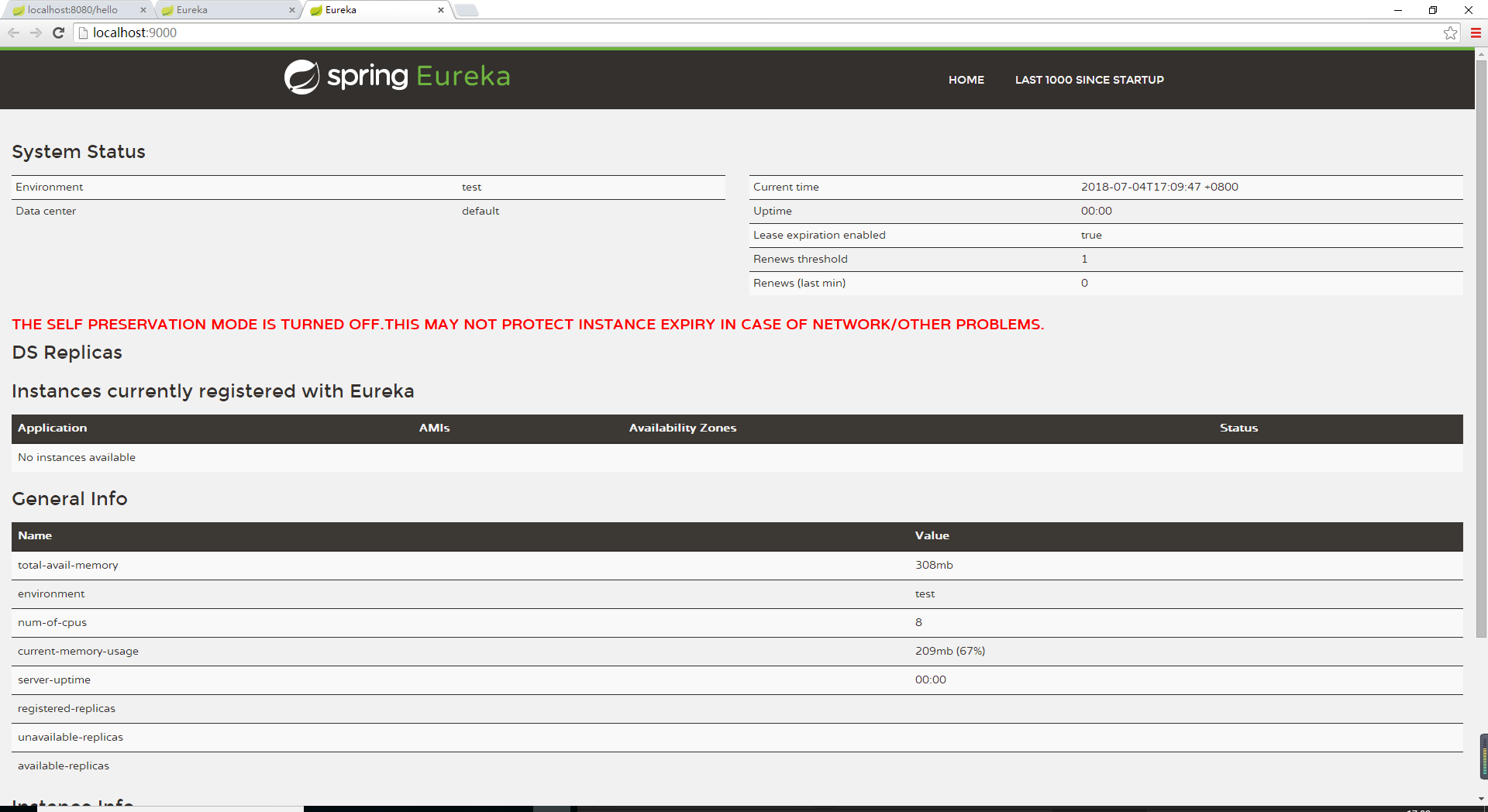
6.启动注册中心,在浏览器中访问,界面如下
![]()
7.在另一个工程中,加入注解 @EnableDiscoveryClient
 1 package com.example.demoOne;
 2
 3 import org.springframework.boot.SpringApplication;
 4 import org.springframework.boot.autoconfigure.SpringBootApplication;
 5 import org.springframework.cloud.client.discovery.EnableDiscoveryClient;
 6
 7 @EnableDiscoveryClient
 8 @SpringBootApplication
 9 public class DemoOneApplication {
10     public static void main(String[] args) {
11         SpringApplication.run(DemoOneApplication.class, args);
12     }
13 }
8.配置文件中加入配置,指定服务注册中心
1 spring.application.name=demoOne-service
2 spring.profiles.active=dev
3 eureka.client.service-url.defaultZone=http://localhost:9000/eureka/
9.我们可以在需要注册是工程里添加一个类作为测试,并打印日志
 1 package com.example.demoOne.didispace;
 2
 3 import org.springframework.beans.factory.annotation.Autowired;
 4
 5 import org.springframework.cloud.client.ServiceInstance;
 6 import org.springframework.cloud.client.discovery.DiscoveryClient;
 7 import org.springframework.web.bind.annotation.RequestMapping;
 8 import org.springframework.web.bind.annotation.RequestMethod;
 9 import org.springframework.web.bind.annotation.RestController;
10
11 import java.util.logging.Logger;
12
13 @RestController
14 public class HelloController {
15     private  final Logger logger=Logger.getLogger(String.valueOf(getClass()));
16
17     @Autowired
18     private DiscoveryClient client;
19
20     @RequestMapping(value = "/hello",method = RequestMethod.POST)
21     public String index(){
22         ServiceInstance instance = (ServiceInstance) client.getServices();
23         logger.info("/hello,host:"+instance.getHost()+",service_id:"+instance.getServiceId());
24         return "hello world";
25     }
26 }
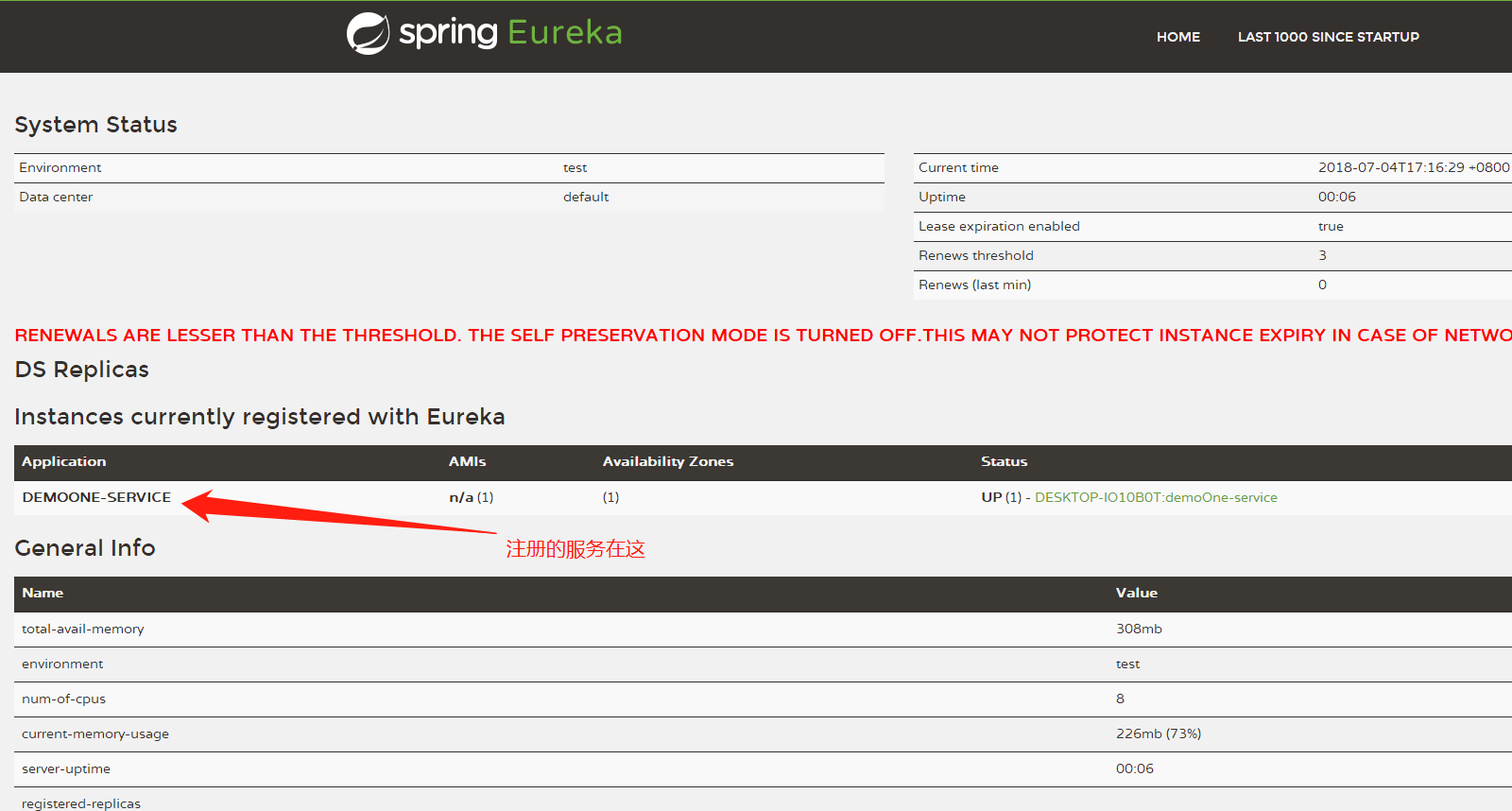
10.启动工程,我们可以在服务注册中心看到我们注册的服务
![]()
注册中心搭建成功。可以测试一下试试
小舟从此逝,江海寄余生。 --狐狸