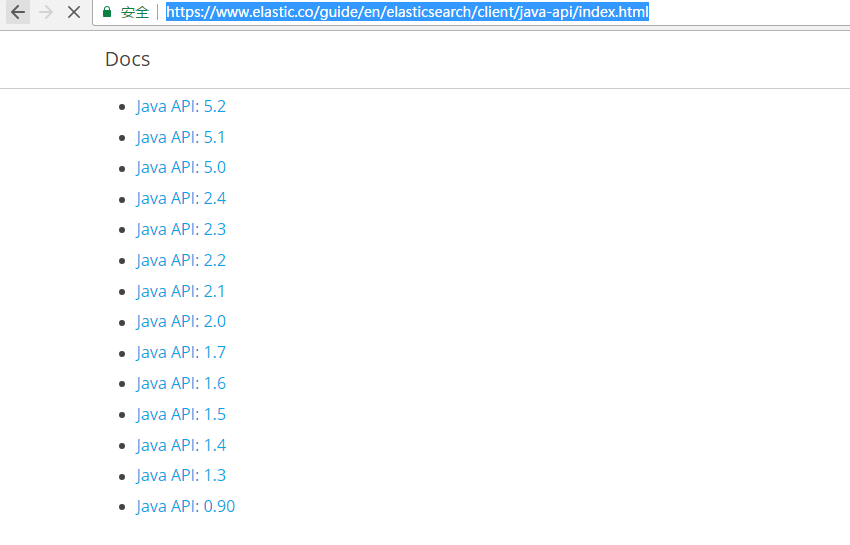
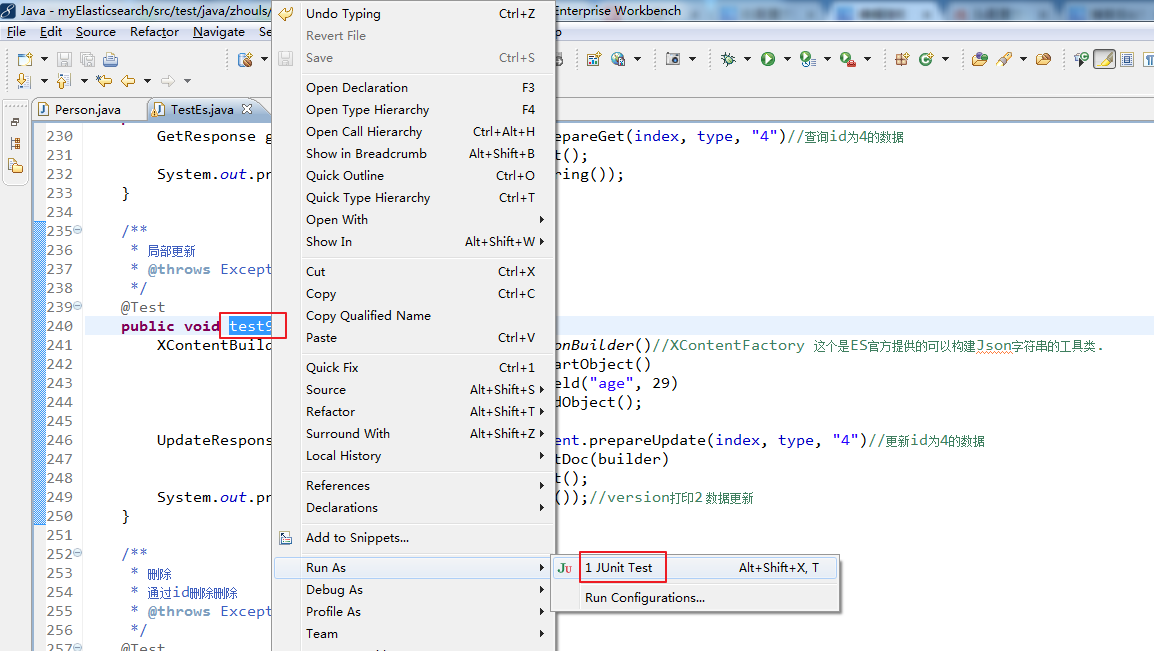
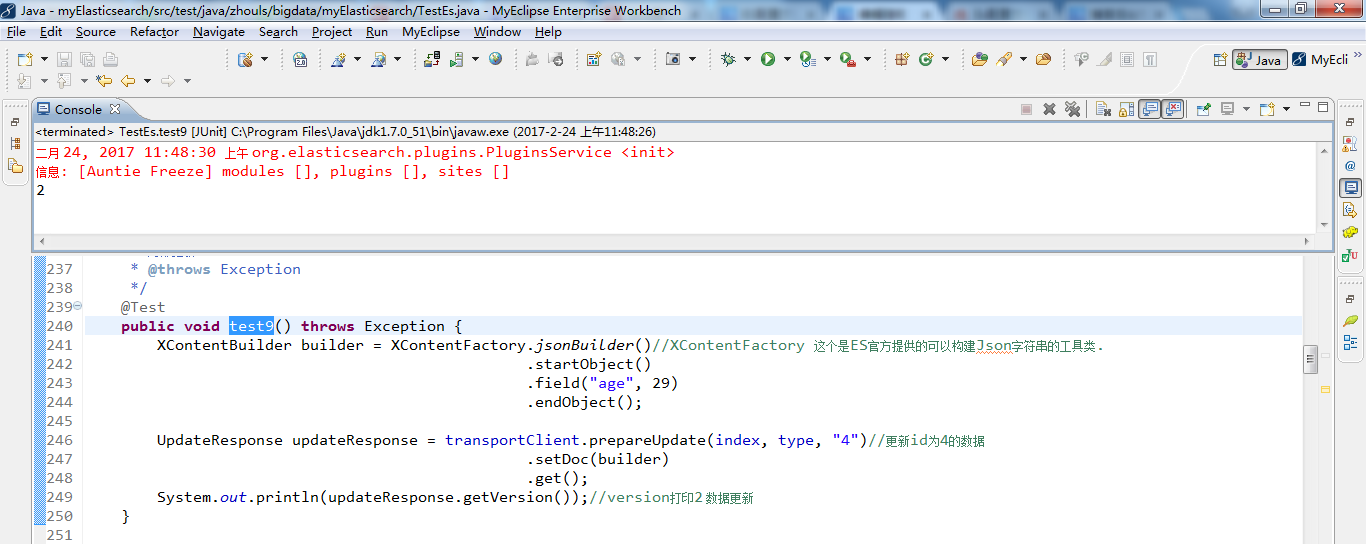
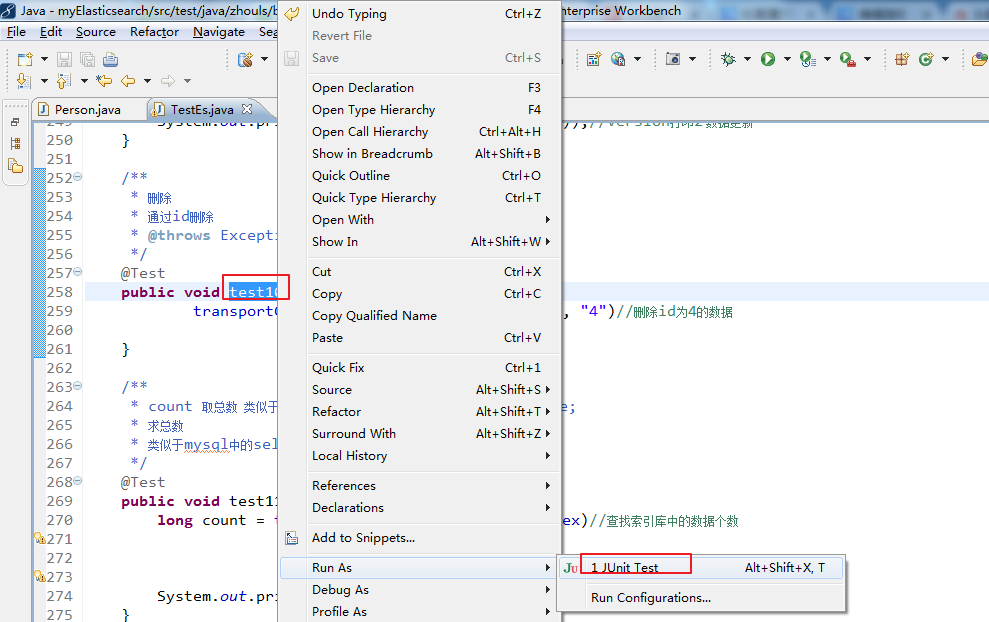
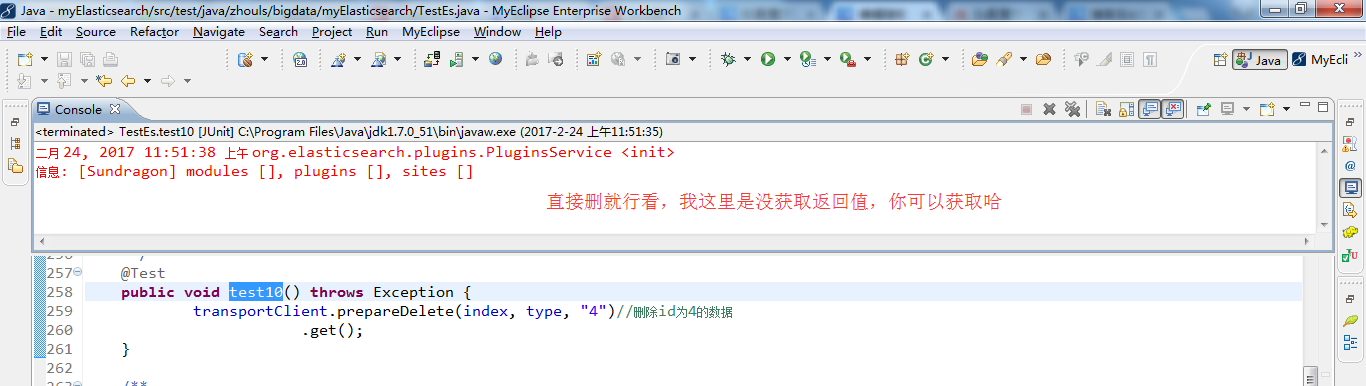
https://www.elastic.co/guide/en/elasticsearch/client/java-api/index.html
![]()
我这里,elasticsearch用的是2.4.X版本。
https://www.elastic.co/guide/en/elasticsearch/client/java-api/2.4/java-docs.html
![]()
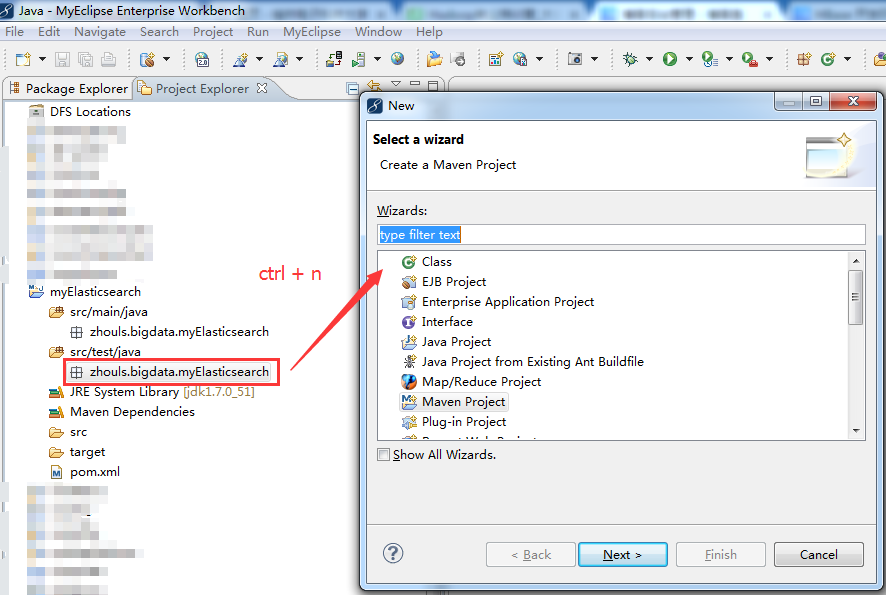
第一步:删除默认的App.java
![]()
第二步:选中后,再ctrl + n ,记住,要求自己能用快捷键,就用快捷键!
![]()
第三步:输入class,直接回车,再回车
![]()
![]()
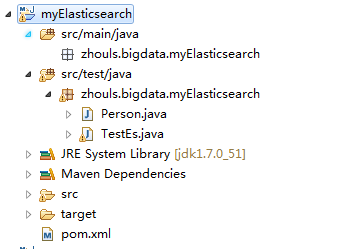
第四步:我这里,以TestEs.java为例
![]()
第五步:
![]()
![]()
第六步:输入代码,这里不多说
通过TransportClient这个类,指定es集群中其中一台或多台机的ip地址和端口
TransportClient client = TransportClient.builder().build().addTransportAddress(new InetSocketTransportAddress (InetAddress.getByName("host1"), 9300)).addTransportAddress(new InetSocketTransportAddress(InetAddress.getByName("host2"), 9300));
如果需要使用其他名称的集群(默认是elasticsearch),需要如下设置
Settings settings = Settings.settingsBuilder().put("cluster.name", "myClusterName").build();
TransportClientclient = TransportClient.builder().settings(settings).build().addTransportAddress(new InetSocketTransportAddress (InetAddress.getByName("host1"), 9300));
通过TransportClient这个接口,自动嗅探整个集群的状态,es会自动把集群中其它机器的ip地址加到客户端中
Settings settings = Settings.settingsBuilder().put("client.transport.sniff", true).build();
TransportClient.builder().settings(settings).build().addTransportAddress(new InetSocketTransportAddress (InetAddress.getByName("host1"), 9300));
更详细,请见
索引index(四种json,map,bean,es helper)
IndexResponse response = client.prepareIndex("zhouls", "emp", "1").setSource().get()
查询get
GetResponse response = client.prepareGet("zhouls", "emp", "1").get();
更新update
删除delete
DeleteResponse response = client.prepareDelete("zhouls", "emp", "1").execute().actionGet();
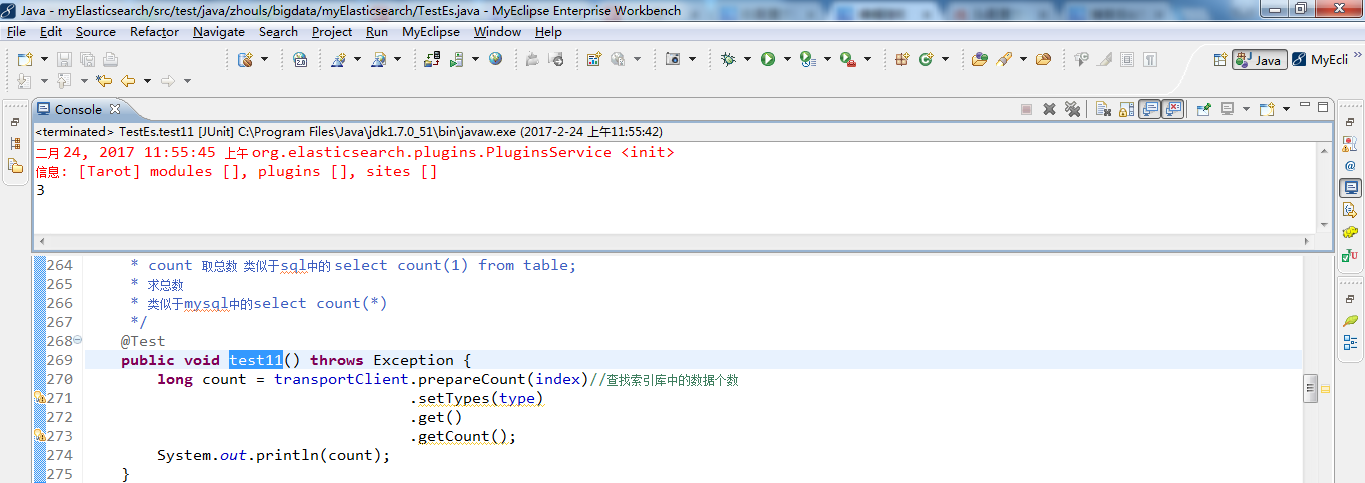
总数count
long count = client.prepareCount("zhouls").get().getCount();
附上代码
![]()
前提
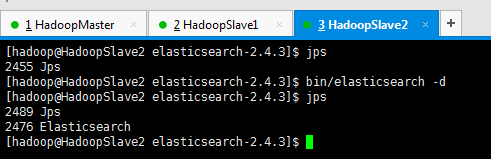
准备,开启3台机器组建的es集群进程
![]()
![]()
![]()
test1测试(连接192.168.80.10和192.168.80.11)
![复制代码]()
 1 package zhouls.bigdata.myElasticsearch;
 2
 3 import static org.junit.Assert.*;
 4
 5 import java.net.InetAddress;
 6 import java.util.HashMap;
 7 import java.util.List;
 8
 9 import org.elasticsearch.action.bulk.BulkItemResponse;
10 import org.elasticsearch.action.bulk.BulkRequestBuilder;
11 import org.elasticsearch.action.bulk.BulkResponse;
12 import org.elasticsearch.action.delete.DeleteRequest;
13 import org.elasticsearch.action.get.GetResponse;
14 import org.elasticsearch.action.index.IndexRequest;
15 import org.elasticsearch.action.index.IndexResponse;
16 import org.elasticsearch.action.search.SearchResponse;
17 import org.elasticsearch.action.search.SearchType;
18 import org.elasticsearch.action.update.UpdateResponse;
19 import org.elasticsearch.client.transport.TransportClient;
20 import org.elasticsearch.cluster.node.DiscoveryNode;
21 import org.elasticsearch.common.settings.Settings;
22 import org.elasticsearch.common.transport.InetSocketTransportAddress;
23 import org.elasticsearch.common.transport.TransportAddress;
24 import org.elasticsearch.common.xcontent.XContentBuilder;
25 import org.elasticsearch.common.xcontent.XContentFactory;
26 import org.elasticsearch.index.query.MatchQueryBuilder.Operator;
27 import org.elasticsearch.index.query.QueryBuilders;
28 import org.elasticsearch.search.SearchHit;
29 import org.elasticsearch.search.SearchHits;
30 import org.elasticsearch.search.aggregations.Aggregation;
31 import org.elasticsearch.search.aggregations.AggregationBuilders;
32 import org.elasticsearch.search.aggregations.bucket.terms.Terms;
33 import org.elasticsearch.search.aggregations.bucket.terms.Terms.Bucket;
34 import org.elasticsearch.search.aggregations.metrics.sum.Sum;
35 import org.elasticsearch.search.sort.SortOrder;
36 import org.junit.Before;
37 import org.junit.Test;
38
39 import com.fasterxml.jackson.databind.ObjectMapper;
40 import com.google.common.collect.ImmutableList;
41
42 public class TestEs {
43
44     //es和hadoop没关系啊,获取一个transportclient就可以操作es了
45
46
47     private TransportClient transportClient;
48     @Before//@Before和@Test的区别:每次执行都要先经过@Before,好比是,它是一个模板。
49     //before表示在执行每个test方法之前运行,常与@Test搭配使用
50     public void test0() throws Exception {
51         //获取TransportClient,来操作es
52         transportClient = TransportClient.builder().build();
53         //需要使用9300端口
54         TransportAddress transportAddress = new InetSocketTransportAddress(InetAddress.getByName("192.168.80.10"), 9300);
55         //添加节点信息,最少指定集群内的某一个节点即可操作这个es集群
56         transportClient.addTransportAddress(transportAddress);
57     }
58
59     /**
60      * 用java代码测试的时候这样写是没有问题的,比较简单
61      * @throws Exception
62      */
63     @Test
64     public void test1() throws Exception {
65         //获取TransportClient,来操作es
66         TransportClient transportClient = TransportClient.builder().build();
67         //需要使用9300端口,指定es集群中的节点信息, 这个地方指定的端口是节点和节点之间的通信端口是9300,不是Http请求的端口9200.
68         TransportAddress transportAddress = new InetSocketTransportAddress(InetAddress.getByName("192.168.80.11"), 9300);
69         //添加节点信息,最少指定集群内的某一个节点即可操作这个es集群
70         transportClient.addTransportAddress(transportAddress);
71         System.out.println(transportClient.toString());
72     }
![复制代码]()
![]()
![]()
test2测试(连接192.168.80.10、192.168.80.11和192.168.80.12)(即es集群)
![复制代码]()
 1 package zhouls.bigdata.myElasticsearch;
 2
 3 import static org.junit.Assert.*;
 4
 5 import java.net.InetAddress;
 6 import java.util.HashMap;
 7 import java.util.List;
 8
 9 import org.elasticsearch.action.bulk.BulkItemResponse;
10 import org.elasticsearch.action.bulk.BulkRequestBuilder;
11 import org.elasticsearch.action.bulk.BulkResponse;
12 import org.elasticsearch.action.delete.DeleteRequest;
13 import org.elasticsearch.action.get.GetResponse;
14 import org.elasticsearch.action.index.IndexRequest;
15 import org.elasticsearch.action.index.IndexResponse;
16 import org.elasticsearch.action.search.SearchResponse;
17 import org.elasticsearch.action.search.SearchType;
18 import org.elasticsearch.action.update.UpdateResponse;
19 import org.elasticsearch.client.transport.TransportClient;
20 import org.elasticsearch.cluster.node.DiscoveryNode;
21 import org.elasticsearch.common.settings.Settings;
22 import org.elasticsearch.common.transport.InetSocketTransportAddress;
23 import org.elasticsearch.common.transport.TransportAddress;
24 import org.elasticsearch.common.xcontent.XContentBuilder;
25 import org.elasticsearch.common.xcontent.XContentFactory;
26 import org.elasticsearch.index.query.MatchQueryBuilder.Operator;
27 import org.elasticsearch.index.query.QueryBuilders;
28 import org.elasticsearch.search.SearchHit;
29 import org.elasticsearch.search.SearchHits;
30 import org.elasticsearch.search.aggregations.Aggregation;
31 import org.elasticsearch.search.aggregations.AggregationBuilders;
32 import org.elasticsearch.search.aggregations.bucket.terms.Terms;
33 import org.elasticsearch.search.aggregations.bucket.terms.Terms.Bucket;
34 import org.elasticsearch.search.aggregations.metrics.sum.Sum;
35 import org.elasticsearch.search.sort.SortOrder;
36 import org.junit.Before;
37 import org.junit.Test;
38
39 import com.fasterxml.jackson.databind.ObjectMapper;
40 import com.google.common.collect.ImmutableList;
41
42 public class TestEs {
43
44     //es和hadoop没关系啊,获取一个transportclient就可以操作es了
45
46
47     private TransportClient transportClient;
48     @Before//@Before和@Test的区别:每次执行都要先经过@Before,好比是,它是一个模板。
49     //before表示在执行每个test方法之前运行,常与@Test搭配使用
50     public void test0() throws Exception {
51         //获取TransportClient,来操作es
52         transportClient = TransportClient.builder().build();
53         //需要使用9300端口
54         TransportAddress transportAddress = new InetSocketTransportAddress(InetAddress.getByName("192.168.80.10"), 9300);
55         //添加节点信息,最少指定集群内的某一个节点即可操作这个es集群
56         transportClient.addTransportAddress(transportAddress);
57     }
58
59     /**
60      * 用java代码测试的时候这样写是没有问题的,比较简单
61      * @throws Exception
62      */
63     @Test
64     public void test1() throws Exception {
65         //获取TransportClient,来操作es
66         TransportClient transportClient = TransportClient.builder().build();
67         //需要使用9300端口,指定es集群中的节点信息, 这个地方指定的端口是节点和节点之间的通信端口是9300,不是Http请求的端口9200.
68         TransportAddress transportAddress = new InetSocketTransportAddress(InetAddress.getByName("192.168.80.11"), 9300);
69         //添加节点信息,最少指定集群内的某一个节点即可操作这个es集群
70         transportClient.addTransportAddress(transportAddress);
71         System.out.println(transportClient.toString());
72     }
73
74     /**
75      * 可以这样写,防止代码中指定的链接失效
76      * 但是写起来比较麻烦
77      * 在实际工作中这样写不是很靠谱,需要完善,做测试可以
78      * @throws Exception
79      */
80     @Test
81     public void test2() throws Exception {
82         //获取TransportClient,来操作es,通过TransportClient可以和es集群交互
83         TransportClient transportClient = TransportClient.builder().build();
84         //需要使用9300端口,指定es集群中的节点信息, 这个地方指定的端口是节点和节点之间的通信端口是9300,不是Http请求的端口9200.
85         TransportAddress transportAddress = new InetSocketTransportAddress(InetAddress.getByName("192.168.80.10"), 9300);
86         TransportAddress transportAddress1 = new InetSocketTransportAddress(InetAddress.getByName("192.168.80.11"), 9300);
87         TransportAddress transportAddress2 = new InetSocketTransportAddress(InetAddress.getByName("192.168.80.12"), 9300);
88         //添加节点信息,最少指定集群内的某一个节点即可操作这个es集群
89         transportClient.addTransportAddresses(transportAddress,transportAddress1,transportAddress2);//加入多个地址
90         System.out.println(transportClient.toString());
91     }
![复制代码]()
![]()
![]()
test3测试(连接192.168.80.10、192.168.80.11和192.168.80.12)(生产环境下建议)
![复制代码]()
  1 package zhouls.bigdata.myElasticsearch;
  2
  3 import static org.junit.Assert.*;
  4
  5 import java.net.InetAddress;
  6 import java.util.HashMap;
  7 import java.util.List;
  8
  9 import org.elasticsearch.action.bulk.BulkItemResponse;
 10 import org.elasticsearch.action.bulk.BulkRequestBuilder;
 11 import org.elasticsearch.action.bulk.BulkResponse;
 12 import org.elasticsearch.action.delete.DeleteRequest;
 13 import org.elasticsearch.action.get.GetResponse;
 14 import org.elasticsearch.action.index.IndexRequest;
 15 import org.elasticsearch.action.index.IndexResponse;
 16 import org.elasticsearch.action.search.SearchResponse;
 17 import org.elasticsearch.action.search.SearchType;
 18 import org.elasticsearch.action.update.UpdateResponse;
 19 import org.elasticsearch.client.transport.TransportClient;
 20 import org.elasticsearch.cluster.node.DiscoveryNode;
 21 import org.elasticsearch.common.settings.Settings;
 22 import org.elasticsearch.common.transport.InetSocketTransportAddress;
 23 import org.elasticsearch.common.transport.TransportAddress;
 24 import org.elasticsearch.common.xcontent.XContentBuilder;
 25 import org.elasticsearch.common.xcontent.XContentFactory;
 26 import org.elasticsearch.index.query.MatchQueryBuilder.Operator;
 27 import org.elasticsearch.index.query.QueryBuilders;
 28 import org.elasticsearch.search.SearchHit;
 29 import org.elasticsearch.search.SearchHits;
 30 import org.elasticsearch.search.aggregations.Aggregation;
 31 import org.elasticsearch.search.aggregations.AggregationBuilders;
 32 import org.elasticsearch.search.aggregations.bucket.terms.Terms;
 33 import org.elasticsearch.search.aggregations.bucket.terms.Terms.Bucket;
 34 import org.elasticsearch.search.aggregations.metrics.sum.Sum;
 35 import org.elasticsearch.search.sort.SortOrder;
 36 import org.junit.Before;
 37 import org.junit.Test;
 38
 39 import com.fasterxml.jackson.databind.ObjectMapper;
 40 import com.google.common.collect.ImmutableList;
 41
 42 public class TestEs {
 43
 44     //es和hadoop没关系啊,获取一个transportclient就可以操作es了
 45
 46
 47     private TransportClient transportClient;
 48     @Before//@Before和@Test的区别:每次执行都要先经过@Before,好比是,它是一个模板。
 49     //before表示在执行每个test方法之前运行,常与@Test搭配使用
 50     public void test0() throws Exception {
 51         //获取TransportClient,来操作es
 52         transportClient = TransportClient.builder().build();
 53         //需要使用9300端口
 54         TransportAddress transportAddress = new InetSocketTransportAddress(InetAddress.getByName("192.168.80.10"), 9300);
 55         //添加节点信息,最少指定集群内的某一个节点即可操作这个es集群
 56         transportClient.addTransportAddress(transportAddress);
 57     }
 58
 59     /**
 60      * 用java代码测试的时候这样写是没有问题的,比较简单
 61      * @throws Exception
 62      */
 63     @Test
 64     public void test1() throws Exception {
 65         //获取TransportClient,来操作es
 66         TransportClient transportClient = TransportClient.builder().build();
 67         //需要使用9300端口,指定es集群中的节点信息, 这个地方指定的端口是节点和节点之间的通信端口是9300,不是Http请求的端口9200.
 68         TransportAddress transportAddress = new InetSocketTransportAddress(InetAddress.getByName("192.168.80.11"), 9300);
 69         //添加节点信息,最少指定集群内的某一个节点即可操作这个es集群
 70         transportClient.addTransportAddress(transportAddress);
 71         System.out.println(transportClient.toString());
 72     }
 73
 74     /**
 75      * 可以这样写,防止代码中指定的链接失效
 76      * 但是写起来比较麻烦
 77      * 在实际工作中这样写不是很靠谱,需要完善,做测试可以
 78      * @throws Exception
 79      */
 80     @Test
 81     public void test2() throws Exception {
 82         //获取TransportClient,来操作es,通过TransportClient可以和es集群交互
 83         TransportClient transportClient = TransportClient.builder().build();
 84         //需要使用9300端口,指定es集群中的节点信息, 这个地方指定的端口是节点和节点之间的通信端口是9300,不是Http请求的端口9200.
 85         TransportAddress transportAddress = new InetSocketTransportAddress(InetAddress.getByName("192.168.80.10"), 9300);
 86         TransportAddress transportAddress1 = new InetSocketTransportAddress(InetAddress.getByName("192.168.80.11"), 9300);
 87         TransportAddress transportAddress2 = new InetSocketTransportAddress(InetAddress.getByName("192.168.80.12"), 9300);
 88         //添加节点信息,最少指定集群内的某一个节点即可操作这个es集群
 89         transportClient.addTransportAddresses(transportAddress,transportAddress1,transportAddress2);//加入多个地址
 90         System.out.println(transportClient.toString());
 91     }
 92
 93     /**
 94      * 实际生产环境下面,建议这样用,加上下面这些配置信息
 95      * @throws Exception
 96      */
 97     @Test
 98     public void test3() throws Exception {
 99         //指定es的配置信息
100         Settings settings = Settings.settingsBuilder()
101                 .put("cluster.name", "elasticsearch")//集群名称
102                         //如果集群名称在配置文件中被修改了,那么在这需要显式定义一下
103                         //es集群名称默认是 elasticsearch  sniff嗅; 发现;
104                 .put("client.transport.sniff", true)//开启集群的嗅探功能,只需要指定集群中一个节点信息即可获取到集群中的所有节点信息
105                         //开启集群的嗅探功能,这样可以保证es会自动把集群中的其他节点信息添加到transportClient里面
106                         //开启嗅探功能后 只要指定集群中的任意一个可用节点就可以了.当把代码运行之后TransportClient里面会把集群中所有节点的信息都拿到,能识别集群中的所有节点.
107                 .build();
108
109         //获取TransportClient,来操作es,//通过TransportClient可以和es集群交互
110         TransportClient transportClient = TransportClient.builder().settings(settings).build();
111         //需要使用9300端口,指定es集群中的节点信息, 这个地方指定的端口是节点和节点之间的通信端口是9300,不是Http请求的端口9200.
112         TransportAddress transportAddress = new InetSocketTransportAddress(InetAddress.getByName("192.168.80.10"), 9300);
113         //添加节点信息,最少指定集群内的某一个节点即可操作这个es集群
114         transportClient.addTransportAddress(transportAddress);
115
116         //获取client链接到的节点信息, //获取当前transportClient连接到了集群多少个节点
117         List<DiscoveryNode> connectedNodes = transportClient.connectedNodes();
118         for (DiscoveryNode discoveryNode : connectedNodes) {//for星型循环,将connectedNodes的值,一一传给DiscoveryNode discoveryNode
119             System.out.println(discoveryNode.getHostName());//打印192.168.80.10;192.168.80.11;192.168.80.12
120             //如果加入transportClient.addTransportAddresses(transportAddress)  只有一个ip,打印的就只有一个.
121         }
122     }
![复制代码]()
![]()
![]()
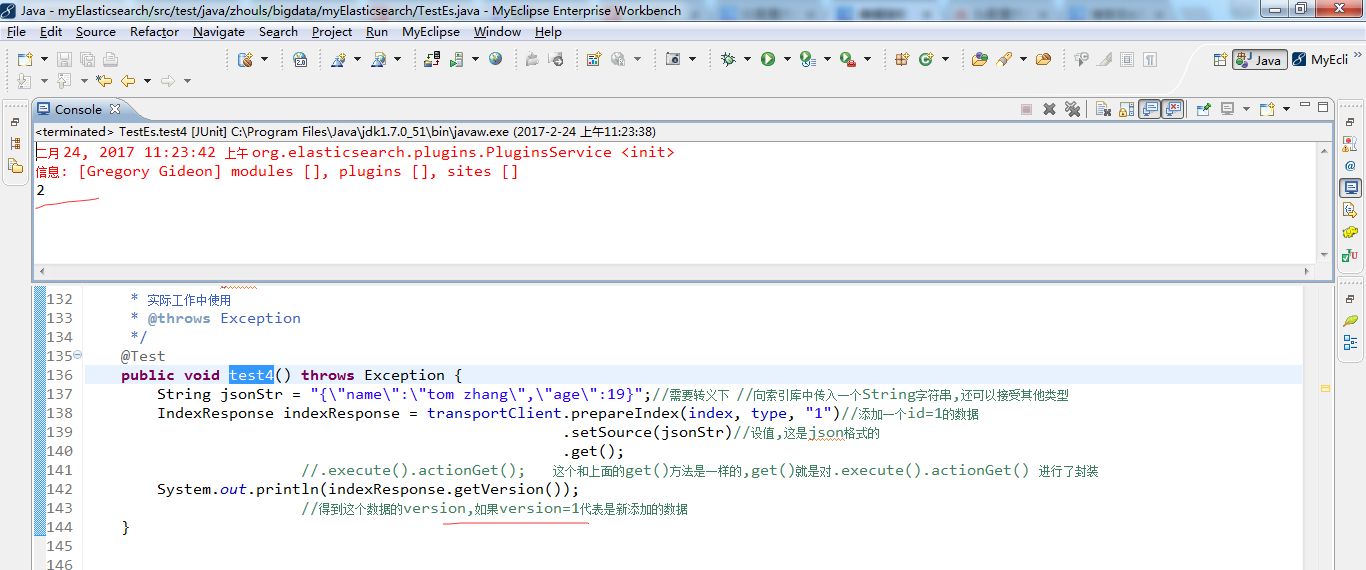
test4测试(添加json格式的数据)
![复制代码]()
  1 package zhouls.bigdata.myElasticsearch;
  2
  3 import static org.junit.Assert.*;
  4
  5 import java.net.InetAddress;
  6 import java.util.HashMap;
  7 import java.util.List;
  8
  9 import org.elasticsearch.action.bulk.BulkItemResponse;
 10 import org.elasticsearch.action.bulk.BulkRequestBuilder;
 11 import org.elasticsearch.action.bulk.BulkResponse;
 12 import org.elasticsearch.action.delete.DeleteRequest;
 13 import org.elasticsearch.action.get.GetResponse;
 14 import org.elasticsearch.action.index.IndexRequest;
 15 import org.elasticsearch.action.index.IndexResponse;
 16 import org.elasticsearch.action.search.SearchResponse;
 17 import org.elasticsearch.action.search.SearchType;
 18 import org.elasticsearch.action.update.UpdateResponse;
 19 import org.elasticsearch.client.transport.TransportClient;
 20 import org.elasticsearch.cluster.node.DiscoveryNode;
 21 import org.elasticsearch.common.settings.Settings;
 22 import org.elasticsearch.common.transport.InetSocketTransportAddress;
 23 import org.elasticsearch.common.transport.TransportAddress;
 24 import org.elasticsearch.common.xcontent.XContentBuilder;
 25 import org.elasticsearch.common.xcontent.XContentFactory;
 26 import org.elasticsearch.index.query.MatchQueryBuilder.Operator;
 27 import org.elasticsearch.index.query.QueryBuilders;
 28 import org.elasticsearch.search.SearchHit;
 29 import org.elasticsearch.search.SearchHits;
 30 import org.elasticsearch.search.aggregations.Aggregation;
 31 import org.elasticsearch.search.aggregations.AggregationBuilders;
 32 import org.elasticsearch.search.aggregations.bucket.terms.Terms;
 33 import org.elasticsearch.search.aggregations.bucket.terms.Terms.Bucket;
 34 import org.elasticsearch.search.aggregations.metrics.sum.Sum;
 35 import org.elasticsearch.search.sort.SortOrder;
 36 import org.junit.Before;
 37 import org.junit.Test;
 38
 39 import com.fasterxml.jackson.databind.ObjectMapper;
 40 import com.google.common.collect.ImmutableList;
 41
 42 public class TestEs {
 43
 44     //es和hadoop没关系啊,获取一个transportclient就可以操作es了
 45
 46
 47     private TransportClient transportClient;
 48     @Before//@Before和@Test的区别:每次执行都要先经过@Before,好比是,它是一个模板。
 49     //before表示在执行每个test方法之前运行,常与@Test搭配使用
 50     public void test0() throws Exception {
 51         //获取TransportClient,来操作es
 52         transportClient = TransportClient.builder().build();
 53         //需要使用9300端口
 54         TransportAddress transportAddress = new InetSocketTransportAddress(InetAddress.getByName("192.168.80.10"), 9300);
 55         //添加节点信息,最少指定集群内的某一个节点即可操作这个es集群
 56         transportClient.addTransportAddress(transportAddress);
 57     }
 58
 59     /**
 60      * 用java代码测试的时候这样写是没有问题的,比较简单
 61      * @throws Exception
 62      */
 63     @Test
 64     public void test1() throws Exception {
 65         //获取TransportClient,来操作es
 66         TransportClient transportClient = TransportClient.builder().build();
 67         //需要使用9300端口,指定es集群中的节点信息, 这个地方指定的端口是节点和节点之间的通信端口是9300,不是Http请求的端口9200.
 68         TransportAddress transportAddress = new InetSocketTransportAddress(InetAddress.getByName("192.168.80.11"), 9300);
 69         //添加节点信息,最少指定集群内的某一个节点即可操作这个es集群
 70         transportClient.addTransportAddress(transportAddress);
 71         System.out.println(transportClient.toString());
 72     }
 73
 74     /**
 75      * 可以这样写,防止代码中指定的链接失效
 76      * 但是写起来比较麻烦
 77      * 在实际工作中这样写不是很靠谱,需要完善,做测试可以
 78      * @throws Exception
 79      */
 80     @Test
 81     public void test2() throws Exception {
 82         //获取TransportClient,来操作es,通过TransportClient可以和es集群交互
 83         TransportClient transportClient = TransportClient.builder().build();
 84         //需要使用9300端口,指定es集群中的节点信息, 这个地方指定的端口是节点和节点之间的通信端口是9300,不是Http请求的端口9200.
 85         TransportAddress transportAddress = new InetSocketTransportAddress(InetAddress.getByName("192.168.80.10"), 9300);
 86         TransportAddress transportAddress1 = new InetSocketTransportAddress(InetAddress.getByName("192.168.80.11"), 9300);
 87         TransportAddress transportAddress2 = new InetSocketTransportAddress(InetAddress.getByName("192.168.80.12"), 9300);
 88         //添加节点信息,最少指定集群内的某一个节点即可操作这个es集群
 89         transportClient.addTransportAddresses(transportAddress,transportAddress1,transportAddress2);//加入多个地址
 90         System.out.println(transportClient.toString());
 91     }
 92
 93     /**
 94      * 实际生产环境下面,建议这样用,加上下面这些配置信息
 95      * @throws Exception
 96      */
 97     @Test
 98     public void test3() throws Exception {
 99         //指定es的配置信息
100         Settings settings = Settings.settingsBuilder()
101                 .put("cluster.name", "elasticsearch")//集群名称
102                         //如果集群名称在配置文件中被修改了,那么在这需要显式定义一下
103                         //es集群名称默认是 elasticsearch  sniff嗅; 发现;
104                 .put("client.transport.sniff", true)//开启集群的嗅探功能,只需要指定集群中一个节点信息即可获取到集群中的所有节点信息
105                         //开启集群的嗅探功能,这样可以保证es会自动把集群中的其他节点信息添加到transportClient里面
106                         //开启嗅探功能后 只要指定集群中的任意一个可用节点就可以了.当把代码运行之后TransportClient里面会把集群中所有节点的信息都拿到,能识别集群中的所有节点.
107                 .build();
108
109         //获取TransportClient,来操作es,//通过TransportClient可以和es集群交互
110         TransportClient transportClient = TransportClient.builder().settings(settings).build();
111         //需要使用9300端口,指定es集群中的节点信息, 这个地方指定的端口是节点和节点之间的通信端口是9300,不是Http请求的端口9200.
112         TransportAddress transportAddress = new InetSocketTransportAddress(InetAddress.getByName("192.168.80.10"), 9300);
113         //添加节点信息,最少指定集群内的某一个节点即可操作这个es集群
114         transportClient.addTransportAddress(transportAddress);
115
116         //获取client链接到的节点信息, //获取当前transportClient连接到了集群多少个节点
117         List<DiscoveryNode> connectedNodes = transportClient.connectedNodes();
118         for (DiscoveryNode discoveryNode : connectedNodes) {//for星型循环,将connectedNodes的值,一一传给DiscoveryNode discoveryNode
119             System.out.println(discoveryNode.getHostName());//打印192.168.80.10;192.168.80.11;192.168.80.12
120             //如果加入transportClient.addTransportAddresses(transportAddress)  只有一个ip,打印的就只有一个.
121         }
122     }
123
124
125     String index = "zhouls";//设置索引库
126     String type = "emp";//设置类型
127
128     //索引index(四种格式:json,map,bean,es helper)
129
130     /**
131      * index-1 json
132      * 实际工作中使用
133      * @throws Exception
134      */
135     @Test
136     public void test4() throws Exception {
137         String jsonStr = "{\"name\":\"tom zhang\",\"age\":19}";//需要转义下  //向索引库中传入一个String字符串,还可以接受其他类型
138         IndexResponse indexResponse = transportClient.prepareIndex(index, type, "1")//添加一个id=1的数据
139                                                      .setSource(jsonStr)//设值,这是json格式的
140                                                      .get();
141                         //.execute().actionGet();   这个和上面的get()方法是一样的,get()就是对.execute().actionGet() 进行了封装
142         System.out.println(indexResponse.getVersion());
143                         //得到这个数据的version,如果version=1代表是新添加的数据
144     }
![复制代码]()
![]()
![]()
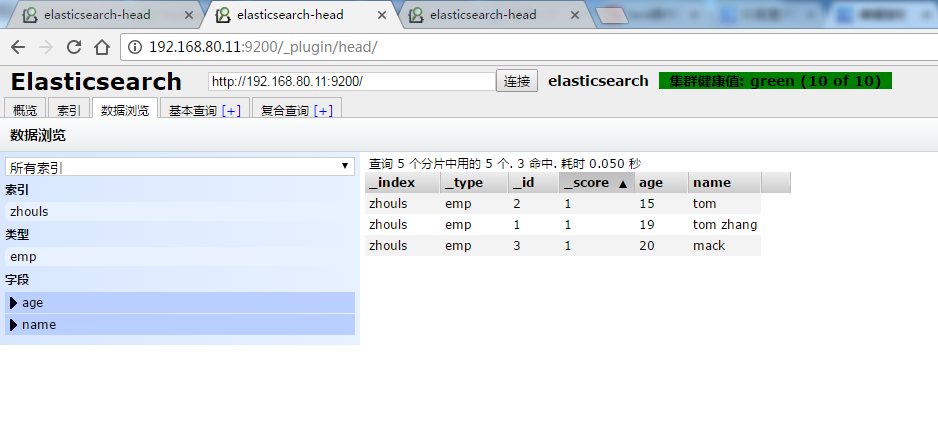
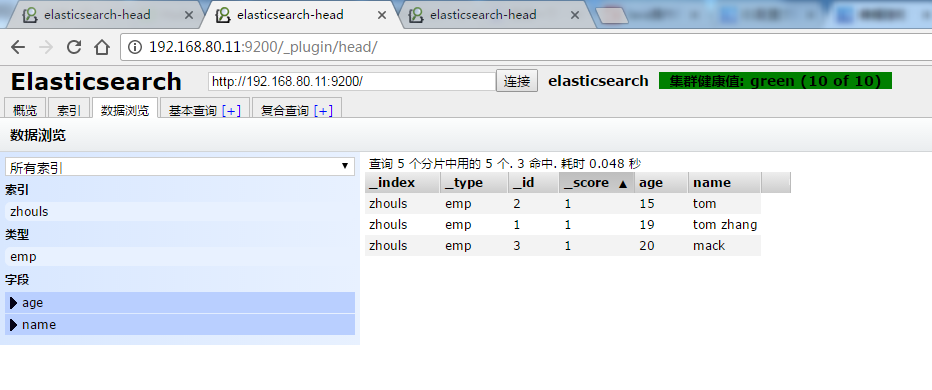
然后,在浏览器里,输入http://192.168.80.10:9200/_plugin/head/
![]()
![]()
![]()
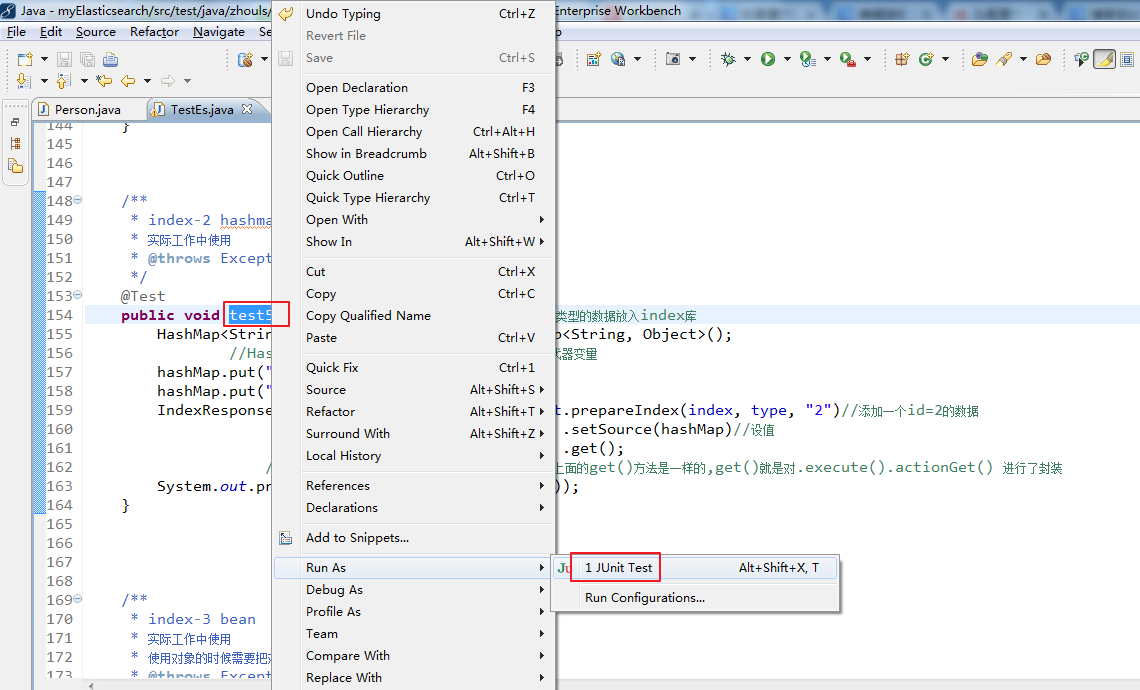
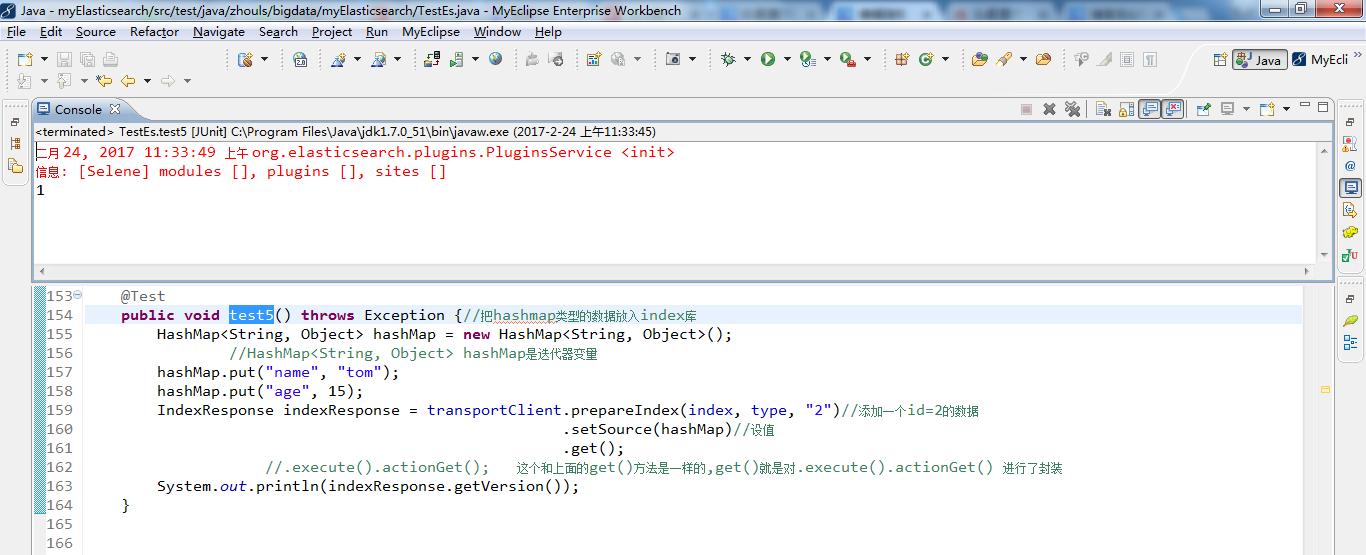
test5测试(添加map格式的数据)
![复制代码]()
  1 package zhouls.bigdata.myElasticsearch;
  2
  3 import static org.junit.Assert.*;
  4
  5 import java.net.InetAddress;
  6 import java.util.HashMap;
  7 import java.util.List;
  8
  9 import org.elasticsearch.action.bulk.BulkItemResponse;
 10 import org.elasticsearch.action.bulk.BulkRequestBuilder;
 11 import org.elasticsearch.action.bulk.BulkResponse;
 12 import org.elasticsearch.action.delete.DeleteRequest;
 13 import org.elasticsearch.action.get.GetResponse;
 14 import org.elasticsearch.action.index.IndexRequest;
 15 import org.elasticsearch.action.index.IndexResponse;
 16 import org.elasticsearch.action.search.SearchResponse;
 17 import org.elasticsearch.action.search.SearchType;
 18 import org.elasticsearch.action.update.UpdateResponse;
 19 import org.elasticsearch.client.transport.TransportClient;
 20 import org.elasticsearch.cluster.node.DiscoveryNode;
 21 import org.elasticsearch.common.settings.Settings;
 22 import org.elasticsearch.common.transport.InetSocketTransportAddress;
 23 import org.elasticsearch.common.transport.TransportAddress;
 24 import org.elasticsearch.common.xcontent.XContentBuilder;
 25 import org.elasticsearch.common.xcontent.XContentFactory;
 26 import org.elasticsearch.index.query.MatchQueryBuilder.Operator;
 27 import org.elasticsearch.index.query.QueryBuilders;
 28 import org.elasticsearch.search.SearchHit;
 29 import org.elasticsearch.search.SearchHits;
 30 import org.elasticsearch.search.aggregations.Aggregation;
 31 import org.elasticsearch.search.aggregations.AggregationBuilders;
 32 import org.elasticsearch.search.aggregations.bucket.terms.Terms;
 33 import org.elasticsearch.search.aggregations.bucket.terms.Terms.Bucket;
 34 import org.elasticsearch.search.aggregations.metrics.sum.Sum;
 35 import org.elasticsearch.search.sort.SortOrder;
 36 import org.junit.Before;
 37 import org.junit.Test;
 38
 39 import com.fasterxml.jackson.databind.ObjectMapper;
 40 import com.google.common.collect.ImmutableList;
 41
 42 public class TestEs {
 43
 44     //es和hadoop没关系啊,获取一个transportclient就可以操作es了
 45
 46
 47     private TransportClient transportClient;
 48     @Before//@Before和@Test的区别:每次执行都要先经过@Before,好比是,它是一个模板。
 49     //before表示在执行每个test方法之前运行,常与@Test搭配使用
 50     public void test0() throws Exception {
 51         //获取TransportClient,来操作es
 52         transportClient = TransportClient.builder().build();
 53         //需要使用9300端口
 54         TransportAddress transportAddress = new InetSocketTransportAddress(InetAddress.getByName("192.168.80.10"), 9300);
 55         //添加节点信息,最少指定集群内的某一个节点即可操作这个es集群
 56         transportClient.addTransportAddress(transportAddress);
 57     }
 58
 59     /**
 60      * 用java代码测试的时候这样写是没有问题的,比较简单
 61      * @throws Exception
 62      */
 63     @Test
 64     public void test1() throws Exception {
 65         //获取TransportClient,来操作es
 66         TransportClient transportClient = TransportClient.builder().build();
 67         //需要使用9300端口,指定es集群中的节点信息, 这个地方指定的端口是节点和节点之间的通信端口是9300,不是Http请求的端口9200.
 68         TransportAddress transportAddress = new InetSocketTransportAddress(InetAddress.getByName("192.168.80.11"), 9300);
 69         //添加节点信息,最少指定集群内的某一个节点即可操作这个es集群
 70         transportClient.addTransportAddress(transportAddress);
 71         System.out.println(transportClient.toString());
 72     }
 73
 74     /**
 75      * 可以这样写,防止代码中指定的链接失效
 76      * 但是写起来比较麻烦
 77      * 在实际工作中这样写不是很靠谱,需要完善,做测试可以
 78      * @throws Exception
 79      */
 80     @Test
 81     public void test2() throws Exception {
 82         //获取TransportClient,来操作es,通过TransportClient可以和es集群交互
 83         TransportClient transportClient = TransportClient.builder().build();
 84         //需要使用9300端口,指定es集群中的节点信息, 这个地方指定的端口是节点和节点之间的通信端口是9300,不是Http请求的端口9200.
 85         TransportAddress transportAddress = new InetSocketTransportAddress(InetAddress.getByName("192.168.80.10"), 9300);
 86         TransportAddress transportAddress1 = new InetSocketTransportAddress(InetAddress.getByName("192.168.80.11"), 9300);
 87         TransportAddress transportAddress2 = new InetSocketTransportAddress(InetAddress.getByName("192.168.80.12"), 9300);
 88         //添加节点信息,最少指定集群内的某一个节点即可操作这个es集群
 89         transportClient.addTransportAddresses(transportAddress,transportAddress1,transportAddress2);//加入多个地址
 90         System.out.println(transportClient.toString());
 91     }
 92
 93     /**
 94      * 实际生产环境下面,建议这样用,加上下面这些配置信息
 95      * @throws Exception
 96      */
 97     @Test
 98     public void test3() throws Exception {
 99         //指定es的配置信息
100         Settings settings = Settings.settingsBuilder()
101                 .put("cluster.name", "elasticsearch")//集群名称
102                         //如果集群名称在配置文件中被修改了,那么在这需要显式定义一下
103                         //es集群名称默认是 elasticsearch  sniff嗅; 发现;
104                 .put("client.transport.sniff", true)//开启集群的嗅探功能,只需要指定集群中一个节点信息即可获取到集群中的所有节点信息
105                         //开启集群的嗅探功能,这样可以保证es会自动把集群中的其他节点信息添加到transportClient里面
106                         //开启嗅探功能后 只要指定集群中的任意一个可用节点就可以了.当把代码运行之后TransportClient里面会把集群中所有节点的信息都拿到,能识别集群中的所有节点.
107                 .build();
108
109         //获取TransportClient,来操作es,//通过TransportClient可以和es集群交互
110         TransportClient transportClient = TransportClient.builder().settings(settings).build();
111         //需要使用9300端口,指定es集群中的节点信息, 这个地方指定的端口是节点和节点之间的通信端口是9300,不是Http请求的端口9200.
112         TransportAddress transportAddress = new InetSocketTransportAddress(InetAddress.getByName("192.168.80.10"), 9300);
113         //添加节点信息,最少指定集群内的某一个节点即可操作这个es集群
114         transportClient.addTransportAddress(transportAddress);
115
116         //获取client链接到的节点信息, //获取当前transportClient连接到了集群多少个节点
117         List<DiscoveryNode> connectedNodes = transportClient.connectedNodes();
118         for (DiscoveryNode discoveryNode : connectedNodes) {//for星型循环,将connectedNodes的值,一一传给DiscoveryNode discoveryNode
119             System.out.println(discoveryNode.getHostName());//打印192.168.80.10;192.168.80.11;192.168.80.12
120             //如果加入transportClient.addTransportAddresses(transportAddress)  只有一个ip,打印的就只有一个.
121         }
122     }
123
124
125     String index = "zhouls";//设置索引库
126     String type = "emp";//设置类型
127
128     //索引index(四种格式:json,map,bean,es helper)
129
130     /**
131      * index-1 json
132      * 实际工作中使用
133      * @throws Exception
134      */
135     @Test
136     public void test4() throws Exception {
137         String jsonStr = "{\"name\":\"tom zhang\",\"age\":19}";//需要转义下  //向索引库中传入一个String字符串,还可以接受其他类型
138         IndexResponse indexResponse = transportClient.prepareIndex(index, type, "1")//添加一个id=1的数据
139                                                      .setSource(jsonStr)//设值,这是json格式的
140                                                      .get();
141                         //.execute().actionGet();   这个和上面的get()方法是一样的,get()就是对.execute().actionGet() 进行了封装
142         System.out.println(indexResponse.getVersion());
143                         //得到这个数据的version,如果version=1代表是新添加的数据
144     }
145
146
147
148     /**
149      * index-2 hashmap
150      * 实际工作中使用
151      * @throws Exception
152      */
153     @Test
154     public void test5() throws Exception {//把hashmap类型的数据放入index库
155         HashMap<String, Object> hashMap = new HashMap<String, Object>();
156                 //HashMap<String, Object> hashMap是迭代器变量
157         hashMap.put("name", "tom");
158         hashMap.put("age", 15);
159         IndexResponse indexResponse = transportClient.prepareIndex(index, type, "2")//添加一个id=2的数据
160                                                      .setSource(hashMap)//设值
161                                                      .get();
162                     //.execute().actionGet();   这个和上面的get()方法是一样的,get()就是对.execute().actionGet() 进行了封装
163         System.out.println(indexResponse.getVersion());
164     }
165
![复制代码]()
![]()
![]()
![]()
![]()
![]()
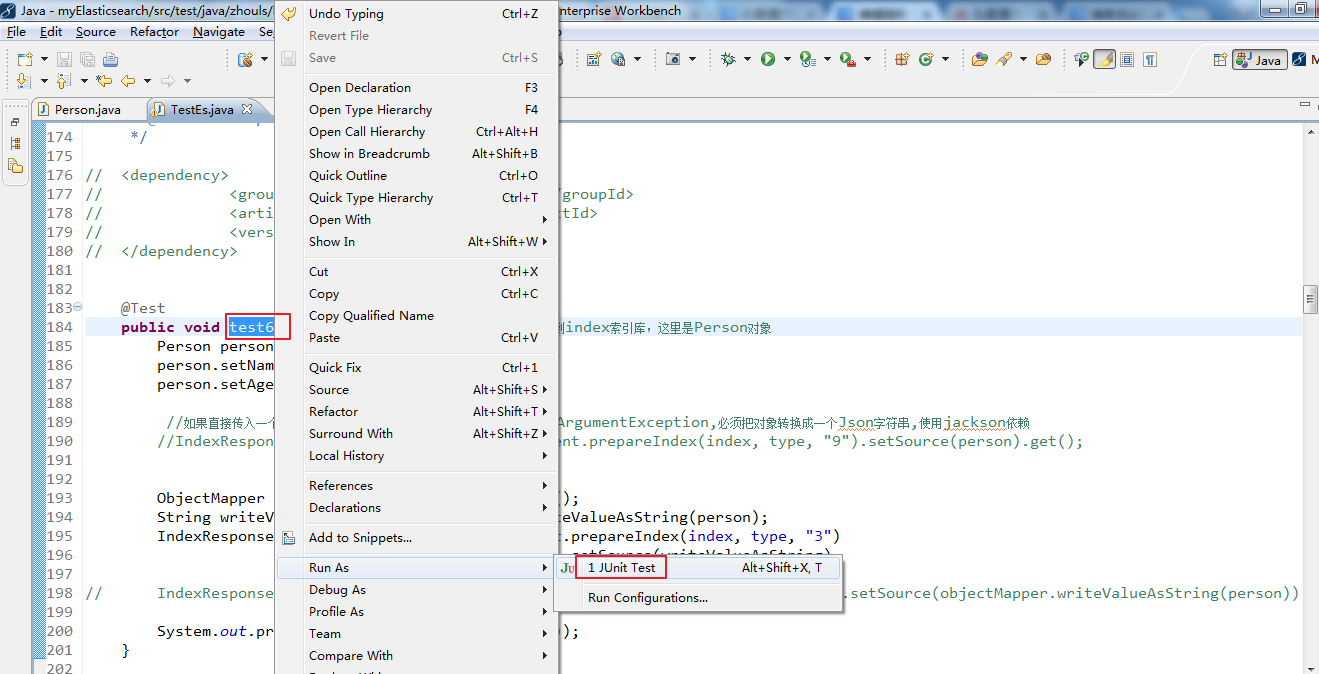
test6测试(添加bean格式的数据)
需要引入对象,这里新建Person.java实体类
 1 package zhouls.bigdata.myElasticsearch;
 2
 3
 4
 5 public class Person {//实体类
 6
 7     private String name;
 8     private int age;
 9     public String getName() {
10         return name;
11     }
12     public void setName(String name) {
13         this.name = name;
14     }
15     public int getAge() {
16         return age;
17     }
18     public void setAge(int age) {
19         this.age = age;
20     }
21
22
23
24 }
![复制代码]()
  1 package zhouls.bigdata.myElasticsearch;
  2
  3 import static org.junit.Assert.*;
  4
  5 import java.net.InetAddress;
  6 import java.util.HashMap;
  7 import java.util.List;
  8
  9 import org.elasticsearch.action.bulk.BulkItemResponse;
 10 import org.elasticsearch.action.bulk.BulkRequestBuilder;
 11 import org.elasticsearch.action.bulk.BulkResponse;
 12 import org.elasticsearch.action.delete.DeleteRequest;
 13 import org.elasticsearch.action.get.GetResponse;
 14 import org.elasticsearch.action.index.IndexRequest;
 15 import org.elasticsearch.action.index.IndexResponse;
 16 import org.elasticsearch.action.search.SearchResponse;
 17 import org.elasticsearch.action.search.SearchType;
 18 import org.elasticsearch.action.update.UpdateResponse;
 19 import org.elasticsearch.client.transport.TransportClient;
 20 import org.elasticsearch.cluster.node.DiscoveryNode;
 21 import org.elasticsearch.common.settings.Settings;
 22 import org.elasticsearch.common.transport.InetSocketTransportAddress;
 23 import org.elasticsearch.common.transport.TransportAddress;
 24 import org.elasticsearch.common.xcontent.XContentBuilder;
 25 import org.elasticsearch.common.xcontent.XContentFactory;
 26 import org.elasticsearch.index.query.MatchQueryBuilder.Operator;
 27 import org.elasticsearch.index.query.QueryBuilders;
 28 import org.elasticsearch.search.SearchHit;
 29 import org.elasticsearch.search.SearchHits;
 30 import org.elasticsearch.search.aggregations.Aggregation;
 31 import org.elasticsearch.search.aggregations.AggregationBuilders;
 32 import org.elasticsearch.search.aggregations.bucket.terms.Terms;
 33 import org.elasticsearch.search.aggregations.bucket.terms.Terms.Bucket;
 34 import org.elasticsearch.search.aggregations.metrics.sum.Sum;
 35 import org.elasticsearch.search.sort.SortOrder;
 36 import org.junit.Before;
 37 import org.junit.Test;
 38
 39 import com.fasterxml.jackson.databind.ObjectMapper;
 40 import com.google.common.collect.ImmutableList;
 41
 42 public class TestEs {
 43
 44     //es和hadoop没关系啊,获取一个transportclient就可以操作es了
 45
 46
 47     private TransportClient transportClient;
 48     @Before//@Before和@Test的区别:每次执行都要先经过@Before,好比是,它是一个模板。
 49     //before表示在执行每个test方法之前运行,常与@Test搭配使用
 50     public void test0() throws Exception {
 51         //获取TransportClient,来操作es
 52         transportClient = TransportClient.builder().build();
 53         //需要使用9300端口
 54         TransportAddress transportAddress = new InetSocketTransportAddress(InetAddress.getByName("192.168.80.10"), 9300);
 55         //添加节点信息,最少指定集群内的某一个节点即可操作这个es集群
 56         transportClient.addTransportAddress(transportAddress);
 57     }
 58
 59     /**
 60      * 用java代码测试的时候这样写是没有问题的,比较简单
 61      * @throws Exception
 62      */
 63     @Test
 64     public void test1() throws Exception {
 65         //获取TransportClient,来操作es
 66         TransportClient transportClient = TransportClient.builder().build();
 67         //需要使用9300端口,指定es集群中的节点信息, 这个地方指定的端口是节点和节点之间的通信端口是9300,不是Http请求的端口9200.
 68         TransportAddress transportAddress = new InetSocketTransportAddress(InetAddress.getByName("192.168.80.11"), 9300);
 69         //添加节点信息,最少指定集群内的某一个节点即可操作这个es集群
 70         transportClient.addTransportAddress(transportAddress);
 71         System.out.println(transportClient.toString());
 72     }
 73
 74     /**
 75      * 可以这样写,防止代码中指定的链接失效
 76      * 但是写起来比较麻烦
 77      * 在实际工作中这样写不是很靠谱,需要完善,做测试可以
 78      * @throws Exception
 79      */
 80     @Test
 81     public void test2() throws Exception {
 82         //获取TransportClient,来操作es,通过TransportClient可以和es集群交互
 83         TransportClient transportClient = TransportClient.builder().build();
 84         //需要使用9300端口,指定es集群中的节点信息, 这个地方指定的端口是节点和节点之间的通信端口是9300,不是Http请求的端口9200.
 85         TransportAddress transportAddress = new InetSocketTransportAddress(InetAddress.getByName("192.168.80.10"), 9300);
 86         TransportAddress transportAddress1 = new InetSocketTransportAddress(InetAddress.getByName("192.168.80.11"), 9300);
 87         TransportAddress transportAddress2 = new InetSocketTransportAddress(InetAddress.getByName("192.168.80.12"), 9300);
 88         //添加节点信息,最少指定集群内的某一个节点即可操作这个es集群
 89         transportClient.addTransportAddresses(transportAddress,transportAddress1,transportAddress2);//加入多个地址
 90         System.out.println(transportClient.toString());
 91     }
 92
 93     /**
 94      * 实际生产环境下面,建议这样用,加上下面这些配置信息
 95      * @throws Exception
 96      */
 97     @Test
 98     public void test3() throws Exception {
 99         //指定es的配置信息
100         Settings settings = Settings.settingsBuilder()
101                 .put("cluster.name", "elasticsearch")//集群名称
102                         //如果集群名称在配置文件中被修改了,那么在这需要显式定义一下
103                         //es集群名称默认是 elasticsearch  sniff嗅; 发现;
104                 .put("client.transport.sniff", true)//开启集群的嗅探功能,只需要指定集群中一个节点信息即可获取到集群中的所有节点信息
105                         //开启集群的嗅探功能,这样可以保证es会自动把集群中的其他节点信息添加到transportClient里面
106                         //开启嗅探功能后 只要指定集群中的任意一个可用节点就可以了.当把代码运行之后TransportClient里面会把集群中所有节点的信息都拿到,能识别集群中的所有节点.
107                 .build();
108
109         //获取TransportClient,来操作es,//通过TransportClient可以和es集群交互
110         TransportClient transportClient = TransportClient.builder().settings(settings).build();
111         //需要使用9300端口,指定es集群中的节点信息, 这个地方指定的端口是节点和节点之间的通信端口是9300,不是Http请求的端口9200.
112         TransportAddress transportAddress = new InetSocketTransportAddress(InetAddress.getByName("192.168.80.10"), 9300);
113         //添加节点信息,最少指定集群内的某一个节点即可操作这个es集群
114         transportClient.addTransportAddress(transportAddress);
115
116         //获取client链接到的节点信息, //获取当前transportClient连接到了集群多少个节点
117         List<DiscoveryNode> connectedNodes = transportClient.connectedNodes();
118         for (DiscoveryNode discoveryNode : connectedNodes) {//for星型循环,将connectedNodes的值,一一传给DiscoveryNode discoveryNode
119             System.out.println(discoveryNode.getHostName());//打印192.168.80.10;192.168.80.11;192.168.80.12
120             //如果加入transportClient.addTransportAddresses(transportAddress)  只有一个ip,打印的就只有一个.
121         }
122     }
123
124
125     String index = "zhouls";//设置索引库
126     String type = "emp";//设置类型
127
128     //索引index(四种格式:json,map,bean,es helper)
129
130     /**
131      * index-1 json
132      * 实际工作中使用
133      * @throws Exception
134      */
135     @Test
136     public void test4() throws Exception {
137         String jsonStr = "{\"name\":\"tom zhang\",\"age\":19}";//需要转义下  //向索引库中传入一个String字符串,还可以接受其他类型
138         IndexResponse indexResponse = transportClient.prepareIndex(index, type, "1")//添加一个id=1的数据
139                                                      .setSource(jsonStr)//设值,这是json格式的
140                                                      .get();
141                         //.execute().actionGet();   这个和上面的get()方法是一样的,get()就是对.execute().actionGet() 进行了封装
142         System.out.println(indexResponse.getVersion());
143                         //得到这个数据的version,如果version=1代表是新添加的数据
144     }
145
146
147
148     /**
149      * index-2 hashmap
150      * 实际工作中使用
151      * @throws Exception
152      */
153     @Test
154     public void test5() throws Exception {//把hashmap类型的数据放入index库
155         HashMap<String, Object> hashMap = new HashMap<String, Object>();
156                 //HashMap<String, Object> hashMap是迭代器变量
157         hashMap.put("name", "tom");
158         hashMap.put("age", 15);
159         IndexResponse indexResponse = transportClient.prepareIndex(index, type, "2")//添加一个id=2的数据
160                                                      .setSource(hashMap)//设值
161                                                      .get();
162                     //.execute().actionGet();   这个和上面的get()方法是一样的,get()就是对.execute().actionGet() 进行了封装
163         System.out.println(indexResponse.getVersion());
164     }
165
166
167
168
169     /**
170      * index-3 bean
171      * 实际工作中使用
172      * 使用对象的时候需要把对象中的属性转化成json字符串
173      * @throws Exception
174      */
175
176 //    <dependency>
177 //                <groupId>com.fasterxml.jackson.core</groupId>
178 //                <artifactId>jackson-databind</artifactId>
179 //                <version>2.1.3</version>
180 //    </dependency>
181
182
183     @Test
184     public void test6() throws Exception {//传入一个对象到index索引库,这里是Person对象
185         Person person = new Person();
186         person.setName("mack");
187         person.setAge(20);
188
189          //如果直接传入一个person对象会报错,java.lang.IllegalArgumentException,必须把对象转换成一个Json字符串,使用jackson依赖
190         //IndexResponse indexResponse = transportClient.prepareIndex(index, type, "9").setSource(person).get();
191
192
193         ObjectMapper objectMapper = new ObjectMapper();
194         String writeValueAsString = objectMapper.writeValueAsString(person);
195         IndexResponse indexResponse = transportClient.prepareIndex(index, type, "3")
196                                                      .setSource(writeValueAsString)
197                                                      .get();
198 //        IndexResponse indexResponse = transportClient.prepareIndex(index, type, "3").setSource(objectMapper.writeValueAsString(person)).get();
199
200         System.out.println(indexResponse.getVersion());
201     }
![复制代码]()
![]()
![]()
![]()
![]()
![]()
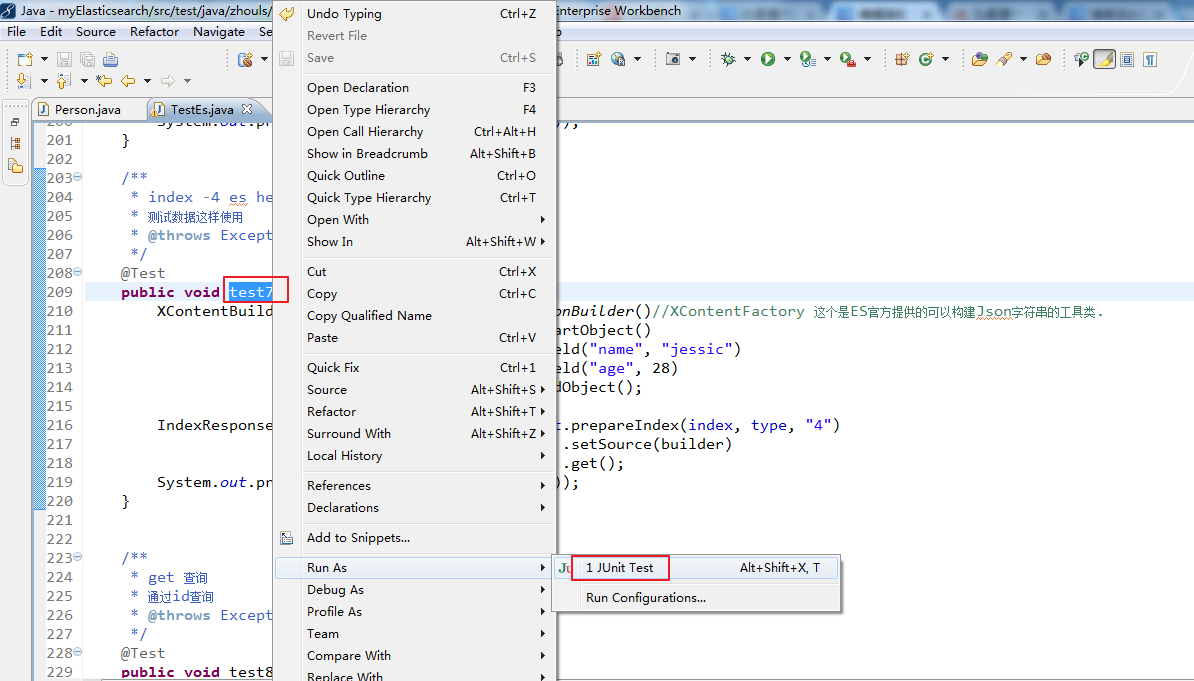
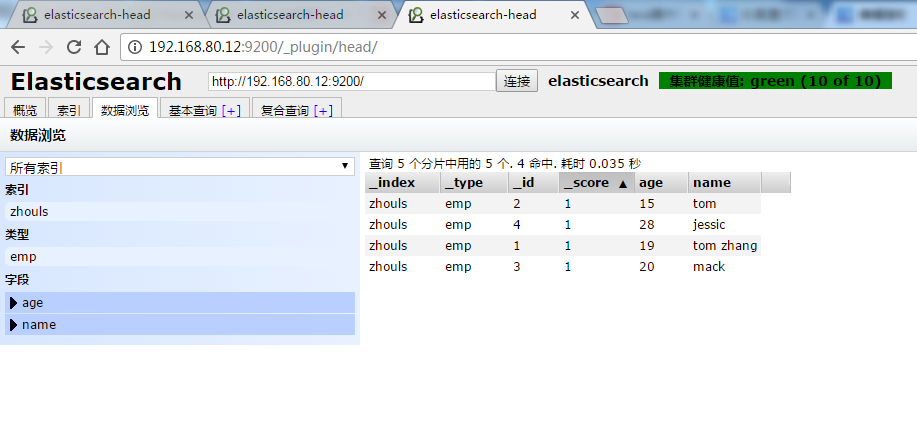
test7测试(添加helper格式的数据)
![复制代码]()
  1 package zhouls.bigdata.myElasticsearch;
  2
  3 import static org.junit.Assert.*;
  4
  5 import java.net.InetAddress;
  6 import java.util.HashMap;
  7 import java.util.List;
  8
  9 import org.elasticsearch.action.bulk.BulkItemResponse;
 10 import org.elasticsearch.action.bulk.BulkRequestBuilder;
 11 import org.elasticsearch.action.bulk.BulkResponse;
 12 import org.elasticsearch.action.delete.DeleteRequest;
 13 import org.elasticsearch.action.get.GetResponse;
 14 import org.elasticsearch.action.index.IndexRequest;
 15 import org.elasticsearch.action.index.IndexResponse;
 16 import org.elasticsearch.action.search.SearchResponse;
 17 import org.elasticsearch.action.search.SearchType;
 18 import org.elasticsearch.action.update.UpdateResponse;
 19 import org.elasticsearch.client.transport.TransportClient;
 20 import org.elasticsearch.cluster.node.DiscoveryNode;
 21 import org.elasticsearch.common.settings.Settings;
 22 import org.elasticsearch.common.transport.InetSocketTransportAddress;
 23 import org.elasticsearch.common.transport.TransportAddress;
 24 import org.elasticsearch.common.xcontent.XContentBuilder;
 25 import org.elasticsearch.common.xcontent.XContentFactory;
 26 import org.elasticsearch.index.query.MatchQueryBuilder.Operator;
 27 import org.elasticsearch.index.query.QueryBuilders;
 28 import org.elasticsearch.search.SearchHit;
 29 import org.elasticsearch.search.SearchHits;
 30 import org.elasticsearch.search.aggregations.Aggregation;
 31 import org.elasticsearch.search.aggregations.AggregationBuilders;
 32 import org.elasticsearch.search.aggregations.bucket.terms.Terms;
 33 import org.elasticsearch.search.aggregations.bucket.terms.Terms.Bucket;
 34 import org.elasticsearch.search.aggregations.metrics.sum.Sum;
 35 import org.elasticsearch.search.sort.SortOrder;
 36 import org.junit.Before;
 37 import org.junit.Test;
 38
 39 import com.fasterxml.jackson.databind.ObjectMapper;
 40 import com.google.common.collect.ImmutableList;
 41
 42 public class TestEs {
 43
 44     //es和hadoop没关系啊,获取一个transportclient就可以操作es了
 45
 46
 47     private TransportClient transportClient;
 48     @Before//@Before和@Test的区别:每次执行都要先经过@Before,好比是,它是一个模板。
 49     //before表示在执行每个test方法之前运行,常与@Test搭配使用
 50     public void test0() throws Exception {
 51         //获取TransportClient,来操作es
 52         transportClient = TransportClient.builder().build();
 53         //需要使用9300端口
 54         TransportAddress transportAddress = new InetSocketTransportAddress(InetAddress.getByName("192.168.80.10"), 9300);
 55         //添加节点信息,最少指定集群内的某一个节点即可操作这个es集群
 56         transportClient.addTransportAddress(transportAddress);
 57     }
 58
 59     /**
 60      * 用java代码测试的时候这样写是没有问题的,比较简单
 61      * @throws Exception
 62      */
 63     @Test
 64     public void test1() throws Exception {
 65         //获取TransportClient,来操作es
 66         TransportClient transportClient = TransportClient.builder().build();
 67         //需要使用9300端口,指定es集群中的节点信息, 这个地方指定的端口是节点和节点之间的通信端口是9300,不是Http请求的端口9200.
 68         TransportAddress transportAddress = new InetSocketTransportAddress(InetAddress.getByName("192.168.80.11"), 9300);
 69         //添加节点信息,最少指定集群内的某一个节点即可操作这个es集群
 70         transportClient.addTransportAddress(transportAddress);
 71         System.out.println(transportClient.toString());
 72     }
 73
 74     /**
 75      * 可以这样写,防止代码中指定的链接失效
 76      * 但是写起来比较麻烦
 77      * 在实际工作中这样写不是很靠谱,需要完善,做测试可以
 78      * @throws Exception
 79      */
 80     @Test
 81     public void test2() throws Exception {
 82         //获取TransportClient,来操作es,通过TransportClient可以和es集群交互
 83         TransportClient transportClient = TransportClient.builder().build();
 84         //需要使用9300端口,指定es集群中的节点信息, 这个地方指定的端口是节点和节点之间的通信端口是9300,不是Http请求的端口9200.
 85         TransportAddress transportAddress = new InetSocketTransportAddress(InetAddress.getByName("192.168.80.10"), 9300);
 86         TransportAddress transportAddress1 = new InetSocketTransportAddress(InetAddress.getByName("192.168.80.11"), 9300);
 87         TransportAddress transportAddress2 = new InetSocketTransportAddress(InetAddress.getByName("192.168.80.12"), 9300);
 88         //添加节点信息,最少指定集群内的某一个节点即可操作这个es集群
 89         transportClient.addTransportAddresses(transportAddress,transportAddress1,transportAddress2);//加入多个地址
 90         System.out.println(transportClient.toString());
 91     }
 92
 93     /**
 94      * 实际生产环境下面,建议这样用,加上下面这些配置信息
 95      * @throws Exception
 96      */
 97     @Test
 98     public void test3() throws Exception {
 99         //指定es的配置信息
100         Settings settings = Settings.settingsBuilder()
101                 .put("cluster.name", "elasticsearch")//集群名称
102                         //如果集群名称在配置文件中被修改了,那么在这需要显式定义一下
103                         //es集群名称默认是 elasticsearch  sniff嗅; 发现;
104                 .put("client.transport.sniff", true)//开启集群的嗅探功能,只需要指定集群中一个节点信息即可获取到集群中的所有节点信息
105                         //开启集群的嗅探功能,这样可以保证es会自动把集群中的其他节点信息添加到transportClient里面
106                         //开启嗅探功能后 只要指定集群中的任意一个可用节点就可以了.当把代码运行之后TransportClient里面会把集群中所有节点的信息都拿到,能识别集群中的所有节点.
107                 .build();
108
109         //获取TransportClient,来操作es,//通过TransportClient可以和es集群交互
110         TransportClient transportClient = TransportClient.builder().settings(settings).build();
111         //需要使用9300端口,指定es集群中的节点信息, 这个地方指定的端口是节点和节点之间的通信端口是9300,不是Http请求的端口9200.
112         TransportAddress transportAddress = new InetSocketTransportAddress(InetAddress.getByName("192.168.80.10"), 9300);
113         //添加节点信息,最少指定集群内的某一个节点即可操作这个es集群
114         transportClient.addTransportAddress(transportAddress);
115
116         //获取client链接到的节点信息, //获取当前transportClient连接到了集群多少个节点
117         List<DiscoveryNode> connectedNodes = transportClient.connectedNodes();
118         for (DiscoveryNode discoveryNode : connectedNodes) {//for星型循环,将connectedNodes的值,一一传给DiscoveryNode discoveryNode
119             System.out.println(discoveryNode.getHostName());//打印192.168.80.10;192.168.80.11;192.168.80.12
120             //如果加入transportClient.addTransportAddresses(transportAddress)  只有一个ip,打印的就只有一个.
121         }
122     }
123
124
125     String index = "zhouls";//设置索引库
126     String type = "emp";//设置类型
127
128     //索引index(四种格式:json,map,bean,es helper)
129
130     /**
131      * index-1 json
132      * 实际工作中使用
133      * @throws Exception
134      */
135     @Test
136     public void test4() throws Exception {
137         String jsonStr = "{\"name\":\"tom zhang\",\"age\":19}";//需要转义下  //向索引库中传入一个String字符串,还可以接受其他类型
138         IndexResponse indexResponse = transportClient.prepareIndex(index, type, "1")//添加一个id=1的数据
139                                                      .setSource(jsonStr)//设值,这是json格式的
140                                                      .get();
141                         //.execute().actionGet();   这个和上面的get()方法是一样的,get()就是对.execute().actionGet() 进行了封装
142         System.out.println(indexResponse.getVersion());
143                         //得到这个数据的version,如果version=1代表是新添加的数据
144     }
145
146
147
148     /**
149      * index-2 hashmap
150      * 实际工作中使用
151      * @throws Exception
152      */
153     @Test
154     public void test5() throws Exception {//把hashmap类型的数据放入index库
155         HashMap<String, Object> hashMap = new HashMap<String, Object>();
156                 //HashMap<String, Object> hashMap是迭代器变量
157         hashMap.put("name", "tom");
158         hashMap.put("age", 15);
159         IndexResponse indexResponse = transportClient.prepareIndex(index, type, "2")//添加一个id=2的数据
160                                                      .setSource(hashMap)//设值
161                                                      .get();
162                     //.execute().actionGet();   这个和上面的get()方法是一样的,get()就是对.execute().actionGet() 进行了封装
163         System.out.println(indexResponse.getVersion());
164     }
165
166
167
168
169     /**
170      * index-3 bean
171      * 实际工作中使用
172      * 使用对象的时候需要把对象中的属性转化成json字符串
173      * @throws Exception
174      */
175
176 //    <dependency>
177 //                <groupId>com.fasterxml.jackson.core</groupId>
178 //                <artifactId>jackson-databind</artifactId>
179 //                <version>2.1.3</version>
180 //    </dependency>
181
182
183     @Test
184     public void test6() throws Exception {//传入一个对象到index索引库,这里是Person对象
185         Person person = new Person();
186         person.setName("mack");
187         person.setAge(20);
188
189          //如果直接传入一个person对象会报错,java.lang.IllegalArgumentException,必须把对象转换成一个Json字符串,使用jackson依赖
190         //IndexResponse indexResponse = transportClient.prepareIndex(index, type, "9").setSource(person).get();
191
192
193         ObjectMapper objectMapper = new ObjectMapper();
194         String writeValueAsString = objectMapper.writeValueAsString(person);
195         IndexResponse indexResponse = transportClient.prepareIndex(index, type, "3")
196                                                      .setSource(writeValueAsString)
197                                                      .get();
198 //        IndexResponse indexResponse = transportClient.prepareIndex(index, type, "3").setSource(objectMapper.writeValueAsString(person)).get();
199
200         System.out.println(indexResponse.getVersion());
201     }
202
203     /**
204      * index -4 es helper
205      * 测试数据这样使用
206      * @throws Exception
207      */
208     @Test
209     public void test7() throws Exception {
210         XContentBuilder builder = XContentFactory.jsonBuilder()//XContentFactory 这个是ES官方提供的可以构建Json字符串的工具类.
211                                                  .startObject()
212                                                  .field("name", "jessic")
213                                                  .field("age", 28)
214                                                  .endObject();
215
216         IndexResponse indexResponse = transportClient.prepareIndex(index, type, "4")
217                                                      .setSource(builder)
218                                                      .get();
219         System.out.println(indexResponse.getVersion());
220     }
![复制代码]()
![]()
![]()
![]()
![]()
![]()
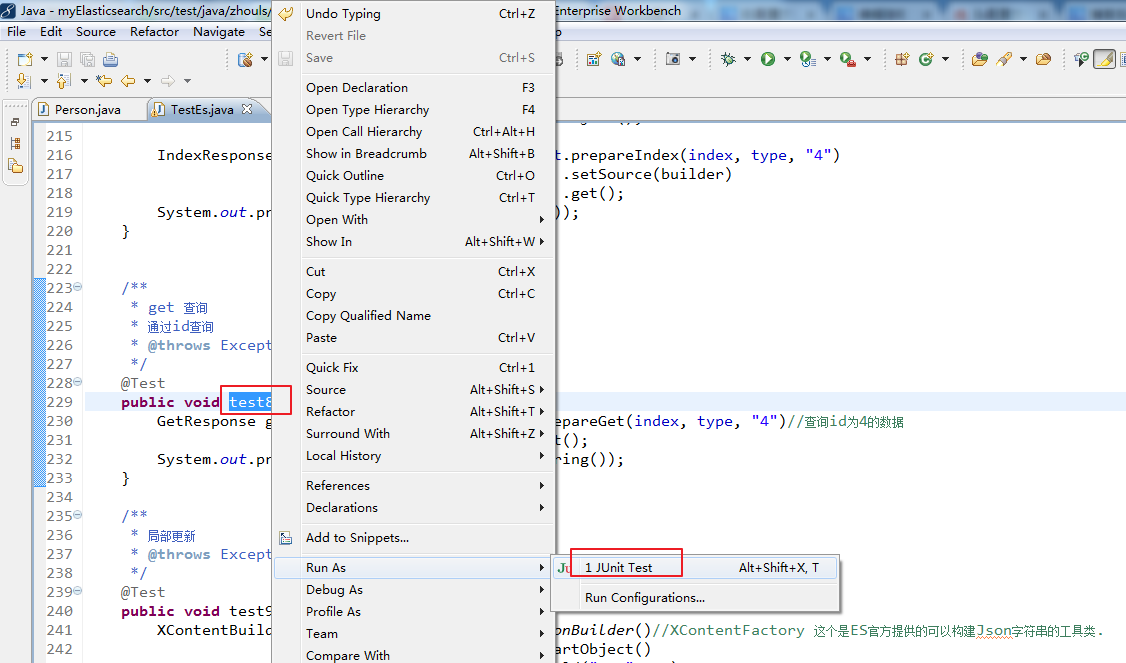
test8测试(通过id get查询数据)
![复制代码]()
  1 package zhouls.bigdata.myElasticsearch;
  2
  3 import static org.junit.Assert.*;
  4
  5 import java.net.InetAddress;
  6 import java.util.HashMap;
  7 import java.util.List;
  8
  9 import org.elasticsearch.action.bulk.BulkItemResponse;
 10 import org.elasticsearch.action.bulk.BulkRequestBuilder;
 11 import org.elasticsearch.action.bulk.BulkResponse;
 12 import org.elasticsearch.action.delete.DeleteRequest;
 13 import org.elasticsearch.action.get.GetResponse;
 14 import org.elasticsearch.action.index.IndexRequest;
 15 import org.elasticsearch.action.index.IndexResponse;
 16 import org.elasticsearch.action.search.SearchResponse;
 17 import org.elasticsearch.action.search.SearchType;
 18 import org.elasticsearch.action.update.UpdateResponse;
 19 import org.elasticsearch.client.transport.TransportClient;
 20 import org.elasticsearch.cluster.node.DiscoveryNode;
 21 import org.elasticsearch.common.settings.Settings;
 22 import org.elasticsearch.common.transport.InetSocketTransportAddress;
 23 import org.elasticsearch.common.transport.TransportAddress;
 24 import org.elasticsearch.common.xcontent.XContentBuilder;
 25 import org.elasticsearch.common.xcontent.XContentFactory;
 26 import org.elasticsearch.index.query.MatchQueryBuilder.Operator;
 27 import org.elasticsearch.index.query.QueryBuilders;
 28 import org.elasticsearch.search.SearchHit;
 29 import org.elasticsearch.search.SearchHits;
 30 import org.elasticsearch.search.aggregations.Aggregation;
 31 import org.elasticsearch.search.aggregations.AggregationBuilders;
 32 import org.elasticsearch.search.aggregations.bucket.terms.Terms;
 33 import org.elasticsearch.search.aggregations.bucket.terms.Terms.Bucket;
 34 import org.elasticsearch.search.aggregations.metrics.sum.Sum;
 35 import org.elasticsearch.search.sort.SortOrder;
 36 import org.junit.Before;
 37 import org.junit.Test;
 38
 39 import com.fasterxml.jackson.databind.ObjectMapper;
 40 import com.google.common.collect.ImmutableList;
 41
 42 public class TestEs {
 43
 44     //es和hadoop没关系啊,获取一个transportclient就可以操作es了
 45
 46
 47     private TransportClient transportClient;
 48     @Before//@Before和@Test的区别:每次执行都要先经过@Before,好比是,它是一个模板。
 49     //before表示在执行每个test方法之前运行,常与@Test搭配使用
 50     public void test0() throws Exception {
 51         //获取TransportClient,来操作es
 52         transportClient = TransportClient.builder().build();
 53         //需要使用9300端口
 54         TransportAddress transportAddress = new InetSocketTransportAddress(InetAddress.getByName("192.168.80.10"), 9300);
 55         //添加节点信息,最少指定集群内的某一个节点即可操作这个es集群
 56         transportClient.addTransportAddress(transportAddress);
 57     }
 58
 59     /**
 60      * 用java代码测试的时候这样写是没有问题的,比较简单
 61      * @throws Exception
 62      */
 63     @Test
 64     public void test1() throws Exception {
 65         //获取TransportClient,来操作es
 66         TransportClient transportClient = TransportClient.builder().build();
 67         //需要使用9300端口,指定es集群中的节点信息, 这个地方指定的端口是节点和节点之间的通信端口是9300,不是Http请求的端口9200.
 68         TransportAddress transportAddress = new InetSocketTransportAddress(InetAddress.getByName("192.168.80.11"), 9300);
 69         //添加节点信息,最少指定集群内的某一个节点即可操作这个es集群
 70         transportClient.addTransportAddress(transportAddress);
 71         System.out.println(transportClient.toString());
 72     }
 73
 74     /**
 75      * 可以这样写,防止代码中指定的链接失效
 76      * 但是写起来比较麻烦
 77      * 在实际工作中这样写不是很靠谱,需要完善,做测试可以
 78      * @throws Exception
 79      */
 80     @Test
 81     public void test2() throws Exception {
 82         //获取TransportClient,来操作es,通过TransportClient可以和es集群交互
 83         TransportClient transportClient = TransportClient.builder().build();
 84         //需要使用9300端口,指定es集群中的节点信息, 这个地方指定的端口是节点和节点之间的通信端口是9300,不是Http请求的端口9200.
 85         TransportAddress transportAddress = new InetSocketTransportAddress(InetAddress.getByName("192.168.80.10"), 9300);
 86         TransportAddress transportAddress1 = new InetSocketTransportAddress(InetAddress.getByName("192.168.80.11"), 9300);
 87         TransportAddress transportAddress2 = new InetSocketTransportAddress(InetAddress.getByName("192.168.80.12"), 9300);
 88         //添加节点信息,最少指定集群内的某一个节点即可操作这个es集群
 89         transportClient.addTransportAddresses(transportAddress,transportAddress1,transportAddress2);//加入多个地址
 90         System.out.println(transportClient.toString());
 91     }
 92
 93     /**
 94      * 实际生产环境下面,建议这样用,加上下面这些配置信息
 95      * @throws Exception
 96      */
 97     @Test
 98     public void test3() throws Exception {
 99         //指定es的配置信息
100         Settings settings = Settings.settingsBuilder()
101                 .put("cluster.name", "elasticsearch")//集群名称
102                         //如果集群名称在配置文件中被修改了,那么在这需要显式定义一下
103                         //es集群名称默认是 elasticsearch  sniff嗅; 发现;
104                 .put("client.transport.sniff", true)//开启集群的嗅探功能,只需要指定集群中一个节点信息即可获取到集群中的所有节点信息
105                         //开启集群的嗅探功能,这样可以保证es会自动把集群中的其他节点信息添加到transportClient里面
106                         //开启嗅探功能后 只要指定集群中的任意一个可用节点就可以了.当把代码运行之后TransportClient里面会把集群中所有节点的信息都拿到,能识别集群中的所有节点.
107                 .build();
108
109         //获取TransportClient,来操作es,//通过TransportClient可以和es集群交互
110         TransportClient transportClient = TransportClient.builder().settings(settings).build();
111         //需要使用9300端口,指定es集群中的节点信息, 这个地方指定的端口是节点和节点之间的通信端口是9300,不是Http请求的端口9200.
112         TransportAddress transportAddress = new InetSocketTransportAddress(InetAddress.getByName("192.168.80.10"), 9300);
113         //添加节点信息,最少指定集群内的某一个节点即可操作这个es集群
114         transportClient.addTransportAddress(transportAddress);
115
116         //获取client链接到的节点信息, //获取当前transportClient连接到了集群多少个节点
117         List<DiscoveryNode> connectedNodes = transportClient.connectedNodes();
118         for (DiscoveryNode discoveryNode : connectedNodes) {//for星型循环,将connectedNodes的值,一一传给DiscoveryNode discoveryNode
119             System.out.println(discoveryNode.getHostName());//打印192.168.80.10;192.168.80.11;192.168.80.12
120             //如果加入transportClient.addTransportAddresses(transportAddress)  只有一个ip,打印的就只有一个.
121         }
122     }
123
124
125     String index = "zhouls";//设置索引库
126     String type = "emp";//设置类型
127
128     //索引index(四种格式:json,map,bean,es helper)
129
130     /**
131      * index-1 json
132      * 实际工作中使用
133      * @throws Exception
134      */
135     @Test
136     public void test4() throws Exception {
137         String jsonStr = "{\"name\":\"tom zhang\",\"age\":19}";//需要转义下  //向索引库中传入一个String字符串,还可以接受其他类型
138         IndexResponse indexResponse = transportClient.prepareIndex(index, type, "1")//添加一个id=1的数据
139                                                      .setSource(jsonStr)//设值,这是json格式的
140                                                      .get();
141                         //.execute().actionGet();   这个和上面的get()方法是一样的,get()就是对.execute().actionGet() 进行了封装
142         System.out.println(indexResponse.getVersion());
143                         //得到这个数据的version,如果version=1代表是新添加的数据
144     }
145
146
147
148     /**
149      * index-2 hashmap
150      * 实际工作中使用
151      * @throws Exception
152      */
153     @Test
154     public void test5() throws Exception {//把hashmap类型的数据放入index库
155         HashMap<String, Object> hashMap = new HashMap<String, Object>();
156                 //HashMap<String, Object> hashMap是迭代器变量
157         hashMap.put("name", "tom");
158         hashMap.put("age", 15);
159         IndexResponse indexResponse = transportClient.prepareIndex(index, type, "2")//添加一个id=2的数据
160                                                      .setSource(hashMap)//设值
161                                                      .get();
162                     //.execute().actionGet();   这个和上面的get()方法是一样的,get()就是对.execute().actionGet() 进行了封装
163         System.out.println(indexResponse.getVersion());
164     }
165
166
167
168
169     /**
170      * index-3 bean
171      * 实际工作中使用
172      * 使用对象的时候需要把对象中的属性转化成json字符串
173      * @throws Exception
174      */
175
176 //    <dependency>
177 //                <groupId>com.fasterxml.jackson.core</groupId>
178 //                <artifactId>jackson-databind</artifactId>
179 //                <version>2.1.3</version>
180 //    </dependency>
181
182
183     @Test
184     public void test6() throws Exception {//传入一个对象到index索引库,这里是Person对象
185         Person person = new Person();
186         person.setName("mack");
187         person.setAge(20);
188
189          //如果直接传入一个person对象会报错,java.lang.IllegalArgumentException,必须把对象转换成一个Json字符串,使用jackson依赖
190         //IndexResponse indexResponse = transportClient.prepareIndex(index, type, "9").setSource(person).get();
191
192
193         ObjectMapper objectMapper = new ObjectMapper();
194         String writeValueAsString = objectMapper.writeValueAsString(person);
195         IndexResponse indexResponse = transportClient.prepareIndex(index, type, "3")
196                                                      .setSource(writeValueAsString)
197                                                      .get();
198 //        IndexResponse indexResponse = transportClient.prepareIndex(index, type, "3").setSource(objectMapper.writeValueAsString(person)).get();
199
200         System.out.println(indexResponse.getVersion());
201     }
202
203     /**
204      * index -4 es helper
205      * 测试数据这样使用
206      * @throws Exception
207      */
208     @Test
209     public void test7() throws Exception {
210         XContentBuilder builder = XContentFactory.jsonBuilder()//XContentFactory 这个是ES官方提供的可以构建Json字符串的工具类.
211                                                  .startObject()
212                                                  .field("name", "jessic")
213                                                  .field("age", 28)
214                                                  .endObject();
215
216         IndexResponse indexResponse = transportClient.prepareIndex(index, type, "4")
217                                                      .setSource(builder)
218                                                      .get();
219         System.out.println(indexResponse.getVersion());
220     }
221
222
223     /**
224      * get 查询
225      * 通过id查询
226      * @throws Exception
227      */
228     @Test
229     public void test8() throws Exception {
230         GetResponse getResponse = transportClient.prepareGet(index, type, "4")//查询id为4的数据
231                                                  .get();
232         System.out.println(getResponse.getSourceAsString());
233     }
![复制代码]()
![]()
![]()
test9测试(局部更新数据)
![复制代码]()
  1 package zhouls.bigdata.myElasticsearch;
  2
  3 import static org.junit.Assert.*;
  4
  5 import java.net.InetAddress;
  6 import java.util.HashMap;
  7 import java.util.List;
  8
  9 import org.elasticsearch.action.bulk.BulkItemResponse;
 10 import org.elasticsearch.action.bulk.BulkRequestBuilder;
 11 import org.elasticsearch.action.bulk.BulkResponse;
 12 import org.elasticsearch.action.delete.DeleteRequest;
 13 import org.elasticsearch.action.get.GetResponse;
 14 import org.elasticsearch.action.index.IndexRequest;
 15 import org.elasticsearch.action.index.IndexResponse;
 16 import org.elasticsearch.action.search.SearchResponse;
 17 import org.elasticsearch.action.search.SearchType;
 18 import org.elasticsearch.action.update.UpdateResponse;
 19 import org.elasticsearch.client.transport.TransportClient;
 20 import org.elasticsearch.cluster.node.DiscoveryNode;
 21 import org.elasticsearch.common.settings.Settings;
 22 import org.elasticsearch.common.transport.InetSocketTransportAddress;
 23 import org.elasticsearch.common.transport.TransportAddress;
 24 import org.elasticsearch.common.xcontent.XContentBuilder;
 25 import org.elasticsearch.common.xcontent.XContentFactory;
 26 import org.elasticsearch.index.query.MatchQueryBuilder.Operator;
 27 import org.elasticsearch.index.query.QueryBuilders;
 28 import org.elasticsearch.search.SearchHit;
 29 import org.elasticsearch.search.SearchHits;
 30 import org.elasticsearch.search.aggregations.Aggregation;
 31 import org.elasticsearch.search.aggregations.AggregationBuilders;
 32 import org.elasticsearch.search.aggregations.bucket.terms.Terms;
 33 import org.elasticsearch.search.aggregations.bucket.terms.Terms.Bucket;
 34 import org.elasticsearch.search.aggregations.metrics.sum.Sum;
 35 import org.elasticsearch.search.sort.SortOrder;
 36 import org.junit.Before;
 37 import org.junit.Test;
 38
 39 import com.fasterxml.jackson.databind.ObjectMapper;
 40 import com.google.common.collect.ImmutableList;
 41
 42 public class TestEs {
 43
 44     //es和hadoop没关系啊,获取一个transportclient就可以操作es了
 45
 46
 47     private TransportClient transportClient;
 48     @Before//@Before和@Test的区别:每次执行都要先经过@Before,好比是,它是一个模板。
 49     //before表示在执行每个test方法之前运行,常与@Test搭配使用
 50     public void test0() throws Exception {
 51         //获取TransportClient,来操作es
 52         transportClient = TransportClient.builder().build();
 53         //需要使用9300端口
 54         TransportAddress transportAddress = new InetSocketTransportAddress(InetAddress.getByName("192.168.80.10"), 9300);
 55         //添加节点信息,最少指定集群内的某一个节点即可操作这个es集群
 56         transportClient.addTransportAddress(transportAddress);
 57     }
 58
 59     /**
 60      * 用java代码测试的时候这样写是没有问题的,比较简单
 61      * @throws Exception
 62      */
 63     @Test
 64     public void test1() throws Exception {
 65         //获取TransportClient,来操作es
 66         TransportClient transportClient = TransportClient.builder().build();
 67         //需要使用9300端口,指定es集群中的节点信息, 这个地方指定的端口是节点和节点之间的通信端口是9300,不是Http请求的端口9200.
 68         TransportAddress transportAddress = new InetSocketTransportAddress(InetAddress.getByName("192.168.80.11"), 9300);
 69         //添加节点信息,最少指定集群内的某一个节点即可操作这个es集群
 70         transportClient.addTransportAddress(transportAddress);
 71         System.out.println(transportClient.toString());
 72     }
 73
 74     /**
 75      * 可以这样写,防止代码中指定的链接失效
 76      * 但是写起来比较麻烦
 77      * 在实际工作中这样写不是很靠谱,需要完善,做测试可以
 78      * @throws Exception
 79      */
 80     @Test
 81     public void test2() throws Exception {
 82         //获取TransportClient,来操作es,通过TransportClient可以和es集群交互
 83         TransportClient transportClient = TransportClient.builder().build();
 84         //需要使用9300端口,指定es集群中的节点信息, 这个地方指定的端口是节点和节点之间的通信端口是9300,不是Http请求的端口9200.
 85         TransportAddress transportAddress = new InetSocketTransportAddress(InetAddress.getByName("192.168.80.10"), 9300);
 86         TransportAddress transportAddress1 = new InetSocketTransportAddress(InetAddress.getByName("192.168.80.11"), 9300);
 87         TransportAddress transportAddress2 = new InetSocketTransportAddress(InetAddress.getByName("192.168.80.12"), 9300);
 88         //添加节点信息,最少指定集群内的某一个节点即可操作这个es集群
 89         transportClient.addTransportAddresses(transportAddress,transportAddress1,transportAddress2);//加入多个地址
 90         System.out.println(transportClient.toString());
 91     }
 92
 93     /**
 94      * 实际生产环境下面,建议这样用,加上下面这些配置信息
 95      * @throws Exception
 96      */
 97     @Test
 98     public void test3() throws Exception {
 99         //指定es的配置信息
100         Settings settings = Settings.settingsBuilder()
101                 .put("cluster.name", "elasticsearch")//集群名称
102                         //如果集群名称在配置文件中被修改了,那么在这需要显式定义一下
103                         //es集群名称默认是 elasticsearch  sniff嗅; 发现;
104                 .put("client.transport.sniff", true)//开启集群的嗅探功能,只需要指定集群中一个节点信息即可获取到集群中的所有节点信息
105                         //开启集群的嗅探功能,这样可以保证es会自动把集群中的其他节点信息添加到transportClient里面
106                         //开启嗅探功能后 只要指定集群中的任意一个可用节点就可以了.当把代码运行之后TransportClient里面会把集群中所有节点的信息都拿到,能识别集群中的所有节点.
107                 .build();
108
109         //获取TransportClient,来操作es,//通过TransportClient可以和es集群交互
110         TransportClient transportClient = TransportClient.builder().settings(settings).build();
111         //需要使用9300端口,指定es集群中的节点信息, 这个地方指定的端口是节点和节点之间的通信端口是9300,不是Http请求的端口9200.
112         TransportAddress transportAddress = new InetSocketTransportAddress(InetAddress.getByName("192.168.80.10"), 9300);
113         //添加节点信息,最少指定集群内的某一个节点即可操作这个es集群
114         transportClient.addTransportAddress(transportAddress);
115
116         //获取client链接到的节点信息, //获取当前transportClient连接到了集群多少个节点
117         List<DiscoveryNode> connectedNodes = transportClient.connectedNodes();
118         for (DiscoveryNode discoveryNode : connectedNodes) {//for星型循环,将connectedNodes的值,一一传给DiscoveryNode discoveryNode
119             System.out.println(discoveryNode.getHostName());//打印192.168.80.10;192.168.80.11;192.168.80.12
120             //如果加入transportClient.addTransportAddresses(transportAddress)  只有一个ip,打印的就只有一个.
121         }
122     }
123
124
125     String index = "zhouls";//设置索引库
126     String type = "emp";//设置类型
127
128     //索引index(四种格式:json,map,bean,es helper)
129
130     /**
131      * index-1 json
132      * 实际工作中使用
133      * @throws Exception
134      */
135     @Test
136     public void test4() throws Exception {
137         String jsonStr = "{\"name\":\"tom zhang\",\"age\":19}";//需要转义下  //向索引库中传入一个String字符串,还可以接受其他类型
138         IndexResponse indexResponse = transportClient.prepareIndex(index, type, "1")//添加一个id=1的数据
139                                                      .setSource(jsonStr)//设值,这是json格式的
140                                                      .get();
141                         //.execute().actionGet();   这个和上面的get()方法是一样的,get()就是对.execute().actionGet() 进行了封装
142         System.out.println(indexResponse.getVersion());
143                         //得到这个数据的version,如果version=1代表是新添加的数据
144     }
145
146
147
148     /**
149      * index-2 hashmap
150      * 实际工作中使用
151      * @throws Exception
152      */
153     @Test
154     public void test5() throws Exception {//把hashmap类型的数据放入index库
155         HashMap<String, Object> hashMap = new HashMap<String, Object>();
156                 //HashMap<String, Object> hashMap是迭代器变量
157         hashMap.put("name", "tom");
158         hashMap.put("age", 15);
159         IndexResponse indexResponse = transportClient.prepareIndex(index, type, "2")//添加一个id=2的数据
160                                                      .setSource(hashMap)//设值
161                                                      .get();
162                     //.execute().actionGet();   这个和上面的get()方法是一样的,get()就是对.execute().actionGet() 进行了封装
163         System.out.println(indexResponse.getVersion());
164     }
165
166
167
168
169     /**
170      * index-3 bean
171      * 实际工作中使用
172      * 使用对象的时候需要把对象中的属性转化成json字符串
173      * @throws Exception
174      */
175
176 //    <dependency>
177 //                <groupId>com.fasterxml.jackson.core</groupId>
178 //                <artifactId>jackson-databind</artifactId>
179 //                <version>2.1.3</version>
180 //    </dependency>
181
182
183     @Test
184     public void test6() throws Exception {//传入一个对象到index索引库,这里是Person对象
185         Person person = new Person();
186         person.setName("mack");
187         person.setAge(20);
188
189          //如果直接传入一个person对象会报错,java.lang.IllegalArgumentException,必须把对象转换成一个Json字符串,使用jackson依赖
190         //IndexResponse indexResponse = transportClient.prepareIndex(index, type, "9").setSource(person).get();
191
192
193         ObjectMapper objectMapper = new ObjectMapper();
194         String writeValueAsString = objectMapper.writeValueAsString(person);
195         IndexResponse indexResponse = transportClient.prepareIndex(index, type, "3")
196                                                      .setSource(writeValueAsString)
197                                                      .get();
198 //        IndexResponse indexResponse = transportClient.prepareIndex(index, type, "3").setSource(objectMapper.writeValueAsString(person)).get();
199
200         System.out.println(indexResponse.getVersion());
201     }
202
203     /**
204      * index -4 es helper
205      * 测试数据这样使用
206      * @throws Exception
207      */
208     @Test
209     public void test7() throws Exception {
210         XContentBuilder builder = XContentFactory.jsonBuilder()//XContentFactory 这个是ES官方提供的可以构建Json字符串的工具类.
211                                                  .startObject()
212                                                  .field("name", "jessic")
213                                                  .field("age", 28)
214                                                  .endObject();
215
216         IndexResponse indexResponse = transportClient.prepareIndex(index, type, "4")
217                                                      .setSource(builder)
218                                                      .get();
219         System.out.println(indexResponse.getVersion());
220     }
221
222
223     /**
224      * get 查询
225      * 通过id查询
226      * @throws Exception
227      */
228     @Test
229     public void test8() throws Exception {
230         GetResponse getResponse = transportClient.prepareGet(index, type, "4")//查询id为4的数据
231                                                  .get();
232         System.out.println(getResponse.getSourceAsString());
233     }
234
235     /**
236      * 局部更新
237      * @throws Exception
238      */
239     @Test
240     public void test9() throws Exception {
241         XContentBuilder builder = XContentFactory.jsonBuilder()//XContentFactory 这个是ES官方提供的可以构建Json字符串的工具类.
242                                                  .startObject()
243                                                  .field("age", 29)
244                                                  .endObject();
245
246         UpdateResponse updateResponse = transportClient.prepareUpdate(index, type, "4")//更新id为4的数据
247                                                  .setDoc(builder)
248                                                  .get();
249         System.out.println(updateResponse.getVersion());//version打印2 数据更新
250     }
![复制代码]()
![]()
![]()
![]()
![]()
![]()
test10测试(通过id来删除数据)
![复制代码]()
  1 package zhouls.bigdata.myElasticsearch;
  2
  3 import static org.junit.Assert.*;
  4
  5 import java.net.InetAddress;
  6 import java.util.HashMap;
  7 import java.util.List;
  8
  9 import org.elasticsearch.action.bulk.BulkItemResponse;
 10 import org.elasticsearch.action.bulk.BulkRequestBuilder;
 11 import org.elasticsearch.action.bulk.BulkResponse;
 12 import org.elasticsearch.action.delete.DeleteRequest;
 13 import org.elasticsearch.action.get.GetResponse;
 14 import org.elasticsearch.action.index.IndexRequest;
 15 import org.elasticsearch.action.index.IndexResponse;
 16 import org.elasticsearch.action.search.SearchResponse;
 17 import org.elasticsearch.action.search.SearchType;
 18 import org.elasticsearch.action.update.UpdateResponse;
 19 import org.elasticsearch.client.transport.TransportClient;
 20 import org.elasticsearch.cluster.node.DiscoveryNode;
 21 import org.elasticsearch.common.settings.Settings;
 22 import org.elasticsearch.common.transport.InetSocketTransportAddress;
 23 import org.elasticsearch.common.transport.TransportAddress;
 24 import org.elasticsearch.common.xcontent.XContentBuilder;
 25 import org.elasticsearch.common.xcontent.XContentFactory;
 26 import org.elasticsearch.index.query.MatchQueryBuilder.Operator;
 27 import org.elasticsearch.index.query.QueryBuilders;
 28 import org.elasticsearch.search.SearchHit;
 29 import org.elasticsearch.search.SearchHits;
 30 import org.elasticsearch.search.aggregations.Aggregation;
 31 import org.elasticsearch.search.aggregations.AggregationBuilders;
 32 import org.elasticsearch.search.aggregations.bucket.terms.Terms;
 33 import org.elasticsearch.search.aggregations.bucket.terms.Terms.Bucket;
 34 import org.elasticsearch.search.aggregations.metrics.sum.Sum;
 35 import org.elasticsearch.search.sort.SortOrder;
 36 import org.junit.Before;
 37 import org.junit.Test;
 38
 39 import com.fasterxml.jackson.databind.ObjectMapper;
 40 import com.google.common.collect.ImmutableList;
 41
 42 public class TestEs {
 43
 44     //es和hadoop没关系啊,获取一个transportclient就可以操作es了
 45
 46
 47     private TransportClient transportClient;
 48     @Before//@Before和@Test的区别:每次执行都要先经过@Before,好比是,它是一个模板。
 49     //before表示在执行每个test方法之前运行,常与@Test搭配使用
 50     public void test0() throws Exception {
 51         //获取TransportClient,来操作es
 52         transportClient = TransportClient.builder().build();
 53         //需要使用9300端口
 54         TransportAddress transportAddress = new InetSocketTransportAddress(InetAddress.getByName("192.168.80.10"), 9300);
 55         //添加节点信息,最少指定集群内的某一个节点即可操作这个es集群
 56         transportClient.addTransportAddress(transportAddress);
 57     }
 58
 59     /**
 60      * 用java代码测试的时候这样写是没有问题的,比较简单
 61      * @throws Exception
 62      */
 63     @Test
 64     public void test1() throws Exception {
 65         //获取TransportClient,来操作es
 66         TransportClient transportClient = TransportClient.builder().build();
 67         //需要使用9300端口,指定es集群中的节点信息, 这个地方指定的端口是节点和节点之间的通信端口是9300,不是Http请求的端口9200.
 68         TransportAddress transportAddress = new InetSocketTransportAddress(InetAddress.getByName("192.168.80.11"), 9300);
 69         //添加节点信息,最少指定集群内的某一个节点即可操作这个es集群
 70         transportClient.addTransportAddress(transportAddress);
 71         System.out.println(transportClient.toString());
 72     }
 73
 74     /**
 75      * 可以这样写,防止代码中指定的链接失效
 76      * 但是写起来比较麻烦
 77      * 在实际工作中这样写不是很靠谱,需要完善,做测试可以
 78      * @throws Exception
 79      */
 80     @Test
 81     public void test2() throws Exception {
 82         //获取TransportClient,来操作es,通过TransportClient可以和es集群交互
 83         TransportClient transportClient = TransportClient.builder().build();
 84         //需要使用9300端口,指定es集群中的节点信息, 这个地方指定的端口是节点和节点之间的通信端口是9300,不是Http请求的端口9200.
 85         TransportAddress transportAddress = new InetSocketTransportAddress(InetAddress.getByName("192.168.80.10"), 9300);
 86         TransportAddress transportAddress1 = new InetSocketTransportAddress(InetAddress.getByName("192.168.80.11"), 9300);
 87         TransportAddress transportAddress2 = new InetSocketTransportAddress(InetAddress.getByName("192.168.80.12"), 9300);
 88         //添加节点信息,最少指定集群内的某一个节点即可操作这个es集群
 89         transportClient.addTransportAddresses(transportAddress,transportAddress1,transportAddress2);//加入多个地址
 90         System.out.println(transportClient.toString());
 91     }
 92
 93     /**
 94      * 实际生产环境下面,建议这样用,加上下面这些配置信息
 95      * @throws Exception
 96      */
 97     @Test
 98     public void test3() throws Exception {
 99         //指定es的配置信息
100         Settings settings = Settings.settingsBuilder()
101                 .put("cluster.name", "elasticsearch")//集群名称
102                         //如果集群名称在配置文件中被修改了,那么在这需要显式定义一下
103                         //es集群名称默认是 elasticsearch  sniff嗅; 发现;
104                 .put("client.transport.sniff", true)//开启集群的嗅探功能,只需要指定集群中一个节点信息即可获取到集群中的所有节点信息
105                         //开启集群的嗅探功能,这样可以保证es会自动把集群中的其他节点信息添加到transportClient里面
106                         //开启嗅探功能后 只要指定集群中的任意一个可用节点就可以了.当把代码运行之后TransportClient里面会把集群中所有节点的信息都拿到,能识别集群中的所有节点.
107                 .build();
108
109         //获取TransportClient,来操作es,//通过TransportClient可以和es集群交互
110         TransportClient transportClient = TransportClient.builder().settings(settings).build();
111         //需要使用9300端口,指定es集群中的节点信息, 这个地方指定的端口是节点和节点之间的通信端口是9300,不是Http请求的端口9200.
112         TransportAddress transportAddress = new InetSocketTransportAddress(InetAddress.getByName("192.168.80.10"), 9300);
113         //添加节点信息,最少指定集群内的某一个节点即可操作这个es集群
114         transportClient.addTransportAddress(transportAddress);
115
116         //获取client链接到的节点信息, //获取当前transportClient连接到了集群多少个节点
117         List<DiscoveryNode> connectedNodes = transportClient.connectedNodes();
118         for (DiscoveryNode discoveryNode : connectedNodes) {//for星型循环,将connectedNodes的值,一一传给DiscoveryNode discoveryNode
119             System.out.println(discoveryNode.getHostName());//打印192.168.80.10;192.168.80.11;192.168.80.12
120             //如果加入transportClient.addTransportAddresses(transportAddress)  只有一个ip,打印的就只有一个.
121         }
122     }
123
124
125     String index = "zhouls";//设置索引库
126     String type = "emp";//设置类型
127
128     //索引index(四种格式:json,map,bean,es helper)
129
130     /**
131      * index-1 json
132      * 实际工作中使用
133      * @throws Exception
134      */
135     @Test
136     public void test4() throws Exception {
137         String jsonStr = "{\"name\":\"tom zhang\",\"age\":19}";//需要转义下  //向索引库中传入一个String字符串,还可以接受其他类型
138         IndexResponse indexResponse = transportClient.prepareIndex(index, type, "1")//添加一个id=1的数据
139                                                      .setSource(jsonStr)//设值,这是json格式的
140                                                      .get();
141                         //.execute().actionGet();   这个和上面的get()方法是一样的,get()就是对.execute().actionGet() 进行了封装
142         System.out.println(indexResponse.getVersion());
143                         //得到这个数据的version,如果version=1代表是新添加的数据
144     }
145
146
147
148     /**
149      * index-2 hashmap
150      * 实际工作中使用
151      * @throws Exception
152      */
153     @Test
154     public void test5() throws Exception {//把hashmap类型的数据放入index库
155         HashMap<String, Object> hashMap = new HashMap<String, Object>();
156                 //HashMap<String, Object> hashMap是迭代器变量
157         hashMap.put("name", "tom");
158         hashMap.put("age", 15);
159         IndexResponse indexResponse = transportClient.prepareIndex(index, type, "2")//添加一个id=2的数据
160                                                      .setSource(hashMap)//设值
161                                                      .get();
162                     //.execute().actionGet();   这个和上面的get()方法是一样的,get()就是对.execute().actionGet() 进行了封装
163         System.out.println(indexResponse.getVersion());
164     }
165
166
167
168
169     /**
170      * index-3 bean
171      * 实际工作中使用
172      * 使用对象的时候需要把对象中的属性转化成json字符串
173      * @throws Exception
174      */
175
176 //    <dependency>
177 //                <groupId>com.fasterxml.jackson.core</groupId>
178 //                <artifactId>jackson-databind</artifactId>
179 //                <version>2.1.3</version>
180 //    </dependency>
181
182
183     @Test
184     public void test6() throws Exception {//传入一个对象到index索引库,这里是Person对象
185         Person person = new Person();
186         person.setName("mack");
187         person.setAge(20);
188
189          //如果直接传入一个person对象会报错,java.lang.IllegalArgumentException,必须把对象转换成一个Json字符串,使用jackson依赖
190         //IndexResponse indexResponse = transportClient.prepareIndex(index, type, "9").setSource(person).get();
191
192
193         ObjectMapper objectMapper = new ObjectMapper();
194         String writeValueAsString = objectMapper.writeValueAsString(person);
195         IndexResponse indexResponse = transportClient.prepareIndex(index, type, "3")
196                                                      .setSource(writeValueAsString)
197                                                      .get();
198 //        IndexResponse indexResponse = transportClient.prepareIndex(index, type, "3").setSource(objectMapper.writeValueAsString(person)).get();
199
200         System.out.println(indexResponse.getVersion());
201     }
202
203     /**
204      * index -4 es helper
205      * 测试数据这样使用
206      * @throws Exception
207      */
208     @Test
209     public void test7() throws Exception {
210         XContentBuilder builder = XContentFactory.jsonBuilder()//XContentFactory 这个是ES官方提供的可以构建Json字符串的工具类.
211                                                  .startObject()
212                                                  .field("name", "jessic")
213                                                  .field("age", 28)
214                                                  .endObject();
215
216         IndexResponse indexResponse = transportClient.prepareIndex(index, type, "4")
217                                                      .setSource(builder)
218                                                      .get();
219         System.out.println(indexResponse.getVersion());
220     }
221
222
223     /**
224      * get 查询
225      * 通过id查询
226      * @throws Exception
227      */
228     @Test
229     public void test8() throws Exception {
230         GetResponse getResponse = transportClient.prepareGet(index, type, "4")//查询id为4的数据
231                                                  .get();
232         System.out.println(getResponse.getSourceAsString());
233     }
234
235     /**
236      * 局部更新
237      * @throws Exception
238      */
239     @Test
240     public void test9() throws Exception {
241         XContentBuilder builder = XContentFactory.jsonBuilder()//XContentFactory 这个是ES官方提供的可以构建Json字符串的工具类.
242                                                  .startObject()
243                                                  .field("age", 29)
244                                                  .endObject();
245
246         UpdateResponse updateResponse = transportClient.prepareUpdate(index, type, "4")//更新id为4的数据
247                                                  .setDoc(builder)
248                                                  .get();
249         System.out.println(updateResponse.getVersion());//version打印2 数据更新
250     }
251
252     /**
253      * 删除
254      * 通过id删除
255      * @throws Exception
256      */
257     @Test
258     public void test10() throws Exception {
259             transportClient.prepareDelete(index, type, "4")//删除id为4的数据
260                         .get();
261     }
![复制代码]()
![]()
![]()
![]()
![]()
![]()
test11测试(求数据行总数)
![复制代码]()
  1 package zhouls.bigdata.myElasticsearch;
  2
  3 import static org.junit.Assert.*;
  4
  5 import java.net.InetAddress;
  6 import java.util.HashMap;
  7 import java.util.List;
  8
  9 import org.elasticsearch.action.bulk.BulkItemResponse;
 10 import org.elasticsearch.action.bulk.BulkRequestBuilder;
 11 import org.elasticsearch.action.bulk.BulkResponse;
 12 import org.elasticsearch.action.delete.DeleteRequest;
 13 import org.elasticsearch.action.get.GetResponse;
 14 import org.elasticsearch.action.index.IndexRequest;
 15 import org.elasticsearch.action.index.IndexResponse;
 16 import org.elasticsearch.action.search.SearchResponse;
 17 import org.elasticsearch.action.search.SearchType;
 18 import org.elasticsearch.action.update.UpdateResponse;
 19 import org.elasticsearch.client.transport.TransportClient;
 20 import org.elasticsearch.cluster.node.DiscoveryNode;
 21 import org.elasticsearch.common.settings.Settings;
 22 import org.elasticsearch.common.transport.InetSocketTransportAddress;
 23 import org.elasticsearch.common.transport.TransportAddress;
 24 import org.elasticsearch.common.xcontent.XContentBuilder;
 25 import org.elasticsearch.common.xcontent.XContentFactory;
 26 import org.elasticsearch.index.query.MatchQueryBuilder.Operator;
 27 import org.elasticsearch.index.query.QueryBuilders;
 28 import org.elasticsearch.search.SearchHit;
 29 import org.elasticsearch.search.SearchHits;
 30 import org.elasticsearch.search.aggregations.Aggregation;
 31 import org.elasticsearch.search.aggregations.AggregationBuilders;
 32 import org.elasticsearch.search.aggregations.bucket.terms.Terms;
 33 import org.elasticsearch.search.aggregations.bucket.terms.Terms.Bucket;
 34 import org.elasticsearch.search.aggregations.metrics.sum.Sum;
 35 import org.elasticsearch.search.sort.SortOrder;
 36 import org.junit.Before;
 37 import org.junit.Test;
 38
 39 import com.fasterxml.jackson.databind.ObjectMapper;
 40 import com.google.common.collect.ImmutableList;
 41
 42 public class TestEs {
 43
 44     //es和hadoop没关系啊,获取一个transportclient就可以操作es了
 45
 46
 47     private TransportClient transportClient;
 48     @Before//@Before和@Test的区别:每次执行都要先经过@Before,好比是,它是一个模板。
 49     //before表示在执行每个test方法之前运行,常与@Test搭配使用
 50     public void test0() throws Exception {
 51         //获取TransportClient,来操作es
 52         transportClient = TransportClient.builder().build();
 53         //需要使用9300端口
 54         TransportAddress transportAddress = new InetSocketTransportAddress(InetAddress.getByName("192.168.80.10"), 9300);
 55         //添加节点信息,最少指定集群内的某一个节点即可操作这个es集群
 56         transportClient.addTransportAddress(transportAddress);
 57     }
 58
 59     /**
 60      * 用java代码测试的时候这样写是没有问题的,比较简单
 61      * @throws Exception
 62      */
 63     @Test
 64     public void test1() throws Exception {
 65         //获取TransportClient,来操作es
 66         TransportClient transportClient = TransportClient.builder().build();
 67         //需要使用9300端口,指定es集群中的节点信息, 这个地方指定的端口是节点和节点之间的通信端口是9300,不是Http请求的端口9200.
 68         TransportAddress transportAddress = new InetSocketTransportAddress(InetAddress.getByName("192.168.80.11"), 9300);
 69         //添加节点信息,最少指定集群内的某一个节点即可操作这个es集群
 70         transportClient.addTransportAddress(transportAddress);
 71         System.out.println(transportClient.toString());
 72     }
 73
 74     /**
 75      * 可以这样写,防止代码中指定的链接失效
 76      * 但是写起来比较麻烦
 77      * 在实际工作中这样写不是很靠谱,需要完善,做测试可以
 78      * @throws Exception
 79      */
 80     @Test
 81     public void test2() throws Exception {
 82         //获取TransportClient,来操作es,通过TransportClient可以和es集群交互
 83         TransportClient transportClient = TransportClient.builder().build();
 84         //需要使用9300端口,指定es集群中的节点信息, 这个地方指定的端口是节点和节点之间的通信端口是9300,不是Http请求的端口9200.
 85         TransportAddress transportAddress = new InetSocketTransportAddress(InetAddress.getByName("192.168.80.10"), 9300);
 86         TransportAddress transportAddress1 = new InetSocketTransportAddress(InetAddress.getByName("192.168.80.11"), 9300);
 87         TransportAddress transportAddress2 = new InetSocketTransportAddress(InetAddress.getByName("192.168.80.12"), 9300);
 88         //添加节点信息,最少指定集群内的某一个节点即可操作这个es集群
 89         transportClient.addTransportAddresses(transportAddress,transportAddress1,transportAddress2);//加入多个地址
 90         System.out.println(transportClient.toString());
 91     }
 92
 93     /**
 94      * 实际生产环境下面,建议这样用,加上下面这些配置信息
 95      * @throws Exception
 96      */
 97     @Test
 98     public void test3() throws Exception {
 99         //指定es的配置信息
100         Settings settings = Settings.settingsBuilder()
101                 .put("cluster.name", "elasticsearch")//集群名称
102                         //如果集群名称在配置文件中被修改了,那么在这需要显式定义一下
103                         //es集群名称默认是 elasticsearch  sniff嗅; 发现;
104                 .put("client.transport.sniff", true)//开启集群的嗅探功能,只需要指定集群中一个节点信息即可获取到集群中的所有节点信息
105                         //开启集群的嗅探功能,这样可以保证es会自动把集群中的其他节点信息添加到transportClient里面
106                         //开启嗅探功能后 只要指定集群中的任意一个可用节点就可以了.当把代码运行之后TransportClient里面会把集群中所有节点的信息都拿到,能识别集群中的所有节点.
107                 .build();
108
109         //获取TransportClient,来操作es,//通过TransportClient可以和es集群交互
110         TransportClient transportClient = TransportClient.builder().settings(settings).build();
111         //需要使用9300端口,指定es集群中的节点信息, 这个地方指定的端口是节点和节点之间的通信端口是9300,不是Http请求的端口9200.
112         TransportAddress transportAddress = new InetSocketTransportAddress(InetAddress.getByName("192.168.80.10"), 9300);
113         //添加节点信息,最少指定集群内的某一个节点即可操作这个es集群
114         transportClient.addTransportAddress(transportAddress);
115
116         //获取client链接到的节点信息, //获取当前transportClient连接到了集群多少个节点
117         List<DiscoveryNode> connectedNodes = transportClient.connectedNodes();
118         for (DiscoveryNode discoveryNode : connectedNodes) {//for星型循环,将connectedNodes的值,一一传给DiscoveryNode discoveryNode
119             System.out.println(discoveryNode.getHostName());//打印192.168.80.10;192.168.80.11;192.168.80.12
120             //如果加入transportClient.addTransportAddresses(transportAddress)  只有一个ip,打印的就只有一个.
121         }
122     }
123
124
125     String index = "zhouls";//设置索引库
126     String type = "emp";//设置类型
127
128     //索引index(四种格式:json,map,bean,es helper)
129
130     /**
131      * index-1 json
132      * 实际工作中使用
133      * @throws Exception
134      */
135     @Test
136     public void test4() throws Exception {
137         String jsonStr = "{\"name\":\"tom zhang\",\"age\":19}";//需要转义下  //向索引库中传入一个String字符串,还可以接受其他类型
138         IndexResponse indexResponse = transportClient.prepareIndex(index, type, "1")//添加一个id=1的数据
139                                                      .setSource(jsonStr)//设值,这是json格式的
140                                                      .get();
141                         //.execute().actionGet();   这个和上面的get()方法是一样的,get()就是对.execute().actionGet() 进行了封装
142         System.out.println(indexResponse.getVersion());
143                         //得到这个数据的version,如果version=1代表是新添加的数据
144     }
145
146
147
148     /**
149      * index-2 hashmap
150      * 实际工作中使用
151      * @throws Exception
152      */
153     @Test
154     public void test5() throws Exception {//把hashmap类型的数据放入index库
155         HashMap<String, Object> hashMap = new HashMap<String, Object>();
156                 //HashMap<String, Object> hashMap是迭代器变量
157         hashMap.put("name", "tom");
158         hashMap.put("age", 15);
159         IndexResponse indexResponse = transportClient.prepareIndex(index, type, "2")//添加一个id=2的数据
160                                                      .setSource(hashMap)//设值
161                                                      .get();
162                     //.execute().actionGet();   这个和上面的get()方法是一样的,get()就是对.execute().actionGet() 进行了封装
163         System.out.println(indexResponse.getVersion());
164     }
165
166
167
168
169     /**
170      * index-3 bean
171      * 实际工作中使用
172      * 使用对象的时候需要把对象中的属性转化成json字符串
173      * @throws Exception
174      */
175
176 //    <dependency>
177 //                <groupId>com.fasterxml.jackson.core</groupId>
178 //                <artifactId>jackson-databind</artifactId>
179 //                <version>2.1.3</version>
180 //    </dependency>
181
182
183     @Test
184     public void test6() throws Exception {//传入一个对象到index索引库,这里是Person对象
185         Person person = new Person();
186         person.setName("mack");
187         person.setAge(20);
188
189          //如果直接传入一个person对象会报错,java.lang.IllegalArgumentException,必须把对象转换成一个Json字符串,使用jackson依赖
190         //IndexResponse indexResponse = transportClient.prepareIndex(index, type, "9").setSource(person).get();
191
192
193         ObjectMapper objectMapper = new ObjectMapper();
194         String writeValueAsString = objectMapper.writeValueAsString(person);
195         IndexResponse indexResponse = transportClient.prepareIndex(index, type, "3")
196                                                      .setSource(writeValueAsString)
197                                                      .get();
198 //        IndexResponse indexResponse = transportClient.prepareIndex(index, type, "3").setSource(objectMapper.writeValueAsString(person)).get();
199
200         System.out.println(indexResponse.getVersion());
201     }
202
203     /**
204      * index -4 es helper
205      * 测试数据这样使用
206      * @throws Exception
207      */
208     @Test
209     public void test7() throws Exception {
210         XContentBuilder builder = XContentFactory.jsonBuilder()//XContentFactory 这个是ES官方提供的可以构建Json字符串的工具类.
211                                                  .startObject()
212                                                  .field("name", "jessic")
213                                                  .field("age", 28)
214                                                  .endObject();
215
216         IndexResponse indexResponse = transportClient.prepareIndex(index, type, "4")
217                                                      .setSource(builder)
218                                                      .get();
219         System.out.println(indexResponse.getVersion());
220     }
221
222
223     /**
224      * get 查询
225      * 通过id查询
226      * @throws Exception
227      */
228     @Test
229     public void test8() throws Exception {
230         GetResponse getResponse = transportClient.prepareGet(index, type, "4")//查询id为4的数据
231                                                  .get();
232         System.out.println(getResponse.getSourceAsString());
233     }
234
235     /**
236      * 局部更新
237      * @throws Exception
238      */
239     @Test
240     public void test9() throws Exception {
241         XContentBuilder builder = XContentFactory.jsonBuilder()//XContentFactory 这个是ES官方提供的可以构建Json字符串的工具类.
242                                                  .startObject()
243                                                  .field("age", 29)
244                                                  .endObject();
245
246         UpdateResponse updateResponse = transportClient.prepareUpdate(index, type, "4")//更新id为4的数据
247                                                  .setDoc(builder)
248                                                  .get();
249         System.out.println(updateResponse.getVersion());//version打印2 数据更新
250     }
251
252     /**
253      * 删除
254      * 通过id删除
255      * @throws Exception
256      */
257     @Test
258     public void test10() throws Exception {
259             transportClient.prepareDelete(index, type, "4")//删除id为4的数据
260                         .get();
261     }
262
263     /**
264      * count 取总数  类似于sql中的 select count(1) from table;
265      * 求总数
266      * 类似于mysql中的select count(*)
267      */
268     @Test
269     public void test11() throws Exception {
270         long count = transportClient.prepareCount(index)//查找索引库中的数据个数
271                                     .setTypes(type)
272                                     .get()
273                                     .getCount();
274         System.out.println(count);
275     }
![复制代码]()
![]()
![]()
![]()
![]()
![]()
test12测试(批量 bulk 操作数据)
![复制代码]()
  1 package zhouls.bigdata.myElasticsearch;
  2
  3 import static org.junit.Assert.*;
  4
  5 import java.net.InetAddress;
  6 import java.util.HashMap;
  7 import java.util.List;
  8
  9 import org.elasticsearch.action.bulk.BulkItemResponse;
 10 import org.elasticsearch.action.bulk.BulkRequestBuilder;
 11 import org.elasticsearch.action.bulk.BulkResponse;
 12 import org.elasticsearch.action.delete.DeleteRequest;
 13 import org.elasticsearch.action.get.GetResponse;
 14 import org.elasticsearch.action.index.IndexRequest;
 15 import org.elasticsearch.action.index.IndexResponse;
 16 import org.elasticsearch.action.search.SearchResponse;
 17 import org.elasticsearch.action.search.SearchType;
 18 import org.elasticsearch.action.update.UpdateResponse;
 19 import org.elasticsearch.client.transport.TransportClient;
 20 import org.elasticsearch.cluster.node.DiscoveryNode;
 21 import org.elasticsearch.common.settings.Settings;
 22 import org.elasticsearch.common.transport.InetSocketTransportAddress;
 23 import org.elasticsearch.common.transport.TransportAddress;
 24 import org.elasticsearch.common.xcontent.XContentBuilder;
 25 import org.elasticsearch.common.xcontent.XContentFactory;
 26 import org.elasticsearch.index.query.MatchQueryBuilder.Operator;
 27 import org.elasticsearch.index.query.QueryBuilders;
 28 import org.elasticsearch.search.SearchHit;
 29 import org.elasticsearch.search.SearchHits;
 30 import org.elasticsearch.search.aggregations.Aggregation;
 31 import org.elasticsearch.search.aggregations.AggregationBuilders;
 32 import org.elasticsearch.search.aggregations.bucket.terms.Terms;
 33 import org.elasticsearch.search.aggregations.bucket.terms.Terms.Bucket;
 34 import org.elasticsearch.search.aggregations.metrics.sum.Sum;
 35 import org.elasticsearch.search.sort.SortOrder;
 36 import org.junit.Before;
 37 import org.junit.Test;
 38
 39 import com.fasterxml.jackson.databind.ObjectMapper;
 40 import com.google.common.collect.ImmutableList;
 41
 42 public class TestEs {
 43
 44     //es和hadoop没关系啊,获取一个transportclient就可以操作es了
 45
 46
 47     private TransportClient transportClient;
 48     @Before//@Before和@Test的区别:每次执行都要先经过@Before,好比是,它是一个模板。
 49     //before表示在执行每个test方法之前运行,常与@Test搭配使用
 50     public void test0() throws Exception {
 51         //获取TransportClient,来操作es
 52         transportClient = TransportClient.builder().build();
 53         //需要使用9300端口
 54         TransportAddress transportAddress = new InetSocketTransportAddress(InetAddress.getByName("192.168.80.10"), 9300);
 55         //添加节点信息,最少指定集群内的某一个节点即可操作这个es集群
 56         transportClient.addTransportAddress(transportAddress);
 57     }
 58
 59     /**
 60      * 用java代码测试的时候这样写是没有问题的,比较简单
 61      * @throws Exception
 62      */
 63     @Test
 64     public void test1() throws Exception {
 65         //获取TransportClient,来操作es
 66         TransportClient transportClient = TransportClient.builder().build();
 67         //需要使用9300端口,指定es集群中的节点信息, 这个地方指定的端口是节点和节点之间的通信端口是9300,不是Http请求的端口9200.
 68         TransportAddress transportAddress = new InetSocketTransportAddress(InetAddress.getByName("192.168.80.11"), 9300);
 69         //添加节点信息,最少指定集群内的某一个节点即可操作这个es集群
 70         transportClient.addTransportAddress(transportAddress);
 71         System.out.println(transportClient.toString());
 72     }
 73
 74     /**
 75      * 可以这样写,防止代码中指定的链接失效
 76      * 但是写起来比较麻烦
 77      * 在实际工作中这样写不是很靠谱,需要完善,做测试可以
 78      * @throws Exception
 79      */
 80     @Test
 81     public void test2() throws Exception {
 82         //获取TransportClient,来操作es,通过TransportClient可以和es集群交互
 83         TransportClient transportClient = TransportClient.builder().build();
 84         //需要使用9300端口,指定es集群中的节点信息, 这个地方指定的端口是节点和节点之间的通信端口是9300,不是Http请求的端口9200.
 85         TransportAddress transportAddress = new InetSocketTransportAddress(InetAddress.getByName("192.168.80.10"), 9300);
 86         TransportAddress transportAddress1 = new InetSocketTransportAddress(InetAddress.getByName("192.168.80.11"), 9300);
 87         TransportAddress transportAddress2 = new InetSocketTransportAddress(InetAddress.getByName("192.168.80.12"), 9300);
 88         //添加节点信息,最少指定集群内的某一个节点即可操作这个es集群
 89         transportClient.addTransportAddresses(transportAddress,transportAddress1,transportAddress2);//加入多个地址
 90         System.out.println(transportClient.toString());
 91     }
 92
 93     /**
 94      * 实际生产环境下面,建议这样用,加上下面这些配置信息
 95      * @throws Exception
 96      */
 97     @Test
 98     public void test3() throws Exception {
 99         //指定es的配置信息
100         Settings settings = Settings.settingsBuilder()
101                 .put("cluster.name", "elasticsearch")//集群名称
102                         //如果集群名称在配置文件中被修改了,那么在这需要显式定义一下
103                         //es集群名称默认是 elasticsearch  sniff嗅; 发现;
104                 .put("client.transport.sniff", true)//开启集群的嗅探功能,只需要指定集群中一个节点信息即可获取到集群中的所有节点信息
105                         //开启集群的嗅探功能,这样可以保证es会自动把集群中的其他节点信息添加到transportClient里面
106                         //开启嗅探功能后 只要指定集群中的任意一个可用节点就可以了.当把代码运行之后TransportClient里面会把集群中所有节点的信息都拿到,能识别集群中的所有节点.
107                 .build();
108
109         //获取TransportClient,来操作es,//通过TransportClient可以和es集群交互
110         TransportClient transportClient = TransportClient.builder().settings(settings).build();
111         //需要使用9300端口,指定es集群中的节点信息, 这个地方指定的端口是节点和节点之间的通信端口是9300,不是Http请求的端口9200.
112         TransportAddress transportAddress = new InetSocketTransportAddress(InetAddress.getByName("192.168.80.10"), 9300);
113         //添加节点信息,最少指定集群内的某一个节点即可操作这个es集群
114         transportClient.addTransportAddress(transportAddress);
115
116         //获取client链接到的节点信息, //获取当前transportClient连接到了集群多少个节点
117         List<DiscoveryNode> connectedNodes = transportClient.connectedNodes();
118         for (DiscoveryNode discoveryNode : connectedNodes) {//for星型循环,将connectedNodes的值,一一传给DiscoveryNode discoveryNode
119             System.out.println(discoveryNode.getHostName());//打印192.168.80.10;192.168.80.11;192.168.80.12
120             //如果加入transportClient.addTransportAddresses(transportAddress)  只有一个ip,打印的就只有一个.
121         }
122     }
123
124
125     String index = "zhouls";//设置索引库
126     String type = "emp";//设置类型
127
128     //索引index(四种格式:json,map,bean,es helper)
129
130     /**
131      * index-1 json
132      * 实际工作中使用
133      * @throws Exception
134      */
135     @Test
136     public void test4() throws Exception {
137         String jsonStr = "{\"name\":\"tom zhang\",\"age\":19}";//需要转义下  //向索引库中传入一个String字符串,还可以接受其他类型
138         IndexResponse indexResponse = transportClient.prepareIndex(index, type, "1")//添加一个id=1的数据
139                                                      .setSource(jsonStr)//设值,这是json格式的
140                                                      .get();
141                         //.execute().actionGet();   这个和上面的get()方法是一样的,get()就是对.execute().actionGet() 进行了封装
142         System.out.println(indexResponse.getVersion());
143                         //得到这个数据的version,如果version=1代表是新添加的数据
144     }
145
146
147
148     /**
149      * index-2 hashmap
150      * 实际工作中使用
151      * @throws Exception
152      */
153     @Test
154     public void test5() throws Exception {//把hashmap类型的数据放入index库
155         HashMap<String, Object> hashMap = new HashMap<String, Object>();
156                 //HashMap<String, Object> hashMap是迭代器变量
157         hashMap.put("name", "tom");
158         hashMap.put("age", 15);
159         IndexResponse indexResponse = transportClient.prepareIndex(index, type, "2")//添加一个id=2的数据
160                                                      .setSource(hashMap)//设值
161                                                      .get();
162                     //.execute().actionGet();   这个和上面的get()方法是一样的,get()就是对.execute().actionGet() 进行了封装
163         System.out.println(indexResponse.getVersion());
164     }
165
166
167
168
169     /**
170      * index-3 bean
171      * 实际工作中使用
172      * 使用对象的时候需要把对象中的属性转化成json字符串
173      * @throws Exception
174      */
175
176 //    <dependency>
177 //                <groupId>com.fasterxml.jackson.core</groupId>
178 //                <artifactId>jackson-databind</artifactId>
179 //                <version>2.1.3</version>
180 //    </dependency>
181
182
183     @Test
184     public void test6() throws Exception {//传入一个对象到index索引库,这里是Person对象
185         Person person = new Person();
186         person.setName("mack");
187         person.setAge(20);
188
189          //如果直接传入一个person对象会报错,java.lang.IllegalArgumentException,必须把对象转换成一个Json字符串,使用jackson依赖
190         //IndexResponse indexResponse = transportClient.prepareIndex(index, type, "9").setSource(person).get();
191
192
193         ObjectMapper objectMapper = new ObjectMapper();
194         String writeValueAsString = objectMapper.writeValueAsString(person);
195         IndexResponse indexResponse = transportClient.prepareIndex(index, type, "3")
196                                                      .setSource(writeValueAsString)
197                                                      .get();
198 //        IndexResponse indexResponse = transportClient.prepareIndex(index, type, "3").setSource(objectMapper.writeValueAsString(person)).get();
199
200         System.out.println(indexResponse.getVersion());
201     }
202
203     /**
204      * index -4 es helper
205      * 测试数据这样使用
206      * @throws Exception
207      */
208     @Test
209     public void test7() throws Exception {
210         XContentBuilder builder = XContentFactory.jsonBuilder()//XContentFactory 这个是ES官方提供的可以构建Json字符串的工具类.
211                                                  .startObject()
212                                                  .field("name", "jessic")
213                                                  .field("age", 28)
214                                                  .endObject();
215
216         IndexResponse indexResponse = transportClient.prepareIndex(index, type, "4")
217                                                      .setSource(builder)
218                                                      .get();
219         System.out.println(indexResponse.getVersion());
220     }
221
222
223     /**
224      * get 查询
225      * 通过id查询
226      * @throws Exception
227      */
228     @Test
229     public void test8() throws Exception {
230         GetResponse getResponse = transportClient.prepareGet(index, type, "4")//查询id为4的数据
231                                                  .get();
232         System.out.println(getResponse.getSourceAsString());
233     }
234
235     /**
236      * 局部更新
237      * @throws Exception
238      */
239     @Test
240     public void test9() throws Exception {
241         XContentBuilder builder = XContentFactory.jsonBuilder()//XContentFactory 这个是ES官方提供的可以构建Json字符串的工具类.
242                                                  .startObject()
243                                                  .field("age", 29)
244                                                  .endObject();
245
246         UpdateResponse updateResponse = transportClient.prepareUpdate(index, type, "4")//更新id为4的数据
247                                                  .setDoc(builder)
248                                                  .get();
249         System.out.println(updateResponse.getVersion());//version打印2 数据更新
250     }
251
252     /**
253      * 删除
254      * 通过id删除
255      * @throws Exception
256      */
257     @Test
258     public void test10() throws Exception {
259             transportClient.prepareDelete(index, type, "4")//删除id为4的数据
260                         .get();
261     }
262
263     /**
264      * count 取总数  类似于sql中的 select count(1) from table;
265      * 求总数
266      * 类似于mysql中的select count(*)
267      */
268     @Test
269     public void test11() throws Exception {
270         long count = transportClient.prepareCount(index)//查找索引库中的数据个数
271                                     .setTypes(type)
272                                     .get()
273                                     .getCount();
274         System.out.println(count);
275     }
276
277
278     /**
279      * bulk 批量操作 适合初始化数据的时候使用,提高效率
280      * 批量操作 bulk
281      * @throws Exception
282      */
283     @Test
284     public void test12() throws Exception {
285         BulkRequestBuilder prepareBulk = transportClient.prepareBulk();
286
287         //for循环执行----
288         //index请求
289         IndexRequest indexRequest = new IndexRequest(index, type, "10");
290         indexRequest.source("{\"name\":\"zhangsan\",\"age\":17}");
291         //delete请求
292         DeleteRequest deleteRequest = new DeleteRequest(index, type, "1");
293
294
295         prepareBulk.add(indexRequest );//bulkBuilder中可以添加多个操作,这里一个是建立索引的操作.
296         prepareBulk.add(deleteRequest);//一个是删除的操作
297
298         //执行 bulk
299         BulkResponse bulkResponse = prepareBulk.get();
300         if(bulkResponse.hasFailures()){//批量操作中可能有的操作会出现问题,这个地方对操作失败的处理
301             //有执行失败的
302             BulkItemResponse[] items = bulkResponse.getItems();
303             for (BulkItemResponse bulkItemResponse : items) {
304                 //获取失败信息,并打印
305                 System.out.println(bulkItemResponse.getFailureMessage());
306             }
307         }else{
308             System.out.println("全部执行成功!");
309         }
310     }
![复制代码]()
![]()
![]()
![]()
![]()
![]() https://www.elastic.co/guide/en/elasticsearch/client/java-api/index.html
https://www.elastic.co/guide/en/elasticsearch/client/java-api/index.html
![]()
我这里,elasticsearch用的是2.4.X版本。
https://www.elastic.co/guide/en/elasticsearch/client/java-api/2.4/java-docs.html
![]()
第一步:删除默认的App.java
![]()
第二步:选中后,再ctrl + n ,记住,要求自己能用快捷键,就用快捷键!
![]()
第三步:输入class,直接回车,再回车
![]()
![]()
第四步:我这里,以TestEs.java为例
![]()
第五步:
![]()
![]()
第六步:输入代码,这里不多说
通过TransportClient这个类,指定es集群中其中一台或多台机的ip地址和端口
TransportClient client = TransportClient.builder().build().addTransportAddress(new InetSocketTransportAddress (InetAddress.getByName("host1"), 9300)).addTransportAddress(new InetSocketTransportAddress(InetAddress.getByName("host2"), 9300));
如果需要使用其他名称的集群(默认是elasticsearch),需要如下设置
Settings settings = Settings.settingsBuilder().put("cluster.name", "myClusterName").build();
TransportClientclient = TransportClient.builder().settings(settings).build().addTransportAddress(new InetSocketTransportAddress (InetAddress.getByName("host1"), 9300));
通过TransportClient这个接口,自动嗅探整个集群的状态,es会自动把集群中其它机器的ip地址加到客户端中
Settings settings = Settings.settingsBuilder().put("client.transport.sniff", true).build();
TransportClient.builder().settings(settings).build().addTransportAddress(new InetSocketTransportAddress (InetAddress.getByName("host1"), 9300));
更详细,请见
索引index(四种json,map,bean,es helper)
IndexResponse response = client.prepareIndex("zhouls", "emp", "1").setSource().get()
查询get
GetResponse response = client.prepareGet("zhouls", "emp", "1").get();
更新update
删除delete
DeleteResponse response = client.prepareDelete("zhouls", "emp", "1").execute().actionGet();
总数count
long count = client.prepareCount("zhouls").get().getCount();
附上代码
![]()
前提
准备,开启3台机器组建的es集群进程
![]()
![]()
![]()
test1测试(连接192.168.80.10和192.168.80.11)
![复制代码]()
 1 package zhouls.bigdata.myElasticsearch;
 2
 3 import static org.junit.Assert.*;
 4
 5 import java.net.InetAddress;
 6 import java.util.HashMap;
 7 import java.util.List;
 8
 9 import org.elasticsearch.action.bulk.BulkItemResponse;
10 import org.elasticsearch.action.bulk.BulkRequestBuilder;
11 import org.elasticsearch.action.bulk.BulkResponse;
12 import org.elasticsearch.action.delete.DeleteRequest;
13 import org.elasticsearch.action.get.GetResponse;
14 import org.elasticsearch.action.index.IndexRequest;
15 import org.elasticsearch.action.index.IndexResponse;
16 import org.elasticsearch.action.search.SearchResponse;
17 import org.elasticsearch.action.search.SearchType;
18 import org.elasticsearch.action.update.UpdateResponse;
19 import org.elasticsearch.client.transport.TransportClient;
20 import org.elasticsearch.cluster.node.DiscoveryNode;
21 import org.elasticsearch.common.settings.Settings;
22 import org.elasticsearch.common.transport.InetSocketTransportAddress;
23 import org.elasticsearch.common.transport.TransportAddress;
24 import org.elasticsearch.common.xcontent.XContentBuilder;
25 import org.elasticsearch.common.xcontent.XContentFactory;
26 import org.elasticsearch.index.query.MatchQueryBuilder.Operator;
27 import org.elasticsearch.index.query.QueryBuilders;
28 import org.elasticsearch.search.SearchHit;
29 import org.elasticsearch.search.SearchHits;
30 import org.elasticsearch.search.aggregations.Aggregation;
31 import org.elasticsearch.search.aggregations.AggregationBuilders;
32 import org.elasticsearch.search.aggregations.bucket.terms.Terms;
33 import org.elasticsearch.search.aggregations.bucket.terms.Terms.Bucket;
34 import org.elasticsearch.search.aggregations.metrics.sum.Sum;
35 import org.elasticsearch.search.sort.SortOrder;
36 import org.junit.Before;
37 import org.junit.Test;
38
39 import com.fasterxml.jackson.databind.ObjectMapper;
40 import com.google.common.collect.ImmutableList;
41
42 public class TestEs {
43
44     //es和hadoop没关系啊,获取一个transportclient就可以操作es了
45
46
47     private TransportClient transportClient;
48     @Before//@Before和@Test的区别:每次执行都要先经过@Before,好比是,它是一个模板。
49     //before表示在执行每个test方法之前运行,常与@Test搭配使用
50     public void test0() throws Exception {
51         //获取TransportClient,来操作es
52         transportClient = TransportClient.builder().build();
53         //需要使用9300端口
54         TransportAddress transportAddress = new InetSocketTransportAddress(InetAddress.getByName("192.168.80.10"), 9300);
55         //添加节点信息,最少指定集群内的某一个节点即可操作这个es集群
56         transportClient.addTransportAddress(transportAddress);
57     }
58
59     /**
60      * 用java代码测试的时候这样写是没有问题的,比较简单
61      * @throws Exception
62      */
63     @Test
64     public void test1() throws Exception {
65         //获取TransportClient,来操作es
66         TransportClient transportClient = TransportClient.builder().build();
67         //需要使用9300端口,指定es集群中的节点信息, 这个地方指定的端口是节点和节点之间的通信端口是9300,不是Http请求的端口9200.
68         TransportAddress transportAddress = new InetSocketTransportAddress(InetAddress.getByName("192.168.80.11"), 9300);
69         //添加节点信息,最少指定集群内的某一个节点即可操作这个es集群
70         transportClient.addTransportAddress(transportAddress);
71         System.out.println(transportClient.toString());
72     }
![复制代码]()
![]()
![]()
test2测试(连接192.168.80.10、192.168.80.11和192.168.80.12)(即es集群)
![复制代码]()
 1 package zhouls.bigdata.myElasticsearch;
 2
 3 import static org.junit.Assert.*;
 4
 5 import java.net.InetAddress;
 6 import java.util.HashMap;
 7 import java.util.List;
 8
 9 import org.elasticsearch.action.bulk.BulkItemResponse;
10 import org.elasticsearch.action.bulk.BulkRequestBuilder;
11 import org.elasticsearch.action.bulk.BulkResponse;
12 import org.elasticsearch.action.delete.DeleteRequest;
13 import org.elasticsearch.action.get.GetResponse;
14 import org.elasticsearch.action.index.IndexRequest;
15 import org.elasticsearch.action.index.IndexResponse;
16 import org.elasticsearch.action.search.SearchResponse;
17 import org.elasticsearch.action.search.SearchType;
18 import org.elasticsearch.action.update.UpdateResponse;
19 import org.elasticsearch.client.transport.TransportClient;
20 import org.elasticsearch.cluster.node.DiscoveryNode;
21 import org.elasticsearch.common.settings.Settings;
22 import org.elasticsearch.common.transport.InetSocketTransportAddress;
23 import org.elasticsearch.common.transport.TransportAddress;
24 import org.elasticsearch.common.xcontent.XContentBuilder;
25 import org.elasticsearch.common.xcontent.XContentFactory;
26 import org.elasticsearch.index.query.MatchQueryBuilder.Operator;
27 import org.elasticsearch.index.query.QueryBuilders;
28 import org.elasticsearch.search.SearchHit;
29 import org.elasticsearch.search.SearchHits;
30 import org.elasticsearch.search.aggregations.Aggregation;
31 import org.elasticsearch.search.aggregations.AggregationBuilders;
32 import org.elasticsearch.search.aggregations.bucket.terms.Terms;
33 import org.elasticsearch.search.aggregations.bucket.terms.Terms.Bucket;
34 import org.elasticsearch.search.aggregations.metrics.sum.Sum;
35 import org.elasticsearch.search.sort.SortOrder;
36 import org.junit.Before;
37 import org.junit.Test;
38
39 import com.fasterxml.jackson.databind.ObjectMapper;
40 import com.google.common.collect.ImmutableList;
41
42 public class TestEs {
43
44     //es和hadoop没关系啊,获取一个transportclient就可以操作es了
45
46
47     private TransportClient transportClient;
48     @Before//@Before和@Test的区别:每次执行都要先经过@Before,好比是,它是一个模板。
49     //before表示在执行每个test方法之前运行,常与@Test搭配使用
50     public void test0() throws Exception {
51         //获取TransportClient,来操作es
52         transportClient = TransportClient.builder().build();
53         //需要使用9300端口
54         TransportAddress transportAddress = new InetSocketTransportAddress(InetAddress.getByName("192.168.80.10"), 9300);
55         //添加节点信息,最少指定集群内的某一个节点即可操作这个es集群
56         transportClient.addTransportAddress(transportAddress);
57     }
58
59     /**
60      * 用java代码测试的时候这样写是没有问题的,比较简单
61      * @throws Exception
62      */
63     @Test
64     public void test1() throws Exception {
65         //获取TransportClient,来操作es
66         TransportClient transportClient = TransportClient.builder().build();
67         //需要使用9300端口,指定es集群中的节点信息, 这个地方指定的端口是节点和节点之间的通信端口是9300,不是Http请求的端口9200.
68         TransportAddress transportAddress = new InetSocketTransportAddress(InetAddress.getByName("192.168.80.11"), 9300);
69         //添加节点信息,最少指定集群内的某一个节点即可操作这个es集群
70         transportClient.addTransportAddress(transportAddress);
71         System.out.println(transportClient.toString());
72     }
73
74     /**
75      * 可以这样写,防止代码中指定的链接失效
76      * 但是写起来比较麻烦
77      * 在实际工作中这样写不是很靠谱,需要完善,做测试可以
78      * @throws Exception
79      */
80     @Test
81     public void test2() throws Exception {
82         //获取TransportClient,来操作es,通过TransportClient可以和es集群交互
83         TransportClient transportClient = TransportClient.builder().build();
84         //需要使用9300端口,指定es集群中的节点信息, 这个地方指定的端口是节点和节点之间的通信端口是9300,不是Http请求的端口9200.
85         TransportAddress transportAddress = new InetSocketTransportAddress(InetAddress.getByName("192.168.80.10"), 9300);
86         TransportAddress transportAddress1 = new InetSocketTransportAddress(InetAddress.getByName("192.168.80.11"), 9300);
87         TransportAddress transportAddress2 = new InetSocketTransportAddress(InetAddress.getByName("192.168.80.12"), 9300);
88         //添加节点信息,最少指定集群内的某一个节点即可操作这个es集群
89         transportClient.addTransportAddresses(transportAddress,transportAddress1,transportAddress2);//加入多个地址
90         System.out.println(transportClient.toString());
91     }
![复制代码]()
![]()
![]()
test3测试(连接192.168.80.10、192.168.80.11和192.168.80.12)(生产环境下建议)
![复制代码]()
  1 package zhouls.bigdata.myElasticsearch;
  2
  3 import static org.junit.Assert.*;
  4
  5 import java.net.InetAddress;
  6 import java.util.HashMap;
  7 import java.util.List;
  8
  9 import org.elasticsearch.action.bulk.BulkItemResponse;
 10 import org.elasticsearch.action.bulk.BulkRequestBuilder;
 11 import org.elasticsearch.action.bulk.BulkResponse;
 12 import org.elasticsearch.action.delete.DeleteRequest;
 13 import org.elasticsearch.action.get.GetResponse;
 14 import org.elasticsearch.action.index.IndexRequest;
 15 import org.elasticsearch.action.index.IndexResponse;
 16 import org.elasticsearch.action.search.SearchResponse;
 17 import org.elasticsearch.action.search.SearchType;
 18 import org.elasticsearch.action.update.UpdateResponse;
 19 import org.elasticsearch.client.transport.TransportClient;
 20 import org.elasticsearch.cluster.node.DiscoveryNode;
 21 import org.elasticsearch.common.settings.Settings;
 22 import org.elasticsearch.common.transport.InetSocketTransportAddress;
 23 import org.elasticsearch.common.transport.TransportAddress;
 24 import org.elasticsearch.common.xcontent.XContentBuilder;
 25 import org.elasticsearch.common.xcontent.XContentFactory;
 26 import org.elasticsearch.index.query.MatchQueryBuilder.Operator;
 27 import org.elasticsearch.index.query.QueryBuilders;
 28 import org.elasticsearch.search.SearchHit;
 29 import org.elasticsearch.search.SearchHits;
 30 import org.elasticsearch.search.aggregations.Aggregation;
 31 import org.elasticsearch.search.aggregations.AggregationBuilders;
 32 import org.elasticsearch.search.aggregations.bucket.terms.Terms;
 33 import org.elasticsearch.search.aggregations.bucket.terms.Terms.Bucket;
 34 import org.elasticsearch.search.aggregations.metrics.sum.Sum;
 35 import org.elasticsearch.search.sort.SortOrder;
 36 import org.junit.Before;
 37 import org.junit.Test;
 38
 39 import com.fasterxml.jackson.databind.ObjectMapper;
 40 import com.google.common.collect.ImmutableList;
 41
 42 public class TestEs {
 43
 44     //es和hadoop没关系啊,获取一个transportclient就可以操作es了
 45
 46
 47     private TransportClient transportClient;
 48     @Before//@Before和@Test的区别:每次执行都要先经过@Before,好比是,它是一个模板。
 49     //before表示在执行每个test方法之前运行,常与@Test搭配使用
 50     public void test0() throws Exception {
 51         //获取TransportClient,来操作es
 52         transportClient = TransportClient.builder().build();
 53         //需要使用9300端口
 54         TransportAddress transportAddress = new InetSocketTransportAddress(InetAddress.getByName("192.168.80.10"), 9300);
 55         //添加节点信息,最少指定集群内的某一个节点即可操作这个es集群
 56         transportClient.addTransportAddress(transportAddress);
 57     }
 58
 59     /**
 60      * 用java代码测试的时候这样写是没有问题的,比较简单
 61      * @throws Exception
 62      */
 63     @Test
 64     public void test1() throws Exception {
 65         //获取TransportClient,来操作es
 66         TransportClient transportClient = TransportClient.builder().build();
 67         //需要使用9300端口,指定es集群中的节点信息, 这个地方指定的端口是节点和节点之间的通信端口是9300,不是Http请求的端口9200.
 68         TransportAddress transportAddress = new InetSocketTransportAddress(InetAddress.getByName("192.168.80.11"), 9300);
 69         //添加节点信息,最少指定集群内的某一个节点即可操作这个es集群
 70         transportClient.addTransportAddress(transportAddress);
 71         System.out.println(transportClient.toString());
 72     }
 73
 74     /**
 75      * 可以这样写,防止代码中指定的链接失效
 76      * 但是写起来比较麻烦
 77      * 在实际工作中这样写不是很靠谱,需要完善,做测试可以
 78      * @throws Exception
 79      */
 80     @Test
 81     public void test2() throws Exception {
 82         //获取TransportClient,来操作es,通过TransportClient可以和es集群交互
 83         TransportClient transportClient = TransportClient.builder().build();
 84         //需要使用9300端口,指定es集群中的节点信息, 这个地方指定的端口是节点和节点之间的通信端口是9300,不是Http请求的端口9200.
 85         TransportAddress transportAddress = new InetSocketTransportAddress(InetAddress.getByName("192.168.80.10"), 9300);
 86         TransportAddress transportAddress1 = new InetSocketTransportAddress(InetAddress.getByName("192.168.80.11"), 9300);
 87         TransportAddress transportAddress2 = new InetSocketTransportAddress(InetAddress.getByName("192.168.80.12"), 9300);
 88         //添加节点信息,最少指定集群内的某一个节点即可操作这个es集群
 89         transportClient.addTransportAddresses(transportAddress,transportAddress1,transportAddress2);//加入多个地址
 90         System.out.println(transportClient.toString());
 91     }
 92
 93     /**
 94      * 实际生产环境下面,建议这样用,加上下面这些配置信息
 95      * @throws Exception
 96      */
 97     @Test
 98     public void test3() throws Exception {
 99         //指定es的配置信息
100         Settings settings = Settings.settingsBuilder()
101                 .put("cluster.name", "elasticsearch")//集群名称
102                         //如果集群名称在配置文件中被修改了,那么在这需要显式定义一下
103                         //es集群名称默认是 elasticsearch  sniff嗅; 发现;
104                 .put("client.transport.sniff", true)//开启集群的嗅探功能,只需要指定集群中一个节点信息即可获取到集群中的所有节点信息
105                         //开启集群的嗅探功能,这样可以保证es会自动把集群中的其他节点信息添加到transportClient里面
106                         //开启嗅探功能后 只要指定集群中的任意一个可用节点就可以了.当把代码运行之后TransportClient里面会把集群中所有节点的信息都拿到,能识别集群中的所有节点.
107                 .build();
108
109         //获取TransportClient,来操作es,//通过TransportClient可以和es集群交互
110         TransportClient transportClient = TransportClient.builder().settings(settings).build();
111         //需要使用9300端口,指定es集群中的节点信息, 这个地方指定的端口是节点和节点之间的通信端口是9300,不是Http请求的端口9200.
112         TransportAddress transportAddress = new InetSocketTransportAddress(InetAddress.getByName("192.168.80.10"), 9300);
113         //添加节点信息,最少指定集群内的某一个节点即可操作这个es集群
114         transportClient.addTransportAddress(transportAddress);
115
116         //获取client链接到的节点信息, //获取当前transportClient连接到了集群多少个节点
117         List<DiscoveryNode> connectedNodes = transportClient.connectedNodes();
118         for (DiscoveryNode discoveryNode : connectedNodes) {//for星型循环,将connectedNodes的值,一一传给DiscoveryNode discoveryNode
119             System.out.println(discoveryNode.getHostName());//打印192.168.80.10;192.168.80.11;192.168.80.12
120             //如果加入transportClient.addTransportAddresses(transportAddress)  只有一个ip,打印的就只有一个.
121         }
122     }
![复制代码]()
![]()
![]()
test4测试(添加json格式的数据)
![复制代码]()
  1 package zhouls.bigdata.myElasticsearch;
  2
  3 import static org.junit.Assert.*;
  4
  5 import java.net.InetAddress;
  6 import java.util.HashMap;
  7 import java.util.List;
  8
  9 import org.elasticsearch.action.bulk.BulkItemResponse;
 10 import org.elasticsearch.action.bulk.BulkRequestBuilder;
 11 import org.elasticsearch.action.bulk.BulkResponse;
 12 import org.elasticsearch.action.delete.DeleteRequest;
 13 import org.elasticsearch.action.get.GetResponse;
 14 import org.elasticsearch.action.index.IndexRequest;
 15 import org.elasticsearch.action.index.IndexResponse;
 16 import org.elasticsearch.action.search.SearchResponse;
 17 import org.elasticsearch.action.search.SearchType;
 18 import org.elasticsearch.action.update.UpdateResponse;
 19 import org.elasticsearch.client.transport.TransportClient;
 20 import org.elasticsearch.cluster.node.DiscoveryNode;
 21 import org.elasticsearch.common.settings.Settings;
 22 import org.elasticsearch.common.transport.InetSocketTransportAddress;
 23 import org.elasticsearch.common.transport.TransportAddress;
 24 import org.elasticsearch.common.xcontent.XContentBuilder;
 25 import org.elasticsearch.common.xcontent.XContentFactory;
 26 import org.elasticsearch.index.query.MatchQueryBuilder.Operator;
 27 import org.elasticsearch.index.query.QueryBuilders;
 28 import org.elasticsearch.search.SearchHit;
 29 import org.elasticsearch.search.SearchHits;
 30 import org.elasticsearch.search.aggregations.Aggregation;
 31 import org.elasticsearch.search.aggregations.AggregationBuilders;
 32 import org.elasticsearch.search.aggregations.bucket.terms.Terms;
 33 import org.elasticsearch.search.aggregations.bucket.terms.Terms.Bucket;
 34 import org.elasticsearch.search.aggregations.metrics.sum.Sum;
 35 import org.elasticsearch.search.sort.SortOrder;
 36 import org.junit.Before;
 37 import org.junit.Test;
 38
 39 import com.fasterxml.jackson.databind.ObjectMapper;
 40 import com.google.common.collect.ImmutableList;
 41
 42 public class TestEs {
 43
 44     //es和hadoop没关系啊,获取一个transportclient就可以操作es了
 45
 46
 47     private TransportClient transportClient;
 48     @Before//@Before和@Test的区别:每次执行都要先经过@Before,好比是,它是一个模板。
 49     //before表示在执行每个test方法之前运行,常与@Test搭配使用
 50     public void test0() throws Exception {
 51         //获取TransportClient,来操作es
 52         transportClient = TransportClient.builder().build();
 53         //需要使用9300端口
 54         TransportAddress transportAddress = new InetSocketTransportAddress(InetAddress.getByName("192.168.80.10"), 9300);
 55         //添加节点信息,最少指定集群内的某一个节点即可操作这个es集群
 56         transportClient.addTransportAddress(transportAddress);
 57     }
 58
 59     /**
 60      * 用java代码测试的时候这样写是没有问题的,比较简单
 61      * @throws Exception
 62      */
 63     @Test
 64     public void test1() throws Exception {
 65         //获取TransportClient,来操作es
 66         TransportClient transportClient = TransportClient.builder().build();
 67         //需要使用9300端口,指定es集群中的节点信息, 这个地方指定的端口是节点和节点之间的通信端口是9300,不是Http请求的端口9200.
 68         TransportAddress transportAddress = new InetSocketTransportAddress(InetAddress.getByName("192.168.80.11"), 9300);
 69         //添加节点信息,最少指定集群内的某一个节点即可操作这个es集群
 70         transportClient.addTransportAddress(transportAddress);
 71         System.out.println(transportClient.toString());
 72     }
 73
 74     /**
 75      * 可以这样写,防止代码中指定的链接失效
 76      * 但是写起来比较麻烦
 77      * 在实际工作中这样写不是很靠谱,需要完善,做测试可以
 78      * @throws Exception
 79      */
 80     @Test
 81     public void test2() throws Exception {
 82         //获取TransportClient,来操作es,通过TransportClient可以和es集群交互
 83         TransportClient transportClient = TransportClient.builder().build();
 84         //需要使用9300端口,指定es集群中的节点信息, 这个地方指定的端口是节点和节点之间的通信端口是9300,不是Http请求的端口9200.
 85         TransportAddress transportAddress = new InetSocketTransportAddress(InetAddress.getByName("192.168.80.10"), 9300);
 86         TransportAddress transportAddress1 = new InetSocketTransportAddress(InetAddress.getByName("192.168.80.11"), 9300);
 87         TransportAddress transportAddress2 = new InetSocketTransportAddress(InetAddress.getByName("192.168.80.12"), 9300);
 88         //添加节点信息,最少指定集群内的某一个节点即可操作这个es集群
 89         transportClient.addTransportAddresses(transportAddress,transportAddress1,transportAddress2);//加入多个地址
 90         System.out.println(transportClient.toString());
 91     }
 92
 93     /**
 94      * 实际生产环境下面,建议这样用,加上下面这些配置信息
 95      * @throws Exception
 96      */
 97     @Test
 98     public void test3() throws Exception {
 99         //指定es的配置信息
100         Settings settings = Settings.settingsBuilder()
101                 .put("cluster.name", "elasticsearch")//集群名称
102                         //如果集群名称在配置文件中被修改了,那么在这需要显式定义一下
103                         //es集群名称默认是 elasticsearch  sniff嗅; 发现;
104                 .put("client.transport.sniff", true)//开启集群的嗅探功能,只需要指定集群中一个节点信息即可获取到集群中的所有节点信息
105                         //开启集群的嗅探功能,这样可以保证es会自动把集群中的其他节点信息添加到transportClient里面
106                         //开启嗅探功能后 只要指定集群中的任意一个可用节点就可以了.当把代码运行之后TransportClient里面会把集群中所有节点的信息都拿到,能识别集群中的所有节点.
107                 .build();
108
109         //获取TransportClient,来操作es,//通过TransportClient可以和es集群交互
110         TransportClient transportClient = TransportClient.builder().settings(settings).build();
111         //需要使用9300端口,指定es集群中的节点信息, 这个地方指定的端口是节点和节点之间的通信端口是9300,不是Http请求的端口9200.
112         TransportAddress transportAddress = new InetSocketTransportAddress(InetAddress.getByName("192.168.80.10"), 9300);
113         //添加节点信息,最少指定集群内的某一个节点即可操作这个es集群
114         transportClient.addTransportAddress(transportAddress);
115
116         //获取client链接到的节点信息, //获取当前transportClient连接到了集群多少个节点
117         List<DiscoveryNode> connectedNodes = transportClient.connectedNodes();
118         for (DiscoveryNode discoveryNode : connectedNodes) {//for星型循环,将connectedNodes的值,一一传给DiscoveryNode discoveryNode
119             System.out.println(discoveryNode.getHostName());//打印192.168.80.10;192.168.80.11;192.168.80.12
120             //如果加入transportClient.addTransportAddresses(transportAddress)  只有一个ip,打印的就只有一个.
121         }
122     }
123
124
125     String index = "zhouls";//设置索引库
126     String type = "emp";//设置类型
127
128     //索引index(四种格式:json,map,bean,es helper)
129
130     /**
131      * index-1 json
132      * 实际工作中使用
133      * @throws Exception
134      */
135     @Test
136     public void test4() throws Exception {
137         String jsonStr = "{\"name\":\"tom zhang\",\"age\":19}";//需要转义下  //向索引库中传入一个String字符串,还可以接受其他类型
138         IndexResponse indexResponse = transportClient.prepareIndex(index, type, "1")//添加一个id=1的数据
139                                                      .setSource(jsonStr)//设值,这是json格式的
140                                                      .get();
141                         //.execute().actionGet();   这个和上面的get()方法是一样的,get()就是对.execute().actionGet() 进行了封装
142         System.out.println(indexResponse.getVersion());
143                         //得到这个数据的version,如果version=1代表是新添加的数据
144     }
![复制代码]()
![]()
![]()
然后,在浏览器里,输入http://192.168.80.10:9200/_plugin/head/
![]()
![]()
![]()
test5测试(添加map格式的数据)
![复制代码]()
  1 package zhouls.bigdata.myElasticsearch;
  2
  3 import static org.junit.Assert.*;
  4
  5 import java.net.InetAddress;
  6 import java.util.HashMap;
  7 import java.util.List;
  8
  9 import org.elasticsearch.action.bulk.BulkItemResponse;
 10 import org.elasticsearch.action.bulk.BulkRequestBuilder;
 11 import org.elasticsearch.action.bulk.BulkResponse;
 12 import org.elasticsearch.action.delete.DeleteRequest;
 13 import org.elasticsearch.action.get.GetResponse;
 14 import org.elasticsearch.action.index.IndexRequest;
 15 import org.elasticsearch.action.index.IndexResponse;
 16 import org.elasticsearch.action.search.SearchResponse;
 17 import org.elasticsearch.action.search.SearchType;
 18 import org.elasticsearch.action.update.UpdateResponse;
 19 import org.elasticsearch.client.transport.TransportClient;
 20 import org.elasticsearch.cluster.node.DiscoveryNode;
 21 import org.elasticsearch.common.settings.Settings;
 22 import org.elasticsearch.common.transport.InetSocketTransportAddress;
 23 import org.elasticsearch.common.transport.TransportAddress;
 24 import org.elasticsearch.common.xcontent.XContentBuilder;
 25 import org.elasticsearch.common.xcontent.XContentFactory;
 26 import org.elasticsearch.index.query.MatchQueryBuilder.Operator;
 27 import org.elasticsearch.index.query.QueryBuilders;
 28 import org.elasticsearch.search.SearchHit;
 29 import org.elasticsearch.search.SearchHits;
 30 import org.elasticsearch.search.aggregations.Aggregation;
 31 import org.elasticsearch.search.aggregations.AggregationBuilders;
 32 import org.elasticsearch.search.aggregations.bucket.terms.Terms;
 33 import org.elasticsearch.search.aggregations.bucket.terms.Terms.Bucket;
 34 import org.elasticsearch.search.aggregations.metrics.sum.Sum;
 35 import org.elasticsearch.search.sort.SortOrder;
 36 import org.junit.Before;
 37 import org.junit.Test;
 38
 39 import com.fasterxml.jackson.databind.ObjectMapper;
 40 import com.google.common.collect.ImmutableList;
 41
 42 public class TestEs {
 43
 44     //es和hadoop没关系啊,获取一个transportclient就可以操作es了
 45
 46
 47     private TransportClient transportClient;
 48     @Before//@Before和@Test的区别:每次执行都要先经过@Before,好比是,它是一个模板。
 49     //before表示在执行每个test方法之前运行,常与@Test搭配使用
 50     public void test0() throws Exception {
 51         //获取TransportClient,来操作es
 52         transportClient = TransportClient.builder().build();
 53         //需要使用9300端口
 54         TransportAddress transportAddress = new InetSocketTransportAddress(InetAddress.getByName("192.168.80.10"), 9300);
 55         //添加节点信息,最少指定集群内的某一个节点即可操作这个es集群
 56         transportClient.addTransportAddress(transportAddress);
 57     }
 58
 59     /**
 60      * 用java代码测试的时候这样写是没有问题的,比较简单
 61      * @throws Exception
 62      */
 63     @Test
 64     public void test1() throws Exception {
 65         //获取TransportClient,来操作es
 66         TransportClient transportClient = TransportClient.builder().build();
 67         //需要使用9300端口,指定es集群中的节点信息, 这个地方指定的端口是节点和节点之间的通信端口是9300,不是Http请求的端口9200.
 68         TransportAddress transportAddress = new InetSocketTransportAddress(InetAddress.getByName("192.168.80.11"), 9300);
 69         //添加节点信息,最少指定集群内的某一个节点即可操作这个es集群
 70         transportClient.addTransportAddress(transportAddress);
 71         System.out.println(transportClient.toString());
 72     }
 73
 74     /**
 75      * 可以这样写,防止代码中指定的链接失效
 76      * 但是写起来比较麻烦
 77      * 在实际工作中这样写不是很靠谱,需要完善,做测试可以
 78      * @throws Exception
 79      */
 80     @Test
 81     public void test2() throws Exception {
 82         //获取TransportClient,来操作es,通过TransportClient可以和es集群交互
 83         TransportClient transportClient = TransportClient.builder().build();
 84         //需要使用9300端口,指定es集群中的节点信息, 这个地方指定的端口是节点和节点之间的通信端口是9300,不是Http请求的端口9200.
 85         TransportAddress transportAddress = new InetSocketTransportAddress(InetAddress.getByName("192.168.80.10"), 9300);
 86         TransportAddress transportAddress1 = new InetSocketTransportAddress(InetAddress.getByName("192.168.80.11"), 9300);
 87         TransportAddress transportAddress2 = new InetSocketTransportAddress(InetAddress.getByName("192.168.80.12"), 9300);
 88         //添加节点信息,最少指定集群内的某一个节点即可操作这个es集群
 89         transportClient.addTransportAddresses(transportAddress,transportAddress1,transportAddress2);//加入多个地址
 90         System.out.println(transportClient.toString());
 91     }
 92
 93     /**
 94      * 实际生产环境下面,建议这样用,加上下面这些配置信息
 95      * @throws Exception
 96      */
 97     @Test
 98     public void test3() throws Exception {
 99         //指定es的配置信息
100         Settings settings = Settings.settingsBuilder()
101                 .put("cluster.name", "elasticsearch")//集群名称
102                         //如果集群名称在配置文件中被修改了,那么在这需要显式定义一下
103                         //es集群名称默认是 elasticsearch  sniff嗅; 发现;
104                 .put("client.transport.sniff", true)//开启集群的嗅探功能,只需要指定集群中一个节点信息即可获取到集群中的所有节点信息
105                         //开启集群的嗅探功能,这样可以保证es会自动把集群中的其他节点信息添加到transportClient里面
106                         //开启嗅探功能后 只要指定集群中的任意一个可用节点就可以了.当把代码运行之后TransportClient里面会把集群中所有节点的信息都拿到,能识别集群中的所有节点.
107                 .build();
108
109         //获取TransportClient,来操作es,//通过TransportClient可以和es集群交互
110         TransportClient transportClient = TransportClient.builder().settings(settings).build();
111         //需要使用9300端口,指定es集群中的节点信息, 这个地方指定的端口是节点和节点之间的通信端口是9300,不是Http请求的端口9200.
112         TransportAddress transportAddress = new InetSocketTransportAddress(InetAddress.getByName("192.168.80.10"), 9300);
113         //添加节点信息,最少指定集群内的某一个节点即可操作这个es集群
114         transportClient.addTransportAddress(transportAddress);
115
116         //获取client链接到的节点信息, //获取当前transportClient连接到了集群多少个节点
117         List<DiscoveryNode> connectedNodes = transportClient.connectedNodes();
118         for (DiscoveryNode discoveryNode : connectedNodes) {//for星型循环,将connectedNodes的值,一一传给DiscoveryNode discoveryNode
119             System.out.println(discoveryNode.getHostName());//打印192.168.80.10;192.168.80.11;192.168.80.12
120             //如果加入transportClient.addTransportAddresses(transportAddress)  只有一个ip,打印的就只有一个.
121         }
122     }
123
124
125     String index = "zhouls";//设置索引库
126     String type = "emp";//设置类型
127
128     //索引index(四种格式:json,map,bean,es helper)
129
130     /**
131      * index-1 json
132      * 实际工作中使用
133      * @throws Exception
134      */
135     @Test
136     public void test4() throws Exception {
137         String jsonStr = "{\"name\":\"tom zhang\",\"age\":19}";//需要转义下  //向索引库中传入一个String字符串,还可以接受其他类型
138         IndexResponse indexResponse = transportClient.prepareIndex(index, type, "1")//添加一个id=1的数据
139                                                      .setSource(jsonStr)//设值,这是json格式的
140                                                      .get();
141                         //.execute().actionGet();   这个和上面的get()方法是一样的,get()就是对.execute().actionGet() 进行了封装
142         System.out.println(indexResponse.getVersion());
143                         //得到这个数据的version,如果version=1代表是新添加的数据
144     }
145
146
147
148     /**
149      * index-2 hashmap
150      * 实际工作中使用
151      * @throws Exception
152      */
153     @Test
154     public void test5() throws Exception {//把hashmap类型的数据放入index库
155         HashMap<String, Object> hashMap = new HashMap<String, Object>();
156                 //HashMap<String, Object> hashMap是迭代器变量
157         hashMap.put("name", "tom");
158         hashMap.put("age", 15);
159         IndexResponse indexResponse = transportClient.prepareIndex(index, type, "2")//添加一个id=2的数据
160                                                      .setSource(hashMap)//设值
161                                                      .get();
162                     //.execute().actionGet();   这个和上面的get()方法是一样的,get()就是对.execute().actionGet() 进行了封装
163         System.out.println(indexResponse.getVersion());
164     }
165
![复制代码]()
![]()
![]()
![]()
![]()
![]()
test6测试(添加bean格式的数据)
需要引入对象,这里新建Person.java实体类
 1 package zhouls.bigdata.myElasticsearch;
 2
 3
 4
 5 public class Person {//实体类
 6
 7     private String name;
 8     private int age;
 9     public String getName() {
10         return name;
11     }
12     public void setName(String name) {
13         this.name = name;
14     }
15     public int getAge() {
16         return age;
17     }
18     public void setAge(int age) {
19         this.age = age;
20     }
21
22
23
24 }
![复制代码]()
  1 package zhouls.bigdata.myElasticsearch;
  2
  3 import static org.junit.Assert.*;
  4
  5 import java.net.InetAddress;
  6 import java.util.HashMap;
  7 import java.util.List;
  8
  9 import org.elasticsearch.action.bulk.BulkItemResponse;
 10 import org.elasticsearch.action.bulk.BulkRequestBuilder;
 11 import org.elasticsearch.action.bulk.BulkResponse;
 12 import org.elasticsearch.action.delete.DeleteRequest;
 13 import org.elasticsearch.action.get.GetResponse;
 14 import org.elasticsearch.action.index.IndexRequest;
 15 import org.elasticsearch.action.index.IndexResponse;
 16 import org.elasticsearch.action.search.SearchResponse;
 17 import org.elasticsearch.action.search.SearchType;
 18 import org.elasticsearch.action.update.UpdateResponse;
 19 import org.elasticsearch.client.transport.TransportClient;
 20 import org.elasticsearch.cluster.node.DiscoveryNode;
 21 import org.elasticsearch.common.settings.Settings;
 22 import org.elasticsearch.common.transport.InetSocketTransportAddress;
 23 import org.elasticsearch.common.transport.TransportAddress;
 24 import org.elasticsearch.common.xcontent.XContentBuilder;
 25 import org.elasticsearch.common.xcontent.XContentFactory;
 26 import org.elasticsearch.index.query.MatchQueryBuilder.Operator;
 27 import org.elasticsearch.index.query.QueryBuilders;
 28 import org.elasticsearch.search.SearchHit;
 29 import org.elasticsearch.search.SearchHits;
 30 import org.elasticsearch.search.aggregations.Aggregation;
 31 import org.elasticsearch.search.aggregations.AggregationBuilders;
 32 import org.elasticsearch.search.aggregations.bucket.terms.Terms;
 33 import org.elasticsearch.search.aggregations.bucket.terms.Terms.Bucket;
 34 import org.elasticsearch.search.aggregations.metrics.sum.Sum;
 35 import org.elasticsearch.search.sort.SortOrder;
 36 import org.junit.Before;
 37 import org.junit.Test;
 38
 39 import com.fasterxml.jackson.databind.ObjectMapper;
 40 import com.google.common.collect.ImmutableList;
 41
 42 public class TestEs {
 43
 44     //es和hadoop没关系啊,获取一个transportclient就可以操作es了
 45
 46
 47     private TransportClient transportClient;
 48     @Before//@Before和@Test的区别:每次执行都要先经过@Before,好比是,它是一个模板。
 49     //before表示在执行每个test方法之前运行,常与@Test搭配使用
 50     public void test0() throws Exception {
 51         //获取TransportClient,来操作es
 52         transportClient = TransportClient.builder().build();
 53         //需要使用9300端口
 54         TransportAddress transportAddress = new InetSocketTransportAddress(InetAddress.getByName("192.168.80.10"), 9300);
 55         //添加节点信息,最少指定集群内的某一个节点即可操作这个es集群
 56         transportClient.addTransportAddress(transportAddress);
 57     }
 58
 59     /**
 60      * 用java代码测试的时候这样写是没有问题的,比较简单
 61      * @throws Exception
 62      */
 63     @Test
 64     public void test1() throws Exception {
 65         //获取TransportClient,来操作es
 66         TransportClient transportClient = TransportClient.builder().build();
 67         //需要使用9300端口,指定es集群中的节点信息, 这个地方指定的端口是节点和节点之间的通信端口是9300,不是Http请求的端口9200.
 68         TransportAddress transportAddress = new InetSocketTransportAddress(InetAddress.getByName("192.168.80.11"), 9300);
 69         //添加节点信息,最少指定集群内的某一个节点即可操作这个es集群
 70         transportClient.addTransportAddress(transportAddress);
 71         System.out.println(transportClient.toString());
 72     }
 73
 74     /**
 75      * 可以这样写,防止代码中指定的链接失效
 76      * 但是写起来比较麻烦
 77      * 在实际工作中这样写不是很靠谱,需要完善,做测试可以
 78      * @throws Exception
 79      */
 80     @Test
 81     public void test2() throws Exception {
 82         //获取TransportClient,来操作es,通过TransportClient可以和es集群交互
 83         TransportClient transportClient = TransportClient.builder().build();
 84         //需要使用9300端口,指定es集群中的节点信息, 这个地方指定的端口是节点和节点之间的通信端口是9300,不是Http请求的端口9200.
 85         TransportAddress transportAddress = new InetSocketTransportAddress(InetAddress.getByName("192.168.80.10"), 9300);
 86         TransportAddress transportAddress1 = new InetSocketTransportAddress(InetAddress.getByName("192.168.80.11"), 9300);
 87         TransportAddress transportAddress2 = new InetSocketTransportAddress(InetAddress.getByName("192.168.80.12"), 9300);
 88         //添加节点信息,最少指定集群内的某一个节点即可操作这个es集群
 89         transportClient.addTransportAddresses(transportAddress,transportAddress1,transportAddress2);//加入多个地址
 90         System.out.println(transportClient.toString());
 91     }
 92
 93     /**
 94      * 实际生产环境下面,建议这样用,加上下面这些配置信息
 95      * @throws Exception
 96      */
 97     @Test
 98     public void test3() throws Exception {
 99         //指定es的配置信息
100         Settings settings = Settings.settingsBuilder()
101                 .put("cluster.name", "elasticsearch")//集群名称
102                         //如果集群名称在配置文件中被修改了,那么在这需要显式定义一下
103                         //es集群名称默认是 elasticsearch  sniff嗅; 发现;
104                 .put("client.transport.sniff", true)//开启集群的嗅探功能,只需要指定集群中一个节点信息即可获取到集群中的所有节点信息
105                         //开启集群的嗅探功能,这样可以保证es会自动把集群中的其他节点信息添加到transportClient里面
106                         //开启嗅探功能后 只要指定集群中的任意一个可用节点就可以了.当把代码运行之后TransportClient里面会把集群中所有节点的信息都拿到,能识别集群中的所有节点.
107                 .build();
108
109         //获取TransportClient,来操作es,//通过TransportClient可以和es集群交互
110         TransportClient transportClient = TransportClient.builder().settings(settings).build();
111         //需要使用9300端口,指定es集群中的节点信息, 这个地方指定的端口是节点和节点之间的通信端口是9300,不是Http请求的端口9200.
112         TransportAddress transportAddress = new InetSocketTransportAddress(InetAddress.getByName("192.168.80.10"), 9300);
113         //添加节点信息,最少指定集群内的某一个节点即可操作这个es集群
114         transportClient.addTransportAddress(transportAddress);
115
116         //获取client链接到的节点信息, //获取当前transportClient连接到了集群多少个节点
117         List<DiscoveryNode> connectedNodes = transportClient.connectedNodes();
118         for (DiscoveryNode discoveryNode : connectedNodes) {//for星型循环,将connectedNodes的值,一一传给DiscoveryNode discoveryNode
119             System.out.println(discoveryNode.getHostName());//打印192.168.80.10;192.168.80.11;192.168.80.12
120             //如果加入transportClient.addTransportAddresses(transportAddress)  只有一个ip,打印的就只有一个.
121         }
122     }
123
124
125     String index = "zhouls";//设置索引库
126     String type = "emp";//设置类型
127
128     //索引index(四种格式:json,map,bean,es helper)
129
130     /**
131      * index-1 json
132      * 实际工作中使用
133      * @throws Exception
134      */
135     @Test
136     public void test4() throws Exception {
137         String jsonStr = "{\"name\":\"tom zhang\",\"age\":19}";//需要转义下  //向索引库中传入一个String字符串,还可以接受其他类型
138         IndexResponse indexResponse = transportClient.prepareIndex(index, type, "1")//添加一个id=1的数据
139                                                      .setSource(jsonStr)//设值,这是json格式的
140                                                      .get();
141                         //.execute().actionGet();   这个和上面的get()方法是一样的,get()就是对.execute().actionGet() 进行了封装
142         System.out.println(indexResponse.getVersion());
143                         //得到这个数据的version,如果version=1代表是新添加的数据
144     }
145
146
147
148     /**
149      * index-2 hashmap
150      * 实际工作中使用
151      * @throws Exception
152      */
153     @Test
154     public void test5() throws Exception {//把hashmap类型的数据放入index库
155         HashMap<String, Object> hashMap = new HashMap<String, Object>();
156                 //HashMap<String, Object> hashMap是迭代器变量
157         hashMap.put("name", "tom");
158         hashMap.put("age", 15);
159         IndexResponse indexResponse = transportClient.prepareIndex(index, type, "2")//添加一个id=2的数据
160                                                      .setSource(hashMap)//设值
161                                                      .get();
162                     //.execute().actionGet();   这个和上面的get()方法是一样的,get()就是对.execute().actionGet() 进行了封装
163         System.out.println(indexResponse.getVersion());
164     }
165
166
167
168
169     /**
170      * index-3 bean
171      * 实际工作中使用
172      * 使用对象的时候需要把对象中的属性转化成json字符串
173      * @throws Exception
174      */
175
176 //    <dependency>
177 //                <groupId>com.fasterxml.jackson.core</groupId>
178 //