

eclipse 关于*.properties 文件 中文显示为Unicode,无法显示中文的问题(Properties Editor)
只要使用Properties Editor编辑*.properties 文件 即可:一、以下为在线安装Properties Editor的过程1、在eclipse下 "帮助"(help)--- 2、Install New Software3、Add4、Name:Properties Editor Location:http://propedit.sourceforge.jp/eclipse/updates/ 5、OK6、Finish二、将Properties Editor甚至为此类文件的默认编辑器1、Window--->Perference-->General-->Editors-->File Association 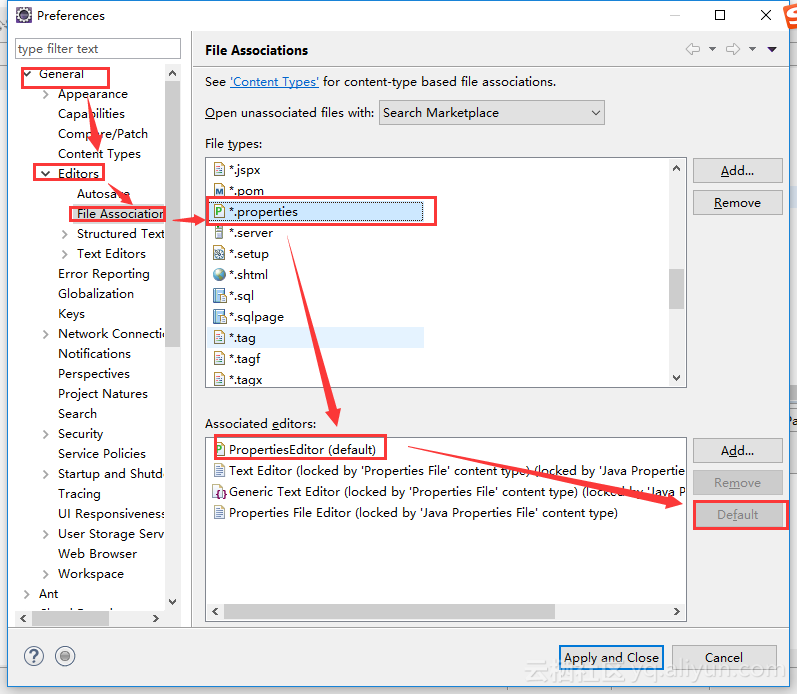 2、效果如下 Eclipse Java EE IDE for Web Developers.Version: Oxygen.2 Release (4.7.2)Build id: 20171...



