
Eclipse 4.22 正式发布
Eclipse 4.22 正式版已发布。
- 下载地址:https://download.eclipse.org/eclipse/downloads/drops4/R-4.22-202111241800/
- 更新内容:https://www.eclipse.org/eclipse/news/4.22/
- 升级已有安装版本 (non-production):https://download.eclipse.org/eclipse/updates/4.22/
- Specific repository good for building against:https://download.eclipse.org/eclipse/updates/4.22/R-4.22-202111241800/
- Equinox 相关下载:https://download.eclipse.org/equinox/drops/R-4.21-202109060500/
- 支持 Java 17
此版本特别包括以下 Java 17 功能:
JEP 306: Restore Always-Strict Floating-Point Semantics.
恢复始终执行严格模式 (Always-Strict) 的浮点定义
JEP 406: Pattern Matching for switch (Preview).
switch 模式匹配进入预览 (Preview) 阶段
JEP 409: Sealed Classes (Final).
密封类和接口正式可用,用于限制哪些类和接口可以继承或实现它们。
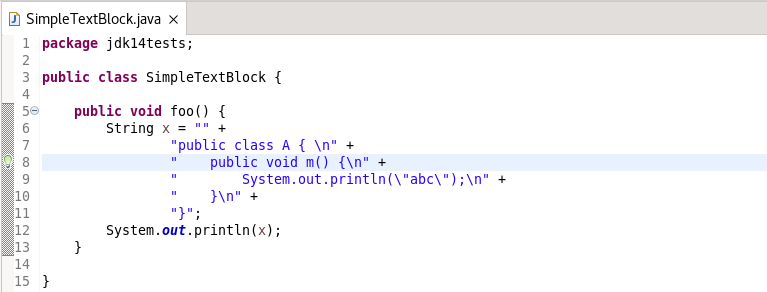
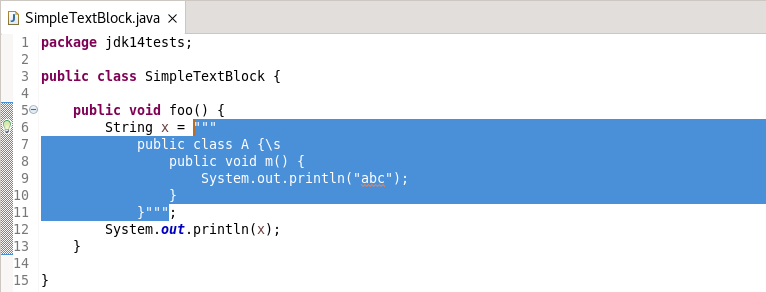
- 支持将字符串连接转换为文本块 (Text block)
转换前
转换后
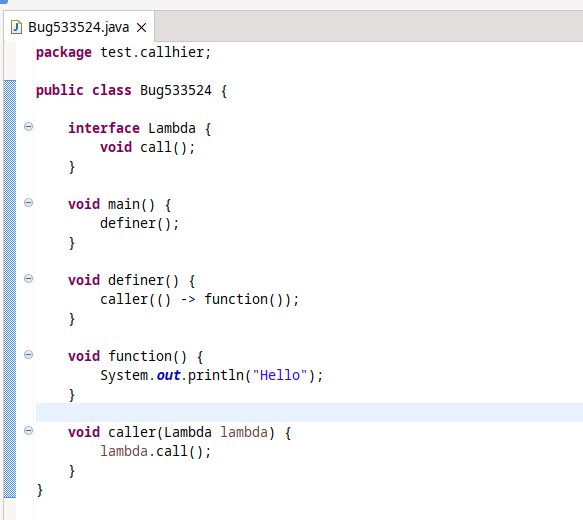
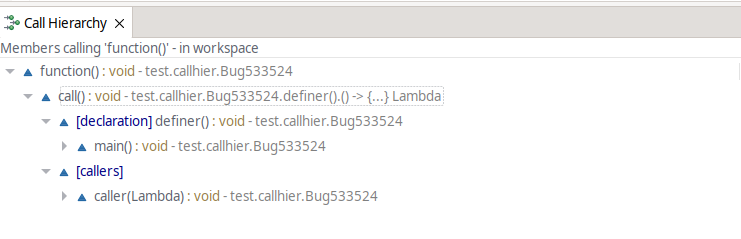
- 改进了调用层次结构视图中的 lambda 支持
对于以下代码:
检查 function() 的调用者将显示:
- 默认使用外部浏览器
默认情况下,Eclipse IDE 将打开默认的系统浏览器,而不是内部浏览器。可以通过 Windows -> Preferences -> General -> Web Browser 来改变这一设置。
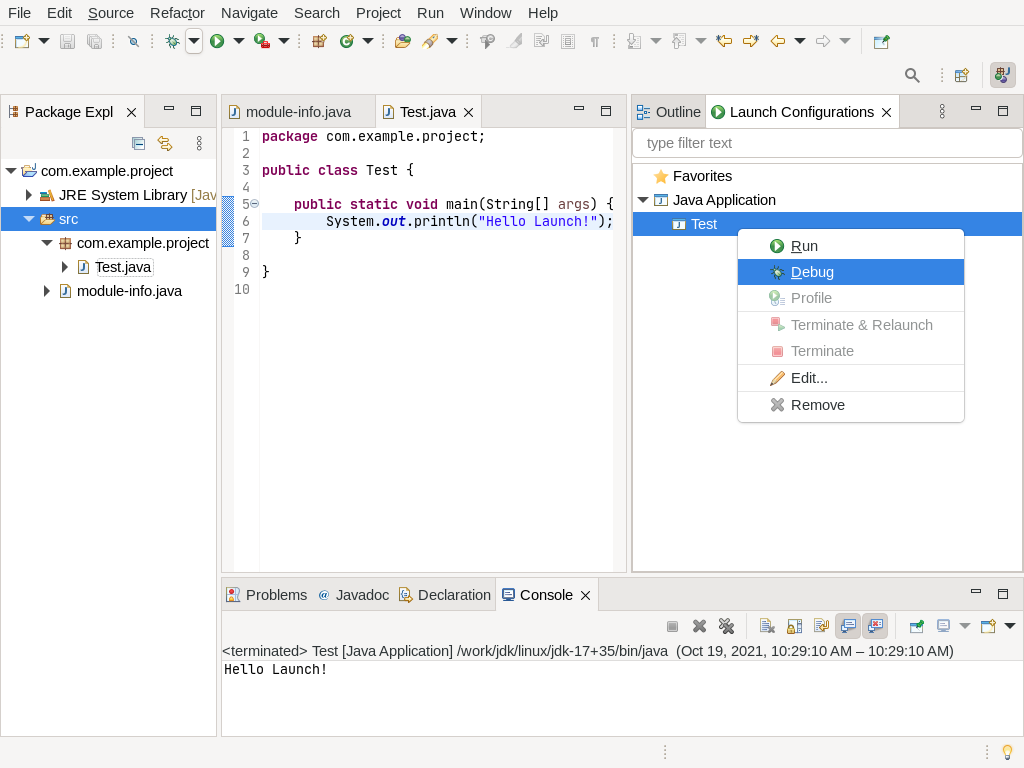
- 新的 Launch Configuration 视图
新的 Launch Configuration 视图允许快速访问所有启动配置,无需进入启动对话框。此外还支持直接从视图启动(运行、调试、配置文件等)以及终止和/或重新启动运行配置。
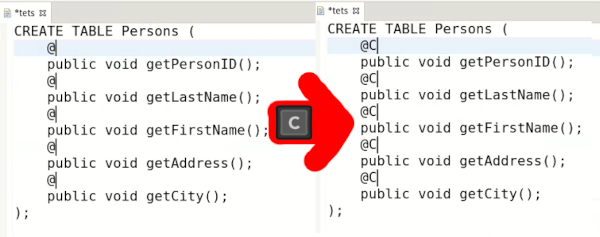
- 文本编辑器支持选择多行文本
多选可用于进行大多数编辑操作(文本替换或插入、将选择扩展到下一个单词或下一行、复制/粘贴……)
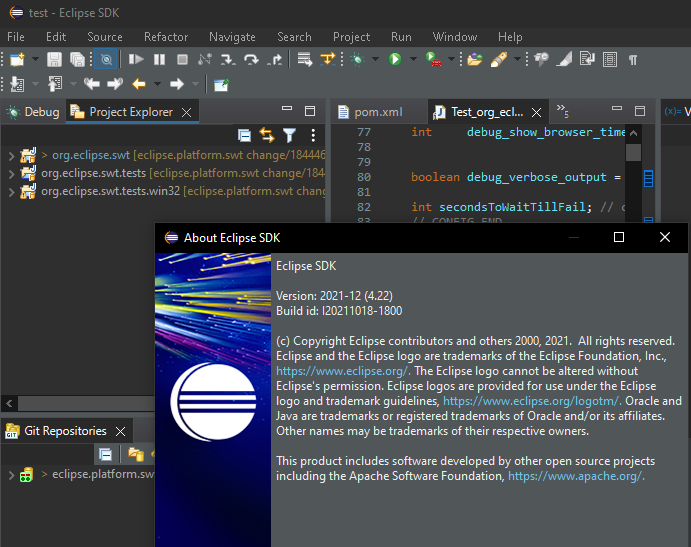
- Windows 深色主题样式标题栏
Windows 操作系统上深色主题中的 Windows 标题栏现在采用默认的深色主题样式。
详情查看:





