QBezierPathView.m
    @interface QBezierPathView : UIView
    @interface QBezierPathView ()

    /// 路径
    @property (nonatomic, strong) UIBezierPath *path;

    /// 起始点
    @property (nonatomic, assign) CGPoint startP;

    /// 终止点
    @property (nonatomic, assign) CGPoint endP;

    /// 控制点
    @property (nonatomic, assign) CGPoint controlP1;
    @property (nonatomic, assign) CGPoint controlP2;

    /// 线的颜色
    @property (nonatomic, strong) UIColor *pathColor;

    /// 线的宽度
    @property (nonatomic, assign) CGFloat pathWidth;

    /// 当前触摸的点
    @property (nonatomic, assign) NSUInteger currentTouchP;

    @end

    @implementation QBezierPathView

    /// 初始化
    - (instancetype)initWithFrame:(CGRect)frame {

        if (self = [super initWithFrame:frame]) {

            // 设置初始值

            self.startP    = CGPointMake(20, 300);
            self.endP      = CGPointMake(250, 300);
            self.controlP1  = CGPointMake(100, 100);
            self.controlP2  = CGPointMake(200, 350);

            self.pathColor = [UIColor redColor];
            self.pathWidth = 2;
        }
        return self;
    }

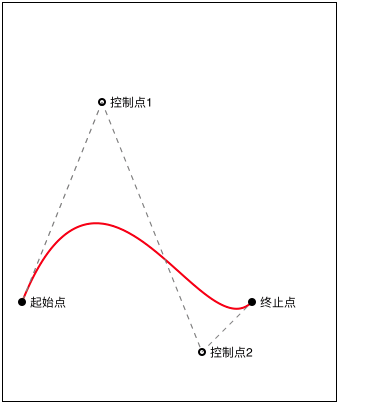
    /// 绘制二阶贝塞尔曲线
    - (void)drawRect:(CGRect)rect {

        // 绘制贝塞尔曲线

        self.path = [UIBezierPath bezierPath];
        [self.path moveToPoint:self.startP];

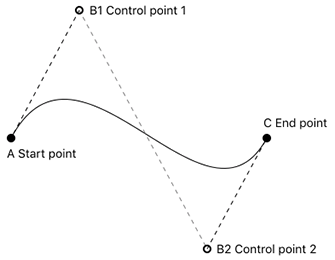
        [self.path addCurveToPoint:self.endP controlPoint1:self.controlP1 controlPoint2:self.controlP2];

        self.path.lineWidth = self.pathWidth;
        [self.pathColor setStroke];
        [self.path stroke];

        // 绘制辅助线

        self.path = [UIBezierPath bezierPath];

        self.path.lineWidth = 1;
        [[UIColor grayColor] setStroke];

        CGFloat lengths[] = {5};
        [self.path setLineDash:lengths count:1 phase:1];

        [self.path moveToPoint:self.controlP1];
        [self.path addLineToPoint:self.startP];
        [self.path stroke];

        [self.path moveToPoint:self.controlP1];
        [self.path addLineToPoint:self.controlP2];
        [self.path stroke];

        [self.path moveToPoint:self.controlP2];
        [self.path addLineToPoint:self.endP];
        [self.path stroke];

        // 绘制辅助点及信息

        self.path = [UIBezierPath bezierPathWithArcCenter:self.startP radius:4 startAngle:0 endAngle:M_PI * 2 clockwise:YES];
        [[UIColor blackColor] setStroke];
        [self.path fill];

        self.path = [UIBezierPath bezierPathWithArcCenter:self.endP radius:4 startAngle:0 endAngle:M_PI * 2 clockwise:YES];
        [[UIColor blackColor] setStroke];
        [self.path fill];

        self.path = [UIBezierPath bezierPathWithArcCenter:self.controlP1 radius:3 startAngle:0 endAngle:M_PI * 2 clockwise:YES];
        self.path.lineWidth = 2;
        [[UIColor blackColor] setStroke];
        [self.path stroke];

        self.path = [UIBezierPath bezierPathWithArcCenter:self.controlP2 radius:3 startAngle:0 endAngle:M_PI * 2 clockwise:YES];
        self.path.lineWidth = 2;
        [[UIColor blackColor] setStroke];
        [self.path stroke];

        CGRect startMsgRect = CGRectMake(self.startP.x + 8, self.startP.y - 7, 50, 20);
        [@"起始点" drawInRect:startMsgRect withAttributes:nil];

        CGRect endMsgRect = CGRectMake(self.endP.x + 8, self.endP.y - 7, 50, 20);
        [@"终止点" drawInRect:endMsgRect withAttributes:nil];

        CGRect control1MsgRect = CGRectMake(self.controlP1.x + 8, self.controlP1.y - 7, 50, 20);
        [@"控制点1" drawInRect:control1MsgRect withAttributes:nil];

        CGRect control2MsgRect = CGRectMake(self.controlP2.x + 8, self.controlP2.y - 7, 50, 20);
        [@"控制点2" drawInRect:control2MsgRect withAttributes:nil];
    }

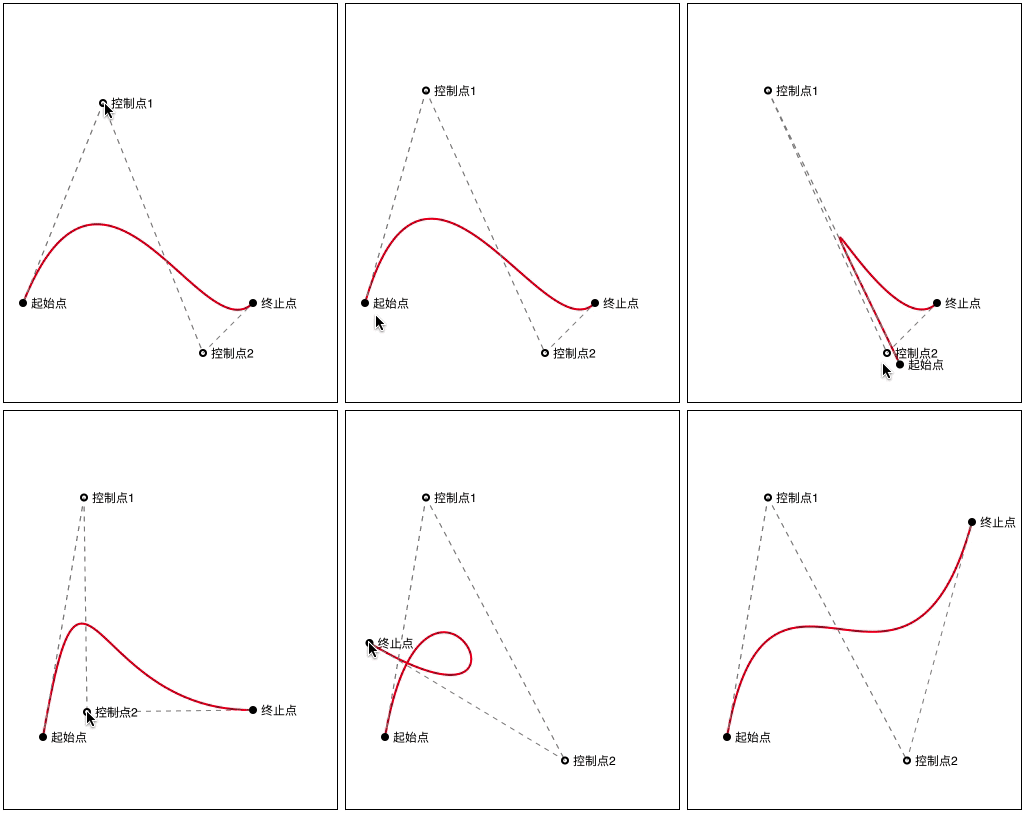
    /// 触摸开始
    - (void)touchesBegan:(NSSet<UITouch *> *)touches withEvent:(nullable UIEvent *)event {

        // 获取触摸点位置
        CGPoint startPoint = [touches.anyObject locationInView:self];

        CGRect startR    = CGRectMake(self.startP.x   - 4, self.startP.y   - 4, 8, 8);
        CGRect endR      = CGRectMake(self.endP.x     - 4, self.endP.y     - 4, 8, 8);
        CGRect controlR1 = CGRectMake(self.controlP1.x - 4, self.controlP1.y - 4, 8, 8);
        CGRect controlR2 = CGRectMake(self.controlP2.x - 4, self.controlP2.y - 4, 8, 8);

        // 判断当前触摸点
        if (CGRectContainsPoint(startR, startPoint)) {
            self.currentTouchP = 1;
        } else if (CGRectContainsPoint(endR, startPoint)) {
            self.currentTouchP = 2;
        } else if (CGRectContainsPoint(controlR1, startPoint)) {
            self.currentTouchP = 3;
        } else if (CGRectContainsPoint(controlR2, startPoint)) {
            self.currentTouchP = 4;
        }
    }

    /// 触摸移动
    - (void)touchesMoved:(NSSet<UITouch *> *)touches withEvent:(nullable UIEvent *)event {

        // 获取触摸点位置
        CGPoint touchPoint = [touches.anyObject locationInView:self];

        // 限制触摸点的边界

        if (touchPoint.x < 0) {
            touchPoint.x = 0;
        }

        if (touchPoint.x > self.bounds.size.width) {
            touchPoint.x = self.bounds.size.width;
        }

        if (touchPoint.y < 0) {
            touchPoint.y = 0;
        }

        if (touchPoint.y > self.bounds.size.height) {
            touchPoint.y = self.bounds.size.height;
        }

        // 设置当前触摸点的值
        switch (self.currentTouchP) {
            case 1:
                self.startP = touchPoint;
                break;

            case 2:
                self.endP = touchPoint;
                break;

            case 3:
                self.controlP1 = touchPoint;
                break;

            case 4:
                self.controlP2 = touchPoint;
                break;

            default:
                break;
        }

        // 刷新
        [self setNeedsDisplay];
    }

    /// 触摸结束
    - (void)touchesEnded:(NSSet<UITouch *> *)touches withEvent:(nullable UIEvent *)event {

        // 释放之前的触摸点
        self.currentTouchP = 0;
    }

    /// 触摸取消
    - (void)touchesCancelled:(NSSet *)touches withEvent:(nullable UIEvent *)event {
        [self touchesEnded:touches withEvent:event];
    }

    @end