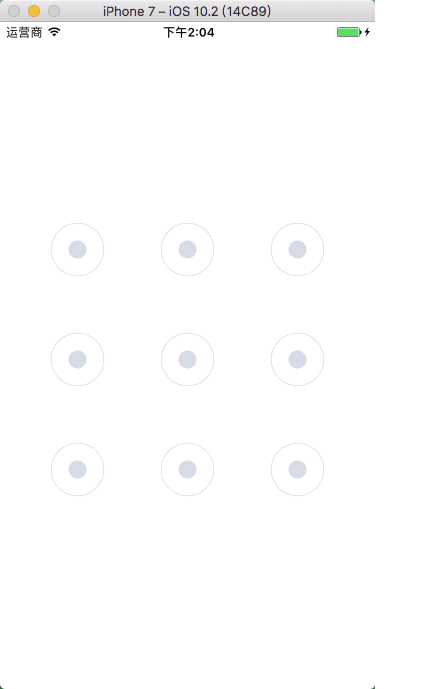
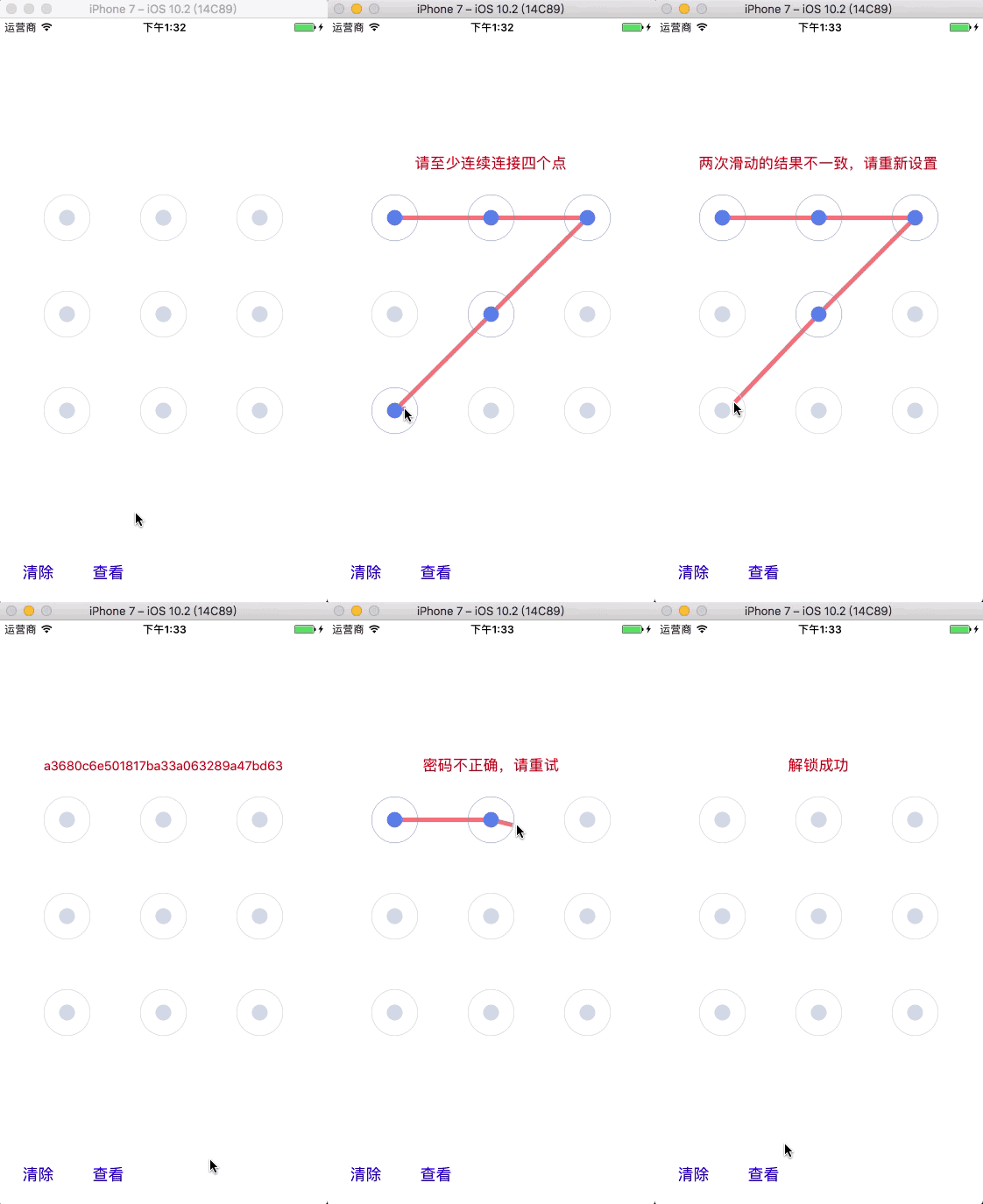
QTouchLockView.m
    #import "NSString+Hash.h"

    @interface QTouchLockView ()

    /// 存放选中的按钮
    @property (nonatomic, strong) NSMutableArray *selectedArray;

    /// 当前被选中的按钮
    @property (nonatomic, assign) CGPoint currentPoint;

    /// 滑动手势结果
    @property (nonatomic, copy) void (^resultBlock)(BOOL, NSString *);

    @end

    @implementation QTouchLockView

    /// 创建手势锁界面,获取滑动结果
    + (instancetype)q_touchLockViewWithFrame:(CGRect)frame
                                  pathResult:(void (^)(BOOL isSucceed, NSString *result))result {

        QTouchLockView *touchLockView = [[self alloc] init];

        CGRect tmpFrame = frame;
        tmpFrame.size.height = frame.size.width;

        touchLockView.frame = tmpFrame;
        touchLockView.resultBlock = result;

        return touchLockView;
    }

    /// 初始化界面
    - (instancetype)initWithFrame:(CGRect)frame {

        if (self = [super initWithFrame:frame]) {

            self.backgroundColor = [UIColor whiteColor];

            // 添加提示信息框
            self.alertLabel = [[UILabel alloc] init];
            self.alertLabel.textAlignment = NSTextAlignmentCenter;
            self.alertLabel.textColor = [UIColor redColor];
            self.alertLabel.backgroundColor = [UIColor clearColor];
            self.alertLabel.numberOfLines = 1;
            self.alertLabel.adjustsFontSizeToFitWidth = YES;
            [self addSubview:self.alertLabel];

            // 添加按钮
            for (int i = 0; i < 9; i++){

                UIButton *btn = [[UIButton alloc] init];

                NSString *bundlePath = [[[NSBundle mainBundle] resourcePath]
                                        stringByAppendingPathComponent:@"QTouchLockView.bundle"];

                UIImage *normalImage = [UIImage imageWithContentsOfFile:
                                        [bundlePath stringByAppendingPathComponent:@"gesture_node_normal"]];
                UIImage *selectedImage = [UIImage imageWithContentsOfFile:
                                          [bundlePath stringByAppendingPathComponent:@"gesture_node_selected"]];
                UIImage *highlightedImage = [UIImage imageWithContentsOfFile:
                                             [bundlePath stringByAppendingPathComponent:@"gesture_node_highlighted"]];

                [btn setBackgroundImage:normalImage forState:UIControlStateNormal];
                [btn setBackgroundImage:selectedImage forState:UIControlStateSelected];
                [btn setBackgroundImage:highlightedImage forState:UIControlStateHighlighted];

                // 设置 tag 值,设置按钮对应的密码值
                btn.tag = i + 1;

                // 关闭按钮的交互,响应触摸事件
                btn.userInteractionEnabled = NO;

                [self addSubview:btn];
            }
        }
        return self;
    }

    /// 布局控件
    - (void)layoutSubviews {
        [super layoutSubviews];

        // 设置按钮的 frame
        for (int i = 0; i < self.subviews.count - 1; i++) {

            // 列数
            NSInteger cols = 3;

            // 设置按钮尺寸
            CGFloat W = self.bounds.size.width;
            CGFloat H = self.bounds.size.height;
            CGFloat btnW = W / 5;
            CGFloat btnH = H / 5;

            // 计算按钮的 x 坐标值
            NSUInteger col = i % cols;
            CGFloat btnX = col * btnW * 2;

            // 计算按钮的 y 坐标值
            NSUInteger row = i / cols;
            CGFloat btnY = row * btnH * 2;

            // 设置按钮的 frame
            UIButton *btn = self.subviews[i + 1];
            btn.frame = CGRectMake(btnX, btnY, btnW, btnH);
        }

        // 设置提示信息框的 frame
        self.alertLabel.frame = CGRectMake(0, -50, self.bounds.size.width, 30);
    }

    /// 触摸开始
    - (void)touchesBegan:(NSSet *)touches withEvent:(nullable UIEvent *)event {

        // 获取触摸起始点位置
        CGPoint startPoint = [touches.anyObject locationInView:self];

        // 获取其 button
        UIButton *button = nil;
        for (UIButton *btn in self.subviews) {

            // 设置触摸按钮的灵敏度
            CGRect frame = btn.frame;
            CGRect tmpFrame = CGRectMake(frame.origin.x + frame.size.width / 4,
                                         frame.origin.y + frame.size.height / 4,
                                         frame.size.width / 2,
                                         frame.size.height / 2);

            // 判断某点在不在其 frame 上
            if (CGRectContainsPoint(tmpFrame, startPoint)) {
                button = btn;
            }
        }

        // 选中此 button
        if (button && button.selected == NO) {
            button.selected = YES;
            [self.selectedArray addObject:button];
        }
    }

    /// 触摸移动
    - (void)touchesMoved:(NSSet *)touches withEvent:(nullable UIEvent *)event {

        // 获取触摸点位置
        CGPoint touchPoint = [touches.anyObject locationInView:self];

        // 获取其 button
        UIButton *button = nil;
        for (UIButton *btn in self.subviews) {

            // 设置触摸按钮的灵敏度
            CGRect frame = btn.frame;
            CGRect tmpFrame = CGRectMake(frame.origin.x + frame.size.width / 4,
                                         frame.origin.y + frame.size.height / 4,
                                         frame.size.width / 2,
                                         frame.size.height / 2);

            // 判断某点在不在其 frame 上
            if (CGRectContainsPoint(tmpFrame, touchPoint)) {
                button = btn;
            }
        }

        // 选中此 button
        if (button && button.selected == NO) {
            button.selected = YES;
            [self.selectedArray addObject:button];
        } else {
            self.currentPoint = touchPoint;
        }

        // 刷新视图
        [self setNeedsDisplay];
    }

    /// 触摸结束
    - (void)touchesEnded:(NSSet *)touches withEvent:(nullable UIEvent *)event {

        if (self.selectedArray.count < 4) {

            // 触摸点数过少
            if (self.resultBlock) {
                self.resultBlock(NO, @"请至少连续连接四个点");
            }

            for (UIButton *btn in self.selectedArray) {

                btn.highlighted = YES;
                btn.selected = NO;
            }

            // 延迟
            dispatch_after(dispatch_time(DISPATCH_TIME_NOW,
                                         (int64_t)(0.5 * NSEC_PER_SEC)),
                           dispatch_get_main_queue(), ^{

                               [self clearPath];
                           });

        } else {

            // 触摸完成
            if (self.resultBlock) {

                // 获取触摸结果
                NSMutableString *path = [NSMutableString string];
                for (UIButton *btn in self.selectedArray) {
                    [path appendFormat:@"%ld", btn.tag];
                }

                // 对滑动获取的密码值进行 MD5 加密
                NSString *md5Path = [path q_md5String];

                self.resultBlock(YES, md5Path);
            }

            [self clearPath];
        }
    }

    /// 触摸取消
    - (void)touchesCancelled:(NSSet *)touches withEvent:(nullable UIEvent *)event {

        [self touchesEnded:touches withEvent:event];
    }

    /// 绘制贝塞尔连接线
    - (void)drawRect:(CGRect)rect {

        if (self.selectedArray.count == 0) {
            return;
        }

        UIBezierPath *path = [UIBezierPath bezierPath];
        path.lineWidth = 5;
        path.lineJoinStyle = kCGLineCapRound;
        [[UIColor colorWithRed:1 green:0 blue:0 alpha:0.5] set];

        for (int i = 0; i < self.selectedArray.count; i++) {

            UIButton *btn = self.selectedArray[i];

            // 如果是第一个按钮,则将其曲线的起点放在其按钮上,否则则进行连线
            if (i == 0) {
                [path moveToPoint:btn.center];
            } else {
                [path addLineToPoint:btn.center];
            }
        }

        // 如果不满足上述条件,按钮不存在则连接到临时点
        [path addLineToPoint:self.currentPoint];
        [path stroke];
    }

    /// 清除连接线
    - (void)clearPath {

        // 取消选中按钮
        for (UIButton *btn in self.selectedArray) {
            btn.highlighted = NO;
            btn.selected = NO;
        }

        // 清空选中按钮
        [self.selectedArray removeAllObjects];

        // 刷新视图
        [self setNeedsDisplay];
    }

    /// 懒加载
    - (NSMutableArray *)selectedArray {
        if (_selectedArray == nil) {
            _selectedArray = [NSMutableArray array];
        }
        return _selectedArray;
    }

    @end